

How to Build a Mobile App for Skill Practice & Drills
Learn how to plan, design, and build a mobile app for skill drills: MVP scope, content, scheduling, streaks, progress tracking, testing, and launch.
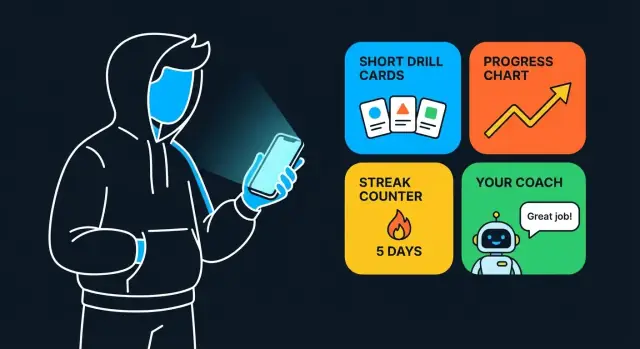
Start With the Skill, Not the App
A practice app succeeds when it fits the reality of how people improve—not when it has every feature. Before you sketch screens, get specific about the skill your audience is practicing and what “better” looks like to them.
Define the skill practice context
“Skill practice” can mean very different things depending on the domain: a soccer player repeating passing patterns, a language learner building recall, a pianist polishing timing, a sales rep rehearsing objections, or a student preparing for an exam. The context determines what kind of drills feel natural and what feedback actually helps.
Ask: what does a good practice session look like in this world—and what does a bad one look like?
Clarify the user’s goal (and make it measurable)
Users rarely want “more practice.” They want a result: higher accuracy, faster completion, more consistency, or more confidence under pressure. Pick one primary goal and one secondary goal—anything more becomes noise.
Then choose 1–2 core outcomes to track from day one. Examples:
- Reps completed (volume)
- Quiz score / accuracy rate (quality)
- Time-to-complete (speed)
These outcomes shape your drill design, your progress screens, and even your notifications later.
Choose a practice format that matches real behavior
Different formats produce different kinds of learning and motivation. Decide early what your “default drill” will be:
- Timed drills for speed and decision-making
- Flashcards for recall and spaced repetition
- Step-by-step routines for form and consistency
- Challenges for pressure and confidence
Once you pick the format, you can design the simplest version of the app around it—and avoid building features that don’t move the skill forward.
Know Your Users and Their Practice Barriers
Before you design features, get painfully specific about who is practicing and why they stop. A drill app succeeds when it fits into real life, not ideal schedules.
Define your primary user (in plain terms)
Start with one “default” person you’re building for:
- Level: early beginner to early intermediate (they know the basics but can’t yet stay consistent)
- Schedule: a busy day with small gaps—commute, lunch break, or 10 minutes before bed
- Motivation: wants visible improvement, but relies on momentum (needs the app to reduce friction)
This doesn’t exclude advanced users—it simply gives you a clear lens for product decisions.
The top 5 practice barriers to design around
Most practice apps fail for predictable reasons:
- Forgetting: they mean to practice, then the day disappears.
- Lack of structure: they open the app and don’t know what to do next.
- Boredom: repetitive drills feel like chores without variety or small wins.
- No feedback: they can’t tell what “good” looks like, so effort feels wasted.
- No time: sessions feel too long or too hard to start.
Your UX and content should directly answer these barriers (short sessions, clear next step, meaningful feedback).
Map key moments where users quit
Think in time-based moments rather than feature lists:
- First session: can they complete a drill in under 60 seconds and feel progress?
- Day 3 risk: novelty fades; missed practice becomes “I fell off.”
- Week 2 plateau: improvement slows; users need smarter guidance, not more grind.
User stories that shape the product
- “I want a 5-minute drill I can do on a commute.”
- “I want the app to pick today’s drill so I don’t have to plan.”
- “I want instant feedback so I know if I’m doing it right.”
- “I want to recover after missing a day without feeling punished.”
- “I want to see what to practice next based on my weak spots.”
Define the MVP and the Core Loop
An MVP for a skill practice app isn’t “a smaller version of everything.” It’s the smallest product that still delivers a repeatable practice habit—and proves people will come back.
Pick one “north star” action
Choose a single action that represents real value. For most drill apps, that’s something like “complete a daily drill session” (e.g., 5 minutes, 10 prompts, one set).
This matters because it shapes every decision:
- Your home screen should point to that action.
- Your onboarding should get users there fast.
- Your metrics should measure how often it happens.
Define the MVP feature set (keep it tight)
A practical MVP usually needs only:
- Account (optional at first): email/Apple/Google sign-in, or even guest mode if you can.
- Drill player: the screen that runs drills end-to-end (start → prompts → feedback → finish).
- Reminders: basic scheduling + opt-in notifications.
- Simple progress screen: sessions completed, recent activity, maybe “best streak.”
If a feature doesn’t directly support “complete a session,” it’s a candidate to delay.
Decide what to postpone
Common time-sinks that can wait until you’ve proven retention:
- Social feed or community features
- Advanced analytics dashboards
- Complex gamification (currencies, loot boxes, long quest chains)
- Multi-device sync and offline-first edge cases (beyond the basics)
Set a realistic timeline and success criteria
Make the MVP time-boxed (often 6–10 weeks for a first usable version). Define success with a few measurable targets, such as:
- Day-7 retention goal (e.g., 20–30% for early niche apps)
- Session completion rate (are users finishing drills?)
- Sessions per active user per week (is practice becoming a habit?)
If you hit those, you’ve earned the right to expand.
Speed up the MVP build without bloating scope
If your bottleneck is engineering time (not clarity on the drill loop), it can be worth prototyping with a workflow that turns product decisions into working software quickly.
For example, Koder.ai is a vibe-coding platform that lets you build web, backend, and mobile experiences from a chat-driven interface—useful for quickly validating an onboarding flow, a drill player, and a basic progress screen before you invest heavily in custom pipelines. It supports source code export, deployment/hosting, and practical product features like snapshots and rollback—handy when you’re iterating on drill types and scoring rules.
Design Drill Content That’s Easy to Create and Maintain
Great drill apps aren’t powered by flashy screens—they’re powered by content you can reliably produce, update, and improve over time. If drill creation is slow or inconsistent, your app will stall even if the “engine” is excellent.
Choose your building blocks
Start by defining a small set of content components you’ll reuse everywhere. Common building blocks include:
- Drill cards / prompts: the core instruction or question.
- Examples: what good looks like in a real scenario.
- Hints: optional nudges that reduce frustration without giving away the answer.
- Solutions / model answers: clear reference outcomes.
- Reflection notes: quick questions like “What did you miss?” or “What will you try next time?”
Keeping these blocks consistent lets you mix-and-match drill types later without rewriting your content system.
Use a consistent drill template
A template keeps your library coherent across writers and topics. A practical drill template usually includes:
- Title (specific, not clever)
- Goal (one sentence)
- Steps (3–6 short actions)
- Timer (if relevant)
- Scoring / success rule (what counts as “done”)
- Common mistakes (1–3 bullets)
This structure also helps your UI: once the app supports the template, you can ship new drills without new screens.
Plan difficulty and progression early
Difficulty isn’t just “easy/medium/hard.” Define what changes: speed, complexity, constraints, or fewer hints. Then decide how users move up:
- Manual selection is simple and user-friendly, but some people will avoid harder drills.
- Auto-advance can increase momentum, but needs guardrails (don’t promote after one lucky attempt).
- Assessment gates work well when skills build on each other (short check-in drills that unlock the next level).
Whichever you choose, document the rule so content creators know how to write for each level.
Decide who creates content (and how)
Content creation can come from:
- Your team (most consistent voice, higher cost)
- Coaches/instructors (high-quality drills, may need editing)
- Community (scales well, requires moderation)
- AI-assisted drafts with review (fastest start, still needs a human “final cut” for accuracy and tone)
A good default is: AI or templates for first drafts, a simple editorial checklist, and a clear owner who approves anything that ships. This keeps your drill library growing without becoming messy or impossible to maintain.
Build a Simple, Repeatable User Flow
A practice app wins when users can open it and start in seconds—no hunting for the right drill, no decision fatigue. Aim for a repeatable loop that feels the same every day: open → start → finish → see what’s next.
Key screens to keep the flow clear
Most drill-based apps can stay focused with a small set of screens:
- Onboarding: pick skill level, goals, schedule preferences, and a quick baseline check (optional).
- Home: one primary action (“Start session”) plus a preview of today’s plan.
- Today’s drills: a short list (or a single “next drill”) with estimated time.
- Drill player: full-screen focus with simple controls and clear instructions.
- Results: immediate feedback, a quick summary, and one button to continue.
- Progress: trends over time and what to practice next (not just totals).
- Settings: reminders, accessibility options, data/privacy controls.
Keep sessions short, with a clear finish
Design sessions to fit real life: 3–10 minutes with an obvious start and end. Tell users up front what they’re doing (“5 drills • ~6 min”), and finish with a clean wrap-up (“Session complete”) so it feels like a win—even on busy days.
Optimize for one-handed use and fast re-entry
Assume users are standing in a hallway or on a commute. Prioritize:
- A persistent “Start session” button on Home.
- Resume last drill if they drop off mid-session.
- Big tap targets near the bottom of the screen for primary actions.
- Minimal typing after onboarding (use toggles, presets, and short selections).
Accessibility basics you should bake in early
Accessibility is part of the core UX, not a “nice to have.” Start with:
- Readable font sizes (support dynamic text) and strong color contrast.
- Captions/transcripts for audio instructions.
- Clear states (correct/incorrect/next) that don’t rely on color alone.
- Generous tap targets and predictable navigation.
Create the Drill Engine (Types, Timing, Feedback)
Your drill engine is the “workout machine” of the app: it decides what a drill looks like, how it runs, and what the user gets back after each attempt. If this part is clear and consistent, you can add new content later without rewriting the whole product.
Pick a small set of drill types first
Start with 2–4 drill formats you can execute flawlessly. Common, flexible options include:
- Multiple choice (fast to answer, easy to score)
- Typing / short input (great for recall, spelling, formulas, terminology)
- Timed sets (e.g., 60-second rounds, “do as many as you can”)
- Audio repeat (listen → repeat → self-rate or compare to a reference)
Design each type as a template: prompt, user action, expected answer(s), and feedback rules.
Define scoring rules and feedback that teach
Scoring should be predictable across drill types. Decide early how you’ll handle:
- Correct / incorrect outcomes
- Partial credit (close matches, multi-part answers)
- Speed bonuses (optional—use carefully so you don’t reward rushing)
- Hints used (deduct points, or track separately)
Feedback should be immediate and useful: show the right answer, explain why, and give a next step (e.g., “Try again with a hint” or “Add this to tomorrow’s review”).
Add quick reflection prompts
After a set (not after every question), include a 5–10 second reflection:
- “What felt hardest?”
- “What should we repeat tomorrow?”
This reinforces learning and gives you lightweight personalization signals without requiring complex AI.
Plan offline behavior from day one
Many users practice in short gaps with unreliable connectivity. Cache upcoming drills and media (especially audio), store results locally, and sync later.
Be explicit about conflict handling: if the same session is submitted twice, your server should de-duplicate safely. A simple rule—“last write wins” plus unique session IDs—prevents messy progress records.
Scheduling, Reminders, and Streaks Without Annoying Users
Scheduling and notifications are where practice apps either become helpful companions—or get muted and forgotten. The goal is to create gentle structure that adapts to real life.
Choose a scheduling model that matches the skill
Different skills need different rhythms. Consider supporting one (for MVP) and leaving room for others later:
- Daily set: “Do 10 minutes / 5 drills per day.” Great for beginners and habit building.
- Spaced repetition: drills resurface based on performance (missed = sooner, mastered = later). Best for memorization-heavy skills.
- Custom plan: users pick days, duration, and focus areas (e.g., Tue/Thu technique, Sat review).
- Coach-assigned plan: a coach (or teacher) pushes the week’s drills; users just follow the queue.
If you offer multiple approaches, make the choice explicit during onboarding and allow switching without losing progress.
Reminders that respect people
Reminders should be controllable, predictable, and easy to dismiss:
- Quiet hours (and time zone awareness) so you don’t ping during sleep or work.
- Frequency control: “Only once per day” vs “Nudge me again if I haven’t started.”
- Snooze options like 15 min / 1 hour / tonight, plus a one-tap “Not today.”
Write notifications that tell users what they’ll do, not what they failed to do: “2 quick drills ready: accuracy + speed.”
Streaks without guilt
Streaks can motivate, but they can also punish normal life. Use flexible rules:
- Freeze days (limited per month) to protect streaks during travel or illness.
- Flexible streak definition (e.g., 4 of 7 days counts) to reward consistency over perfection.
Add a weekly review loop
Once a week, show a simple summary: what improved, what still needs repetition, and what to adjust next week. Offer one clear action: “Keep,” “Repeat,” or “Swap” a drill—so users feel guided, not judged.
Progress Tracking That Helps Users Practice Smarter
Progress tracking should answer one question quickly: “Am I getting better, and what should I practice next?” The goal isn’t to impress users with charts—it’s to keep them motivated and pointed at the right drill.
Pick progress views that match the skill
Different skills improve in different ways, so choose metrics that feel natural:
- Accuracy trend (e.g., correct notes, correct answers, clean reps)
- Time trend (e.g., completion time, reaction time, pace)
- Level unlocked / difficulty reached (simple milestones that signal growth)
- Consistency (days practiced, sessions completed, “kept my routine”)
Avoid mixing too many metrics on one screen. One primary metric plus one supporting metric is usually enough.
Show progress at three levels
Users benefit from seeing progress in layers:
- Session view: “What happened just now?” Show a quick summary: score, hardest items, and one short improvement note.
- Week view: “Am I staying consistent?” Highlight practice days, total minutes/sessions, and a simple trend line (up/down/flat).
- Long-term view: “Is this working?” Use milestones (levels, badges tied to real skill, personal bests) and a longer trend line that smooths daily noise.
Keep each view scannable. If a chart needs a legend to understand it, it’s too complex.
Use encouraging, clear language
Replace stat-heavy labels with plain meaning:
- “Accuracy: 72%” → “7 out of 10 correct”
- “p95 latency” → “Your fastest time this week”
If a result is low, avoid judgment. Use supportive phrasing like “Good start” or “Let’s focus on this next.”
Always suggest the next best step
Progress without guidance can feel empty. After each session (and on the week screen), add a lightweight recommendation:
- Recommended drills: “Repeat Drill A tomorrow” or “Try Drill B at an easier speed.”
- Focus areas: “Most mistakes: left-hand transitions” or “Words with ‘th’.”
- Target: one concrete goal for the next session (e.g., “Aim for 80% accuracy at Level 2”).
This turns tracking into coaching—so users practice smarter, not just more.
Data, Privacy, and Sync Essentials
Practice apps feel simple on the surface, but they generate a lot of “small” data: attempts, timings, schedules, streaks, and notes. Planning this upfront helps you avoid painful migrations later—and earns trust by handling personal data carefully.
Start with a clear data model
Keep the model lean, but explicit. A typical drill app needs:
- Users: account ID, preferences (units, difficulty defaults), notification settings
- Drills: drill type, prompt/content, parameters (duration, reps), tags
- Sessions: when a practice session started/ended, what drills were included
- Attempts: per drill attempt results (score, time, accuracy, self-rating)
- Schedules: spaced repetition intervals, next due date, reminders enabled/disabled
- Achievements: streaks, milestones, badges (if you use them)
Design these so they’re easy to query for progress (“last 7 days”), accountability (“what’s due today”), and personalization (“what helps this user improve?”).
Local vs. cloud: decide what lives where
A good default is offline-first for practicing, with optional sync:
- Store locally: drill content needed to run, recent sessions/attempts, today’s schedule, notification preferences.
- Store in the cloud (if you offer accounts): backup, cross-device sync, long-term history, and shared libraries (e.g., coach-to-student drill packs).
If you sync, define conflict rules in plain terms (e.g., “latest attempt wins,” or “merge attempts, dedupe by ID”). Users notice when streaks or “due” drills jump around.
Privacy basics users actually care about
Collect only what you need to deliver the feature:
- Consent: ask clearly for notifications; explain what they’re for.
- Analytics: keep it minimal, avoid logging raw user-entered content unless essential, and offer an opt-out when feasible.
- Identifiers: don’t request contacts, precise location, or microphone/camera unless your drills truly require it.
Export and delete (even a simple version)
If feasible, provide:
- Export: a simple CSV/JSON of attempts and sessions for personal tracking
- Delete account/data: an in-app action or a clearly documented request path
Document your data handling in plain language (what you store, why, and for how long). A short “Data & Privacy” screen in Settings plus a link to your policy (e.g., /privacy) goes a long way.
Tech Choices and Architecture (Kept Practical)
Your tech stack should reduce risk, not prove a point. For a drills app, you’re optimizing for speed of iteration, reliable notifications, and painless content updates.
Native vs. cross‑platform
Native (Swift/iOS, Kotlin/Android) makes sense if you need the best performance, deep platform features, or you expect heavy device-specific work (advanced audio timing, sensors, wearables). It can be more expensive because you’re effectively building two apps.
Cross‑platform (React Native or Flutter) is often the practical choice for an MVP: one codebase, faster feature parity, and usually enough performance for timers, short videos, and simple feedback UI. Pick the one your team can hire for and maintain.
Core integrations you’ll likely need
Keep your first release tight, but plan these early:
- Push notifications (APNs/FCM) for reminders and scheduled drills
- Analytics to learn what drills people actually complete
- Payments (if monetized) via in-app purchases or subscriptions
- Crash reporting to catch real-device issues quickly
Content management: don’t hard-code drills
You have three common options:
- In-app editor (fastest for solo creators; limited workflows)
- Admin dashboard (best for teams; requires a web build)
- Remote config / content API (flexible; supports versioning and A/B tests)
A simple approach: store drill “templates” locally, and fetch the drill definitions (text, media URLs, timing rules) from a lightweight backend.
Where Koder.ai fits (especially for MVPs)
If you want to move fast while keeping a modern stack, Koder.ai aligns well with typical practice-app needs:
- Web experiences built around React
- Backends in Go with PostgreSQL for sessions/attempts/schedules
- Mobile apps in Flutter for cross-platform delivery
Because Koder.ai supports planning mode, code export, and deployment/hosting (with custom domains and snapshots/rollback), it can be a practical way to stand up the first end-to-end version—then evolve into a longer-term build without locking yourself into a prototype.
Basic QA checklist (before you ship)
Test:
- Small/large device sizes and accessibility text scaling
- Offline mode (what works without internet, what’s cached)
- Notification timing (time zones, Do Not Disturb, permission denied)
- Performance: drill start time, media loading, battery impact
If you want a sanity check on what to validate first, see /blog/testing-metrics-for-learning-apps.
Testing and Iteration: What to Measure Early
A drill app lives or dies by whether people actually complete sessions, feel progress, and come back. Early testing isn’t about perfect UI—it’s about proving your practice loop works and finding the few blockers that stop users from practicing.
Track the loop, not vanity metrics
Start with a small set of analytics that map directly to the core loop:
- Onboarding completion rate: how many people reach the point where they can start a drill
- First drill completion rate: the “aha” moment—do users finish at least one session?
- Day 7 retention: are users returning after the initial excitement fades?
Keep event tracking simple and consistent (e.g., onboarding_completed, drill_started, drill_completed, session_finished). If you can’t explain a metric in one sentence, it’s probably not needed yet.
Usability tests: 5–10 people beats 1,000 opinions
Before you polish visuals, run quick usability tests with 5–10 target users. Give them realistic tasks, then watch where they hesitate:
- “Start a 5-minute practice session.”
- “Change the difficulty.”
- “Find your past results.”
Ask them to think out loud. You’re looking for friction you can remove in a day—not debating preferences.
A/B test with discipline
A/B testing can help, but only if you’re careful. Change one thing at a time, otherwise you won’t know what caused the result. Good early candidates include:
- Reminder copy (friendly vs. direct)
- Default session length (3 vs. 5 minutes)
- Drill difficulty ramp (easy-first vs. adaptive)
Run tests long enough to get meaningful behavior (often a week or more), and define success before you start (e.g., higher first drill completion or better day 7 retention).
Build feedback into the product
Don’t rely on app store reviews as your main feedback channel. Add lightweight in-app options such as:
- “Report a drill” (confusing prompt, wrong answer, bad timing)
- “Suggest improvement” (free text)
- A quick rating after sessions (1–5 with an optional comment)
Route this feedback to a simple queue your team reviews weekly. When users see fixes show up, they’re more likely to keep practicing—and to tell you what to improve next.
Launch, Pricing, and Ongoing Content Strategy
A practice app succeeds when people keep practicing. Your launch plan and pricing should support that: make it easy to start, easy to understand, and easy to come back tomorrow.
Pick a pricing model that matches the habit
Decide monetization early, because it affects onboarding, content pacing, and what you measure:
- Free trial → subscription: Great for ongoing practice because users expect new drills and improvements. Keep the trial long enough to feel progress (7–14 days often works).
- Freemium (core free + paid packs): Works well when you can package drills by skill level, goal, or genre (e.g., “Beginner Fundamentals,” “Speed & Accuracy,” “Exam Prep”).
- One-time purchase: Simple and appealing, but you’ll need a plan for continued content without recurring revenue.
Whatever you choose, be clear about what’s included: number of drills, personalization, offline access, and future packs.
If you’re building in public, consider incentives that turn early users into promoters. For example, Koder.ai runs an “earn credits” program for creating content about the platform and offers referral links—mechanics you can mirror for your own app if referrals and content creation are part of your growth strategy.
App store assets: sell the practice loop, not the feature list
Your screenshots and description should visually explain the loop in seconds:
- Choose a goal → 2) Do a short drill → 3) Get feedback → 4) See progress → 5) Come back tomorrow.
Write a single-sentence value statement that’s specific, like “5-minute daily drills to improve pronunciation” or “Short workouts to build finger speed.” Avoid vague claims and show real screens: the drill itself, the feedback screen, and the streak/progress view.
Onboarding that gets users practicing immediately
Prepare onboarding content so the app doesn’t feel empty on day one:
- Sample drills that demonstrate variety (timed, accuracy-based, spaced repetition)
- A starter plan (e.g., “3 days to get started” or “Week 1 fundamentals”) so users don’t have to decide
- A simple “how it works” screen: what a drill is, how scoring works, and what “good progress” looks like
The goal of onboarding isn’t education—it’s the first completed session.
After launch: ship content and learn from retention
Treat your first release like the beginning of a content program. Plan a light content calendar (new drills weekly or biweekly), plus periodic “packs” that feel meaningful.
Build your roadmap from retention data: where people drop off, which drills get repeated, and what correlates with week-2 return. Then improve the core loop before expanding features. If you want a checklist for what to monitor, link to your internal analytics guide at /blog/testing-and-iteration.
FAQ
What should I define before designing screens for a skill practice app?
Start by defining the skill practice context (what a “good session” looks like in that domain), then pick one primary measurable goal (e.g., accuracy or speed). From there, build around a single north star action like “complete a daily drill session.”
How do I choose measurable goals and metrics for a drills app?
Pick 1 primary goal + 1 secondary goal, then track 1–2 core outcomes from day one. Practical starter metrics include:
- Reps completed (volume)
- Accuracy / quiz score (quality)
- Time-to-complete (speed)
Those choices should directly shape drill design, results feedback, and progress views.
Which practice format should my app focus on first?
Choose a “default drill” that matches real behavior and the skill’s learning style:
- Timed drills for speed/decision-making
- Flashcards for recall and spaced repetition
- Step-by-step routines for form/consistency
- Challenges for pressure/confidence
Design the MVP around that format so you don’t build features that don’t move the skill forward.
What are the biggest practice barriers, and how should the UX address them?
Design directly around the common blockers:
- Forgetting
- Lack of structure
- Boredom
- No feedback
- No time
Practical fixes include short sessions (3–10 minutes), a clear “Start session” CTA, the app picking the next drill, and immediate feedback after attempts.
When do users usually quit practice apps, and what can I do about it?
Time-box the experience around three high-risk points:
- First session: get to a complete drill in under 60 seconds
- Day 3: help users recover from a missed day without guilt
- Week 2: add smarter guidance (what to practice next), not just more drills
These moments matter more than adding extra features early.
What features belong in the MVP for a skill practice app?
A tight MVP usually includes:
- Drill player (start → prompts → feedback → finish)
- Reminders (opt-in scheduling)
- Simple progress (sessions completed + recent activity)
- Optional account/guest mode
If it doesn’t support “complete a session,” postpone it (social features, complex gamification, advanced dashboards).
How do I create drill content that’s scalable and easy to maintain?
Use reusable content building blocks (prompts, examples, hints, solutions, reflection notes) and a consistent drill template:
- Title
- Goal
- Steps (3–6)
- Timer (optional)
- Scoring rule
- Common mistakes
This keeps content shippable without needing new UI for every new drill.
How should I design the drill engine and feedback rules?
Start with 2–4 drill types you can execute flawlessly (e.g., multiple choice, typing input, timed sets, audio repeat). For each type, define:
- Expected answer format
- Scoring rules (including partial credit)
- Feedback rules (show correct answer + why + next step)
Consistency here makes it easier to add content later without reworking the product.
How can I use notifications and streaks without annoying users?
Make reminders controllable and non-punitive:
- Quiet hours + time zone awareness
- Frequency controls (once/day vs follow-up nudge)
- Snooze options and a one-tap “Not today”
Use flexible streak rules (freeze days or “4 of 7 days counts”) so consistency is rewarded without guilt.
What are the essentials for data, privacy, offline mode, and sync?
Plan for offline-first practice:
- Cache upcoming drills/media
- Store results locally and sync later
- Use unique session IDs and de-duplication to avoid double submissions
Collect only what’s needed, keep analytics minimal, and offer basic export (CSV/JSON) plus a clear delete data/account path (e.g., via Settings and /privacy).