

How to Build a Mobile App to Track Fitness Classes & Schedules
Learn how to plan, design, and build a mobile app that lets users discover fitness classes, book spots, track schedules, and get reminders.
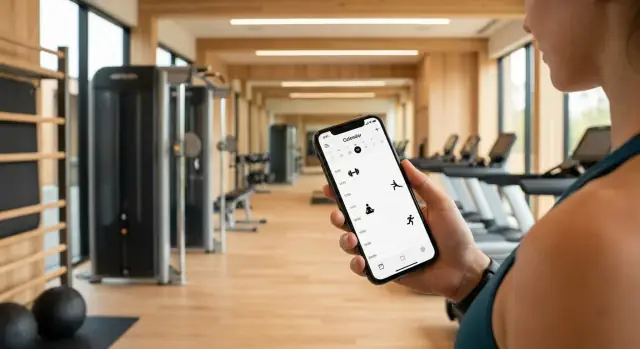
Clarify the App Goal and Target Users
Before you sketch screens or pick a tech stack, get specific about the problem you’re solving. “Track fitness classes” can mean anything from finding tonight’s yoga session to proving attendance for a trainer’s payroll. A clear goal keeps your feature list focused and your app easier to use.
Define the problem you’re fixing
Start with the real-world friction:
- Finding classes: people can’t quickly see what’s available, where, and when.
- Booking: sign-ups feel confusing, slow, or unreliable.
- Reminders: users forget, arrive late, or miss last-minute changes.
- Attendance history: members want a record of what they did; studios want accurate check-ins.
Write a one-sentence statement like: “Help members discover and book classes in under 30 seconds, and reduce no-shows with timely reminders.”
Choose your primary audience (don’t try to please everyone first)
Pick one “main” user for version 1, and support others only as needed.
- Members care about schedules, booking, waitlists, reminders, and personal history.
- Trainers care about their calendar, roster, and who actually showed up.
- Studio managers care about capacity, utilization, cancellations, and reporting.
If you target all three, decide whose workflow drives the app’s navigation and terminology.
Decide what “tracking” means in your app
Tracking could include:
- Upcoming schedule (what’s booked, with location and prep info)
- Past classes (history by date/type)
- Streaks or consistency (optional—motivating for some, stressful for others)
Set success metrics early
Choose a few measurable outcomes:
- More completed bookings
- Higher retention (weekly active members)
- Fewer no-shows and late cancellations
- Faster time-to-book (from open app to confirmation)
These decisions will guide every later section—from onboarding to notifications—without bloating your MVP.
Pick Features: MVP vs. Nice-to-Have
The fastest way to lose time (and budget) in a fitness class scheduling app is to build “everything” before you’ve proven the basics: can people find a class, reserve a spot, and actually show up?
Start with clear user stories
Write down what success looks like for two groups: members and staff.
Core member stories (MVP):
- Browse upcoming classes by day and location
- Filter by class type, intensity level, instructor, and time
- Book a spot, cancel if needed, and see current status (confirmed or full)
- Join a waitlist when a class is full and get promoted automatically when a spot opens
- Receive reminders people actually want (e.g., “2 hours before” or “tomorrow morning”)
Core admin/studio stories (MVP):
- Create classes with repeating schedules (e.g., every Tue/Thu at 7pm)
- Set capacity and simple booking rules (cutoff time, cancellation window)
- Assign or change instructors
- Make updates fast: cancel a class, swap rooms, change time—and notify affected members
Define the MVP scope (what ships first)
A practical MVP is:
- Class catalog + schedule
- Booking/cancel + waitlist
- Reminders/notifications
- An admin tool to manage the above
If a feature doesn’t support those flows, it’s probably not MVP.
Park “nice-to-have” ideas in Phase 2
These can be valuable, but they add complexity and edge cases. Put them into a backlog and prioritize after real usage data:
- Referrals and promo codes
- Packs/memberships and payments
- Challenges, streaks, and gamification
- In-app chat or community features
A simple rule: ship the smallest set that can run a studio week end-to-end, then let user feedback determine what earns its way into Phase 2.
Map Data: Classes, Schedules, Bookings, and Rules
Before you design screens or write code, map the data your app must handle. Getting this right early prevents “special cases” from exploding later—especially with recurring schedules, waitlists, and policy rules.
Start with the core entities
Think in four buckets: Classes, Schedules, Bookings, and Users.
A Class is the template people discover and book:
- Title (e.g., “Morning Yoga”) and type (Yoga, HIIT, Spin)
- Instructor (a person profile or a reference)
- Location (studio room, address, or virtual link)
- Duration (minutes)
- Capacity (max spots)
A helpful mindset: a Class is not a single occurrence on Tuesday at 7pm—that’s a scheduled session.
Define schedule rules (where most complexity lives)
Your schedule needs to support:
- Recurring sessions (e.g., every Mon/Wed at 18:00)
- Exceptions (holidays, one-off cancellations, substitute instructors)
- Time zones (store a canonical time zone per location and convert for the user)
If you’ll expand internationally later, time zones aren’t optional. Even local apps benefit when users travel.
Make booking rules explicit
Bookings should reflect the studio’s policies, not guesses:
- Cancellation window (e.g., free cancel up to 4 hours before)
- Waitlist behavior (auto-promote and notify; hold spot for X minutes)
- Late check-in (cutoff time; what happens to the spot)
Document these rules in plain language first, then encode them.
Treat user data and consent as first-class
User records typically include profile, preferences (favorite class types, notification settings), consent (terms/privacy, marketing opt-in), and class history.
Keep history minimal: track what you need for attendance, receipts, and progress—no more.
Design the User Experience and Main Screens
A fitness class app succeeds or fails on how quickly someone can answer two questions: “What can I book?” and “Am I booked?” Your UX should make those answers obvious within a few seconds.
The core screens (and what each must do)
Home should show today’s highlights: the next booked class (or a “Book your first class” prompt), quick filters (time, type, trainer), and a clear path to search.
Class list is your browse engine. Use scannable cards with start time, duration, class type, trainer, location, and available spots. Add lightweight filters rather than forcing users into a complex search form.
Class details is where confidence is built: description, level, equipment needed, exact location, cancellation policy, and an availability indicator. Make the primary action (Book / Join waitlist / Cancel) visually dominant.
Calendar helps people plan. Offer week/day views and highlight booked sessions. If you support calendar integration later, the in-app calendar still needs to stand alone.
Bookings should be boring in the best way: upcoming bookings first, then history. Include cancellation rules and check-in info where relevant.
Profile covers account settings, reminder preferences, and any memberships/credits.
Keep the booking flow short
Aim for: select class → confirm → reminder settings.
Don’t force account creation before users can explore; instead, prompt sign-up at confirmation.
Accessibility and “what if nothing works?” moments
Use large tap targets, readable text, and clear contrast—especially for time, availability, and primary buttons.
Plan empty states: no classes match filters, fully booked (with waitlist), and offline mode (show last synced schedule). Pair each with a helpful next step.
For errors, write messages that explain what happened and what to do next (try again, change date, contact studio), not technical codes.
Account, Roles, and Onboarding
A fitness class scheduling app lives or dies by how quickly people can get in, find their studio, and book a class. Your account and onboarding flow should feel “instant,” while still giving you the structure you’ll need later for permissions, safety, and support.
Authentication: make it easy, keep it safe
Offer multiple sign-in options so users can choose what’s familiar:
- Email + password (simple and universal)
- SMS / phone login (fast, but be mindful of OTP delivery issues)
- Apple / Google sign-in (low friction, fewer forgotten passwords)
A practical approach is to start with Apple/Google + email for the MVP, then add SMS if your audience expects it.
Role-based access: define who can do what
Even small apps benefit from clear roles:
- Member: browse schedules, book/cancel, manage preferences
- Instructor: view their classes, attendee lists, basic updates (e.g., notes)
- Admin (studio/team): manage schedules, capacity, instructors, and policies
Keep permissions tight: an instructor should never see admin billing or edit global rules unless explicitly granted.
Onboarding that collects only what you need
Aim for a two-step start:
- Create/sign in
- Choose home studio/location (and optionally favorite class types)
Then ask for settings at the moment they matter.
Basic settings users actually want
Include a simple settings screen with:
- Notification preferences (reminders, waitlist updates, cancellations)
- Time zone (auto-detect, but allow override for travelers)
- Units (metric/imperial)
- Privacy choices (profile visibility, class history sharing)
Recovery, logout, and device changes
Plan these flows early:
- Forgot password and “sign in with a different method” support
- Account recovery when email/phone changes
- Clear logout (including “log out of all devices” for security)
These details reduce support tickets and build trust from day one.
Choose the Tech Approach (Without Overengineering)
The best tech stack is the one that ships a reliable first version quickly—and won’t box you in later. Start by matching your choices to your launch scope: one studio vs. many, one city vs. nationwide, and basic scheduling vs. payments and memberships.
Pick your first platforms
If your audience is heavily skewed (for example, iPhone-heavy in certain regions), launching on a single platform can cut cost and time. If you expect broader demand—or you’re building for multiple studios that want reach—plan for both iOS and Android.
A practical rule: launch on one platform only if it clearly reduces risk, not just because it’s cheaper.
Native vs. cross-platform
- Native (Swift for iOS, Kotlin for Android): best performance and “platform feel,” but you maintain two codebases.
- Cross-platform (Flutter or React Native): faster to build for both platforms with one team, often ideal for an MVP.
For a fitness class scheduling app, cross-platform is usually enough—most complexity sits in scheduling rules and bookings, not graphics-heavy features.
Backend: what you actually need
Even a simple gym schedule app needs a “source of truth” for classes and bookings.
Core backend pieces:
- Database for classes, trainers, locations, capacity, and user bookings
- APIs so the app can search schedules, book/cancel, and sync changes
- Admin panel (can be basic at first) for studios to manage classes and view attendance
- Analytics to learn what users do (without collecting unnecessary personal data)
If you want to move faster without committing to a heavy engineering pipeline on day one, a vibe-coding approach can help you prototype and iterate quickly. For example, Koder.ai lets you build web, server, and mobile apps from a chat interface (with planning mode to define flows first), then export source code and deploy/host when you’re ready. It’s particularly useful for MVPs that need a React web admin, a Go + PostgreSQL backend, and a Flutter mobile app—exactly the split many scheduling products end up with.
Third-party services (use sparingly)
- Maps (Apple/Google) if you have multiple locations
- Email/SMS for critical confirmations and password resets
- Push notifications for waitlist openings and class reminders
- Payments (optional) via Stripe or in-app purchases if you’re selling packs/memberships
Choose services you can swap later, and avoid building custom systems (like payments or messaging) unless they’re your differentiator.
Build Scheduling, Search, and Calendar Features
This is the “core loop” of a fitness class scheduling app: users find a class, check availability, book it, and see it in a clear schedule. The goal is to make that flow fast and predictable, even when classes fill up.
Search that feels effortless
Start with simple search and then add filters that match how people decide:
- Location (near me, a chosen studio, or a radius)
- Time (now, morning/evening, specific date)
- Class type (HIIT, yoga, spin), instructor, difficulty
Keep results useful at a glance: start time, duration, studio, instructor, price/credits, and remaining spots. If multiple classes look similar, show the differentiator (e.g., “Beginner-friendly” or “Heated”).
Calendar views users actually use
Offer two primary calendar views: a List (great for browsing) and a Week view (great for planning). Then add a dedicated My Schedule screen that shows upcoming bookings and waitlists in chronological order.
In “My Schedule,” include quick actions: cancel (with policy reminder), add to calendar, and directions. This turns your workout class tracker into a daily habit.
Capacity, waitlists, and real-time availability
Capacity handling must be accurate:
- Real-time availability: lock a spot briefly during checkout to avoid double-booking
- Waitlist: show position clearly and set expectations
- Auto-promotion: when a spot opens, promote the next user and notify them with a confirmation window
Calendar sync (with permission)
Let users export bookings to their device calendar only after they opt in. Use clear event titles (“Spin — Studio North”) and include cancellation updates so their calendar stays accurate.
If you want to keep scope controlled, ship this as an MVP and expand rules later (see /blog/mvp-for-fitness-apps).
Add Reminders and Notifications That Users Want
Reminders are one of the quickest ways to make a fitness class scheduling app feel genuinely helpful—when users control what they receive, when they receive it, and how often.
Let users choose the channel
Offer reminders by push, email, and (optionally) SMS, but don’t force one method for everyone. Some users want a discreet push notification; others rely on email for planning. If you offer SMS, be extra clear about what it costs (if anything) and how often you’ll text.
A simple approach is to ask during onboarding, then let users change it any time in Settings.
Send reminders at the moments that matter
Users typically expect a few core notifications:
- Confirmation right after booking (reduces anxiety: “Did it go through?”)
- A 24-hour reminder (helps people plan their day)
- A 1-hour reminder (helps people actually show up)
- Change/cancellation alerts if a class time, instructor, or room changes
If you support waitlists, add one more: “You’re in—confirm within X minutes.” Keep the message short and action-focused.
Reduce no-shows without surprising people
If you have late-cancel fees or no-show rules, make them visible at booking time and in the reminder (“Free cancellation until 6:00 PM”). The goal is fewer missed classes, not angry users who feel trapped.
Practice notification hygiene
Build trust by default:
- Respect quiet hours and time zones
- Make opt-out easy (per class type, per studio, or per channel)
- Keep messages meaningful—don’t send “We miss you” spam
If users feel in control, they’ll keep notifications on—and your workout class tracker becomes part of their routine.
Track Attendance and Class History Responsibly
Attendance and history are where a fitness class scheduling app becomes a true workout class tracker—but it’s also where trust can be lost quickly. Aim for accuracy, simplicity, and clear user control.
Attendance: choose a method that matches your studio
Start with one primary check-in flow and make it dependable.
- QR code check-in: display a QR at the front desk or on the instructor’s screen; users scan to confirm attendance. This is fast and reduces manual disputes.
- Instructor “mark attended”: give trainers a simple roster with one-tap toggles. It’s a great fallback when phones are dead or members forget to check in.
- Geofence (optional): only if you truly need it. Location-based attendance can frustrate users and raises privacy questions, so treat it as an add-on, not a default.
Class history that’s useful (not overwhelming)
Keep insights lightweight and motivating:
- Past classes with date, instructor, and studio
- Streaks (weekly attendance) and simple milestones
- Favorites (saved class types/instructors) to speed up booking
Avoid “health claims” or hyper-detailed analytics early on. A clean history view often drives retention more than charts.
Privacy-by-design from day one
Collect only what you need for booking and attendance, and explain it in plain language at the moment you ask. For example, if you ever enable location, say exactly what it’s used for and provide an easy off switch in /settings.
Plan export and delete requests (even if manual)
Have a basic workflow for:
- Data export: send a CSV or PDF of bookings and attendance
- Account deletion: remove personal data and disconnect identifiers
Even if you handle requests via support at first, define the steps now so you don’t scramble later.
Create an Admin Dashboard for Studios and Trainers
A fitness class scheduling app lives or dies on the quality of its admin tools. Trainers and studio managers need to update schedules quickly and confidently—without creating confusing conflicts for members.
Core admin tools (what you should support first)
Start with the actions staff perform every day:
- Create and edit classes: title, description, coach, location/room, duration, level, and equipment notes.
- Recurring schedules: “Every Monday at 6pm” patterns with clear start/end dates and exceptions for holidays.
- Capacity controls: class limits, waitlists, and a simple view of who’s booked.
- Substitutes: swap the trainer for a specific date without breaking the recurring series.
Keep the admin UI focused on a calendar-like view plus a “class editor” panel. If you’re building a workout class tracker for multiple studios, add a studio selector and role-based access (manager vs. trainer).
Change management: don’t surprise booked users
Schedule changes are inevitable: time shifts, cancellations, room changes, coach substitutions. Your dashboard should show who will be affected before publishing an update.
Useful safeguards:
- “Notify booked users” toggle with a preview message
- Automatic handling of waitlist promotions when capacity changes
- An audit trail: who changed what and when (even a simple log helps)
Reporting basics that studios actually use
Skip vanity metrics. Start with:
- Attendance rate per class and per coach
- Cancellations and no-shows
- Popular time slots (by day/time) to guide future scheduling
Support workflow: issues, credits, and refunds
Even if payments aren’t in your MVP for fitness apps, plan for support actions:
- Mark a booking as “excused” (injury, studio closure)
- Add credits or initiate refunds if payments exist
- A lightweight “member issue” note (staff need context for follow-ups)
This dashboard becomes the operational center of your gym schedule app—make it fast, clear, and safe to use under pressure.
Test, Secure, and Measure What Matters
Shipping a fitness class scheduling app without careful testing and measurement can turn small quirks into daily frustration—missed bookings, wrong times, or duplicate charges. This section focuses on the practical checks that protect users and your support inbox.
A testing checklist that catches real scheduling bugs
Start with the flows people use most: browse classes, book, cancel, and check in. Then stress-test the tricky parts:
- Booking edge cases: last spot taken at the same time by two users, waitlist promotion, cancellation windows, and “booked but payment failed” scenarios.
- Time zones and travel: confirm that class times display correctly when a user changes time zones.
- Daylight saving changes: test the weeks when clocks shift—especially early-morning classes.
Automate what you can (unit + end-to-end tests), but still do manual “real device” runs with weak network conditions.
Performance that feels instant
Class lists should load quickly because users often check schedules on the go.
- Cache the latest schedule so the app opens fast even on spotty connections.
- Consider a low-data mode (smaller images, fewer background refreshes).
- Measure slow screens and fix the top offenders first.
Security basics you can’t skip
Use secure authentication (OAuth/SSO if appropriate), store tokens only in secure storage, and implement rate limiting to reduce abuse.
Treat admin actions (editing schedules, exporting attendee lists) as higher risk: re-authenticate when needed.
Analytics that answers product questions (without over-collecting)
Track a simple funnel: view class → book → attend. Add drop-off points (e.g., booking screen abandon) and key errors (payment failed, class full).
Keep data minimal: avoid storing sensitive health info unless it’s essential.
If you’re preparing to release, pair this with your /blog/app-store-launch-checklist so testing and analytics are ready before day one.
Launch Plan and Post-Launch Improvements
Launching is less about “shipping the app” and more about proving it works for real studios and real members—then tightening the loop.
App store readiness (don’t leave this to the last day)
Prepare store assets early so you can submit builds as soon as your release candidate is stable. You’ll typically need:
- Clean screenshots that show the core flow: search → class details → book → calendar/confirmation.
- A plain-language description that highlights outcomes (“never miss a class”) and sets expectations (“booking depends on studio rules”).
- Privacy disclosures that match your actual data use (account info, bookings, notifications, analytics). If you track attendance history, explain why and how long you keep it.
Also budget time for review delays and possible rejections (often caused by missing privacy text, unclear subscription wording, or notification permissions that feel unnecessary).
Beta rollout: start small, learn fast
Run a beta with a small group of studios and a few dozen active users. Watch for:
- Confusing booking rules (late cancel, waitlist behavior)
- Calendar sync edge cases (time zones, duplicates)
- Notification timing (too early, too frequent, wrong classes)
Ship short iterations weekly. A tight beta beats a “big launch” that teaches you the same lessons publicly.
Operational plan: support and triage
Set up a support email, a lightweight FAQ, and a simple status page or /help page for known issues. Define bug triage rules (what gets fixed in 24 hours vs. next sprint) and track reports by device, OS version, and studio.
Post-launch roadmap (earn the next feature)
Prioritize improvements that deepen retention: memberships/payments, integrations with studio systems, referrals, and lightweight challenges.
Add these only after your core scheduling and booking flow is reliably fast and accurate.
FAQ
How do I define the goal of a fitness class tracking app before building anything?
Start with a one-sentence goal that names the user, the job, and the outcome (e.g., “Help members discover and book classes in under 30 seconds and reduce no-shows with reminders”). Then list the real frictions you’re removing: finding classes, booking, reminders, and attendance/history.
A tight goal prevents MVP scope creep and keeps navigation and terminology consistent.
Should my app focus on members, trainers, or studio managers first?
Pick one primary audience for v1 and let their workflow drive the UI.
- Members: browsing, booking/canceling, waitlists, reminders, personal history
- Trainers: roster, check-ins, their schedule
- Studio managers: capacity, policies, reporting
You can support the other roles, but avoid designing the entire app around three different mental models on day one.
What features belong in the MVP vs. Phase 2?
For most apps, MVP means you can run a studio week end-to-end:
- Class catalog + schedule
- Booking/cancel + waitlist
- Reminders/notifications
- A basic admin tool to create/edit sessions, capacity, and changes
If a feature doesn’t directly support those flows (e.g., chat, gamification, referrals), put it into Phase 2.
How should I structure the data model for classes, schedules, and bookings?
Model the difference between a “class template” and a “scheduled session.” A class (e.g., “Morning Yoga”) describes the offering; sessions are the occurrences (Tue 7pm, Wed 7pm).
At minimum, map:
- Classes (type, duration, instructor, location, capacity)
- Schedules (recurrence + exceptions)
- Bookings (status, timestamps, policy outcomes)
- Users (roles, preferences, consent, history)
This prevents special cases from exploding when you add recurring schedules and substitutions.
How do I handle time zones and daylight saving time in class schedules?
Store a canonical time zone per location and always compute display times for the user’s current time zone. Also explicitly support:
- Recurring rules (Mon/Wed 18:00)
- Exceptions (holidays, one-off cancellations)
- Daylight saving transitions
Then test the “clock-change weeks” and travel scenarios so you don’t ship incorrect start times.
What does a fast, low-friction booking flow look like?
Make the default flow: select class → confirm → set reminders (optional). Let users browse schedules without creating an account, then require sign-in at confirmation.
Keep “Class details” confidence-building: location, level, equipment, cancellation policy, and a clear primary action (Book / Join waitlist / Cancel).
How should capacity and waitlists work to avoid double-bookings?
Use capacity as a real-time, transaction-safe system:
- Briefly “hold” a spot during checkout to avoid double-booking
- If full, offer a waitlist with a visible position
- Auto-promote the next person when a spot opens and give a short confirmation window
Also make cancellation windows and cutoffs explicit so users understand what happens when they cancel late.
Which reminders and notifications actually help users (and reduce no-shows)?
Send only notifications tied to user intent:
- Booking confirmation immediately
- 24-hour and 1-hour reminders (configurable)
- Change/cancellation alerts (time/room/instructor)
- Waitlist promotion with a clear action and deadline
Respect quiet hours and time zones, and make opt-out easy per channel and preference. Keep settings editable in one place (e.g., /settings).
What’s the best way to track attendance and class history without hurting trust?
Start with one dependable method and add others as needed:
- QR code check-in (fast, fewer disputes)
- Instructor roster “mark attended” (reliable fallback)
- Geofence only if you truly need it (adds privacy and UX risk)
For history, keep it simple: past classes with date/instructor/studio, plus optional lightweight streaks or favorites—without overreaching into health analytics.
What should I test and secure before launching the app?
Cover the highest-risk scenarios early:
- Last-spot race conditions, waitlist promotion, cancellation windows
- “Booked but payment failed” (if you take payments)
- Time zone travel and daylight saving changes
Add security basics: secure auth/token storage, rate limiting, and stronger protections for admin actions (re-auth when exporting or editing schedules). Measure a simple funnel (view → book → attend) and fix the biggest drop-offs first.