

How to Build a Mobile App to Track Medication Schedules
Learn how to plan and build a medication schedule tracking app: core features, UX, reminders, data privacy basics, tech stack choices, and testing tips.
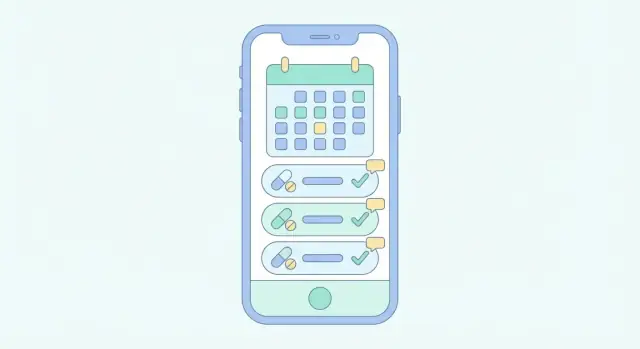
Define the App’s Goal and Target Users
Before you sketch screens or pick a tech stack, get painfully clear about what problem you’re solving. Medication tracking apps fail most often not because the code is hard, but because the product tries to satisfy everyone and ends up helping no one.
Clarify the problem you’re solving
Start with the real-world friction:
- Missed doses because people are busy, tired, or simply don’t notice a reminder.
- Complex regimens (multiple medications, different times, “with food,” tapering schedules, short courses like antibiotics).
- Caregiving coordination where two or more people need to know what was taken and what was skipped.
Write this as a short problem statement, for example: “Help people take the right medication at the right time, and make it easy to confirm what happened.”
Define your target users (and pick a primary one)
Medication scheduling looks different depending on who’s holding the phone:
- Patients: want simple reminders, minimal setup, and confidence they didn’t double-dose.
- Caregivers: need shared visibility, alerts when doses are missed, and easy handoffs.
- Clinicians (optional): may want adherence summaries, but this usually increases compliance burden and product complexity.
Choose one primary user for version 1. A “patient-first” app will make different tradeoffs than a “caregiver-first” app—especially around sharing and permissions.
Choose one success metric that guides decisions
Pick a measurable outcome that reflects real value. Good examples:
- Doses logged on time (schedule completion rate)
- Reminders acknowledged within X minutes
- Reduction in missed-dose days per user
A single metric helps you avoid shipping features that look impressive but don’t improve adherence.
List non-goals to prevent scope creep
Non-goals are just as important as goals. Common non-goals for a medication reminder app:
- Diagnosing conditions
- Recommending medications or dosages
- Replacing professional medical advice
- Managing pharmacy fulfillment (unless that’s the business)
This keeps your scope realistic and can reduce regulatory and safety risk.
Decide what kind of product you’re building
Be explicit about whether it’s:
- A consumer app (App Store/Google Play, self-serve onboarding)
- An internal tool (for a clinic or caregiving org, controlled rollout)
- A hybrid (consumer app with an optional clinician portal later)
This decision affects everything downstream: onboarding, data access, support expectations, and what “privacy and security” must look like from day one.
Turn the Medication Journey Into App Requirements
Before you think about features, translate the real medication journey into clear requirements. This keeps your medication reminder app focused on what users actually need—especially people who aren’t technical or who may be managing multiple prescriptions.
Map the end-to-end journey (and write it down)
Start with a simple flow and turn each step into what the app must do:
Onboarding → add meds → reminders → logging → insights.
For example:
- Onboarding requirement: explain what the app does in 2–3 screens, ask for notification permission at the moment it’s needed, and offer a “skip for now” path.
- Add medication requirement: support common inputs (name, dose, instructions, start date), plus a “take as needed” option.
- Reminders requirement: schedule notifications reliably, allow snooze, and make it obvious what the reminder is for.
- Logging requirement: one tap to mark taken/skipped, with an optional note.
- Insights requirement: show a simple adherence view (e.g., “taken 24/28 doses this week”) without medical claims.
Identify high-risk moments and design guardrails
Medication tracking fails most often at predictable points:
- Confusing instructions: “Take 1 tablet twice daily” can mean different things. Requirement: provide simple schedule presets (morning/evening) and let users confirm exact times.
- Time zone changes: travel can shift reminder times. Requirement: decide whether reminders follow local time or a fixed time zone, and clearly communicate the behavior.
- Refill gaps: people run out and stop logging. Requirement: track remaining doses (optional in MVP) or at least allow a “paused” status.
Define MVP vs. later features
A medicine schedule tracker MVP should reliably: add meds, remind, log, and show a basic history—offline if needed. Everything else (caregiver sharing, refill scanning, “smart” insights) can come later.
Make a short “must-have vs. nice-to-have” list, then cut until you can build and test quickly.
Sketch the key screens before writing code
Do quick paper sketches or simple wireframes for:
- Medication list
- Add/edit medication
- Reminder alert and snooze
- Log dose screen
- History/insights
If a screen takes more than a few seconds to understand, simplify it. This is where accessibility in mobile apps and app UX for seniors starts—long before development.
Turn decisions into testable requirements
Write requirements so you can verify them later:
- “User can add a medication in under 60 seconds.”
- “Reminders still fire after reboot.”
- “User can log a missed dose without being blocked.”
This clarity will guide mobile health app development and prevent feature creep.
Core Features for a Medication Tracking App
A medication tracking app succeeds or fails on a handful of everyday actions: adding a medicine correctly, getting reminded at the right time, confirming what happened, and seeing a clear record later. Start with features that cover those actions reliably before adding “nice-to-haves.”
1) Medication list (the source of truth)
Each medication entry should capture what a person needs to take and how to take it: name, dosage/strength, timing, start and end dates (or “ongoing”), and notes (e.g., “with food,” “avoid before driving,” “half tablet”). Keep this screen quick to update—real life changes often.
2) Flexible schedules that match real prescriptions
Not everyone takes meds “once a day.” Support the common patterns early:
- Daily (specific times)
- Weekly (e.g., Mondays and Thursdays)
- Interval-based (every X hours/days)
- “As needed” (PRN) logging without fixed reminders
For PRN, the key is frictionless logging and optional guardrails (like “don’t exceed 2 doses in 24 hours”) if the user chooses.
3) Reminders + clear actions
Reminders should lead to a simple decision: Taken, Snooze, or Skip. “Taken” should record confirmation immediately; “Snooze” should offer a few sensible options (10 min, 30 min, 1 hour); “Skip” should optionally ask for a reason (“felt unwell,” “no pills left,” “doctor advised”) without forcing it every time.
4) History/logbook that’s easy to trust
A logbook is where users verify adherence and spot patterns. Record timestamps automatically, and allow an optional short comment. Make it easy to filter by medication and view a single day at a glance.
5) Refill reminders
Refill reminders feel “smart” without being complicated: track pill count (or doses remaining) and subtract based on taken doses. Then notify when the supply is projected to run out, with a buffer (e.g., “7 days left”).
Together, these features create a complete loop: plan → remind → confirm → review → refill.
UX and Accessibility for Non-Technical Users
A medication app only works if it feels effortless. Many people using it may be stressed, tired, in pain, or not confident with smartphones—so your UI should reduce decisions and make the “right next step” obvious.
Onboarding that doesn’t get in the way
Keep onboarding short and forgiving. Let people start immediately with a “Try without an account” option, then offer account creation later for backup and syncing.
Use plain, friendly prompts like “Add your first medicine” and show a small example (e.g., “Metformin 500 mg, twice a day”). If you need permissions (notifications), explain the benefit in one sentence: “We use notifications to remind you when it’s time to take a dose.”
Make the main actions big and clear
Design around two or three primary actions:
- See what’s due now
- Confirm “Taken” (or “Skipped”)
- Add or edit a medication
Use large text, strong contrast, and clear action buttons—especially for “Taken” and “Snooze.” Keep taps easy: big hit areas, minimal typing, and consistent button placement. For one-handed use, place the most common controls within thumb reach and avoid tiny icons that require precision.
Use everyday language, not medical jargon
Replace clinical terms with plain labels:
- “Dose” → “How much”
- “Adherence” → “On track”
- “PRN” → “As needed”
When you must use a medical term (e.g., “mg”), pair it with an example and keep it consistent across the app.
Empty states and errors that help, not blame
Empty states should teach: “No reminders yet. Add a medicine to get your schedule.” Error messages should explain what happened and what to do next: “We couldn’t save your changes. Check your connection or try again.” Avoid vague alerts like “Something went wrong.”
Accessibility isn’t a feature—it’s the default. Support dynamic text sizing, screen readers, and color-safe contrast so people can trust the app even on a bad day.
Reminder Logic: Notifications, Time Zones, and Edge Cases
Medication apps succeed or fail on reminder reliability. Users won’t forgive a reminder that fires an hour late, twice in a row, or not at all—especially when the schedule changes during travel or daylight saving time.
Local notifications vs. server-driven push
Local notifications (scheduled on the phone) are usually best for predictable medication times because they can fire even with no internet. They’re ideal for “Every day at 8:00 AM” or “Every 6 hours” reminders.
Server-driven push is useful when reminders depend on real-time updates: a caregiver adjusting a plan, a clinician changing dosage, or multi-device syncing. Push can also “nudge” the app to refresh schedules, but don’t rely on it as the only delivery method—network and push delivery aren’t guaranteed.
A practical approach is local-first reminders with server sync to update the schedule.
Time zones, daylight saving time, and missed reminders
Store schedules in a way that matches user intent:
- For “8:00 AM daily,” schedule by local wall-clock time and reschedule when the device time zone changes.
- For “every 6 hours,” track the interval from the last taken dose, independent of clock changes.
Handle DST transitions explicitly: if a time doesn’t exist (spring forward), shift to the next valid time; if it repeats (fall back), avoid double-firing by tracking a unique “reminder instance” ID.
When reminders are missed, don’t punish the user. Show a clear state like “Missed at 9:00 AM” with options: Take now, Skip, or Reschedule.
Snooze, repeats, quiet hours, and offline failsafes
Set guardrails so reminders help without harassing:
- Snooze limits (e.g., max 3 snoozes or max 30 minutes total)
- Repeated alerts with a gentle backoff (e.g., 5 min → 10 min → 20 min)
- Quiet hours that suppress sound/vibration but still log a silent notification
- Customizable sound/vibration for urgency levels (routine vs. critical)
Finally, build a failsafe for real devices: battery saver modes can delay background work. Re-check upcoming reminders when the app opens, after reboot, and periodically schedule the next few alerts ahead of time so the system has multiple chances to deliver them.
Data Model: Medications, Schedules, and Dose Logs
A medication tracking app lives or dies by its data model. If the model is too simple, reminders become unreliable. If it’s too complex, people will struggle to enter meds correctly. Aim for a structure that’s flexible, but predictable.
Medication records (the “what”)
Start with a Medication entity that describes the drug itself and how the user should take it. Useful fields include:
- Name (user-friendly, plus optional “as written on the bottle”)
- Form (tablet, capsule, liquid, inhaler, injection)
- Strength (e.g., 10 mg, 250 mcg, 5 mg/5 mL)
- Instructions (free text like “take with food” or “avoid grapefruit”)
- Optional helpers: prescribing doctor, pharmacy, refill date, pill appearance
Keep strength and form structured where possible (dropdowns) to reduce typos, but always allow a plain-text fallback.
Schedules (the “when”)
Create a separate Schedule model that describes the rules for generating planned doses. Common schedule types:
- Specific times each day (e.g., 08:00 and 20:00)
- Every X hours (e.g., every 6 hours, anchored to a start time)
- Certain days of week (e.g., Mon/Wed/Fri)
- Tapering or changing plans (handled as multiple schedules with date ranges)
Store schedule rules explicitly (type + parameters) rather than saving a long list of future timestamps. You can generate “planned doses” for the next N days on-device.
Dose logs (planned vs. what actually happened)
A DoseLog (or DoseEvent) should track adherence:
- Status: planned, taken, skipped, missed
- Planned time (from the schedule)
- Action time (when the user actually marked it)
- Optional notes: “took half,” “vomited,” “side effects”
This separation lets you answer real questions (“How often was it taken late?”) without rewriting history.
Validation and auditability
Prevent impossible setups (e.g., “every 2 hours” plus a daily limit) and warn about overlaps that create duplicates. If your app allows edits to past logs, consider an edit history (who changed what and when) so shared care plans remain trustworthy.
Export for sharing
Offer simple exports like CSV (for spreadsheets) and PDF (clinician-friendly summaries). Include medication details, schedule rules, and dose logs with timestamps so caregivers can understand the full picture.
Privacy and Security Basics for Health-Related Apps
A medication reminder app handles information that can reveal a person’s health status, routines, and sometimes their identity. Treat privacy and security as product requirements from day one—because retrofitting them later often forces painful redesigns.
Decide what lives on-device vs. in the cloud
Start by mapping your data flows: what the user enters, what the app stores, and what (if anything) is synced.
- On-device only can be simplest for privacy and reduces breach risk, but it limits multi-device use and makes phone loss a bigger problem.
- Cloud sync enables backup, caregiver access, and cross-device continuity, but adds account management, server security, and legal responsibilities.
A common compromise is: schedules stored locally with optional encrypted sync for users who want backups.
Encrypt data at rest and in transit
Use encryption in two places:
- At rest: store sensitive fields in an encrypted database or secure storage (Keychain/Keystore). Assume that screenshots, backups, or a stolen device can expose plain files.
- In transit: use TLS for all network traffic, and consider certificate pinning if your threat model warrants it.
Also plan for safe logging: never write medication names, doses, or identifiers to debug logs.
Use least-privilege permissions
Request only what you truly need. A medicine schedule tracker rarely needs contacts, location, microphone, or photos. Fewer permissions builds trust and reduces risk if a third-party SDK misbehaves.
Consent, transparency, and user control
Explain privacy in the app—not just in a legal page.
- Show clear consent screens for data sync, sharing with caregivers, and analytics.
- Provide simple controls to export, delete, or disable syncing.
- Keep privacy info accessible from Settings (e.g., /privacy).
Compliance: clarify your use case early
“HIPAA-ready app considerations” depend on whether you handle identifiable health data and who your customers are (consumer app vs. healthcare provider workflow). Write down your intended use, data types, and vendors early so you can choose the right contracts, hosting, and policies before you build too much.
Choose Your Tech Stack and Architecture
Your tech choices should serve reliability, reminders, and easy long-term updates—not novelty. A medication reminder app usually benefits from a simple, predictable architecture that works well offline and syncs safely.
Native vs. cross-platform
Native (Swift/Kotlin) gives the most control over background behavior, notification scheduling, accessibility APIs, and OS-specific edge cases. It can be a good fit if reminders are truly mission-critical and you have separate iOS/Android capacity.
Cross-platform (React Native/Flutter) can speed up development and keep UI consistent. The trade-off is extra care around background tasks, time-zone changes, and vendor plugins for notifications and secure storage. If you choose cross-platform, budget time for deep testing on real devices.
If you want to validate quickly before committing to a full custom build, a vibe-coding platform like Koder.ai can help you prototype (and even ship) an app from a structured chat workflow—useful when you’re iterating on screens, data models, and sync rules. Because Koder.ai can generate React-based web portals, Go + PostgreSQL backends, and Flutter mobile apps, it’s also a practical way to keep a consistent stack if you plan a consumer app plus an admin/caregiver dashboard later.
Backend: what you actually need
Some apps can run fully local, but most benefit from a backend for:
- Accounts and multi-device sync (new phone, tablet)
- Encrypted backups (especially if users lose devices)
- Basic analytics (crash reports, reminder delivery rates)
- Caregiver sharing (optional, but common)
Keep the backend thin: store schedules and dose logs, run audits, and avoid complex server-side “smart logic” unless necessary.
Offline-first architecture
Start with a local database (SQLite/Room/Core Data) as the source of truth. Record every dose log locally, then run background sync when connectivity returns. Use a queue for pending changes and conflict rules like “latest edit wins” or explicit per-field merges.
Services to pick early
Choose proven providers for push notifications, authentication, and secure storage (Keychain/Keystore). Make sure your reminder system works even if the user disables network access.
Maintainability plan
Define OS support (e.g., last 2 major versions), a modular code structure, and a predictable release cadence for bug fixes—especially around daylight saving time and notification reliability.
If you’re moving fast, also plan how you’ll manage changes safely. For example, platforms like Koder.ai support snapshots and rollback, which can be handy when a reminder-logic update introduces a subtle time-zone regression and you need a quick recovery path.
Optional Features That Add Real Value
Once your core tracking and reminders work reliably, optional features can make a medication reminder app feel personal and genuinely helpful. The goal is to reduce setup effort and prevent avoidable mistakes—without adding complexity for people who just want “simple reminders.”
Faster medication entry (without forcing it)
Manual entry should always be available, but consider shortcuts that save time:
- Templates for common meds (e.g., “metformin 500 mg tablet”) that prefill typical fields.
- Copy from previous for recurring prescriptions.
- Barcode scanning (optional) to pull the medication name and strength.
If you add scanning, treat it as a convenience—not a source of truth. Always show the parsed values and ask the user to confirm before saving.
Smart suggestions that prevent missed doses
Helpful suggestions can reduce drop-off during setup and improve adherence:
- Common schedules (once daily, twice daily, every 8 hours) presented as one-tap options.
- Default reminder times based on the schedule (e.g., “Morning: 8:00 AM”). Let users edit easily.
- Refill estimates from dose logs and remaining quantity (“About 5 days left”). Keep the wording cautious and allow manual correction.
Make these suggestions transparent (“Suggested”) so users don’t feel the app is making medical decisions.
Caregiver mode for real-world households
Many people manage meds for children, aging parents, or partners. A caregiver mode can support this safely:
- Multiple profiles (e.g., “Mom,” “Dad,” “Me”) with clear switching.
- Shared schedules so a caregiver can see what’s due.
- Permission levels (view only vs. edit vs. confirm taken).
Design for accountability: show who logged a dose and when.
Integrations (only when they improve outcomes)
Integrate carefully, and only if it clearly reduces missed doses:
- Calendar: add read-only reminders or a “medication schedule” calendar.
- Apple Health / Health Connect: consider exporting adherence summaries if it’s useful and safe.
Keep integrations opt-in, with plain-language explanations and a clear disconnect option.
Curated educational links (clearly labeled)
Educational content can build confidence when presented responsibly. Link out to reputable sources and label them as general information, not instructions. A simple “Learn more” section with curated links can be enough (see /blog/medication-safety-basics).
Prototype and Validate With Real Users
A medication app succeeds or fails on small details: wording, timing, and whether people feel confident they did the “right thing.” Before building the full product, create a clickable prototype and put it in front of the people who will actually use it.
Build a clickable prototype (5–8 screens)
Aim for the shortest set of screens that covers the main journey. For most medication tracking apps, 5–8 screens is enough to validate the MVP:
- Add a medication (name + form)
- Set schedule (time, frequency, start date)
- Reminder notification preview
- Mark as taken / skipped confirmation
- Today view (what’s due next)
- Edit a schedule
- Missed-dose guidance (simple, safe wording)
The prototype should feel real: use readable font sizes, high-contrast colors, and large tap targets so older adults can judge the experience accurately.
If your team wants to iterate on these flows quickly, Koder.ai’s planning mode can be useful for turning this journey into a concrete spec and a working prototype faster than a traditional sprint cycle—while still keeping the option to export source code later.
Run quick usability tests with target users
Do short sessions (15–30 minutes) with 5–8 participants. Include older adults and at least one person who takes multiple medications.
Give tasks, not instructions. Example: “It’s 8pm and you just took your blood pressure pill—show me what you would do.” Watch where they hesitate.
Test comprehension (not just taps)
Medication apps must be understood at a glance. Check whether users correctly interpret:
- Dosage instructions (e.g., “1 tablet twice daily”)
- Confirmation buttons (“Taken” vs “Taken now”)
- Error states (e.g., “Schedule overlaps” or “No internet”)
Ask users to explain what they think will happen next. If they can’t, the wording needs work.
Iterate on the reminder experience
Validate reminder tone, frequency, and clarity. Try variants like “Time to take Metformin (500 mg)” vs. “Medication reminder,” and see what users prefer. Also confirm what they expect after snoozing or skipping.
Document learnings to refine MVP scope
Capture patterns: where users got confused, which screens felt unnecessary, and what “must-have” reassurance they requested (e.g., an Undo after marking a dose). Turn these notes into concrete MVP changes before engineering starts.
Testing: Reliability Matters More Than Fancy Features
A medication reminder app is only “good” if it behaves correctly on a boring Tuesday night when the phone is on low power mode, the user is traveling, and the schedule has exceptions. Testing is where you prove the app can be trusted.
1) Unit tests for the tricky schedule math
Start with automated unit tests around schedule calculations, because most real-world bugs hide in edge cases:
- Time zones and daylight saving time shifts (reminders that “move” an hour)
- “Every X hours” schedules crossing midnight
- Paused meds, skipped doses, and “taken late” scenarios
- End dates, refill limits, and as-needed (PRN) logic
Treat your schedule engine like a small library with deterministic inputs/outputs. If the math is right, the rest of the app is easier to reason about.
2) Device testing for notifications that actually fire
Notifications are where apps often fail in practice. Do hands-on testing across:
- iOS and Android major versions you plan to support
- Different OEMs (especially Android devices with aggressive battery optimization)
- Background restrictions: low power mode, do-not-disturb, focus modes
- Offline situations and after reboot
Make sure reminders still trigger after the user force-quits the app, restarts the phone, or changes the system time.
3) Accessibility testing is not optional
Many medication trackers are used by seniors or people with low vision. Test with:
- Large font scaling (layout shouldn’t break)
- Screen readers (VoiceOver/TalkBack) for clear labels and reading order
- Color contrast checks and “don’t rely on color alone” states
4) Security testing: practical checks
Even without going deep into compliance, verify the basics:
- Authentication flows (lockout, biometric fallback, session timeouts)
- No sensitive data leaking into logs, screenshots, or notification previews
- Backup/restore behavior (what syncs, what stays local)
5) Beta plan: feedback + crash reporting
Run a small beta with real medication routines. Instrument crash reporting and lightweight feedback prompts, and track: missed reminder reports, notification permission drop-off, and the most common “edit schedule” actions. A short beta can prevent months of support tickets after launch.
Launch, Support, and Improve Over Time
A medication tracking app isn’t “done” when it ships. Launch is the moment you start learning what real people struggle with: missed reminders, confusing schedules, or devices set to the wrong time zone.
App Store and Play Store: plan for review
Health-related apps can face extra scrutiny during review. Be ready to explain what your app does (and doesn’t do), especially if you show adherence “scores” or insights.
Keep your store listing and in-app copy clear:
- Avoid implying diagnosis or treatment recommendations unless you have the clinical/regulatory basis.
- Include a plain-language privacy policy and describe what data you collect.
- If you use notifications for reminders, explain why the permission is needed.
Support that prevents churn
People rely on medication reminders. When something breaks, they won’t “try again later.” Ship a simple support setup from day one:
- An in-app FAQ (e.g., “Why didn’t I get a reminder?”, “How to change dose times”).
- A contact form with device/app version auto-attached.
- Clear troubleshooting steps (battery optimization, notification permissions, time zone settings).
You can also link to a short help hub like /blog/medication-reminder-troubleshooting.
Analytics: measure outcomes without over-collecting
Track product health (crashes, reminder delivery, feature usage), but avoid collecting unnecessary sensitive data. Prefer event analytics that don’t include medication names or free-text notes. If you offer an account, separate identity data from health logs where possible.
A realistic roadmap
After launch, prioritize improvements that reduce missed doses and confusion:
- On-device or aggregated adherence insights.
- Caregiver tools (shared schedules, check-ins).
- Integrations (calendar, wearables) where appropriate.
- Localization and accessibility refinements for seniors.
Publish your plan transparently and keep shipping small, reliable updates. If you offer tiers, keep pricing simple and easy to find at /pricing.
FAQ
What should I define first before designing a medication tracking app?
Start by writing a one-sentence problem statement (e.g., “Help people take the right medication at the right time, and confirm what happened”), then choose one primary user (patient or caregiver) for version 1.
Pick a single success metric such as doses logged on time to guide every feature decision.
What features belong in a medication reminder app MVP?
A solid MVP reliably does four things:
- Add medications (name, dose/strength, instructions, start/end)
- Schedule reminders that fire consistently
- Let users log Taken / Snooze / Skip in one tap
- Show a basic history (“taken 24/28 this week”) without medical claims
Should reminders be local notifications or server-driven push?
Use local notifications for most scheduled reminders because they can fire without internet and are more reliable for “every day at 8:00 AM.”
Add server sync only to update schedules across devices or support caregiver edits—don’t rely on push as your only reminder delivery path.
How do I handle time zones and daylight saving time correctly?
Store schedules based on user intent:
- “8:00 AM daily” should follow local wall-clock time and be rescheduled when the time zone changes.
- “Every 6 hours” should be interval-based from the last taken dose.
Handle DST by shifting non-existent times forward and preventing double-fires using a unique reminder-instance ID.
What’s the best data model for medications, schedules, and dose logs?
A practical minimum model is:
- Medication: what it is (name, form, strength, instructions)
- Schedule: rules for planned doses (times/day, every X hours, days of week, date ranges)
- DoseLog: what happened (planned time, taken/skipped/missed, action time, optional note)
Keeping “planned” separate from “actual” makes history and insights trustworthy.
What’s the best UX pattern for reminders and logging doses?
Design reminders to lead to a clear decision:
- Show Taken, Snooze, and Skip as primary actions
- Offer a few snooze presets (10 min, 30 min, 1 hour)
- Ask for a skip reason optionally, not every time
Add guardrails like snooze limits and quiet hours so reminders help without harassment.
How do I make a medication app accessible for seniors and non-technical users?
Optimize for stressed, tired, or non-technical users:
- Keep onboarding short with “Try without an account”
- Use large text, high contrast, and big tap targets
- Prefer plain language (“As needed” instead of “PRN”)
- Make empty states teach (“Add a medicine to get your schedule”)
Also support dynamic text sizing and screen readers from day one.
What should a medication reminder app avoid doing?
Avoid scope creep by explicitly listing non-goals, such as:
- Diagnosing conditions
- Recommending medications or dosages
- Replacing professional medical advice
- Managing pharmacy fulfillment (unless it’s core to your business)
This reduces safety risk and keeps the MVP buildable and testable.
Should the app store data on-device or sync to the cloud?
Make an early product decision:
- On-device only: simpler privacy story, but no multi-device backup
- Cloud sync: supports backup and sharing, but adds accounts, security, and legal responsibilities
A common compromise is local-first storage with optional encrypted sync for users who want backup/sharing.
How do I test a medication reminder app so users can trust it?
Treat reliability as the product:
- Unit-test schedule math (DST, time zones, intervals, end dates, pauses)
- Test notifications on real devices (battery saver, offline, after reboot, force-quit)
- Validate accessibility (large fonts, VoiceOver/TalkBack)
- Verify security basics (no sensitive logs, safe notification previews)
Plan an in-app troubleshooting FAQ for issues like missed reminders and battery optimization.