

How to Build a Mobile App That Tracks One Metric Per Day
A practical step-by-step guide to plan, design, and build a mobile app that tracks one metric per day, from MVP scope to UI, storage, and launch.
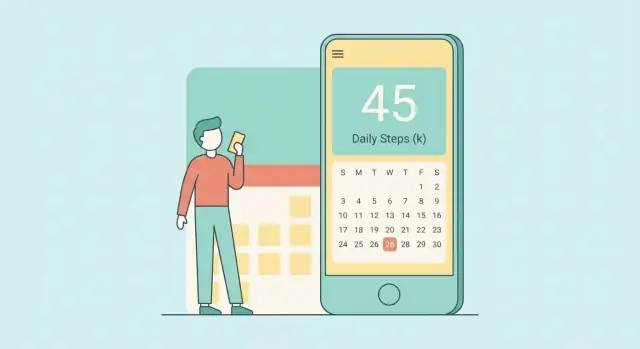
Define the Goal: One Metric, Once a Day
A “one metric per day” app does exactly one thing: it asks the user to record a single number (or simple value) once per calendar day. No forms, no long checklists, no multiple tabs of data. The goal is to make daily logging feel as effortless as checking a box.
Why one metric reduces friction
Most tracking apps fail for a boring reason: they ask for too much, too often. When users have to remember multiple inputs, interpret labels, or decide what “counts,” they skip a day—and then stop entirely.
Limiting the app to one metric lowers the mental load:
- One decision (“What’s today’s number?”)
- One action (enter it)
- One moment (done)
That simplicity makes the habit easier to keep when life gets busy—which is when tracking is usually most valuable.
What counts as a “metric”?
A metric should be quick to capture and easy to compare over time. Good examples include:
- Mood (1–10)
- Weight
- Steps
- Water intake (cups or liters)
- Sleep hours
- Pain level (0–10)
The key is that the user should understand the scale without rereading instructions every day. If they have to think hard about what number to enter, the app is already losing.
Who this helps (and why)
This kind of app is ideal for people who want a lightweight self-check-in: personal growth, health routines, productivity experiments, or simply noticing patterns. It works especially well when users don’t need precision—they need consistency.
Set expectations clearly
Be explicit about what the app is and isn’t. This is a personal log, not a diagnosis tool. If you’re tracking things like pain, mood, or sleep, avoid medical claims and present the data as “your notes over time,” not medical advice.
Choose the Metric Rules and Daily Boundaries
A one-metric app stays simple only if the metric is unambiguous. Before you design screens or databases, write down the rules in plain language so users always know what to enter and when.
Pick the metric and its unit
Start by choosing a single thing people can measure consistently. Then choose the unit that matches how people naturally think about it:
- Number (e.g., steps, cups of water, minutes)
- Scale (e.g., mood 1–5, pain 0–10)
- Yes/No (e.g., “Did I meditate today?”)
Write the label exactly as it will appear in the app, including the unit. For example: “Sleep (hours)” is clearer than “Sleep.”
Set range and validation rules
Validation prevents messy data and reduces user frustration later.
For a numeric metric, define:
- Minimum and maximum (e.g., 0–10)
- Whether decimals are allowed (7 vs 7.5)
- What happens on invalid input (error message vs auto-correct)
For a scale, define what each end means (“0 = none, 10 = worst imaginable”) so users stay consistent across days.
For yes/no, decide whether “no entry” should be treated as “no” or as “unknown.” Usually, it’s better to keep “not tracked” distinct from “no.”
Define what “a day” means
Users expect the app to follow their local day. Use the user’s timezone for grouping entries and set a clear cutoff (typically local midnight).
Also decide how you’ll handle travel. A simple approach: each day is based on the timezone at the time of entry, and past days don’t shift later.
Decide on backfilling rules
Backfilling can help honesty and continuity, but unlimited edits can undermine trust in trends.
Pick one policy and state it clearly:
- Allow backfilling for X days (common: 3–7)
- Allow editing today and yesterday only
- Allow anytime, but show an “entered late” indicator
These rules make your data dependable and keep the “once a day” promise intact.
Scope the MVP and Success Criteria
A one-metric app wins by being fast and predictable. The MVP should feel “finished” because it does a small set of things extremely well—and refuses everything else.
Core screens (keep it to four)
Today (Entry): the home screen where the user logs today’s value. It should be obvious what “today” means and whether an entry already exists.
History (Calendar or list): a simple view of recent days with quick scanning and the ability to tap a day to edit.
Trends: one basic chart that answers “how am I doing lately?” without extra options.
Settings: the minimum controls: metric name/units, daily boundary (if needed), reminders, export, and privacy basics.
MVP feature checklist (strict)
For a first release, limit functionality to:
- Add/edit one entry per day (including changing a past day)
- View last 30 days in History
- One basic chart (e.g., last 30 days line chart or weekly average)
Everything beyond that is a distraction early on.
Defer the tempting “nice-to-haves”
These features usually add complexity to the UI, data model, and support burden:
- Tags or categories
- Notes or journaling
- Multiple metrics
- Social sharing, friends, leaderboards
- Advanced charts, filters, goals, streak gamification
If you’re unsure about a feature, it’s probably not MVP.
Define success criteria you can test
Write a few measurable targets so you can tell whether the MVP is working:
- Speed: log today’s entry in under 10 seconds from app open
- Clarity: users can understand whether they already logged today without searching
- Reliability: entries persist offline and never “disappear” after app restarts
- Engagement: a user can find and edit a past day in under 15 seconds
These criteria keep decisions grounded: every new idea must protect speed, clarity, and trust.
Design a Simple, Fast Daily Entry UI
The “Today” screen is your app. If it takes more than a few seconds, people will skip it. Aim for one glance, one action, done.
Make entry truly one-tap
Pick an input that matches the metric’s shape:
- Buttons for small sets (e.g., “Low / Medium / High”)
- Stepper (+/–) for counts (e.g., glasses of water), with a sensible max
- Slider for ranges (e.g., mood 1–10), ideally with snap points
Whichever control you choose, let a single tap save. Avoid extra “Confirm” screens unless the metric is irreversible (it usually isn’t). Show immediate feedback like “Saved for today” and the recorded value.
Use labels and microcopy that remove doubt
People shouldn’t wonder what “7” means:
- Use a clear label: “Steps today” or “Pain level (0–10)”
- Add a short helper line: “Enter your best estimate—perfection not required.”
- If timing matters, say it: “Log how you felt overall today.”
Keep language consistent across the app: the same unit, the same scale, the same wording.
Accessibility basics that help everyone
Use large tap targets (thumb-friendly), strong contrast, and readable type. Support system text sizing. Ensure controls have meaningful names for screen readers (e.g., “Increase value” rather than “Button”). Don’t rely on color alone to convey meaning.
Notes: optional, not in the way
A note field can add context (“slept poorly,” “travel day”), but it can also slow logging. Keep it optional and collapsed by default (“Add a note”). Consider a setting to turn notes off entirely for people who want maximum speed.
Plan History and Trends Without Overloading Users
A one-metric app only feels “simple” if the history screen stays calm. The goal is to answer two questions quickly: “What happened?” and “Is it changing?”—without turning the app into a dashboard.
Pick one primary history view
Choose a single default view and make everything else secondary:
- Calendar grid works well when the metric is truly daily and users think in weeks. It makes gaps obvious and supports quick scanning.
- List by date is better when entries need context (notes, tags) or when users often scroll back through time.
If you offer both, don’t present them as equal tabs on day one. Start with one, and hide the alternate behind a simple toggle.
Make missing days visible (and honest)
Decide upfront how to represent “no entry.” Treat it as blank, not zero, unless zero is a meaningful value the user actively chose.
In the UI:
- Use an empty cell (calendar) or an “—” value (list)
- Visually differentiate blank from zero with spacing or a lighter style
- Allow users to add an entry from any past day (within your rules) to repair gaps
Add streaks carefully (or keep them optional)
Streaks can motivate, but they can also punish. If you include them:
- Keep the wording neutral (“consecutive days logged”)
- Breaks should be informative, not alarming
- Consider an off-by-default streak card, or show it only after a few days of use
Provide one lightweight trend view
Trends should be a quick summary, not a charting tool.
A practical approach is to show 7/30/90-day averages (or sums, depending on the metric) with a short line such as: “Last 7 days: 8.2 (up from 7.5).”
Avoid multiple chart types. One small sparkline or a single bar strip is enough—especially if it loads instantly and stays readable at a glance.
Choose Tech Stack and Data Model
This kind of app succeeds when it feels instant. Your tech choices should optimize for a simple daily metric tracker that loads fast, works offline, and is easy to maintain as a mobile app MVP.
Platform approach: native vs cross-platform
If you want maximum OS integration (widgets, system reminders, best scrolling performance), go native: Swift (iOS) and Kotlin (Android). You’ll ship the most “at home” experience, but you’ll maintain two codebases.
If speed of delivery matters more, a cross-platform framework is usually enough for a habit tracking app:
- Flutter: consistent UI, strong performance, great for custom UI
- React Native: fast iteration, large ecosystem, easy hiring
Both approaches work well for a one-screen-per-day flow.
If you want to move even faster from idea to a working MVP, a vibe-coding platform like Koder.ai can help you generate a React web app, a Go + PostgreSQL backend, or a Flutter mobile client from a simple chat—then export the source code when you’re ready to own and extend it.
Data model: keep it boring
Model your core record as a single daily entry:
- Entry
{ date, value, createdAt, updatedAt, note? }
Use a canonical date that represents the user’s “day” (store as an ISO date like YYYY-MM-DD), separate from timestamps. This keeps validation straightforward: one entry per day, overwrite or edit as needed.
Architecture basics
At minimum, plan these layers:
- Screens: Today (entry), History (list), Trends (simple data visualization mobile), Settings
- State management: something predictable (ViewModel, Bloc, Redux-style, etc.)
- Validation layer: enforce “once per day,” numeric ranges, and optional note limits
Third-party needs (keep it minimal)
Pick small, well-maintained dependencies:
- Local database for an offline-first app (SQLite, Room, Core Data, or a light wrapper)
- Chart library for trends (line/bar, basic interactions)
- Crash reporting to catch real-world issues quickly
Add analytics later only if it won’t complicate the core flow.
Store Data Reliably (Local-First) and Enable Export
A one-metric-per-day app succeeds when it never loses entries and never blocks the user. That’s why the MVP should be local-first: the app works fully offline, saves instantly, and doesn’t require an account.
Start with local-only storage (MVP)
Pick a proven on-device database layer rather than trying to “just write files.” Common options:
- SQLite (via platform wrappers) for maximum portability and control
- Realm for a simple object model and easy queries
- Core Data (iOS) if you want tight Apple ecosystem integration
Keep the data model boring and durable: a record with a date key, the metric value, and lightweight metadata (like “note” or “createdAt”). Most issues happen when you don’t treat “date” carefully—store a clear day identifier (see the timezone section) so “one entry per day” stays enforceable.
Offline by default (sync later)
Design the app so every daily entry is confirmed as saved without a network connection. This reduces friction and eliminates a whole category of failures (login outages, server downtime, poor reception).
If you add sync later, treat it as an enhancement, not a requirement:
- Keep local data as the source of truth
- Use a conflict strategy that respects “one value per day” (e.g., last edit wins, or prompt only when needed)
Give users ownership with export
Export builds trust because users know they can leave with their data.
Offer at least one simple format:
- CSV for spreadsheets and quick analysis
- JSON for developers and more detailed structure
Make export easy to find (Settings is fine) and make the file self-explanatory: include the metric name, unit (if any), and the date/value pairs.
Backups without forcing sign-in
For the MVP, rely on platform backups (iCloud device backup on iOS, Google backup on Android) where appropriate.
Optionally plan an “upgrade path” later:
- Optional sign-in to enable cross-device restore
- Explicit backup/restore inside the app for power users
The key is consistency: local saves must be immediate, exports must be reliable, and backups must feel like a safety net—not a hurdle.
Add Reminders That Users Can Control
Reminders can make a one-metric app stick, but they can also be the fastest way to get uninstalled. The guiding principle: reminders should feel like a helpful nudge that the user owns—not a system that nags.
Let users pick a time (and turn it off)
Start with a single daily reminder time setting. During onboarding, offer a sensible default (for example, early evening), then immediately show a clear toggle to disable reminders entirely.
Keep the controls simple:
- Time picker (local device time)
- “Reminder on/off” toggle
- Optional: a “quiet days” option later (e.g., weekends), but don’t force it into the MVP
Write notification copy that stays neutral
Short, calm copy reduces pressure and guilt. Avoid streak language and judgment.
Examples:
- “Log today’s number.”
- “Quick check-in: add today’s entry.”
- “Want to record today’s metric?”
If the metric has a name, include it only if it’s short and unambiguous.
Missed reminders: offer catch-up without spam
If the user doesn’t act, don’t keep firing notifications. One per day is enough.
Inside the app, handle missed days with a gentle prompt:
- “You haven’t logged today yet. Add it now?”
- If yesterday is missing too: “Want to fill in yesterday as well?”
Make “Not now” a first-class option, and don’t penalize the user with warnings.
Optional after MVP: faster entry surfaces
Once the core loop is stable, consider quick entry features that reduce friction:
- Home screen widget showing “Today: empty” with a one-tap add
- Quick actions (long-press app icon) like “Log today”
Add these only if they meaningfully shorten the path to a daily entry.
Privacy, Security, and Trust Basics
Trust is a feature. A one-metric app has a big advantage here: you can design it to collect almost nothing—and explain that clearly.
Collect only what you need
Default to storing just the daily value, the date, and (if required) the unit. Avoid collecting anything that turns a simple tracker into personal profiling—no contact lists, no precise location, no advertising identifiers, and no “helpful” demographic questions.
If you offer notes or tags, treat them as potentially sensitive. Make them optional, keep them short, and never require them to use the app.
Be explicit about where data lives
Spell out storage in plain language inside the app:
- On-device: The metric history is saved locally so the app works offline.
- Cloud (if any): If you add sync later, make it opt-in, explain what gets uploaded, and provide a way to disable it and delete cloud data.
Even without a cloud, users should know whether uninstalling the app deletes everything, and how export works.
Basic security that matches the simplicity
Protect against casual snooping:
- App lock (nice-to-have): Optional PIN or biometric lock
- Screen privacy: Consider hiding sensitive values in the app switcher preview
- Safe defaults: Don’t show the metric on notifications unless the user turns that on
Make privacy easy to find
Put a clear “Privacy Policy” item in Settings labeled exactly and include the placeholder path as text: /privacy. Pair it with a short, readable summary: what you store, where it’s stored, and what you don’t collect.
Measure What Matters: Analytics for a One-Metric App
A one-metric app should feel quiet and focused—your analytics should be the same. The goal isn’t to track everything; it’s to confirm that people can add today’s value quickly, keep doing it, and trust the app with their data.
Define the few events worth logging
Start with a tiny event set that maps to your user journey:
- App install / first open (to understand acquisition vs. activation)
- First entry created (the “aha” moment)
- Daily entry completed (the core habit action)
- Export used (signals power-user value and trust)
If you add reminders later, track reminder enabled/disabled as configuration events (not a behavioral score).
Retention and streaks without collecting raw values
You can learn a lot without storing the metric itself. Prefer aggregations and derived properties, such as:
- Whether an entry was made today (yes/no)
- Streak length at the moment of entry (e.g., 0, 1–3, 4–7, 8–30, 31+)
- Days active in last 7/30
This lets you understand retention curves and streak distribution while avoiding sensitive value collection.
Privacy-friendly analytics by default
Use analytics tooling that supports:
- Opt-out (and opt-in where required)
- Minimal identifiers (avoid contact lists, precise location, or ad IDs)
- Clear data retention controls
Metrics to judge improvements
Tie product changes to a small scorecard:
- Time-to-entry (median seconds from app open to saved entry)
- 7-day retention (did they return and complete an entry?)
- Entry completion rate per open (are you reducing friction?)
If a change doesn’t improve one of these, it may be complexity disguised as progress.
Test the Tricky Parts: Dates, Timezones, Edge Cases
A one-metric-per-day app looks simple until you hit calendar reality. Most “mysterious bugs” show up when a user travels, changes their device clock, or tries to enter yesterday’s value at 12:01 a.m. A small, focused test plan will save you weeks of support later.
Build a compact test plan for time
Define what “a day” means in your app (usually the user’s local day) and test the boundaries explicitly:
- Date boundaries: 11:59 p.m. vs 12:00 a.m.; entering right before/after midnight; app running across midnight
- Timezone changes: create an entry, change timezone, open the app—does the entry stay on the intended day?
- DST transitions: the “missing hour” and “repeated hour” days; reminder time behavior; trend calculations
- Leap day: Feb 29 in leap years; behavior when scrolling history around that date
A helpful trick: write tests using fixed “clock” inputs (mocked current time) so results don’t depend on when the tests run.
Validate editing, backfill, and empty states
Edge cases often come from normal user behavior:
- Editing entries: change today’s value, undo, overwrite with another value; confirm the UI and stored value match
- Backfill limits (if you have them): try adding values outside the allowed window; ensure messaging is clear
- Duplicates: attempt to add a second entry for the same day; verify you either block it or convert it into an edit
- Empty states: first launch with no data, deleted last entry, history with gaps—charts and lists should stay stable and friendly
Add unit tests for the rules that can’t be eyeballed
Prioritize unit tests for:
- Date-to-day-key conversion (what string/ID represents “the day”)
- Validation (allowed ranges, required fields, one entry per day)
- Aggregations (streaks, weekly averages) across timezone/DST boundaries
Do real device testing for UX and accessibility
Simulators won’t catch everything. Test on at least one small screen and one larger device, plus:
- Large text / dynamic type
- High contrast / dark mode
- Screen reader focus order and labels
- One-handed reach: can users add today’s value quickly without precision taps?
If these tests pass, your app will feel “boringly reliable,” which is exactly what daily tracking needs.
Launch, Onboarding, and Iteration Plan
A one-metric app lives or dies on clarity. Your launch should make the “daily entry” feel obvious, and your first week after release should be about smoothing friction—not adding features.
App Store / Play Store basics
Your store page is part of the product. Keep it visual and specific:
- Prepare a simple store listing with clear screenshots that show: (1) entering today’s value, (2) viewing recent history, (3) a lightweight trend view
- Write a short description that explains the promise in one sentence: “Track one number per day in under 10 seconds.”
- Make your icon and name easy to recognize and search; avoid cleverness that hides what it does
Pricing: choose one clean model
Pick a pricing model you can explain in one line. For a simple tracker, complexity hurts trust:
- Free (with optional tip/donation)
- One-time purchase
- Subscription (only if you deliver ongoing value like cross-device sync or advanced insights)
Onboarding that takes one screen
Your onboarding should set up the minimum needed to start.
Ask for:
- Metric name and unit (e.g., “Weight, kg”)
- Optional goal direction (up/down/maintain)
- Reminder time (with an easy “Skip”)
Then drop the user directly into “Today.” Avoid multi-step tutorials.
Post-launch iteration
Treat the first release as a learning tool:
- Monitor crashes and performance daily during the first week
- Collect feedback with one lightweight prompt after a few entries
- Prioritize fixes that reduce missed entries: confusing dates, hard-to-find history, reminder annoyance
- Ship small updates frequently, focusing on the top 1–2 user pain points at a time
If you’re building and iterating quickly, tools like Koder.ai can shorten the feedback loop: prototype the MVP via chat, deploy/host it, snapshot and roll back changes safely, and export the code when you want to move into a longer-term engineering pipeline.
FAQ
What’s the best kind of metric for a “one metric per day” app?
Pick something the user can capture in a few seconds without interpretation. Good candidates are:
- A simple count (steps, cups, minutes)
- A bounded scale (mood 1–10, pain 0–10)
- A yes/no check-in
If users regularly pause to ask “what does this number mean?”, the metric is too ambiguous for a daily habit.
How should the app define “a day,” especially with timezones and travel?
Define it as the user’s local calendar day and store a separate day key (e.g., YYYY-MM-DD) instead of relying only on timestamps. A practical rule is:
- Group entries by the device timezone at the moment of entry
- Don’t retroactively shift past days if the user travels
This keeps “one entry per day” enforceable and predictable.
What validation rules should I implement for the daily value?
Use validation to prevent messy data and reduce user frustration later:
- Numeric: min/max, decimals allowed, and clear error messaging
- Scale: define what the endpoints mean (e.g., “0 = none, 10 = worst imaginable”)
- Yes/no: keep “no entry” distinct from “no” whenever possible
Validation belongs in both the UI (fast feedback) and the data layer (true enforcement).
Should users be allowed to backfill or edit past days?
Pick one policy and state it clearly in the UI. Common MVP-friendly options:
- Allow edits for today + yesterday
- Allow backfilling for a small window (3–7 days)
- Allow anytime edits but mark entries as “entered late”
Tighter rules improve trust in trends; looser rules improve continuity. Avoid “silent” changes that users can’t see.
What screens belong in the MVP for a one-metric app?
Keep it to four screens so the loop stays fast:
- Today (entry)
- History (last ~30 days)
- Trends (one lightweight chart or averages)
- Settings (metric name/unit, reminders, export, privacy basics)
If a feature doesn’t protect speed, clarity, and trust, defer it.
What’s the fastest UI pattern for daily entry?
Choose the control that matches the metric shape and allows “tap-to-save”:
- Buttons for small sets (Low/Medium/High)
- Stepper (+/–) for counts with a sensible max
- Slider with snap points for bounded scales
Avoid extra confirmation screens unless the action is irreversible (it usually isn’t). Show immediate feedback (“Saved for today”).
How should I display missing days in History and Trends?
Treat missing as blank, not zero (unless zero is a deliberate, meaningful value). In the UI:
- Show empty cells (calendar) or “—” (list)
- Visually differentiate blank vs. zero
- Let users tap a missing day to add an entry (within your backfill rules)
This keeps history honest and prevents misleading charts.
What storage approach works best: local-only, cloud sync, or both?
A local-first approach is ideal for this use case:
- Save instantly on-device (no account required)
- Keep local data as the source of truth
- Add sync later as an opt-in enhancement, with a clear conflict strategy
Use a real local database (SQLite/Room, Core Data, Realm) rather than ad-hoc files to reduce corruption and edge-case bugs.
How should export work for a one-metric-per-day app?
Offer export in Settings so users can take ownership of their data:
- CSV for spreadsheets
- JSON for structured data
Include the metric name, unit, and date/value pairs so the file is self-explanatory. If you include notes, export them as an optional column/field.
What should I measure with analytics, and how do I handle privacy?
Keep analytics minimal and privacy-friendly:
- Track flow events (first open, first entry, daily entry completed, export used)
- Prefer derived/aggregated properties over raw values (e.g., “entry made today: yes/no,” streak bucket)
- Provide opt-out (and opt-in where required)
For privacy disclosures, make them easy to find (e.g., link to /privacy) and clearly state what’s stored and where.