

Building a Nonprofit Website for Transparency and Impact
Learn how to plan, design, and launch a nonprofit website that clearly reports finances, programs, and outcomes with accessible impact dashboards.
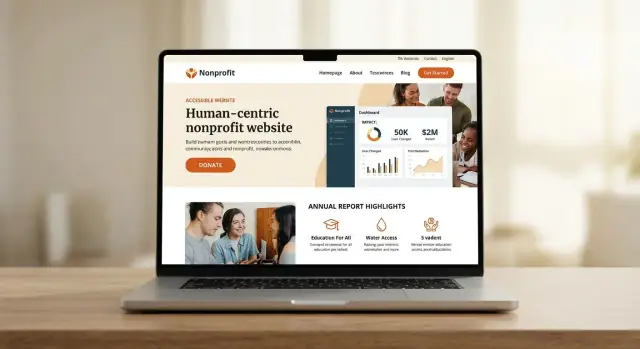
Set Transparency Goals and Audiences
Before you redesign pages or publish new charts, get clear on who the site is for—and what you want them to do. Transparency isn’t one message; it’s a set of questions from different audiences.
Define your audiences (and their questions)
Start with 3–5 primary audiences and write down the top questions each group asks:
- Donors: “Where does my money go?” “What changed because of it?”
- Grant makers: “Do you track outcomes?” “Can you share methods and learning?”
- Community members/participants: “What services exist?” “How do I access them?”
- Media and researchers: “What data can be cited?” “Who can speak on record?”
- Auditors/oversight: “Are governance and financial controls documented?”
List the decisions the site should support
Transparency pages should lead to confident action, not endless reading. Identify the decisions you want visitors to make, such as donate, partner, volunteer, request services, or share your data/report.
Pick 3–5 transparency goals
Choose a small set you can sustain, for example:
- Financial transparency (sources, spending, reserves)
- Governance and leadership accountability
- Program outcomes and evaluation
- Learning: what didn’t work and what changed
Set success metrics you’ll actually track
Define a few measurable signals: report downloads, time on key impact pages, repeat visits to reporting sections, newsletter sign-ups from impact content, or clicks from /impact to /donate. These metrics help you improve without guessing—and keep reporting useful, not performative.
Audit Your Data, Reports, and Content
Before you design pages or dashboards, take stock of what you already publish (and what lives in someone’s inbox). A solid audit prevents contradictions—like three different “people served” numbers across your site.
Build a simple inventory
Collect everything that could support transparency and impact reporting: past annual reports (PDFs), program spreadsheets, grant reports, evaluation summaries, budgets, 990s, board decks, photos, testimonials, and case studies. Note where each item lives, who owns it, and the most recent date.
A quick table is enough: asset name → location → owner → last updated → can we publish?
Identify gaps and inconsistencies
Look for missing baseline data (what you measured before an intervention), unclear time frames, and shifting definitions. If “families served” sometimes means “households enrolled” and other times means “people attending an event,” your reporting will confuse supporters and staff.
Flag:
- Outdated figures that still show up in brochures or PDF reports
- Metrics without a clear method (how it was counted)
- Program outcomes that aren’t tied to a period (monthly, quarterly, annually)
Decide what’s public vs. internal
Not everything should be posted. Separate sensitive information (client details, partner contracts, internal targets, security-related locations) from safe, shareable summaries. When in doubt, publish aggregated numbers and remove identifying details.
Create a single source of truth
Choose one “home” for key numbers—people served, dollars spent by program, outcomes achieved—and document the definition for each metric. This source should be what your website, reports, and grant applications pull from so updates stay consistent.
Plan the Site Structure for Easy Findability
A transparency-focused nonprofit website succeeds when visitors can answer basic questions in one or two clicks: What do you do? What changed because of it? Where does the money go? Who is accountable?
Start with a simple, predictable top navigation
Use a clear structure that matches how donors, partners, and journalists search:
- About (mission, history, where you work)
- Programs (what you do day-to-day)
- Impact (results, outcomes, evaluation summaries)
- Financials (budgets, IRS filings, audited statements)
- Governance (board, leadership, policies)
- Get Involved (donate, volunteer, partner)
Keep labels in plain language. If you use internal terms like “initiatives,” “pillars,” or “theory of change,” explain them inside the page—not as the menu label.
Add a dedicated Reports hub
Create a single home for documents and recurring updates—often called Transparency or Reports—so visitors don’t have to hunt across the site. This hub can link to annual reports, program evaluations, Form 990s, audited financials, and key policies.
If you already publish updates elsewhere, centralize them with a short “Start here” page (for example, /reports).
Use templates to make consistency easy
Plan page templates you can reuse:
- Program page: goals, who it serves, locations, current status, links to related results
- Project page: timeline, partners, deliverables, learnings
- Report page: summary, download links, methodology notes, date last updated
Templates reduce one-off design decisions and make it much easier to keep transparency reporting current.
Design an Impact Framework People Can Understand
An impact framework is your “translation layer” between day-to-day work and the results people care about. If visitors can’t follow the logic, even strong outcomes can feel vague. Keep it simple, consistent, and repeatable across programs.
Start with a plain-language impact model
Draft a one-page outline for each program using the same chain:
Inputs → Activities → Outputs → Outcomes.
Write each step in everyday terms (no internal acronyms). For example: Funding and staff time (inputs) support weekly tutoring sessions (activities), which produce # of sessions delivered (outputs), leading to improved reading scores (outcomes). This structure helps readers understand how your work is intended to create change.
Choose a small set of core indicators (and keep them)
Pick 3–6 indicators per program and stick to them year over year. Mix “volume” and “quality” where possible: reach (# served), service delivery (# sessions), and outcome change (skills, stability, health, safety).
Consistency builds donor trust because trends become meaningful. If you must change an indicator, note the change clearly and explain how the new measure relates to the old one.
Explain methodology and context without overwhelming people
Add short methodology notes directly next to each metric:
- What you count and why (e.g., “unique participants,” not total visits)
- Time period (monthly, quarterly, annual)
- Targets (what you aimed for)
- Limitations (missing data, survey response rates, external factors)
These small callouts prevent misinterpretation and make your impact reporting feel credible—not promotional.
Build an Impact Dashboard and Reporting Pages
An impact dashboard is the “at-a-glance” view of what you do and what changed because of it. Reporting pages are where people can verify the details. Build both so supporters can scan quickly and dig deeper when they’re ready.
Choose the right formats (and keep them simple)
Use a small set of repeatable components:
- Charts for trends over time (e.g., clients served by quarter)
- Scorecards for key totals (e.g., households reached, trainings delivered)
- Maps for where programs operate (only if location data is safe to share)
- Tables for detailed breakdowns (e.g., outcomes by program)
- Short narrative summaries that explain what the numbers mean in plain language
Aim for “one question per visual.” If a chart needs a long explanation to understand it, simplify the chart.
Pair every visual with context and access
Every chart, map, or table should include:
- A text explanation: what it shows, why it matters, and any limitations
- Clear definitions (what counts as “served,” “completed,” “successful,” etc.)
- A download link when possible (CSV or spreadsheet), plus a last updated date
Standardize time periods and units
Nothing erodes trust faster than mismatched numbers. Use consistent date ranges (calendar year, fiscal year, or rolling 12 months) and consistent units (people, sessions, dollars), and label them everywhere.
Plan refresh cycles from day one
Decide what updates quarterly, semiannually, or annually. Add an update note on each reporting page, and maintain an archive so visitors can compare results year over year.
Share Financials Clearly and Responsibly
Financial transparency isn’t about flooding people with spreadsheets—it’s about helping donors, partners, and the public quickly understand where money comes from, where it goes, and what safeguards are in place.
Publish the documents people look for
Create a dedicated “Financials” page (and link it from your main navigation or footer) with the essentials:
- Your latest annual report (PDF plus a web summary)
- Audited financial statements (if you have them)
- Form 990 (if applicable)
Add the reporting period and a clear last updated date so visitors know what they’re looking at.
Break down revenue and expenses in plain language
Pair each document with a simple, high-level chart or table: program services, fundraising, administration, and reserves. Add short notes that explain one-time items (e.g., a large restricted grant) so the numbers don’t invite the wrong conclusion.
When you can, show a 2–3 year trend. Consistency over time builds confidence.
Explain overhead without getting defensive
Define what you include in “overhead” (typically administration + fundraising), and why it matters: it supports compliance, staff, systems, safety, and the ability to deliver programs reliably. Emphasize that responsible overhead is part of good stewardship.
Share funding sources thoughtfully
If appropriate, list major grants, institutional funders, and large partners—along with any restrictions on how funds may be used. When privacy or safety is a concern, aggregate categories (e.g., “individual donors under $5,000”) rather than naming names.
Consider linking to a deeper annual report page at /reports for people who want full context.
Show Governance, Leadership, and Accountability
Transparency isn’t only about numbers—it’s also about who makes decisions, how oversight works, and how the public can raise concerns. A clear governance section helps donors, partners, and community members understand accountability at a glance.
Make leadership and oversight easy to scan
Create a dedicated page (often “Leadership & Governance”) that lists board members, key staff, and any standing committees (finance, audit, program, safeguarding). For each person, include role/title, a short bio, and affiliations that could matter for independence or expertise.
Add small details that reduce confusion, such as meeting frequency, term lengths, and whether board roles are volunteer or compensated.
Share policies and documents responsibly
Provide governance documents where appropriate. Many organizations publish a bylaws summary rather than full bylaws, plus key policies like conflict of interest, whistleblower reporting, code of ethics, safeguarding, and document retention.
Link these as PDFs and keep them current. A simple last updated date builds confidence.
Offer clear ways to ask questions or request corrections
Include contact options for questions, corrections, or media requests. A short form plus a direct email (e.g., media@, governance@) works well. Set expectations: typical response time, what information you can share, and how you handle corrections.
Add a milestone timeline that matches your mission
Include a timeline of major milestones and program expansions: launches, new sites, major partnerships, and evaluation moments. Keep it factual—dates, locations, and outcomes—so it supports credibility rather than marketing.
If you already publish annual updates, link to /reports so visitors can see governance alongside impact and finances.
Tell Impact Stories Without Hype
Impact stories build trust when they feel specific, grounded, and verifiable. On your nonprofit website, aim for storytelling that matches your data—warm and human, but never inflated.
Pair stories with the numbers that explain them
Use short case studies (300–600 words) and link each story to one or two relevant metrics on the same page. For example: a participant narrative next to “people served” and a clear outcome metric such as “% who maintained housing after 6 months.” If you have an /impact dashboard, add a “Related metrics” link so readers can cross-check.
Be precise: outputs vs. outcomes
Avoid vague claims like “transformed lives” without context. Instead, label what you measured:
- Outputs: what you delivered (meals served, trainings held)
- Outcomes: what changed (improved attendance, reduced symptoms, sustained employment)
If outcomes are early or limited, say so. A line like “We’re tracking this quarterly; baseline data began in March” is honest and confidence-building.
Protect people while keeping stories real
Only use photos, names, and quotes with informed consent. When there’s risk—survivors, minors, immigration status—anonymize details (change names, blur locations, remove identifying timelines) and note it: “Name changed for privacy.”
Add credible texture
Quotes, short videos, or before/after narratives work best with clear attribution:
- Who is speaking (role or relationship)
- When the story occurred
- What support was provided (briefly)
End each story with a “What happened next” update, even if it’s small. Follow-through beats hype every time.
Make Accessibility and Clarity Non-Negotiable
Accessibility and clarity aren’t “nice-to-haves” for a transparency-focused nonprofit website—they’re the difference between information that’s technically published and information people can actually use. If a donor can’t find or read your impact numbers on their phone, you haven’t really reported them.
Start with WCAG-aligned basics
Prioritize a few fundamentals that remove the most common barriers:
- Color contrast that passes (especially for charts, links, and buttons)
- Keyboard navigation for menus, filters, and dashboard controls (including visible focus states)
- Readable typography: comfortable font sizes, clear hierarchy, and enough line spacing
Even small design choices matter: don’t rely on color alone to communicate “good vs. bad,” and label form fields clearly.
Write like a human (and define terms)
Use plain language throughout reporting pages. Replace internal jargon with everyday words, and define acronyms the first time they appear (for example: “SNAP (Supplemental Nutrition Assistance Program)”). If a metric needs context, add a one-sentence explanation right next to it.
A helpful habit: write headings as answers (“Where does the money go?”) instead of categories (“Financials”).
Make multimedia accessible
If you publish video updates, add captions and provide a transcript on the page. For images and charts, include meaningful alt text that conveys the point (not just “graph”): what changed, over what period, and why it matters.
Optimize for mobile and low bandwidth
Assume many visitors are on older phones or limited data plans. Keep pages fast by compressing media, avoiding heavy animations, and making key reporting content readable without scripts. Test your reporting pages on a mobile connection before launch.
Pick a CMS and Tools for Sustainable Updates
A transparency-focused site only works if it stays current. That means choosing a CMS your team can actually maintain—without waiting on a developer for every new metric, board update, or quarterly report.
Choose a CMS non-technical staff will use
Prioritize a clean editing experience, strong draft/preview features, and easy media handling. A good rule: if a program manager can update a program page after one training session, you’re on the right track.
Also consider how the CMS handles version history and rollbacks. When you’re publishing numbers and financial files, the ability to see “what changed, when, and by whom” reduces mistakes and stress.
If you want to move faster without building a custom stack, a vibe-coding platform like Koder.ai can help teams generate a React-based website and reporting pages from a structured chat workflow, then iterate safely with snapshots and rollback. It’s especially useful when you need repeatable templates (Programs, Reports, Metrics), quick updates, and the option to export source code when your needs grow.
Roles, permissions, and an approval workflow
Set up roles that match how your organization works:
- Editor: creates and updates content (program pages, metrics notes, report drafts)
- Publisher: reviews for accuracy and compliance, then publishes
- Admin: manages settings, users, and integrations
Define a simple workflow: draft → review → publish. For higher-risk pages (financials, governance documents), add a second reviewer.
Use structured content types (not endless pages)
Instead of pasting tables into generic pages, create structured content types such as Reports, Programs, and Metrics. This makes impact reporting easier to update, easier to search, and more consistent across the site.
Structured content also enables reusable components—like a “Key Results” block that can appear on program pages and on /impact.
Plan integrations early
Most nonprofits already rely on several systems. List what must connect to the site:
- CRM (supporter data sync and segmentation)
- Email platform (newsletter and updates)
- Donation platform (campaign pages and receipts)
- Analytics (traffic, downloads, and engagement)
Decide what should be embedded, what should be linked, and what should be imported as data—so updates remain sustainable long after launch.
Handle Privacy, Safety, and Security
Transparency should never put people at risk. Before you publish numbers, stories, or photos, decide what information must stay private—and build your website so the safest choice is the default.
Protect sensitive people and places
Some details are risky even when intentions are good: beneficiaries’ names, minors’ faces, health information, or precise locations (like shelters, clinics, or homes). Create a simple internal rule: if a detail could identify someone or expose them to harm, don’t publish it.
Use anonymization and aggregation as standard practice. For example, report outcomes by region or program type rather than by neighborhood, and share age ranges instead of exact ages.
Consent and photo management
If you publish photos or quotes, store proof of consent in an organized way (date, scope of permission, any restrictions). Make it clear whether consent covers web, social, print, and how long it lasts.
Avoid “implied consent.” If you can’t confirm permission, don’t post. This is especially important for minors and sensitive services.
Plain-language privacy and retention notes
Add a privacy policy that’s readable by non-lawyers, and link it in the footer (for example, /privacy). Include:
- What data you collect (newsletter signups, donations, contact forms)
- Why you collect it and who can access it
- How long you keep it (data retention) and how people can request deletion
Security basics for a trustworthy site
Security protects your supporters and your reputation. At minimum:
- Use SSL (HTTPS) everywhere
- Choose secure hosting, keep the CMS and plugins updated, and limit admin access
- Schedule automated backups and test restores
- Protect forms with spam filtering, rate limiting, and abuse monitoring
A good rule: publish impact confidently—but store personal data sparingly and safely.
Measure, Improve, and Keep Reports Current
A transparency-focused site is never “done.” The best way to keep trust high is to measure what people actually use, improve the pages that matter, and make updates part of normal operations—not a once-a-year scramble.
Track what matters (and ignore vanity metrics)
Start with a small set of signals tied to real engagement:
- Report downloads (annual report PDFs, audited financials, evaluations)
- Impact and program page views (not just the homepage)
- Referral sources (search, social, partner sites, email campaigns)
These tell you whether supporters can find and use your transparency reporting, and which channels drive the most motivated visitors.
Add events for key actions
Page views alone won’t show intent. Add simple event tracking for actions that indicate trust and commitment:
- Donate button clicks (including which page they came from)
- Newsletter signups
- Contact form submissions
Keep the event list short and consistent so monthly comparisons are meaningful. If you’re using a donation platform, track off-site clicks as well so your reporting doesn’t lose the donor journey at the handoff.
Create a lightweight monthly routine
Make measurement and updating predictable:
- Spend 20–30 minutes reviewing the top impact pages and reporting pages.
- Note what people are trying to do (top paths, exit pages, search terms if you have site search).
- Make 1–2 improvements (clearer headings, better summaries, updated numbers, stronger links between related pages).
Assign one owner and a backup, and document the routine in your internal checklist so it survives staff changes.
Publish “Last updated” dates on data-heavy pages
On impact dashboards, outcomes tables, financial summaries, and policy pages, add a visible Last updated line. It reduces uncertainty, prevents outdated numbers from being shared, and signals that your nonprofit website is actively maintained.
If an update is delayed, consider a brief note about why and when the next refresh is expected—clarity builds donor trust more than perfection.
Launch Checklist and Ongoing Maintenance Plan
A transparency-focused nonprofit website isn’t “done” at launch. Treat launch as the moment you prove the site is trustworthy, usable, and easy to keep current.
Pre-launch checklist (one focused pass)
Before you announce the site, run a quick, structured review:
- Links and navigation: no broken links, clear menus, working breadcrumbs, and consistent labels (e.g., “Impact” vs “Results”).
- Accessibility: keyboard navigation, color contrast, alt text where needed, visible focus states, and form error messages that make sense.
- Forms and donations: test every form end-to-end (including confirmations), spam protection, and redirects to /donate.
- Performance: compress large PDFs, limit heavy embeds, and check mobile speed on a real phone.
- SEO basics: page titles, meta descriptions, clean URLs, and an XML sitemap. Make sure /impact and /reports are indexable.
Pilot with real users (and fix what they don’t tell you)
Run short sessions with 5–8 people across key audiences: donors, community members, partners, and staff. Give tasks like “Find last year’s outcomes,” “Locate financials,” or “See what programs run near you.” Watch where they hesitate, then simplify labels, reorder pages, and add clarifying microcopy.
Ongoing maintenance that doesn’t collapse in six months
Create a simple editorial calendar: monthly impact updates, quarterly metrics refresh, and an annual reporting cycle for /reports. Assign each page an owner and a next review date.
Plan internal links intentionally so people can move from context to action: /programs → /impact, /impact → /reports, and key pages should always offer /donate.
FAQ
How do we decide what “transparency” should mean on our nonprofit website?
Start by defining 3–5 primary audiences (donors, grant makers, participants, media/researchers, auditors) and writing the top questions each group needs answered. Then choose a small set of transparency goals you can maintain (e.g., financials, governance, outcomes, learning) and tie them to actions you want visitors to take (donate, partner, request services, etc.).
What metrics should we track to know if our transparency pages are working?
Pick a few signals tied to real engagement with reporting, such as:
- Report downloads (annual report, audited statements, evaluations)
- Views/time on key impact and program pages
- Repeat visits to /impact or /reports
- Events like donate clicks, newsletter sign-ups, and contact submissions
Keep the list short so you can review it consistently and improve pages based on evidence.
What’s the fastest way to audit our existing impact and financial content?
Build a simple inventory of everything you already have—annual reports, 990s, budgets, program spreadsheets, grant reports, evaluation summaries, board decks, policies, photos, and case studies. A lightweight table works: asset → location → owner → last updated → publishable? This prevents contradictory numbers and makes it clear what can be updated on a predictable schedule.
How do we avoid publishing conflicting numbers across pages and reports?
Common issues include changing definitions (e.g., “families served” meaning different things), missing time periods, and metrics with no method for how they were counted. Flag:
- Outdated figures still appearing in PDFs or brochures
- Numbers without clear definitions (unique people vs. visits)
- Outcomes not tied to a specific reporting period
Fix these by documenting definitions and creating a single source of truth for key metrics.
What does a “single source of truth” look like for nonprofit reporting?
Create one canonical “home” for key numbers and definitions (a controlled spreadsheet, database, or structured CMS content). Document each metric’s definition, time period, and calculation notes, and have the website and reports pull from that source. Pair this with a simple workflow (draft → review → publish) so updates don’t bypass accuracy checks.
What site navigation best supports transparency and findability?
Use predictable labels that match how visitors search. A common structure is:
- About
- Programs
- Impact
- Financials
- Governance
- Get Involved
Add a central Reports/Transparency hub (e.g., /reports) to collect recurring documents like annual reports, evaluations, 990s, audited financials, and key policies.
How do we build an impact framework people can actually understand?
Use a consistent chain: Inputs → Activities → Outputs → Outcomes, written in plain language. Choose 3–6 core indicators per program and keep them year over year so trends are meaningful. Next to each metric, add brief notes: what’s counted, the time period, targets (if any), and limitations (e.g., missing data or low survey response rates).
What should an impact dashboard include to stay credible and easy to use?
Combine an at-a-glance dashboard with deeper reporting pages.
- Dashboards: scorecards and simple trend charts (one question per visual)
- Reporting pages: definitions, methodology notes, time period labels, and downloadable data when possible
Add visible “Last updated” dates and standardize units/time ranges (fiscal year vs. calendar year) to prevent confusion and mistrust.
What should we include on a Financials page, and how do we explain overhead?
Publish the documents people expect (annual report, audited financials if available, Form 990 if applicable) and pair them with a plain-language breakdown of revenue and expenses. Show 2–3 year trends when you can, and explain one-time items (like a large restricted grant). Define overhead (admin + fundraising) without defensiveness, and explain why it supports safe, reliable program delivery.
How can we be transparent without exposing clients, staff, or sensitive locations?
Decide what stays private (client details, precise shelter locations, sensitive partner contracts, internal targets) and publish safe summaries instead—aggregated and anonymized. Only use names/photos/quotes with informed consent, and store proof of consent. On the site, cover basics like HTTPS, updates, limited admin access, backups, and spam protection on forms, so transparency doesn’t create safety or security risks.