

Build a Product Website for First-Time Founders: Step-by-Step
Learn how to plan, write, design, and launch a product website that converts. A practical guide for first-time founders, from structure to SEO.
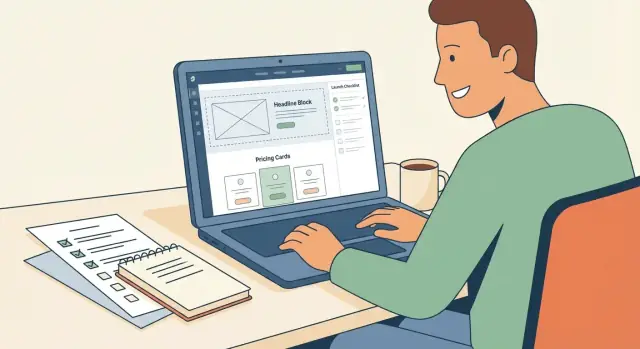
Start With One Clear Goal and a Single CTA
A product website is not a brochure. For a first-time founder, the fastest way to ship something effective is to decide what the website is for: one primary outcome you want visitors to complete.
Pick the goal that matches your stage
Choose a single goal that reflects where your product really is today:
- Waitlist (pre-launch): collect emails from people who want early access.
- Signups (self-serve): get users into the product immediately.
- Demo requests (sales-assisted): qualify leads and book conversations.
- Purchases (paid from day one): complete checkout with minimal friction.
If you try to do all of these at once, your homepage becomes a menu and people hesitate. One goal makes decisions easier: what to say, what to show, and what to remove.
Decide the single primary CTA for the homepage
Your homepage should have one “default action” that appears repeatedly (top hero, mid-page, and bottom), using the same wording.
Examples:
- “Join the waitlist”
- “Start free”
- “Book a demo”
- “Buy now”
You can still include secondary links (pricing, docs, contact), but visually they should be quieter than the primary CTA. If your header has five equal-looking buttons, you’re asking visitors to choose before they understand your value.
Set success metrics before you build
A goal without a number is just a wish. Pick 1–3 simple metrics you’ll review weekly:
- Homepage conversion rate (visitors → CTA completion)
- Signups/week or demo requests/week
- Cost per signup/lead (if you’re running ads)
Keep the first targets realistic and time-bound, like “20 waitlist signups per week” or “10 demo requests per week.” This turns your product website into a measurable system, not a design project.
Write down what must be true after launch
Before you touch layout or colors, list the non-negotiables. For example:
- The value is understandable in 10 seconds
- Pages load fast on mobile
- The primary CTA is obvious and consistent
- Basic tracking is installed so you can learn
These “must be true” statements guide every trade-off. When you’re deciding whether to add another section, animation, or page, you’ll know if it supports the goal—or distracts from it.
Know Your Audience and Your Positioning
Before you write a headline or choose a template, get specific about who you’re building for and why they should care. This is the fastest way to avoid a “nice-looking” website that doesn’t convert.
Describe the target user (in plain language)
Write your target user like you’d describe them to a friend—role, context, and what makes their day harder.
Example:
A first-time founder who has a working MVP, a small budget, and limited time. They’re trying to get early customers, but they struggle to explain the product clearly, worry they look “too small,” and aren’t sure what to put on a website beyond features.
A quick checklist:
- Role: Who are they (founder, ops lead, marketer, creator)?
- Context: What situation are they in (pre-launch, early revenue, switching tools)?
- Pains: What are they afraid of, stuck on, or wasting time doing?
Write a simple positioning statement
Use this fill-in-the-blank and keep it human:
For X, who need Y, our product does Z.
Example:
For first-time founders who need to launch a credible product site quickly, our product turns a messy idea into a clear landing page that explains value and captures leads.
If you can’t say it in one sentence, your homepage won’t either.
List the real alternatives (including “do nothing”)
Your competitors aren’t only products like yours. List 3–5 things people might choose instead:
- Doing nothing (staying with the current setup)
- A spreadsheet / manual process
- Hiring a freelancer or agency
- A generic website builder template
- A competing tool in the same category
This helps you explain what’s different without sounding vague.
Collect proof you can use
Trust is built with specifics. Gather anything real you can share:
- Measurable results (time saved, conversion lift, revenue impact)
- Short customer quotes (with permission)
- Concrete examples (before/after, workflows, outcomes)
- Screenshots only if they’re accurate and approved
Even 2–3 credible proof points can make your positioning feel believable.
Pick a Simple Sitemap That Matches the Buying Journey
A first product website doesn’t need a dozen pages. It needs a handful of pages that mirror how someone decides to buy: understand what it is, confirm it’s for them, check price, build trust, then take action.
Start with an MVP sitemap (and stick to it)
For most first-time founders, a clean starting point is:
- Home
- Pricing
- Use Cases
- About
- Contact
- Legal (Privacy Policy + Terms)
This set covers the questions buyers ask without creating a maintenance burden.
Map every page to one key question
If a page can’t answer a single, clear question, it usually shouldn’t exist yet.
- Home: “What is this, and why should I care?”
- Use Cases: “Is this for someone like me and my situation?”
- Pricing: “How much is it, what do I get, and what’s the risk?”
- About: “Who’s behind this, and can I trust them?”
- Contact: “How do I reach you if I have questions or a problem?”
- Legal: “How do you handle data, and what are the rules?”
Decide what belongs on one landing page vs. separate pages
If your product is early and your audience is narrow, you can fit most content on a single landing page (Home) and still keep Pricing separate. That often converts better because visitors can scan quickly.
Create separate pages when:
- You have 2–4 distinct audiences (separate Use Case sections or pages)
- Pricing needs explanation (tiers, limits, add-ons, FAQs)
- Trust content is substantial (team story, credibility, security notes)
A simple rule: if a section routinely becomes “scroll forever” or tries to answer two different questions, it earns its own page.
Draft Copy That Explains Value in 10 Seconds
Your copy has one job in the first few seconds: help a busy first-time founder understand what you do, who it’s for, and what they get out of it. If they can’t repeat it back quickly, they’ll keep scrolling—or leave.
A simple homepage outline that works
Use a structure that earns attention first, then builds confidence.
- Headline: what you help them achieve (not what the product is)
- Subhead: who it’s for + how it works in plain terms
- Benefits: 3–5 outcomes (the “after” state)
- Proof: logos, testimonials, numbers, screenshots, short quotes
- Primary CTA: one clear action (start trial, book demo, get template)
- FAQ: handle the top objections (time, cost, setup, risk)
Use customer language (not product language)
Founders describe their situation in constraints: “I don’t have time,” “I’m not sure what to prioritize,” “I need something I can ship this week,” “I can’t hire a developer yet.” Mirror that language. It signals “this is for me” faster than feature lists.
A quick way to get this wording:
- Pull phrases from support emails, sales calls, onboarding surveys, reviews
- Look for repeated verbs: “launch,” “validate,” “simplify,” “save,” “avoid”
- Keep sentences short enough to scan on mobile
Turn features into benefits with a concrete example
Features are facts. Benefits are changes in the user’s day.
Instead of: “Automated onboarding emails.”
Try: “New users start faster—send the right onboarding email sequence automatically, so you don’t lose signups while you’re busy building.”
The formula: Feature → what it enables → why it matters → example.
Make a “message map” you can reuse
Write a mini script you can paste across your homepage, pricing page, and use-case pages.
- One-sentence pitch: “We help [audience] achieve [outcome] without [pain].”
- Three core benefits: outcome-focused, one line each
- Three proof points: numbers, credibility, customer quote themes
- Three objection answers: setup time, learning curve, pricing risk
Clarity beats cleverness
Avoid jargon like “synergy,” “end-to-end,” or “AI-powered” unless you explain what it does for the founder. If a sentence needs rereading, rewrite it. A good test: could someone unfamiliar with your product understand it in 10 seconds and tell a friend what it is?
Build a Pricing Page That Reduces Doubt
A pricing page is not just numbers—it’s a decision page. The goal is to help someone quickly answer: “Which option fits me, and what happens after I pay?”
Start with plain-English plan descriptions
Avoid vague labels like “Pro” without context. For each plan, state what’s included in concrete terms (limits, features, support), and write one sentence that explains the outcome.
Also add a simple “who it’s for” line:
- Starter: best for solo founders testing an idea
- Team: best for small teams collaborating weekly
- Company: best for larger orgs with admin needs and higher usage
Add a comparison table to make tradeoffs obvious
Keep the rows to what people actually compare.
| Feature | Starter | Team | Company |
|---|---|---|---|
| Users included | 1 | 5 | 20+ |
| Core feature access | Yes | Yes | Yes |
| Collaboration | Limited | Full | Full |
| Admin / permissions | — | Basic | Advanced |
| Support | Priority email | Dedicated contact |
If you have add-ons (extra seats, usage, onboarding), list them below the table in one short block.
Answer pricing questions before they become objections
Use a small FAQ right under the plans.
FAQ
Do you offer a free trial?
If you offer one, state the exact length and what’s included. If not, say what someone can do instead (demo, sample project, limited free plan).
Can I cancel anytime?
Be direct: explain whether cancellation is immediate or end-of-billing-period.
Do you offer refunds?
Only promise what you can honor. If refunds are limited, define the window and conditions.
Can I switch plans later?
Confirm upgrading/downgrading is possible and how billing changes.
Make pricing easy to find
Add “Pricing” to your top navigation and route it to /pricing so visitors don’t hunt for it.
Design for Trust, Readability, and Mobile
Good design isn’t about looking fancy—it’s about making your product feel real, easy to understand, and safe to try. If people can’t scan your page quickly on a phone, they’ll bounce before they ever reach your pricing.
Keep the visual system simple
Pick 2–3 core colors and 1–2 fonts and stick to them everywhere. Consistency signals professionalism, and it also makes your site faster to build and easier to expand later.
Spacing matters as much as color. Use the same padding and margins across sections so the page feels calm and intentional instead of “stitched together.”
Build a clear reading hierarchy
Your page should tell a story at a glance:
- A big headline that says what you do
- A short subhead that clarifies who it’s for and the outcome
- Scannable sections with short paragraphs and descriptive headings
Aim for “10-second comprehension.” If someone skims for a few seconds, they should still understand the product’s value and the next step.
Design mobile-first (not desktop-shrunk)
Most first visits will happen on mobile, even for B2B. Design for small screens from the start:
- Keep lines short and avoid dense blocks of text
- Use large buttons with clear labels (no tiny “Learn more” links)
- Make navigation minimal—people shouldn’t have to hunt for the main CTA
Test on your own phone frequently. If you need to zoom or squint, fix it.
Choose visuals that explain, not decorate
Use screenshots, short clips, or simple diagrams that show the product solving a real problem. A single annotated screenshot can do more than a full paragraph of claims.
Avoid generic stock imagery that could belong to any startup. It reduces trust because it feels like marketing, not product.
Create reusable components for speed and consistency
Treat your site like a set of building blocks: feature blocks, testimonial cards, and CTA strips you can reuse across pages. You’ll ship faster, your website structure stays coherent, and future updates won’t break the design.
Choose Tools and Tech You Can Maintain
Your first product website should be easy to update, hard to break, and boring in the best way. The goal isn’t an impressive stack—it’s a site you can keep correct while you’re building the product.
Pick the simplest build method that fits your needs
Start by choosing one of three common paths:
- Website builder (fastest): Great for a landing page plus a few supporting pages. Visual editing, hosting included, fewer moving parts.
- CMS (flexible): Better if you’ll publish regularly (blog, docs) or want teammates to edit content with permissions.
- Static site (clean and fast): Great performance and control, but updates usually require a developer workflow.
If you don’t have a developer on hand, a builder or a CMS is usually the safer bet.
If you do want developer-level control without building everything from scratch, a vibe-coding platform like Koder.ai can be a practical middle path: you can describe the site and flows in chat, generate a React-based front end with a Go/PostgreSQL backend when needed, and still export the source code later.
Decide who edits content (and how often)
Be explicit about ownership:
- If the founder will update copy weekly, choose a tool with frictionless editing and simple version history.
- If a team will contribute (marketing, support), choose a system with roles, drafts, and approvals.
A “perfect” stack that only one person can operate becomes a bottleneck quickly.
Set your non-negotiables early
Before you pick anything, write down these baseline requirements:
- Fast load time on mobile
- SSL enabled by default
- Backups you can restore without panic
- Basic security: strong logins, updates, minimal plugins
These are table stakes for trust and reliability.
Make forms reliable—and test them
Contact, demo, and waitlist forms should send data somewhere you actually check: an inbox, a CRM, or a spreadsheet. Whatever you choose, test each form end-to-end (including confirmation messages) after every major change.
Keep dependencies minimal
Every plugin, app, and script is another failure point. Start with the essentials, add tools only when they solve a clear problem, and remove anything that isn’t paying rent. A smaller setup means fewer surprises during launch week—and fewer late-night fixes later.
Add Use-Case Pages to Improve Relevance
A homepage has to speak to everyone, which often means it feels specific to no one. Use-case pages solve that. They let a visitor instantly see “this is for me” without you rewriting your entire site.
Aim for 2–5 use-case pages based on your most common audiences or problems. If you’re not sure where to start, look at:
- Your top 2–3 customer types (by revenue potential or urgency)
- The top 2–3 jobs-to-be-done people mention in calls or emails
- The “who is this for?” questions you keep answering
A repeatable structure that’s easy to write (and easy to skim)
Use the same template on every use-case page. Consistency makes the site feel organized and helps you write faster.
Recommended flow:
- Problem (in their words): Describe the situation they’re in, not your features.
- Why now: What changed that makes this problem more painful or urgent?
- Solution: Explain how your product addresses the problem at a high level.
- Example: A quick walkthrough: “Here’s what it looks like to use this.”
- CTA: One clear next step (start trial, book demo, join waitlist).
- FAQ: Answer objections specific to this use case.
Keep the first screen focused on clarity. A visitor should understand the use case in 10 seconds.
Add proof (but only when it’s real)
Use-case pages are the best place for proof because it’s contextual. Add what you can verify:
- A screenshot showing the feature that matters for this use case
- A metric you can back up (time saved, error rate reduced, response time improved)
- A testimonial only if it’s verified and specific to the use case
If you don’t have strong proof yet, use concrete details instead: what steps change, what gets automated, what decisions become easier.
Optimize each page for one intent
Each use-case page should target a single “X for Y” idea. For example:
- “Invoice reminders for agencies”
- “Client onboarding for solo consultants”
- “Weekly reporting for small teams”
Don’t cram multiple audiences into one page. If two audiences have different goals or objections, they deserve separate pages.
Connect the paths: Home → Use Case → Pricing (and back)
Make the pages easy to navigate:
- Link to use-case pages from the homepage (a small grid works well)
- Include a clear route from each use-case page to Pricing
- Add links back from Pricing to relevant use cases (helpful when people ask “is this for me?”)
Use-case pages don’t add complexity for the sake of content—they reduce confusion by letting people self-select quickly and move toward a decision.
Cover SEO Basics Without Overthinking It
SEO is mostly about being understandable: to your buyer and to search engines. For a first product website, you don’t need complex tactics. You need clean pages that match what people are actually searching for when they’re ready to evaluate a solution.
Start with intent-based keywords (not vanity traffic)
Pick 5–10 keywords that describe a real buying moment—things someone would search when they’re comparing options or trying to solve the problem you address.
Examples of “intent” themes:
- “best [category] for [use case]”
- “[problem] software”
- “[category] pricing”
- “[category] alternative”
- “[category] for first-time founders” (if that’s truly your niche)
Make each page obvious at a glance
Write a unique page title and meta description per page. Think of them as your search snippet: clear, specific, and aligned with the page’s promise.
Keep structure simple:
- Use one H1 per page (the main idea)
- Use clear H2 sections so people can scan (and so the page has a logical outline)
Do basic internal linking (without overengineering)
Help visitors move through the site by referencing related pages in context. For example, your homepage can point readers to “Pricing,” and a use-case page can reference “How it works.”
If you note destinations, use simple relative paths like /pricing or /use-cases/fundraising—no need to get fancy.
Set up the technical basics once
These small items prevent common SEO issues later:
- XML sitemap
- robots.txt
- Canonical URLs (avoid duplicate page confusion)
- Image alt text (describe what the image shows, not keywords)
Do this, publish consistently good pages, and you’ll have a foundation you can improve over time.
Set Up Tracking and Improve Conversions
You don’t need a complicated analytics stack to learn what’s working. You need a few key events, clean data, and a simple habit of making one change at a time.
Define the few events that matter
Start by writing down what “success” means for your site, then track the steps that lead to it. For most product websites, the core events are:
- Signup started and signup completed
- Demo request submitted
- Purchase completed (or “checkout started” if you sell later)
Add one supporting event if it helps explain drop-off, like pricing page viewed or CTA button clicked. Anything beyond that can wait.
Add conversion-focused elements (without clutter)
If someone is hesitating, they’re usually missing information—not motivation. Use page elements that answer common doubts close to the CTA:
- FAQs that address objections you hear in calls (setup time, refunds, who it’s for)
- Social proof (short testimonials, customer logos, usage stats) that you can stand behind
- Security and privacy notes only if they’re true (data handling, payments, compliance)
Keep these scannable and specific. “Fast setup” is weaker than “Set up in 10 minutes.”
Make forms frictionless
Your form is part of the product experience. Reduce effort:
- Ask for fewer fields (often name + email is enough)
- Add a clear privacy note (“No spam. Unsubscribe anytime.”)
- Show a confirmation message that explains the next step (calendar link, expected reply time)
Run a quick pre-launch conversion test
Before you drive traffic, ask three people to do two tasks:
- Find pricing
- Take the next step (signup, demo, purchase)
Watch where they hesitate or get lost. Fix the obvious issues first.
Improve with one A/B test at a time
Pick one change, measure it for long enough, then decide. Good first tests:
- Headline (clearer value vs. broader promise)
- CTA wording (“Start free” vs. “Create account”)
- Pricing layout (monthly default vs. annual default, plan order)
Small, consistent improvements compound—especially early on when every visitor counts.
Launch Checklist and the First 30 Days After
Launching isn’t a single moment—it’s a sequence: make sure the site works end-to-end, announce it clearly, then learn fast from real visitors. A simple checklist prevents “we shipped… but nothing works” headaches.
Pre-launch checklist (the unglamorous stuff)
Before you tell anyone, run through the site like a stranger who’s skeptical and in a hurry.
- Check every link, form, and email notification end-to-end. Submit every form yourself (including pricing inquiries and waitlist/signups). Confirm the right confirmation message appears and the right internal email/CRM notification arrives.
- Proofread critical pages: Home, Pricing, Signup, Contact, and Legal. Read them out loud. Fix unclear promises, inconsistent terminology, and any “placeholder” text.
- Test on devices and browsers. At minimum: iPhone + Android, Chrome + Safari. Look for: broken layouts, unreadable font sizes, sticky headers covering buttons, and slow-loading sections.
- Fix obvious performance issues. Compress oversized images, remove heavy animations, and check that the main CTA is visible without lag.
Prepare launch assets (so people know what to do)
Have a small set of assets ready so you’re not scrambling:
- A short announcement post that explains who it’s for, what it helps with, and the next step.
- A lightweight demo video (even 30–60 seconds) showing the core workflow.
- A folder of screenshots (product, pricing, onboarding) you can reuse in posts and replies.
The first 30 days: build a feedback loop
Treat the first month as a learning sprint.
- Set a weekly routine: review traffic, signups, drop-offs, and the top questions people ask.
- Keep a simple backlog: copy tweaks, FAQ additions, and small trust builders (testimonials, clearer guarantees, better examples).
- Ship one improvement per week. Small, frequent updates beat a big redesign you never finish.
If you’re consistent for 30 days, your site stops being “a launch task” and starts becoming a conversion engine you can actually maintain.
FAQ
What should the primary goal of my product website be?
Pick the one outcome that matches your stage:
- Waitlist (pre-launch): collect emails for early access.
- Signups (self-serve): get users into the product now.
- Demo requests (sales-assisted): qualify leads and book calls.
- Purchases (paid): complete checkout with minimal friction.
When you choose one, your copy, sections, and navigation get simpler—and conversions usually improve.
How do I choose a single CTA without hiding important links?
Use one primary CTA with the same wording in the hero, mid-page, and footer (e.g., “Join the waitlist,” “Start free,” “Book a demo,” “Buy now”).
Keep secondary links (like Pricing at /pricing, docs, contact) visually quieter so people don’t have to decide before they understand the value.
What should I measure to know if the website is working?
Choose 1–3 metrics you’ll review weekly:
- Homepage conversion rate (visitors → CTA completion)
- Signups/week or demo requests/week
- Cost per signup/lead (if running ads)
Set a realistic, time-bound target like “20 waitlist signups per week,” then iterate based on results, not opinions.
What are the non-negotiables I should define before designing anything?
Write a short list of “must be true” statements, such as:
- The value is understandable in 10 seconds
- Pages load fast on mobile
- The primary CTA is obvious and consistent
- Basic tracking is installed
Use this list to decide what to add, cut, or postpone when you’re tempted to expand the scope.
How do I define my audience so the homepage doesn’t feel generic?
Describe your target user in plain language:
- Role: founder, ops lead, marketer, creator, etc.
- Context: pre-launch, early revenue, switching tools
- Pains: what they’re stuck on, afraid of, or wasting time doing
Then mirror their words in your headline and benefits so visitors instantly feel “this is for me.”
What’s a simple way to write positioning for a first product website?
Use a one-sentence positioning statement:
For X, who need Y, our product does Z.
If you can’t say it clearly in one sentence, your homepage likely won’t be clear either. Keep it human and outcome-focused, not feature-heavy.
What pages do I need for an MVP product website?
Start with a small, maintainable set:
- Home
- Pricing (
/pricing) - Use Cases
- About
- Contact
- Legal (Privacy + Terms)
Each page should answer one key question (e.g., Pricing answers “How much and what’s the risk?”). If a page can’t justify itself with a single question, postpone it.
How do I build a pricing page that reduces doubt?
Make it a decision page, not just a price list:
- Use plain-English plan names and descriptions (include “who it’s for”).
- Add a comparison table for the tradeoffs people actually evaluate.
- Answer common objections near the plans: trial, cancellation, refunds, switching plans.
Also make pricing easy to find in the top nav and keep the URL simple (like /pricing).
What design choices matter most for trust and mobile conversions?
Focus on clarity and scanning:
- Keep a simple visual system (2–3 colors, 1–2 fonts).
- Use a clear hierarchy: strong headline, short subhead, scannable sections.
- Design mobile-first: short lines, big buttons, minimal nav.
Use visuals only when they explain something real (screenshots, annotated flows), and avoid generic stock imagery that undermines trust.
What should I do right before launch and during the first month after?
Do the boring, high-leverage checks before you announce:
- Submit every form end-to-end and confirm notifications arrive.
- Proofread Home, Pricing, Signup, Contact, and Legal.
- Test on iPhone + Android, Chrome + Safari.
- Compress heavy assets and remove scripts/plugins that slow the page.
After launch, review metrics weekly, capture the top questions visitors ask, and ship one small improvement per week for 30 days.