

How to Build a Startup Landing Page Website That Converts
Learn how to build a startup landing page that turns visitors into users with clear messaging, fast pages, strong CTAs, trust signals, and testing.
Set the Goal and the Offer First
A landing page can’t convert if it’s trying to do everything. Before you write copy or pick a template, decide what the page is for and what you’re offering in exchange for a visitor’s action.
Pick one primary action
Choose the single action you want most visitors to take:
- Join a waitlist
- Start a free trial
- Request a demo
- Sign up for updates
If you include multiple actions, make one clearly primary (visually and in the copy). Everything else should support it, not compete with it.
Speak to one audience segment
Early-stage startups often try to appeal to “everyone who might need this.” That usually produces vague messaging and weak landing page conversion.
Pick one high-potential segment for this page (e.g., “indie ecommerce owners,” “small HR teams,” “agency founders”). You can build additional pages later for other segments.
Write a simple value proposition
Use a one-sentence formula you can refine later:
For [who], get [outcome] without [pain / alternative], because [differentiator].
Example:
For small B2B teams, launch client reporting in minutes—not spreadsheets—because templates are prebuilt for your workflow.
This becomes the backbone of your headline, subheadline, and CTA language.
Decide how success will be measured
Set one or two metrics now so you don’t “ship and hope.” Common options for a startup landing page:
- Conversion rate (signups ÷ visitors)
- Cost per signup (if running ads)
- Activation rate (how many signups reach a meaningful first step)
If you plan to measure activation, define what “activated” means (e.g., “created a project,” “connected an integration”) so the landing page aligns with the rest of your signup flow.
Understand Your Audience and Their Objections
Before you write a single headline, get crystal clear on who your startup landing page is for and why they hesitate. Landing page conversion problems usually aren’t design problems—they’re “this isn’t for me” or “I don’t trust it” problems.
Name the core problem in plain language
Write one sentence that sounds like something a real person would say at 4pm on a stressful day. Avoid jargon and features.
Examples:
- “I waste hours every week chasing updates across tools.”
- “I’m never sure if my team is working on the right thing.”
- “I can’t keep up with customer requests without dropping the ball.”
That sentence becomes the anchor for your landing page design and copywriting for landing pages: everything on the page should point back to solving that pain.
Identify the top 3 objections
Most visitors don’t click your call to action because of predictable fears. Write down the three most likely blockers for your audience:
- “Will this work for my situation?” (fit)
- “Is it worth the time/money to try?” (value)
- “Is this safe / will I regret signing up?” (risk)
These objections should shape your website for startup messaging, your signup flow, and what you emphasize near the CTA.
Collect real phrases (don’t guess)
Pull language from interviews, sales calls, support tickets, app reviews, Reddit threads, and competitor comments. Look for repeated words and emotional cues (“frustrating,” “confusing,” “too slow,” “I just need…”). Use those phrases in headings and FAQs—this is how your landing page copy feels “instantly familiar.”
Decide what proof you can show
Pick proof that matches the objections:
- Results: numbers, outcomes, before/after
- Process: how it works, what happens after signup
- Experience: founder credibility, customer logos, testimonials
- Security: privacy note, data handling, compliance (if relevant)
This is the fastest way to build trust without adding clutter to your startup landing page.
Plan the Page Structure (What Goes Where)
A converting landing page is less like a homepage and more like a guided conversation. The structure should answer three questions in order: What is this? Why should I care? What do I do next? If you get the order wrong, even great copy and design will feel confusing.
Above the fold: the “decision moment”
Treat the first screen as your elevator pitch. It should include:
- Headline: say the outcome you deliver (not the category).
- Subheadline: add clarity—who it’s for, and how it works in plain language.
- Primary CTA: one action you want most people to take.
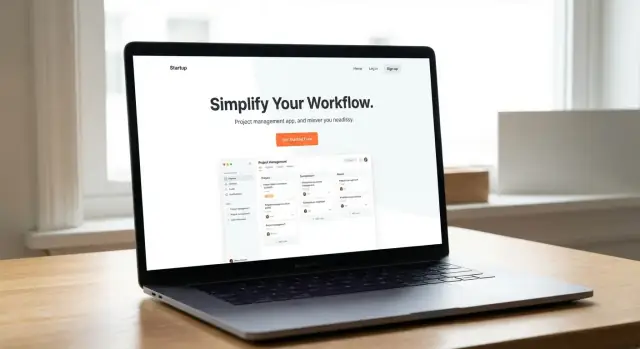
- One supporting visual: a screenshot, simple mock, or short loop that proves “this is real.”
If someone only reads this section, they should still understand what you do and what to click.
Mid page: build belief and remove doubt
Once you have attention, earn trust with a predictable flow:
- Benefits (not features): 3–5 scannable points tied to outcomes.
- How it works: a simple 3-step explanation that makes the product feel easy.
- Social proof: a testimonial, customer logos, usage stats, or a short case snapshot.
- FAQs: handle objections before they become reasons to leave (pricing, setup time, security, “is this for me?”).
This middle section is where you turn “interesting” into “I can see myself using this.”
Bottom: close cleanly
By the time visitors reach the end, they’re either convinced or still uncertain. Make the last section feel helpful, not pushy:
- Repeat the CTA (same action as above).
- Add secondary info only if it reduces friction (pricing hint, requirements, integrations).
- Include contact options for high-intent buyers who need a quick answer.
Keep one goal, not five
A common mistake is giving equal visual weight to multiple actions (book a demo, start free trial, download, subscribe, follow). Pick one primary conversion goal and let everything else support it quietly.
Write Copy That’s Clear, Specific, and Skimmable
Great landing page copy isn’t “beautiful writing.” It’s a fast explanation that helps the right person decide: Is this for me, and what do I do next?
Start with a headline that promises an outcome
Your headline should communicate a concrete result, not your mission statement.
- Weak: “All-in-one productivity platform”
- Better: “Turn meeting notes into follow‑ups in 30 seconds”
If you can, add a measurable detail (time saved, money saved, fewer errors) or a clear “before → after” transformation.
Add a one-sentence subheadline: what it is + who it’s for
In one sentence, explain the product and the audience.
Example: “A lightweight CRM for freelance designers to track leads, proposals, and payments—without spreadsheets.”
This reduces confusion and filters out the wrong visitors early (which improves conversion quality).
Write for scanning, not reading
Most visitors skim. Make the page work at a glance:
- Use short paragraphs (1–3 lines)
- Break ideas into small sections with clear labels
- Use bullets for benefits (not features)
- Bold key phrases sparingly (the “aha” words)
A helpful pattern is: Problem → Benefit → Proof/Detail. Keep each block tight.
Match the copy to the traffic source
Your visitor arrives with context. Your page should “continue the conversation.”
If your ad says “Book more demos from your website,” your hero and first benefit section should repeat that idea—same terms, same promise. For community posts, mirror their vocabulary. For SEO pages, answer the query directly, then show the product.
The goal is simple: no surprises, no translation required, and a clear next step.
Design for Clarity and Trust
Good landing page design isn’t about looking “fancy”—it’s about making the next step feel obvious and safe. When people hesitate, it’s usually because the page feels confusing, inconsistent, or risky. Your job is to remove friction with clear visual hierarchy and cues that signal credibility.
Show the product (or the outcome)
Don’t rely on abstract hero graphics. Visitors want proof that something real exists and that it can deliver a specific result.
- Show the product UI with a clear screenshot (or a very short demo clip).
- If you’re pre-product, show a realistic mockup plus a before/after or sample output (e.g., “report generated,” “calendar filled,” “invoice created”).
Place this visual near the headline so it answers “What is it?” within a few seconds.
Use one visual system to reduce distraction
A page feels more trustworthy when it feels coherent. Choose a simple visual system and repeat it consistently.
Use:
- A limited color palette (one primary + neutrals).
- One icon style (all outlined or all filled, not mixed).
- One photo/illustration approach (don’t combine stock photos with flat cartoons).
This consistency helps visitors focus on the message instead of “design noise.”
Design around a single primary CTA
Your primary CTA should look the same everywhere it appears.
Pick one button style (color, shape, size) and one wording choice (e.g., “Start free” vs. “Get started”) and stick with it across the page. Secondary links should look like links, not competing buttons.
If you want to offer an alternate path (like “Watch demo”), make it visually lighter so it supports—not competes with—the main action.
Accessibility basics that also boost conversions
Accessibility improvements often make pages easier for everyone.
Ensure:
- Strong contrast between text and background.
- Readable font sizes (especially on mobile).
- Clear form labels and error messages (no “mystery” placeholders).
Clarity builds trust, and trust makes clicking the CTA feel reasonable.
Create a High-Intent CTA and a Low-Friction Signup
Your CTA (call to action) is the moment of truth: it turns “interested” into “taking a step.” A high-intent CTA is specific, matches what you actually offer, and feels safe to click.
Pick one primary CTA that matches the next step
Choose a single main CTA label that describes the immediate outcome—not the vague dream.
- If you’re not ready to onboard users yet: “Join the waitlist”
- If you can activate people immediately: “Create free account” or “Start free trial”
- If the next step is a conversation: “Book a call”
Keep the wording consistent across the page and on the next screen. If the button says “Join waitlist,” the form title shouldn’t say “Request access.”
Reduce friction in the signup
Every extra field is a reason to bounce. Ask only for what you need to deliver the next step.
For a waitlist, that’s often just email (and maybe one qualifier like “Company size” if it affects who you accept). If you want personalization, capture it later during onboarding.
If possible, offer one-click options (like Google sign-in) only when they truly speed things up—and don’t force them.
Add microcopy right next to the CTA
A tiny line of text can remove anxiety and set expectations:
- “Takes 30 seconds. No credit card.”
- “We’ll email you when your spot opens. 1–2 emails/month.”
- “Next: answer 3 questions to personalize your setup.”
This is also the place to clarify what happens after the click (confirmation email, calendar booking, instant access).
Use a secondary CTA carefully
Add a secondary CTA only if it supports decision-making without stealing focus—e.g., a text link “See demo” or “Watch 2-min video.” Visually downplay it (outline button or link) so the primary CTA stays the default path.
Add Social Proof and Trust Signals
People don’t convert because your landing page is “pretty”—they convert when they believe you’re credible and safe to try. Social proof and trust signals reduce perceived risk, especially for a new startup with a small brand.
Testimonials that feel real (and useful)
A strong testimonial answers: “Will this work for someone like me?” Aim for quotes that include who said it and what changed.
For example:
“We cut onboarding time from 3 days to 45 minutes using [Product].” — Maya Chen, Ops Lead, Northwind Logistics
If you can, add specifics like timeframe, metrics, or a concrete outcome (replies increased, hours saved, churn reduced). Avoid anonymous quotes (“Great tool!”). If you don’t have many customers yet, use alternatives that are still honest: pilot users, waitlist users, advisors, or early community members—clearly labeled.
Recognizable trust signals you can verify
Use trust badges sparingly and only when they’re true. A few high-quality signals beat a wall of logos.
Good options include:
- Partner or integration logos (only if the integration exists today)
- Press mentions with links to the article
- Certifications or compliance claims you can support (don’t imply “certified” if you’re not)
If you show numbers (users, revenue, uptime), make sure you can stand behind them.
Privacy and data handling in plain English
One short block can remove a major objection:
- What data you collect (email, usage analytics, payment info)
- Why you collect it (account access, product improvement)
- What you don’t do (e.g., “We never sell your data” if true)
Link to your full policy: /privacy.
Give visitors a real way to reach you
Trust increases when there’s a human behind the product. Add at least one clear contact option: a support email, live chat, or a simple contact form. Place it in the footer and near the CTA for high-intent visitors who have one last question.
Build the Page for Speed, Mobile, and Basic SEO
A landing page can have great copy and still underperform if it feels slow, cramped on a phone, or invisible to search. The goal here isn’t perfection—it’s removing friction that stops motivated visitors from taking action.
Keep load time fast (especially on mobile data)
Start by trimming what the browser has to download and execute.
Compress and resize images before uploading (a “hero” image is often the biggest culprit). Prefer modern formats like WebP/AVIF when your builder supports them.
Limit third-party scripts. Each chat widget, heatmap, and extra tracker adds delay. If you’re unsure, ship with the minimum and add tools later.
Turn on caching and use a CDN if your platform offers it. Many hosted landing page tools do this by default—confirm it in settings.
Make it mobile-first
Most visitors will see your page on a phone first, so design for thumbs and quick scanning.
Use readable type (generally 16px+ body text) and keep line lengths short.
Make your primary button large and thumb-friendly, with enough spacing so it’s easy to tap.
Keep forms short. If you only need an email to start, don’t ask for a company size and a phone number on day one.
Set up clean URLs and basic SEO
You’re not doing a full SEO program—just making the page understandable to humans and search engines.
Use a clear URL (e.g., /demo or /waitlist), a specific title tag, and one obvious H1 that matches your promise.
Use headings (H2/H3) to structure benefits, use cases, and FAQs. This improves scanning and helps search engines interpret the page.
Track the actions that matter
Install analytics early so you can learn from real usage.
At minimum, track:
- CTA clicks (primary button)
- Form starts (focus in the first field)
- Form submits (success event)
These events tell you whether the problem is attention (CTA), friction (form), or trust (submission).
Choose Tools and Ship a First Version Quickly
Speed matters more than polish at the start. A single page is enough to validate your message, collect signups, and learn what people actually respond to—so choose tools that help you publish quickly and edit without friction.
One page is enough (for now)
If you can launch faster with a CMS or site builder, do it. You’re not committing to a forever stack—you’re buying time to learn. The best tool is the one your team can update in minutes, not days.
A good “first version” setup usually includes:
- A one-page site (home) with your pitch, benefits, and CTA
- A simple signup form (or waitlist)
- Basic legal + contact pages
If you’re building the product alongside the landing page, tools that shorten the build–test loop matter. For example, Koder.ai is a vibe-coding platform where you can create a web app (often React + Go + PostgreSQL under the hood) from a chat interface, then iterate quickly with snapshots and rollback—useful when your landing-page promise and onboarding flow are still changing week to week.
Pick a lightweight template that matches your structure
Start from a template that already supports your layout (hero → benefits → proof → FAQ → CTA). Avoid templates loaded with animations, sliders, and bulky plugins you don’t need—these slow down the page and make edits harder.
When evaluating a template, check:
- Can you edit headings and sections without fighting the design?
- Does it look clean on mobile?
- Can you add a signup form without extra apps?
Set up the “professional basics”
Even a minimal landing page should feel legitimate.
- Custom domain: Use your brand name (or close) and keep it consistent.
- SSL: Turn on HTTPS so browsers don’t warn visitors.
- Professional email: Use an address like [email protected] for trust and deliverability.
If your platform supports it, bundling hosting + deployment + custom domains into one workflow reduces busywork. (Koder.ai, for instance, supports deployment/hosting and custom domains, which can simplify shipping fast without stitching together too many tools.)
Don’t skip essential pages
Create these as simple, plain-language pages and link them in the footer:
- /privacy
- /terms
- /contact (a form or an email address is fine)
If you’re collecting emails, a basic privacy policy is especially important. You can improve these pages later—shipping a clear, functional version today beats drafting the perfect wording for weeks.
Connect the Landing Page to Onboarding
Your landing page shouldn’t end at “Sign up.” If the message on the page doesn’t match what happens after signup, people bounce—even if they were excited a minute ago. The goal is simple: deliver a quick win that proves the promise you just made.
The first 5 minutes after signup (make it obvious)
Immediately after signup, show users what they can do right away. Don’t drop them into a blank dashboard with five menus.
A good first-5-minutes experience usually includes:
- A guided first action (e.g., “Create your first project,” “Import your data,” “Pick a template”)
- A clear “next step” button that mirrors the CTA they clicked on the landing page
- A tiny progress indicator (“Step 1 of 3”) so it feels finishable
If your landing page promises a specific outcome (“Generate a report in 2 minutes”), the first screen should steer directly toward that outcome.
Send a welcome email with one next step
Send a welcome email right away that repeats the value proposition in plain language and gives one next action.
Keep it tight:
- 1 sentence reminding them why they signed up
- 1 button or link to do the first meaningful action
- Optional: where to get help (reply to the email works well)
This isn’t a product tour in email form. It’s a bridge back into the product.
If you use a waitlist, set expectations (and add a sharing loop)
If access isn’t immediate, say so clearly on the confirmation screen and in the email. Tell them:
- What happens next (e.g., “We invite batches every Tuesday”)
- How they’ll hear from you
- How to move faster (if that’s part of your model)
Offer a simple way to share or invite (a personal referral link or “Invite teammates”). Make it feel helpful—not spammy.
Track activation events that matter
Conversion isn’t “signup.” It’s activation. Pick 1–3 events that signal real value and track them from day one:
- First project created
- First integration connected
- First successful usage (e.g., first export, first message sent)
When you know where people stall, you can adjust the landing page promise, the signup flow, or the first-run experience so they align.
A/B Test and Iterate with a Simple Process
A/B testing doesn’t need to be a big analytics project. For an early-stage startup landing page, your goal is simple: learn what makes more qualified visitors take the next step, then keep what works.
Start with 1–2 test ideas that move the needle
Pick a single element tied to intent, not decoration. Good first experiments include:
- Headline: more specific outcome vs. broader promise
- CTA text: “Get early access” vs. “Start free”
- Hero visual: product screenshot vs. benefit-focused illustration
- Form length: email-only vs. email + company + role
If you change five things at once, you won’t know what caused the result.
Run tests long enough to avoid random swings
Small traffic means noisy data. Keep each test running until you’ve seen a stable pattern (at minimum, a full week to capture weekday/weekend behavior). Make one change at a time, and keep the rest of the page identical.
A practical rule: if results flip back and forth day-to-day, you don’t have a winner yet—keep the test running or increase traffic (e.g., via one consistent channel).
Add qualitative feedback to explain the “why”
Numbers tell you what happened; feedback tells you why. Use one lightweight prompt:
- An on-page poll: “What’s stopping you from signing up today?”
- A post-signup question: “What are you hoping to achieve with [product]?”
This often reveals missing info (pricing expectations, use cases, integration questions) you can address in copy.
Keep a simple change log
Maintain a small spreadsheet or doc with: date, hypothesis, variation, result, and decision. It prevents repeating the same experiment and helps you build a clear “why we wrote it this way” story for future iterations.
If you want a place to test, document, and ship changes quickly, keep your experiments scoped to a single page and roll learnings into the next update (see /blog/pre-launch-checklist). If you’re building the funnel product yourself, using a platform that supports snapshots and rollback (like Koder.ai) can make iteration safer—especially when a “small” landing-page tweak accidentally breaks the signup flow.
Pre-Launch Checklist and Common Mistakes to Avoid
Shipping a landing page is less about “perfect” and more about removing the obvious conversion blockers. Before you drive traffic, run a quick pre-launch pass that checks the promise, the path to signup, and basic credibility.
Quick pre-launch checklist
Use this as a final sweep:
- Clear promise above the fold: What is it, who is it for, and what outcome do they get?
- One primary CTA: The page should feel like a single path, not a menu.
- Fast load: Test on mobile data (not just Wi‑Fi). If it feels slow, it is slow.
- Proof is visible: Testimonials, logos, numbers, screenshots—something real near the CTA.
- FAQ covers objections: Pricing, setup time, who it’s for/not for, privacy/security basics.
- Mobile-ready: Headline readable, CTA visible without hunting, forms usable with thumbs.
Common mistakes that quietly kill conversion
Most “bad” landing pages fail in predictable ways:
- Too many CTAs: “Book a demo,” “Start free,” “Join Discord,” “Read docs” competing at once.
- Vague copy: “All-in-one platform” without specifics, outcomes, or examples.
- Long forms: Asking for 8 fields when 1–2 would do (you can collect details later).
- Slow pages: Heavy videos, uncompressed images, and too many scripts.
Launch plan (1 hour of QA)
Before you hit publish:
- Check on at least two phones (iOS + Android) and one laptop.
- Click every CTA and confirm the signup flow works end-to-end.
- Confirm analytics events fire (page view + CTA click + signup completion).
- If you use SEO pages, submit a sitemap in your search console (optional for a single page).
Post-launch: review weekly, then update
Pick a simple weekly rhythm: review sessions → CTA clicks → signups, plus top traffic sources. Make one change at a time (headline, CTA text, form length, proof placement), then measure again the following week.
FAQ
What should I decide before designing a startup landing page?
Start by choosing one primary action (e.g., join the waitlist, start a free trial, request a demo). Design and copy should support that single path.
If you must include secondary actions (like “Watch demo”), visually downplay them so they don’t compete with the main CTA.
What needs to be included above the fold to improve conversions?
For early-stage pages, a simple above-the-fold set works best:
- Outcome-focused headline
- One-sentence subheadline (what it is + who it’s for)
- One primary CTA
- One supporting visual (screenshot, mock, or short loop)
If visitors only see this section, they should still know what you do and what to click.
How do I write a clear value proposition for a landing page?
Use a one-sentence value prop you can refine:
For [who], get [outcome] without [pain/alternative], because [differentiator].
Then reuse that language across your headline, benefits, and CTA so the page feels consistent and specific.
Should a startup landing page target multiple audiences?
Pick one high-potential segment per page (e.g., “agency founders” or “small HR teams”). Writing for “everyone” usually leads to vague claims that don’t feel relevant to anyone.
Create additional pages later for other segments once you learn what converts.
Where do I get the right words for landing page copy (without guessing)?
Collect real phrases from interviews, sales calls, support tickets, reviews, Reddit threads, and competitor comments. Look for repeated words and emotional cues (“too slow,” “confusing,” “I just need…”).
Use that wording in headlines, benefit bullets, and FAQs to make the page feel instantly familiar.
What are the most common objections that stop visitors from converting?
Most objections fall into three buckets:
- Fit: “Will this work for my situation?”
- Value: “Is it worth the time/money?”
- Risk: “Is it safe—will I regret it?”
Address them near the CTA with proof (results, process, experience, security) and short microcopy that sets expectations.
What page sections most increase trust and conversion?
Treat the middle of the page like belief-building:
- 3–5 benefits tied to outcomes (not features)
- Simple 3-step “how it works”
- Social proof (testimonial, logos, stats, case snapshot)
- FAQ that handles pricing/setup/security/fit
This is where you turn “interesting” into “I can see myself using this.”
How many form fields should my signup or waitlist have?
Ask only for what you need to deliver the next step.
- For a waitlist, often just email (maybe one qualifier like company size)
- For a trial, keep signup minimal and capture details during onboarding
Every extra field increases drop-off, especially on mobile.
What is CTA microcopy, and what should it say?
Add a short line of text right next to (or under) the button to reduce anxiety and set expectations, such as:
- “Takes 30 seconds. No credit card.”
- “We’ll email you when your spot opens. 1–2 emails/month.”
- “Next: answer 3 questions to personalize your setup.”
Microcopy works best when it clarifies what happens after the click.
What metrics should I track for a startup landing page?
Track the events that reveal where people drop off:
- CTA clicks (interest)
- Form starts (friction)
- Form submits (trust + completion)
Pair this with one success metric like conversion rate (signups ÷ visitors) and, if relevant, an activation rate tied to a meaningful first action (e.g., “created a project”).