

Build Useful First: A Practical Guide Before Scale or Polish
Learn how to build something genuinely useful first: pick a real problem, ship a small solution, get feedback fast, and delay scale and polish until it earns it.
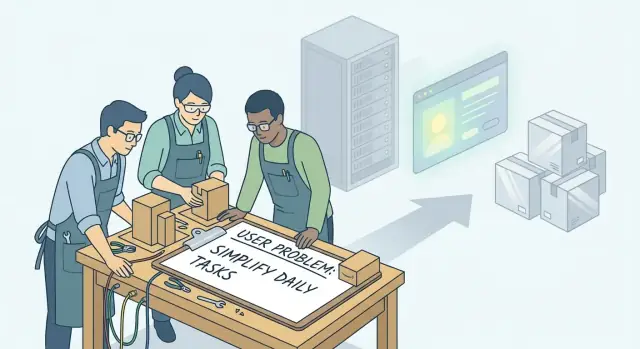
Start With Usefulness, Not Impressiveness
A lot of product work starts with what will look good in a demo: a sleek UI, clever animations, a long feature list. The problem is that impressiveness is easy to fake for five minutes—usefulness has to hold up on Monday morning when someone is trying to get something done.
What “useful” actually means
For this guide, useful means:
- It solves a real, specific problem (not a vague “people might want this”).
- It works reliably enough that a person would trust it for the job.
- It’s built for a clear someone—a particular type of user in a particular situation.
If you can’t describe the person and the moment they need you, you’re not building usefulness yet—you’re building possibilities.
Why polish and scale can usually wait
Polish and scale are expensive. They multiply effort across design, engineering, QA, support, and infrastructure. If you do them before you’ve proven the core value, you risk perfecting the wrong solution.
There are exceptions. You can’t postpone trust basics: privacy, security, data loss prevention, and “does it break?” issues. If a failure would harm users, violate policy, or damage credibility, address that early.
Who this guide is for—and what you’ll do next
This is for early-stage products and new features where you’re still proving value and trying to ship quickly without overbuilding.
Here’s the workflow you’ll follow in the rest of the post:
- Pick one real user and one painful problem.
- Turn the problem into a clear target.
- Define a small value promise (your MVP).
- Build a thin end-to-end slice.
- Keep UX simple, measure the basics, test with real people, then iterate.
The goal isn’t to ship something big. It’s to ship something useful—and learn fast.
Pick One Real User and One Painful Problem
If you try to build for “everyone,” you’ll end up guessing. Instead, pick a narrow audience you can reach this month—people you can email, call, or watch using your product.
Choose a narrow audience you can reach
A good starting audience is small, specific, and accessible:
- Existing customers (even if it’s just 5–20 people)
- Your personal network (peers in one role, in one type of company)
- A single online community where you can participate (not just promote)
- One workplace context (e.g., “freelance designers who invoice monthly”)
If you can’t name where these people hang out or how you’ll talk to them, the audience is still too broad.
Find painful problems (fast, simple sources)
You don’t need a big research project. Start where pain is already visible:
- Your support inbox: repeated questions, confusion, “workarounds,” cancellations
- Sales calls and demos: objections and “we need X before we can use this”
- Forums/communities: recurring complaints
- 5–10 short interviews: “What’s the hardest part of doing X each week?”
- Reviews of competitors: what people praise/complain about (and why)
Look for repetition + stakes
Prioritize problems that show up often and have clear consequences: lost time, lost money, missed deadlines, customer complaints, compliance risk, or real stress. “Annoying” is rarely enough—look for “this blocks me.”
Write the problem in one sentence (no solution)
Force clarity by writing a single sentence that describes the pain without your idea inside it.
Example format:
“[Specific user] struggles to [job-to-be-done] because [constraint], which leads to [stake].”
If you can’t write that sentence cleanly, you’re not ready to build yet—you’re still shopping for a problem.
Turn the Problem Into a Clear Target
A useful product starts with a problem you can aim at. If the problem is fuzzy, your MVP will be fuzzy too—and feedback won’t tell you what to fix.
A quick checklist for a “good” problem
A problem is worth building for when it’s:
- Urgent: people feel it often and already try to solve it (even badly).
- Specific: you can point to a moment, a workflow, and a consequence.
- Testable: you can run a small experiment and clearly see “better” vs “not better.”
If you can’t describe who feels it, when it happens, and what it costs them, it’s not a target yet.
Vague vs. clear problem statements
Vague: “Users want a better dashboard.”
Clear: “Team leads spend 30–45 minutes every Monday pulling numbers from three tools to report weekly progress, and they still miss overdue tasks.”
Vague: “Onboarding is confusing.”
Clear: “New customers can’t connect their data source without help; 6 out of 10 open a support chat within the first 15 minutes.”
A clear statement includes the user, the moment, the friction, and the impact.
Define “done” from the user’s perspective
Skip internal milestones like “feature shipped.” Define done as a user outcome:
- “A team lead can generate the weekly report in under 5 minutes without switching tools.”
- “A new customer can connect their data source in one session, without contacting support.”
Decide what you’ll measure (simple but meaningful)
Use one qualitative signal and a few lightweight metrics:
- Qualitative: “Was this helpful?” + “What part still felt hard?” (in-app prompt or 10-minute calls).
- Metrics: time-to-first-success, % who reach the defined outcome, and a basic failure signal (drop-off at step X, support tickets for that flow).
Now you have a target you can build toward—and evaluate quickly.
Design a Small Value Promise (Your MVP)
An MVP isn’t “a smaller product.” It’s a smaller promise you can actually keep.
A simple way to frame it is:
“In X minutes, you can achieve Y without Z.”
For example: “In 10 minutes, you can schedule your first client call without back-and-forth emails.” The point is not to describe features—it’s to describe a result and the friction you remove.
Define the smallest end-to-end workflow
Your MVP should include the full path from “I arrive” to “I got the outcome,” even if each step is basic.
Ask: what is the minimum end-to-end workflow that delivers the value promise?
- Entry: how does a user start?
- Action: what do they do (the one key behavior)?
- Output: what do they get that proves success?
- Follow-up: what happens next so the value sticks?
If any step is missing, users can’t complete the loop—and you can’t learn what’s broken.
Core workflow vs. nice-to-haves
Be strict about what’s core:
- Core workflow: the steps required to deliver the promise the first time.
- Nice-to-haves: anything that improves comfort, speed, or aesthetics but doesn’t change whether the promise is fulfilled.
Nice-to-haves often feel urgent (templates, themes, integrations, role permissions). Park them in a “later” list so they don’t quietly expand scope.
Write down the assumptions
Before building, list what must be true for the promise to work:
- Users will understand the first step without a call.
- The output is valuable enough to count as “success.”
- You can access the needed data/tools reliably.
- Users will repeat the workflow (or share it) after one win.
These assumptions become your early test plan—and keep the MVP honest.
Build the First Thin Slice End-to-End
A “thin slice” is one complete path where a real user can start, do the core job, and reach the outcome—without dead ends. It’s not a prototype that looks finished; it’s a workflow that works.
What a thin slice actually means
Think in verbs, not screens. A thin slice is:
- One user type (the easiest, most common, or most urgent)
- One job to be done (the single reason they showed up)
- One successful finish line (a result they can use)
Example: “Create an account → submit one request → receive the output within 5 minutes.” If any step can’t be completed, you don’t have a slice—you have fragments.
Reuse tools before you build
To get the slice working end-to-end, borrow as much infrastructure as possible. Common shortcuts that are “good enough” early on:
- Payments: Stripe Checkout instead of custom billing
- Forms & intake: Typeform/Tally instead of building complex onboarding
- Database/admin: Airtable/Notion as your first back office
- Automation: Zapier/Make for notifications and routing
- Scheduling: Calendly for any time-based handoff
If you want to move even faster, a vibe-coding platform like Koder.ai can be another “borrowed infrastructure” move: you can chat your way to a working React web app (with a Go + PostgreSQL backend), spin up a Flutter mobile companion when needed, and use snapshots/rollback while you iterate. The point is the same either way: ship the slice, learn, then replace pieces once you’ve earned it.
Decide what can be manual (for now)
A thin slice can be partly “concierge” behind the scenes. It’s fine if the user clicks a button and you:
- review submissions in a spreadsheet,
- run a script manually,
- email the result,
- or trigger a one-off workflow.
As long as the user’s experience is consistent and the result arrives predictably, manual steps are a valid bridge.
Traps that kill thin slices
Watch for scope creep disguised as “just being thorough”:
- Too many settings before the first success
- Too many user types (“we also need admins, teams, agencies…”)
- Too many pages (“marketing site, dashboard, reports, help center…”)
- Too many branches (“if they choose A, then…”) instead of one default path
Aim for the smallest end-to-end path that delivers real value—and ship that path first.
Keep UX Simple: Make It Understandable on First Use
If someone can’t figure out your product in the first minute, they won’t reach the value you worked so hard to build. Early UX isn’t about style—it’s about removing questions.
Draft the flow before you design anything
Start with a basic “happy path” and one or two common detours (like fixing a typo or going back a step). You can do this with paper sketches, sticky notes, or a simple wireframe tool.
A useful shortcut: draw 5–7 screens maximum. If you need more, the flow is probably doing too much for an MVP.
Use literal labels, not clever ones
Prioritize clarity over visual style. Buttons and fields should say exactly what they do:
- Use “Create invoice” instead of “Let’s go”
- Use “Send to client” instead of “Ship it”
- Prefer “Email address” over “Contact”
When in doubt, make the label longer and clearer. You can shorten later.
Prevent the most likely mistakes
Early users make predictable errors: skipping required fields, entering the wrong format, clicking the wrong action.
Add simple guardrails:
- Inline hints (example formats like “[email protected]”)
- Clear required markers and human wording (“Please add a due date”)
- Confirmations for destructive actions (“Delete draft?”)
- Safe defaults (pre-select the most common option)
Cover accessibility basics that affect usefulness
You don’t need perfection, but don’t block people from using the product:
- Text is readable (size and spacing)
- Good contrast between text and background
- Buttons look like buttons and have clear focus states
Simple, understandable UX is a feature. It’s how your “thin slice” actually delivers value on first use.
Instrument the Basics and Collect Fast Feedback
If you can’t see where people get stuck, you’ll end up “fixing” the wrong things. Early instrumentation shouldn’t be a big analytics project—it should answer a few questions quickly and reliably.
What to measure first (the three signals)
Start with a simple funnel for your thin slice:
- Activation: the moment a new user experiences the first real value (not “created an account”). Example: “imported one file,” “added first task,” “generated first draft.”
- Completion: the user finishes the core job end-to-end. Example: “sent the invoice,” “shared the link,” “booked the meeting.”
- Repeat use: the user comes back and completes the job again within a sensible window (often 7 or 14 days).
Keep definitions written down in one place so the team talks about the same thing.
Minimum logging to debug real issues
You don’t need perfect dashboards, but you do need enough breadcrumbs to troubleshoot:
- Key events for each funnel step (with timestamp and user/session ID)
- Errors (API failures, validation errors, timeouts) with a short message
- Context that explains failures (plan, device type, app version, and the ID of the object they were working on)
Aim for “can we reproduce what happened?” rather than “track everything.” Also decide early who can access logs and how long you retain them—trust starts here.
Lightweight ways to hear the “why”
Quantitative tells you where; qualitative tells you why.
- Session notes: 10 minutes after a support chat or call, write what they tried, where they got confused, and what they expected.
- A 5-question survey after completion or failure:
- What were you trying to do?
- Did you succeed?
- What blocked you?
- What surprised you?
- What should we improve first?
- Short calls: 15 minutes, screen-share, watch them attempt the core flow.
Define the feedback loop cadence (and ownership)
Pick a cadence you can sustain:
- Daily (10–15 min): review errors, drop-offs, and 3–5 user comments.
- Weekly (30–45 min): decide the top 1–3 fixes that unblock value.
Assign one clear owner (often PM or founder) to collect inputs, publish a short summary, and ensure decisions turn into shipped changes.
Test With Real People, Not Hypothetical Personas
Personas are useful for alignment, but they can’t tell you whether someone will actually get value from what you built. Early on, your job is to watch real people try to complete a real task—then fix what stops them.
A simple script for user conversations
Keep the conversation focused on a recent, specific situation (not preferences).
- Goal: “What were you trying to get done?”
- Attempt: “Walk me through what you did, step by step.”
- Friction: “Where did you slow down, hesitate, or feel unsure?”
- Outcome: “What happened in the end? Did you get the result you wanted?”
Then ask them to do the task with your product while thinking out loud. If they can’t use it without your help, that’s data.
Watch behavior, not just opinions
People will often say “Looks great” or “I’d use this,” especially if they like you. Treat those as polite noise.
Prefer signals you can observe:
- Do they understand what to do next without being told?
- Do they complete the key action you designed for?
- Do they keep going, or abandon midway?
If you must ask opinion questions, anchor them in choices: “What would you do next?” or “What would you expect to happen if you click that?”
Capture patterns: 3 blockers and 3 delights
After each session, write down:
- Top 3 blockers: the moments that prevented value (confusion, missing info, trust concerns)
- Top 3 delights: the moments that created value fast (clarity, speed, relief)
Across sessions, prioritize what shows up repeatedly.
How many users is enough?
Start small but targeted: 5–8 people from the exact audience for this feature is usually enough to reveal the biggest blockers. If feedback is all over the place, your targeting is too broad—or your value promise isn’t clear yet.
Iterate Based on What Blocks Value
Iteration isn’t “keep changing things.” It’s removing friction between a user and the promise you made. A useful rule of thumb: fix usefulness blockers before adding features. If a person can’t reach the core outcome quickly (or trust the result), anything you add is just decoration.
Define “value blockers” clearly
A value blocker is anything that prevents someone from completing the main job:
- They can’t start (confusing first step, missing input)
- They can’t finish (flow breaks, errors, missing key capability)
- They don’t trust it (unclear results, no confirmation, scary permissions)
- It takes too long (too many screens, unnecessary choices)
When feedback arrives, force it into one of those buckets. If it doesn’t fit, it’s probably “nice later.”
Prioritize with impact vs. effort (fast)
Use a simple 2×2:
- High impact / Low effort: do next
- High impact / High effort: slice smaller or schedule
- Low impact / Low effort: only if it removes a blocker
- Low impact / High effort: avoid
Impact here means “moves more people to the promised outcome,” not “sounds impressive.”
Delete features that don’t support the core promise
If a feature:
- isn’t used in the critical path, and
- doesn’t increase completion or trust,
remove it (or hide it) for now. Deleting is a form of focus: fewer options makes the right action clearer.
Timebox every iteration
Set a short cadence—3–7 days per iteration is a good default. Each cycle should ship one measurable improvement (e.g., “completion rate +10%” or “time-to-first-result under 60 seconds”). Timeboxing prevents endless tweaking and keeps learning grounded in real usage.
Know When to Add Polish and When to Add Scale
Early on, “polish” and “scale” can feel like proof you’re serious. But if the product isn’t consistently delivering value yet, both can become expensive distractions.
Signals you’ve earned polish
Polish is worth it when it reduces friction for people who already want what you’ve built. Look for:
- Repeat use: the same people keep coming back without reminders
- Referrals: users pull others in because it helped them
- Fewer “how do I…?” questions: support requests shift from basic navigation to edge cases
Polish at this stage means clearer copy, smoother onboarding, fewer steps, and small UI improvements that make the core flow feel effortless.
Signals you’ve earned scale
Scale work pays off when demand is steady and predictable, and performance is starting to limit growth:
- Steady demand: usage isn’t a one-week spike; it’s consistent over time
- Known bottlenecks: you can name what’s breaking (slow reports, queue backlogs, manual steps)
- Uptime needs: outages or slowness are now costing you retention or revenue
Scale means capacity, automation, monitoring, and operational maturity—not just “faster servers.”
Must-do quality vs. cosmetics
Some “quality” is non-negotiable from day one: basic security, privacy, and reliability. That’s different from cosmetic refinement (animations, perfect spacing, brand flourishes). Do the must-do quality early; delay the cosmetics until you’ve earned them.
A staged plan that keeps you honest
Use a simple progression:
- Usefulness: the core job gets done end-to-end
- Reliability: it works consistently; data is safe; failures are handled
- Polish: remove friction; make first use obvious
- Scale: invest in capacity once demand proves it
Avoid Risk: Reliability and Trust Basics From Day One
Shipping early doesn’t mean shipping reckless. Even a small MVP can damage trust if it loses data, surprises users with permissions, or fails silently. The goal isn’t enterprise-grade everything—it’s making a few reliability and trust “non‑negotiables” true from the first release.
The non-negotiables to decide before you build
Start by writing down what you will always do, even in a prototype:
- Data handling: What data do you store, for how long, and who can see it? If you don’t need it, don’t collect it.
- Permissions: Ask only for access you can clearly justify. If you need location, explain why at the moment you ask.
- Backups and recovery: If users can create something valuable (notes, tasks, files), decide how you’ll prevent “it’s gone” moments. Even a daily backup or simple export can be enough early on.
- Error states: Replace blank screens with plain-language messages: what happened, whether data is safe, and what to do next.
Don’t promise what you can’t consistently deliver
Avoid marketing claims about speed, uptime, or compliance unless you’ve proven them. Early users will forgive “limited features,” but they won’t forgive feeling misled. If something is experimental, label it as such.
Document boundaries (for you and for users)
Create a short “What this does / doesn’t do” note—one page is plenty. It keeps sales, support, and users aligned, and it prevents accidental commitments. Consider linking it from your onboarding or a /help page.
Plan a lightweight rollback
Before releasing, decide how you’ll undo a bad change:
- Keep the last known-good build/version available.
- Use feature flags or a simple “off switch” for risky features.
- Make sure you can restore data from backup (test this once).
If you’re building on a platform that supports snapshots (for example, Koder.ai offers snapshots and rollback), use that capability as part of your early safety net—but still practice the habit of “can we undo this quickly?” regardless of tooling.
These basics let you move fast without breaking the one thing you can’t easily rebuild: trust.
A Practical Checklist to Ship Something Useful This Month
If you only have a few weeks, you don’t need more features—you need a tight path from “someone has a problem” to “they got value.” Use this checklist as a one-page plan you can run in a notebook, doc, or project board.
One-page checklist (idea → first useful release)
-
Name one user and one moment. Who are they, and when does the problem hit?
-
Write the problem in one sentence. If you can’t, you’re still exploring.
-
Pick one success metric. Example: “User completes X in under 2 minutes.”
-
Define the thin slice. The smallest end-to-end flow that delivers the promised outcome.
-
Cut scope aggressively. Remove: accounts, settings, team features, automation, integrations, customization—unless they’re required for value.
-
Map the happy path in 5–7 steps. Make each step obvious on first use.
-
Add just enough trust basics. Clear copy, predictable errors, no data loss, a contact/help link.
-
Instrument two events + one note. Start, success, and a short “What blocked you?” prompt.
-
Test with 5 real people. Watch them use it. Don’t explain—listen.
-
Ship, then fix the biggest blocker. Do one improvement cycle before adding new features.
Suggested outline for a ~3000-word, example-driven guide
- A quick framing story: usefulness beats impressiveness
- Choosing one user + one painful problem
- Turning the problem into a measurable target
- Designing the MVP value promise
- Building the first thin slice end-to-end
- Keeping UX simple (first-use clarity)
- Basic instrumentation + fast feedback loops
- Testing with real people (and what to watch for)
- Iterating on blockers to value
- When to add polish vs. when to add scale
- Reliability + trust basics from day one
- Final checklist + “what you’ll ship this month” plan
Copy-paste templates
Problem statement
For [specific user], when [situation], they struggle to [job-to-be-done] because [main constraint].
MVP scope
We will ship [thin slice outcome] using [core steps 1–3]. We will not build [3–5 excluded items].
Feedback notes
User tried to [goal]. Blocked at [step] because [reason]. Workaround: [what they did]. Fix idea: [small change].
Call to action
Pick one problem, define the thin slice, and ship it. By this time next month, aim to have a real person complete the happy path without your help—and use what blocks them to decide what to build next.
FAQ
What does it mean to build something useful first?
Start with one specific user, one recurring problem, and one outcome they can reach quickly. A product is useful when it helps that person finish a real job without unnecessary steps.
How do I choose the first users for an MVP?
Choose people you can actually talk to this month, such as current customers, peers in a certain role, or members of one community. A narrow group gives you clearer feedback and makes testing much easier.
How can I tell if a problem is specific enough to build for?
Write it without mentioning your product: "[User] struggles to [job] because [constraint], which leads to [cost or risk]." If the sentence feels vague, keep researching the problem before building.
What should an MVP include?
An MVP is the smallest promise you can keep from start to finish. Define the result first, then include only the steps a user needs to get that result once.
What is a thin end-to-end slice?
Keep the whole user journey working, even if parts behind the scenes are simple or manual. A user should be able to start, take the main action, receive a useful result, and know what happens next.
Can I use existing tools instead of building every feature?
Use existing services for common jobs such as payments, forms, scheduling, and automation. You can also build a working web or mobile app through chat with Koder.ai, then export the source code or replace parts later if needed.
Is it okay to do some MVP work manually?
You can handle work manually when it does not make the user's experience unpredictable. For example, you might review a request yourself and email the result, as long as you set clear expectations and deliver it reliably.
Which metrics matter first for a new product?
Track whether users reach their first meaningful result, finish the main task, and return to do it again. Also record errors and drop-off points so you can see where the flow breaks.
How many people should I test my MVP with?
Watch five to eight people from your intended audience attempt a real task. Notice where they hesitate, make mistakes, ask for help, or stop, then fix repeated blockers before adding features.
What should I build early, and what can wait?
Do privacy, security, clear permissions, backups, and understandable error messages from the first release. Wait on cosmetic details, extra settings, complex roles, and capacity work until people consistently get value.