

Build a Web App for Centralized Audit Evidence Collection
Learn how to design a web app that centralizes audit evidence: data model, workflows, security, integrations, and reporting for SOC 2 and ISO 27001 audits.
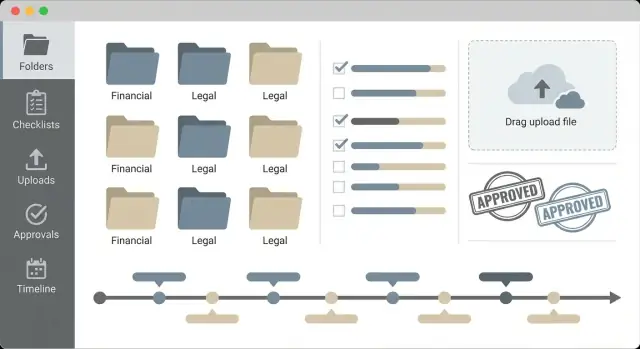
What “Centralized Audit Evidence” Means in Practice
Centralized audit evidence collection means you stop treating “evidence” as a trail of emails, screenshots in chat, and files scattered across personal drives. Instead, every artifact that supports a control lives in one system with consistent metadata: what it supports, who provided it, when it was valid, and who approved it.
The problem you’re solving
Most audit stress isn’t caused by the control itself—it’s caused by chasing proof. Teams commonly run into:
- Multiple versions of the “same” file in different folders
- Missing context (what control is this for? what period does it cover?)
- Last‑minute scrambling when an auditor asks for “the exact file you referenced earlier”
- No reliable history of who changed or approved what
Centralization fixes this by making evidence a first‑class object, not an attachment.
Who benefits (and how)
A centralized app should serve several audiences without forcing them into one workflow:
- Audit lead / compliance manager: sees what’s outstanding, overdue, and audit‑ready.
- Control owners: get clear requests with due dates, instructions, and an easy way to submit updates.
- Reviewers / approvers: verify completeness and relevance before anything reaches an auditor.
- External auditors: receive a clean, read‑only view of final evidence with context and traceability.
What “success” looks like
Define measurable outcomes early so the app doesn’t become “just another folder.” Useful success criteria include:
- Time saved per audit cycle (fewer status meetings and follow‑ups)
- Fewer missing or late items (visibility + reminders + ownership)
- Cleaner audit trail (every submission, revision, and approval is recorded)
- Faster auditor requests (evidence is searchable and consistently labeled)
Audit types and frameworks to support
Even an MVP should acknowledge common frameworks and their rhythms. Typical targets:
- SOC 2 (evidence by control and by reporting period)
- ISO 27001 (policy artifacts, risk treatment evidence, internal audits)
- HIPAA, PCI DSS, and internal governance reviews (often heavier on access logs and change records)
The point isn’t to hard‑code every framework—it’s to structure evidence so it can be reused across them with minimal rework.
Scope and Requirements: Evidence Types, Users, and Data
Before you design screens or pick storage, get clear on what your app must hold, who will touch it, and how evidence should be represented. A tight scope prevents a “document dump” that auditors can’t navigate.
Core entities (what you’re actually managing)
Most centralized evidence systems settle into a small set of entities that work across SOC 2 and ISO 27001:
- Audit: a specific audit period and auditor engagement (e.g., “SOC 2 Type II – 2025”).
- Framework: SOC 2, ISO 27001, HIPAA, or a custom control set.
- Control: the requirement being tested (with owner and frequency).
- Evidence Item: the artifact (or container) that supports a control for a period.
- Request: an ask sent to an owner for a specific piece of evidence.
- Task (optional): sub‑work to produce evidence (e.g., “export Okta admin list”).
- User: employee contributors, reviewers, and read‑only auditors.
Evidence types you should support from day one
Plan for evidence to be more than “a PDF upload.” Common types include:
- Files (PDFs, CSV exports, policy docs)
- Screenshots (often time‑bound proof)
- Links (to cloud docs, dashboards, wiki pages)
- System exports (generated reports that need versioning)
- Attestations (a signed statement or checkbox + comment)
- Tickets (Jira/ServiceNow links that show execution)
Where evidence lives: stored vs. referenced
Decide early whether evidence is:
- Stored in‑app (secure file upload + retention controls), or
- Stored externally with references (URL + immutable metadata), or
- Hybrid (store critical exports, reference living docs)
A practical rule: store anything that must not change over time; reference anything that’s already well‑governed elsewhere.
Metadata that makes evidence usable
At minimum, every Evidence Item should capture: owner, audit period, source system, sensitivity, and review status (draft/submitted/approved/rejected). Add fields for control mapping, collection date, expiration/next due, and notes so auditors can understand what they’re looking at without a meeting.
High-Level Architecture for an Evidence Collection App
A centralized evidence app is mostly a workflow product with a few “hard” pieces: secure storage, strong permissions, and a paper trail you can explain to an auditor. The goal of the architecture is to keep those parts simple, reliable, and easy to extend.
Core components
- Web frontend: a UI for evidence requests, status dashboards, and auditor‑ready views.
- API: one HTTP API that owns business rules (who can request, upload, approve, or export). Keep all authorization checks here.
- Database: a relational database (e.g., Postgres) for tenants, users, controls, requests, evidence metadata, approvals, and audit logs.
- Object storage: store files in S3‑compatible storage; store only metadata + pointers in the database.
- Background jobs: for malware scanning, file conversion/preview generation, reminders, and integration sync.
- Search index (planned early): even if you don’t ship it on day one, design for it (Postgres full‑text initially, then OpenSearch/Meilisearch) indexing evidence titles, control IDs, tags, and extracted text.
Monolith first, split later
Start with a modular monolith: one deployable app containing the UI, API, and worker code (separate processes, same codebase). This reduces operational complexity while your workflows evolve.
Split into services only when needed—for example:
- an integration worker that polls vendors and handles rate limits,
- a file processing service for previews and OCR,
- a search service once query volume or relevance needs outgrow the database.
Tenant model (multiple companies or departments)
Assume multi‑tenant from the start:
- Every business object gets a tenant_id.
- Tenant isolation is enforced in the API layer and reinforced with database constraints (and optionally row‑level security).
- Support “departments” via teams within a tenant to scope requests and visibility without creating separate tenants.
Design for search, preview, and notifications from day one
- Search: capture structured fields (control, system, owner, period, status) so users can filter without relying on full‑text.
- File preview: standardize an ingestion pipeline that can generate thumbnails/PDF previews and store them alongside the original.
- Notifications: use an event model (e.g., “request_created”, “evidence_uploaded”, “approval_needed”) so email/Slack reminders can be added without rewriting core flows.
Data Model: Controls, Evidence Items, Requests, and Versions
A centralized evidence app succeeds or fails on its data model. If the relationships are clear, you can support many audits, many teams, and frequent re‑requests without turning your database into a spreadsheet with attachments.
Core entities and relationships
Think in four main objects, each with a distinct job:
- Control: what needs to be proven (e.g., “Access reviews are performed quarterly”).
- Evidence Item: the long‑lived container for proof you want to keep and refresh over time (e.g., “Q2 access review report”).
- Evidence Request: a time‑bound ask to collect or refresh evidence for a specific audit window.
- Task: the actionable work assigned to a person or team (upload file, provide link, explain exception).
A practical set of relationships:
- Control 1 → many Evidence Items (a control is supported by multiple artifacts).
- Evidence Item 1 → many Evidence Versions (each refresh or replacement is a new version).
- Evidence Request 1 → many Tasks (requests create tasks for owners/reviewers).
- Evidence Request many ↔ many Controls (one request can cover many controls; one control appears in many audits).
Time periods: audits, reporting windows, and validity
Audits always have dates; your model should too.
- Audit Window:
audit_start_at,audit_end_aton anauditstable. - Reporting Period: store separately (e.g.,
period_start,period_end) because a SOC 2 period may not match request dates. - Evidence Validity: on each evidence version, add
valid_from,valid_until(orexpires_at). This lets you reuse a valid artifact instead of re‑collecting it.
Versioning that holds up under scrutiny
Avoid overwriting evidence. Model versions explicitly:
evidence_items(id, title, control_id, owner_team_id, retention_policy_id, created_at)evidence_versions(id, evidence_item_id, version_number, storage_type, file_blob_id, external_url, checksum, uploaded_by, uploaded_at)evidence_version_notes(id, evidence_version_id, author_id, note, created_at)
This supports re‑uploads, replaced links, and reviewer notes per version, while keeping a clean “current version” pointer on evidence_items if you want fast access.
Audit-log schema (who did what, when, and from where)
Add an append‑only audit log that records meaningful events across all entities:
audit_events(id, actor_id, actor_type, action, entity_type, entity_id, metadata_json, ip_address, user_agent, occurred_at)
Store event metadata like changed fields, task status transitions, review decisions, and link/file identifiers. This gives auditors a defensible timeline without mixing operational notes into business tables.
Workflow Design: From Evidence Requests to Approval
A good evidence workflow feels like a lightweight to‑do system with clear ownership and rules. The goal is simple: auditors get consistent, reviewable artifacts; teams get predictable requests and fewer surprises.
The core flow
Design the workflow around a small set of actions that map to how people actually work:
- Create: a requester (compliance lead, control owner, or auditor liaison) drafts the request: control, evidence type, period, instructions, and due date.
- Assign: one or more evidence owners are selected (people, teams, or role‑based queues like “IT Ops”).
- Collect: owners upload files, paste links, or attach exported reports. Each submission should create a new version so nothing is lost.
- Review: a reviewer checks completeness, relevance, and time period.
- Approve: the item is accepted and becomes “auditor‑ready.”
Statuses and rules that prevent confusion
Keep statuses explicit and enforce simple transitions:
- Blocked: can’t proceed (missing access, dependency on another team). Requires a reason and optional escalation.
- Needs changes: reviewer feedback is required; the owner must resubmit.
- Expired: due date passed without approval; triggers reminders and escalations.
- Accepted: approved evidence; lock editing except for creating a new version.
Bulk requests without chaos
Support two common patterns:
- One control → many owners (e.g., access reviews per department).
- Many controls → one owner (e.g., security team supplies standard logs).
Bulk creation should still generate individual requests so each owner has a clear task, SLA, and audit trail.
Reminders, SLAs, and summaries
Add automation that nudges without spamming:
- Due dates + SLA tiers (e.g., 7 days standard, 48 hours urgent).
- Escalations to a manager or backup owner after X days in “Expired” or “Blocked.”
- Weekly summaries per owner/team: what’s due, what’s expired, and what’s waiting in “Needs changes.”
Security and Access Control (RBAC) Without Overcomplication
Security is the first feature auditors will test—often indirectly—by asking “who can see this?” and “how do you prevent edits after submission?” A simple role‑based access control (RBAC) model gets you most of the way there without turning your app into an enterprise IAM project.
Authentication and session controls
Start with email/password plus MFA, then add SSO as an optional upgrade. If you implement SSO (SAML/OIDC), keep a fallback “break‑glass” admin account for outages.
Regardless of login method, make sessions intentionally boring and strict:
- Short‑lived access tokens with refresh tokens
- Device‑aware sessions (show active sessions, allow “log out everywhere”)
- Idle timeout for privileged roles (admins, audit managers)
- Re‑authentication for sensitive actions (export, role changes, deleting evidence)
Roles that match real audit work
Keep the default set small and familiar:
- Admin: manages org settings, integrations, and users
- Audit manager: creates audits, assigns requests, reviews/approves evidence
- Control owner: uploads/links evidence for assigned controls
- Viewer: read‑only for internal stakeholders
- External auditor: read‑only, limited to specific audits and auditor‑ready views
The trick is not more roles—it’s clear permissions per role.
Least privilege by audit, control set, and department
Avoid “everyone can see everything.” Model access at three simple layers:
- Audit-level: who can access a given audit (e.g., SOC 2 2025)
- Control set / framework-level: restrict a subset (e.g., only ISO 27001 controls)
- Department-level: separate Finance vs. HR vs. Security evidence
This makes it easy to invite an external auditor to one audit without exposing other years, frameworks, or departments.
Protecting sensitive evidence
Evidence often includes payroll extracts, customer contracts, or screenshots with internal URLs. Protect it as data, not just “files in a bucket”:
- Encryption in transit and at rest (table stakes)
- Secure downloads: signed, short‑lived URLs; disable public links
- Watermarking (if needed): stamp exports with user/email and timestamp
- Export controls: limit bulk download permissions to audit managers/admins
Keep these safeguards consistent, and your later “auditor‑ready view” becomes much easier to defend.
Audit Trails and Evidence Integrity You Can Defend
Auditors don’t just want the final file—they want confidence that the evidence is complete, unchanged, and reviewed through a traceable process. Your app should treat every meaningful event as part of the record, not an afterthought.
What to log (and why it matters)
Capture an event whenever someone:
- uploads evidence, replaces it, or deletes it
- changes a request/status (e.g., Requested → Submitted → Approved)
- adds or edits comments, tags, or metadata
- grants/revokes access, changes ownership, or reassigns a request
- exports a package or shares an auditor view
Each audit log entry should include actor (user/service), timestamp, action type, object affected (request/evidence/control), before/after values (for changes), and source context (web UI, API, integration job). This makes it easy to answer “who changed what, when, and how.”
Make logs usable for real audits
A long list of events isn’t helpful unless it’s searchable. Provide filters that match how audits happen:
- by control or evidence request
- by user/team
- by date range (audit period)
- by action type (uploads, approvals, exports)
Support export to CSV/JSON and a printable “activity report” per control. Exports themselves should be logged too, including what was exported and by whom.
Evidence integrity: prove files weren’t altered
For every uploaded file, compute a cryptographic hash (e.g., SHA‑256) at upload time and store it alongside the file metadata. If you allow re‑uploads, don’t overwrite—create immutable versions so the history is preserved.
A practical model is: Evidence Item → Evidence Version(s). Each version stores file pointer, hash, uploader, and timestamp.
Optionally, you can add signed timestamps (via an external timestamping service) for high‑assurance cases, but most teams can start with hashes + versioning.
Retention and legal hold (without overpromising)
Audits often span months, and disputes can span years. Add configurable retention settings (per workspace or evidence type) and a “legal hold” flag that prevents deletion while a hold is active.
Keep the UI clear about what will be deleted and when, and ensure deletions are soft‑deletes by default, with admin‑only purge workflows.
Evidence Capture: Uploads, Links, and Templates
Evidence capture is where audit programs usually slow down: files arrive in the wrong format, links break, and “what exactly do you need?” turns into weeks of back‑and‑forth. A good evidence app removes friction while still being safe and defensible.
Safe uploads (without making users hate you)
Use a direct‑to‑storage, multipart upload flow for large files. The browser uploads to object storage (via pre‑signed URLs), while your app keeps control of who can upload what to which request.
Apply guardrails early:
- Size limits per file and per request (and communicate them in the UI).
- Type validation: don’t trust file extensions—verify MIME type server‑side.
- Virus/malware scanning: quarantine new uploads, scan asynchronously, and only mark them “available” after a clean result.
Also store immutable metadata (uploader, timestamp, request/control ID, checksum) so you can later prove what was submitted.
Links and references (URLs are evidence too)
Many teams prefer linking to systems like cloud storage, ticketing, or dashboards.
Make links reliable:
- Validate URL format and optionally enforce an allowlist of domains.
- Encourage permission checks (e.g., “accessible to auditors” vs. “internal only”) and capture the intended audience.
- Run a background “link health” job that flags 403/404 responses and prompts the owner before the audit.
Templates that reduce back-and-forth
For each control, provide an evidence template with required fields (example: reporting period, system name, query used, owner, and a short narrative). Treat templates as structured data attached to the evidence item so reviewers can compare submissions consistently.
Previews and restricted types
Preview common formats (PDF/images) in‑app. For restricted types (executables, archives, uncommon binaries), show metadata, checksums, and scanning status instead of trying to render them. This keeps reviewers moving while maintaining safety.
Integrations: Pull Evidence from the Tools Teams Already Use
Manual uploads are fine for an MVP, but the fastest way to improve evidence quality is to fetch it from the systems where it already lives. Integrations reduce “missing screenshot” issues, keep timestamps intact, and make it easier to re‑run the same evidence pull every quarter.
Cloud storage (Drive, OneDrive/SharePoint, S3-like)
Start with connectors that cover most documents teams already maintain: policies, access reviews, vendor due diligence, and change approvals.
For Google Drive and Microsoft OneDrive/SharePoint, focus on:
- Selecting a file or folder and saving it as an evidence reference (with version, owner, last modified time)
- Optional “snapshot” capture: download a copy into your evidence store so the auditor sees exactly what existed at the time
- Folder‑based recurring evidence (e.g., “Quarterly access reviews”) where each period creates a new evidence item automatically
For S3‑like storage (S3/MinIO/R2), a simple pattern works well: store object URL + version ID/ETag, and optionally copy the object into your own bucket under retention controls.
Ticketing and tasks (Jira, ServiceNow, GitHub Issues)
Many audit artifacts are approvals and proof of execution, not documents. Ticketing integrations let you reference the source of truth:
- Link an evidence item to a specific ticket (or query) and store key fields: status, assignee, created/closed dates, and relevant comments/attachments
- Allow “reference-only” evidence (no files) when the ticket is the audit record
- Pull attachments when needed (e.g., change request screenshots, CAB minutes)
Logs and monitoring (exports and linked reports)
For tools like cloud logs, SIEM, or monitoring dashboards, prefer repeatable exports:
- Support attaching exported reports (PDF/CSV) generated by an integration job
- Or store a permalink plus the exact query, time range, and filters used so the report can be reproduced
Integration security: OAuth scopes, tokens, consent
Keep integrations safe and admin‑friendly:
- Request the smallest OAuth scopes you can (read‑only where possible)
- Store tokens encrypted, rotate/refresh them on a schedule, and allow admins to revoke access
- Use admin consent flows for org‑wide connectors (especially Microsoft) and log every connection change in your audit trail
If you later add an “integration gallery,” keep setup steps short and link to a clear permissions page like /security/integrations.
UI/UX: Dashboards, Search, and Auditor-Ready Views
Good UI/UX isn’t decoration here—it’s what keeps evidence collection moving when dozens of people contribute and deadlines pile up. Aim for a few opinionated screens that make the next action obvious.
The main dashboard: “What needs attention?”
Start with a dashboard that answers three questions in under 10 seconds:
- Outstanding requests: assigned to me (or my team), due date visible, one‑click upload/link entry.
- Overdue items: clearly separated, with “nudge owner” and “reassign” actions.
- Review queue: items awaiting approval, with quick preview and decision buttons (approve / request changes).
Keep it calm: show counts, a short list, and a “view all” drill‑down. Avoid burying the user in charts.
Control-centric views: what’s missing by control and period
Audits are organized around controls and time periods, so your app should be too. Add a Control page that shows:
- Required evidence for the selected period (e.g., Q2 2025)
- What’s already collected (and its latest version)
- What’s missing, overdue, or rejected
This view helps compliance owners spot gaps early and prevents end‑of‑quarter scrambles.
Search and filters that people actually use
Evidence piles up fast, so search must feel instant and forgiving. Support keyword search across titles, descriptions, tags, control IDs, and request IDs. Then add filters for:
- System/tool (e.g., AWS, Okta, Jira)
- Owner
- Status (requested, submitted, in review, approved)
- Period
- Tags (e.g., “access reviews”, “change management”)
Save common filter sets as “Views” (e.g., “My Overdue”, “Auditor Requests This Week”).
Auditor-ready exports and read-only views
Auditors want completeness and traceability. Provide exports such as:
- Evidence index (CSV/PDF): control → evidence items, links, owners, periods, approval status
- Request history: when requested, who responded, reminders, reassignment
- Audit logs: key actions (uploads, edits, approvals) with timestamps
Pair exports with a read‑only auditor portal that mirrors the control‑centric structure, so they can self‑serve without gaining broad access.
Performance, Reliability, and Background Processing
Evidence collection apps feel fast when the slow parts are invisible. Keep the core workflow responsive (request, upload, review) while heavy tasks run safely in the background.
Designing for scale (without rewriting later)
Expect growth along multiple axes: many audits at once, lots of evidence items per control, and many users uploading near deadlines. Large files are the other stress point.
A few practical patterns help early:
- Store files in object storage (not your database) and stream uploads directly there.
- Use resumable or multipart uploads for large files, and show progress.
- Paginate everything: evidence lists, audit views, “needs review” queues.
- Cache read‑heavy auditor views (short‑lived) to avoid repeated expensive queries.
What should run in background jobs
Anything that can fail or take seconds should be asynchronous:
- Malware scanning and file type validation
- Generating previews/thumbnails and text extraction for search
- Scheduled exports (ZIP bundles, “auditor package”) and long‑running reports
- Reminders and follow‑ups (email/Slack), including escalation rules
Keep the UI honest: show a clear status like “Processing preview” and provide a retry button when appropriate.
Reliability patterns you’ll actually need
Background processing introduces new failure modes, so bake in:
- Retries with backoff for transient failures (timeouts, rate limits)
- Idempotency keys for uploads and jobs so users don’t create duplicates by clicking twice
- Dead‑letter queues and visible error states (what failed, what to do next)
Metrics to prove it’s working
Track operational and workflow metrics:
- Upload success rate and average upload time (by file size)
- Reminder effectiveness (opened/clicked, evidence submitted after reminder)
- Review cycle time (submitted → approved) and bottlenecks by team
These metrics guide capacity planning and help you prioritize improvements that reduce audit stress.
MVP Checklist, Rollout Plan, and Next Improvements
Shipping a useful evidence collection app doesn’t require every integration or every framework on day one. Aim for a tight MVP that solves the recurring pain: requesting, collecting, reviewing, and exporting evidence in a consistent way.
MVP checklist (what to build first)
Start with features that support a complete audit cycle end‑to‑end:
- Core data model: controls, evidence items, evidence requests, owners, due dates, and versions (so updates don’t overwrite history).
- Evidence requests: assign to an owner, set deadlines, send reminders, track status (Requested → Submitted → Needs changes → Approved).
- Uploads + links: secure file upload and link‑based evidence (e.g., cloud doc URLs), with required metadata (control mapping, period, system/source).
- Review flow: comments, request changes, approval, and a clear “ready for auditor” state.
- Exports: download a control‑by‑control evidence bundle (ZIP) and a simple CSV report for auditors.
If you want to prototype quickly (especially the workflow screens + RBAC + file upload flow), a vibe‑coding platform like Koder.ai can help you get to a working baseline fast: React for the frontend, Go + PostgreSQL on the backend, and built‑in snapshots/rollback so you can iterate on the data model without losing progress. Once the MVP stabilizes, you can export the source code and continue in a more traditional pipeline.
Rollout plan (reduce risk)
Pilot with one audit (or one framework slice like a single SOC 2 category). Keep the scope small and measure adoption.
Then expand in stages:
- Add more controls and evidence owners in the same team.
- Onboard adjacent teams (IT, HR, Finance) with templates and examples.
- Add support for additional frameworks (SOC 2, ISO 27001) using shared evidence when possible.
Documentation you’ll wish you had
Create lightweight docs early:
- Owner guide (how to submit, naming conventions, what “good evidence” looks like)
- Auditor guide (how to search, filter, and export)
- Admin setup checklist (users, roles, retention settings, approval rules)
Next improvements
After the pilot, prioritize improvements driven by real bottlenecks: better search, smarter reminders, integrations, retention policies, and richer exports.
For related guides and updates, see /blog. If you’re evaluating plans or rollout support, visit /pricing.
FAQ
What does “centralized audit evidence” actually mean?
Centralized audit evidence means every artifact that supports a control is captured in one system with consistent metadata (control mapping, period, owner, review status, approvals, and history). It replaces scattered emails, screenshots in chat, and files on personal drives with a searchable, auditable record.
How do you define success for an evidence collection app?
Start by defining a few measurable outcomes, then track them over time:
- Time saved per audit cycle (fewer follow-ups and status meetings)
- Fewer missing/late items (ownership + due dates + reminders)
- Cleaner audit trail (version history + approvals + event log)
- Faster auditor requests (searchable evidence with consistent labels)
What core entities should the data model include?
A solid MVP data model usually includes:
- Audit (dates, engagement)
- Framework and Control (owner, frequency)
- Evidence Item (the long-lived container)
- Evidence Version (immutable submissions over time)
- Evidence Request (time-bound ask)
- Task (optional sub-work)
- User and roles
This keeps relationships clear across many audits, teams, and re-requests.
What evidence types should an MVP support?
Support more than “PDF upload” from day one:
- Files (PDF/CSV/docs)
- Screenshots
- Links (cloud docs, dashboards)
- System exports (versioned reports)
- Attestations (checkbox/sign-off + comment)
- Tickets (Jira/ServiceNow/GitHub) as evidence of execution
This reduces back-and-forth and fits how controls are actually proven.
Should evidence be stored in the app or referenced via links?
Use a simple rule:
- Store in-app anything that must not change over time (exports, point-in-time screenshots, auditor-facing artifacts).
- Reference externally “living docs” that are already governed elsewhere (wikis, policy docs), capturing immutable metadata.
- Hybrid when you want both: keep the reference plus a snapshot for audit defensibility.
What metadata makes evidence searchable and audit-ready?
Minimum useful metadata includes:
- Owner
- Audit/reporting period
- Source system/tool
- Sensitivity classification
- Review status (draft/submitted/approved/rejected)
Add collection date, expiration/next due date, control mapping, and notes so auditors can understand the artifact without a meeting.
How should versioning work so you don’t overwrite evidence?
A common, defensible approach is:
- Evidence Item = the stable “container” (e.g., “Q2 access review report”)
- Evidence Versions = immutable submissions (each upload/link change is a new version)
Avoid overwriting. Store checksums (e.g., SHA-256), uploader, timestamps, and version numbers so you can show exactly what was submitted and when.
What workflow statuses help prevent audit confusion?
Use a small set of explicit statuses and enforce transitions:
- Requested → Submitted → In review → Accepted
- Include exception states like Blocked, Needs changes, and Expired
When evidence is Accepted, lock edits and require a new version for updates. This prevents ambiguity during audits.
What’s a practical RBAC model for an evidence app?
Keep RBAC simple and aligned to real work:
- Admin (org + integrations)
- Audit manager (create audits, request/review/approve)
- Control owner (submit evidence)
- Viewer (internal read-only)
- External auditor (read-only, scoped)
Enforce least privilege by audit, framework/control set, and department/team so an auditor can access one audit without seeing everything else.
What do auditors expect from audit logs and evidence integrity?
Log meaningful events and prove integrity:
- Record uploads, replacements, deletions, status changes, approvals, exports, and permission changes
- Store actor, timestamp, entity, before/after values, and context (UI/API/integration)
- Compute and store file hashes (SHA-256) at upload time
Make logs filterable (by control, user, date range, action) and log exports too so the “record of record” is complete.