

Build a Web App for Company Announcements & Acknowledgements
Learn how to design and build a web app for company-wide announcements, targeted delivery, acknowledgements, reminders, and reporting—step by step.
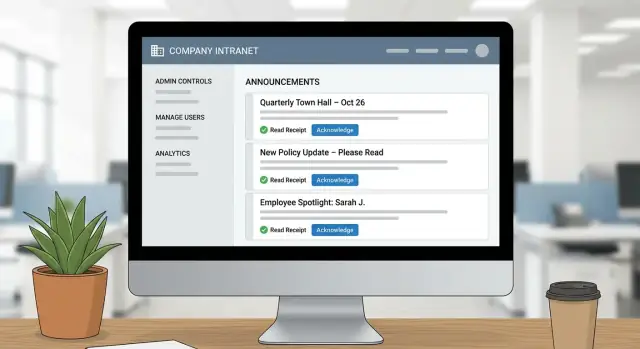
What the app should achieve
Company updates don’t fail because people don’t care—they fail because the message gets buried. A policy change arrives in email next to customer threads, an all-hands note is posted in a chat channel that moves too fast, and a safety update is mentioned verbally but never documented. When something is truly important, “we sent it” isn’t the same as “people saw it,” and that gap makes compliance, follow-up, and accountability hard to prove.
The outcomes you’re building toward
A company announcements app should do more than publish posts. In v1, aim for a simple, reliable announcement workflow that produces evidence:
- Publish updates in one place employees can trust as the source of truth.
- Target the right audience (everyone, specific teams, locations, or roles).
- Notify people through the channels they already use (email, in-app, chat integrations later).
- Collect employee acknowledgements when a message requires confirmation.
- Report clearly: who has read, who has acknowledged, who is overdue—without manual chasing.
That combination of read receipts tracking plus acknowledgement evidence becomes your audit trail for acknowledgements, which is often the real business requirement.
Who uses it (and what each needs)
Designing for actual stakeholders keeps the product from turning into generic internal communications software:
- Employees: a clean intranet announcement portal that’s fast to scan, easy to search, and obvious about what needs action.
- Managers: visibility into their team’s status (who hasn’t acknowledged), plus tools to nudge without shaming.
- HR / Comms: an editor experience to draft, review, schedule, and measure reach—without engineering help.
- Admins (IT): control over access, roles, and settings; confidence that the system is secure and manageable.
- Auditors / Compliance: a tamper-resistant view of what was published, when, to whom, and the acknowledgement results.
Set scope: v1 vs later
A focused MVP is easier to ship and easier to adopt. For v1, prioritize the core announcement workflow, role-based access control, notifications, acknowledgements, and basic reporting. Defer complexity that doesn’t prove value yet.
V1 (must-have):
- Create and publish announcements with targeting
- Simple notification system (at least email + in-app)
- Acknowledgement tracking with timestamps
- Manager/admin reporting and export
Later (nice-to-have):
- Translations and localization workflows
- Native mobile app (after validating usage patterns)
- Integrations (Slack/Teams, HRIS, SSO enhancements)
- Advanced analytics and content testing
If you can clearly state, “This app ensures critical updates are delivered, acknowledged, and provable,” you have a sharp definition of success for the rest of the build.
Core features and requirements
This kind of app succeeds when it makes important messages hard to miss, easy to understand, and easy to prove they were seen. Start by defining the minimum set of features that support clear publishing, precise targeting, and reliable acknowledgement records.
Announcements
Each announcement should support a clear structure: title, formatted body, and attachments (PDFs, images, policies). Add publish windows (start/end) so posts can be scheduled and automatically expire, plus urgency levels (e.g., Normal, Important, Critical) that affect how prominently the item appears.
A practical requirement: authors need to fix typos without breaking trust, while admins need the ability to withdraw an announcement (with a visible “withdrawn” state) when information changes.
Targeting and visibility
Targeting is what turns an announcement tool into usable internal communications software. Support common scopes out of the box:
- All staff
- Department(s)
- Location(s)
- Role(s)
- Custom groups (project teams, safety committee, on-call rotation)
Users should only see what applies to them, but admins should be able to preview how an announcement looks for different audiences.
Acknowledgements
Not every post needs a read receipt. Make acknowledgements configurable per announcement:
- Required vs optional
- Due date (for compliance or policy changes)
- Optional comment field (useful for “I’ve read this, but…”)
The system should clearly show “Acknowledged / Not acknowledged / Overdue” at both the individual and aggregate level.
Admin workflow essentials
Admins typically need templates for recurring posts (policy updates, IT maintenance), approvals for sensitive announcements, and scheduling. Treat these as first-class requirements early—retro-fitting approvals later can disrupt the workflow and data model.
User journeys and workflows
A clear workflow prevents announcements from becoming “just another post” and makes acknowledgement reporting trustworthy. Start by mapping the end-to-end path for each role, then define the states an announcement can be in.
The primary flow (create → review → publish → notify → acknowledge → report)
Most teams benefit from a simple, explicit lifecycle:
- Create (Draft): Author writes the announcement, selects audience (department/location), sets priority, and optionally attaches policy docs.
- Review (Pending approval): A manager, HR, or compliance reviewer checks wording and audience. Keep feedback as comments so the author can revise without losing context.
- Publish (Live): The announcement appears in the portal and becomes searchable.
- Notify: Employees receive alerts via email, push, or chat—ideally only once per channel, with smart reminders later.
- Acknowledge: Employees confirm they’ve understood the message (not just seen it).
- Report: Admins view completion rates, drill into who hasn’t acknowledged, and export evidence when needed.
Define “read” vs “acknowledged” (keep them distinct)
Treat Read as a passive event (opened/viewed) and Acknowledged as an explicit action (clicked “I understand” or completed a required prompt). This avoids confusion when someone opens a notification but doesn’t commit to compliance.
Acknowledgements: per user or per device/session?
For company policy and audit needs, acknowledgements should almost always be per user, not per device or session. A per-session “read receipt” can be useful for UX (e.g., don’t show the same banner twice in a day), but it shouldn’t replace the user-level record.
Edge cases to plan for early
Late acknowledgements and HR events can break reports if you don’t define rules:
- Late acknowledgement: Keep the timestamp; report both “acknowledged” and “acknowledged after due date.”
- Offboarding: Decide whether to freeze status at termination date and exclude from future reminders.
- Re-hires: Prefer a stable person identifier and treat a re-hire as a new employment period, so you can require re-acknowledgement for critical policies.
With these journeys documented, you can design screens and APIs that match real behavior instead of assumptions.
Access control, roles, and sign-in
Access control is where an announcements app becomes trustworthy. People need to know only the right users can publish to the whole company, and that acknowledgement reports aren’t visible to everyone.
Authentication: SSO vs email/password
For most mid-sized and large companies, start with Single Sign-On (SSO) using SAML or OIDC. It reduces password support tickets, makes offboarding safer (disable the corporate account once), and often enables conditional access (like requiring MFA on untrusted devices).
If you’re building for small teams or an early MVP, email/password can be acceptable—just make it optional, and design your system so you can add SSO later without rewriting user identities. A common approach is to store users by a stable internal ID, and attach one or more “login methods” (password, OIDC provider, etc.).
Roles: keep them simple but complete
Define roles that match how announcements actually move through your organization:
- Employee: reads announcements and submits acknowledgements.
- Publisher: drafts and publishes (or submits for approval).
- Approver: reviews and approves/rejects announcements.
- Admin: manages settings, roles, and integrations.
- Auditor (read-only): accesses reports and export-only views.
Permissions: decide the sensitive edges
Beyond roles, document key permissions explicitly:
- Targeting: who can send to “All company” vs specific teams/sites.
- Edits after publish: whether edits are allowed, and if they create a new version that requires re-acknowledgement.
- Reporting access: who can view acknowledgement status, by person and by group.
Group management: synced vs manual
Groups can be synced from your HR directory (best for accuracy) or managed manually (faster to ship). If you sync, support attributes like department, location, and manager. If you manage manually, add clear ownership (who can edit a group) and change history so targeting decisions are auditable later.
Data model and database design
A clear data model makes the rest of the app easier: publishing flows become predictable, reporting becomes trustworthy, and you can prove who saw what (and when) without messy spreadsheets.
Announcements
Start with an announcements table that holds the content and lifecycle state:
id,title,body(orbody_html)status:draft,published,archivedcreated_at,updated_at, pluspublished_atandarchived_atcreated_by,published_by
Keep “draft vs published” strict. A draft should never generate notifications or acknowledgements.
Audience: groups, rules, and recipients
Avoid encoding audience logic only in code. Model it:
groups(e.g., “Warehouse”, “Managers”)group_members(group_id,user_id, validity dates if needed)- Optional
audience_rulesif you support filters like location/department
For reporting, create a materialized announcement_recipients table (the “recipients list”) generated at publish time:
announcement_id,user_id,source(group/rule/manual)recipient_created_at
This snapshot prevents reports from changing later when someone switches departments.
Acknowledgements (and read receipts)
Use an acknowledgements table:
announcement_id,user_idstatus(e.g.,pending,acknowledged)acknowledged_at- Optional
note
Add a unique constraint on (announcement_id, user_id) to stop duplicates.
Attachments storage
Store file metadata in the database, and the actual blobs in object storage:
attachments:id,announcement_id,file_name,content_type,size,storage_key,uploaded_at
This keeps your database lean while supporting large PDFs and images without performance issues.
Backend API and services
Your backend is the source of truth for announcements, who can see them, and who has acknowledged them. Keep it boring and predictable: clear endpoints, consistent responses, and strict permission checks.
Key endpoints to design
Start with a small set of API actions that map to what admins and employees actually do:
- Announcements CRUD: create, read, update, archive/delete.
- Publish actions: draft → scheduled → published (and optionally “unpublish” or “close”).
- Acknowledge action: a single endpoint employees call when they confirm they’ve read an item.
A simple shape might look like:
GET /api/announcements(feed)POST /api/announcements(create)GET /api/announcements/{id}(details)PATCH /api/announcements/{id}(edit)POST /api/announcements/{id}/publishPOST /api/announcements/{id}/acknowledgements
Pagination, filtering, and feeds
Announcement lists grow quickly, so make pagination a default. Add filters that match real admin questions and employee needs:
- By team/location, status (draft/scheduled/published/closed), and date range
- By requires acknowledgement vs “FYI”
Use consistent query parameters (e.g., ?page=2&pageSize=20&team=Sales&status=published&from=2025-01-01).
Real-time updates (or not)
If you need instant “new announcement” banners, consider WebSockets or Server-Sent Events. If not, simple polling (e.g., refresh every 60–120 seconds) is easier to operate and usually good enough.
Prevent duplicate acknowledgements
Acknowledgements should be idempotent: submitting twice shouldn’t create two records.
Implement one of these approaches:
- A unique constraint like
(announcement_id, user_id)and treat duplicates as success. - An
Idempotency-Keyheader per submission for extra safety on flaky networks.
This keeps reporting accurate and avoids confusing “double acknowledged” audit entries.
Frontend UX that employees will actually use
An announcements app only works if employees can skim it quickly, trust what they see, and complete acknowledgements without friction. Prioritize clarity over “cool” UI—most users will open it between meetings on a laptop or phone.
The employee feed: scan-first, not scroll-forever
Design the feed so the most important items stand out immediately:
- Clear prioritization: pin critical posts, visually label “Action required,” and show due dates at a glance.
- Search + filters: let people filter by location/team, category (HR, IT, Safety), and status (new/acknowledged).
- Smart previews: show the first 1–2 lines, attachment count, and whether acknowledgement is required.
Keep the “unread” state obvious but not noisy. A simple badge and bold title usually beats heavy banners.
Announcement detail page: everything needed to act
On the detail page, put the essentials above the fold:
- Title, author/team, publish date, and due date (if any)
- Attachments with clear file names and sizes
- A single, prominent Acknowledgement call-to-action
If the acknowledgement includes a policy statement, show it right next to the button (not hidden behind another click). After acknowledging, replace the CTA with a confirmation and timestamp so users feel confident it went through.
Accessibility: make it usable for everyone
Build for real-world usage: full keyboard navigation, visible focus states, readable typography, and sufficient contrast. Don’t rely on color alone to indicate priority or status; pair it with icons and text.
Admin UI: fast publishing without surprises
Admins need a workflow-focused interface: drafts, an approval queue, scheduling, and an audience preview that answers “Who will actually see this?” before publishing. Include a quick “view as employee” mode so admins can verify formatting and attachments without guessing.
Notifications and reminders
Notifications are what turn “announcement posted” into “announcement read and acknowledged.” The goal is simple: reach people on the channels they actually check, without spamming them.
Choose the right channels (and make them configurable)
Start with in-app notifications as the source of truth, then add delivery channels based on your workforce:
- Email: best default for desk workers and audit-friendly delivery logs.
- SMS: useful for frontline teams without regular email access (higher cost; be selective).
- Push notifications: only if you have a mobile app or reliable PWA support.
Let admins choose per announcement which channels to use, and let employees set personal preferences (where policy allows).
Reminder rules that feel helpful, not nagging
Tie reminders to an acknowledgement due date:
- Send a pre-due reminder (e.g., 48 hours before) to anyone still pending.
- Send a post-due reminder (e.g., daily for 3 days) only to non-acknowledged recipients.
- Stop immediately after acknowledgement—no exceptions.
Keep the logic transparent: show the planned reminder schedule in the announcement composer so publishers know what will be sent.
Quiet hours, time zones, and pacing
Respect “do not disturb” windows. Store each user’s time zone and apply quiet hours locally (e.g., 20:00–08:00). If a reminder falls inside quiet hours, queue it for the next allowed window.
Delivery status and bounce handling
Email won’t always land. Capture provider events (delivered, bounced, blocked) and surface a simple status like “Delivered” or “Failed” to admins. For repeated bounces or invalid emails, auto-suppress that address and prompt an update rather than retrying endlessly.
Acknowledgement tracking and audit trail
Announcements are only useful when you can prove they were seen and understood. A good acknowledgement system turns “we posted it” into “we can demonstrate who confirmed it, and when.”
Choose acknowledgement types that match the risk
Not every message needs the same level of certainty. Support a few acknowledgement modes so admins can pick what fits:
- Simple checkbox (“I have read and understood”) for low-risk updates.
- E-sign style confirmation (type full name, optionally re-enter password) for policy changes and safety procedures.
- Quiz / confirmation text (answer a question, or type a required phrase) to verify comprehension for critical instructions.
Keep the UI clear: show the acknowledgement requirement and deadline right next to the announcement, not buried on a separate page.
Build an immutable audit log (and treat it like evidence)
For audits and internal investigations, you need an append-only record. Store acknowledgement events as immutable entries containing:
- Who: user ID, name at the time, role/department snapshot if needed.
- What: announcement ID + version number (see below).
- When: timestamp in UTC (plus displayed local time).
- From where: IP address, user agent/device, and sign-in method.
Avoid “updating” acknowledgement rows in place. Instead, append new events and compute the current status from the latest valid event.
Handle re-acknowledgement after material updates
If an announcement changes meaningfully, prior acknowledgements shouldn’t automatically carry over. Version your announcement content and mark a new version as requires re-acknowledgement. Then:
- Reset the required status for affected users.
- Keep old acknowledgements tied to the previous version.
- Show a clear banner: “Updated since your last acknowledgement.”
Make audits easy: exports and printable summaries
Admins and auditors often need evidence outside the app. Provide:
- CSV export (filters for date range, department, status, and version).
- Printable summary view that includes totals, exceptions (not acknowledged), and a per-user trail when required.
Security, privacy, and compliance basics
Security for an announcements and acknowledgements app isn’t only about preventing breaches. It’s also about making sure the right people can see the right messages, proving what happened later, and keeping data only as long as you truly need it.
Protect data by default
Start with the basics that reduce risk without making the product harder to use:
- Encrypt in transit: serve everything over HTTPS/TLS, including API calls and file downloads.
- Least-privilege database access: give each service account only the permissions it needs (for example, the worker that sends notifications shouldn’t also be able to drop tables).
- Separate environments: keep production data out of test/staging, and restrict who can access production logs and databases.
Rate limiting and abuse prevention
Even “internal” apps get abused—sometimes accidentally. Add rate limiting to endpoints that can be spammed (sign-in, search, acknowledgement submission). If you expose any public-facing endpoints (like SSO callbacks or webhook receivers), protect them with:
- strict input validation
- signature verification where applicable
- sensible request size limits
Attachment security
Attachments are a common weak spot. Treat them like untrusted input:
- Virus/malware scanning on upload.
- Store files in object storage and deliver via signed URLs that expire, rather than permanent public links.
- Apply retention limits (time-based and/or size-based) so old files don’t accumulate forever.
Privacy and retention policies
Acknowledgements can reveal employment details (who read what, when). Decide upfront:
- How long to keep acknowledgements and audit logs (e.g., 12–24 months, or aligned with HR policy).
- Who can access acknowledgement reports, and under what justification.
- How to handle deletion requests and legal holds, if relevant.
If your organization has compliance requirements (SOC 2, ISO 27001, GDPR, HIPAA), document how access is controlled, how logs are protected, and how data retention is enforced—then implement those controls consistently.
Integrations and automation
Integrations are what turn a “nice portal” into something employees actually notice. The goal is simple: meet people where they already work, and remove manual admin steps that slow adoption.
Chat tools: Slack and Microsoft Teams
A common pattern is: publish an announcement in your app, then automatically post a notification to the right channel(s) with a deep link back to the announcement.
Keep the chat message short and actionable: title, who it applies to, and one link to “Read & acknowledge.” Avoid dumping the full text into chat—people will skim and forget.
Directory sync from HR systems
If your company uses an HRIS (e.g., Workday, BambooHR, HiBob), syncing the employee directory saves hours and reduces errors. Start with basics:
- Users (name, email, status)
- Teams/departments/locations
- Manager relationships (optional, but useful for escalation)
Even a daily sync is often enough for MVP; real-time sync can come later.
Webhooks and automation triggers
Webhooks let other systems react instantly when something happens. Useful events include:
announcement.publishedannouncement.acknowledgedannouncement.overdue
These can trigger workflows in tools like Zapier/Make or internal scripts—for example, creating a ticket when overdue acknowledgements cross a threshold.
Import/export to bootstrap adoption
Early on, you may not have directory integrations ready. Provide CSV import/export for users and groups so admins can start quickly, then transition to sync later.
For more rollout tips, see /blog/employee-comms-checklist. If you’re packaging this as a product, explain integrations clearly on /pricing so buyers can confirm fit fast.
Deployment, operations, and MVP checklist
Shipping an announcements app isn’t just “push to production.” Day-to-day success depends on predictable deployments, background processing that doesn’t block users, and quick visibility when something breaks.
If you want to move from spec to a working MVP quickly, a vibe-coding platform like Koder.ai can help you stand up the core workflow (React frontend, Go backend, PostgreSQL) from a structured chat prompt—then iterate using planning mode, snapshots, and rollback as you refine targeting, notifications, and acknowledgement reporting. When you’re ready, you can export the source code and deploy/host with custom domains.
Environments and configuration management
Plan for three environments: dev, staging, and prod. Staging should mirror production as closely as possible (same database engine, similar email provider, same file storage type) so you catch issues before employees do.
Keep configuration outside the codebase using environment variables (or a secrets manager). Typical config items include email/SMS credentials, base URL, database connection strings, file storage keys, and feature flags (e.g., “require acknowledgement” on/off).
Background jobs you’ll need early
Even for an MVP, some tasks shouldn’t run in the web request:
- Reminders: send scheduled nudges to employees who haven’t acknowledged
- Report generation: export acknowledgement status for managers/HR
- File processing: virus scan, thumbnail generation, or PDF preview creation
Use a job queue and make jobs idempotent (safe to run twice) so retries don’t spam people.
Monitoring and operational visibility
Set up monitoring on day one:
- Uptime checks for the main app and API
- Error tracking for frontend and backend exceptions
- Queue health: job latency, failures, and retry counts
- Email delivery: bounces, spam blocks, and webhook failures
Also log key events like “announcement published,” “reminder sent,” and “acknowledged,” so support can answer questions without guessing.
Practical MVP checklist (and v2 roadmap)
MVP: deploy via CI/CD, staging approval step, database migrations, admin user bootstrap, daily backups, basic monitoring, and a manual “resend reminder” tool.
V2 ideas: self-serve analytics dashboards, advanced scheduling (time zones, quiet hours), templated announcement types, and automated escalation (notify a manager if overdue).
FAQ
What problem should an announcements & acknowledgements app solve?
In most companies, the real requirement isn’t “posting updates”—it’s proving delivery and follow-up. A good v1 should:
- Publish a single source of truth
- Target the right audiences
- Notify via channels people actually check
- Collect acknowledgements when required
- Report who is read/acknowledged/overdue with exportable evidence
What’s the recommended workflow for announcements from draft to reporting?
Keep the lifecycle explicit so reporting is trustworthy:
- Draft (no notifications, no acknowledgements)
- Pending approval (optional)
- Published/Live (visible + searchable)
- Notifications sent (with controlled reminders)
- Acknowledged (per user, timestamped)
- Archived/Expired (no longer active, still auditable)
What’s the difference between “read” and “acknowledged,” and why does it matter?
Treat Read as a passive event (opened/viewed) and Acknowledged as an explicit action (“I understand”). Use read events for UX (e.g., unread badges), but use acknowledgements for compliance and audit.
If you only track reads, you’ll struggle to prove policy confirmation or completion by a due date.
Should acknowledgements be tracked per user or per device/session?
In most cases, make acknowledgements per user, not per device or session. Per-user records map to HR/compliance needs and avoid loopholes (e.g., someone acknowledging on a shared kiosk).
You can still use session-level “seen” flags for UI (like not showing the same banner repeatedly), but don’t treat those as evidence.
What targeting options should an MVP support?
Ship targeting that matches how orgs actually operate:
- Everyone
- Department(s)
- Location(s)
- Role(s)
- Custom groups (project teams, committees, on-call)
Also add an admin “preview as audience” view so publishers can confirm exactly who will receive it before hitting publish.
How do you keep acknowledgement reports accurate when employees change teams or roles?
Create a recipient snapshot at publish time (e.g., an announcement_recipients table). That way, reports don’t change later when someone changes department or location.
This is essential for auditability: the app can answer “who was targeted when it was published?” even months later.
How do you prevent duplicate acknowledgements in the backend?
Make acknowledgement submission idempotent so retries don’t create duplicates:
- Enforce a unique constraint on
(announcement_id, user_id)and treat duplicates as success, and/or - Support an
Idempotency-Keyfor flaky networks
This keeps audit trails clean and prevents confusing “double acknowledged” states.
What’s a practical notification and reminder strategy that won’t feel spammy?
Pick channels based on your workforce and keep reminders tied to due dates:
- Start with in-app + email
- Send reminders only to people still pending
- Stop reminders immediately after acknowledgement
- Respect quiet hours and user time zones
Show the planned reminder schedule in the composer so publishers know what will be sent.
What should happen if an announcement is edited after it’s published?
Version announcements and require re-acknowledgement for material changes:
- Keep old acknowledgements tied to the prior version
- Mark the new version as “requires re-acknowledgement”
- Show users a clear “Updated since your last acknowledgement” message
Avoid silently editing published content without trace—trust and compliance both suffer.
What should an audit trail include for compliance and investigations?
Store an append-only log of publishing and acknowledgement events that includes:
- Who (user ID; optionally name/department snapshot)
- What (announcement ID and version)
- When (UTC timestamp)
- Context (IP, user agent/device, sign-in method)
Then provide CSV exports and a printable summary view for auditors/managers. For rollout guidance, you can also reference /blog/employee-comms-checklist.