

How to Build a Crowdfunding Web App With Donor Management
Learn how to plan, build, and launch a crowdfunding web app with donor management: core features, payments, security, privacy, analytics, and scaling.
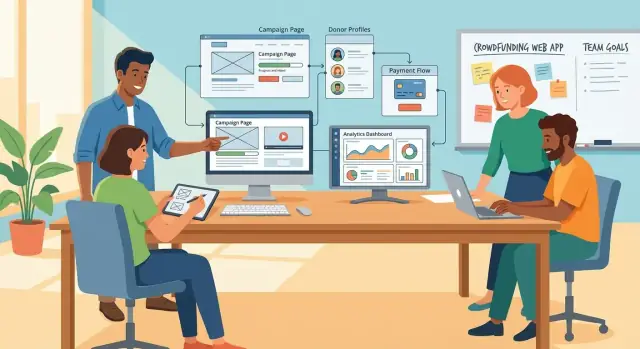
What a Crowdfunding + Donor Management App Should Do
A crowdfunding app and a donor management system solve two connected problems: making it easy for people to give, and helping your organization build lasting relationships with those donors afterward. The best products treat this as one continuous journey—from discovering a campaign to completing a donation, receiving a receipt, and getting thoughtful follow-up later.
Define the goal: fundraising and relationships
Your core goal isn’t just “collect donations.” It’s to increase completed gifts while reducing the time staff spend stitching together spreadsheets, payment exports, and email tools.
A practical definition of success looks like this:
- Donors can find a campaign, trust it, and donate in minutes.
- Staff can see who donated, what they supported, and how to follow up.
- Routine tasks (receipts, thank-yous, exports) are automated.
Clarify who the app serves
You’re building for at least three audiences, each with different needs:
Donors want clarity and confidence: what the campaign is for, where the money goes, and that their payment is safe. They also expect a smooth mobile experience.
Campaign creators (your team or partner organizers) need simple tools to publish updates, set goals, and track progress without learning a complicated system.
Admins need control and accuracy: manage campaigns, correct mistakes, handle refunds, and keep data clean for reporting and audits.
List the outcomes that matter
Before features, agree on outcomes. Typical outcomes include:
- More donations: fewer checkout drop-offs, clearer calls to action, and faster repeat giving.
- Better follow-up: segments for “first-time donors,” “monthly donors,” or “high-intent supporters,” plus reliable contact history.
- Fewer manual tasks: automatic receipts, donation records synced with donors, and clean exports for accounting.
Set scope for a first release vs. later upgrades
A first release should focus on a single, dependable path: publish a campaign → accept donations → record donors → send receipts → view basic reports.
Save “nice-to-haves” for later versions such as advanced automation, complex permissions, multi-currency expansion, peer-to-peer fundraising, or deep integrations. A smaller, reliable v1 builds trust—both with donors and with the staff who must use it daily.
Start With Requirements: Users, Workflows, and Metrics
Before you pick frameworks or design screens, write down what the app must do for the people who will use it. Clear requirements prevent “nice-to-have” features from delaying the first release.
Define user roles and permissions
Start with three roles and keep them simple:
- Donor: browse campaigns, donate, manage receipts, update contact details.
- Organizer: create and publish campaigns, view donation totals, send updates, manage perks (if any).
- Finance/Admin: access payouts, issue refunds, export reports, manage tax receipts, and control user access.
Be explicit about what each role can view and edit. For example: organizers may see donor names for their own campaigns, while finance/admin can see all campaigns and payment details.
Map the key user journeys
Write the step-by-step flow for the actions that drive the business:
- Donate: find campaign → choose amount → checkout → confirmation → receipt.
- Create campaign: draft → set goal and dates → publish → share link → track progress.
- Issue refunds: locate donation → validate reason → refund → notify donor → update records.
- Export reports: select date range/campaign → filter → export CSV/PDF → audit trail saved.
These journeys become your initial screen list and API endpoints.
Choose success metrics early
Pick a small set of measurable outcomes:
- Conversion rate (visits to completed donations)
- Repeat donor rate (donors who give again within 90 days)
- Average donation size (by campaign and by channel)
Tie every planned feature to at least one metric.
A focused requirements checklist
Create a one-page checklist with roles, workflows, required data fields, compliance needs, and “must ship” vs. “later.” Review it weekly to keep the build on track.
If you want to move faster from requirements to a working prototype, a vibe-coding workflow can help—e.g., using Koder.ai to turn journeys like “donate” and “issue refund” into an initial React + Go + PostgreSQL app from a structured chat plan, then exporting the source code for a traditional review and hardening phase.
Core Crowdfunding Features for the First Release
A first release should help people discover a campaign, feel confident in the story, and complete a donation without friction. Everything else can iterate.
Campaign pages that build trust
Each campaign needs a clear home page with the basics presented upfront:
- A compelling story (what, who benefits, why now)
- A visible goal and progress bar (amount raised, % complete, time left if relevant)
- Media that supports the story (a hero image at minimum; video optional)
- FAQs to address common questions (how funds are used, tax deductibility, timelines)
Include an “Updates” area so organizers can post milestones, photos, and outcomes. Updates keep momentum and give donors reasons to share. Even in v1, make updates easy to create and chronological to read.
Donation checkout that doesn’t get in the way
Checkout should be fast, mobile-friendly, and clear about what happens next.
Support preset amounts (e.g., $25/$50/$100), a custom amount, and an optional cover-fees/tip toggle. If you plan to allow recurring gifts, treat it as a simple switch (“One-time” vs. “Monthly”) with a clear explanation of how to cancel.
After payment, show a confirmation screen with next steps (receipt email sent, share buttons, and where to view the donation).
Donor accounts (lightweight but useful)
You don’t need a full social profile system. Start with a donor portal that provides:
- Downloadable receipts
- Donation history across campaigns
- Saved payment methods only if your payment provider supports secure vaulting (avoid storing card details yourself)
Admin tools to keep the platform healthy
Even small platforms need guardrails. Provide admins with:
- Campaign approval workflow (review, publish, unpublish)
- Content editing tools (fix typos, update images, manage FAQs)
- Dispute and refund handling with notes and status tracking
This set of features creates a complete loop: publish → donate → communicate → manage issues—without overbuilding on day one.
Donor Management Basics: Profiles, Segments, and Receipts
A crowdfunding app can raise money without donor management—but it can’t build relationships without it. The goal of the first donor-management layer is simple: capture clean donor data, understand how people give, and acknowledge gifts quickly.
Donor profiles that stay useful
Start with a donor profile model that reflects how nonprofits actually work. Store the essentials (name, email, phone, address) plus practical fundraising fields:
- Giving history: each donation, date, amount, currency, campaign/fund, and whether it was anonymous
- Preferences: communication channels (email/SMS/mail), frequency, language, and topics of interest
- Householding/relationships (optional MVP): link spouses or employer for matching gifts, without forcing a full CRM
Design profiles to be editable without breaking historical reporting. For example, if an address changes, past receipts should still show the address on record at the time of the gift.
Segments that drive action
Segmentation is where a donor management system becomes operational. Provide a few high-impact segments out of the box:
- One-time vs. recurring donors (including “recurring lapsed”)
- Major donors based on a configurable threshold (lifetime or last 12 months)
- Campaign-specific lists (donated to Campaign A but not Campaign B)
Keep segment rules transparent (filters + saved views) so staff can trust and reuse them.
Communication logs and consent
Every donor record should show a simple timeline: emails sent, calls logged, meeting notes, and support tickets if applicable. Pair this with consent status (opt-in source, timestamp, channel) so outreach is both respectful and defensible.
Receipts and acknowledgements
Receipts are part compliance, part donor experience. Support receipt templates, quick “resend receipt,” and year-end summaries by donor. Generate receipts from donation records, and store a PDF/HTML snapshot so it matches what the donor received—even if templates change later.
Payments and Checkout: Make Donating Easy and Safe
Checkout is where most campaigns win or lose donations. Your first release should prioritize a fast, trustworthy flow and the operational details that prevent support tickets later.
Choose a payment provider that fits your donors
Start by mapping where donors are located and how they prefer to pay. A provider that supports your regions and currencies (and local payment methods) will lift conversion more than almost any UI tweak.
Common options include Stripe, PayPal, Adyen, and Braintree—each differs in supported countries, payout timing, dispute handling, and recurring billing features. Also confirm:
- Settlement currency vs. display currency
- Payout schedule (daily/weekly) and fees
- Support for Apple Pay/Google Pay and bank transfers where relevant
One-time vs. recurring: define the rules upfront
Recurring donations add stability, but they require clear user expectations and reliable lifecycle handling. Decide whether you’ll launch with:
- One-time only (simpler, fewer failure modes)
- One-time + recurring (monthly is the usual default)
If you support recurring, define cancellation rules (self-serve cancellation link, effective date, email confirmations) and what happens when a card expires (retry schedule, “update payment method” emails, and when to pause/cancel).
Taxes and receipts: collect the right data and store it correctly
Receipts are not just emails—they’re records you may need to reproduce later. Plan what to collect based on your jurisdictions: donor name, email, billing address, donation amount/currency, timestamp, campaign, and any tax-relevant fields (e.g., employer info for matching, tax ID where applicable).
Store an immutable “receipt snapshot” tied to the payment event so edits to donor profiles don’t rewrite historical receipts.
Edge cases you must handle
Payments fail. People request refunds. Providers send duplicate webhooks. Build for these from day one:
- Failed payments: clear status, retry strategy, and donor messaging
- Chargebacks/disputes: track case state, evidence notes, final outcome
- Partial refunds: record refunded amount and keep the original donation linked
- Duplicates: use idempotency keys and de-dup logic on webhook processing
If you’re also designing your donor records, connect this section with /blog/donor-management-basics so payments reliably update donor history and receipts.
Architecture and Data Model: A Maintainable Foundation
A crowdfunding app is only as pleasant to run as it is to use. The goal here isn’t a “perfect” architecture—it’s one your team can evolve without fear.
Pick a simple, maintainable stack
Choose tools that fit your team’s skills and hiring reality. A common, maintainable baseline is:
- Frontend: React, Vue, or server-rendered templates (if your UI is simple)
- Backend: Node.js/Express, Django, Laravel, or Rails
- Database: PostgreSQL (a strong choice for relational fundraising data)
If your team is small, favor fewer moving parts over trendy microservices.
If you’re exploring faster iteration, Koder.ai’s default architecture (React frontend, Go backend, PostgreSQL database) aligns well with the patterns in this guide, and you can export the generated source code to run the same reviews, security checks, and CI/CD you’d use for hand-built projects.
Plan the core data model (before writing endpoints)
Crowdfunding and donor management are naturally relational. Start with clear entities and constraints:
- Campaigns: title, goal amount, status, start/end dates, owner/org
- Donations: amount, currency, campaign_id, donor_id, payment_status, timestamps
- Donors: name, email, phone, address (optional), consent flags
- Updates: campaign_id, content, publish state, attachments
- Payouts: campaign_id, processor reference, payout amount, payout status
- Receipts: donation_id, receipt number, issued_at, tax fields, PDF path
Model “truth” in one place: a donation should not be “successful” unless the payment provider confirms it.
Go API-first for flexibility
Even if you only ship a web app today, design a clean API so you can add a mobile app or integrations later. Version your endpoints (for example, /api/v1/...) and keep your domain logic in services rather than controllers.
Decide how you store and protect files
Campaign images, attachments, and receipt PDFs don’t belong in your database. Use object storage (like S3-compatible storage) and store metadata + a reference in your DB.
Protect sensitive files with private buckets and short-lived signed URLs, especially for receipts and donor documents. Public assets (campaign hero images) can be cached via a CDN, while private assets should require authentication.
Security and Access Control for Fundraising Data
Fundraising apps handle personal data and money, so security can’t be an afterthought. The goal is simple: only the right people can do the right actions, and every sensitive change is traceable.
Authentication: choose what fits your audience
Offer one primary sign-in method and one fallback. Common options:
- Email + password (familiar, but requires strong password rules and reset flows)
- Magic links (great for volunteers and infrequent users; reduces password risk)
- Social login (fast, but you’ll rely on third-party identity providers)
For staff accounts, consider requiring MFA for roles that can view donations, export data, or issue refunds.
Role-based access control (RBAC) that matches real work
Design roles around actions, not titles. Examples:
- Admin: manage organizations, users, permissions
- Finance: view payouts, run financial exports, issue refunds
- Campaign Manager: create/edit campaigns, view campaign performance
- Support/Volunteer: view limited donor details, add notes
Make high-risk actions explicit permissions (e.g., donations:export, refunds:create) and default to least privilege—new users should start with minimal access.
Protect data in transit and at rest
Use HTTPS everywhere and secure cookies (HttpOnly, SameSite). Encrypt sensitive data at rest via your database/provider features, and separately protect secrets (API keys, webhook signing secrets) in a managed vault.
Restrict access paths: production databases shouldn’t be reachable from a laptop on public Wi‑Fi. Use short-lived credentials and scoped service accounts.
Audit logs for sensitive actions
Add an audit trail early. Log who did what and when for actions like:
- refunds and charge dispute updates
- donor data exports
- permission and role changes
Store audit logs in an append-only way (or at least tamper-evident), and make them searchable by user, donor, campaign, and time range.
Privacy, Compliance, and Accessibility Considerations
Privacy and accessibility aren’t “nice-to-haves” for fundraising products. They affect donor trust, reduce legal risk, and often determine whether people can donate at all.
Collect only what you need
Every extra field you store increases exposure in case of a breach and adds compliance work. For most campaigns, the minimum is: donor name (or “anonymous”), email (for receipts), amount, currency, timestamp, payment reference, and receipt/tax details if applicable.
Avoid collecting sensitive data you don’t need (e.g., full date of birth, government IDs). If you must store addresses for tax receipts, make it optional and clearly explain why you’re asking.
Consent management for communications
Separate transactional emails (receipts, donation confirmations) from marketing or fundraising updates. Give donors clear choices at checkout and in their profile:
- Opt-in checkboxes for newsletters and campaign updates
- Easy unsubscribe links in every marketing email
- A preference center to change topics and frequency
Store consent as a timestamped record (what they agreed to, when, and how). This matters for audits and disputes.
Data retention: keep it, then delete it
Write down a retention policy before you launch. Donation records may need to be kept for accounting/tax rules, while logs and analytics usually don’t.
A practical plan:
- Keep donation and receipt records for the required legal period
- Rotate and purge access logs after a shorter window
- Remove inactive donor accounts on request, while preserving required financial records (with minimized personal data)
Publish the policy on /privacy and make internal deletion jobs part of your roadmap.
Accessibility basics (WCAG)
Donations should work for everyone:
- Full keyboard navigation (including the checkout flow)
- Clear focus states and logical tab order
- Readable typography, sufficient contrast, and error messages that are announced to screen readers
If you do one thing early: build accessible form components and reuse them everywhere.
Messaging, Email, and Integrations That Save Time
A crowdfunding app isn’t just a place to take donations—it’s a communication engine. When messages are timely and consistent, donors feel reassured, campaigns raise more, and your team spends less time copying spreadsheets and chasing receipts.
The essential emails to ship first
Start with a small set of high-impact messages that cover the full donor journey:
- Donation confirmation: sent immediately after payment, including amount, campaign name, transaction reference, and a “contact us” path for issues.
- Tax receipt (where applicable): either attached as a PDF or available via a secure link. Make sure it includes the legal entity name, receipt number, date, and required tax language.
- Campaign updates: progress milestones, “we reached 50%,” deadline reminders, and post-campaign outcomes.
- Reminders: abandoned checkout (if you collect email pre-payment), pledge reminders (if you support pledges), and event-related reminders.
Keep templates editable by staff (without code deploys) but protect key fields like receipt numbers and donation totals from manual changes.
Automations that reduce manual work
Automations turn one-time setup into repeatable stewardship:
- Thank-you sequences: a short series (e.g., immediate thanks + impact story 3 days later) that feels personal but runs automatically.
- Lapsed donor follow-ups: segment donors who haven’t given in 6–12 months and send a gentle “here’s what your past support enabled” message.
- Recurring donation renewals: notify donors about upcoming charges, expiring cards, failed payments, and successful renewals.
Design these flows around clear triggers (donation created, recurring payment failed, campaign ended) and include guardrails like frequency caps so supporters don’t get overwhelmed.
Integrations to plan for early
Even in the first release, you’ll want a clean way to connect with other tools:
- Email platforms (e.g., Mailchimp, Customer.io) for newsletters and advanced journeys.
- Accounting tools (e.g., QuickBooks, Xero) to reconcile payouts, fees, and restricted funds.
- CRMs (e.g., Salesforce) if larger teams need a central donor record.
- Webhooks so partners and internal systems can react to events like
donation.succeededorrecurring.failed.
A practical approach is to standardize a small event set and make integrations subscribe to it, rather than building one-off exports for every request.
Unsubscribe, preferences, and trust
Every marketing email must include a working unsubscribe link, but donor trust goes further than compliance. Offer a preference center where people can choose campaign updates vs. newsletters, set frequency, and update contact details.
Important: treat transactional emails (receipts, payment failures) differently from marketing messages. Donors may unsubscribe from marketing, but they still need receipts and account-critical notices.
Analytics and Reporting for Campaigns and Donors
Analytics shouldn’t be an afterthought in a crowdfunding web application. If admins can’t quickly answer “What’s working?” they’ll default to guesswork—and miss chances to improve results while a campaign is still live.
Admin dashboards that drive daily decisions
Start with a simple dashboard for staff: totals raised, progress to goal, donation count, and trends over time. Add “top campaigns” and “top referrers” so teams can double down on what’s performing. If you support recurring giving, show recurring revenue separately from one-time gifts to avoid confusing projections.
Campaign analytics: from traffic to donation
Campaign management improves fastest when you see the funnel. Track key steps such as landing page views → checkout started → donation completed, plus drop-off points between each step. Pair that with basic traffic-source reporting (email, social, partners, direct) so you know where to invest.
Donor insights that improve retention
A donor management system is more useful when it highlights relationships, not just transactions. Include retention and repeat rate, average gift, and comparisons by cohort (e.g., first-time donors from Spring campaign vs. year-end appeal). These insights guide follow-up timing and messaging without requiring a separate donor CRM.
Exports and reports finance teams actually use
Make reporting easy to share. Support filtered views (by date range, campaign, fund, payment type), CSV exports, and scheduled reports emailed weekly or monthly. Keep exports consistent (stable column names and formats) so finance teams can reconcile online donations without manual cleanup.
Testing, Reliability, and Fraud Prevention
A fundraising app is a trust product: if donations fail, receipts don’t arrive, or fraud slips through, you’ll spend more time doing damage control than running campaigns. Plan testing and reliability work as part of the first release, not as “later.”
A practical testing plan
Start by covering the flows that directly affect money and donor trust:
- Checkout flows: one-time vs. recurring, saved card/redirect flows, failed payments, retries, and webhooks confirming the final status.
- Receipts and tax docs: correct amounts, currency, campaign designation, and required fields (organization info, donor details, timestamp, transaction ID).
- Refunds and chargebacks: who can issue them, how they’re logged, and how donors are notified.
- Permissions: staff roles (admin, finance, campaign manager) and what each can see/edit/export.
- Email delivery: bounce handling, spam-folder checks, and resend logic if a provider is temporarily unavailable.
Use a mix of automated tests (critical paths) and scripted manual checks for edge cases (e.g., partial refunds, disputed payments).
Reliability for launch-day spikes
Campaign launches can create sudden peaks. Add load tests for:
- checkout + payment confirmation (including webhook bursts)
- public campaign pages
- email receipt queue throughput
Monitor the basics: error rates, payment failures, queue depth, and webhook processing lag. Set alerts before you open a major campaign.
Fraud and spam prevention
Layer defenses without punishing real donors:
- rate limiting on forms and APIs
- bot protection (CAPTCHA on suspicious traffic)
- moderation queues for comments/updates (if you allow public posting)
- rules for risky patterns (many small donations, repeated failures, mismatched geo/IP signals)
Backups and recovery
Automate database backups, store them separately, and run restore drills on a schedule. Pair this with clear monitoring alerts so you find problems before donors do.
If you’re iterating quickly, consider adding product-level safety rails too: for example, snapshot-and-rollback capabilities (like Koder.ai snapshots) can help teams recover from risky config or content changes without turning every rollback into an emergency deploy.
Launch Plan and a Practical Roadmap to Scale
Launching a crowdfunding + donor management app isn’t a single moment—it’s a controlled transition from “working in staging” to “trusted in production.” The goal is to go live without surprises, then learn quickly without breaking donor trust.
A launch checklist you can actually use
Before you announce anything, confirm the basics are boringly solid:
- Domain + DNS configured (including redirects like www → root)
- SSL/TLS enabled everywhere (no mixed content on donation pages)
- Monitoring for uptime and slow pages, especially checkout
- Error tracking (client + server) so issues show up with stack traces
- Support inbox (and a simple help page) for donation receipts, refunds, and login issues
If you have a status page, keep it public and link it from /help.
Roll out gradually: start with a pilot
Run a pilot with a few campaigns and a small internal group first. Pick campaigns with different patterns (one-time gifts, event-driven spikes, longer-running appeals). During the pilot, track:
- Donation completion rate (visit → successful payment)
- Time-to-first-receipt and failed receipt deliveries
- Top support reasons and how long they take to resolve
Only after the pilot looks stable should you open self-serve campaign creation.
Post-launch improvements that move the needle
Optimize the donation page with careful A/B tests (e.g., suggested amounts, copy, form length). Add recurring donation upsells gently—after the donor selects an amount, not before.
A practical scaling roadmap
Once the foundation holds, expand with features that increase reach:
- Peer-to-peer fundraising and personal/team pages
- Matching gifts prompts and employer lookup
- API partners (email tools, accounting, CRMs) for fewer manual exports
Keep each step measurable: ship, measure, iterate—without making checkout, receipts, or donor data handling more complex.
FAQ
What should a crowdfunding + donor management app do first?
Start with a single reliable loop: publish a campaign → accept a donation → create/update a donor record → send a receipt → show basic reporting. If that path is fast for donors and low-friction for staff, you can add “power” features later without breaking trust.
Who are the main users, and what does each one need?
Donors need a fast, mobile-friendly checkout and immediate confirmation.
Organizers need simple campaign creation, progress tracking, and an easy way to post updates.
Admins/finance need permissions, refunds, exports, and audit-friendly records.
Which metrics should we choose before building features?
Track a small set early:
- Conversion rate (visits → completed donations)
- Repeat donor rate (e.g., gave again within 90 days)
- Average gift size (by campaign/channel)
Use these to decide what to build next and to avoid shipping features that don’t move outcomes.
What should be on a campaign page to increase donor trust?
Make the campaign page answer “What is this, why now, and where does the money go?” Include:
- Goal + progress
- Clear story and a minimum of one strong image
- FAQs (tax deductibility, timelines, fund use)
- An updates feed so donors see momentum and outcomes
What makes a donation checkout convert better?
Keep checkout short and clear:
- Preset amounts + custom amount
- Optional cover-fees/tip toggle
- One-time vs monthly as a simple switch (if you offer recurring)
- Clear next steps after payment (receipt, sharing, how to get help)
Avoid adding unnecessary fields that slow mobile donors down.
Do we need donor accounts, and how should we handle saved payments?
Don’t store card details yourself. If you offer saved payment methods, use your payment provider’s secure vaulting/tokenization.
A lightweight donor portal is often enough in v1: donation history and downloadable receipts without a full “social profile” system.
What data should a donor profile include in an MVP?
Model donors like a practical fundraising database, not a generic CRM:
- Essentials: name, email, phone, address (optional unless required)
- Giving history: amount, currency, campaign/fund, timestamps, anonymity flag
- Preferences: channels, frequency, language, topics
Keep historical records stable by storing an immutable receipt snapshot per donation.
How should segmentation work in a donor management system?
Start with transparent, staff-friendly filters and saved views:
- One-time vs recurring (including “recurring lapsed”)
- Major donors (configurable threshold)
- Campaign-specific segments (gave to A, not B)
Segments should be explainable (“these filters”) so staff trust the list before sending outreach.
What edge cases around payments and refunds must we handle?
Use provider support for disputes and design your own tracking:
- Idempotent webhook processing to prevent duplicates
- Clear payment statuses (pending/succeeded/failed/refunded)
- Partial refunds linked to the original donation
- Dispute/chargeback case notes and outcomes
Make refund permissions explicit (e.g., finance-only) and log every sensitive action.
How do we handle consent, privacy, and accessibility without slowing the launch?
Separate transactional vs marketing communication:
- Transactional (receipts, payment failures) must always deliver
- Marketing/newsletters require opt-in and easy unsubscribe
Store consent with source + timestamp, publish a retention policy on /privacy, and build core accessibility into forms (keyboard navigation, focus states, screen-reader-friendly errors).