

Building a Web App to Manage Cross-Border Tax Documents
Learn how to plan and build a web app to collect, verify, store, and audit cross-border tax documents with secure workflows, roles, and integrations.
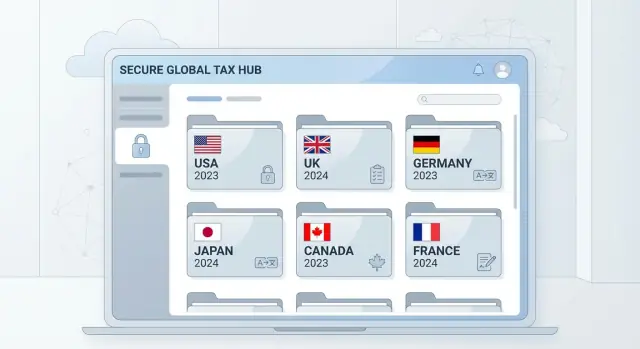
Start with the Use Cases and Stakeholders
Before you pick a database or design a screen, get clear on who the app serves and what outcome they need. Cross-border tax documents are rarely “just PDFs”—they’re evidence for withholding, VAT/GST treatment, and audit defense. If you don’t align stakeholders early, you’ll build a system that stores files but still leaves teams chasing people over email.
Define your user groups (and their jobs)
Map the main roles and what they consider “done”:
- Customers / vendors / payees (external users): submit forms, upload IDs, answer tax residency questions, fix rejections.
- Contractors / employees: provide W-8BEN/W-9 equivalents, confirm address and treaty claims.
- Finance / AP / payroll: validate completeness, apply withholding and invoicing rules, run reports.
- Legal / compliance: define policy, retention, acceptable evidence, and audit requirements.
- Admins / support: manage access, troubleshoot submissions, handle escalations.
List the document types you must support
Create an inventory of documents and the decisions they unlock. Typical categories include tax forms (e.g., W-8BEN and W-9 workflows), tax residency certificates, VAT/GST registration evidence, invoices, and government IDs. Note which documents require signatures, expiry dates, or periodic refresh.
Clarify what “cross-border” means for your business
Write down the countries/regions you operate in (or plan to), and the trigger events: paying a non-resident, selling into another jurisdiction, collecting VAT/GST, or onboarding entities vs. individuals. This scope determines what “multicountry tax compliance” your app must actually enforce.
Set success metrics you can track
Agree on measurable targets such as average processing time, validation error rate, percentage of records with an audit-ready trail, and support load (tickets per 1,000 submissions). These metrics later guide prioritization and help prove the app is reducing risk—not just storing documents.
Document the Workflow Before You Write Code
A cross-border tax document app succeeds or fails on process clarity. Before picking a database or UI framework, write down the real-life steps your team (and your users) already follow for W-8BEN/W-9, VAT/GST certificates, treaty statements, and supporting evidence. This prevents “we’ll handle it later” gaps that become costly once data is flowing.
Map the end-to-end flow
Start with a single, readable flow that everyone can agree on:
- Request → upload → review → approve → store → renew
For each step, note who acts (payer, payee/vendor, internal reviewer, compliance lead), what they see, and what “done” means. Treat this as a contract between product and operations.
Define what you collect (and why)
List required fields versus optional fields, plus any supporting evidence. For example, a form might require legal name and tax ID, while “business description” may be optional; a VAT certificate may require proof of registration and an effective date.
Be explicit about data sources:
- User-entered fields (typed)
- Extracted fields (OCR)
- System-generated fields (timestamps, reviewer IDs, version)
Plan exceptions up front
Write down how the workflow behaves when something is wrong:
- Missing fields
- Expired forms
- Mismatched names (entity name vs. bank account vs. contract)
- Duplicate records (same tax ID submitted twice)
Each exception needs an owner, a user message, and a resolution path (request correction, override with reason, or reject).
Decide renewal triggers
Renewals are where manual work explodes if you don’t define triggers early:
- Time-based expiry (e.g., every N months)
- Country change (residency, establishment, or withholding jurisdiction)
- Payment threshold (volume or transaction count)
- Policy change (internal rules or new regulatory guidance)
With these rules written down, you can build the app around predictable states rather than one-off fixes.
Choose a Document Model That Handles Many Jurisdictions
A cross-border tax document system succeeds or fails on one thing: whether your data model can represent “what’s required” without hard-coding every country rule into your UI.
Start with a document catalog (not a folder tree)
Instead of storing everything as generic “uploads,” create a catalog that describes required documents by country/region, entity type (individual, company, partnership), and relationship (vendor, contractor, customer, shareholder).
For example, the same person might need a W-8BEN for U.S. withholding, plus local VAT/GST evidence in another jurisdiction. Your catalog should support multiple obligations per profile, not force a single “primary” form.
Define acceptance rules as data
Each catalog entry should carry acceptance rules that your app can enforce consistently:
- Allowed file types (PDF/JPG/PNG), max size, and page limits
- Scan quality expectations (e.g., readable text, no heavy blur)
- Language requirements (e.g., original language accepted, or translation required)
- Whether a signature date or expiry date must be present
These rules should be configurable so you can update policies without redeploying code.
Plan versioning and history upfront
Tax forms change, and users re-submit. Model documents as versions tied to the same requirement:
- A new upload should replace the “active” version for processing
- Older versions must remain accessible for audit and troubleshooting
- Track why it changed (user resubmission, corrected data, updated official form)
This avoids losing context when a W-9 or VAT certificate is updated mid-year.
Retention and deletion: be explicit, not absolute
Define retention and deletion needs per jurisdiction and document type (e.g., retain X years after relationship end, delete after Y). Store these as policies and record when actions occur. Avoid implying guaranteed legal compliance; instead, frame it as configurable controls that support your organization’s requirements and reviews.
Design for Security, Privacy, and Access Control
Tax documents contain highly sensitive data (names, addresses, tax IDs, bank details, signatures). A security-first design isn’t only about preventing breaches—it also reduces internal risk and makes audits less painful.
Collect only what you truly need
Start with data minimization. For each field you ask for (e.g., TIN, residency, VAT number), document why it’s required, who will use it, and how long you must keep it. In the UI, add brief “Why we ask” helper text so users understand the request and are less likely to abandon the form or upload the wrong document.
Also consider alternatives: if a jurisdiction accepts a reference number or a certificate instead of a full ID scan, don’t collect the scan “just in case.” Fewer fields means fewer exposure points.
Role-based access with least privilege
Define roles around tasks, not titles. A reviewer may need to view and approve documents, while support staff might only need to confirm whether a file was received.
Common patterns:
- Least privilege by default: new internal accounts start with no access until assigned.
- Scoped access: limit users to specific entities, clients, or countries.
- Time-bound access: temporary elevated permissions for escalations.
- Strong authentication: enforce MFA for any role that can view tax IDs or export data.
Where possible, use redaction (mask tax IDs) and “view-only” mode to reduce unnecessary downloads.
Encrypt data and separate keys
Use encryption in transit (TLS) and at rest for both the database and stored files. Treat documents and metadata separately: keep storage credentials and encryption keys outside the file store, managed via a dedicated key service. This separation limits blast radius if any single system is exposed.
Make every action auditable
Build an audit trail that records uploads, failed validations, views, approvals/rejections, comments, and exports. Include actor, timestamp, IP/device context when appropriate, and the reason for exceptions. Audit logs should be tamper-resistant and searchable so you can quickly answer “who accessed this file and why?” during an incident review or compliance check.
Build a User-Friendly Intake Experience
A tax document management system succeeds or fails at the first touchpoint: intake. If users feel unsure about what to upload, or they hit errors they don’t understand, they’ll abandon the process—leaving you with incomplete records and follow-up work.
Make upload feel like a guided checklist
Use a step-by-step flow that asks for the minimum information needed to route the request correctly (country/region, entity type, tax year, and document type such as W-8BEN, W-9, VAT, or GST documentation). Show progress (e.g., 1 of 4) and validate early so users don’t discover issues at the end.
Helpful validations at upload time:
- File type and size limits, with a clear error message
- Required pages present (when applicable)
- Obvious mismatches (e.g., “Selected W-9 but uploaded an image of an invoice”)
Support multiple languages and local formats
Cross-border tax documents involve people entering names, addresses, dates, and amounts in familiar formats. Let users choose language and locale, and handle:
- Date formats (MM/DD/YYYY vs. DD/MM/YYYY)
- Number formatting (1,000.50 vs. 1.000,50)
- Character sets for names and addresses
Even if you store normalized values internally, the UI should accept input the way the user expects.
Add contextual help where confusion is common
Place short, specific guidance next to each field rather than in a long help page. Include examples of acceptable documents and common mistakes (expired forms, missing signature, cropped scans). A lightweight “Show example” panel can reduce support tickets dramatically.
If you have a help center, link to it with relative URLs such as /help/tax-forms.
Provide status tracking and timely notifications
After submission, users should immediately see what happens next. Show clear statuses like:
- Received
- Needs changes
- Approved
- Expiring soon
Notify users (and internal reviewers) when action is required, and include exactly what to fix (e.g., “Signature missing on page 2” rather than “Document invalid”). This keeps the intake pipeline moving and reduces back-and-forth for multicountry tax compliance.
Automate Capture and Validation (With Human Review)
Automation is most valuable when it reduces repetitive work without hiding risk. For cross-border tax documents, that usually means capturing a few key fields quickly, running simple validations, and sending only the uncertain cases to a reviewer.
Decide where OCR helps (and where it doesn’t)
Use OCR when the document is a standardized form and the fields you need are predictable—think W-8BEN and W-9 workflows, many VAT and GST documentation templates, or common certificates issued by large platforms.
Rely on manual entry when the upload is low quality, handwritten, heavily stamped, or varies by issuer. A good rule: if your team can’t consistently extract the same fields from a sample set, OCR should be optional and reviewer-led.
Add basic checks that catch most problems
Start with validations that are easy to explain to users and auditors:
- Completeness: required fields present (e.g., name, country, tax ID where applicable).
- Expiration dates: reject or flag forms that are expired or expiring soon.
- Name matching: compare extracted name against the account profile or payee record.
- Country consistency: country on the form aligns with declared tax residency and address.
Keep validations configurable so multicountry tax compliance rules can be adjusted without rewriting code.
Route flagged cases to human review
When a check fails, create a review task with:
- A clear reason (e.g., “Tax residency country differs from profile country”)
- Suggested next step (request re-upload, ask for supporting document, or override with comment)
- A required reviewer note for any override, to preserve an audit trail and reporting integrity
Store originals plus extracted data
For traceability, store both the original file and the extracted field values. Link them with timestamps, document version, extraction method (OCR/manual), and validation results. That way, you can reproduce what was known at the time of a decision—critical for audits and dispute handling.
Create Review, Approval, and Exception Handling
Once documents are captured, your app needs a consistent way to decide what’s “good enough” across teams and countries. Reviews shouldn’t live in email threads or private spreadsheets—especially for forms like W-8BEN/W-9, VAT certificates, or GST registrations where small details can change withholding and reporting outcomes.
Reviewer queues and assignment
Set up reviewer queues based on risk and urgency, not just “first in, first out.” Common routing rules include document type, jurisdiction, customer tier, and whether OCR/validation flagged mismatches.
Define service-level targets (for example, “review within 2 business days”) and make them visible in the queue. To prevent bottlenecks, add auto-reassignment when an item sits idle, and allow managers to rebalance workload.
Checklists that standardize decisions
Use a checklist per document type so different reviewers reach the same conclusion. A W-8BEN checklist might include required fields, signature/date, country code format, and treaty claim completeness. A VAT/GST checklist might verify registration number format, issuing authority, and effective dates.
Keep checklists versioned. If the checklist changes, the review record should capture which version was used.
Comments and secure correction requests
Build comments directly into the document record and add secure messaging for requesting corrections. Messages should reference the exact field or page (“Line 6 missing US TIN”) and support attachments (e.g., a corrected page). Avoid sending tax data in plain email; instead, notify users to log in to view and respond.
Approval records and exception handling
Every approval should create an immutable record: who approved, when, what validations ran, and what changed since upload (including re-uploads). For exceptions—expired documents, unreadable scans, conflicting names—route to an “exception” state with required resolution steps and an audit-friendly explanation.
Plan Storage, Search, and Audit-Ready Records
A tax document management system is only as useful as its ability to retrieve the right document quickly—and prove, later, exactly what happened to it. Storage and records design is where compliance needs (audit trail and reporting) meet practical concerns like cost, performance, and large file handling.
Separate files from metadata
A common pattern is to store files in object storage (e.g., S3-compatible storage) and keep document metadata in a database. Object storage is built for large binaries, lifecycle policies, and “write once, read many” options. Your database should hold the searchable facts: document type (W-8BEN, W-9, VAT and GST documentation), entity, country/jurisdiction tags, tax year, status, expiration date, and links to the file objects.
For search, index the metadata fields you filter on most. If you run OCR for tax forms, store extracted text carefully (often in a separate indexed table) so you can limit access and avoid turning sensitive content into a wide-open search surface.
Design for re-uploads, duplicates, and versions
Cross-border tax documents routinely get re-uploaded because of corrections, signature fixes, or missing pages. Treat uploads as versions rather than overwrites:
- Keep the original file and attach a new version with a reason code.
- Detect duplicates by hashing the file (e.g., SHA-256) and combining it with key metadata (doc type + entity + year) to catch “same file, new upload.”
- Support large files with resumable uploads and background processing so users don’t lose progress.
Make audits easy with append-only records
Auditors care less about your UI and more about evidence. Implement an immutable log (append-only) that records events like upload, OCR run, validation result, reviewer decision, export, and deletion request—each with timestamp, actor, IP/device hints, and the before/after values for key fields.
Exports finance teams can use (with permissions)
Define export formats early: CSV for reconciliation and reporting, plus PDF bundles (or ZIP bundles) for sharing with advisors. Ensure exports respect permissions and are themselves logged—who exported what, when, and under which policy—so “download” becomes part of your audit trail, not a blind spot.
Add Integrations and APIs Without Overexposing Data
Integrations make a tax document management system actually usable day-to-day—but they’re also where data leaks happen. Treat every connection as a “minimum necessary” pathway: share only what the receiving system needs, for the shortest time, with clear accountability.
Identity, roles, and SSO first
Before you connect anything else, integrate with your identity and access system (SSO where applicable). Centralized login is less about convenience and more about control: you can enforce MFA, disable access quickly when someone leaves, and map roles consistently (requester, reviewer, approver, auditor).
Trigger requests from the systems that know the relationship
Most document requests start because a vendor is being onboarded, a customer crosses a threshold, or a payment is about to be released. Connect to billing/payments plus your vendor/customer systems so they can trigger W-8BEN and W-9 workflows, VAT and GST documentation requests, and periodic refreshes.
Keep the payload lightweight—e.g., counterparty ID, country, entity type, and required document set—rather than sending tax forms or full personal details.
Status updates via webhooks and narrow APIs
Add webhooks or APIs so internal tools can react to lifecycle events (requested, received, under review, approved, expired). Use scoped tokens and endpoints that return status and timestamps, not document contents.
Safe exports to accountants and advisors
Plan permissioned exports to accounting systems or tax advisors with:
- Field-level selection (only the columns needed)
- Time-bounded links or encrypted files
- Export logs tied to an audit trail and reporting
This approach supports multicountry tax compliance while reducing the chance that cross-border tax documents spread into places you can’t monitor.
Handle Country Rules Through Configurable Policies
Country-specific tax documentation changes often: thresholds move, new forms appear, withholding rules update, and definitions (like “tax residency”) get clarified. If you hard-code these rules, every update becomes a release, and older submissions can become impossible to explain during an audit.
Start with policy templates
Use templates for document requests by country and user type. A “US individual contractor” template might request W-9 (US persons) or W-8BEN (non-US persons), while a “UK vendor company” template might request a VAT registration number plus a certificate of incorporation. Templates help your team stay consistent and reduce ad-hoc decisions.
Make the request logic rule-driven
Build rules that determine what to request based on residency and activity. Think of this as a decision layer that takes a few inputs (country of tax residency, payer country, entity type, payment type, threshold reached) and outputs a checklist.
A simple example:
- If tax residency = Canada and service type = digital services and payer country = EU, request GST/HST number (if applicable) and EU VAT evidence.
- If tax residency = US and entity type = individual, request W-9; otherwise request the appropriate W-8 variant.
Version your policies (and keep an audit-friendly change log)
Keep a change log of rule updates and when they took effect. Store:
- Policy version, effective date/time, and who approved it
- What changed (human-readable summary)
- Which submissions used which version
This prevents confusion when a document set collected last quarter differs from today’s requirements.
Avoid hard-coding: make rules configurable
Avoid hard-coding country rules; make them configurable via an admin interface (or a controlled config file) with approvals and permissions. That way, compliance teams can update policies without engineering work, while your app still enforces consistency, traceability, and the right requests for each cross-border case.
Monitoring, Reporting, and Operational Dashboards
A tax document management system is only as good as your ability to see what’s happening day to day. Operational dashboards help compliance, ops, and security teams spot bottlenecks early, reduce rework, and prove controls during audits.
Operational metrics that actually help
Start with a small set of cycle-and-quality metrics, and make them filterable by country, document type (e.g., W-8BEN/W-9), entity, and reviewer queue:
- Cycle time: median time from submission → verified → approved.
- Approval rate: % of submissions accepted without corrections.
- Rework rate: how often forms are sent back, and how many rounds.
- Top rejection reasons: missing fields, mismatched names, expired IDs, invalid signatures, wrong jurisdiction selection.
These metrics should be drill-down friendly: click “Invalid TIN format” and jump to the affected items, with the audit trail and the exact validation rule that triggered the rejection.
Security monitoring for tax records
Because these are sensitive tax records, treat monitoring as part of your control framework. Track and review:
- Failed logins and repeated MFA challenges
- Unusual download patterns (volume, time of day, new device/location)
- Permission changes (role edits, new admins, access grants)
Pipe events into your SIEM if you have one; otherwise, keep an internal security log with tamper-evident retention.
Alerts: prevent fires, don’t just report them
Operational alerts should focus on two categories:
- Expiring documents (e.g., certificates nearing renewal) with lead times by jurisdiction
- Backlog thresholds in review queues (age and count), so you can rebalance reviewers before SLAs slip
Least-privilege reporting
Admin reports should be shareable internally without exposing raw documents. Provide role-based exports that include only what’s needed (counts, dates, statuses, and reason codes), plus an approval/audit reference that an authorized user can open in the app.
Testing, Rollout, and Ongoing Maintenance
A cross-border tax document system fails in subtle ways: a single swapped name field, a mismatched country rule, or the wrong person seeing a record. Treat testing and rollout as product features, not a final checklist.
Test with real-world messiness
Build a library of realistic sample data and keep it versioned alongside your code. Include edge cases you know will happen:
- Multiple countries per entity (e.g., U.S. forms alongside VAT/GST documentation)
- Name changes, address changes, and entity type changes (individual ↔ company)
- Expired or superseded documents and “effective from” dates
- Duplicate submissions and partial uploads
Run end-to-end tests that simulate the full W-8BEN and W-9 workflows, including corrections and resubmissions.
Privacy and access testing
Don’t rely on “it should be restricted” assumptions. Add explicit tests that verify:
- Users can only view and download their own tax records
- Admin roles can access only what their scope allows (team, region, jurisdiction)
- Audit logs record access and changes without exposing sensitive data in plain text
Roll out in phases
Plan a staged launch: pilot → limited release → full release. During the pilot, measure completion rates, time-to-approval, and the most common validation failures. Use those findings to simplify intake screens and error messages before scaling.
Maintenance you can sustain
Document internal procedures for support and operations: how to handle exceptions, how to respond to access requests, and how to correct records. If you have customer-facing explanations, link them from your app and docs (for example, /security and /pricing) so teams know where to point users.
Finally, schedule recurring reviews of country rules, form versions, and retention requirements—then ship small updates continuously rather than big “catch-up” releases.
Where Koder.ai Fits in the Build
If you want to move from workflow diagrams to a working internal prototype quickly, a vibe-coding platform like Koder.ai can help you turn these requirements (intake flow, reviewer queues, audit trail, and policy configuration) into a React-based web app with a Go + PostgreSQL backend through a chat-driven build process. Teams often use it to iterate in planning mode, capture snapshots for safe rollbacks, and export source code when they’re ready to integrate with existing compliance and identity systems.
FAQ
What should I define before building a cross-border tax document web app?
Start by listing your user groups and what each considers “done” (submission, review, approval, renewal). Then inventory document types (e.g., W-8BEN/W-9, VAT/GST evidence, IDs) and define your “cross-border” scope (countries, trigger events like paying non-residents or hitting sales thresholds).
How do I map the workflow before writing code?
Use a simple end-to-end lifecycle such as:
- Request → Upload → Review → Approve → Store → Renew
For each step, document the actor, required inputs/outputs, and what happens on errors (missing fields, expired forms, mismatched names, duplicates). Treat it as an operations contract, not just a UI flow.
How should I model documents across many jurisdictions without hard-coding everything?
Maintain a document catalog that describes obligations by:
- Country/region
- Entity type (individual/company/etc.)
- Relationship (vendor/contractor/customer)
This lets one profile have multiple concurrent requirements (e.g., U.S. withholding form plus local VAT/GST evidence) without forcing everything into a single “primary document.”
What acceptance rules should the app enforce for uploads?
Put acceptance rules in data, per document requirement, such as allowed file types, max size/pages, whether signature/expiry dates are required, and whether translations are needed. Make rules configurable so compliance can adjust policies without redeploying the app.
How do I handle re-uploads and form changes (versioning)?
Use versioning tied to a single requirement:
- New uploads create a new version (don’t overwrite)
- One version is “active” for processing
- Older versions remain accessible for audit
- Store a reason code (resubmission, corrected data, new official form)
This prevents losing context when documents change mid-year.
What are the core security and privacy practices for tax documents?
Apply data minimization and role-based access:
- Collect only fields you can justify (and explain in UI)
- Least-privilege roles (review vs support vs auditor)
- MFA for roles that can view/export sensitive data
- Redact/mask tax IDs where possible
Encrypt data in transit and at rest, and keep keys in a dedicated key service rather than alongside file storage.
How do I design an intake experience that reduces abandonment and support tickets?
Offer a guided checklist intake:
- Ask only routing info first (country, entity type, document type, tax year)
- Validate early (file type/size, required pages, obvious mismatches)
- Provide clear statuses (Received, Needs changes, Approved, Expiring soon)
- Send notifications that specify exactly what to fix (page/line-level)
Link help content with relative URLs like /help/tax-forms.
Where does OCR and automation help, and how do I keep humans in the loop?
Use OCR for standardized, predictable forms; make it optional for low-quality or highly variable documents. Start with explainable checks:
- Required fields present
- Expiry/“expiring soon” detection
- Name matching vs profile
- Country consistency vs declared residency
Route failures to human review with a clear reason and require notes for overrides to preserve auditability.
How should reviews, approvals, and exception handling work?
Build reviewer queues by risk/urgency (document type, jurisdiction, flagged mismatches) and standardize decisions with versioned checklists. Keep comments and correction requests inside the record (avoid emailing tax data). Every approval/rejection should be recorded with who/when/what validations ran and what changed since upload.
How do I make records searchable and audit-ready while keeping integrations safe?
Store files in object storage and metadata in a database for search. Implement append-only audit logs for uploads, views, validations, decisions, exports, and deletion requests (actor, timestamp, context, before/after where relevant). For integrations, prefer narrow APIs/webhooks that share statuses and IDs—not document contents—and log all exports with permissions and scope.