

How to Build a Web App to Manage Internal Knowledge Gaps
Learn how to plan, build, and launch a web app that finds internal knowledge gaps, assigns learning tasks, links docs, and tracks progress with clear reports.
What You’re Building and Why It Matters
A web app for managing internal knowledge gaps is not “another wiki.” It’s a system that helps you detect what people don’t know (or can’t find), turn that into concrete actions, and track whether the gap actually closes.
What counts as a “knowledge gap”
Define this early—your definition determines what you measure. For most teams, a knowledge gap is one (or more) of the following:
- Missing or outdated documentation (a process exists, but there’s no clear doc—or it’s wrong).
- Low demonstrated competency (a skill score, assessment, certification, or manager rating is below the role’s expectation).
- Repeated questions and escalations (the same issue shows up in Slack/Teams, tickets, or standups).
You can also treat “can’t find it quickly” as a gap. Search failure is a strong signal that information architecture, naming, or tagging needs work.
The problems you’re solving
Knowledge gaps aren’t abstract. They show up as predictable operational pain:
- Slower onboarding: new hires depend on tribal knowledge and interrupt senior staff.
- Repeated mistakes: teams re-learn the same lessons, causing rework and customer-impacting errors.
- Higher support load: internal support channels become a second job for subject-matter experts.
- Siloed expertise: a few people become bottlenecks because they’re the only ones who know how things work.
The outcome: one place to see gaps, fix them, and prove progress
Your app should create a single workflow where teams can:
- Spot gaps (from signals like doc coverage, skill ratings, or repeated questions).
- Assign fixes (write/update a doc, create training, pair with an expert, run a workshop).
- Measure improvement (fewer repeat questions, higher skill scores, faster onboarding milestones).
Who uses it
Design for multiple audiences with different goals:
- Employees: find answers, learn skills, and track assigned learning tasks.
- Managers: see team readiness, assign training, reduce single points of failure.
- HR / L&D: plan learning programs and report competency trends.
- Ops / Support: reduce recurring issues and standardize processes.
Users, Use Cases, and Core Workflows
A knowledge-gap app succeeds or fails based on whether it matches how people actually work. Start by naming the primary user groups and the few things each group must be able to do quickly.
Primary user groups and their top tasks
New hires / new team members
Top tasks: (1) find the right source of truth, (2) follow a clear learning plan for their role, and (3) show progress without extra admin work.
Team leads / managers
Top tasks: (1) spot gaps across the team (skills matrix + evidence), (2) assign or approve learning actions, and (3) report readiness for projects or support rotations.
Subject matter experts (SMEs)
Top tasks: (1) answer once and link to reusable docs, (2) verify competency (quick checks, reviews, sign-offs), and (3) suggest improvements to onboarding or documentation.
Core workflow: detect → plan → complete → verify → report
Design around one end-to-end flow:
- Detect gap: a lead sees missing competencies for a project, a new hire flags confusion, or the system detects repeated questions/searches.
- Plan action: choose a learning task (read doc, watch internal training, shadow a call), set a due date, and attach the best resource.
- Complete: the learner marks it done and adds proof (notes, link, short quiz result).
- Verify: SME or lead confirms with a lightweight check (review, mini-assessment, observed task).
- Report: dashboards show time-to-competency, completion rates, and remaining risk areas.
Simple personas (2–3)
- Ava, new hire: wants a guided path, minimal jargon, and quick feedback so she stops asking the same questions.
- Noah, team lead: needs a clear view of who can do what before staffing a project.
- Mina, SME: wants fewer interruptions and a fast way to validate learning outcomes.
Success criteria you can measure
Define success in operational terms: faster time-to-competency, fewer repeated questions in chat, fewer incidents caused by “unknowns,” and higher on-time completion of learning tasks tied to real work.
Data Sources and How to Detect Knowledge Gaps
A knowledge-gaps app is only as useful as the signals feeding it. Before designing dashboards or automations, decide where “evidence of knowledge” already lives—and how you’ll convert it into actionable gaps.
Identify your key data sources
Start with systems that already reflect how work gets done:
- HRIS: teams, roles, tenure, org changes (useful for onboarding and role expectations).
- LMS / training platform: course completions, quiz scores, certifications.
- Ticketing/incident tools: repeated issues, escalations, time-to-resolution.
- Chat Q&A (Slack/Teams): common questions, unanswered threads, “same question again” patterns.
- Wiki / internal documentation: page views, last-updated timestamps, broken links, ownership.
- Code repos: runbooks, READMEs, revert patterns, missing docs in critical modules.
Signals that reliably indicate gaps
Look for patterns that point to missing, outdated, or hard-to-find knowledge:
- Searches with no results (or lots of searches followed by a ticket): people can’t find answers.
- Stale docs: high-traffic pages not updated in months, or docs that reference old processes.
- Recurring incidents/tickets: the fix exists but isn’t understood or documented.
- Low assessment scores or repeated rework: training isn’t sticking or doesn’t match real tasks.
Manual vs. automated input (v1 decision)
For v1, it’s often better to capture a small set of high-confidence inputs:
- Manual: managers and SMEs log gaps, link examples, assign owners.
- Light automation: ingest doc metadata (views, last updated), ticket tags, LMS scores.
Add deeper automation once you’ve validated what your team will actually act on.
Data quality rules you need from day one
Define guardrails so your gap list stays trustworthy:
- Ownership: every gap and doc has a named owner.
- Update cadence: e.g., critical runbooks reviewed quarterly.
- Source of truth: one canonical place per topic; everything else links to it.
A simple operational baseline is a “Gap Intake” workflow plus a lightweight “Doc Ownership” registry.
Design the Knowledge and Skills Model
A knowledge-gap app lives or dies by its underlying model. If the data structure is clear, everything else—workflows, permissions, reporting—gets simpler. Start with a small set of entities you can explain to any manager in one minute.
Must-have entities (and what they mean)
At minimum, model these explicitly:
- People: employees, contractors, mentors.
- Roles: job roles or team roles (e.g., “Support Specialist”, “Frontend Engineer”).
- Skills/Topics: what you expect people to know (e.g., “Refund policy”, “React basics”).
- Assessments: how you measure proficiency (quiz, manager review, certification, practical task).
- Resources: docs, videos, courses, runbooks—anything that teaches.
- Tasks: actionable steps to close a gap (read, shadow, complete module, ship a small change).
- Evidence: proof learning happened (score, PR link, certificate, manager sign-off).
Keep the first version intentionally boring: consistent names, clear ownership, and predictable fields beat cleverness.
Relationships that power “gap → plan”
Design relationships so the app can answer two questions: “What’s expected?” and “Where are we now?”
- Role → required skills: each role has required skills with a target level (optionally with priority).
- Person → current skill level: each person has a measured level per skill, ideally backed by an assessment.
- Gap → action plan: when current < required, create a gap record that generates tasks tied to resources and tracked to evidence.
This supports both a role-ready view (“You’re missing 3 skills for this role”) and a team view (“We’re weak in Topic X”).
Versioning: expect change
Skills and roles will evolve. Plan for it:
- Store skill definitions with versions (or “effective from” dates).
- Link requirements to a role version so historical reports still make sense.
- Preserve old assessments/evidence even if the skill name changes—history is valuable.
Tags and categories for simple navigation
Use a light taxonomy:
- Categories for stable grouping (Product, Process, Tools, Compliance).
- Tags for flexible filtering (onboarding, Q4-release, customer-tier).
Aim for fewer, clearer choices. If people can’t find a skill in 10 seconds, they’ll stop using the system.
MVP Features That Deliver Value Quickly
An MVP should do one job well: make gaps visible and turn them into trackable actions. If people can open the app, understand what’s missing, and immediately start closing gaps with the right resources, you’ve created value—without building a full learning platform.
The v1 feature set (what to build first)
Start with a small set of features that connect gap → plan → progress.
1) Gap dashboard (for employees and managers)
Show a simple view of where gaps exist today:
- For employees: “Skills required for my role vs. my current level”
- For managers: “Team gaps by role/skill, who’s blocked, and what’s overdue”
Keep it actionable: every gap should link to a task or a resource, not just a red status badge.
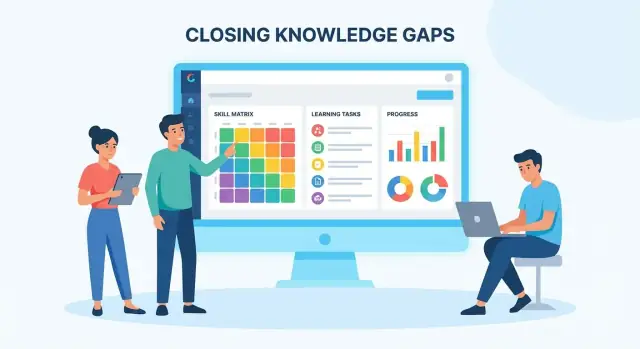
2) Skill matrix (the core data model, visible in the UI)
Provide a matrix view by role/team:
- Rows: skills/competencies
- Columns: people or roles
- Cells: current level, target level, status
This is the fastest way to align during onboarding, check-ins, and project staffing.
3) Learning tasks with lightweight tracking
Gaps need an assignment layer. Support tasks like:
- Read a doc / watch a short video
- Shadow a teammate
- Complete a small practice exercise
- Pass a simple checkpoint (self-attest or manager review)
Each task should have an owner, due date, status, and a link to the relevant resource.
4) Links to internal docs (don’t rebuild a knowledge base)
For v1, treat your existing documentation as the source of truth. Your app should store:
- Resource title and URL
- Which skill(s) it supports
- Optional tags (team, system, onboarding)
Use relative links when pointing to your own app pages (e.g., /skills, /people, /reports). External resource URLs can remain as-is.
5) Basic reporting that answers real questions
Skip fancy charts. Ship a few high-signal views:
- Time-to-competency for onboarding (by role)
- Open gaps by team/role
- Overdue tasks and blocked items
- Most-used resources (basic counts)
What to explicitly skip for v1
Clarity here prevents scope creep and keeps your app positioned as a gap manager, not a full training ecosystem.
Skip (for now):
- Complex personalized recommendation engines
- Full LMS replacement (courses, grading, SCORM, certifications)
- Advanced AI features (auto-assessments, “trained on everything” chatbots)
- Deep content authoring tools (focus on linking, not editing)
You can add these later once you have reliable data on skills, usage, and outcomes.
Admin needs (the minimum to keep the system usable)
Admins shouldn’t need developer help to maintain the model. Include:
- Create/edit skills (name, description, levels)
- Define role requirements (target levels per skill)
- Assign requirements to teams or job families
- Create templates (e.g., “Backend Engineer Onboarding”) that generate tasks for new hires
Templates are a quiet MVP superpower: they turn tribal onboarding knowledge into repeatable workflows.
Add a feedback loop from day one
If you can’t tell whether resources help, your skill matrix becomes a spreadsheet with a better UI.
Add two tiny prompts wherever a resource is used:
- “Was this resource helpful?” (Yes/No + optional comment)
- “Still blocked?” (Yes/No, and if yes: pick a reason)
This creates a practical maintenance signal: stale docs get flagged, missing steps get identified, and managers can see when gaps are caused by unclear documentation—not individual performance.
UX and Information Architecture (Screens and Navigation)
Good UX for an internal knowledge gaps app is mostly about reducing “where do I click?” moments. People should be able to answer three questions quickly: what’s missing, who it affects, and what to do next.
A simple navigation that matches how teams think
A reliable pattern is:
Dashboard → Team view → Person view → Skill/Topic view
The dashboard shows what needs attention across the org (new gaps, overdue learning tasks, onboarding progress). From there, users drill down to a team, then a person, then the specific skill/topic.
Keep the primary navigation short (4–6 items). Put less-used settings behind a profile menu. If you serve multiple audiences (ICs, managers, HR/L&D), adapt dashboard widgets by role rather than creating separate apps.
Key screens to prioritize
1) Gap list
A table view works best for scanning. Include filters that match real decisions: team, role, priority, status, due date, and “blocked” (e.g., no resources available). Each row should link to the underlying skill/topic and the assigned action.
2) Skill matrix
This is the manager’s “at a glance” screen. Keep it readable: show a small set of skills per role, use 3–5 proficiency levels, and allow collapsing by category. Make it actionable (assign learning task, request assessment, add resource).
3) Task board (learning task tracking)
A lightweight board (To do / In progress / Ready for review / Done) makes progress visible without turning your tool into a full project manager. Tasks should be tied to a skill/topic and a proof of completion (quiz, short write-up, manager sign-off).
4) Resource library
This is where internal documentation and external learning links live. Make search forgiving (typos, synonyms) and show “recommended for this gap” on skill/topic pages. Avoid deep folder trees; prefer tags and “used in” references.
5) Reports
Default to a few trusted views: gaps by team/role, onboarding completion, time-to-close by skill, and resource usage. Provide export, but don’t make reporting depend on spreadsheets.
Design for clarity (labels, statuses, and settings)
Use plain labels: “Skill level,” “Evidence,” “Assigned to,” “Due date.” Keep statuses consistent (e.g., Open → Planned → In progress → Verified → Closed). Minimize settings with sensible defaults; keep advanced options on an “Admin” page.
Accessibility basics you can’t skip
Ensure full keyboard navigation (focus states, logical tab order), meet color contrast guidelines, and don’t rely on color alone to convey status. For charts, include readable labels and a table fallback.
A simple sanity check: test the core workflow (dashboard → person → gap → task) using only a keyboard and zoomed text at 200%.
Architecture and Tech Stack Choices
Your architecture should follow your workflows: detect a gap, assign learning, track progress, and report outcomes. The goal isn’t to be fancy—it’s to be easy to maintain, fast to change, and reliable when data imports and reminders run on schedule.
Pick a stack that fits your team
Choose tools your team can ship with confidently. A common, low-risk setup is:
- Frontend: React or Vue
- Backend: Node (Express/Nest), Django, or Rails
- Database: Postgres
Postgres is a strong default because you’ll need structured querying for “skills by team,” “gaps by role,” and “completion trends.” If your organization already standardizes on a stack, aligning with it usually beats starting from scratch.
If you want to prototype quickly without committing to a full internal platform build, tools like Koder.ai can help you spin up an MVP via chat, using a React frontend and a Go + PostgreSQL backend under the hood. That’s useful when the real risk is product fit (workflows, adoption), not whether your team can scaffold yet another CRUD app. You can export the generated source code later if you decide to bring it fully in-house.
API style: REST or GraphQL
Both work—what matters is matching endpoints to real actions.
- REST is straightforward for workflow-based resources: users, roles, skills, assessments, learning tasks.
- GraphQL can help when screens need many related items at once (e.g., user profile + skill levels + assigned learning). It adds complexity, so use it when REST is getting too chatty.
Design your API around the app’s core screens: “view team gaps,” “assign training,” “mark evidence,” “generate report.”
Background jobs: imports, notifications, scheduled reports
A knowledge-gap app often depends on asynchronous work:
- Importing data from docs/LMS/HR tools
- Sending reminders and nudges
- Recalculating metrics nightly
- Generating scheduled reports for managers
Use a job queue so heavy tasks don’t slow down the app.
Hosting basics: containers, staging, backups
Containerized deployments (Docker) make environments consistent. Keep a staging environment that mirrors production. Set up automated database backups, with periodic restore tests, and log retention so you can trace “why did this gap score change?” over time.
If you’re deploying globally, make sure your hosting setup can support data residency constraints. For example, Koder.ai runs on AWS globally and can deploy apps in different regions to help with trans-border data transfer and privacy requirements.
Authentication, Roles, and Permissions
Getting access control right early prevents two common failures: people can’t get in easily, or people see things they shouldn’t. For a knowledge-gaps app, the second risk is bigger—skill assessments and learning tasks can be sensitive.
Authentication: start simple, plan for SSO
For early testing (small pilot, mixed devices), email + password (or magic link) is often fastest. It reduces integration work and lets you iterate on workflows before negotiating identity requirements.
For rollout, most companies will expect SSO:
- OIDC (OpenID Connect) is typically the smoothest for modern SaaS identity providers.
- SAML is still common in larger enterprises.
Design so you can add SSO later without rewriting your user model: store a stable internal user ID, and map external identities (OIDC subject / SAML NameID) to it.
Authorization: org → teams → roles
A practical model is Organization → Teams → Roles, with roles assigned per org and/or per team:
- Admin: system settings, integrations, role templates, global reports.
- Manager: view team skill coverage, assign learning tasks, approve proficiency changes.
- Member: manage own profile, self-assess, request validation, track tasks.
- Subject expert: validate skills, suggest resources, define competency evidence.
Keep permissions explicit (e.g., “can_edit_role_requirements”, “can_validate_skill”) so you can add features without inventing new roles.
Privacy boundaries (the part people notice)
Define what’s team-visible vs private-to-employee. Example: managers can see skill levels and outstanding tasks, but not personal notes, self-reflection comments, or draft assessments. Make these rules visible in the UI (“Only you can see this”).
Audit logs for trust and compliance
Record who changed what and when for:
- Skill level updates (including who validated it)
- Task creation/completion
- Role requirement edits
Expose a lightweight audit view for admins/managers and keep logs exportable for HR or compliance reviews.
Integrations: Docs, LMS, HRIS, and Chat Tools
Integrations determine whether your knowledge-gap app becomes a daily habit or “yet another place to update.” The goal is simple: pull context from systems people already use, and push lightweight actions back to where work happens.
Connect documentation and knowledge bases
Start by linking gaps and skills to the source of truth for content—your wiki and shared drives. Typical connectors include Confluence, Notion, Google Drive, and SharePoint.
A good integration does more than store a URL. It should:
- Index document metadata (title, owner, last updated) to spot stale pages tied to active gaps.
- Support deep links to sections/blocks when possible, not just the doc home page.
- Track “recommended reading” and completion acknowledgements without copying content.
If you also offer a built-in knowledge base, keep it optional and make imports/links painless. If you’re showcasing this as a product, link to /pricing or /blog only when relevant.
Sync people and teams from HRIS (and LMS)
HRIS sync prevents manual user management. Pull employee profiles, teams, roles, start dates, and manager relationships so you can auto-create onboarding checklists and route review approvals.
For learning progress, an LMS sync can automatically mark learning tasks complete when a course is finished. This is especially helpful for compliance or standard onboarding, where completion data already exists.
Design for imperfect data: teams change, contractors come and go, and job titles can be inconsistent. Prefer stable identifiers (employee ID/email) and keep a clear audit trail.
Notifications in Slack/Teams (plus email)
Notifications should reduce follow-up work, not create noise. Support:
- Task due dates and overdue reminders
- Newly detected gaps (e.g., repeated “who knows X?” requests)
- Review requests for documentation updates or skill verification
In chat tools, use actionable messages (approve, request changes, snooze) and provide a single link back to the relevant screen.
Integration strategy: prioritize reliability
Build a small set of high-quality connectors first. Use OAuth where available, store tokens securely, log sync runs, and show integration health in an admin screen so problems are visible before users complain.
Reporting and Analytics That Teams Will Use
Analytics only matter if they help someone decide what to do next: what to teach, what to document, and who needs support. Design reporting around the questions managers and enablement teams actually ask, not vanity numbers.
Start with a few clear metrics
Keep the first dashboard small and consistent. Useful starter metrics include:
- Gaps opened vs. closed (per week/month) to show whether you’re catching up or falling behind.
- Time-to-close (median, not just average) so one long-running item doesn’t distort reality.
- Coverage per role (e.g., “Support L2: 18/24 competencies covered”) to make expectations explicit.
- Onboarding progress for new hires (completed learning tasks, validated competencies, pending items).
Define each metric in plain language: what counts as a gap, what “closed” means (task done vs. manager validated), and which items are excluded (paused, out-of-scope, waiting on access).
Use charts that answer specific questions
Pick chart types that map to the decision:
- Trend lines for opened/closed and time-to-close.
- Heatmaps for role × competency coverage.
- Top missing topics lists to drive documentation or training priorities.
Avoid mixing too many dimensions in one view—clarity beats cleverness.
Make drill-downs the default path to action
A good report should lead directly to work. Support a drill-down flow like:
Report → team → person → gap → linked task/resource
That last step matters: the user should land on the exact doc, course, or checklist item that addresses the gap—or create one if it doesn’t exist.
Prevent misleading numbers
Add small info notes next to key metrics: whether results include contractors, how transfers are handled, how duplicates are merged, and the date range used.
If a metric can be gamed (e.g., closing gaps without validation), show a companion metric like validated closures to keep the signal trustworthy.
Launch Plan, Adoption, and Continuous Improvement
A knowledge-gap app succeeds or fails on adoption. Treat launch as a product rollout: start small, prove value, then scale with clear ownership and a predictable operating rhythm.
Seed data: make it real, not exhaustive
Begin with one team and keep the initial scope intentionally narrow.
Pick a small, high-signal skill list (e.g., 15–30 skills) and define role requirements that reflect what “good” looks like today. Add a few real learning items (docs to read, shadowing sessions, short courses) so the app feels useful on day one.
The goal is credibility: people should recognize themselves and their work immediately, instead of staring at an empty system.
Run a 2–4 week pilot
Time-box the pilot to 2–4 weeks and recruit a mix of roles (a manager, a senior IC, a newer hire). During the pilot, collect feedback on three things:
- Skill definitions: are they clear enough to rate consistently?
- Workflows: is it obvious how to log evidence, request help, or plan learning tasks?
- Friction: where do users drop off (too many clicks, unclear labels, missing context)?
Ship small tweaks weekly. You’ll improve trust quickly by fixing the paper cuts users encounter most.
If you need to iterate fast during the pilot, a vibe-coding approach can help: with Koder.ai, teams often prototype the dashboards, task flows, and admin screens from a chat-based spec, then refine weekly—without waiting for a full sprint to get something testable.
Operational plan: ownership and cadence
Assign owners for each skill area and the related docs. Owners don’t need to create all content; they ensure definitions stay current and linked documentation remains accurate.
Set a review cadence (monthly for fast-changing domains, quarterly for stable ones). Tie reviews to existing rhythms like team planning, onboarding updates, or performance check-ins.
Continuous improvement: what to build next
Once the basics stick, prioritize upgrades that reduce manual work:
- Recommendations: suggest learning tasks based on a person’s role targets and history.
- Smarter gap detection: flag gaps when projects change, tools shift, or standards are introduced.
- Content health scoring: highlight stale docs, missing owners, or frequently searched topics with no good answer.
If you want a lightweight way to keep momentum, publish a simple adoption dashboard and link it from /blog or your internal hub so progress stays visible.
FAQ
What counts as a “knowledge gap” in this kind of app?
A knowledge gap is anything that prevents someone from doing their job confidently without interrupting others. Common types are:
- Missing/outdated documentation
- Low demonstrated competency (assessment, manager rating, certification)
- Repeated questions/escalations in chat or tickets
- “Can’t find it quickly” (search failure signals poor IA or tagging)
Define this early so your metrics and workflows stay consistent.
How is a knowledge-gap app different from “another wiki”?
A wiki stores content; a knowledge-gap app manages a workflow. It should help you:
- Detect gaps (signals from docs, skills, tickets, chat)
- Assign fixes (docs, training, shadowing, workshops)
- Verify outcomes (lightweight validation)
- Prove progress (fewer repeats, higher skill levels, faster onboarding)
The goal is not more pages—it’s fewer bottlenecks and fewer repeat problems.
What is the core workflow I should design the product around?
Design around the core loop:
- Detect gap
- Plan action (task + resource + due date)
- Complete (learner marks done + adds proof)
- Verify (SME/manager quick check)
- Report (readiness, time-to-competency, remaining risk)
If any step is missing—especially verification—your dashboards become untrusted.
Which data sources are most useful for detecting gaps in v1?
Start with high-confidence systems you already have:
- HRIS (teams, roles, manager, start dates)
- LMS (completions, quiz scores, certs)
- Ticketing/incident tools (recurring issues, escalations)
- Chat Q&A (repeated questions, unanswered threads)
- Wiki/docs (views, last updated, ownership)
- Code repos (runbooks/READMEs, missing operational docs)
In v1, favor a few reliable inputs over broad, noisy ingestion.
What signals reliably indicate a knowledge gap (and aren’t just noise)?
Use signals that strongly correlate with real pain:
- Searches with no results (or searches followed by tickets)
- High-traffic docs that are stale or reference old processes
- Recurring incidents/tickets with similar root causes
- Low assessment scores, repeated rework, or frequent reversions
Treat these as prompts to create a gap record that someone can own and act on.
What’s the minimum data model (entities/relationships) I need to make this work?
Keep the model “boring” and explicit. Minimum entities:
- People, Roles, Skills/Topics
- Assessments (how proficiency is measured)
- Resources (docs, courses, runbooks)
- Tasks (actions to close a gap)
- Evidence (proof: score, PR link, sign-off)
Key relationships:
- Role → required skills (target level)
- Person → current level (backed by assessment)
- Gap → action plan (tasks + resources + evidence)
This enables both “What’s expected?” and “Where are we now?” views.
What should the MVP include—and what should I skip?
Prioritize features that make gaps visible and immediately actionable:
- Gap dashboard (employee + manager views)
- Skill matrix (role/team coverage)
- Learning tasks (owner, due date, status, linked resource)
- Resource linking (don’t rebuild your wiki)
- Basic reports (time-to-competency, open gaps, overdue tasks)
Skip early: recommendation engines, full LMS replacement, heavy AI, deep content authoring.
How should I structure navigation and screens so it’s actually usable?
Use a simple structure that matches how people drill down:
- Dashboard → Team view → Person view → Skill/Topic view
Key screens to ship early:
- Gap list (filters by team, role, priority, status, due date)
- Skill matrix (actionable cells: assign task/request validation)
- Lightweight task board (To do → In progress → Ready for review → Done)
- Resource library (search + tags, not deep folders)
- Reports with drill-down to the underlying gap/task
Keep labels/statuses consistent (e.g., Open → Planned → In progress → Verified → Closed).
What’s the recommended approach to authentication, permissions, and privacy?
Start with authentication that supports iteration, then plan for enterprise:
- Pilot: email + password or magic link
- Rollout: SSO (OIDC preferred; SAML common)
Authorization should reflect org structure:
- Admin, Manager, Member, Subject expert
Make privacy rules explicit in the UI (e.g., what’s team-visible vs private notes), and keep audit logs for skill level changes, validations, and requirement edits.
Which integrations matter most to drive adoption (docs, HRIS, LMS, chat)?
Adoption improves when you pull context from existing systems and push actions into daily tools:
- Docs: index metadata (owner, last updated), deep link where possible
- HRIS: sync teams/roles/start dates to auto-create onboarding tasks
- LMS: auto-complete tasks when courses are finished
- Slack/Teams: actionable reminders (approve, request changes, snooze)
Build fewer connectors, but make them reliable: OAuth where possible, token security, sync logs, and an integration health screen.