

Build a Web App to Manage Partner Enablement Content
Learn how to design and build a web app that centralizes partner enablement content with roles, workflows, search, analytics, and integrations.
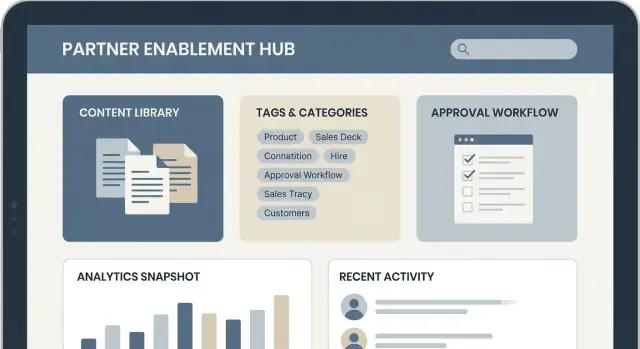
What Partner Enablement Content Management Really Needs
Partner enablement content rarely fails because teams don’t create enough of it. It fails because the right content isn’t available at the moment a partner needs it.
The real problem you’re solving
Most partner programs accumulate a mix of slide decks, PDFs, battlecards, pricing sheets, demo scripts, and release notes across email threads, shared drives, chat links, and outdated intranet pages. The result is predictable:
- Partners reuse last quarter’s deck because it’s the one they can find.
- New reps ask the same questions in Slack because search is unreliable.
- Channel teams spend time “sending the latest version” instead of enabling deals.
A content management web app for partner enablement exists to create a single, trusted place where materials are current, searchable, and clearly approved for use.
Who the app must serve
This isn’t just a “partner portal.” It’s a shared system for multiple groups:
- Channel/partner managers who need to publish updates, track usage, and reduce ad-hoc support.
- Partner sales reps and SEs who need quick answers, usable assets, and confidence they’re sharing the right message.
- Internal teams (product marketing, legal, product) who contribute content, enforce guidelines, and want fewer one-off requests.
Outcomes to design toward
When done well, the app produces measurable program-level improvements:
- Faster onboarding and ramp for new partner reps
- More consistent messaging in the field
- Fewer repetitive support requests (“Do you have the latest…?”)
- Higher utilization of high-impact assets (not just what’s easy to find)
Success metrics (define them early)
Pick a small set of metrics you can actually instrument:
- Time-to-find content (e.g., median time from search to download)
- Adoption (weekly active partners, repeat visits, asset downloads per account)
- Content freshness (percentage of assets reviewed/updated in the last X days)
- Deflection (drop in inbound requests for common materials)
If you can’t define “success,” you’ll end up building a file dump with a login screen.
Users, Roles, and Core Use Cases
A partner enablement content app succeeds or fails based on whether it matches how real people work. Before you pick features, be clear about who’s using the system and what “done” means for each of them.
Key roles to design for
Internal admins manage partner organizations, permissions, and overall governance. They care about consistent access rules, auditability, and low support load (“Why can’t Partner X see this deck?”).
Content owners (marketing, product, sales enablement) create and maintain assets. They need simple publishing, the ability to update without breaking links, and confidence they’re not sharing outdated material.
Reviewers/approvers (legal, brand, compliance, regional leads) focus on risk and accuracy. Their work revolves around clear approvals, version history, and visibility into what changed.
Partner users (sales reps, SEs, channel managers) want speed and relevance. They don’t want to browse a library—they want the right asset for the deal, training, or campaign they’re running.
Common partner journeys
Onboarding: partners discover the portal, complete required training, and download “starter kit” assets.
Deal support: find the latest pitch deck, competitive one-pager, pricing guidance, and customer stories—filtered by region, product line, and segment.
Training and certification: partners follow a learning path, track completion, and access supporting docs linked from training modules.
Co-selling: partners share campaign kits, submit leads, and coordinate updates with your internal team.
Must-have vs nice-to-have
Start with must-haves that remove friction:
- Role-based access by partner organization and region
- Fast search with tags/filters and “latest version” clarity
- A basic content lifecycle: draft → review → published → retired
- Simple analytics: views/downloads by asset and partner org
Nice-to-haves can wait until usage data proves demand (recommendations, AI summaries, offline mode, deeper collaboration features).
Constraints to capture early
List the non-negotiables: compliance and approval requirements, regional access rules, device patterns (mobile vs desktop), file types and sizes, and whether any users need limited offline access. Getting these right upfront prevents painful redesigns later.
Content Model: Types, Metadata, and Versioning
A partner enablement app succeeds or fails on its content model. If you treat everything as “a file with a title,” search results become noisy, reporting becomes meaningless, and partners lose trust fast. Aim for a model that’s flexible for authors but predictable for partners.
Choose content types that match how partners learn and sell
Start with a small set of explicit types, each with sensible defaults:
- PDFs (datasheets, one-pagers)
- Slides (pitch decks, training decks)
- Videos (demos, recorded trainings)
- Playbooks (step-by-step guides)
- Links (external docs, product pages)
- FAQs (short Q&A entries)
- Templates (email scripts, proposal templates)
Types aren’t just labels—they control preview behavior, required fields, and what “completion” means (for example, a video might track watch progress, while a template tracks downloads).
Define a metadata schema partners can filter by
Keep metadata consistent across types, with a few type-specific fields. A strong baseline schema includes: title, summary, audience (sales/SE/marketing), product, region, and stage (awareness/consideration/close/onboarding). Add optional fields like language, industry, and partner tier only if they will be used in filters and reporting.
Write summaries for scanning: one sentence on when to use it, one on what the partner will get.
Standardize taxonomy without creating tag chaos
Use:
- Categories for broad navigation (stable)
- Tags for flexible descriptors (controlled vocabulary)
- Collections for curated bundles (e.g., “Q1 Launch Kit”)
- Campaigns for time-bound initiatives (trackable)
Define ownership: who can create new tags, how duplicates are merged, and how retired tags are handled.
Plan versioning rules (and automate expiry)
Partners should only see one “current” version by default. Keep older versions archived, not deleted, with a clear changelog (what changed and why). Support expiration dates and “review by” reminders so content doesn’t quietly rot. When a new version publishes, redirect old links to the latest unless a partner explicitly opens an archived version for audit or reference.
Workflows: Draft to Publish to Retire
A partner enablement library is only as trustworthy as its workflow. Partners don’t care how your CMS is built—they care that what they download is current, approved, and won’t get them in trouble with customers.
Define clear lifecycle states
Start with a small, explicit set of states and make them visible everywhere (lists, detail pages, and exports): Draft → Review → Approved → Published → Retired.
Keep the rules simple:
- Draft: editable working version; not visible to partners.
- Review: content is frozen except for requested changes; reviewers are notified.
- Approved: ready to publish; approvals are recorded.
- Published: visible in the partner portal (and only the current version should be default).
- Retired: removed from discovery; existing links should show a “retired” message and suggest replacements.
Assign responsibilities (and make them enforceable)
Workflows fail when “anyone can do anything.” At minimum, separate:
- Editors (create and update drafts)
- Approvers (approve or reject with comments)
- Publishers (push to Published, schedule publish dates, and revoke)
- Owners (accountable for accuracy and review cadence)
Even if one person can hold multiple roles, your app should require the correct permission for each action.
Build review cadences into the product
Add a review date to every published item (e.g., quarterly for sales decks, monthly for pricing sheets). Send reminders to owners before due dates, and support automatic expiry: if the review isn’t completed by the deadline, the content can be automatically moved to Retired (or temporarily hidden) until re-approved.
Handle regulated content with audit-ready approvals
For high-risk assets (legal terms, security statements, pricing, claims), require a stricter path:
- Mandatory sign-off notes (what changed, why approved)
- An audit trail (who approved/published, timestamps, version IDs)
- Optional two-step approval (e.g., Legal + Product)
This creates a defensible record when partners ask, “Is this the latest approved version?”
Access Control and Partner Organization Management
Access control is where a partner portal earns (or loses) trust. Partners need to see what’s relevant to them—without worrying they’ll accidentally access another partner’s pricing sheet or internal roadmap.
Authentication: make it easy, but not fragile
Start with single sign-on (SSO) so partners can use their corporate identity. Support both SAML and OIDC because different companies standardize on different providers.
You’ll still want an email/password fallback for small partners or edge cases (like contractors). Keep the fallback secure with MFA, rate limiting, and enforced password resets for suspicious logins.
RBAC: roles, permissions, and visibility rules
Role-based access control (RBAC) should be simple enough to explain in one minute:
- Roles (who someone is): Partner Admin, Partner User, Distributor Manager, Internal Content Owner, Legal Reviewer.
- Permissions (what they can do): view, download, upload, publish, manage users, approve.
- Visibility rules (what they can see): by partner org, region, tier, product line, and deal stage.
A practical model is “deny by default,” then grant access via a combination of role permissions and content tags (e.g., Tier: Gold + Region: EMEA).
Partner organizations: accounts, teams, and org-level access
Treat each partner as an organization with its own users, groups/teams, and settings. Partner Admins should be able to manage their users (invite, deactivate, assign teams) without involving your support team every time.
If you have distributors or agencies, add hierarchies (parent org → child orgs) so content can be shared down the chain without manual duplication.
Sensitive assets: control how content leaves the portal
Some files should be “view-only,” even for trusted partners. Add:
- Watermarking (user name, org, timestamp) on previews
- Download controls per asset and per role
- Expiring links and access revocation when a user leaves a partner org
These features won’t stop every leak, but they raise the cost of misuse while keeping legitimate work smooth.
Information Architecture, Search, and Discovery
Partners don’t browse like employees: they arrive with a deadline and a customer in mind. Your information architecture (IA) and search experience should assume “I need the right asset now,” not “I want to explore a library.”
Start with clear search requirements
Define what “findable” means for your content management web app:
- Full-text search across titles, descriptions, tags, and (when possible) extracted text from PDFs and slide decks.
- Filters and sorting that mirror how partners think: by solution, industry, region, and freshness.
- Synonyms and aliasing so common terms match official names (e.g., “PoC” vs “Proof of Concept,” product nicknames, legacy SKUs).
Decide early which fields are searchable, which are filterable, and which are display-only. This prevents a slow index or confusing filters later.
Use faceted browsing that matches real workflows
Facets help partners narrow quickly without needing perfect keywords. Common facets for partner enablement include:
- Product / solution
- Persona (buyer, IT admin, finance, developer)
- Region / language
- Funnel stage (awareness, consideration, evaluation, renewal)
Keep facets consistent across the partner portal. If “Region” sometimes means geography and sometimes means sales territory, users will stop trusting the filters.
Make relevance feel intentional
Default ranking shouldn’t be a black box. Combine text match with business signals:
- Popularity (views, downloads, shares)
- Recency (publish date, last updated)
- Partner type fit (reseller vs SI vs referral)
- Pinned items for time-sensitive campaigns or required assets
UX patterns that reduce repeat work
Add small features that save time:
- Saved searches and quick filters (e.g., “My region + latest sales decks”)
- Recommended content based on role, certifications, and recent activity
- Related items (battlecard → pitch deck → case study), so partners can build a complete customer packet without starting over
File Storage, Delivery, and Content Previews
Partner enablement lives and dies by how quickly people can open a file and trust it’s the right one. Your app should treat files (binaries) differently from content records (titles, descriptions, tags). Store file metadata in your database, but store the actual bytes somewhere built for it.
Storage and fast delivery
Use object storage (e.g., S3-compatible) for PDFs, decks, zips, and videos. It’s cheaper, more reliable for large files, and simpler to scale than keeping files on your app servers.
Put a CDN in front for fast global downloads—partners shouldn’t wait for a 40MB sales deck. Deliver via time-limited, signed URLs so files aren’t publicly accessible, and so access can be revoked when a partner’s permissions change.
Upload pipeline (make it safe and predictable)
Uploads need guardrails:
- Size limits and type checks: enforce per-tenant limits (e.g., 250MB default) and block risky extensions.
- Virus scanning: scan on upload before the file becomes available. If scanning fails, quarantine and notify.
- Background processing: move heavy work (scan, preview generation) to async jobs so the UI stays responsive.
- Thumbnail generation: create small previews for listings (PDF first page, slide cover, image resize).
Content previews partners will use
Previews reduce friction and support “quick checks” without downloading.
- PDF/slide rendering: render PDFs and PPTX to page images (or a lightweight viewer) with “download original” as a secondary action.
- Video streaming: transcode to adaptive streaming (HLS/DASH) so playback works on poor connections.
- Link unfurling: when someone pastes a URL, fetch title, description, and a preview image (with safety timeouts and allowlists).
Retention, archival, and legal hold
Define retention policies per content type: drafts deleted after X days, retired assets archived after Y months, and “evergreen” assets retained longer. Use storage tiers for archived files to cut costs, but support legal hold so specific assets can’t be deleted while a contract, audit, or dispute is active.
Portal UX That Partners Will Actually Use
A partner portal succeeds when it feels like a well-organized storefront rather than a file dump. Partners typically arrive with a specific goal (find a deck, confirm messaging, download a logo, complete onboarding), so design around fast paths—not internal org charts.
Key pages to get right
Library should be the default landing experience: a clean grid/list, clear filters (solution, industry, funnel stage), and a prominent search bar. Add “Recommended for you” and “Recently updated” to reduce browsing time.
Content detail pages should answer three questions quickly: what it is, when it’s valid, and how to use it. Include a short description, preview, file formats, last updated date, supported regions/languages, and a “Related content” panel.
Collections help partners navigate by outcome (“Q1 campaign kit”, “Retail pitch pack”) rather than by file type. Treat them like playlists—ordered, curated, and easy to share.
Onboarding hub is a dedicated starting point for new partners, separate from the main library, so they’re not overwhelmed.
Partner-friendly onboarding
Reduce “where do I start?” friction with guided tours, a starter kit collection, and a simple checklist (e.g., “Download brand assets”, “Complete product overview”, “Get certified”). Make progress visible and resume-friendly. If you have multiple programs, offer an onboarding track selector (“Reseller”, “Referral”, “MSP”).
Localization that feels native
Support a clear language toggle and remember the choice. Use region-specific collections (e.g., EMEA vs. NA pricing rules) so partners don’t accidentally pick the wrong materials. When localized content isn’t available, show a graceful fallback and flag it as such.
Accessibility as a default
Ensure full keyboard navigation, strong contrast, and visible focus states. Provide captions for videos and alt text for images. For downloads, use descriptive filenames and content summaries so screen readers (and busy partners) can understand what they’re getting before clicking.
Analytics, Reporting, and Feedback Loops
If you can’t see what partners use (and what they can’t find), you’ll keep publishing content based on guesses. Analytics in a partner enablement content app should answer two questions: what’s being consumed and what’s driving outcomes.
Engagement tracking that’s actually actionable
Start with straightforward engagement signals, but make them filterable by time, partner organization, role, and content type.
Track:
- Views, downloads, and watch time (for videos)
- Search queries and the paths users take after searching
- Zero-result searches (the fastest way to uncover content gaps)
- Repeat visits and “saved” or “bookmarked” content (if you support it)
Design events around content identifiers and versions, so you can spot when an outdated asset is still getting traction.
Measuring outcomes, not just clicks
Engagement is helpful, but enablement teams also need progress metrics that map to partner success:
- Onboarding completion by partner org, region, and cohort
- Certification progress (started, in progress, passed, expired)
- Content reuse signals, like “added to partner playbook,” “shared,” or “embedded in a learning path”
Where possible, tie these to lifecycle milestones (e.g., “first deal registered after onboarding completed”) via integrations, but keep the definitions simple and visible.
Dashboards with the right scope
Build separate reporting views:
- Admins: cross-partner trends, content performance, gaps (e.g., rising zero-results), and version adoption
- Partners: their team’s completion status, assigned learning paths, and recommended next content based on role
Avoid dumping raw tables. Show a few clear charts and drill-down filters.
Feedback loops that improve the library
Add lightweight feedback on every asset:
- Ratings and “Was this helpful?”
- Optional “what’s missing?” text
- A content request form that pre-fills context (partner org, role, the search that led them there)
Close the loop by letting admins mark requests as planned/published and notifying requesters when new content is available.
Integrations: CRM, PRM, LMS, and Collaboration Tools
Integrations are what turn a content portal into a working partner program. Partners don’t want to hunt for the right deck, and your internal teams don’t want to manually update partner lists, chase approvals, or reconcile training status.
CRM/PRM: keep partner records in sync
Start by connecting to the system that “knows” your partners—typically a CRM (Salesforce, HubSpot) or a PRM. Use it as the source of truth for partner accounts, tiers, regions, and active/inactive status.
A good pattern is:
- Nightly sync for directories and attributes (tier, territory, segment)
- Real-time updates for critical changes (access revoked, tier upgraded)
This enables rules like: “Gold partners in EMEA can access the new pricing toolkit,” without duplicating partner data in your app.
LMS: training links, completion, and badges
If training lives in an LMS, your portal should reflect it. Keep it simple for partners: show the right course links next to the content they need, then pull back completion status.
Common integration options:
- Deep links to LMS courses from each content page
- Completion imports (API or CSV) to mark training done
- Certification badges displayed on partner profiles (and optionally used for gating access)
Slack/Teams: approvals and timely updates
Collaboration tools are ideal for keeping content workflows moving. Send notifications when:
- A new draft needs review
- A publish date is approaching
- A critical asset is updated or retired
You can also support lightweight approvals (e.g., “Approve/Request changes” actions) that link back to the item in your portal.
APIs and webhooks: design for change
Even if you ship with a few integrations, plan for more. Provide:
- REST APIs for content publishing, metadata updates, and partner access changes
- Webhooks for “content published/updated/retired,” “partner added/disabled,” and “training completed”
- Audit exports via API for compliance and reporting
A clear API and webhook strategy prevents custom one-off work and keeps integrations maintainable over time.
Architecture and Tech Stack Decisions
The right architecture is less about trends and more about how quickly your team can ship and safely operate the partner portal. Start simple, but make it easy to evolve.
Monolith vs. modular services
For most teams, a modular monolith is the fastest path: one deployable app, with clearly separated modules (content, partners, permissions, analytics). You get simpler debugging, fewer moving parts, and consistent authorization.
Move toward services only when you feel real pain: independent scaling needs (e.g., search indexing), different release cadences, or multiple teams stepping on each other. A common first split is search/indexing or file processing into separate workers.
Multitenancy planning
Partner enablement often needs both shared and isolated data:
- Global content: assets available to all partners (e.g., brand guidelines).
- Tenant content: partner-specific files, pricing, or localized decks.
Decide early how you isolate data:
- Row-level tenancy (tenant_id column) is simplest and works well with strong access checks.
- Schema/database per tenant adds isolation, but increases operational overhead.
Whatever you choose, enforce tenant scoping at the data-access layer—not in UI filters.
A practical tech stack
Common, proven choices:
- Frontend: React + Next.js (fast routing, good SEO for public pages).
- Backend: Node.js (NestJS/Express) or Python (Django/FastAPI), with REST or GraphQL.
- Database: Postgres for content metadata, roles, and audit logs.
- Search: OpenSearch/Elasticsearch for full-text search, filters, and faceting.
- Files: Object storage (S3-compatible) + signed URLs for secure downloads.
If you want to validate the product experience before committing to a full build, a vibe-coding platform like Koder.ai can accelerate an MVP of the portal workflow: you can iterate on roles, content states, search/filter UX, and analytics events via chat, then export the source code when you’re ready to productionize. Its default React frontend and Go + PostgreSQL backend also map cleanly to the stack many teams choose for this kind of internal-external portal.
Designing for scale (without overbuilding)
Plan for predictable spikes (new product launches):
- Caching: cache metadata and permission checks (carefully) with Redis.
- Background jobs: thumbnails, preview generation, virus scanning, and indexing.
- Rate limits: protect login, search, and download endpoints.
- CDN: serve static files and previews via a CDN, while keeping access controlled via expiring tokens.
If you want a starting blueprint, document the “first-year architecture” in one page and keep it updated as the app grows.
Security, Compliance, and Operations
Security and operations are easiest when you treat them as product features, not a “later” checklist. Partner enablement content often includes pricing decks, roadmap slides, and internal playbooks—so your app should assume every file will be sensitive.
Security basics (without slowing teams down)
Use TLS everywhere and enforce it (HSTS, no mixed content). Encrypt sensitive data at rest: database fields that contain tokens or PII, and object storage for files. For files, consider per-object encryption keys with a managed KMS so you can rotate keys without re-architecting.
Keep secrets out of code and CI logs. Use a secrets manager for API keys, database credentials, signing keys, and webhook secrets. Rotate credentials on a schedule and on staff changes.
For secure file sharing, avoid public URLs. Prefer short-lived, signed download links tied to a user session and partner org, plus server-side authorization checks.
Auditability you can trust
You’ll want an audit trail for:
- Content actions: draft, publish, unpublish, retire
- Access events: views and downloads (including file name/version)
- Admin changes: role assignments, permission updates, partner org edits
Store audit logs append-only, include actor, timestamp, IP/user agent, and “before/after” snapshots for permission changes. Make logs exportable for compliance reviews.
Privacy and data retention
Collect only what you need (name, email, org, role). Provide a user deletion flow that respects legal requirements: delete or anonymize PII while retaining non-identifying audit records when necessary. Define retention for content and logs, and document it in your policy pages (e.g., /privacy).
Operational readiness
Treat reliability as ongoing work: monitoring for latency, error rates, queue backlogs, and storage failures; alerts routed to a real on-call path. Backups should be automated, encrypted, and tested with periodic restore drills.
Maintain incident response runbooks: how to revoke tokens, rotate signing keys, disable compromised accounts, and communicate with partners quickly and clearly.
FAQ
What problem should a partner enablement content management app solve first?
Define success in measurable terms before you ship. Practical metrics include:
- Median time-to-find (search → download)
- Adoption (weekly active partners, repeat visits)
- Content freshness (% reviewed/updated in the last X days)
- Deflection (drop in “latest version?” support requests)
If you can’t instrument these, you’ll likely build a gated file dump instead of an enablement system.
Who are the primary users and roles this app must support?
Design for four distinct groups:
- Internal admins: partner org setup, permissions, governance
- Content owners: create/update assets without breaking links
- Reviewers/approvers: legal/brand/compliance sign-off, auditability
- Partner users: fast answers and the right asset for a deal
Treat it as a shared system, not just a “partner portal.”
What are the true must-have features vs. nice-to-haves?
Start with essentials that remove daily friction:
- Role-based access by partner org/region
- Fast search with filters and clear “latest version” status
- A lifecycle workflow (draft → review → published → retired)
- Basic analytics (views/downloads by asset and partner org)
Add advanced features (recommendations, AI summaries, offline mode) only after usage data proves demand.
How should you design the content model and metadata so partners can actually find things?
Don’t model everything as “a file with a title.” Create explicit types (PDF, slides, video, playbook, link, template, FAQ) with required metadata.
A solid baseline schema:
- Title and scan-friendly summary
- Audience (sales/SE/marketing)
- Product/solution, region, stage (onboarding/close/etc.)
Keep optional fields (industry, tier, language) only if they drive real filtering and reporting.
How do you avoid “tag chaos” while keeping discovery flexible?
Use a controlled structure:
- Categories for stable navigation
- Tags with a controlled vocabulary (prevent duplicates)
- Collections for curated bundles (e.g., “Q1 Launch Kit”)
- Campaigns for time-bound initiatives you want to track
Assign ownership for creating/merging/retiring tags so your taxonomy doesn’t devolve into inconsistent labels.
What’s the right approach to versioning and preventing outdated assets from being used?
Partners should see one default “current” version. Older versions should be archived, not deleted, with a clear changelog.
Best practices:
- Redirect old links to the latest version by default
- Support expiration and “review by” dates
- Automate reminders and (optionally) auto-retire overdue content
This preserves trust: the portal becomes the source of truth, not a history museum.
What workflow should you implement from draft to publish to retire?
Keep states explicit and visible everywhere:
- Draft → Review → Approved → Published → Retired
Make responsibilities enforceable:
- Editors create/update drafts
- Approvers sign off with comments
- Publishers control release and revocation
- Owners are accountable for review cadence
For regulated assets, require audit-ready approvals (who/when/what changed) and consider two-step approval (e.g., Legal + Product).
How should access control work for multiple partner organizations and regions?
Make access both simple and defensible:
- SSO first (support SAML and OIDC); keep a secure fallback (MFA, rate limiting)
- Clear RBAC: roles, permissions, and visibility rules (org, region, tier, product line)
- “Deny by default,” then grant via role + content tags
Model each partner as an organization with teams and (if needed) parent/child hierarchies for distributors.
What makes search and discovery work well in a partner portal?
Assume partners arrive with a deadline. Build search for speed:
- Full-text across titles, summaries, tags, and extracted PDF/slide text when possible
- Faceted filters that match real decisions (product, persona, region/language, funnel stage)
- Synonyms/aliasing (nicknames, legacy SKUs, “PoC” vs “Proof of Concept”)
Blend relevance with business signals (recency, popularity, pinned campaign items) so results feel intentional.
How should you handle file storage, secure delivery, and content previews?
Treat binaries separately from content records:
- Store files in object storage (S3-compatible) and serve via a CDN
- Use short-lived signed URLs so access can be revoked
- Add an upload pipeline: type/size checks, virus scanning, async preview generation
Prioritize previews (PDF/slide rendering, adaptive video streaming) so partners can confirm an asset quickly without downloading the wrong thing.