

How to Build a Web App to Monitor Internal Automation Coverage
Learn how to design and build a web app that tracks internal automation coverage: metrics, data model, integrations, dashboard UX, and alerts.
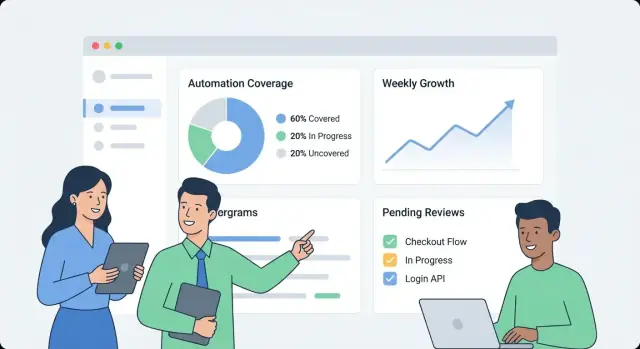
Define Goals and the Meaning of Automation Coverage
Before you build anything, write down what “automation coverage” means inside your organization. Otherwise, the dashboard turns into a grab bag of unrelated numbers that different teams interpret differently.
What counts as automation coverage?
Start by choosing the units you’re measuring. Common options include:
- Business or operational processes (e.g., “new customer onboarding”): coverage means “steps automated vs. manual.”
- Tests (unit/integration/e2e): coverage means “what critical flows are verified automatically.”
- Jobs and runbooks (scheduled tasks, incident playbooks): coverage means “how much work can run unattended.”
- Scripts and bots (one-off scripts, RPA, internal tools): coverage means “repeatable tasks handled with minimal human intervention.”
Pick one primary definition for v1, then note secondary types you may add later. Be explicit about edge cases, like “semi-automated” steps that still require approvals.
Who will use the app, and what do they need to answer?
Different audiences ask different questions:
- Engineering / QA: Which areas are under-automated? What changed this week? Where are flaky automations?
- Ops / Support: Which workflows still depend on humans? What breaks most often?
- Leadership: Are we reducing risk and manual effort over time? Which teams need investment?
Write 5–10 “top questions” and treat them as product requirements.
Outcomes, scope, and success criteria
Define the primary outcomes: visibility (what exists), prioritization (what to automate next), accountability (who owns it), and trend tracking (is it improving).
Set clear boundaries for v1. Examples: “We won’t score quality yet,” “We won’t measure time saved,” or “We’ll only include CI-based tests, not local scripts.”
Finally, decide what success looks like: consistent adoption (weekly active users), high data freshness (e.g., updates within 24 hours), fewer blind spots (coverage mapped for all critical systems), and measurable follow-through (owners assigned and gaps shrinking month over month).
Map Data Sources and Ingestion Options
Before you can measure automation coverage, you need to know where “automation evidence” actually lives. In most organizations, automation is scattered across tools adopted at different times by different teams.
Inventory your automation sources
Start with a pragmatic inventory that answers: What signals prove an activity is automated, and where can we retrieve them?
Typical sources include CI pipelines (build/test jobs), test frameworks (unit/integration/E2E results), workflow tools (approvals, deployments, ticket transitions), runbooks (scripts and documented procedures), and RPA platforms. For each source, capture the identifier you can join on later (repo, service name, environment, team) and the “proof” you’ll store (job run, test suite report, automation rule, script execution).
Identify systems of record
Next, list your systems of record that define what “should exist”: repo hosting, issue tracker, and a CMDB/service catalog. These sources usually provide the authoritative list of services, owners, and criticality—essential for calculating coverage rather than just counting activity.
Choose ingestion methods
Match each source to the least-fragile ingestion method:
- API polling for tools with good APIs but limited webhook support.
- Webhooks when you need near real-time updates (e.g., pipeline completion events).
- Scheduled imports for CSV exports or data warehouses.
- Manual entry to cover gaps (with clear labeling), especially for runbooks or legacy automation.
Document constraints and trust
Record rate limits, authentication methods (PAT, OAuth, service accounts), retention windows, and known data quality issues (renamed services, inconsistent naming, missing owners).
Finally, plan a source reliability score per connector (and optionally per metric) so users can see whether a number is “high confidence” or “best effort.” This prevents false precision and helps prioritize connector improvements later.
Design a Data Model for Coverage, Evidence, and Ownership
A useful coverage dashboard starts with a data model that separates what you intend to automate from what has actually run recently. If you mix those together, your numbers may look good even when the automation is stale.
Core entities (keep them few, but explicit)
Start with these building blocks:
- Application/Service: the product area you report on (often maps to a repo or service catalog entry).
- Process: the business or engineering workflow you want automated (e.g., “Deploy to staging”, “Invoice reconciliation”).
- Requirement: a target that should be covered (process step, control, test case, or checklist item).
- Automation Asset: the thing that claims coverage (CI workflow, script, bot, test suite).
- Run (evidence): a single execution with status, logs/URL, and environment.
- Owner: person/team responsible for the requirement or asset.
Decide granularity early
Pick one primary reporting level and stick to it:
- per service (good for leadership rollups)
- per process or process step (best for operational truth)
- per test suite (works for QA-driven orgs)
- per environment (prod vs staging often changes the story)
You can support multiple views later, but your first version should have one “source of truth” level.
Stable identifiers (avoid renames breaking history)
Use IDs that survive refactors:
- repo + file path (for workflows/scripts)
- CI job/workflow ID (if stable)
- custom IDs stored in a manifest (best when tools vary)
Treat display names as editable, not as identifiers.
Model relationships: targets, claims, and evidence
A practical pattern:
- Requirement is the target.
- CoverageClaim links a Requirement ↔ Automation Asset (the assertion of coverage).
- Run links to an Automation Asset (the proof).
This lets you answer: “What should be covered?”, “What claims to cover it?”, and “What actually ran?”
Freshness timestamps that drive trust
Capture:
last_seen_at(asset still exists)last_run_at,last_failure_atlast_reviewed_at(someone confirmed the claim is still valid)
Freshness fields make it easy to highlight “covered but stale” items without debate.
Define Coverage Metrics and Scoring Rules
If your coverage metric is fuzzy, every chart becomes an argument. Start by choosing one primary metric for executive summaries, then add supporting breakdowns for teams.
Pick the metric you’ll optimize
Most orgs choose one of these:
- % automated by count: easiest to explain (e.g., “120 of 200 tasks”). Good when tasks are similar.
- % automated by weighted effort: better when some items are much larger. Weight by estimated hours or complexity.
- % automated by risk: focuses attention on what can hurt you (customer impact, compliance, outages).
You can still show all three, but make it explicit which one is the “headline” number.
Define what “automated” means
Write explicit rules so teams score items consistently:
- Automated: runs end-to-end without manual steps and produces a verifiable output.
- Partially automated: automation exists, but still requires manual approval, manual data prep, or frequent manual fixes.
- Manual: no automation, or scripts exist but aren’t reliably runnable.
Keep rules measurable. If two people can’t score the same item the same way, refine the definition.
Add simple weights (and keep the scales boring)
Use small integer scales (1–5) for inputs like risk, business impact, run frequency, and time saved. Example: weight = risk + impact + frequency.
Prevent gaming with evidence requirements
Don’t count an item as “automated” unless it has evidence, such as:
- at least N successful runs in the last 30 days
- a linked CI job, run log, or ticket proving execution
This turns coverage from a self-reported claim into an observable signal.
Document assumptions
Put the scoring rules and examples in one shared page (link it from the dashboard). Consistent interpretation is what makes trends trustworthy.
Choose an Architecture That Fits Internal Use
An internal automation coverage app should be boring in the best way: easy to operate, easy to change, and clear about where numbers come from. A simple “API + database + dashboard” shape usually beats a distributed system until you truly need it.
Start with a straightforward stack
Pick a stack your team already supports. A common baseline is:
- Backend: a single web API (e.g., Node/Express, Python/FastAPI, Ruby on Rails)
- Database: Postgres for core entities
- Frontend: a lightweight dashboard (React/Vue) that reads from the API
If you want to move faster on the first internal version, a vibe-coding approach can work well: for example, Koder.ai can help generate a React dashboard plus a Go + PostgreSQL backend from a structured spec, then let your team iterate via chat while still keeping full source-code export and conventional deployment.
Core components you’ll actually need
Even in a “simple” system, separate responsibilities:
- Ingestion workers: pull data from CI, ticketing, repos, or test tools and write normalized records
- API: serves coverage metrics, drill-down lists, and ownership views
- UI: dashboards, filters, and detail pages for teams and services
- Auth: SSO + role-based access for who can view/edit mappings
- Background jobs: scheduled recalculation, deduping, backfills
- Notifications: alerts, weekly digests, and “action needed” messages
Database fit: relational + trends
Use relational tables for canonical entities (teams, services, automations, evidence, owners). For trends (runs over time, coverage over weeks), keep either:
- A dedicated time-series table in Postgres (partitioned by date), or
- A separate time-series store only if query volume demands it
Plan for multi-team separation
If multiple teams share the app, add explicit org_id/team_id fields early. This enables permissions and avoids painful migrations later when leadership asks for “just one dashboard, but segmented.”
Environments and promotion
Run dev/staging/prod and define how data moves:
- Use production-like schemas everywhere
- In staging, ingest from limited scopes or synthetic datasets
- Promote code via CI; avoid manually editing production mappings (prefer audited changes via the UI)
For more on making the UI easy to navigate, see /blog/design-dashboard-ux.
Authentication, Roles, and Security Basics
A coverage dashboard quickly becomes a source of truth, so access control and data handling matter as much as the charts. Start simple, but design it so security can get stricter without major rewrites.
Sign-in: SSO first, proxy if you need speed
If your company already has SSO, integrate with it from day one (OIDC is often the easiest; SAML is common in larger orgs). If you need a fast internal launch, you can begin behind an existing internal auth proxy that injects identity headers, then swap to native SSO later.
Whichever route you choose, normalize identity to a stable user key (email can change). Persist a minimal user profile and fetch group/team membership on demand when possible.
Roles and permissions that match how people work
Define a small set of roles and keep authorization consistent across UI and API:
- Viewer: can read dashboards and drill-down evidence.
- Editor: can propose or apply metadata changes (ownership, tags) and submit corrections.
- Admin: can manage integrations, scoring rules, and global settings.
- Service owner (scope-based): can update claims and workflows only for services they own.
Prefer scope-based permissions (by team/service) over “super users.” It reduces risk and avoids bottlenecks.
Handle sensitive evidence carefully
Coverage proof often includes links to CI logs, incident tickets, or internal docs. Restrict access to those URLs and any raw logs. Store only what you need for verification (for example: a build ID, timestamp, and a short status summary) rather than copying entire logs into your database.
Auditing and retention
Any manual edit to coverage claims or metadata should create an audit record: who changed what, when, and why (free-text reason). Finally, set a retention policy for run history and evidence—define how long to keep it, and implement safe purging so old records can be deleted without breaking current coverage calculations.
Design Dashboard UX for Clarity and Drill-Down
A coverage dashboard succeeds when someone can answer three questions in under a minute: How are we doing? What’s changing? What should we fix next? Design the UX around those decisions, not around the data sources.
Start with a top-level “status board”
Make the first screen a simple overview:
- Overall automation coverage (one headline number) with a short definition tooltip (“% of processes with at least one verified automated run in the last X days”).
- Trend over time (last 30/90 days) so teams can see if coverage is improving or slipping.
- Freshness (how recently evidence was observed). A stale signal should be visually distinct from a failing run.
- Top gaps: a short list of the biggest uncovered or stale areas, ranked by impact (e.g., criticality × volume).
Keep labels plain-language (“Automated recently” beats “Evidence recency”), and avoid forcing readers to interpret technical statuses.
Make drill-down feel like a narrative
From any overview metric, let users click into a service/process page that answers “what” and “by what”:
- What is automated (which steps/capabilities) and what isn’t.
- By what asset (script, workflow, CI job, RPA bot), including last run time and last result.
- A compact timeline or run history to show whether failures are one-off or recurring.
Design each row/card to include the “why behind the number”: evidence link, owner, last run status, and a clear next action (“Re-run job”, “Assign owner”, “Add missing evidence”).
Filters that match real questions
Offer filters that map to how the org works:
- Team, environment (prod/staging), criticality, date range, and source system.
Keep filter state visible and shareable (URL parameters), so someone can send a link like “Prod + Tier-1 + last 14 days” to a stakeholder.
Help non-technical readers without clutter
Use inline definitions, not long documentation:
- Tooltips for metrics, and short callouts like “Coverage excludes manual checks.”
- Consistent color semantics (e.g., green = verified, amber = stale, red = failing), with icons/text for accessibility.
- A “Learn what this means” link to an internal explainer page such as /docs/coverage-metrics.
Implement Integrations and Data Normalization
Integrations are where your coverage app becomes real. The goal isn’t to mirror every feature of your CI or test tools—it’s to extract a consistent set of facts: what ran, when it ran, what it covered, and who owns it.
Build connectors for CI and test tools
Start with the systems that already produce automation signals: CI (GitHub Actions, GitLab CI, Jenkins), test runners (JUnit, pytest), and quality tools (coverage reports, linters, security scans).
A connector should fetch (or receive via webhook) the minimum viable payload:
- pipeline/build identifiers and statuses
- test suite names, individual test results (optional), and pass/fail counts
- run timestamp, duration, and environment (e.g., staging/prod)
- repository, branch, and commit SHA
Keep connectors idempotent: repeated pulls shouldn’t create duplicates.
Add a manual workflow for exceptions
Some coverage gaps are intentional (legacy systems, third-party constraints, paused initiatives). Provide a lightweight “exception” record that requires:
- an owner (person or team)
- a reason/category (e.g., blocked, out of scope, deprecated)
- a review date (so exceptions expire unless reaffirmed)
This prevents permanent blind spots and keeps leadership views honest.
Normalize names across tools
Different sources rarely agree on identifiers: one system says “payments-service,” another says “payments,” and a third uses a repo slug.
Create normalization rules for:
- service names
- repo names
- environments (prod, production, live → prod)
Do this early; every downstream metric depends on it.
Handle duplicates and renames with aliases
Introduce alias tables (e.g., service_aliases, repo_aliases) that map many external names to one canonical entity. When new data arrives, match against canonical IDs first, then aliases.
If a new name doesn’t match, generate merge suggestions (e.g., “payments-api” looks like “payments-service”) for an admin to approve.
Add a data freshness job
Schedule a recurring job that checks the latest run timestamp per source and flags anything stale (e.g., no CI runs in 7 days). Expose this in the UI so low coverage isn’t confused with missing data.
Add Alerts, Reports, and Ownership Workflows
A dashboard is useful, but alerts and lightweight workflows are what turn interesting data into steady improvement. The goal is simple: notify the right people at the right time, with enough context to act.
Alert types that drive action
Start with a small set of high-signal alerts:
- Coverage drops (e.g., a service falls from 80% to 65% after a release)
- Stale evidence (automation exists, but proofs/links haven’t been updated in N days)
- Failing automation (tests or jobs repeatedly failing, so coverage isn’t real)
- Missing owners (a service or critical workflow has no accountable team)
Each alert should link directly to the relevant drill-down view (for example, /services/payments?tab=coverage or /teams/platform?tab=owners) so people don’t have to hunt.
Thresholds per team/service (avoid noisy global rules)
Avoid one-size-fits-all thresholds. Let teams set rules like:
- Minimum coverage percentage for their services
- “Stale” window for evidence (7 days for fast-moving systems, 30 for stable ones)
- Failure count or duration before paging vs. “notify only”
This keeps signals meaningful and reduces alert fatigue.
Notifications + weekly summaries
Send alerts to existing channels (email and Slack), and include: what changed, why it matters, and the owner. Alongside real-time alerts, add a weekly summary covering:
- Coverage changes since last week
- Top automation opportunities (largest gaps by impact)
- Blocked items (missing owners, broken pipelines, missing evidence)
Acknowledge, assign, and close the loop
Treat alerts like tasks: allow acknowledgement, assignment, and status (open/triaged/resolved). A short comment trail (“fixed in PR #1234”) makes reporting credible and prevents the same issues from resurfacing silently.
Build the API and Backend Jobs for Performance
A monitoring dashboard feels fast when the API answers the questions the UI actually asks—without forcing the browser to stitch together dozens of calls. Start with a minimal, dashboard-first API surface, then add background jobs to precompute anything expensive.
Start with a minimal API that matches the UI
Keep the first version focused on the core screens:
- Services list:
GET /api/services(filters like team, language, tier) - Coverage summary:
GET /api/services/{id}/coverage(overall score + key breakdowns) - Evidence runs:
GET /api/services/{id}/evidence?status=passed&since=... - Update metadata (owner, tags, status):
PATCH /api/services/{id}
Design responses so the dashboard can render immediately: include service name, owner, last evidence time, and current score in one payload rather than requiring extra lookups.
Make dashboard queries cheap: pagination, caching, and rollups
Lists and drill-down tables should always be paginated (limit + cursor). For frequently hit endpoints, add caching at the API layer (or a shared cache) keyed by filters and the caller’s access scope.
For anything that requires scanning lots of evidence (e.g., “coverage by team”), precompute rollups in a nightly job. Store rollups in a separate table (or materialized view) so reads are simple and predictable.
Add trends via daily snapshots
Trends are easiest when you store daily snapshots:
- A scheduled job computes coverage per service each day.
- The API exposes
GET /api/services/{id}/trend?days=90.
Snapshots avoid recalculating historical metrics on every page load and make “freshness” (how recently evidence ran) easy to chart.
Import/export and consistency guards
Bulk onboarding is smoother with:
POST /api/import/services(CSV upload)GET /api/export/services.csv
Finally, enforce validation rules at write time: required owner, allowed status values, and sensible timestamps (no “future” evidence). Rejecting bad data early prevents slow, confusing fixes later—especially once rollups depend on consistent inputs.
Deployment, Observability, and Maintenance
A coverage dashboard is only useful if people can trust it. Treat deployment and operations as part of the product: predictable releases, clear health signals, and simple recovery when something breaks.
Start with an internal-friendly deployment
For an internal app, optimize for low overhead and quick iteration.
- Deploy internally first using a container image plus a managed database (e.g., Postgres), or a platform-as-a-service that supports scheduled jobs and environment variables.
- Keep configuration outside the image (env vars or a secrets manager) so you can promote the same build across environments.
If you’re using a platform like Koder.ai to accelerate development, take advantage of source-code export and deployment/hosting workflows early, so your internal app still follows standard promotion, review, and rollback practices.
Add the minimum observability that answers “Is it working?”
You don’t need a complex stack to get reliable signals.
- Instrument structured logs for key events: ingestion start/finish, records processed, and normalization errors.
- Track basic metrics that map to user trust:
- Ingestion lag (how stale the data is)
- Job failures (connectors, parsers, scoring jobs)
- API latency (p95 for core endpoints)
- Expose health checks (liveness/readiness) and create a small admin page that shows connector status, last successful sync, and the latest error message.
Backups and restore: test, don’t assume
Set up automated database backups and a retention policy that matches your needs.
- Schedule backups and verify you can restore to a new instance.
- Run a short restore drill after schema changes or connector upgrades.
Operational runbooks keep the app boring (in a good way)
Document runbooks for:
- Rotating secrets and API tokens
- Re-running imports safely (idempotent jobs, backfills)
- Incident steps: disable a connector, roll back, and communicate data freshness on the dashboard
A small amount of operational discipline prevents “coverage” from turning into guesswork.
Rollout Plan, Governance, and Continuous Improvement
A monitoring app only helps if teams trust it and use it. Treat rollout as a product launch: start small, define clear ownership, and bake in a predictable rhythm for updates.
Onboarding a new team
Keep onboarding lightweight and repeatable:
- Map what to track: list services, repos, and pipelines that represent the team’s real delivery flow.
- Connect sources: CI, ticketing, runbooks, incident tools, test platforms—whatever you use as evidence of automation.
- Assign owners: set a primary owner per service (and a backup). Owners are responsible for fixing stale data and reviewing gaps.
A good goal is “first dashboard view in 30 minutes,” not a week-long configuration project.
Review cadence
Establish two rhythms:
- Monthly coverage review: each team reviews changes, explains major drops/spikes, and confirms the top 1–3 improvements.
- Quarterly metric rule check: review scoring rules for fairness and relevance (e.g., new CI standard, deprecated tools).
Governance: who can change definitions
Coverage scores can become political if rules change unexpectedly. Define a small governance group (often Eng Productivity + Security/Quality) that can:
- update global definitions (what counts as evidence)
- change scoring rules and weights
- approve new connectors that affect many teams
Publish changes in a simple changelog page like /docs/scoring-changelog.
Measure adoption and keep improving
Track adoption with a few straightforward metrics: active users, services tracked, and freshness compliance (how many services have up-to-date evidence). Use these to guide iteration: better weighting, richer evidence types, and additional connectors—always prioritizing improvements that reduce manual work for teams.
If you decide to share your internal learnings publicly, consider standardizing your build notes and templates: teams using Koder.ai can also earn credits by creating content about their development workflow or by referring other users via a referral link, which can help fund continued iteration on internal tooling.
FAQ
What does “automation coverage” mean in an internal dashboard?
Automation coverage is whatever your organization decides to measure as “work handled automatically” versus manually. To avoid confusion, pick a primary unit for v1 (for example: processes, requirements/controls, test suites, or runbooks) and write down clear rules for edge cases like “partially automated” steps that still require approvals.
A good definition is one where two people would score the same item the same way.
How do I decide what the app should answer for different audiences?
Start by writing 5–10 “top questions” your users need answered, and treat those as product requirements. Common examples:
- Which critical services/processes are under-automated?
- What changed since last week (improved, regressed, got stale)?
- Which automations are flaky or repeatedly failing?
- Who owns each gap, and what’s the next action?
Different audiences (QA, Ops, leadership) care about different cuts, so decide whose needs v1 optimizes for.
What data sources do I need to measure automation coverage reliably?
Inventory where “proof” of automation lives and where the authoritative “should exist” list lives.
- Evidence sources: CI pipelines, test runners, workflow tools, runbooks, RPA platforms.
- Systems of record: repo hosting, issue tracker, CMDB/service catalog.
Without a system of record, you can count activity, but you can’t reliably calculate coverage (because you don’t know the full set of targets).
Should I use webhooks, polling, scheduled imports, or manual entry for ingestion?
Pick the least-fragile method per source:
- Webhooks for near real-time events (e.g., pipeline finished).
- API polling for tools with stable APIs but weak webhooks.
- Scheduled imports for warehouses/CSV exports.
- Manual entry only for gaps, and label it clearly.
Also document connector constraints (rate limits, auth, retention windows) so users understand data freshness and confidence.
What’s a good data model to avoid misleading coverage numbers?
Separate intent, claims, and proof so metrics don’t look “green” while automation is stale.
A practical model:
- Requirement: the target that should be automated/verified.
- Automation Asset: workflow/script/test suite/bot that can provide coverage.
- CoverageClaim: the mapping between a Requirement and an Automation Asset.
- Run (evidence): executions with timestamps, status, and a link/ID.
Add ownership (team/person) and stable identifiers so renames don’t break history.
How do I prevent “paper coverage” where automation exists but hasn’t run recently?
Use freshness timestamps and evidence rules.
Common fields:
last_seen_at(asset still exists)last_run_at,last_failure_atlast_reviewed_at(someone confirmed the claim still applies)
Then enforce a rule like “counts as automated only if there are N successful runs in the last 30 days.” This distinguishes “exists” from “works recently.”
How should I define coverage metrics and weighting without endless debates?
Choose one headline metric and make the scoring rules explicit.
Typical headline options:
- % automated by count (easy to explain)
- % automated by weighted effort (better when items vary in size)
- % automated by risk (focuses on impact)
Keep weights simple (e.g., 1–5) and document what “automated / partially automated / manual” means with concrete examples.
How do I normalize names across tools and handle duplicates or renames?
Normalize identifiers early and handle renames explicitly.
Practical steps:
- Create canonical service/repo/environment names.
- Add alias tables (e.g.,
service_aliases,repo_aliases) to map external names to canonical IDs. - Prefer stable IDs over display names (repo + path, workflow ID, or a custom manifest ID).
This prevents duplicates and keeps historical trends intact when teams reorganize or rename repos.
What security and access control basics should an internal coverage app include?
Start with SSO (OIDC/SAML) if available, or temporarily use an internal auth proxy that injects identity headers. Define a small role set and keep permissions consistent across UI and API:
- Viewer (read-only)
- Editor (update metadata/claims within scope)
- Admin (integrations, scoring rules, global settings)
Store minimal sensitive evidence: prefer build IDs, timestamps, and short summaries rather than copying full logs. Audit manual edits (who/what/when/why) and define retention for run history.
How do I add alerts and workflows that actually drive improvement (not alert fatigue)?
Make alerts actionable and avoid global noise.
High-signal alert types:
- Coverage drops
- Stale evidence
- Repeatedly failing automation
- Missing owners
Let thresholds vary by team/service (different “stale windows” and paging rules). Include deep links to drill-down pages (e.g., /services/payments?tab=coverage) and support acknowledgment/assignment/status so issues close cleanly.