

Build a Nails Salon Web App: Appointments, Payments & History
Plan and build a web app for a local nails salon: booking and calendar, payments and receipts, and customer history—designed for busy staff and repeat clients.
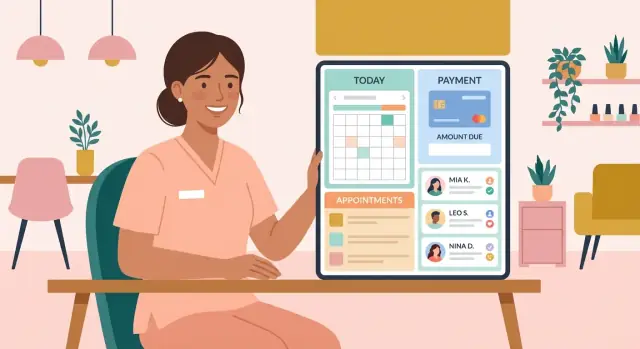
Define Goals, Users, and Scope
Before you choose tools or design screens, get clear on what the salon is trying to fix. Most nail salons don’t need “everything” on day one—they need a system that removes daily friction.
Start with the problems to solve
Write down the recurring issues your team complains about and turn them into goals. Common ones include:
- Double-bookings from juggling paper notes, DMs, and phone calls
- Missed or mismatched payments (cash vs. card, tips not recorded, deposits forgotten)
- Lost client notes (allergies, preferred shapes, “never book me with X,” etc.)
Be specific: “Stop double-bookings” is better than “Improve scheduling.”
Identify the users (and what each needs)
A nail salon web app typically serves four groups:
- Owner/manager: wants visibility (sales, no-shows, staff performance) and control (pricing, policies)
- Front desk: needs fast booking, easy rescheduling, and a clean daily calendar
- Nail techs: need their own schedule and client notes—without access to sensitive admin settings
- Customers: want self-serve booking, confirmations, and a simple way to rebook
Design around the busiest moment: a walk-in plus two phone calls plus checkout at the same time.
Define scope: must-have vs. nice-to-have
For the first release, prioritize:
- Service menu + durations + pricing
- Appointment booking/rescheduling + no-show policy settings
- Payments basics (deposit optional) + receipts
- Customer profiles + service history CRM notes
Nice-to-have later: memberships, inventory, multi-location, advanced marketing automation.
Choose success metrics you’ll track
Pick measurable outcomes, such as:
- Fewer no-shows (e.g., down 20% after adding deposits/reminders)
- Faster checkout (e.g., average under 60 seconds)
- More rebookings (e.g., increase “book again” rate within 30 days)
These metrics keep the build focused and help you decide what to improve next.
Map the Core Features for a Nail Salon
Before you write a single line of code, map the features your nail salon web app must support on day one—and what can wait. This keeps your appointment scheduling system simple, reduces training time, and prevents feature creep from delaying launch.
1) Appointments (the heart of online booking for salons)
Start with a flow that works for both clients and the front desk:
- Online booking: choose service → pick staff (optional) → select time → confirm
- Walk-ins: quick add with minimal fields (name + service + staff + start time)
- Rescheduling and cancellations: one-click changes, automatic status updates, and a clear record of who changed what
- No-show policy settings: deposits required, cancellation window, and whether repeat no-shows need manual approval
Make sure bookings prevent double-booking and account for service duration and buffer time (e.g., cleanup between clients).
2) Payments (salon payment tracking without headaches)
Payments don’t need to be complicated, but they must be consistent:
- Track card and cash payments per appointment
- Support deposits (especially for long services) and apply them at checkout
- Capture tips separately from service revenue for clean reporting
- Generate receipts and invoices (email and printable)
- Optional: gift cards (issue, redeem, balance)
Even if you integrate a payment provider later, design the flow so every appointment can be marked “paid,” “partially paid,” or “unpaid.”
3) Customer history CRM (the retention engine)
A lightweight customer history CRM should show, at a glance:
- Visit timeline (dates, services, staff)
- Preferences (shape, color notes, allergies/sensitivities)
- Common add-ons and repeat purchases
- Optional: photo attachments for reference (before/after or design inspiration)
4) Operations (what owners actually use daily)
Round out the core with a service menu and pricing editor, basic staff scheduling, and internal notes. Optional inventory notes are helpful, but keep them lightweight unless you’re building full stock management.
Design a Simple Data Model (What You Need to Store)
A nail salon app lives or dies by how cleanly it stores information. If you keep the data model simple and consistent, booking, payments, and customer history all become easier to build—and easier to trust.
The core entities (tables) you actually need
Start with the essentials, then add more only when you feel real pain:
- Customers: the people booking services
- Staff: technicians and front-desk/admin users
- Services: your menu (Gel manicure, acrylic fill, nail art add-on, etc.)
- Appointments: the scheduled work
- Payments: deposits, final payments, tips, and refunds
- Locations (optional): useful if you have multiple branches or rooms
Key fields that prevent daily chaos
A few fields carry most of the operational value:
- Service:
name,price,duration_minutes, and buffer time (e.g., 10 minutes for cleanup). Buffer time is what keeps your calendar realistic. - Appointment:
start_time,end_time(or computed from service duration + buffer),status(booked/checked-in/completed/no-show/canceled),customer_id,staff_id, andlocation_id. - Payment:
amount,type(deposit/final/tip/refund),method(card/cash), plus taxes, discounts, and a link to the appointment.
Linking records: model real-world behavior
Make it normal for one appointment to have multiple payments. Example: a $20 deposit online, then $45 in-store, then a $10 tip—plus a refund if something changes.
That means your Payments table should allow many rows per appointment_id, not a single “payment status” field on the appointment.
Audit trail basics (for accountability)
Even in a small salon, you’ll want to know what changed.
Store updated_at and updated_by on Appointments at minimum. If you want a stronger audit trail, add an AppointmentChanges log with: appointment_id, changed_by, changed_at, and a short change_summary (e.g., “Time moved 2:00 → 2:30”). This helps resolve disputes about no-shows, deposits, and last-minute edits.
Build the Appointment Booking and Calendar Flow
Your booking flow is the heart of a nail salon web app: it turns “I want nails” into a confirmed spot on the calendar without back-and-forth messages.
Start with clear booking rules
Before you design screens, define the rules the calendar must enforce:
- Service duration: each service (e.g., gel manicure, acrylic fill) needs a default time, with optional add-ons that extend it.
- Staff skill matching: only show technicians who can perform the selected service.
- Opening hours and breaks: block out lunch, cleaning time, and non-working days so customers never see impossible slots.
- Buffer time: add a configurable buffer (e.g., 10 minutes) between appointments for cleanup and prep.
Prevent conflicts (even under heavy clicking)
Conflict prevention should happen in two places:
- While browsing times: only display start times that don’t overlap existing appointments and respect buffers.
- At confirmation: re-check availability right before saving. Two people can select the same slot—your server must reject the second booking cleanly and prompt the customer to pick another time.
Customer-facing booking flow
Keep it simple and predictable:
Pick service → pick time → pick technician (optional) → confirm.
If a customer doesn’t care who does it, default to “Any available tech” so they see more time options.
Staff calendar flow
Staff need speed. Provide a day/week calendar where they can:
- create an appointment in a couple of clicks (service + customer + time)
- drag to reschedule (with the same conflict rules)
- edit quickly (notes, add-ons, deposit status)
A good next step is to connect it to integrations later (see /blog/integrations-calendar-messaging-payments), but get the core flow solid first.
Implement Payments, Deposits, Tips, and Receipts
Payments are where a salon app stops feeling like a calendar and starts feeling like a business tool. The goal is simple: reduce no-shows, make checkout quick, and keep records clean.
Deposits (no-show protection)
Decide when a deposit is required and make it predictable for customers:
- When required: common triggers are “new client,” “peak hours,” “appointments over 60–90 minutes,” or “high-cost services.”
- How much: either a fixed amount (e.g., $15–$30) or a percentage (e.g., 20–50%). Keep it consistent per service category.
- How it applies: store the deposit as a payment on the appointment, then automatically subtract it from the final bill at checkout.
Also add a setting for the cancellation window (e.g., 24 hours). If the deposit is forfeited, record that outcome explicitly (not as a “refund”).
Checkout flow (services → add-ons → tip → discounts)
At checkout, pre-fill what was booked, but allow quick edits:
- Services performed (from the service menu)
- Add-ons (nail art, chrome, repair, extra length)
- Discounts (promo code, loyalty, manager comp) with a required reason note
- Tip (suggested buttons: 15/20/25% + custom)
- Split payments (cash + card) if your salon needs it
Receipts (digital + printable)
Offer a receipt by email/SMS and a printable view for the front desk. Include: appointment date/time, itemized services, tip, discount, tax, deposit applied, and remaining balance.
Refunds and adjustments (audit-friendly)
Never overwrite payments. Create an adjustment record tied to the original payment (refund, partial refund, void, charge correction) with timestamp, staff member, and reason. This keeps totals accurate and makes disputes easier to resolve.
Create Customer Profiles and Service History
Customer profiles are where your app starts to feel personal rather than just a booking tool. A good profile helps the team deliver consistent results, spot patterns (like frequent no-shows), and make guests feel remembered—without relying on sticky notes or one person’s memory.
What to store in a customer profile
Keep the basics lightweight, but useful:
- Contact info: name, phone, email (so you can confirm appointments and send receipts)
- Birthday (optional): only if you have a clear use (e.g., birthday offers)
- Allergies and sensitivities: products to avoid, skin reactions, fragrance issues
- Preferences: favorite tech, preferred service length, “no gel,” “short square,” etc.
Make optional fields truly optional. The fastest profile is one created automatically after the first booking.
Build a service history that’s easy to scan
Your history view should answer: “What did we do last time?” and “How much does this customer usually spend?” Include:
- Past appointments: date/time, technician, status (completed/canceled/no-show)
- Services performed: service name, add-ons, duration
- Payment summary: total paid, deposit used, tips, refunds
- Behavior signals: no-show count and last no-show date
A small “at a glance” header (total spent, visits, last visit) saves staff time.
Notes templates (so notes stay consistent)
Free-text notes can become messy. Offer quick templates like:
- “Polish color:”
- “Shape:”
- “Length:”
- “Sensitive areas:”
- “Products used:”
Templates speed up entry and keep notes readable across the team.
Privacy controls for notes and photos
Not every staff member needs access to everything. Add role-based controls such as:
- Front desk: contact info + appointment history
- Technicians: preferences, allergies, service notes
- Managers/admin: full access, including no-show flags and spending totals
If you store photos, clearly label who can view them, and provide a simple delete option when requested.
Set Up Staff Roles and Permissions
A nail salon app needs different access levels so the right people can do their jobs—without everyone seeing revenue, refund tools, or private customer notes. Clear roles also make training easier because the app behaves consistently for each person.
Define the core roles
A practical starting set is:
- Owner/Admin: full access, including settings, payouts, refunds, and exports
- Manager: runs day-to-day operations without touching high-risk financial controls
- Receptionist: handles booking, rescheduling, confirmations, and walk-ins
- Nail Tech: focuses on their schedule and client details needed to deliver the service
What each role can do (and what they shouldn’t)
Keep permissions tied to real tasks:
- Edit schedule: owner/admin, manager, receptionist. Nail techs can request changes or move only their own appointments (optional).
- View revenue and reports: owner/admin; manager may see summary totals; receptionist and techs typically don’t.
- Access customer notes: receptionist and techs can view service-related notes (allergies, preferences). Limit editing of sensitive notes to manager/admin.
- Process refunds / delete records: restrict to owner/admin (or manager with extra approval).
Fast, secure staff login at the salon
If the front desk uses a shared tablet, add a PIN or tap-to-login staff switcher. Each person still has a unique account; the PIN simply speeds up sign-in. Auto-lock after inactivity prevents accidental access.
Activity logging for accountability
Log sensitive actions with who, what, when, and from which device—especially refunds, voids, price overrides, deleting appointments, and editing completed tickets. Make the log readable for owners and searchable by customer, date, and staff member.
Add Admin Dashboard and Reports
An admin dashboard is the home screen for owners and managers: one place to see what’s happening today, what needs attention, and whether the business is on track. Keep it simple—fast to load, readable on a tablet, and focused on actions.
Daily view (operations)
Start with a daily view that answers: “What do we need to do right now?” Include:
- Today’s schedule by time slot and technician, with quick filters (staff, service, status)
- Walk-ins: a lightweight add-walk-in button that drops them into the next available slot
- Unpaid balances: highlight appointments that were completed but not fully paid
- Late arrivals: a visible flag (e.g., 5–10 minutes late) and a note prompt for the front desk
This screen should enable one-click actions: mark as arrived, reschedule, refund/void, or send a reminder.
Reports that owners actually use
Avoid overwhelming charts. Provide a small set of reliable reports and make the date-range selector consistent everywhere.
Must-have reports:
- Revenue by day (with optional breakdown: services, tips, taxes)
- Top services (what sells, what’s trending)
- Staff utilization (booked hours vs. available hours)
Customer insights (to reduce gaps and no-shows)
Add a customer insights panel that’s easy to understand:
- Repeat rate (new vs. returning)
- Rebooking rate (how many book again within X days)
- No-show rate (and how it changes after reminders/deposits)
Exports and print summaries
Accounting and end-of-day routines still need files and paper. Offer:
- CSV export for accounting (daily sales, payouts, taxes)
- Simple print summaries (daily schedule, end-of-day totals)
If you need inspiration for a clean layout, keep your dashboard navigation consistent with the rest of the app (e.g., /admin/reports, /admin/schedule).
Choose a Tech Stack That Fits a Small Business
The best tech stack is the one your salon can afford to run and your team can actually maintain. Prioritize reliability, simple updates, and low monthly costs over fancy architecture.
Mobile-first web app vs. tablet-first front desk app
If most bookings happen through a link on Instagram/Google, go mobile-first: fast pages, big buttons, and a booking flow that works on small screens.
If your salon mainly books appointments at the counter, consider tablet-first for staff: larger calendar views, quick customer lookup, and fewer taps.
Many salons do both: a mobile-friendly customer booking site plus a staff-optimized admin screen.
Backend options: simple monolith vs. API + frontend
For a small business, a simple monolith (one codebase that serves pages and handles the database) is usually easier and cheaper. It’s quicker to build, easier to deploy, and simpler to debug.
An API + separate frontend can be useful if you already know you’ll need a mobile app later, multiple locations, or third-party partners. Otherwise, it often adds complexity early.
Database choice: relational DB for bookings and payments
Use a relational database (like PostgreSQL or MySQL). Appointments, staff schedules, deposits, tips, refunds, and receipts are all connected data. A relational DB makes it easier to enforce rules (no double-booking) and generate accurate reports.
Hosting basics: staging vs. production, backups, error monitoring
Set up two environments: staging (test changes) and production (live). Automate daily backups and practice restoring them.
Add error monitoring so you learn about failures before customers do (e.g., checkout errors or calendar sync problems). Even a simple setup should include uptime checks, logs, and a way to roll back.
If you want a practical checklist, keep one internal page like /blog/launch-checklist for “what to verify before updates.”
A faster path if you want to ship without a full dev pipeline
If your goal is to validate the workflow quickly (booking rules, deposits, receipts, staff roles) before investing months in custom engineering, a vibe-coding platform like Koder.ai can help you get a working version faster.
Koder.ai lets you build web apps through a chat-driven interface, with React on the frontend and a Go + PostgreSQL backend under the hood. It also supports source code export, hosting and deployment, custom domains, and snapshots with rollback—useful when you’re iterating on a live scheduling and payments flow. If you later outgrow the first version, you can keep the code and continue development on your own terms.
Integrations: Calendar, Messaging, and Payment Providers
Integrations are where your nail salon web app starts feeling real to clients and staff—bookings show up where people already look, messages go out automatically, and payments reconcile cleanly.
Calendar: optional two-way sync (Google/Apple)
A simple approach is one-way export (your app ➝ staff calendar) so appointments appear on a tech’s Google Calendar.
If you need fewer double-bookings and better visibility, add two-way sync so changes made in either place stay aligned.
Two-way sync needs clear rules:
- What happens if a staff member edits an appointment title or time in Google/Apple?
- Which calendar wins on conflicts?
- Do you sync only busy blocks or full details (client name, service)?
Because of privacy, many salons choose “busy” blocks for external calendars and keep client details inside the app.
Messaging: confirmations, reminders, and policy notices
Messaging integrations (SMS/email) reduce no-shows and save front-desk time. Minimum set:
- Booking confirmation with time, tech, location, and manage-booking link
- Reminder 24–48 hours before the appointment
- Late-cancel / no-show policy message when someone cancels too late
Keep templates short and consistent, and include opt-out handling for SMS.
Payments: provider selection and receipts
When integrating a payment provider, compare:
- Fees (card-present vs. online, plus fixed charges)
- Payout timing (same-day vs. 2–7 days) and whether instant payouts are available
- Built-in support for deposits, tips, partial refunds, and automatic receipts
Also decide whether receipts come from the provider, your app, or both—double receipts confuse clients.
If you’re planning these connections, outline what’s supported on /integrations, and be transparent about add-on costs on /pricing.
Security, Privacy, and Payment Handling Basics
Security doesn’t need to be complicated, but it must be deliberate. A nail salon web app typically stores names, phone numbers, appointment details, and sometimes photos or notes—enough that you should treat it as sensitive.
Protect customer data (the everyday essentials)
Use HTTPS everywhere so bookings, logins, and payment redirects are encrypted in transit.
For accounts, never store passwords in plain text—store only salted, hashed passwords (your framework can handle this).
Keep access on a least-privilege basis: staff should only see what they need to do their job. For example, a front desk role may manage appointments and take deposits, while only an owner/admin can view revenue reports or export customer data.
Payment security: store less, reduce risk
Do not store card numbers, CVV codes, or card-on-file details in your database. Instead, use a payment provider (like Stripe, Square, or similar) and rely on tokens/IDs returned by that provider.
Your app stores:
- the payment intent/charge ID
- the amount, status (paid/refunded), and timestamp
- what it was for (deposit, service total, tip)
This approach supports salon payment tracking, receipts and invoices, and refunds—without taking on card-storage risk.
Privacy for notes and photos
Customer notes (allergies, preferences) and photos of nail designs can be more sensitive than they seem. Limit who can view/edit them, log access in the admin area, and avoid storing unnecessary personal details.
If you allow uploads, restrict file types and sizes.
Operational safeguards that prevent headaches
Add rate limits to login and booking endpoints, enable account lockout after repeated failed logins, and trigger admin alerts for unusual activity (multiple lockouts, repeated failed payments, or sudden spikes in booking attempts). These small controls help protect your appointment scheduling system from abuse and reduce support issues.
Launch, Train the Team, and Improve Over Time
A successful launch is less about shipping everything and more about making sure the team can confidently book, take payment, and fix mistakes without calling you every five minutes.
Start with a small pilot
Before rolling out to every chair and every staff member, pilot the app with one location—or even one small team on a single shift. Pick a week with typical traffic (not a holiday rush).
During the pilot, track three things: booking errors, checkout issues, and time spent per client.
If you need a lightweight place to collect issues, create a shared list and tag each item as “bug,” “training,” or “feature request.”
Staff training checklist (keep it practical)
Run a 45–60 minute session with real scenarios (walk-ins, late arrivals, deposits, and reschedules). Make sure everyone can do the basics:
- Create, move, and cancel a booking (and understand no-show policy settings)
- Take checkout: payment, deposit application, tip, and receipts/invoices
- Edit mistakes safely: wrong service, wrong staff, time changes
- Handle refunds/voids (and when to escalate to a manager)
- Add customer notes (allergies, preferred tech, design references)
Plan the migration, don’t wing it
If the salon already has a contact list or another system, plan an import for existing customers and future appointments only.
Validate a small batch first (e.g., 50 customers, next week’s bookings), then import the rest. Keep the old system read-only for 30 days as a fallback.
Improve with weekly feedback loops
For the first month, review feedback every week and prioritize fixes/features by:
- revenue impact (booking + checkout), 2) frequency, 3) risk (payment errors first).
Publish short release notes in a staff channel and add a simple “What changed?” page at /help so training doesn’t reset every update.
Optional: turn your build into credits (if you’re documenting the journey)
If you’re writing about your build process—requirements, screenshots, launch lessons—consider sharing that content publicly. Platforms like Koder.ai run an earn-credits program for creating content, and also offer referral links if you introduce other owners or builders who want to ship faster. It’s not required for success, but it can offset early tooling costs while you iterate.
FAQ
What should a nail salon web app include in the first release?
Start by listing the recurring daily problems (e.g., double-bookings, missed deposits, lost client notes) and turn each into a measurable goal.
A practical “v1” scope is usually:
- Service menu with durations/prices (plus buffer time)
- Booking/rescheduling/cancellation with no-show rules
- Payments tracking (deposit optional) + receipts
- Customer profiles + service history notes
Who are the main users of a nail salon app, and what does each need?
Design around the real users and their busiest moments:
- Owner/manager: reports, settings, policies, visibility
- Front desk: fast booking/rescheduling and a clean daily calendar
- Nail techs: their schedule + client notes (without admin access)
- Customers: self-serve booking, confirmations, and easy rebooking
Role clarity reduces training time and prevents accidental access to sensitive tools (like refunds).
How do you reliably prevent double-bookings in the calendar?
Prevent conflicts in two layers:
- While browsing: only show times that fit service duration + buffer and don’t overlap existing appointments.
- At confirmation: re-check availability server-side right before saving.
Even if two people click the same slot, the server should reject the second booking and return a clear “that time was just taken—pick another” message.
Why is buffer time important, and how should it be implemented?
Buffer time makes the calendar realistic (cleanup, prep, late arrivals). Store it as part of scheduling rules, not as a manual habit.
Common approaches:
- Add
buffer_minutesper service (or per location) - Compute
end_time = start_time + duration + buffer - Apply the same rules for online booking and drag-to-reschedule
What’s a simple, scalable data model for appointments and payments?
Keep the data model small and consistent. A typical core set is:
- Customers
- Staff
- Services
- Appointments
- Payments
Key modeling rule: allow multiple payments per appointment (deposit, final payment, tip, refund). Don’t rely on a single “paid/unpaid” field when real behavior includes partials and adjustments.
How should deposits and no-show policies work in the app?
Make deposit rules predictable and configurable:
- When required: new clients, peak hours, long/high-cost services
- How much: fixed amount or percentage per service category
- How it applies: store as a payment record and automatically subtract at checkout
Also track a cancellation window (e.g., 24 hours) and record forfeited deposits explicitly so reporting stays accurate.
What’s the best way to handle tips, split payments, and receipts?
Use a consistent checkout flow and keep edits fast:
- Services performed (prefill from booking)
- Add-ons
- Discounts (require a reason note)
- Tip (separate from service revenue)
- Optional split payment (cash + card)
Receipts should be available as email/SMS and a printable view, itemizing services, tax, discount, tip, deposit applied, and remaining balance.
How do roles and permissions typically work in a salon app?
Start with clear roles and restrict high-risk actions:
- Refunds/voids/deletes: owner/admin (or manager with approval)
- Revenue reports/exports: owner/admin (manager may get summaries)
- Appointment editing: front desk/manager; techs limited to their own (optional)
Add an activity log for sensitive actions (who/what/when/from where). This helps resolve disputes about deposits, no-shows, and edits.
Which integrations matter most (SMS, calendars, payments), and when should you add them?
Add integrations only when the core booking + payment flows are stable.
Common first integrations:
- SMS/email: confirmations, reminders, policy notices (with opt-out for SMS)
- Calendar: one-way export first; two-way sync only with clear conflict rules
- Payments: choose based on fees, payout timing, support for deposits/tips/refunds
Decide whether receipts come from your app, the provider, or one source only to avoid duplicate receipts.
What’s a safe way to launch the app and migrate existing data?
Keep launch risk low with a pilot and a clean migration plan:
- Pilot with one shift/team and track booking errors + checkout issues
- Import customers and future appointments only; validate a small batch first
- Keep the old system read-only for ~30 days
Track success metrics like no-show rate, average checkout time, and rebooking rate to guide what to improve next.