

Building a Subscription Box Web App for Orders & Logistics
Learn how to plan, build, and launch a web app for subscription box brands to manage subscribers, orders, inventory, shipping, delivery tracking, and returns.
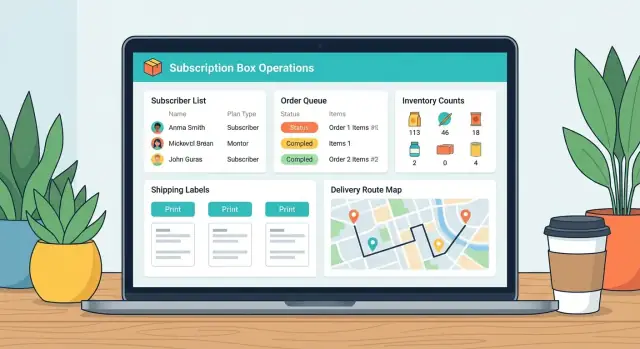
What a Subscription Box Ops App Should Solve
A subscription box “orders + logistics” app is the control center that turns recurring payments into real boxes that leave the warehouse on time—every cycle, with minimal surprises. It isn’t just an order list: it’s where subscription status, inventory reality, warehouse work, and shipping proof meet.
What “orders + logistics” means in practice
Subscription operations sit between three moving parts: recurring renewals, limited inventory, and time-boxed shipping windows. Your app should translate “this customer renews on the 1st” into “these items must be allocated, kitted, packed, labeled, and scanned by Tuesday.”
Pain points the app should eliminate
Teams usually struggle with:
- Missed renewals: subscriptions that should generate an order but don’t (or generate twice), causing revenue loss or angry customers.
- Stockouts and overselling: inventory updates happening too late, or not tied to allocations for upcoming cycles.
- Label errors: wrong address, wrong service level, duplicates, or mismatched weights leading to carrier adjustments.
- Late shipments: unclear cutoffs, no prioritization, and no single view of what’s blocked vs. ready.
Who it’s for (and what each role needs)
An ops manager needs a high-level view: what’s shipping this week, what’s at risk, and why.
Warehouse staff need a simple, scan-friendly workflow: pick lists, kitting batches, packing steps, and instant feedback when something is off.
Support teams need fast answers: where is the box, what was inside, and what can be replaced—without pinging the warehouse.
What success looks like
Success is measurable: fewer manual steps, fewer exceptions per batch, and clearer tracking from renewal → order → shipment. A strong signal is when your team stops living in spreadsheets and starts trusting one system to tell the truth.
Define Your Business Model and Workflows
Before you design screens or tables, get precise about what you’re actually selling and how it moves from “someone subscribed” to “box delivered.” Subscription box businesses can look similar from the outside, but operationally they vary a lot—and those differences dictate your app’s rules.
Map the end-to-end flow
Write down your real flow as a sequence of states your team recognizes: signup → renewal → pick/pack → ship → delivery → support. Then add who owns each step (automation, warehouse, support team) and what triggers the next step (time-based schedule, payment success, stock availability, manual approval).
A useful exercise is to note where work currently happens: spreadsheets, email, a 3PL portal, carrier sites, payment dashboards. Your app should reduce context switching—not just “store data.”
Identify your box types (and what they imply)
Different box types create different data and rules:
- Curated boxes: you decide the contents; customers choose plan and frequency.
- Build-your-own: customers select items; you need a product configurator, constraints, and inventory reservation.
- Replenishment: predictable SKUs; strong focus on renewal timing and stock forecasting.
- Seasonal drops: bursty demand; preorders, cutoff dates, and batch fulfillment.
Document which choices customers can make (size, variants, add-ons) and when those choices lock.
Choose a fulfillment model
Your workflows depend heavily on where fulfillment happens:
- In-house: kitting steps, pick lists, station assignments, and label printing matter.
- 3PL: you’ll likely push orders and item manifests out, then ingest tracking and inventory updates back.
- Mixed: split shipments, multiple warehouses, and routing rules become first-class requirements.
List edge cases up front
Most complexity lives in exceptions. Capture policies for skips, swaps, gift subscriptions, address changes (especially near cutoff), failed payments, replacement shipments, and partial inventory shortages. Turning these into explicit rules early prevents “secret workflows” that only exist in someone’s inbox.
Core Data Model: Subscribers, Subscriptions, Orders, and Shipments
A clean data model is the difference between an order management system that “mostly works” and subscription box software your team can trust during peak fulfillment weeks. The goal is simple: every box, charge, pick list, and tracking number should be explainable from the database.
Subscribers vs. subscriptions (don’t merge them)
A Subscriber is the person (or business) you serve. Keep their identity stable even if they pause, switch plans, or run multiple subscriptions.
A Subscription represents the commercial agreement: plan, cadence (weekly/monthly), status (active/paused/canceled), and the key operational dates: next_bill_at and next_ship_at. Store shipping address history separately so old orders remain auditable.
Practical tip: model cadence as rules (e.g., “every 4 weeks on Monday”) rather than a single interval, so exceptions (holiday shifts, “skip next box”) can be recorded without hacks.
Product catalog and box composition
Your catalog should support:
- SKUs and variants (size, scent, color)
- Bundles (a sellable set) vs. kitting (how you physically assemble the box)
- “Box items” that can change over time (seasonal inserts, limited runs)
In practice, you’ll want a BoxDefinition (what’s supposed to be inside) and BoxItem lines with quantities and substitution rules. This is where inventory tracking and fulfillment accuracy usually break down if it’s oversimplified.
Orders: subscription order vs. shipment orders
Separate “what was purchased” from “what got shipped.”
- A parent subscription order (sometimes called a renewal order) captures the billing event and the intended contents.
- One or more shipment orders represent fulfillment units: the warehouse pick/pack work for each package.
This matters when you split shipments (backorders), ship add-ons separately, or replace a damaged box without re-billing.
Inventory and reservations
Inventory needs more than “quantity.” Track:
- on_hand (physically present)
- reserved (allocated to upcoming shipment orders)
- available_to_promise (on_hand − reserved)
- locations (bin/shelf/3PL warehouse)
Reservations should be tied to shipment order lines, so you can explain why something is unavailable.
Shipments and tracking events
A Shipment should store carrier, service level, label identifiers, and tracking number, plus a stream of tracking events (accepted, in transit, out for delivery, delivered, exception). Normalize delivery status so customer support can filter quickly and trigger replacements when needed.
Subscription Logic and Renewal Rules
Subscription box operations get messy when billing dates, shipping cutoffs, and customer requests aren’t governed by clear rules. Treat “subscription logic” as a first-class system, not a handful of flags.
Subscription lifecycle states
Model the lifecycle explicitly so everyone (and every automation) speaks the same language:
- Trial: customer is evaluating; you may or may not ship.
- Active: eligible to renew and generate shipments.
- Paused: billing may stop; shipments must stop.
- Cancelled: no future renewals; define whether the current cycle ships.
- Past due: payment failed; behavior depends on dunning settings.
The key is to define what each state allows: can it renew, can it create an order, can it be edited without approval?
Renewal rules and cutoffs
Renewals should be governed by two separate cutoffs:
- Billing cutoff: the latest time a customer can be charged for the next cycle.
- Shipment cutoff: the latest time changes affect the upcoming box (plan, address, add-ons).
Keep these configurable per cadence (monthly vs. weekly) and per product line if needed. If you offer proration (e.g., upgrading mid-cycle), keep it optional and transparent: show the calculation and store it with the renewal event.
Skips, swaps, and approvals
Customers will ask to skip a cycle or swap items. Treat these as rule-driven exceptions:
- What can be self-serve vs. what requires staff approval?
- How close to shipment cutoff are changes allowed?
- Do swaps affect inventory reservations immediately?
Dunning basics (failures without chaos)
When a charge fails, define: retry schedule, notifications, and the point at which you pause shipments (or hold the order). Don’t let unpaid subscriptions silently keep shipping.
Audit trail
Every change should be traceable: who changed what, when, and from where (admin vs. customer portal). Audit logs save hours when reconciling billing disputes or “I didn’t cancel” claims.
Order Management Workflow for Monthly and Weekly Cycles
Your order workflow needs to handle two rhythms at once: predictable “box cycles” (monthly) and faster repeat shipments (weekly). Design one consistent pipeline, then tune batching and cutoffs per cycle.
A clear, shared order status system
Start with a small set of statuses that every team member understands and that map to real work:
- Created (order generated from subscription or manual)
- Paid (successful charge or marked as prepaid)
- Queued (approved for fulfillment and assigned to a cycle)
- Picked (items/kits collected)
- Packed (boxed, inserts added, weight/dimensions confirmed)
- Shipped (label purchased, tracking assigned)
- Delivered (carrier-confirmed)
Keep statuses “truthy”: don’t mark Shipped until a label exists and the carrier tracking number is saved.
Batching strategies that fit monthly vs. weekly
Batching is where ops apps save hours. Support multiple batch keys so teams can choose what’s most efficient:
- By ship date (best for weekly cycles and SLAs)
- By warehouse zone (reduces walking time)
- By box type (monthly themes, different inserts, cold-pack vs. standard)
- By carrier/service (Ground vs. Priority, international vs. domestic)
Monthly cycles typically batch by box type + ship window, while weekly cycles often batch by ship date + zone.
Pick/pack flows: scan-based vs. checklist-based
Offer two fulfillment modes:
- Scan-based: fast and accurate at scale; requires barcodes and a simple “scan item → confirm quantity → scan bin/box” flow.
- Checklist-based: faster to launch; ideal for kitting and low SKU-count boxes.
You can support both by storing the same fulfillment events (who picked what, when, and from which location).
Handling edits after cutoffs
Edits happen: address changes, skipped boxes, upgrade requests. Define cutoffs per cycle and route late changes predictably:
- Reroute to next cycle (default)
- Manual review queue (for VIPs, one-off exceptions)
Exception queues that keep work moving
Create a dedicated queue with reasons and next actions for:
- Failed payments (retry schedule, customer notification)
- Address issues (invalid ZIP, undeliverable, missing apartment)
- Stock problems (substitution rules, backorder to next cycle)
Treat exceptions as first-class: they need ownership, timestamps, and an audit trail—not just notes.
Inventory and Kitting for Subscription Boxes
Inventory is where subscription box operations either stay calm or turn chaotic. Treat stock as a live system that changes with every renewal, add-on, replacement, and shipment.
When to reserve inventory
Decide exactly when items are “spoken for.” Many teams reserve inventory when an order is created (e.g., at renewal time) to prevent overselling, even if payment happens later. Others reserve only after payment succeeds to avoid locking stock for failed payments.
A practical approach is to support both as configuration:
- Reserve on order creation for limited drops or tight supply.
- Reserve on payment for higher churn products where failures are common.
Under the hood, track On hand, Reserved, and Available (Available = On hand − Reserved). That keeps reporting honest and prevents customer support from promising items that are already allocated.
Kitting, bundles, and component consumption
Subscription boxes are rarely “1 SKU = 1 shipped item.” Your inventory system should support:
- Box SKU (bundle) that is fulfilled as a set
- Component SKUs consumed when the bundle is packed
When a bundle is added to an order, reserve (and later deduct) the component quantities, not just the box label SKU. This avoids the classic error where the system says “we have 200 boxes,” but you’re missing one key insert.
Forecasting upcoming cycles
Forecasting should be driven by upcoming renewals and expected item usage, not just last month’s shipments. Your app can project demand from:
- Active subscriptions scheduled to renew
- Known “next box” configurations (including swaps)
- Expected churn/payment failure rates (optional, but helpful)
Even a simple “next 4 weeks” view by SKU can prevent rush orders and split shipments.
Receiving, adjustments, and low-stock controls
Make receiving fast: purchase order intake, partial receipts, and lot/expiry tracking if you need it. Also include adjustments for damaged goods, mispicks, and cycle counts—each adjustment should be auditable (who, when, why).
Finally, configure low-stock alerts and reorder points per SKU, ideally based on lead time and forecasted consumption, not a one-size-fits-all threshold.
Shipping, Labeling, and Carrier Integrations
Shipping is where subscription box operations either feel smooth—or chaotic. The goal is to turn “an order is ready” into “a label is printed and tracking is live” with as few clicks (and as few mistakes) as possible.
Address validation and label-ready formatting
Don’t treat addresses as plain text. Normalize and validate them at two points: when customers enter them, and again right before label purchase.
Validation should:
- Catch missing apartment/unit numbers and invalid postal codes
- Standardize formatting (USPS/Canada Post rules, country-specific formats)
- Store both the original and the corrected version for audit/support
Choose rate shopping vs fixed services
Decide what you need first, because it affects UX and integrations.
- Fixed services (e.g., “UPS Ground only”) are faster: your packing team prints labels without decisions.
- Rate shopping helps when costs vary by region/weight, but adds complexity: you’ll need a “recommended service” plus an override flow.
Many teams start with fixed services for the MVP and add rate shopping later once weights and zones are predictable.
Documents: labels, packing slips, customs
Your label flow should generate:
- Shipping labels (PDF/ZPL)
- Packing slips (your branding, box contents, customer notes)
- Customs forms for international shipments (HS codes, item value, country of origin)
If you support international shipping, build “data completeness” checks so customs-required fields can’t be skipped.
Tracking ingestion and delivery updates
Create a background job that ingests tracking events from carriers (webhooks when possible, polling as a fallback). Map raw carrier statuses into simple states like Label Created → In Transit → Out for Delivery → Delivered → Exception.
Shipping rules and restrictions
Bake rules into shipping selection: weight thresholds, box sizes, hazardous items, and regional restrictions (e.g., air service limitations). Keeping these rules centralized prevents last-minute surprises at the packing station.
Returns, Replacements, and Customer Support Tools
Returns and support are where ops apps either save hours a day or quietly create chaos. A good system doesn’t just “log a ticket”—it connects RMAs, shipment history, refunds, and customer messages so a support agent can decide fast and leave a clear audit trail.
A returns workflow your warehouse can actually use
Start with an RMA (Return Merchandise Authorization) that can be created by support or (optionally) by the customer from a portal. Keep it lightweight, but structured:
- RMA creation: link to subscriber, order, and shipment; capture item(s), quantity, and photos if needed
- Reason codes: wrong item, damaged in transit, missing item, changed mind, late delivery, other
- Inspection outcomes: unopened/restockable, opened/not restockable, damaged, incomplete, fraud suspected
From there, drive the next step automatically. For example, “damaged in transit” can default to “replacement shipment,” while “changed mind” can default to “refund pending inspection.”
Replacement shipments and reship rules
Replacements shouldn’t be manual re-orders. Treat them as a specific order type with clear rules:
- Reship once policy (or per SKU/per customer limits)
- Address verification before printing a new label
- Kitting rules: replace full box vs. specific missing/damaged components
- Carrier exception handling: reship only after a “delivered” scan is missing for X days
Critically, the app should show original shipment tracking next to replacement tracking so agents stop guessing.
Refunds, credits, and support notes
Support needs a guided decision: refund to original payment, store credit, or “no refund” with a reason. Tie that decision to the RMA outcome and capture support notes (internal) plus what was communicated to the customer (external). This keeps finance and ops aligned and reduces repeat tickets.
Customer communication templates that reduce tickets
Templates save time, but they’re only useful when they pull in live data (box month, tracking link, ETA). Common templates:
- Order shipped (tracking + what to do if it doesn’t arrive)
- Delayed (new ship date + apology credit rules, if any)
- Delivered (how to report a missing box, cutoff dates)
Keep templates editable per brand voice, with merge fields and a preview.
SLA reporting: ship speed and resolution speed
Add simple reporting that ops will check weekly:
- Time to ship: order created → label printed → carrier scan
- Time to resolve tickets: ticket opened → first response → closed
These metrics help spot whether issues come from warehouse throughput, carrier performance, or support staffing—without digging through spreadsheets.
Admin Dashboard UX That Helps Teams Move Faster
A subscription box business lives or dies by operational rhythm: pick, pack, ship, repeat. The admin dashboard should make that rhythm obvious—what needs to happen today, what’s blocked, and what’s quietly turning into a problem.
Role-based views (without building separate apps)
Start by defining a few common roles and tailoring defaults, not capabilities. Everyone can use the same system, but each role should land on the most relevant view.
- Warehouse: today’s shipments, pick lists, label queue, kitting tasks, “can’t ship” exceptions
- Support: subscriber search, recent orders, tracking, replacements, address changes, cancellations
- Finance: failed payments, refunds, chargeback flags, revenue summaries, unfulfilled liability
- Manager: backlog trends, low stock, exceptions, cycle readiness (“are we on track for this week/month?”)
Keep permissions simple: roles control what actions are allowed (refunds, cancellations, overrides), while the dashboard controls what’s emphasized.
Dashboard essentials that reduce “status meetings”
Make the homepage answer four questions instantly:
- What ships today? Count by carrier/service, plus a “ready to label” queue.
- What’s stuck? Exceptions like invalid address, payment issue, out-of-stock, returned-to-sender.
- What will break next? Low stock alerts tied to upcoming cycles, not just on-hand quantity.
- What’s piling up? Backlog by age (e.g., 0–1 days, 2–3 days, 4+ days) so urgency is clear.
A small but powerful detail: every tile should be clickable into a filtered list, so teams can go from “there’s a problem” to “here are the exact 37 orders” in one click.
Search, filters, and fast record pages
Admins don’t browse—they hunt. Offer a universal search box that accepts:
- subscriber name/email/phone
- order number
- SKU
- tracking number
Then make list views filterable with saved presets (e.g., “Ready to ship – this week”, “Exceptions – address”, “Unpaid renewals”). On detail pages, prioritize “next action” buttons (reprint label, change ship date, reship, cancel/resume) above long histories.
Bulk actions for real warehouse speed
Subscription operations are batch operations. Support the high-impact bulk tools:
- Batch print labels from a filtered queue
- Move ship dates for a group (holiday delays, carrier disruptions)
- Cancel/resume subscriptions or orders in bulk (with safeguards and a confirmation summary)
Always show a preview: how many records will change, and what exactly will be updated.
Accessibility and mobile-friendly warehouse pages
Warehouse teams often use tablets or shared computers. Design for large touch targets, high contrast, and keyboard-friendly scanning workflows.
Use a mobile-friendly “shipping station” page with a minimal layout: scan order → confirm contents → print label → mark shipped. When the UI respects the physical workflow, errors drop and throughput rises.
Architecture and Tech Stack for Reliability
A subscription box ops app lives or dies on consistency: renewals must run on time, orders can’t duplicate, and warehouse actions need a fast, predictable UI. The goal is less “fancy tech” and more “boring correctness.”
Pick a stack: monolith or API + frontend
For most early teams, a modular monolith is the quickest path to reliability: one codebase, one deployment, one database, clear internal boundaries. It reduces integration errors while you’re still learning your workflows.
Choose API + frontend (e.g., backend service + separate React app) when you have multiple clients (admin web + warehouse mobile) or multiple teams shipping independently. The tradeoff is more moving parts: auth, versioning, and cross-service debugging.
If you want to prototype the admin UI and workflow quickly before committing to a full build, a vibe-coding platform like Koder.ai can be useful for generating a React-based admin app and a Go + PostgreSQL backend from plain-language requirements (with features like planning mode, source export, and rollback snapshots). It won’t replace operational design work, but it can drastically shorten the time from “workflow doc” to a working internal tool you can test in the warehouse.
Core modules to separate early
Even in a monolith, treat these as distinct modules:
- Billing (plans, invoices, payment status)
- Orders (order creation, edits, holds, cancellations)
- Inventory (stock, reservations, adjustments)
- Shipping (labels, manifests, tracking)
- Notifications (email/SMS, internal alerts)
Clear boundaries make it easier to evolve without rewriting everything.
Database: why relational usually wins
Ops data is relationship-heavy: subscribers → subscriptions → orders → shipments, plus inventory reservations and returns. A relational database (PostgreSQL/MySQL) fits naturally, supports transactions, and makes reporting straightforward.
Background jobs, webhooks, and idempotency
Put time-based and external-work tasks in a job queue:
- Renewals and order generation
- Label creation and tracking sync
- Low-stock alerts and customer notifications
For payment and carrier webhooks, design endpoints to be idempotent: accept repeated events without double-charging or creating duplicate orders. Store an idempotency key (event ID / request ID), lock around “create order/charge,” and always log outcomes for audit and support.
Security, Payments, and Operational Reliability
Security and reliability aren’t “nice to have” for subscription box software—ops teams depend on accurate order data and customers trust you with personal information.
Protect customer data (and your team)
Start with least-privilege access. Most staff should only see what they need: for example, warehouse users can pick/pack without viewing full customer profiles, while support can issue replacements without editing billing settings.
Use secure sessions (short-lived tokens, rotation, CSRF protection where relevant) and require 2FA for admins. Add audit logs for sensitive actions: address edits, order cancellations, refund approvals, inventory adjustments, and role changes. Audit logs should record who did what, when, and from where (IP/device).
Payments: integrate, don’t reinvent
Use a payment provider (Stripe, Adyen, Braintree, etc.) for subscription billing and customer payment methods. Do not store card data yourself—store only provider tokens/IDs and the minimum billing metadata you need for operations.
Design for payment edge cases: failed renewals, retries, dunning emails, and “pause/skip” changes. Keep the “source of truth” clear—often the provider owns payment state while your app owns fulfillment state.
Data retention and exports for operations
Define retention rules for PII (addresses, phone numbers) and logs. Provide export tools so operations can pull orders, shipments, and inventory snapshots for reconciliation and vendor handoffs.
Monitoring, backups, and recovery drills
Set up error tracking and alerting for job failures (renewal runs, label generation, inventory reservations). Monitor carrier API uptime and latency so you can quickly switch to manual label flows when needed.
Back up critical order and shipment data regularly, and run recovery tests—not just backups—to verify you can restore within your required timeframe.
MVP Build Plan, Testing, and Launch Checklist
An MVP for subscription box operations should prove one thing: you can run a complete shipping cycle end-to-end without heroics. Start with the smallest feature set that moves a subscriber from “active” to “box delivered,” and postpone anything that doesn’t directly affect that flow.
MVP scope: the minimum to ship one cycle
Focus on one box type, one cadence (monthly or weekly), and one warehouse workflow.
Include:
- Subscriber list with status (active, paused, canceled)
- Subscription plan rules (renew date, cutoff date, next ship date)
- “Generate orders” for a cycle + a simple pick/pack status
- Inventory reservation for box components (even if basic)
- Create shipments and print labels (one carrier integration is enough)
- Exception handling: address fix, skip order, replacement order
Testing strategy that matches real operations
Prioritize tests that mirror mistakes and edge cases you’ll see in production.
- Renewal simulations: run multiple cycles in a sandbox (pauses, failed payments, mid-cycle plan changes) and confirm order counts match expectations.
- Inventory reservation tests: create orders that compete for the same SKUs; verify no negative stock and clear “shortage” reporting.
- Label tests: validate address formatting, service selection, and label generation for domestic and the trickiest region you ship to.
Migration plan (from spreadsheets or another tool)
Do a “minimum viable import” first:
- Import subscribers, current subscription status, and next ship date.
- Import a starting inventory count per SKU.
- Freeze edits in the old system during the first live cycle, then backfill historical orders later if needed.
Rollout plan: start narrow, expand safely
Pilot with one box type or one region for 1–2 cycles. Keep a manual fallback (exportable order list + label reprint) until your team trusts the new workflow.
Metrics to track after launch
Track a few signals weekly:
- On-time shipment rate (shipped by promised date)
- Exception rate (orders needing manual intervention)
- Support volume (tickets per 100 shipments, top reasons)
If exception rate spikes, pause feature work and fix workflow clarity before scaling to more plans or regions.
FAQ
What should a subscription box orders + logistics app actually solve?
It should connect the full chain from renewal → order → inventory allocation → pick/pack → label → tracking, so each cycle runs on schedule.
At minimum, it should prevent missed/duplicate renewals, overselling, label mistakes, and “what’s blocked vs ready?” confusion.
Why should Subscribers and Subscriptions be separate entities?
Separate them so you can keep customer identity stable while subscriptions change.
- Subscriber: the person/company (one record even if they pause, switch plans, or have multiple subscriptions).
- Subscription: the commercial rules (plan, cadence, status, next bill/ship dates).
How do you handle billing cutoffs vs shipment cutoffs?
Use two cutoffs and make them configurable per cadence:
- Billing cutoff: last moment to charge for the next cycle.
- Shipment cutoff: last moment changes affect the upcoming box (address, plan, add-ons, swaps).
Route post-cutoff changes into either “next cycle” or a manual review queue.
What subscription lifecycle states should the app support?
Use explicit states and define what each state allows:
- Trial (may or may not ship)
- Active (can renew and create orders)
- Paused (no renewals/shipments)
- Cancelled (no future renewals; decide current-cycle behavior)
- Past due (payment failed; hold shipments per dunning rules)
This avoids “mystery flags” and inconsistent automation.
What inventory fields are required to avoid stockouts and overselling?
Track more than a single quantity:
- on_hand (physical stock)
- reserved (allocated to shipment order lines)
- available_to_promise (on_hand − reserved)
- location (bin/shelf/warehouse)
Tie reservations to specific shipment order lines so you can explain shortages and prevent overselling.
Why split subscription orders from shipment orders?
Separate “what was purchased” from “what was shipped.”
- Parent subscription order: billing event + intended contents.
- Shipment order(s): fulfillment units (packages) that get picked/packed and labeled.
This is essential for split shipments, add-ons shipped separately, and replacements without re-billing.
How should the app handle curated boxes, bundles, and kitting?
Model bundles as a sellable unit but reserve/deduct component SKUs during fulfillment.
Otherwise you’ll see false availability (e.g., “200 boxes available”) even when one insert or variant is missing.
What pick/pack workflow works best: scan-based or checklist-based?
Support both, but store the same underlying fulfillment events.
- Scan-based: best at scale; requires barcodes and a simple scan-confirm flow.
- Checklist-based: quicker to launch; works for low SKU-count boxes and manual kitting.
Either way, record who did what, when, and from which location.
What’s essential for shipping, labeling, and tracking integrations?
Shipping should be “label-ready” by design:
- Validate/normalize addresses at entry and again before label purchase.
- Save carrier, service level, label IDs, tracking number.
- Ingest tracking events (webhooks preferred; polling fallback) and map them to simple states.
Don’t mark an order Shipped until a label + tracking exists.
How do you design exception handling, returns, and replacements without chaos?
Build exception queues with ownership, timestamps, and next actions:
- Failed payments (dunning schedule + shipment holds)
- Address problems (invalid ZIP, missing unit)
- Stock issues (substitute, backorder, move to next cycle)
For support, tie RMAs/replacements/refunds to the original order + shipment so agents can answer “what shipped and where is it?” without asking the warehouse.