

How to Build a Web App for Supplier RFQs and Quote Comparison
Learn how to design and build a web app for RFQs, supplier responses, and quote comparisons—data model, workflows, UI, security, and rollout tips.
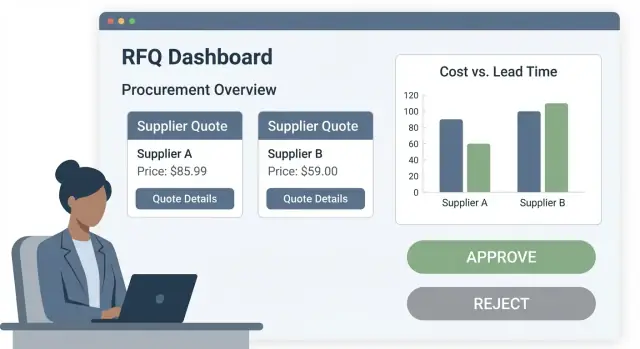
Scope the RFQ and Quote Comparison Workflow
Before you design screens or pick a tech stack, lock down what the workflow must do end to end. A clear scope prevents “RFQ creep” (every team adding their own edge cases) and makes your first release immediately usable.
Main users and what they need
Start by naming the primary roles and the boundaries between them:
- Buyers create RFQs, manage supplier invitations, answer questions, and review quotes.
- Approvers review shortlisted options, ensure policy compliance, and sign off on awards.
- Suppliers receive invitations, submit quotes, upload supporting documents, and revise responses.
- Admins configure templates, currencies/tax rules, permission sets, and audit requirements.
Core jobs (the non-negotiables)
Your MVP workflow typically includes:
- Create RFQs (items, quantities, delivery sites, requested terms).
- Invite suppliers (by email or portal access) and track who has viewed/responded.
- Receive quotes (line-item pricing plus attachments and notes).
- Compare and award (normalize data, shortlist, recommend, and finalize the supplier).
Define what “comparison” means
“Side-by-side” can mean very different things across organizations. Decide upfront which dimensions are first-class:
- Price (unit price, total, discounts, tiered pricing)
- Lead time (manufacturing + shipping, promised delivery date)
- Commercial terms (payment terms, warranty, returns)
- Quality and risk (certifications, past performance, supplier risk flags)
Constraints that affect everything
Capture hard requirements early because they shape your data model and UI:
- Multi-currency quotes with exchange rates (spot vs fixed-at-award)
- Taxes and duties (inclusive/exclusive pricing; regional tax rules)
- Incoterms (EXW/FOB/CIF, etc.) and shipping responsibility
- Attachments (spec sheets, compliance docs) with size/type limits
- SLAs and deadlines (question period, submission cutoff, revision window)
Once these are agreed, you can design the workflow states and permissions with far fewer surprises.
Design the Process: States, Roles, and Notifications
A clear RFQ process is the difference between “everyone thinks it’s done” and a workflow your team can trust. Before building screens, define the states your RFQ can move through, who can move it, and what evidence must exist at each step.
Map the end-to-end stages
Keep states simple, but explicit:
- Draft: internal preparation; suppliers can’t see anything.
- Sent / Open: RFQ is published to selected suppliers; submission window is open.
- Q&A: suppliers ask questions; answers are shared fairly (often to all invited suppliers).
- Closed: quotes received (or deadline passed); supplier editing is locked.
- Evaluated: buyers normalize and compare offers.
- Awarded: decision recorded and communicated.
- Archived: RFQ is retained for audit; changes require a formal exception.
Required artifacts per stage
Define what must be attached or captured before the RFQ can advance:
- RFQ pack (specs, terms, delivery requirements) required to move from Draft → Sent/Open.
- Addenda for any change after sending (with versioning).
- Supplier quote (files and/or line items) required for Closed.
- Clarifications captured as threaded messages tied to the RFQ and supplier.
This makes the app enforce good habits: no “sent without attachments,” no “award without an evaluation record.”
Roles and approvals
At minimum, model: Requester, Buyer, Approver, Supplier, and optionally Finance/Legal. Decide approval gates early:
- RFQ publish approval (Draft → Sent/Open) for high-value or sensitive categories.
- Award approval (Evaluated → Awarded), including rule-based routing (amount thresholds, single-source awards).
- Exceptions (late quotes, spec changes after Sent/Open) requiring explicit sign-off.
Notifications and reminders
Tie notifications to state changes and deadlines:
- Supplier invites on Sent/Open, plus deadline reminders.
- Q&A alerts to buyers and suppliers when a message is posted.
- Internal reminders when Closed has all quotes and evaluation is overdue.
- Award and regret notifications on Awarded, with an audit-friendly timestamp.
Plan Your Data Model and Entities
Your data model is where a supplier RFQ management app either stays flexible or becomes painful to change. Aim for a clean “RFQ → invited suppliers → quotes → evaluation → award” chain, with enough structure for quote comparison software features like pricing comparison tables, multi-currency quotes, and an audit trail.
RFQ: header + line items
Start with an RFQ entity for header-level fields that apply to the whole request: project/reference, due date and time zone, default currency, delivery location (ship-to), payment/incoterms, and any standard terms.
Model RFQ Line Items separately. Each line should store SKU/service description, quantity, unit of measure, and target specs. Add explicit fields for acceptable substitutes and alternates so suppliers can respond without burying details in free text.
Supplier: who they are and whether they’re eligible
A Supplier entity should cover contacts (multiple emails/roles), categories they serve, compliance documents (files plus expiry dates), and internal performance notes. This supports procurement automation like automatically filtering who can be invited based on category or compliance status.
Quote: structured responses you can compare
A Quote should be linked to both the RFQ and supplier, with per-line responses: unit price, currency, lead time, MOQ, validity/expiration date, comments, and file attachments.
For multi-currency quotes, store the original currency and an exchange-rate snapshot used for normalization. Never overwrite supplier-entered values—store computed “normalized” totals separately.
Evaluation: decisions, scoring, and traceability
Create an Evaluation entity for scoring, decision notes, and approvals. Pair it with an Audit Event table that records who changed what and when (status changes, edits, awards). This becomes the backbone of your approval workflow and auditability.
If you want inspiration for a minimal schema, keep it simple: RFQ, RFQLine, Supplier, SupplierContact, Quote, QuoteLine, Evaluation, AuditEvent, FileAttachment.
Build the Supplier Portal and Response Experience
A good supplier experience increases response rates and reduces back-and-forth. First decide whether you actually need a self-serve portal, or if email-only intake is enough.
Portal vs. email-only intake
If you have a small supplier base, simple RFQs, and a team willing to re-key quotes, email-only can be a workable MVP. A portal becomes worth it when you need structured responses (prices, lead times, MOQ, Incoterms), frequent repeat RFQs, multiple attachments, or you want a strong audit trail of what was submitted and when.
A hybrid approach often works best: suppliers can respond in the portal, but they also receive email notifications and can download an RFQ PDF for internal review.
Supplier onboarding: invite, accounts, and trust
Keep onboarding lightweight. Procurement should be able to invite suppliers by email, set an expiry for the invitation link, and optionally pre-fill basic company details.
At minimum, onboarding should include:
- Account creation with email verification
- A simple supplier profile (company name, contacts, address, tax/VAT ID, preferred currency)
- Optional multi-factor authentication (MFA) for sensitive categories or high-value buys
Make it clear what suppliers will see: their own RFQs, their own submissions, and status updates—nothing else.
The RFQ response form: structured, but not painful
The response experience should guide suppliers through a structured form while still leaving room for nuance.
Include:
- Line-item fields (unit price, currency, lead time, minimum order, packaging, validity date)
- Header-level fields (shipping terms, payment terms, total charges like freight)
- Attachments (spec sheets, compliance docs) and a comments thread for clarifications
Use autosave, clear validation messages, and a “preview submission” step so suppliers can confirm before submitting.
Revisions, versions, and deadline locking
Suppliers often need to revise quotes. Treat each submission as a version: keep history, timestamps, and who submitted it. Allow resubmission until the deadline, then lock editing while still allowing suppliers to view what they sent. If you reopen the RFQ, create a new round so comparisons stay clean and defensible.
Create RFQs Efficiently: Templates, Imports, and Messaging
Speed matters in RFQs, but so does consistency. The best way to get both is to treat RFQ creation as a guided workflow that reuses what you already know (templates, past events, supplier lists) while keeping every change traceable.
RFQ creation wizard: templates, copy-from-previous, bulk imports
Build an RFQ creation wizard that starts with a template: default terms, required fields, standard line-item columns (lead time, Incoterms, warranty), and a pre-set timeline.
For repeat buys, add “copy from previous RFQ” so a buyer can clone line items, attachments, and invited suppliers—then adjust only what changed.
For larger events, support bulk line import via CSV. Keep it forgiving: show a preview, highlight invalid rows, and let users map columns (e.g., “Unit Price” vs “Price/EA”). This reduces manual entry without losing control.
Supplier selection: approved lists, suggestions, and exclusions
Supplier selection should be quick but deliberate. Offer an approved supplier list per category, plus suggested suppliers based on historical participation, past awards, or geography.
Equally important: exclusions. Let buyers mark vendors as “do not invite” for specific reasons (conflict, performance, compliance) and require a short note. This becomes useful context later during approvals and audits.
RFQ pack generation: attachments, terms, and Q&A policy
Generate a clear “RFQ pack” that bundles attachments (drawings, spec sheets), commercial terms, and response instructions. Include an explicit Q&A policy: whether supplier questions are private, shared, and the cutoff time for clarifications.
Communication: broadcast messages, private questions, and addenda tracking
Centralize communication inside the RFQ. Support broadcast messages to all suppliers, private Q&A threads, and addenda tracking (versioned changes to specs, dates, or quantities). Every message and addendum should be time-stamped and visible in the RFQ history for auditability.
Implement Quote Normalization and Side-by-Side Comparisons
A quote comparison view only works if you can trust that “$10” means the same thing across suppliers. The goal is to convert every response into a consistent, comparable shape—then display it in a table that makes differences obvious.
Build the comparison table users actually scan
Design your core view as a grid: suppliers as columns, RFQ line items as rows, with calculated subtotals and a clear grand total per supplier.
Include a few practical columns/fields that evaluators look for immediately: unit price, extended price, lead time, validity date, and supplier notes. Keep detailed notes expandable so the table stays readable.
Normalize pricing before you compare
Normalization should happen at import time (or immediately after submission), so the UI doesn’t have to guess.
Common normalizations:
- Currency conversion: store the original currency and converted values using an RFQ-defined rate snapshot (so historical comparisons don’t change later).
- Unit conversions: map supplier units (e.g., “box of 12”) into the RFQ’s base unit with explicit conversion factors.
- Tax, shipping, and fees: model them separately from line item pricing, then show both “line total” and “all-in total.”
Highlight anomalies and incomplete responses
Make exceptions visible with lightweight flags:
- Outlier prices (e.g., >X% from median)
- Missing lines or substituted items
- Expired/short validity periods
- Long lead times or inconsistent incoterms/shipping assumptions
Support “what-if” awards and alternates
Evaluators rarely award everything to one supplier. Let users create scenarios: split awards by line, award partial quantities, or accept alternates.
A simple pattern is a “scenario” layer on top of normalized quotes that recalculates totals as users assign quantities to suppliers. Keep scenario outputs exportable (e.g., to /blog/rfq-award-approvals) for approval workflows.
Add Evaluation, Scoring, and Award Recommendations
Once quotes are normalized and comparable, the app needs a clear way to turn “better” into “decided.” Evaluation should be structured enough to be consistent, but flexible enough to fit different categories and buyers.
Define criteria that match how you actually buy
Start with a default scorecard most teams recognize, then allow per-RFQ tweaks. Common criteria include cost, lead time, payment terms, warranty/support, and supplier risk.
Keep each criterion explicit:
- What is being measured (e.g., “Lead time in calendar days”)
- What direction is better (lower/higher)
- Whether it’s mandatory (e.g., must accept Net 30)
Weighted scoring (transparent, not magical)
Weighted scoring helps teams avoid “lowest price always wins” while still making trade-offs visible. Support simple weighting (e.g., 40% cost, 25% lead time, 15% risk, 10% warranty, 10% payment terms) and let users adjust weights per RFQ.
For formulas, prioritize transparency and editability:
- Show the exact calculation used for each supplier
- Let users override a computed sub-score with a note
- Log when weights or formulas change, and by whom
Multi-evaluator reviews with notes and evidence
Real decisions involve more than one opinion. Allow multiple evaluators to score independently, add notes, and upload supporting files (spec sheets, compliance docs, emails). Then show a consolidated view (average, median, or role-weighted) without hiding the individual inputs.
Decision output: recommendation, rationale, exceptions
The system should produce an “award recommendation” that’s ready to share: the suggested supplier(s), key reasons, and trade-offs. Also support exception handling—e.g., awarding to a higher-priced vendor due to shorter lead time—with mandatory rationale fields and attachment requirements. This makes approvals faster and protects the team when decisions are reviewed later.
Approvals, Permissions, and Auditability
A quote comparison tool only works if people trust the decision and can prove how it was made. That means approvals that match your purchasing policy, permissions that prevent accidental (or unauthorized) changes, and an audit trail that stands up during reviews.
Approval paths that match policy
Start with a small set of approval rules, then expand as needed. Common patterns include approvals based on spend threshold, category, project, and exception flags.
For example:
- Spend threshold: approvals kick in at $5k, $25k, $100k (configurable per currency).
- Category-based: IT purchases route to an IT approver; facilities to facilities.
- Project-based: route to the project owner or cost-center manager.
- Exception rules: auto-route if you select a non-preferred supplier, exceed budget, split awards, or accept late quotes.
Keep approvals readable in the UI (“why is this waiting?”), and require re-approval when material changes occur (scope, quantities, key dates, or price deltas beyond a threshold).
Least-privilege permissions
Define roles around real tasks:
- Buyers can create RFQs, invite suppliers, and draft awards.
- Approvers can view comparisons and approve/reject, but shouldn’t edit supplier responses.
- Suppliers can only access their own invitations, messages, and submitted quotes.
Also consider fine-grained permissions like “view pricing,” “download attachments,” and “edit after publish.”
Audit trail and retention
Log “who did what, when” for RFQ edits, supplier quote updates, approvals, and award decisions—including attachments and key field changes. Provide export options (CSV/PDF plus supporting documents) and define retention rules (e.g., keep records for 7 years; allow legal holds) to support audits.
Backend Architecture and Key APIs
A supplier RFQ app lives or dies by its workflow reliability: deadlines, revisions, attachments, and approvals must behave predictably. A practical backend pattern is a modular monolith (single deploy, clear modules) with a job queue and an API-first surface area—easy to evolve, simple to operate.
If you want to accelerate delivery, a vibe-coding workflow can help you prototype this end-to-end quickly. For example, teams use Koder.ai to describe the RFQ workflow in plain language, generate a working React UI and Go + PostgreSQL backend, then export the source code for in-house review and iteration.
Core API surface (keep it boring and consistent)
Design around a few predictable resources and let the UI do the composition.
- RFQs:
POST /rfqs,GET /rfqs?status=&category=&from=&to=,GET /rfqs/{id},PATCH /rfqs/{id}(state transitions),POST /rfqs/{id}/invite-suppliers - Suppliers:
GET /suppliers,POST /suppliers,GET /suppliers/{id} - Quotes:
POST /rfqs/{id}/quotes(supplier submit),GET /rfqs/{id}/quotes,PATCH /quotes/{id}(revise),POST /quotes/{id}/line-items - Files:
POST /files/presign(upload),POST /files/{id}/attach(to RFQ/quote/message) - Messages:
GET /rfqs/{id}/messages,POST /rfqs/{id}/messages - Approvals:
POST /rfqs/{id}/approvals,POST /approvals/{id}/decision(approve/reject),GET /rfqs/{id}/audit
Background jobs you’ll need early
Use a queue for reminders (“3 days left”), deadline locks (auto-close submissions), and currency-rate updates for multi-currency quotes and normalized comparisons.
File storage strategy
Store files in object storage with signed URLs (short TTL), enforce size limits, and run virus scanning on upload. Keep metadata (hash, filename, owner, linked entity) in your database.
Search and filtering
At minimum, support filtering by RFQ status, supplier, category, and date ranges. Start with database indexes; add a search engine later only if you outgrow it.
Security and Data Protection Essentials
Security for an RFQ and quote comparison app isn’t just about preventing hacks—it’s about making sure the right people see the right data, every time, and leaving a clear record when something sensitive happens.
Authentication: SSO, email login, and MFA
Start by deciding how users will sign in:
- SSO (SAML/OIDC) is ideal for buyers in larger organizations because it centralizes access and simplifies offboarding when someone leaves.
- Email + password can work well for suppliers and smaller teams, but it needs strong guardrails.
For both approaches, support MFA (authenticator app or email-based codes at minimum). If you offer passwords, set clear policies: minimum length, rate-limited attempts, and blocking common compromised passwords.
Data access boundaries (the “who can see what” rule)
RFQ data is commercially sensitive. Your default stance should be strict isolation:
- A supplier account should only see RFQs they were invited to and only their own quotes and attachments.
- Even within the buyer organization, restrict access by role (e.g., requester vs evaluator vs approver).
This is easiest to enforce when every API request checks both identity (who) and authorization (what they’re allowed to do), not just on the UI.
Input validation and safe data handling
Quote entry is full of tricky edge cases. Validate and normalize at the edges:
- Accept clear pricing formats (unit price, discounts, taxes), enforce currency codes, and use consistent decimal precision.
- Sanitize all text fields to prevent injection issues (including file names and message bodies).
Treat uploads as untrusted: scan files, limit size/types, and store them separately from application servers.
Logging, monitoring, and alerting
Audit logs are most valuable when they’re selective and readable. Track events like:
- Repeated failed logins, MFA failures, and unusual login locations
- RFQ/quote exports and bulk downloads
- Permission changes and award decisions
Pair logging with monitoring so suspicious patterns trigger alerts quickly—and ensure logs don’t accidentally store sensitive values like passwords or full payment details.
Integrations: ERP, Email, Exports, and Webhooks
Integrations are where an RFQ tool stops being “another website” and starts fitting into procurement’s day-to-day work. Aim for a small set of high-value connections that reduce retyping and speed up approvals.
ERP and finance systems
Start with the flows that remove manual reconciliation:
- Supplier master sync: import supplier names, IDs, payment terms, and status (active/blocked). Keep your RFQ app’s supplier record linked to the ERP vendor ID so awards can flow downstream cleanly.
- PO creation after award: once an award is issued, generate a PO draft (or requisition) in the ERP with awarded line items, negotiated unit prices, taxes, and delivery details.
- Cost centers and accounting fields: sync cost centers, GL codes, and project codes so requesters can select valid values during RFQ creation.
Design this as an integration layer with idempotent endpoints (safe to retry) and clear error feedback when mappings are missing.
Email and calendar
Email remains the default workflow UI for suppliers and approvers.
Send:
- supplier invitations and secure “respond to RFQ” links
- deadline reminders and clarification requests
- approval requests with one-click “view and approve” deep links
If your users live in Outlook/Google Calendar, generate optional calendar holds for key dates (RFQ close, evaluation meeting).
Reporting exports (CSV/Excel and PDFs)
Exports help stakeholders who don’t log in often.
Provide:
- CSV/Excel: RFQ line items, normalized quote responses, and comparison tables
- PDF packs: RFQ package (scope, terms, attachments) and award summary (selected supplier, pricing, rationale)
Ensure exports honor permissions and redact sensitive fields when needed.
Webhooks for key events
Webhooks let other tools react in real time without custom polling. Publish events like:
quote.submittedapproval.completedaward.issued
Include a stable event schema, timestamps, and identifiers (RFQ ID, supplier ID). Add signing secrets and retry logic so recipients can verify authenticity and handle temporary failures.
MVP, Rollout Plan, and What to Build Next
An RFQ tool succeeds or fails on adoption. A focused MVP helps you ship quickly, prove value, and avoid building advanced features before you’ve validated the workflow with real buyers and suppliers.
MVP checklist (first release)
Must-have screens and rules that let a team run real RFQs end-to-end:
- Buyer screens: RFQ list, RFQ create (items + attachments), supplier selection, message log, quote comparison view, award decision summary
- Supplier portal: invite acceptance, RFQ view, line-item quote entry (price, lead time, MOQ), attachment upload, submit/resubmit before deadline
- Core rules: status flow (Draft → Sent/Open → Closed → Evaluated → Awarded → Archived), deadlines with automatic close, versioning on supplier submissions, basic email notifications (invite, reminder, award)
- Data essentials: multi-currency capture (even if you don’t convert yet), unit-of-measure field, and a clear “same item” identifier to enable comparisons
- Compliance basics: role-based access (buyer vs approver vs admin) and an immutable activity log for key actions
If you want to iterate fast on this MVP, consider generating the first working version in Koder.ai, then using snapshots/rollback and source-code export to review changes with stakeholders while keeping a clean path to production deployment.
Pilot rollout plan
Start with one category (e.g., packaging) and a handful of cooperative suppliers.
Run short cycles: 1–2 RFQs/week, then a 30-minute review with users. Capture friction points (missing fields, confusing statuses, supplier drop-offs) and fix them before expanding.
KPIs to track
Measure impact with a small set of metrics:
- RFQ cycle time (draft to award)
- Supplier response rate and on-time submissions
- Savings visibility (best vs awarded, like-for-like)
- Compliance (RFQs run in the tool vs off-platform)
What to build next
Once the MVP is stable, prioritize:
- Supplier performance history (on-time, quality, responsiveness)
- Contract linkage (preferred suppliers, price lists, renewal alerts)
- Better reporting and export packs for stakeholders
For planning upgrades and packaging, add simple “next steps” pages like /pricing and a few educational guides under /blog.
FAQ
How do I scope an RFQ and quote comparison app before building anything?
Start by documenting the end-to-end workflow you must support (RFQ creation → invitations → Q&A → submissions → comparison → evaluation → award → close). Then define:
- Primary roles (buyer, approver, supplier, admin) and their boundaries
- What “comparison” means for your org (price, lead time, terms, risk)
- Hard constraints (multi-currency, taxes/duties, Incoterms, attachments, deadlines)
This prevents “RFQ creep” and keeps your first release usable.
Which user roles should I include in the MVP, and what permissions matter most?
Model the minimum set of roles around real tasks:
- Buyer: create RFQs, invite suppliers, manage Q&A, evaluate, draft award
- Approver: view evaluation, approve/reject, add comments (no editing supplier quotes)
- Supplier: see only their invited RFQs, submit/revise their own quotes
- Admin: templates, currencies/tax rules, permissions, retention/audit settings
Enforce permissions in the API layer, not just the UI, so access rules can’t be bypassed.
What RFQ workflow states should the app support?
Keep states simple but explicit, and define who can transition them:
- Draft → Sent (optionally requires publish approval)
- Sent → Q&A (questions open)
- Q&A → Submitted/Closed (deadline reached or manually closed)
- Submitted → Evaluated (comparison + scoring in progress)
- Evaluated → Awarded (award approval gate)
- Awarded → Closed (archive; changes require exception)
Add “required artifacts” per stage (e.g., RFQ pack before sending; evaluation record before award).
How should Q&A, clarifications, and addenda work in an RFQ tool?
Treat communication as first-class and auditable:
- Use threaded messages tied to RFQ + supplier
- Support broadcast answers when fairness requires sharing to all invited suppliers
- Use addenda for any post-send change (versioned, time-stamped)
- Add cutoffs: question deadline, submission deadline, and a clear “revision window” rule
This reduces back-and-forth while keeping a defensible history.
What’s the minimal data model needed for RFQs, quotes, and comparisons?
A practical minimal schema is:
RFQ,RFQLineSupplier,SupplierContactQuote,QuoteLineEvaluationAuditEventFileAttachment
Key design choices:
- Store supplier-entered values (original currency, units) without overwriting
- Store normalized/computed values separately (converted totals, base units)
- Make attachments linkable to multiple entities (RFQ, quote, message).
How do I handle multi-currency quotes, taxes, and “all-in” totals correctly?
Normalize early (on submission/import), not only at display time:
- Capture original currency + an exchange-rate snapshot chosen for the RFQ
- Keep converted totals as separate fields so historical comparisons don’t change
- Model taxes, duties, freight, and fees separately from line prices
- Support unit-of-measure conversions with explicit conversion factors
In the comparison view, show both line totals and an all-in total per supplier.
Do I need a supplier portal, or can I start with email-only intake?
Use a portal when you need structured, comparable data and a reliable audit trail:
- Frequent RFQs, many line items, multiple attachments
- Need fields like Incoterms, lead time, MOQ, validity date
- Want versioning and clear submission timestamps
Email-only can work for a very small supplier base, but it usually forces manual re-keying and weakens traceability. A hybrid approach (portal submission + email notifications/downloadable RFQ pack) is often best.
How should quote revisions, versioning, and deadline locking work?
Treat each supplier submission as a versioned quote:
- Allow resubmission until the deadline (or until you “lock” submissions)
- Preserve history: version number, timestamps, submitter identity
- After the cutoff, lock edits but keep read-only access to what was submitted
If you reopen the event, create a new round rather than overwriting prior submissions to keep comparisons clean.
What’s the best way to implement evaluation, scoring, and award recommendations?
Keep scoring transparent and tied to evidence:
- Define criteria (cost, lead time, terms, risk) with clear “better direction”
- Support simple weightings and show the calculation per supplier
- Allow overrides only with required notes/attachments
- Support multiple evaluators and keep individual inputs visible
The output should be an “award recommendation” that includes rationale and flags exceptions (e.g., higher price due to lead time).
How do approvals, auditability, and integrations fit into the workflow?
Make policy enforcement explicit and auditable:
- Rule-based approval routing (spend thresholds, category, project, exception flags)
- Re-approval when material changes occur (scope, quantities, key dates, large deltas)
- Immutable audit trail for state transitions, edits, exports, and awards
For integrations, prioritize:
- Supplier master sync + ERP vendor IDs
- PO/requisition creation after award
- CSV/Excel/PDF exports and webhooks (e.g.,
quote.submitted,award.issued)
If you need scenario outputs for approvals, keep exports linkable (for example, to /blog/rfq-award-approvals).