

How to Build a Web App to Track Legal Entity Documents Globally
Learn how to design a web app to track legal entity documents across countries: data model, workflows, permissions, localization, and audit-ready reporting.
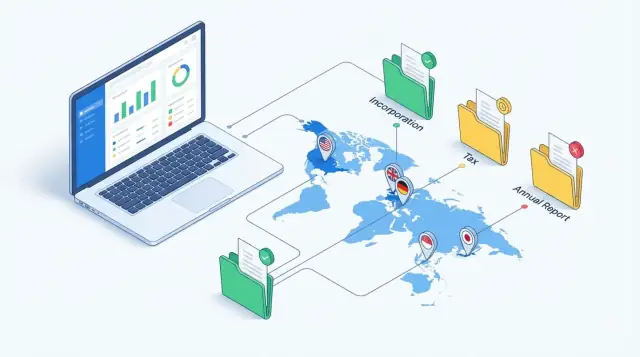
What You’re Building and Why It Matters
A multi-country company quickly accumulates “must-have” legal entity documents: certificates of incorporation, registers, director appointments, powers of attorney, annual returns, tax registrations, and more. The challenge isn’t just storing files—it’s staying compliant when every country has its own document formats, naming conventions, renewal cycles, filing portals, and penalties for missed deadlines.
When this work lives in inboxes and spreadsheets, risk shows up in predictable ways: expired certificates discovered during bank onboarding, missing signatures during an audit, or a renewal deadline that no one clearly owned. The result is delays, fees, and stress that could have been avoided with clearer governance and a shared system of record.
Who benefits
This kind of web app is primarily for teams that need certainty and visibility:
- Legal ops and corporate secretarial teams managing entity hygiene
- Finance teams handling banking, payments, and vendor onboarding
- Compliance teams preparing for audits and internal controls
- External counsel who need access to the latest approved versions (without seeing everything)
What this app is (and isn’t)
It’s a tracking and governance system: you record what exists, where it’s stored, who can access it, when it expires, and what needs to happen next. It is not a tool that gives legal advice or interprets local law; instead, it helps you operationalize known requirements and make ownership explicit.
What you’ll build in this guide
By the end, you’ll have a blueprint for a practical system with:
- Entities (company, branch, subsidiary) organized by country and status
- Document types with required metadata, renewal rules, and version history
- Tasks and deadlines (a compliance calendar) with owners and reminders
- Workflows for upload → review → approval → renewal
- Alerts and reports that produce audit-ready outputs when someone asks, “Are we compliant?”
Core Requirements for Multi-Country Entity Document Tracking
A global entity document tracker works best when it treats “entity + country + document + deadline” as first-class data—not as a folder structure. Before you design screens or storage, align on what must be tracked everywhere, even when local rules differ.
What you need to track (at minimum)
Most organizations manage a mix of entity shapes across multiple jurisdictions:
- Subsidiaries (operating companies)
- Branches (registered extensions of a foreign company)
- Holding companies
- SPVs (special purpose vehicles for deals, financing, or IP)
Each entity should have a clear identity profile: legal name(s), registration number, jurisdiction, registered address, status (active/dormant/dissolved), and key dates (incorporation, fiscal year-end).
Document types that appear in every country (with local variations)
You’ll typically need to store and track:
- Incorporation documents (certificates, articles/memorandum)
- Bylaws or equivalent governance documents
- Statutory registers (directors, shareholders, UBOs where applicable)
- Tax IDs and registrations (VAT/GST, payroll)
- Licenses and permits (industry-specific)
- Annual filings and financial statements (and proof of submission)
The app should support multiple files per “document type,” since countries issue updated extracts and re-stamped copies.
Key events that drive updates and deadlines
Design around events that force document refreshes:
- Formation and onboarding
- Director/officer change
- Address change
- Renewal cycles (licenses, registrations)
- Dissolution or liquidation
How you’ll measure success
Define outcomes early so priorities stay clear:
- Fewer missed renewals and late fees (document expiry tracking)
- Faster audits (time to produce an audit-ready pack)
- Clearer ownership and authority (who owns what entity, who can sign)
These requirements set the foundation for global entity management without burying teams in country-by-country complexity.
Users, Roles, and Access Model
A global entity document tracker fails fastest when “everyone can see everything” or when approvals live in someone’s inbox. Start with a small, clear set of roles, then scope permissions (country → entity → document type) so access matches real workflows.
Roles to start with
Admin: configures countries, entities, document types, deadlines, and integrations; manages users and audit settings.
Contributor: day-to-day operator who uploads documents, updates metadata, and responds to renewal tasks.
Approver: compliance/legal owner who reviews, approves, and publishes current versions.
Viewer/Auditor: read-only access for leadership, finance, or auditors who need evidence but shouldn’t change it.
External partner (law firm / local agent): can upload or comment on assigned entities and countries, but should never browse the full repository.
Make responsibilities explicit (RACI-style)
For each document type, decide who is:
- Responsible: uploads the file and fills required fields (e.g., filing date, registry number)
- Accountable: approves it as “accepted” for compliance
- Consulted: legal/compliance reviewers who add comments or request changes
- Informed: stakeholders who only get notifications (renewals, expiries, escalations)
This reduces bottlenecks and makes escalations fair.
Account structure and permission scopes
Most teams need Organization → Workspace → Entities. Workspaces map to business units or regions and simplify data separation.
Common permission rules:
- Restrict access by country (e.g., EU compliance team)
- Restrict by entity (e.g., subsidiaries only)
- Restrict by document type (e.g., payroll-related filings)
Default to least-privilege, and let admins grant temporary audit access with expiry dates.
Design the Data Model (Entities, Documents, Deadlines)
A good data model makes everything else easier: search, reminders, permissions, reporting, and audits. Aim for a model that can express “what the document is,” “who it belongs to,” “where it’s valid,” and “what happens next.”
Core tables (recommended)
Keep the core entities small and composable:
- LegalEntity: id, legal_name, entity_number, incorporation_date, status, parent_entity_id, default_owner_user_id
- Country: code, name
- Jurisdiction/State: id, country_code, name (supports federal vs. state/province rules)
- DocumentType: id, country_code (or jurisdiction_id), name, requires_expiry (bool), default_renewal_window_days
- Document: id, legal_entity_id, document_type_id, jurisdiction_id (nullable), status, issue_date, expiry_date, renewal_start_date, source (internal/vendor/government), owner_user_id, tags
- Filing/Task: id, legal_entity_id, jurisdiction_id, document_type_id (optional), due_date, status, assignee_user_id, vendor_contact_id
- Reminder: id, object_type (Document/Task), object_id, send_at, channel, recipients
- Vendor/Contact: id, name, email, phone, jurisdiction_id, notes
Versioning and history
Treat each upload as a new DocumentVersion (document_id, version_number, file_id, uploaded_by, uploaded_at). Mark older versions as superseded, never overwritten. This preserves an audit-friendly history of what was known when.
Relationships to handle global complexity
Model “where it applies” explicitly: one LegalEntity can operate in many Jurisdictions, and each country can have DocumentType variants (e.g., “Certificate of Good Standing” differs by jurisdiction). Store rules in DocumentType (or a separate Rules table) rather than hard-coding per country.
Country-Specific Rules Without Making the App Unusable
Global compliance breaks down when every country becomes a one-off. The trick is to encode local rules in a structured way while keeping the day-to-day experience consistent.
Start with a flexible document taxonomy
Create a “global” document type list, then allow country-specific aliases and variants. For example, users should be able to select Certificate of Good Standing and see the local name (or a mapped equivalent) depending on jurisdiction. Keep the core concept stable so reporting stays coherent across countries.
Use controlled vocabularies (don’t invent new statuses per country)
Lock down a small, universal status set so teams can understand dashboards instantly:
- Missing
- Uploaded
- In review
- Approved
- Valid
- Expiring soon
- Expired
Country rules should change requirements, deadlines, and metadata—not the meaning of these statuses.
Implement country templates, not custom logic
Model “compliance templates” per country that define:
- Required documents for an entity type (LLC, branch, foundation)
- Renewal cadence (annual, biennial, event-driven)
- Mandatory metadata (issuer, issue date, registration number, notarization/apostille)
When a new entity is added, apply the template to generate the expected document checklist and compliance calendar.
Plan for exceptions without breaking the UI
Real life includes conditional requirements. Support:
- Optional documents (recommended, but not blocking)
- Conditional rules (e.g., only if the entity has employees, VAT registration, or specific licenses)
- Industry overlays (financial services, healthcare) that add extra requirements on top of the base country template
This keeps the system predictable: templates define the default, and exceptions are explicit, traceable adjustments—not hidden special cases.
Workflows: Upload, Review, Renewal, and Escalations
A document tracker succeeds or fails on workflow clarity. People don’t want to “manage compliance”; they want to know what to do next—and what counts as done.
The happy path: upload → review → approve → publish
Treat documents as moving through a small number of states. A common pattern is:
- Uploaded: someone attaches a file and enters minimal metadata (entity, document type, period, expiry if known).
- In review: a reviewer checks completeness and whether it matches the required template for that country.
- Approved: a compliance owner signs off.
- Published/Current: becomes the version used in reports and audits.
Make transition rules explicit: who can move a document forward, who can send it back, and which mandatory fields appear at each step.
The unhappy path: missing doc → request → follow-up
Missing documents should generate tasks, not guilt. When a required document is absent, create a request with an owner, due date, and a lightweight history (“asked on”, “promised by”, “received on”). Follow-ups can be automated (e.g., 7 days before due, on due date, 7 days after).
Renewal tasks, reminders, and deadlines
Model deadlines as first-class objects:
- Renewal windows (e.g., “start 60 days before expiry”) for permits, registrations, certificates.
- Recurring filings (monthly/annual) with a period field and predictable cadence.
- One-off events (change of director, address update) with a single due date.
Escalations and evidence handling
When tasks slip, escalate in stages: notify owner → manager → admin, with clear timing thresholds. Keep evidence alongside the workflow: upload filing confirmations, store reference numbers, and link relevant emails (as attachments or message IDs) so an auditor can trace what happened without chasing people.
Document Storage, Versioning, and Retention
Treat files and metadata as two different products. Store the binary file in object storage (e.g., S3-compatible storage) and keep everything you need to search and report on in your database: entity, country, document type, issue/expiry dates, status, version, uploader, and a hash/checksum.
Storage architecture that stays fast
Object storage is built for large files and high throughput; your database is built for queries. This split also makes it easier to add features like full-text search later without moving files.
File rules that prevent chaos
Define rules up front so uploads don’t become a junk drawer:
- Allowed file types (PDF first; images if needed) and a clear max size
- Server-side virus/malware scanning before the file is made available
- Preview generation (thumbnail + PDF page rendering) so non-technical users don’t need to download everything
Make the rules visible in the UI at upload time, and return friendly errors (“PDF only, up to 25MB”).
Versioning: never lose history
Most compliance mistakes happen because “the latest” replaced “the correct.” Use immutable versions:
- Each upload creates a new version record
- One version is marked current; older ones are superseded
- Keep who/when/why (a short “change note”) for audit-readiness
Secure sharing without oversharing
Support controlled access beyond your app:
- Expiring links (minutes/days) with optional password
- Optional watermarks on previews (“Confidential — For review”)
- Download controls by role (view-only vs. download)
Retention and deletion policies
Plan retention by policy, not by habit. Archive old versions, keep superseded records searchable, and avoid hard deletes where possible. If deletion is required, implement “legal hold” and record the reason, approver, and timestamp so audits and investigations don’t hit dead ends.
Localization and Multi-Language Considerations
When you track entity documents across countries, “English-only” quickly becomes a source of mistakes: dates get misread, deadlines slip across time zones, and teams can’t find documents because names don’t match what they see locally.
Localize what users see (without changing what you store)
Keep a single canonical value in the database, then format it per user.
Localize country names (and aliases), date formats, and time zones. If you show any financial fields (fees, penalties, filing costs), format currencies consistently—even if you don’t do currency conversion.
For deadlines, normalize the source of truth: store timestamps in UTC, and always display them in the relevant time zone (often the entity’s registered jurisdiction, sometimes the user’s preference). In tables and calendars, include the time zone label to avoid “it was due yesterday” confusion.
Support multilingual documents
Many filings are issued in a local language, while headquarters wants English context.
Store the document in its original language, but add translated metadata fields such as “Translated title” and “Translated notes.” That lets teams search and understand content without altering the original file. If you use OCR or full-text search later, tag the detected language so search behaves correctly.
Accessibility is part of localization
Make the UI readable and navigable for everyone: clear labels (avoid legal jargon where possible), keyboard navigation for upload/review flows, and tables with strong contrast and predictable column order. Treat this as a baseline requirement, not a “nice to have.”
Security, Privacy, and Audit Trail Design
Security isn’t a “later” feature for a compliance app—your users will upload passports, certificates, board minutes, and other sensitive files. Treat the system as if every document could be requested during an audit and every account could be targeted.
Least-privilege access (RBAC that matches how companies work)
Start with role-based access control, and scope it properly: permissions should be assignable per entity and often per country. A regional finance lead might view EU entities only; an external law firm might upload documents for one subsidiary but never see HR-related files.
Keep roles simple (Admin, Approver, Contributor, Viewer/Auditor), then map them to actions (view, upload, download, edit metadata, approve, delete). Default to “no access,” and make granting access explicit.
Encrypt everywhere, and protect keys like production money
Use HTTPS/TLS for all traffic. Encrypt stored files and sensitive metadata at rest (database + object storage). Avoid long-lived credentials in code or config files; use a secrets manager for database passwords, API tokens, and any signing keys.
If you generate signed download links, rotate keys and limit link lifetime. Log and alert on abnormal download spikes.
Audit logs that answer real audit questions
Your audit trail should be tamper-evident and searchable. At minimum, log who viewed, uploaded, downloaded, changed status, or edited metadata—with timestamp, entity, country, document type, and before/after values.
Separate audit logs from application data (different table or even storage), restrict access, and define retention rules.
Privacy and compliance expectations
Plan for data residency requirements early (some countries may require documents to stay in-region). Define backup/restore objectives (RPO/RTO), test restores, and write a basic incident response checklist: how to revoke sessions, rotate keys, notify admins, and preserve evidence.
Integrations and Data Migration Paths
Integrations determine whether your app becomes “the place we trust” or just another tab. Plan them early so migration doesn’t turn into a long clean-up project.
Importing what you already have
Most teams start with scattered sources: spreadsheets, shared drives, email inboxes, and legacy systems. Treat migration as a repeatable pipeline, not a one-time upload.
A practical approach:
- Start with a spreadsheet import (CSV/XLSX) for entities, document types, and key dates.
- Add a “bulk file intake” option for shared-drive exports (zip or folder drag-and-drop) and map files to entities.
- For email inboxes, support forwarding to a unique address per workspace, then route attachments into an “Unassigned” queue for review.
Keep an import log that shows what was created, skipped, or needs attention—otherwise users won’t trust the results.
Identity and provisioning
If customers already use SSO, integrate SAML or OIDC so access is consistent with corporate policies. If you expect larger organizations, add SCIM provisioning to automate joiners/movers/leavers (and reduce admin requests). Link this to your access model by mapping IdP groups to app roles.
Notifications people actually see
Compliance work happens in existing tools. Send notifications via email, Slack/Teams, and calendar reminders (ICS) for key deadlines. Keep messages short and include a direct link to the relevant entity/document page (for example: /entities/123/documents/456).
Audit exports without chaos
Audits often require a “pack” per entity. Support export to CSV for registers and PDF bundles for evidence, plus a predictable folder structure (Entity → Document Type → Version/Date). This should work on demand and for a date range, so teams can reproduce what was shown during an audit.
UX Patterns That Work for Non-Technical Teams
Non-technical compliance and ops teams succeed when the app answers three questions instantly: What do we have? What’s missing? What’s next? Design the UI so people can work from a short, predictable set of screens, with clear statuses and minimal clicks.
The four “home base” screens
Start with navigation that always leads back to:
- Entity list: a table with country, legal name, entity type, owner, and a single “Compliance status” indicator.
- Entity profile: one page that combines key facts, responsible people, and upcoming obligations.
- Document library: searchable repository across entities, with consistent document type names.
- Compliance calendar: month/quarter view plus a “Next 30/60/90 days” queue.
Make status impossible to miss
Use the same small set of status labels everywhere (tables, profile, calendar, and document cards): Missing, In review, Approved, Expiring soon, Expired. Keep the color palette consistent and add plain-language tooltips (“Expiring soon = within 30 days”).
Search and filters that feel instant
People will forgive a basic UI; they won’t forgive hunting. Make global search prominent and let users filter by country, entity, document type, status, and expiry date range. Save views like “All expiring in 60 days” or “Germany + Missing” so recurring work takes one click.
“Request documents” for external counsel
Create a guided flow: select entity → select document types → set due date → add notes. External counsel should get limited access to only those requests and upload slots, with a clear checklist and no exposure to the full library. A dedicated page like /requests should show progress at a glance and reduce email chasing.
Reporting, Monitoring, and Audit-Ready Outputs
Reporting is where your legal entity document tracking app turns into a compliance tool. The goal isn’t “pretty charts”—it’s making it obvious what’s due, what’s missing, and what you can prove.
Dashboards people actually use
Give non-technical teams a home screen that answers three questions in under 10 seconds:
- What’s coming up? Upcoming renewals and expiries (next 30/60/90 days), with filters by entity, country, and document type.
- What’s overdue? Overdue items with clear owners and the current workflow status (e.g., “awaiting upload”, “in review”).
- Are we complete? A country-by-country completeness view (e.g., “12/15 required documents on file”) so gaps are visible without exporting data.
Evidence-ready reports (built for auditors)
Audits typically ask for the same artifacts. Provide exports that can be generated on demand and shared as PDFs/CSVs:
- Document index: what exists per entity, including version, uploader, dates, and storage reference.
- Expiry register: all documents with expiry/renewal dates, grace periods, and current risk state.
- Audit log extracts: filtered by entity/date/user/action to show who did what and when.
KPIs and decision traceability
Track trends over time to spot process problems early: time-to-approve, overdue rate, and completion rate by country/entity/team.
Support comments and decisions in reports: when a document is accepted/rejected, capture the reason (e.g., “wrong entity name”) and include that decision trail in exports. For a deeper template, see /blog/audit-ready-compliance-outputs.
Deployment, Operations, and a Practical Build Roadmap
Shipping a compliance tool isn’t just “push to production.” The day after launch, someone will upload a file from an airport, an auditor will request a report, and a country rule will change. Plan for steady operations from the start.
Architecture: start simple, scale intentionally
For most teams, a well-structured monolith is the fastest path to reliable delivery: one codebase, one deployment, fewer moving parts. Design it in modules (documents, entities, deadlines, notifications) so you can split services later if you truly need to.
If you’re unsure, choose the option that makes monitoring, debugging, and support easiest. Complexity is a cost you pay every day.
Environments, backups, and rollback
Run three environments:
- Dev for daily work and quick experiments
- Staging for realistic testing with production-like settings
- Prod for real data with strict access controls
Automate backups for both the database and document storage. Test restores on a schedule (a backup you can’t restore isn’t a backup). For releases, use a predictable process: feature flags for risky changes, database migrations that are reversible, and a one-click rollback plan.
SLAs, support workflow, and change management
Set internal expectations early:
- Uptime goal (e.g., 99.9%) and who gets paged
- Response times for “can’t upload” vs. “report request” tickets
- A lightweight change process: request → review → approve → release notes
A practical build roadmap
Aim for three milestones:
- MVP (4–8 weeks): entities, document upload, expiry dates, reminders, basic roles.
- V1 (next 4–8 weeks): audit-friendly exports, bulk actions, better notifications, admin tools.
- Scale: performance tuning, more integrations, advanced reporting.
If you want to move from blueprint to working product faster, a vibe-coding platform like Koder.ai can help you prototype and iterate on this exact kind of workflow-heavy app (entities, RBAC, document metadata, reminders) via chat—then export the source code when you’re ready to take it in-house. It’s especially practical if you’re planning a React front end with a Go + PostgreSQL backend, and you want safeguards like snapshots and rollback while you refine country templates and approval flows.
If you want a plan tailored to your org structure and countries, see /pricing or reach out via /contact. "
FAQ
What’s the minimum data I need to track to make a global entity document system actually work?
Treat “entity + jurisdiction + document type + deadline” as core data, not folders.
At minimum, track:
- Entity identity (legal name, registration number, status, key dates)
- Document metadata (issue/expiry, owner, status, version)
- Tasks/filings (due date, assignee, evidence, escalation)
This makes reminders, reporting, and audits reliable even when countries differ.
How should I design roles and permissions for internal teams and external counsel?
Start with a small role set and apply permissions by scope:
- Roles: Admin, Contributor/Internal user, Viewer, External partner
- Scopes: country → entity → document type
Default to least privilege, and use time-limited access grants for audits or special projects.
How do I handle document versioning without losing audit history?
Use immutable versions and a “current” pointer.
A practical approach:
- Each upload creates a new DocumentVersion (who/when/change note)
- Older versions become superseded (never overwritten)
- Reports and audits reference the current version, but history remains searchable
How can I support country-specific requirements without turning every country into a one-off feature?
Use country templates instead of custom code paths.
A template can define:
- Required documents by entity type
- Renewal cadence (annual/biennial/event-driven)
- Mandatory metadata (issuer, notarization/apostille, registry number)
Then allow explicit exceptions (optional/conditional/industry overlays) so users can see why a rule changed.
What document statuses should I standardize on across all countries?
Keep statuses universal and let requirements vary by country.
A compact set works well across the UI:
- Missing
- Uploaded
- Under review
- Valid
- Expiring
This keeps dashboards and reports understandable globally, while templates control which documents are required and when they’re due.
What’s a simple workflow for upload, review, approval, and renewals that won’t collapse into email?
Model workflows as state transitions with clear owners.
Common flow:
- Uploaded → In review → Approved → Published
For missing items, generate tasks with due dates and follow-ups (7 days before, on due date, 7 days after). Make it obvious who can approve, who can send back, and which fields are mandatory at each step.
What’s the recommended approach to storing documents and metadata?
Split file storage from searchable metadata.
Typical pattern:
- Store binaries in object storage (S3-compatible)
- Store metadata in your database (entity, doc type, dates, status, version, checksum)
- Add server-side malware scanning and enforce file rules (PDF-first, size limits)
This keeps the app fast and makes reporting dependable.
What security and audit-log features do compliance teams expect on day one?
Implement scoped RBAC, encryption, and a tamper-evident audit trail.
Minimum security baseline:
- TLS in transit; encryption at rest for DB + object storage
- Secrets manager for credentials and signing keys
- Audit logs for view/upload/download/status/metadata changes (before/after)
Also plan for data residency, backups, tested restores, and a basic incident response playbook.
How should I handle localization (time zones, date formats, and multilingual documents)?
Store canonical values once, then localize presentation.
Practical steps:
- Store timestamps in UTC; display in the entity’s jurisdiction time zone (with label)
- Localize date formats and country names/aliases
- Keep documents in original language, but add translated metadata fields (title/notes)
This reduces misread deadlines and improves search across regions.
What’s the fastest way to migrate from spreadsheets and shared drives, and still be audit-ready?
Start with repeatable imports and keep an import log.
A pragmatic migration path:
- CSV/XLSX import for entities, document types, key dates
- Bulk file intake (zip/folder) mapped to entities and document types
- Inbox forwarding into an “Unassigned” queue for triage
For daily operations, prioritize outputs auditors ask for: document index, expiry register, and filtered audit log exports (e.g., /entities/123/documents/456 links in notifications).