

How to Build a Web App to Track Revenue Leakage and Gaps
Learn how to design and build a web app that detects revenue leakage and billing gaps using clear data models, validation rules, dashboards, and audit trails.
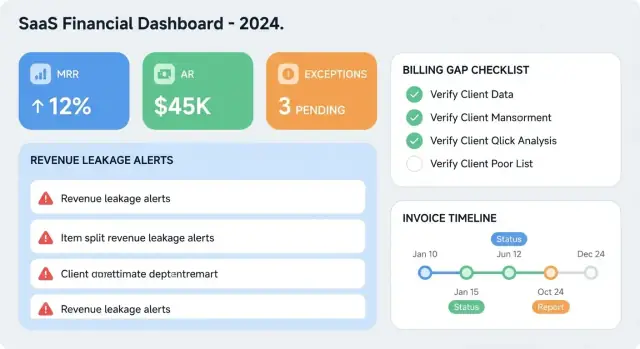
What Revenue Leakage and Billing Gaps Look Like
Revenue problems in billing systems usually fall into two buckets: revenue leakage and billing gaps. They’re closely related, but they show up differently—and your web app should make that difference obvious so the right team can act.
Revenue leakage vs. billing gaps (simple examples)
Revenue leakage is when you delivered value but didn’t charge (enough) for it.
Example: A customer upgraded mid-month, started using the higher tier immediately, but the invoice stayed on the old price. The difference is leaked revenue.
Billing gaps are breaks or inconsistencies in the billing chain—missing steps, missing documents, mismatched periods, or unclear ownership. A gap may cause leakage, but it can also trigger disputes, delayed cash, or audit risk.
Example: The customer’s contract renews, usage keeps flowing, but no invoice is generated for the new term. That’s a billing gap that will likely become leakage if it isn’t caught quickly.
Common sources you’ll want to detect
Most “mystery” billing issues are repeatable patterns:
- Missing invoices: service active, but no invoice created for a billable period.
- Wrong rates or plan mapping: contract says $X, invoice uses $Y, or the wrong SKU is billed.
- Proration errors: upgrades/downgrades mid-cycle billed for the wrong number of days.
- Duplicate charges: the same line item billed twice, often after retries or subscription edits.
Early on, your app doesn’t need to be “smart”—it needs to be consistent: show what was expected, what happened, and where the mismatch is.
What success looks like (the goals)
A revenue-leakage tracking app should be built around outcomes:
- Reduce missed revenue by catching underbilling early.
- Prevent overbilling to avoid refunds, churn, and support load.
- Shorten time-to-fix by turning vague “billing feels off” into a clear, assigned issue with evidence.
Who uses it (and what they care about)
Different teams look for different signals, so the UI and workflows should anticipate them:
- Finance: wants totals, trends, and proof (audit-friendly explanations).
- Billing ops: wants precise exceptions (which customer, which invoice, what rule failed).
- Support: needs customer-facing context (what to say, what will change, what won’t).
- Product: wants pattern visibility (which features or pricing rules create the most exceptions).
This section defines the “shapes” of the problems; everything else is about turning those shapes into data, checks, and workflows that close them fast.
Requirements: What You Need to Detect and Prove
Before picking a tech stack or designing dashboards, define what the app must answer and what it must prove. Revenue leakage disputes often drag on because the issue is hard to reproduce and the evidence is scattered.
The core questions the app must answer
At minimum, every detected issue should answer:
- What’s wrong? (e.g., contract says “$2/user”, invoice billed “$1.50/user”, or usage wasn’t billed at all)
- How much is at risk? (the estimated underbilled amount, plus how you calculated it)
- Who owns it? (Billing Ops, Sales Ops, Finance, Customer Success, Engineering)
- What’s the status right now? (new → triaged → in progress → pending customer → resolved)
To prove it, capture the inputs used in the calculation: contract term version, price book entry, usage totals, invoice line(s), and payment/credit notes tied to the outcome.
Choose your unit of analysis
Pick the primary “grain” you’ll reconcile and track issues against. Common options:
- Customer/account: good for executive views, too coarse for root-cause.
- Contract/subscription: best for entitlement and pricing checks.
- Invoice line item: ideal for billing accuracy and audit trails.
- Usage event / usage day: best for metered products and missing ingestion.
Most teams succeed with invoice line items as the system of record for issues, linked back to contract terms and rolled up to the customer.
Severity and priority scoring
Define a score you can sort by, and keep it explainable:
- Amount (estimated $ impact)
- Age (how long the issue has existed)
- Customer tier (strategic vs long-tail)
- Optional: recurrence (same pattern seen before)
Example: Priority = (Amount band) + (Age band) + (Tier weight).
SLAs and what “resolved” means
Set clear SLAs by severity (e.g., P0 within 2 days, P1 within 7 days). Also define resolution outcomes so reporting stays consistent:
- Invoiced (catch-up invoice issued)
- Credited/Refunded (intentional concession)
- Adjusted (contract corrected, price fixed, or usage corrected)
- Waived (approved write-off)
A ticket is only “resolved” when the app can link to evidence: invoice/credit memo IDs, an updated contract version, or an approved waiver note.
Data Sources and Ingestion Strategy
Your app can’t explain revenue leakage if it only sees part of the story. Start by mapping the systems that represent each step from “deal created” to “cash received,” then choose ingestion methods that balance freshness, reliability, and implementation effort.
Map the core sources (and what they prove)
Most teams need four to six inputs:
- CRM (e.g., Salesforce/HubSpot): customer identity, deal terms, renewal dates, negotiated pricing.
- Subscription/billing system (e.g., Stripe Billing, Chargebee): plans, subscriptions, invoice generation rules, proration.
- Usage tracking (product analytics, metering service, logs): billable events and quantities.
- Payments (PSP + bank payouts): charges, refunds, disputes, fees, settlement dates.
- ERP/accounting (e.g., NetSuite): posted invoices, credit notes, revenue recognition postings.
For each source, document the system of record for key fields (customer ID, contract start/end, price, tax, invoice status). This prevents endless debates later.
Choose ingestion methods that fit the source
- API pulls: best for CRMs and billing platforms; schedule incremental sync by
updated_atto reduce load. - Webhooks/events: ideal for invoices paid/failed, subscription changes, refunds—low latency and efficient.
- File imports (CSV): practical for ERP exports or one-off historical backfills; design a repeatable template.
- Database replica/warehouse share: useful when internal systems already write to a database you can mirror.
Freshness, latency, and replay
Define which objects must be near real-time (payment status, subscription changes) versus daily (ERP postings). Design ingestion so it’s replayable: store raw payloads and idempotency keys so you can safely reprocess.
Ownership and access controls
Assign an owner per source (Finance, RevOps, Product, Engineering). Specify scopes/roles, token rotation, and who can approve connector changes. If you already maintain internal tooling standards, link them from /docs/security.
Data Model for Contracts, Usage, Invoices, and Payments
A revenue-leakage app stands or falls on one question: “What should have been billed, based on what was true at the time?” Your data model must preserve history (effective dates), keep raw facts, and keep every record traceable back to the source system.
Core entities (keep them explicit)
Start with a small set of clear business objects:
- Customer: account/company record plus identifiers (e.g., CRM ID, billing system ID).
- Contract: commercial agreement with start/end dates, currency, billing terms, and status.
- Plan: packaging (e.g., Pro, Enterprise) that defines what’s included.
- Price: the rate card used for billing (per-seat, per-GB, tiered), always versioned.
- Usage: events or aggregates that drive variable billing.
- Invoice: what you billed (headers + line items) including tax/discounts.
- Payment: what you collected (payments, refunds) linked to invoices where possible.
- Credit note: adjustments that reduce revenue and must reconcile to the original invoice/lines.
Effective dating (avoid “current value” mistakes)
Any entity that can change over time should be effective-dated: prices, entitlements, discounts, tax rules, and even customer billing settings.
Model this with fields like effective_from, effective_to (nullable for “current”), and store the full versioned record. When you compute expected charges, join by the usage date (or service period) to the correct version.
Raw events + normalized tables
Keep raw ingestion tables (append-only) for invoices, payments, and usage events exactly as received. Then build normalized reporting tables that power reconciliation and dashboards (e.g., invoice_line_items_normalized, usage_daily_by_customer_plan). This lets you reprocess when rules change without losing original evidence.
Traceability and auditability
Every normalized record should carry:
- Source system name and source record ID (and ideally a deep-link path).
- Ingestion batch ID, timestamps, and a hash/checksum for change detection.
This traceability turns a “suspicious gap” into a provable issue your billing or finance team can resolve confidently.
Detection Rules: Validation Checks That Catch Gaps
Detection rules are the “tripwires” that turn messy billing data into a clear list of issues to investigate. Good rules are specific enough to be actionable, but simple enough that Finance and Ops can understand why something was flagged.
Core rule types to cover
Start with three categories that map to the most common patterns:
- Completeness rules: something expected didn’t happen (e.g., active subscription has no invoice for the period; usage record has no matching customer; payment received without an invoice).
- Consistency rules: values don’t agree across systems (e.g., contract rate vs invoiced rate mismatch; discount applied beyond approved terms; currency mismatch).
- Timing rules: events happen, but not when they should (e.g., invoice generated after service period ends; renewal starts but billing begins a week later).
Threshold-based checks (fast wins)
Add a small set of threshold alerts to catch surprises without complex modeling:
- Usage spike/drop: usage changes by more than X% week-over-week or month-over-month.
- Negative MRR movement: unexpected MRR decrease (or increase) beyond a set amount, especially for “no-change” renewals.
- Outlier invoice amounts: invoice total deviates from the customer’s trailing average by more than X standard deviations or a fixed percentage.
Keep thresholds configurable per product, segment, or billing cadence so teams aren’t flooded with false positives.
Rule versioning and a rule library
Rules will evolve as pricing changes and edge cases get discovered. Version every rule (logic + parameters) so past results remain reproducible and auditable.
Create a rule library where each rule has a plain-English description, an example, severity guidance, an owner, and “what to do next.” This turns detections into consistent action instead of one-off investigations.
Reconciliation: Expected vs Billed vs Paid
Reconciliation is where your app stops being a reporting tool and starts acting like a control system. The goal is to line up three numbers for every customer and billing period:
- Expected: what should have been charged
- Billed: what was invoiced
- Paid: what was actually received
1) Build “expected charges” as a first-class object
Create an expected charge ledger generated from contracts and usage: one row per customer, period, and charge component (base fee, seats, overage, one-time fees). This ledger should be deterministic so you can re-run it and get the same result.
Handle complexity explicitly:
- Proration: store the method (daily, monthly, 30/360), service start/end dates, and the factor used.
- Discounts: track type (percent vs fixed), scope (one line vs whole invoice), and validity dates.
- Taxes: keep jurisdiction/rate and whether the price is tax-inclusive.
- Currency conversion: record original-currency amounts and converted amounts, plus the FX rate and rate date.
This makes variance explanations possible (“$12.40 difference due to FX rate update on invoice date”) instead of guesswork.
2) Reconcile expected vs billed (billing accuracy)
Match expected charges to invoice lines using stable keys (contract_id, product_code, period_start/end, invoice_line_id where available). Then compute:
- Missing invoice: expected > 0, billed = 0
- Under/over-billed: expected ≠ billed
- Line drift: period dates don’t match, wrong quantity, wrong tax/discount
A practical feature is an expected invoice preview: a generated invoice-like view (grouped lines, subtotals, taxes, totals) that mirrors your billing system. Users can compare it to the draft invoice before sending and catch issues early.
3) Reconcile billed vs paid (collections vs billing)
Match payments to invoices (by invoice_id, payment reference, amount, date). This helps you separate problems cleanly:
- Billing issue: expected ≠ billed
- Collections issue: billed is correct, but paid is late/partial
- Allocation issue: payment received but not linked to the right invoice
Present the three totals side by side with drill-down into the exact lines and events that caused the variance so teams fix the source, not just the symptom.
Anomaly Detection Without Overcomplicating It
Anomaly detection is useful when gaps don’t cleanly violate a rule, but still “look wrong.” Define an anomaly as a meaningful deviation from either (a) contract terms that should drive billing, or (b) a customer’s normal pattern.
What counts as an anomaly?
Focus on changes that realistically impact revenue:
- Usage spikes or drops that don’t match the customer’s plan, entitlements, or typical behavior
- Sudden changes in effective price (e.g., net rate per unit) without a contract event
- Missing recurring charges for accounts that historically bill every period
Start simple (and explainable)
Before machine learning, you can catch a lot with lightweight, transparent methods:
- Moving averages: compare this period to the last 3–6 periods for the same customer and metric.
- Z-scores: flag values that are, for example, >3 standard deviations from the customer’s own history.
- Rule-based outliers: “Net MRR changed >20% but there was no plan change, no discount change, and no seat change.”
These approaches are easy to tune and easy to justify to Finance.
Reduce false positives with segmentation and seasonality
Most false alarms happen when you treat every account the same. Segment first:
- Plan type (monthly vs annual, usage-based vs flat)
- Customer size (SMB vs enterprise)
- Known seasonal businesses (education, retail, travel)
Then apply thresholds per segment. For seasonal customers, compare against the same month/quarter last year when you can.
Always log “why this was flagged”
Every flagged item should show an audit-friendly explanation: the metric, baseline, threshold, and the exact features used (plan, contract dates, price per unit, prior periods). Store the trigger details so reviewers can trust the system—and tune it without guesswork.
UI and Dashboards: Make Issues Easy to Find and Fix
A revenue-leakage app succeeds or fails on how quickly someone can spot an issue, understand it, and take action. The UI should feel less like reporting and more like an operational inbox.
Core views to build first
1) Exceptions queue (the daily workspace). A prioritized list of invoice exceptions, billing gaps, and reconciliation mismatches. Each row should answer: what happened, who’s affected, how much it matters, and what to do next.
2) Customer profile (the single source of truth). One page that summarizes contract terms, current subscription status, payment posture, and open issues. Keep it readable, but always link to evidence.
3) Invoice / usage timeline (context at a glance). A chronological view that overlays usage, invoices, credits, and payments so gaps stand out visually (e.g., usage spikes with no invoice, invoice issued after cancellation).
Filters that make the queue usable
Include filters your team will actually use in triage: amount range, age (e.g., >30 days), rule type (missing invoice, wrong rate, duplicate charge), owner, and status (new/in review/blocked/resolved). Save common filter presets per role (Finance vs Support).
Show impact totals that drive prioritization
At the top of the dashboard, show rolling totals for:
- Potential recovery (unbilled or underbilled)
- Confirmed leakage (validated loss)
- Prevented overbilling (customer-impact avoided)
Make every total clickable so users can open the exact filtered exception list behind it.
Drill-down to proof
Every exception should have a “Why we flagged this” panel with the calculated fields (expected amount, billed amount, delta, date range) and drill-down links to raw source records (usage events, invoice lines, contract version). This speeds up resolution and makes audits easier—without forcing users to read SQL.
Workflow: Triage, Ownership, and Resolution Tracking
Finding a billing gap is only half the job. The other half is making sure the right person fixes it quickly—and that you can prove what happened later.
Statuses that match real work
Use a small, explicit set of statuses so everyone reads issues the same way:
- New: detected by a rule or imported from a support/finance report; not yet reviewed.
- Triaged: confirmed as a real issue (or clearly a false positive) and categorized.
- In progress: an owner is actively investigating or applying a fix.
- Pending customer: you need customer input (e.g., PO, tax ID, payment proof) or a contract change.
- Resolved: corrected billing/payment entries, issued credit/debit, or closed with an explanation.
- Won’t fix: accepted loss or intentional exception with approval and documented reason.
Keep status transitions auditable (who changed it, when, and why), especially for Won’t fix.
Ownership, due dates, and evidence
Each issue should have a single accountable owner (Finance Ops, Billing Engineering, Support, Sales Ops) plus optional watchers. Require:
- Due date and priority (based on amount at risk and customer impact)
- Comments for investigation notes and decisions
- Attachments (invoice PDFs, contract excerpts, emails, screenshots)
This turns “we think we fixed it” into a traceable record.
Routing rules and notifications
Automate assignment so issues don’t sit in New:
- Route by plan, region, amount, and rule type (e.g., tax errors to Finance; usage ingestion gaps to Data/Engineering).
- Notify via email, Slack, and/or in-app tasks when an issue is assigned, nearing its due date, or escalated.
A simple escalation rule (e.g., overdue by 3 days) prevents silent revenue loss while keeping the process lightweight.
Architecture and Tech Stack for a Reliable Web App
A revenue-leakage app succeeds when it’s boringly dependable: it ingests data on schedule, computes the same results twice without drift, and lets people work through large exception queues without timeouts.
A practical web stack (reporting-first)
Pick a stack that’s strong at data-heavy CRUD plus reporting:
- Backend: Node.js (NestJS/Express) or Python (Django/FastAPI). Prioritize background jobs, solid DB tooling, and straightforward auth.
- Database: PostgreSQL as the system of record for contracts, rules, and exception tracking. If volumes are high, add a columnar warehouse (BigQuery/Snowflake) for heavy analytics, but keep actionable issues in Postgres.
- Frontend: React (Next.js) or Vue. You’ll want fast tables, filters, and drill-downs more than flashy visuals.
If you want to accelerate the first version (especially the exception queue, issue workflow, and Postgres-backed data model), a vibe-coding platform like Koder.ai can help you prototype the app via chat and iterate quickly. It’s a natural fit for this kind of internal tool because the typical stack aligns well (React on the front end, Go services with PostgreSQL on the back end), and you can export source code when you’re ready to own the implementation.
ETL/ELT jobs you can trust
Ingestion is where most reliability problems start:
- Use scheduled jobs (cron, managed schedulers, or a workflow tool) for pulling invoices, usage, and payments.
- Build for retries (with backoff) and idempotency: every load should be safe to re-run. Common patterns include upsert by natural keys (
invoice_id,usage_event_id), storing source hashes, and tracking watermarks. - Log each run with counts (received/accepted/rejected) so gaps show up quickly.
Background workers for reconciliation and rules
Rule evaluation and expected-vs-billed calculations can be expensive.
Run them in a queue (Celery/RQ, Sidekiq, BullMQ) with job priorities: “new invoice arrived” should trigger immediate checks, while full historical rebuilds run off-hours.
Performance for large exception lists
Exception queues get big.
Use pagination, server-side filtering/sorting, and selective indexes. Add caching for common aggregates (e.g., totals by customer/month) and invalidate when underlying records change. This keeps dashboards snappy while detailed drill-downs remain accurate.
Security, Audit Trails, and Data Quality Controls
A revenue-leakage app quickly becomes a system of record for exceptions and decisions. That makes security, traceability, and data quality just as important as the detection rules.
Role-based access and least privilege
Start with role-based access control (RBAC) that matches how teams actually work. A simple split—Finance vs Support/Operations—goes a long way.
Finance users typically need access to contract terms, pricing, invoice history, write-offs, and the ability to approve overrides. Support users often only need customer context, ticket links, and the ability to progress a case.
Keep access tight by default:
- Restrict “view pricing” and “edit rules” to Finance admins.
- Limit exports (CSV) to approved roles, and log every export.
- Add environment-level controls (SSO, MFA, IP allowlists) for admin access.
Audit logs that stand up to scrutiny
When money is involved, “who changed what, and why” can’t live in Slack.
Audit log events should include: rule edits (before/after), threshold changes, manual overrides (with required reason), status updates (triage → in progress → resolved), and reassignment of owners. Store actor, timestamp, source (UI/API), and reference IDs (customer, invoice, contract).
Make logs queryable and reviewable inside the app (e.g., “show me everything that changed expected revenue for Customer X this month”).
Data quality validation before detection
Catching billing gaps depends on clean inputs. Add validation at ingestion and again at modeling:
- Schema checks (types, required fields, allowed values)
- Duplicate detection (invoice IDs, payment IDs, usage events)
- Missing/late data flags (contract effective dates, currency, customer identifiers)
Quarantine bad records instead of silently dropping them, and surface the count and reason.
Monitoring that prevents silent failure
Set up operational monitoring for job failures, data freshness/lag (e.g., “usage is 18 hours behind”), and alert volume trends (spikes often indicate upstream changes). Route critical failures to on-call and create weekly summaries so Finance can see whether exceptions reflect reality—or a broken pipeline.
Rollout Plan and How to Measure Success
A revenue-leakage tracker only pays off if it’s adopted—and if you can prove it finds real money without creating busywork. The safest rollout is incremental, with clear success metrics from day one.
Phase 1: Start small (but measurable)
Begin with a minimal set of detection rules and one or two data sources. For most teams, that’s:
- Contracts/subscriptions (what should be billed)
- Invoices (what was billed)
Pick a narrow scope (one product line, one region, or one billing system). Focus on high-signal checks like “active subscription with no invoice,” “invoice amount differs from price list,” or “duplicate invoices.” Keep the UI simple: a list of issues, owners, and statuses.
Phase 2: Run side-by-side to build trust
Run the app in parallel with your current process for 2–4 billing cycles. Don’t change workflows yet; compare outputs. This lets you measure:
- How often the app finds true gaps the team missed
- How often it flags noise (false positives)
- How much time it saves in review and reconciliation
Side-by-side operation also helps you refine rules, clarify definitions (e.g., proration), and tune thresholds before the app becomes a source of truth.
Metrics that show real progress
Track a small set of metrics that map to business value:
- Detection rate: confirmed issues found per cycle
- False positives: dismissed issues / total flagged
- Recovery amount: credited, invoiced, or collected due to fixes
- Time-to-resolution: from detection to closed
Phase 3: Expand capabilities intentionally
Once accuracy is stable, expand in deliberate steps: add new rules, ingest more sources (usage, payments, CRM), introduce approvals for high-impact adjustments, and export finalized outcomes to accounting systems. Each expansion should ship with a target KPI lift and a named owner responsible for keeping the signal high.
If you’re iterating quickly during rollout, tooling that supports rapid changes with safety nets matters. For example, platforms like Koder.ai support snapshots and rollback, which can be handy when you’re tuning rule logic, adjusting data mappings, or evolving workflows across billing cycles without losing momentum.
FAQ
What’s the difference between revenue leakage and billing gaps?
Revenue leakage means value was delivered but you didn’t charge (or didn’t charge enough). Billing gaps are broken or missing links in the billing chain (missing invoices, mismatched periods, unclear ownership).
A gap can cause leakage, but it can also cause disputes or delayed cash even if the money is eventually collected.
What are the most common revenue leakage patterns to detect first?
Start with repeatable, high-signal patterns:
- Missing invoices for active service periods
- Contract rate vs invoiced rate mismatches (wrong SKU/plan mapping)
- Proration errors on mid-cycle changes
- Duplicate charges after retries or subscription edits
These cover many “mystery” issues before you add complex anomaly detection.
What should every detected billing issue record include?
Each exception should answer four things:
- What’s wrong (what was expected vs what happened)
- How much is at risk (and how you calculated it)
- Who owns the fix (team and accountable person)
- What the current status is (new → triaged → in progress → resolved)
This turns a suspicion into a trackable, assignable work item.
What data do I need to “prove” a leakage or billing gap?
Capture the inputs used to compute “expected charges,” including:
- Contract/terms version (effective dates)
- Price book entry and discounts (with validity)
- Usage totals and the time window
- Invoice header + invoice line IDs
- Payments/refunds/credit notes tied to the outcome
Keeping raw payloads plus normalized records makes disputes reproducible and audit-friendly.
What’s the best unit of analysis for reconciliation and exception tracking?
Pick a primary grain you reconcile and track exceptions against. Common choices are customer, subscription/contract, invoice line, or usage event/day.
Many teams do best with invoice line items as the “system of record” for issues, linked back to contract terms and rolled up to customer/account for reporting.
How should I score severity and prioritize exceptions?
Use a simple, explainable score so teams trust the ordering. Typical components:
- Estimated dollar impact (amount bands)
- Age of the issue (age bands)
- Customer tier/strategic importance
- Optional: recurrence (pattern repeats)
Keep the formula visible in the UI so prioritization doesn’t feel arbitrary.
What does “resolved” mean in a revenue leakage tracking workflow?
Define both SLAs (how fast each priority must be handled) and resolution outcomes (what “done” means). Common resolution types:
- Invoiced (catch-up invoice issued)
- Credited/Refunded (concession)
- Adjusted (contract/price/usage corrected)
- Waived (approved write-off)
Mark an issue resolved only when you can link to evidence (invoice/credit memo IDs, updated contract version, or waiver note).
Which systems should a revenue leakage app ingest from?
Most teams need 4–6 sources to cover the full story:
- CRM (deal terms, renewal dates, negotiated pricing)
- Billing/subscription system (plans, invoices, proration)
- Usage/metering (billable quantities)
- Payments (charges, refunds, disputes, settlements)
- ERP/accounting (posted invoices, credit notes, revenue postings)
For each key field, decide which system is the source of truth to avoid later conflicts.
How do I model contract and price changes over time without breaking expected-billing calculations?
Make history explicit with effective dating:
- Add
effective_from/effective_toto prices, discounts, entitlements, tax rules, and billing settings - Store full versions (not just “current value”)
- When computing expected charges, join the usage date/service period to the correct version
This prevents retroactive changes from rewriting what was “true at the time.”
How can I add anomaly detection without making the system too complex?
Start with transparent methods that are easy to tune and justify:
- Moving averages over the last 3–6 periods
- Customer-level z-scores (e.g., flag >3σ from history)
- Rule-based outliers (MRR changes without a matching contract/plan/discount event)
Always store “why flagged” (baseline, threshold, segments, inputs) so reviewers can validate and you can reduce false positives.