

Build a Web App for Corporate Training & Certifications
Learn how to plan, design, and build a web app that manages corporate training, tracks employee certifications, sends renewal reminders, and supports audits.
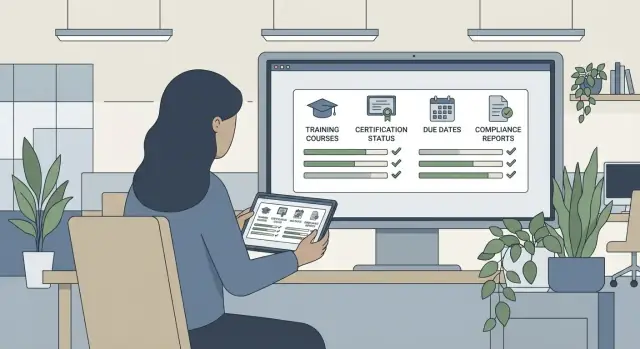
Set Goals and Define the Scope
Before you sketch screens or pick a tech stack, get crisp on why you’re building a corporate training management web app. Different goals lead to very different product decisions—and the clearest goal statement is one of the best defenses against scope creep.
Define the problem you’re solving
Most teams are trying to fix one (or more) of these:
- Training delivery: assign courses, track progress, and make it easy for employees to finish.
- Certification tracking: manage expirations, renewals, and proof for each employee certification.
- Compliance evidence: produce audit-ready certification records quickly, with clear “who did what, when” history.
Write your primary goal as a single sentence (e.g., “Reduce overdue compliance training by 30% and cut audit prep time in half”). Use it to evaluate every feature request.
Identify primary users (and their top jobs)
Define your core user groups and the one job each must do without friction:
- Employees: see required training, complete it, and download certificates.
- Managers: monitor team status and follow up on overdue items.
- HR/Admins: assign training, manage programs, and answer compliance questions.
- Auditors/Compliance: verify evidence fast, with minimal back-and-forth.
If you don’t have external auditors, you may still need an “audit view” for internal reviews.
Pick success metrics you can track
Choose a short list you’ll actually review monthly:
- completion rate by department and program
- number of overdue items (trend)
- average days to completion
- time to produce an audit report
Decide what v1 must include vs. later
A practical v1 for employee certification tracking usually includes: user accounts, training assignments, completion capture, basic reminders, and simple reporting.
Save “later” for advanced items like deep analytics, complex learning paths, and multi-tenant training platform features—unless those are required to launch.
Gather Requirements and Map Key Workflows
Before you pick features or screens, get clear on how training and certification tracking actually works in your company today. The goal is to capture real steps, real exceptions, and real ownership—so the app matches day-to-day operations instead of an idealized process.
Interview the people who run the process
Start with short interviews (30–45 minutes) with HR, compliance, and a few team leads from different departments. Ask them to walk you through a recent training cycle end-to-end:
- Where do training requests originate (HR, managers, compliance, incidents)?
- How are people assigned today (email, spreadsheets, HRIS exports)?
- What counts as “complete” (attendance, quiz score, manager sign-off)?
- What breaks most often (late reminders, missing proof, wrong audiences)?
Capture pain points verbatim—those quotes become useful prioritization inputs later.
Map the core workflows you must support
Turn your findings into a simple workflow map (even a whiteboard photo is fine at this stage). At minimum, cover these key use cases:
- Assign training to individuals, teams, or rule-based groups (role/location)
- Enroll cohorts (e.g., new hires in a monthly intake)
- Track progress (started, in progress, completed, failed, overdue)
- Renew certifications (expiring soon → renewal assigned → proof stored)
Define who does what at each step: employee, manager, HR/admin, or instructor.
Document edge cases early
Edge cases are where training systems fail in audits. Explicitly document scenarios like contractors, multi-location rules (different standards per site), exemptions (grandfathered employees), and leave of absence (pause deadlines without losing history).
Convert requirements into user stories
Translate the workflow into user stories with acceptance criteria. Example: “As an HR admin, I can assign ‘Forklift Safety’ to all warehouse staff in Location A, excluding approved exemptions, and see who is overdue.” These stories become your build plan and a shared definition of done.
Design the Data Model and Audit Trail
A corporate training management web app lives or dies by its data model. If your entities and history are clear, employee certification tracking becomes much simpler: assignments are traceable, renewals are predictable, and training compliance reporting is defensible.
Start with core entities (and keep them boring)
Model the obvious building blocks first:
- Employee (with identifiers that can match HR systems later)
- Role and Department (for targeting and reporting)
- Course and Module (content structure)
- Certification (what someone earns, often tied to a validity period)
- Assignment (the “who needs to do what by when” record)
A useful rule: if something can be “assigned,” “completed,” or “waived,” it usually deserves its own table/object.
Use explicit status fields (avoid guessing)
For each assignment and certification instance, store clear status values such as assigned, in progress, completed, expired, and waived. Don’t infer state from dates alone—teams will eventually ask for edge cases (“completed late,” “waived by manager,” “expired but renewal in progress”). Explicit fields keep your learning management workflow consistent.
Store evidence like an auditor will ask for it
To produce audit-ready certification records, capture evidence at the moment it happens:
- Completion timestamps (start/end)
- Scores and pass/fail decisions
- Certificate files or IDs
- Uploaded documents (sign-offs, external training proof)
Store who submitted the evidence and who approved it, if applicable.
Design for history from day one
Instead of overwriting, append. Keep an audit trail of changes to assignments, due dates, completion outcomes, and manual edits. At minimum, log: who changed what, when, and from/to values.
This change history supports investigations (“why was this waived?”), simplifies certification renewal reminders later, and makes integrations (like SSO and HRIS integration updates) safer—because you can always see what changed and roll back with confidence.
Plan Authentication, Roles, and Access Control
Access control is where training apps either feel smooth or turn into a support nightmare. A clear role model keeps everyday tasks simple (employees learn, managers approve) while protecting sensitive data (HR records, evidence files, exports).
Start with a small set of roles
Most teams can cover 95% of needs with five roles:
- Employee: completes assigned training, uploads evidence, views their own history.
- Manager: assigns training to direct reports, reviews status, escalates overdue items.
- HR admin: manages users, programs, certification rules, and reporting.
- Content author: creates courses, quizzes, and updates materials without touching user data.
- Auditor (read-only): views records and evidence without the ability to edit.
Keep roles stable over time. If you need nuance, use permissions (below) instead of inventing new roles per department.
Define permissions as actions
Write permissions as verbs and map them to screens and API endpoints:
- Assign training/certifications to individuals or groups
- Edit content, rules, due dates, and metadata
- Approve completions or evidence (especially for external certificates)
- Export reports (CSV/PDF) and audit packets
- View evidence (files, screenshots, attestations) and audit trail
This makes it easier to answer questions like “Can managers export?” or “Can authors view employee evidence?” without debate.
Plan authentication early
Choose the login options that match your customer base:
- Email/password: quickest to ship; add MFA for admins.
- Magic link: fewer password resets; good for frontline workers.
- SSO (SAML/OIDC): ideal for larger companies; supports joiners/leavers through centralized identity.
Multi-tenant separation (if you serve multiple companies)
If you’re building a multi-tenant training platform, enforce tenant boundaries everywhere: database queries scoped by tenant ID, file storage partitioned per tenant, and logs that never mix customers. Test this like a security feature, not a convenience feature.
Design the User Experience and Key Screens
A training app succeeds or fails on clarity. Most users aren’t “exploring”—they’re trying to finish assigned training quickly, prove completion, or spot what’s overdue. Start by designing three primary experiences: Employee, Admin (HR/L&D), and Manager.
Employee portal (complete what’s assigned)
The employee home screen should answer one question: “What do I need to do next?”
Show an assigned training list with due dates, status, and a clear primary action (Start / Continue / Review / Download certificate). Keep progress visible (e.g., “3 of 5 modules”) and add quick filters like Due soon, Overdue, and Completed.
Certificates should be easy to find and share. A dedicated “Certificates” tab with download links and expiry dates reduces support tickets and builds trust.
Admin dashboard (control the system)
Admins need speed and confidence. The core screens usually include:
- Course catalog: create/edit courses, versioning labels, and visibility (who can be assigned)
- Assignments: assign by person, team, location, or job role; preview who will be affected before publishing
- Compliance overview: a snapshot of completion vs. overdue by department, course, and due date window
Design for batch work: bulk assign, bulk reminders, and simple templates (e.g., “Annual Safety Training”). If you have a settings area, keep it lean and task-focused rather than a long “misc” page.
Manager view (see the team, act fast)
Managers need a clean team status page with overdue alerts and drill-down to individual records. Prioritize:
- “Who is overdue?” (with due date and course)
- “What changed since last week?” (new assignments, newly overdue)
- One-click actions: nudge employee, request help, or escalate according to policy
Keep screens simple (and forgiving)
Use clear verbs on buttons, straightforward search, and a few high-value filters instead of a complex query builder. Add helpful empty states (“No overdue training”) and make errors actionable (“Upload failed—try a PDF under 10MB”).
If you later add advanced features (learning paths, optional courses, multi-tenant), keep the first-time experience lightweight and predictable.
Build Training Content, Completion Rules, and Assessments
Your app’s credibility depends on two things: clear training content and unambiguous proof that each employee completed it. This is where you turn “we assigned a course” into “we can show who completed what, when, and under which version.”
Support the right course types (without overbuilding)
Start with a small set of course formats that cover most real-world programs:
- Video (hosted or embedded)
- PDF / document reading
- Live sessions (in-person or virtual, with attendance tracking)
- External links (vendor training, regulator pages, third-party platforms)
If you need it, add SCORM/xAPI as an optional capability rather than a requirement. Many companies do fine without it, but regulated or larger orgs often rely on it for standardized tracking.
Modules, lessons, and completion rules that hold up in audits
Model content as Courses → Modules → Lessons so you can reuse building blocks and update one part without rewriting the whole course.
Define completion at the lesson level using explicit rules such as:
- Time-based: watched 90% of a video, or spent 8 minutes on a lesson
- Quiz-based: passed the assessment
- Acknowledgement: “I have read and understood” (with timestamp)
Be careful with time-based rules: time-on-page can be noisy. Combine it with a scroll/read confirmation or a short acknowledgement when appropriate.
Quizzes and assessments with sensible retry policies
Assessments should be configurable per course:
- Pass threshold (e.g., 80%)
- Question pools (optional) to reduce sharing answers
- Retake rules (max attempts, cooldown period, and what happens after failure)
Store the employee’s attempt history (score, answers if allowed, timestamps) so you can explain outcomes later.
Attachments and versioning: keep evidence intact
Policies change. Your app must preserve historical proof.
Allow attachments (slides, SOPs, sign-off forms) and treat course updates as new versions. Employees who completed v1 should still show completion for v1, even if v2 is published later. When content updates require re-training, create a new assignment linked to the new version rather than overwriting the old record.
Implement Certification Tracking and Renewal Logic
Certification tracking is where training turns into evidence: who is qualified, for what, and until when. The goal is to make expiration predictable, renewals automatic, and exceptions controlled—without spreadsheets.
Model certifications as recurring credentials
Treat a certification as its own record type, separate from the course that awards it. Each certification should support:
- Validity period (e.g., 12 months from issue date)
- Renewal window (e.g., begin renewal 60 days before expiry)
- Issuing rules (which course, assessment score, or manager approval grants it)
Store both the issue date and the expiry date (derived, but persisted for reporting). Keep a history of all renewals so you can show continuity during audits.
Automate renewals with clear rules
Renewal automation is mostly scheduling plus logic. Common patterns:
- Reassign training before expiry: when the renewal window opens, automatically enroll the employee in the required refresher course.
- Grace periods: optionally allow a short overdue window while still flagging the status as “expired.”
- Role or job-based rules: a change in role should immediately recalculate required certifications.
Make renewals idempotent: if the rule runs twice, it shouldn’t assign the same training twice.
Handle exemptions and equivalency
Real organizations accept alternatives: vendor certificates, prior training, or regulated licenses. Support:
- Exemptions (temporary or permanent) with a reason and approver
- Equivalency mappings (external credential X satisfies internal certification Y)
Always record who granted it and when, and ensure exemptions still appear in compliance reports.
Verification workflow for uploaded proof
When employees upload a certificate, route it to HR (or a verifier role) with a simple state machine: Submitted → Approved/Rejected → Issued.
On approval, mint the internal certification with the correct validity period and store the document reference for audit-ready records (see /blog/audit-ready-training-records).
Add Reminders, Notifications, and Escalations
Notifications are where training systems either feel helpful or get ignored. The goal is simple: send the right message to the right person at the right time—without turning email into noise.
What to notify (and when)
Start with a small set of high-value events and make them consistent:
- Assignment created: confirm the training was assigned, include due date and a direct link to start.
- Upcoming due date: e.g., 7 days and 2 days before (configurable by training type).
- Overdue: a clear “past due” message, plus next steps.
- Expiry soon (for certifications): notify before the certification becomes invalid (common windows: 60/30/14 days).
For escalations, define rules like: “If overdue by 7 days, notify the manager; if overdue by 14 days, notify HR/admin.” Keep escalation wording factual and action-focused.
Preferences, time zones, and spam control
Make notifications adjustable at the user level (opt in/out by category where appropriate) and send based on each user’s time zone. A due-date reminder that arrives at 3 a.m. trains people to ignore you.
Prevent spam by adding:
- Quiet hours (e.g., no sends outside business hours)
- Deduplication (don’t resend the same reminder if nothing changed)
- Rate limits (cap notifications per user per day)
Digest emails for managers and admins
Managers and admins often prefer summaries over single-item pings. Send a weekly digest listing:
- New assignments in their team
- Items due soon
- Overdue items and longest-overdue employees
- Certifications expiring soon
Log every message sent
Store a notification history (recipient, channel, template, timestamp, status, and related assignment/certification). This helps with troubleshooting (“did they get it?”) and supports audit questions later. Link to this log from the user or assignment record for faster support.
Reporting, Dashboards, and Audit Readiness
Reporting is where a training and certification app proves its value: it turns completion data into clear answers for managers, HR, and auditors.
Dashboards that show risk at a glance
Start with two dashboards:
- Manager dashboard: team completion rate, top overdue trainings, upcoming expirations (next 30/60/90 days), and “at-risk” roles.
- Compliance/HR dashboard: organization-wide status with slices by department, role, location, and time period.
Keep the numbers consistent by defining simple rules (e.g., “complete” means all required modules passed and evidence attached where applicable).
Drill-down filters that lead to action
Every chart should be clickable. If a department shows 82% compliance, a user should be able to drill down to:
- the exact employees who are overdue or expiring soon
- which required items are missing
- the due dates and escalation status
This is how dashboards become operational tools, not just summaries.
Audit-ready views and evidence
Auditors typically want the same story, but with proof. Build an “audit view” that answers:
- Who completed what
- When they completed it (including time zone and timestamp)
- Which version of the training/assessment they took
- Evidence links (certificate file, signed acknowledgment, external provider record)
Make it easy to export the full trail without manual screenshots.
Exports and scheduled delivery
Support CSV for analysis and PDF for sharing. Add scheduled delivery (e.g., monthly compliance pack) to email or a secure download area, with the same filters used on-screen so reports match what stakeholders saw in the app.
Integrations and Data Imports
Integrations turn a training app from “another place to update” into a system people trust. Start by identifying which systems already hold the truth for employees, schedules, and communications—then decide what your app should pull, what it should push, and what must stay in sync.
HRIS: employee roster as the source of truth
Most organizations want the HRIS to drive the employee list, departments, job titles, managers, and location. Plan for nightly syncs (or near-real-time) so new hires automatically appear, leavers are deactivated, and reporting reflects current org structure.
If you support multiple companies (a multi-tenant training platform), define how HRIS identifiers map to tenants and how you prevent cross-tenant data mixing.
SSO, provisioning, and access
Single sign-on reduces password support and improves adoption. Support common SSO options (SAML or OIDC). When required, add SCIM user provisioning so accounts, groups, and role assignments can be created and updated automatically.
Even with SSO, keep a clear “break glass” admin access method for emergencies.
Calendar, email, and chat notifications
For instructor-led sessions, integrate with a calendar provider to create invites, handle reschedules, and track attendance signals.
For reminders and escalation flows, connect email plus Slack/Teams to deliver nudges where employees actually see them—without spamming. Keep message templates editable.
Legacy imports, exports, and ongoing APIs
Expect messy historical data. Provide guided imports for past completions and certifications, with validation and a preview step. Also offer exports (CSV) for compliance teams and for migrations.
For real-time integrations, expose webhooks or APIs for events like completion recorded, certification issued, renewal due, or user deactivated—so other systems can react immediately.
Security, Privacy, and Compliance Essentials
A corporate training management web app often contains personal data (names, emails, job roles), performance data (scores), and compliance evidence (certificates, signed documents). Treat it like a system of record: design security and privacy from day one, not as an add-on.
Protect personal data with least privilege
Start with role-based access for HR and managers, and default every new feature to “no access” until explicitly granted. For example, a manager may see their team’s completion status, but not another department’s quiz answers.
Encrypt traffic with HTTPS/TLS, and encrypt sensitive data at rest (database encryption and encrypted object storage for uploads). If you support a multi-tenant training platform, isolate tenants at the data layer and test for cross-tenant access.
Make every change auditable
For audit-ready certification records, log administrative actions and key changes: training assignments, due dates, score edits, certificate uploads, and certification status changes. Keep the “who/what/when” plus the previous and new values. This is essential for training compliance reporting and for investigating disputes.
Define retention and deletion rules
Decide how long to keep completions, scores, and uploaded documents (e.g., “7 years after employment ends” or “per regulatory requirement”). Implement automatic retention policies to reduce risk, and document them in your admin help pages (e.g., /help/data-retention).
Build basic privacy workflows
Add clear consent/notice text at first login, plus simple tools to handle access requests and data deletion where applicable. Even if your legal basis is “legitimate interest,” users should understand what’s collected and why. Pair this with SSO and HRIS integration so deprovisioning immediately removes access when employment changes.
Testing, Deployment, and an Iterative Roadmap
A training and certification app isn’t “done” when the screens work. The hard part is proving that rules behave correctly (assignments, renewals, expirations), that audit records stay accurate, and that the system holds up under real organizational complexity.
If you’re moving fast, a vibe-coding platform like Koder.ai can help you prototype workflows (assignments, reminders, audit views) and iterate on role-based access and reporting from a single chat-driven build loop—while still producing real, exportable source code you can review and extend.
A practical testing plan
Focus your tests on the parts that create compliance risk:
- Unit tests for business rules: renewal windows, grace periods, auto-expiration, completion prerequisites, score thresholds, and reassignment logic after role changes.
- End-to-end (E2E) tests for key journeys: HR assigns training to a department → employee completes content and assessment → certification is issued → renewal is triggered → reminders escalate → report exports match expectations.
Also test “unhappy paths”: incomplete assessments, revoked access, missed due dates, and conflicting role permissions.
Seed realistic test data (before you need it)
Synthetic data should resemble real usage: large orgs, multiple departments, managers with indirect reports, contractors with limited access, and thousands of assignments across overlapping programs. Include edge cases like:
- employees in multiple departments or locations
- certifications with different renewal cycles
- backdated completions (common during migrations)
This makes performance issues and reporting bugs visible early.
Deployment: staging, production, and operational basics
Run staging as a near-clone of production: same configs, same integrations (or safe mocks), and the same scheduled jobs.
For production readiness, set up:
- backups and restore drills (not just backups)
- monitoring and alerting for queues, job failures, and integration errors
- error tracking to capture user-impacting issues with enough context to reproduce
An iterative post-launch roadmap
After launch, prioritize improvements that reduce friction and increase confidence:
- mobile UX upgrades for frontline workers
- faster assignment flows (bulk actions, templates)
- advanced analytics (risk scoring, overdue trends)
If you’re planning packaging or self-serve onboarding, keep related resources discoverable from /pricing and expand practical guides in /blog (e.g., imports, renewals, audit prep).
FAQ
What’s the best way to define the scope for a corporate training and certification web app?
Start by writing a single-sentence primary goal (e.g., “Reduce overdue compliance training by 30% and cut audit prep time in half”). Then choose 2–4 metrics you’ll review monthly, like completion rate by department, overdue trend, average days to completion, and time to produce an audit report.
Use that goal to decide what goes into v1 vs. later, so you don’t design for every edge case on day one.
Who are the primary users I should design for?
Most products need at least four user groups:
- Employees: complete assigned training and download certificates.
- Managers: monitor team status and follow up on overdue items.
- HR/Admins: assign training, manage programs, answer compliance questions.
- Auditors/Compliance (read-only): verify evidence quickly without editing anything.
If you don’t have external auditors, still consider an internal “audit view” user so reports and evidence are easy to review.
How do I gather requirements without ending up with an idealized process?
Interview HR, compliance, and a few managers across departments. Ask them to walk through a recent cycle end-to-end:
- Where requests originate (HR, incidents, compliance, managers)
- How assignments happen today (email, spreadsheets, HRIS)
- What counts as “complete” (attendance, quiz score, sign-off)
- What breaks most often (missing proof, wrong audiences, late reminders)
Turn the answers into a simple workflow map and a list of exceptions you must support.
What core data model entities should I implement first?
Start “boring” with a few core entities:
- Employee, Role, Department
- Course, Module
- Certification (separate from courses)
- Assignment (who must do what by when)
Rule of thumb: if it can be assigned, completed, or waived, it usually needs its own table/object. This makes reporting and audit trails much easier later.
How should I handle training and certification statuses?
Use explicit status fields instead of inferring state from dates alone. For example:
- Assignments: assigned, in progress, completed, failed, overdue, waived
- Certifications: active, expired, revoked (if you need it)
This prevents ambiguity when you inevitably need cases like “completed late,” “waived by manager,” or “expired but renewal in progress.”
What makes an audit trail “audit-ready” for compliance?
Treat audit history as append-only. At minimum, log:
- Who changed something
- What changed
- When it changed
- From → to values
Apply this to assignments, due dates, completions, score edits, evidence uploads, and certification status changes. Also store evidence artifacts (timestamps, certificate IDs/files, approvals) at the moment they happen so you can produce audit-ready packets later (see /blog/audit-ready-training-records).
How do I set up roles and permissions without creating complexity?
Keep roles small and stable (e.g., Employee, Manager, HR Admin, Content Author, Auditor). Then define permissions as actions and map them to screens/APIs:
- Assign, Edit, Approve, Export, View evidence
This prevents role sprawl and makes questions like “Can managers export?” or “Can authors see employee data?” straightforward to answer and enforce.
What authentication options should I plan for (SSO, magic links, etc.)?
Start with what fits your organization size:
- Email/password (fastest to ship); add MFA for admins.
- Magic link (reduces password resets; good for frontline teams).
- SSO (SAML/OIDC) for larger companies; consider SCIM for automated provisioning.
Even with SSO, keep a “break glass” admin access method for emergencies and lock it down tightly.
How do I prove completion in a way that holds up in audits?
Support a few common types without overbuilding:
- Video, PDFs/documents, external links
- Live sessions with attendance tracking
Define completion rules explicitly at the lesson level (quiz pass, acknowledgment with timestamp, or time-based with safeguards). For updates, create course versions and never overwrite old completions; assign re-training as a new assignment linked to the new version.
How should certification renewal and uploaded proof verification work?
Model certifications as recurring credentials with:
- Validity period (e.g., 12 months)
- Renewal window (e.g., 60 days before expiry)
- Issuing rules (course completion, score threshold, approval)
Automate renewals with idempotent jobs (don’t double-assign). Include exemptions/equivalency with approver + reason, and use a simple verification workflow for uploaded proof: Submitted → Approved/Rejected → Issued.