

How to Build a Web App That Tracks SLA Compliance Accurately
Learn how to design and build a web app that tracks SLA compliance: define metrics, collect events, calculate results, alert on breaches, and report accurately.
Define SLA Compliance and What You’re Building
SLA compliance means meeting the measurable promises in a Service Level Agreement (SLA)—a contract between a provider and a customer. Your app’s job is to answer a simple question with evidence: Did we meet what we promised, for this customer, during this time period?
It helps to separate three related terms:
- SLI (Service Level Indicator): the raw measurement (for example, “percentage of successful checks,” “time to first reply,” or “time to restore service”).
- SLO (Service Level Objective): an internal target for an SLI (often stricter than the SLA). Example: “99.95% uptime goal.”
- SLA: the externally agreed commitment, often tied to credits or penalties. Example: “99.9% monthly uptime.”
Common SLA metrics you’ll track
Most SLA tracking web apps start with a small set of metrics that map to real operational data:
- Uptime / availability: percent of time the service is “up” during the reporting period.
- Response time (support): time from customer ticket creation to first human response.
- Resolution time: time from incident/ticket creation to closure or restoration.
- Availability windows: rules like “only count business hours,” “exclude scheduled maintenance,” or “measure only from 08:00–18:00 in the customer’s timezone.”
Who uses the app—and why
Different users want the same truth, presented differently:
- Ops/SRE: detect breaches early and validate incident timelines.
- Support teams: track response and resolution commitments per customer.
- Managers: see trends, risk, and whether teams are consistently meeting targets.
- Customers: view transparent reports (and sometimes a status page) showing what happened.
What you’re building (and what you’re not)
This product is about tracking, proof, and reporting: collecting signals, applying agreed rules, and generating audit-friendly results. It does not guarantee performance; it measures it—accurately, consistently, and in a way you can defend later.
Requirements: Metrics, Rules, and Who Needs What
Before you design tables or write code, get painfully clear on what “compliance” means for your business. Most SLA tracking problems aren’t technical—they’re requirements problems.
Gather the inputs (and don’t rely on memory)
Start by collecting the sources of truth:
- Customer contracts and MSAs (including attachments and ticketing addenda)
- Service tiers (e.g., Basic vs. Premium), and which customers map to each tier
- Business hours and time zones per customer (or per service)
- Exclusions and special rules: planned maintenance windows, force majeure, customer-caused delays, third-party dependencies, grace periods
Write these down as explicit rules. If a rule can’t be stated clearly, it can’t be calculated reliably.
Decide what must be tracked
List the real-world “things” that can affect an SLA number:
- Incidents/outages (start, end, severity, impacted services)
- Requests/tickets (created, first response, resolution, pending customer)
- Maintenance (scheduled vs. emergency; whether it counts against availability)
- Partial outages (degraded performance) and whether they count at all
Also identify who needs what: support wants real-time breach risk, managers want weekly rollups, customers want simple summaries (often for a status page).
Pick 1–3 metrics for the first release
Keep scope small. Choose the minimum set that proves the system works end-to-end, such as:
- Availability % (uptime) per service per month
- Incident response time (first human response) within business hours
- Time to resolution for severity-1 incidents
Requirements checklist and success criteria
Create a one-page checklist that you can test later:
- Clear metric definitions (start/stop timestamps, time zone, rounding)
- Inclusion/exclusion rules (maintenance, customer waiting time)
- Target thresholds per tier (e.g., 99.9%, 1-hour response)
- Output requirements (customer report, internal dashboard, export)
Success looks like this: two people compute the same sample month manually and your app matches it exactly.
Data Model for SLAs, Services, Incidents, and Events
A correct SLA tracker starts with a data model that can explain why a number is what it is. If you can’t trace a monthly availability figure back to the exact events and rules used, you’ll fight customer disputes and internal uncertainty.
Core entities (keep them boring and explicit)
At minimum, model:
- Customer (tenant/account): owns services, calendars, contacts, and reporting preferences.
- Service: the thing being measured (API, web app, region-specific component). Include an optional parent/child relationship if you’ll roll up multiple components.
- Plan: a commercial wrapper (e.g., “Gold”), mostly used to attach a default SLA policy set.
- SLA policy: the measurable rules: uptime target, response time target, measurement window, and what counts as “excluded.”
- Incident: a human-friendly grouping (title, severity, timeline) that references the underlying events.
- Event: the immutable facts (state changes, monitoring signals, acknowledgements) that drive calculations.
A useful relationship is: customer → service → SLA policy (possibly via plan). Incidents and events then reference the service and customer.
Minimal schema for time-based tracking
Time bugs are the #1 cause of wrong SLA math. Store:
occurred_atas UTC (timestamp with timezone semantics)received_at(when your system saw it)source(monitor name, integration, manual)external_id(to dedupe retries)payload(raw JSON for future debugging)
Also store customer.timezone (IANA string like America/New_York) for display and “business hours” logic, but don’t use it to rewrite event time.
Working hours and holidays
If response-time SLAs pause outside business hours, model calendars explicitly:
working_hoursper customer (or per region/service): day-of-week + start/end timesholiday_calendarlinked to a region or customer, with date ranges and labels
Keep the rules data-driven so ops can update a holiday without a deploy.
Auditability: raw vs calculated
Store raw events in an append-only table, and store calculated results separately (e.g., sla_period_result). Each result row should include: period boundaries, inputs version (policy version + engine version), and references to the event IDs used. This makes recomputation safe and gives you an audit trail when customers ask, “Which outage minutes did you count?”
Event Ingestion: How Data Gets Into Your App
Your SLA numbers are only as trustworthy as the events you ingest. The goal is simple: capture every change that matters (an outage started, an incident acknowledged, service restored) with consistent timestamps and enough context to calculate compliance later.
Common event sources
Most teams end up pulling from a mix of systems:
- Ticketing / incident tools (Jira Service Management, ServiceNow, Zendesk): created/acknowledged/resolved timestamps, priority changes, assignee changes.
- Monitoring tools (Pingdom, Datadog, CloudWatch, Prometheus Alertmanager): up/down signals, alert fired/cleared, synthetic check results.
- Infrastructure and application logs: deploy events, error spikes, health check failures (useful when monitoring is noisy or missing).
- Manual entries: a small UI for “business-verified outage start/end” or “maintenance window started” when automation can’t know the truth.
Ingestion options (and when to use them)
Webhooks are usually best for real-time accuracy and lower load: the source system pushes events to your endpoint.
Polling is a good fallback when webhooks aren’t available: your app periodically fetches changes since the last cursor. You’ll need rate-limit handling and careful “since” logic.
CSV import helps with backfills and migrations. Treat it as a first-class ingestion path so you can reprocess historical periods without hacks.
A recommended event format (with idempotency)
Normalize everything into a single internal “event” shape, even if the upstream payloads differ:
event_id(required): unique and stable across retries. Prefer the source’s event GUID; otherwise generate a deterministic hash.source(required): e.g.,datadog,servicenow,manual.event_type(required): e.g.,incident_opened,incident_acknowledged,service_down,service_up.occurred_at(required): the time the event happened (not when you received it), with timezone.received_at(system): when your app ingested it.service_id(required): the SLA-relevant service the event affects.incident_id(optional but recommended): links multiple events to one incident.attributes(optional): priority, region, customer segment, etc.
Store event_id with a unique constraint to make ingestion idempotent: retries won’t create duplicates.
Validation rules that prevent bad data
Reject or quarantine events that:
- Have missing/invalid timestamps, or
occurred_atfar in the future. - Don’t map to a known
service_id(or require an explicit “unmapped” workflow). - Duplicate an existing
event_id. - Arrive out of order in a way that breaks your rules (keep them, but mark as “needs review” rather than silently overwriting).
This discipline upfront saves you from arguing about SLA reports later—because you’ll be able to point to clean, traceable inputs.
SLA Calculation Engine: Turning Events Into Compliance
Your calculation engine is where “raw events” become SLA outcomes you can defend. The key is to treat it like accounting: deterministic rules, clear inputs, and a replayable trail.
Start with a normalized timeline
Convert everything into a single ordered stream per incident (or per service-impact):
- timestamps (UTC) for: incident started, acknowledged/first response, mitigated, resolved, reopened
- state changes: paused/unpaused, customer-waiting, maintenance window active
- scope: which service(s) and customer(s) are impacted, and at what severity
From this timeline, compute durations by summing intervals, not by subtracting two timestamps blindly.
Time-to-first-response (TTFR) and time-to-resolution (TTR)
Define TTFR as the elapsed “chargeable” time between incident_start and first_agent_response (or acknowledged, depending on your SLA wording). Define TTR as the elapsed “chargeable” time between incident_start and resolved.
“Chargeable” means you remove intervals that shouldn’t count:
- outside business hours (for business-hours SLAs)
- explicit pauses (e.g., “waiting on customer”)
- exclusions such as scheduled maintenance or customer-caused delays
Implementation detail: store a calendar function (business hours, holidays) and a rule function that takes a timeline and returns billable intervals.
Partial outages and multi-service incidents
Decide upfront whether you calculate:
- per-service SLAs (recommended): one incident can produce multiple service impact records, each with its own TTFR/TTR
- per-customer SLAs: the same outage might affect only a subset of tenants
For partial outages, weight by impact only if your SLA contract requires it; otherwise treat “degraded” as a separate breach category.
Traceability: store inputs, outputs, and replays
Every calculation should be reproducible. Persist:
- the exact events used (with ids, timestamps, and source)
- the derived intervals (what was excluded and why)
- the final results (TTFR, TTR, breach flags, and rule version)
When rules change, you can re-run calculations by version without rewriting history—crucial for audits and customer disputes.
Reporting Logic: Periods, Availability, and Edge Cases
Reporting is where SLA tracking either earns trust—or gets questioned. Your app should make it clear what time range is being measured, which minutes count, and how the final numbers are derived.
Periods: calendar, billing, and rolling windows
Support the common reporting periods your customers actually use:
- Calendar monthly/quarterly (e.g., March 1–31)
- Billing cycles (e.g., 15th–14th, aligned to invoices)
- Rolling windows (e.g., “last 30 days” updated daily)
Store periods as explicit start/end timestamps (not “month = 3”) so you can replay calculations later and explain results.
Availability: total minutes vs eligible minutes
A frequent source of confusion is whether the denominator is the whole period or only “eligible” time.
Define two values per period:
- Eligible minutes: minutes that count toward the SLA (often excludes planned maintenance, customer-caused outages, or times outside support hours)
- Downtime minutes: eligible minutes where the service is considered down
Then calculate:
availability_percent = 100 * (eligible_minutes - downtime_minutes) / eligible_minutes
If eligible minutes can be zero (for example, a service that is only monitored during business hours and the period contains none), define the rule up front: either “N/A” or treat as 100%—but be consistent and document it.
Turning numbers into a clear pass/fail
Most SLAs need both a percentage and a binary outcome.
- Percentage: e.g., 99.95% for the period
- Pass/Fail: compare to the SLA target (e.g., pass if ≥ 99.9%)
Also keep the “distance to breach” (remaining downtime budget) so dashboards can warn before the threshold is crossed.
Edge cases you must handle deliberately
- Time zones: choose a reporting time zone per customer/contract (often the customer’s) and convert events consistently.
- Daylight saving time: never assume a day has 1440 minutes. Use timezone-aware timestamps so the period length is correct on DST transitions.
- Missing end times: incidents sometimes lack a resolved timestamp. Treat them as “open” and cap them at the report end time, while flagging the record for cleanup.
Finally, keep the raw inputs (included/excluded events and adjustments) so every report can answer “why is this number what it is?” without hand-waving.
UI and Dashboards That Make SLA Status Obvious
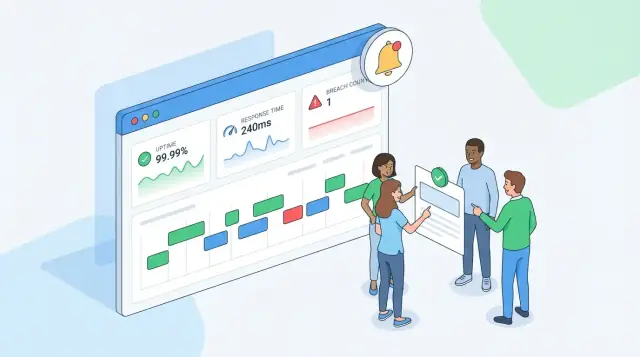
Your calculation engine can be perfect and still fail users if the UI doesn’t answer the basic question instantly: “Are we meeting the SLA right now, and why?” Design the app so each screen starts with a clear status, then lets people drill into the numbers and the raw events that produced them.
Main views to build
Overview dashboard (for operators and managers). Lead with a small set of tiles: current period compliance, availability, response-time compliance, and “time remaining before breach” where applicable. Keep labels explicit (e.g., “Availability (this month)” rather than “Uptime”). If you support multiple SLAs per customer, show the worst status first and let users expand.
Customer detail (for account teams and customer-facing reporting). A customer page should summarize all services and SLA tiers for that customer, with a simple pass/warn/fail state and a short explanation (“2 incidents counted; 18m downtime counted”). Add links to /status (if you provide a customer-facing status page) and to a report export.
Service detail (for deep investigation). This is where you show the exact SLA rules, the calculation window, and a breakdown of how the compliance number was formed. Include a chart of availability over time and a list of incidents that counted toward the SLA.
Incident timeline (for audits). A single incident view should show a timeline of events (detected, acknowledged, mitigated, resolved) and which timestamps were used for “response” and “resolution” metrics.
Filters that match real questions
Make filters consistent across screens: date range, customer, service, tier, and severity. Use the same units everywhere (minutes vs seconds; percentages with the same decimals). When users change the date range, update every metric on the page so there’s no mismatch.
Drill-down without losing trust
Every summary metric should have a “Why?” path:
- From a compliance percentage → list of counted incidents in that period.
- From an incident → raw events and the derived timestamps used in calculations.
- From availability → downtime intervals with sources (monitoring event vs manual adjustment).
Use tooltips sparingly to define terms like “Excluded downtime” or “Business hours,” and show the exact rule text on the service page so people don’t guess.
Keep it simple, but unmistakable
Prefer plain language over abbreviations (“Response time” instead of “MTTA” unless your audience expects it). For status, combine color with text labels (“At risk: 92% of error budget used”) to avoid ambiguity. If your app supports audit logs, add a small “Last changed” box on SLA rules and exclusions linking to /audit so users can verify when definitions changed.
Alerting and Notifications for Breaches
Alerting is where your SLA tracking web app stops being a passive report and starts helping teams avoid penalties. The best alerts are timely, specific, and actionable—meaning they tell someone what to do next, not just that something is “bad.”
Define alert triggers that match real decisions
Start with three trigger types:
- Approaching breach: e.g., “You have 30 minutes left to meet the response-time SLA,” or “Availability this month has dropped to 99.92% and the SLA is 99.9%.” This is the most valuable alert because it enables recovery.
- Breach occurred: fired when the calculation engine confirms the SLA is missed for the relevant window.
- Repeated violations: detect patterns like “3 breaches in 30 days” or “same service breached twice this week,” which often indicates a systemic issue.
Make triggers configurable per customer/service/SLA, since different contracts tolerate different thresholds.
Choose channels and keep messages actionable
Send alerts to where people actually respond:
- Email for audit-friendly notifications and external stakeholders.
- Slack for fast internal coordination.
- SMS (optional) for high-severity escalations.
Every alert should include deep links like /alerts, /customers/{id}, /services/{id}, and the incident or event detail page so responders can verify the numbers quickly.
Reduce noise: deduplication, quiet hours, escalation
Implement deduplication by grouping alerts with the same key (customer + service + SLA + period) and suppressing repeats for a cooldown window.
Add quiet hours (per team time zone) so non-critical “approaching breach” alerts wait until business hours, while “breach occurred” can override quiet hours if severity is high.
Finally, support escalation rules (e.g., notify on-call after 10 minutes, escalate to a manager after 30) to prevent alerts from stalling in one inbox.
Access Control, Authentication, and Audit Logs
SLA data is sensitive because it can expose internal performance and customer-specific entitlements. Treat access control as part of the SLA “math”: the same incident can produce different compliance results depending on which customer’s SLA is applied.
Roles to support from day one
Keep roles simple, then grow into finer-grained permissions.
- Admin: configures global settings, manages services, SLAs, users, integrations, and billing-related items.
- Agent: creates/updates incidents and maintenance windows, attaches events, and adds postmortem notes.
- Manager: reads everything for their scope, approves SLA definitions, and exports reports.
- Customer viewer: sees only their own service(s), SLA targets, incident history, and customer-facing reports.
A practical default is RBAC + tenant scoping:
- Every record (service, SLA policy, report) has an owner tenant/customer.
- Internal users can be scoped to multiple tenants; customer viewers to exactly one.
- Editing permissions are narrower than viewing: e.g., agents can edit incidents but cannot change SLA rules.
What each role can view/edit
Be explicit about customer-specific data:
- Customer viewers should never see internal-only fields (root cause hypotheses, internal severity, on-call notes, private tags).
- SLA policies should be versioned so a customer can view the SLA terms that applied at the time of an incident.
Authentication options that won’t paint you into a corner
Start with email/password and require MFA for internal roles. Plan for SSO later (SAML/OIDC) by separating identity (who they are) from authorization (what they can access). For integrations, issue API keys tied to a service account with narrow scopes and rotation support.
Audit logs you’ll be grateful for
Add immutable audit entries for:
- SLA rule changes (thresholds, calendars, exclusions, mapping to services/customers)
- Incident edits (timestamps, status transitions, manual downtime overrides)
- Permission and API key changes
Store who, what changed (before/after), when, where (IP/user agent), and a correlation ID. Make audit logs searchable and exportable (e.g., /settings/audit-log).
API Design for Integrations and Automation
An SLA tracking app is rarely an island. You’ll want an API that lets monitoring tools, ticketing systems, and internal workflows create incidents, push events, and pull reports without manual work.
Start with a small, predictable surface
Use a versioned base path (for example, /api/v1/...) so you can evolve payloads without breaking existing integrations.
Essential endpoints to cover most use cases:
- Events:
POST /api/v1/eventsto ingest state changes (up/down, latency samples, maintenance windows).GET /api/v1/eventsfor audits and debugging. - Incidents:
POST /api/v1/incidents,PATCH /api/v1/incidents/{id}(acknowledge, resolve, assign),GET /api/v1/incidents. - SLAs:
GET /api/v1/slas,POST /api/v1/slas,PUT /api/v1/slas/{id}to manage contracts and thresholds. - Reports:
GET /api/v1/reports/sla?service_id=...&from=...&to=...for compliance summaries. - Alerts:
POST /api/v1/alerts/subscriptionsto manage webhooks/email targets;GET /api/v1/alertsfor alert history.
Make pagination and filtering consistent
Pick one convention and use it everywhere. For example: limit, cursor pagination, plus standard filters like service_id, sla_id, status, from, and to. Keep sorting predictable (e.g., sort=-created_at).
Define error responses integrators can rely on
Return structured errors with stable fields:
{ "error": { "code": "VALIDATION_ERROR", "message": "service_id is required", "fields": { "service_id": "missing" } } }
Use clear HTTP statuses (400 validation, 401/403 auth, 404 not found, 409 conflict, 429 rate limit). For event ingestion, consider idempotency (Idempotency-Key) so retries don’t duplicate incidents.
Rate limits and basic security
Apply reasonable rate limits per token (and stricter limits for ingestion endpoints), sanitize inputs, and validate timestamps/time zones. Prefer scoped API tokens (read-only reporting vs. write access to incidents), and always log who called what endpoint for traceability (details in your audit log section at /blog/audit-logs).
Testing Strategy: Prove the Numbers Are Correct
SLA numbers are only useful if people trust them. Testing for an SLA tracking web app should focus less on “does the page load” and more on “does time math behave exactly the way the contract says.” Treat your calculation rules as a product feature with its own test suite.
Unit-test the rules with fixed timelines
Start by unit testing your SLA calculation engine with deterministic inputs: a timeline of events (incident opened, acknowledged, mitigated, resolved) and a clearly defined SLA rule set.
Use fixed timestamps and “freeze time” so your tests never depend on the clock. Cover edge cases that often break SLA compliance reporting:
- Incident starts before the reporting period and ends inside it
- Overlapping incidents (should downtime merge or stack?)
- Multiple pauses (maintenance windows, customer-caused delays)
- Boundary minutes/seconds (exactly at 00:00, end of month, leap day)
End-to-end tests for the whole pipeline
Add a small set of end-to-end tests that run the full flow: ingest events → calculate compliance → generate report → render UI. These catch mismatches between “what the engine computed” and “what the dashboard shows.” Keep the scenarios few but high value, and assert on final numbers (availability %, breach yes/no, time-to-ack).
Build reusable fixtures for calendars and time zones
Create test fixtures for business hours, holidays, and time zones. You want repeatable cases like “incident occurs Friday 17:55 local time” and “holiday shifts response time counting.”
Monitor the SLA app itself
Testing doesn’t stop at deploy. Add monitoring for job failures, queue/backlog size, recalculation duration, and error rates. If ingestion lags or a nightly job fails, your SLA report can be wrong even if the code is correct.
Deployment, Operations, and a Practical MVP Roadmap
Shipping an SLA tracking app is less about fancy infrastructure and more about predictable operations: your calculations must run on time, your data must be safe, and reports must be reproducible.
A simple, reliable deployment path
Start with managed services so you can focus on correctness.
- Managed database (PostgreSQL): automated backups, point-in-time recovery, encryption.
- Container hosting for the web/API (e.g., a managed container platform): easy rollbacks and consistent environments.
- Object storage for exports (CSV/PDF) and large artifacts, with lifecycle rules.
Keep environments minimal: dev → staging → prod, each with its own database and secrets.
Background jobs you’ll need from day one
SLA tracking isn’t purely request/response; it depends on scheduled work.
- Calculation jobs: recompute SLA windows from new events, and re-run after late-arriving data.
- Report generation: daily/monthly summaries, customer-ready exports.
- Data hygiene: archive old raw events, compact derived tables, verify referential integrity.
Run jobs via a worker process + queue, or a managed scheduler invoking internal endpoints. Make jobs idempotent (safe to retry) and log every run for auditability.
Retention and exports (without overpromising)
Define retention by data type: keep derived compliance results longer than raw event streams. For exports, offer CSV first (fast, transparent), then PDF templates later. Be clear: exports are “best-effort formatting,” while the database remains the source of truth.
A phased roadmap that keeps scope under control
- MVP: one service, one SLA, one timezone, basic dashboard + monthly report.
- More metrics: response-time SLAs, maintenance windows, exclusions, multiple calendars.
- Customer portal: per-customer views, access control, downloadable reports.
- Status page: public/private pages backed by your computed availability (see /blog/status-pages).
Prototyping faster with Koder.ai (optional)
If you want to validate your data model, ingestion flow, and reporting UI quickly, a vibe-coding platform like Koder.ai can help you get to a working end-to-end prototype without committing to a full engineering cycle up front. Because Koder.ai generates full applications via chat (web UI plus backend), it’s a practical way to spin up:
- a React dashboard for compliance, error budgets, and drill-down timelines,
- a Go + PostgreSQL backend for storing raw events and period results,
- export/report endpoints and simple customer portal views.
Once the requirements and calculations are proven (the hard part), you can iterate, export the source code, and move into a more traditional build-and-operate workflow—while keeping features like snapshots and rollback available during rapid iteration.
FAQ
What does “SLA compliance” mean in an SLA tracking web app?
An SLA tracker answers one question with evidence: did you meet the contractual commitments for a specific customer and time period?
In practice, it means ingesting raw signals (monitoring, tickets, manual updates), applying the customer’s rules (business hours, exclusions), and producing an audit-friendly pass/fail plus supporting details.
How are SLI, SLO, and SLA different—and why should the app model them separately?
Use:
- SLI for the raw measurement (e.g., successful checks %, time-to-first-response).
- SLO for your internal target (often stricter than the contract).
- SLA for the external commitment (often tied to credits).
Model them separately so you can improve reliability (SLO) without accidentally changing contractual reporting (SLA).
Which SLA metrics should I implement first for an MVP?
A strong MVP usually tracks 1–3 metrics end-to-end:
- Availability % per service per month
- Time to first human response (TTFR) (often business-hours-only)
- Time to resolution (TTR) for high-severity incidents
These map cleanly to real data sources and force you to implement the tricky parts (periods, calendars, exclusions) early.
What inputs do I need before I design the database or write the calculator?
Requirements failures usually come from unstated rules. Collect and write down:
- Contract/SLA text (including addenda)
- Tier mapping (which customer is on which plan)
- Time zone and business hours per customer/service
- Explicit exclusions (maintenance, customer-caused delays, force majeure, grace periods)
If a rule can’t be expressed clearly, don’t try to “infer” it in code—flag it and get it clarified.
What’s the minimal data model for a trustworthy SLA tracker?
Start with boring, explicit entities:
- Customer (tenant)
- Service (what’s measured)
- Plan (commercial wrapper)
- SLA policy (targets + windows + exclusions)
- Incident (human-friendly container)
- Event (immutable facts used for math)
Aim for traceability: every reported number should link back to specific event IDs and a specific policy version.
How should I store timestamps and handle time zones (including DST)?
Store time correctly and consistently:
- Save
occurred_atin UTC with timezone semantics - Also store
received_at(when you ingested it) - Keep the customer’s IANA time zone for display and business-hours logic, not for rewriting history
Then make periods explicit (start/end timestamps) so you can reproduce reports later—even across DST changes.
How do I ingest events reliably without duplicates or bad data corrupting reports?
Normalize everything into a single internal event shape with a stable unique ID:
event_id(unique, stable across retries)source,event_type,occurred_at,service_id- Optional
incident_idandattributes
Enforce idempotency with a unique constraint on event_id. For missing mappings or out-of-order arrivals, quarantine/flag them—don’t silently “fix” the data.
How do I calculate TTFR/TTR correctly when business hours, pauses, and exclusions apply?
Compute durations by summing intervals on a timeline, not by subtracting two timestamps.
Define “chargeable time” explicitly by removing intervals that don’t count, such as:
- outside business hours
- “waiting on customer” pauses
- scheduled maintenance (if excluded by policy)
Persist the derived intervals and the reason codes so you can explain exactly what was counted.
How should availability be calculated (eligible minutes vs total minutes)?
Track two denominators explicitly:
- Eligible minutes (minutes that count toward the SLA)
- Downtime minutes (eligible minutes where the service is down)
Then calculate:
availability_percent = 100 * (eligible - downtime) / eligible
Also decide what happens if eligible minutes is zero (e.g., show N/A). Document this rule and apply it consistently.
What should dashboards and alerts include to be useful (and not noisy)?
Make the UI answer “are we meeting the SLA, and why?” in one glance:
- Show current-period compliance plus “distance to breach” (remaining downtime budget)
- Provide a drill-down path: metric → counted incidents → raw events/intervals
- Keep labels explicit (“Availability (this month)”), and show the exact SLA rule text on the service page
For alerts, prioritize actionable triggers: approaching breach, breach occurred, and repeated violations—each linking to relevant pages like /customers/{id} or /services/{id}.