

How to Build a Website for an AI Use-Case Knowledge Center
Learn how to plan, design, and launch a website that organizes AI use cases with clear structure, strong search, and governance for growth.
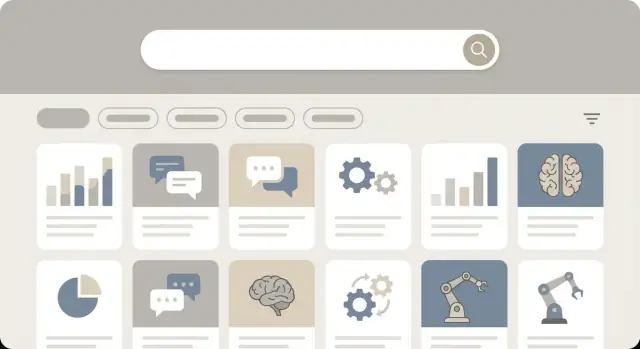
Set goals and define your audience
Before you design pages or choose a CMS, get clear on two things: who the knowledge center is for, and what you want it to achieve. This prevents building a “nice library” that nobody uses—and helps you make smart tradeoffs later (what to publish first, how deep each article should go, and what navigation matters most).
Define who it serves
Most AI use‑case knowledge centers end up serving multiple groups, but one group should be primary. Common audiences include:
- Buyers and decision-makers who need confidence, proof, and risk clarity
- Practitioners and end users looking for practical guidance and examples
- Partners who need reusable assets to co-sell or implement
- Internal teams (sales, solution engineers, customer success) who need fast answers
Write a one-sentence promise for each audience. Example: “For operations managers, we explain how AI reduces cycle time with real workflows and measurable outcomes.”
List the core outcomes
Decide what “good” looks like. Typical outcomes are:
- Educate readers on what’s possible and what’s realistic
- Inspire with credible examples and before/after results
- Support evaluation (requirements, constraints, integration notes, ROI assumptions)
- Reduce repeat questions from prospects and customers
If you’re aiming for evaluation support, you’ll likely need more detail per use case. If you’re aiming for inspiration, short, skimmable overviews may win.
Define what “use case” means for you
A “use case” can be organized by industry (healthcare), function (finance), or workflow (invoice processing). Pick a primary meaning so content stays consistent.
A practical template is: problem → workflow → AI approach → inputs/outputs → value → constraints. This keeps articles comparable.
Set success metrics early
Choose a small set of measurable signals:
- Search success rate (did people find something useful?)
- Time to first useful click from landing on the site
- Leads or demo requests influenced by knowledge center visits
- Support deflection (fewer tickets or repeated questions)
With goals, audiences, and metrics written down, every later decision becomes easier—and easier to defend.
Choose the site structure and information architecture
A knowledge center works when visitors can predict where things live. Before you design pages, decide on the “shape” of the site: the main navigation, the core page types, and the shortest paths to the most common tasks.
Pick a primary navigation that matches intent
For an AI use-case knowledge center, a simple top navigation often beats a clever one. A solid default is:
- Use Cases: the main library (browse and filter)
- Industries: curated entry points by vertical
- Resources: templates, checklists, webinars, case studies
- FAQs: buying and implementation questions in plain language
- About: your approach, team, trust signals, contact
Keep it stable. Visitors will tolerate a lot, but not a menu that changes meaning across pages.
Define your key page types (and what each is for)
Use a small set of repeatable page types so the site stays consistent as it grows:
- Hub pages (e.g., Use Cases, Industries): overview + featured collections + filters
- Use-case detail pages: the “answer” page with summary, who it’s for, data needed, steps, examples, constraints, and next actions
- Collections: curated sets like “Top use cases for customer support” or “Best for small teams”
- Comparison pages: “Use case A vs. use case B” or “Rule-based vs. AI approach” to help readers decide quickly
The goal is to reduce decision fatigue: visitors should recognize the page type within seconds.
Map first-click paths for common tasks
Test your structure against real first clicks:
- Find an example → Use Cases → filter by industry / function → open a use case → jump to “Example outputs”
- Find requirements → Use case detail → “Data you need” + “Implementation notes”
- Request a demo → use case detail → “Talk to an expert” (secondary CTA), plus a persistent but unobtrusive link in the header
If these paths take more than 2–3 clicks, simplify the menu or add better cross-links.
Decide what belongs in the knowledge center vs. blog vs. docs
Draw clear boundaries:
- Knowledge center: evergreen, structured guidance (use cases, requirements, decision help)
- Blog: opinions, news, launches, thought pieces; link into the knowledge center instead of duplicating it
- Docs / documentation portal: product-specific setup steps, API references, release notes
This separation keeps your use-case library clean and makes maintenance easier as content scales.
Design a repeatable use-case content model
A knowledge center only scales when every use case is described the same way. A repeatable content model gives contributors a clear template, makes pages easier to scan, and ensures your filters and search can rely on consistent fields.
Start with the “required” use-case fields
Define a small set of fields that must exist on every use-case page. Keep them plain-language and outcome-oriented:
- Problem: the business pain or bottleneck (written as a sentence, not a buzzword)
- Solution: what the AI system does in practice
- Inputs: data needed (and where it usually comes from)
- Outputs: what users receive (score, label, summary, recommendation, alert)
- Value: measurable impact (time saved, cost reduced, risk lowered)
- Example: a short, realistic scenario that shows it working end-to-end
If a page can’t fill these fields, it’s usually not ready to publish—and that’s useful signal.
Add metadata that improves browsing and reuse
Next, add structured metadata that supports filtering and cross-team discovery. Common fields include:
- Industry (e.g., retail, healthcare)
- Team/owner (who maintains it)
- Data sources (CRM, tickets, IoT, documents)
- Model type (LLM, classifier, forecasting)
- Maturity level (idea, prototype, in production)
Make these fields controlled (picklists), not free text, so “Customer Support” doesn’t become “Support” and “CS.”
Include trust and governance fields
Non-technical readers want to know when not to use something. Add dedicated trust sections:
- Limitations and assumptions
- Risks (bias, privacy, safety)
- Human review (where a person must approve or override)
- Compliance notes (policies, retention, regulated data)
Turn it into a reusable template
Implement the model as a page template (or CMS content type) with consistent headings and field labels. A good test: if you put three use cases side by side, users should be able to compare Inputs/Outputs/Value in seconds.
Build a taxonomy that supports browsing and filtering
A good taxonomy lets readers find relevant use cases quickly—without needing to understand your internal org chart or technical jargon. Aim for a small set of predictable labels that work across industries and job roles.
Start with categories, then add tags and filters
Use categories for the few “big buckets” that define the primary purpose of a use case (e.g., Customer Support, Sales, Operations). Keep category names simple and mutually exclusive where possible.
Add tags for secondary attributes people commonly browse by, such as:
- Industry (Retail, Healthcare)
- Data type (Text, Audio, Images)
- Outcome (Reduce costs, Improve quality)
- Maturity (Pilot, Production)
Finally, turn the most important tags into filters in the UI. Not every tag needs to be a filter—too many options creates decision fatigue.
Set tag rules so the system doesn’t collapse over time
Taxonomies fail when anyone can invent new tags freely. Define lightweight governance:
- Who can create tags: usually a small editor group
- Naming conventions: singular nouns, consistent case, avoid acronyms unless widely known
- Merge rules: consolidate duplicates (e.g., “Call Center” → “Contact Center”) and redirect old tag pages
- When to add a tag: only if it will be reused across multiple use cases
Create “collection” pages for common browsing paths
Beyond category and tag pages, design collection pages that group use cases by theme, such as “Quick wins with existing data” or “Automation for compliance teams.” These pages provide context, curated ordering, and a clear starting point for newcomers.
Plan cross-links that guide exploration
Each use case should include purposeful cross-links:
- Related use cases (same outcome or industry)
- Related resources (templates, checklists, short primers)
- Next steps (implementation guide, contact form, or /pricing if appropriate)
Done well, taxonomy and cross-linking turn a library into an experience readers can navigate confidently.
Plan search, filters, and discovery
If your knowledge center has more than a handful of AI use cases, navigation menus won’t scale. Search and filtering become the primary “table of contents,” especially for visitors who don’t know the right terminology yet.
Search: make it forgiving
Start with full-text search, but don’t stop there. Non-technical readers often search in outcomes (“reduce churn”) while your content might be written in methods (“propensity modeling”). Plan for:
- Autosuggest that shows use cases, industries, and common phrases as the user types
- Synonyms (e.g., “call center” ↔ “contact center,” “fraud” ↔ “AML” when appropriate)
- Typo tolerance so a misspelling doesn’t end the session
Decide early whether results should prioritize titles, short summaries, or tag matches. For a use-case library, title + summary relevance usually beats deep body matches.
Filters (facets): guide browsing without overwhelming
Faceted filters help people narrow down quickly. Keep facets consistent across the library and avoid too many options per facet.
Common facets for AI use cases include:
- Industry (retail, healthcare, fintech)
- Function (marketing, ops, support)
- Data type (text, images, sensor, transactional)
- Complexity (starter, intermediate, advanced)
- Stage (idea, pilot, production)
Design the UI so users can combine facets and still understand “where they are” (e.g., showing selected filters as removable chips).
“No results” is a product moment
Zero results shouldn’t be a dead end. Define behavior such as:
- Suggested queries and spelling fixes
- Showing popular use cases or recently updated items
- A clear path to ask for help or request content (e.g., “Can’t find it? Contact us” linking to /contact)
Measure what people can’t find
Treat search analytics as your content backlog. Track:
- Top queries
- Zero-result queries
- Clicks after search (which result was chosen)
Review this regularly to add synonyms, improve titles/summaries, and prioritize new use cases people are actively seeking.
Design the user experience for non-technical readers
A knowledge center only works if someone who’s curious (not expert) can understand what they’re looking at within seconds. Design every page to answer three questions quickly: “What is this?”, “Is it relevant to me?”, and “What can I do next?”
Make hubs and detail pages predictable
Use a repeatable layout so readers don’t have to re-learn the interface on each click.
Hub pages (category pages) should be scan-friendly:
- A short intro (2–3 lines) explaining what the hub covers
- A “Start here” block for beginners
- A list of use cases with consistent cards (title, one-line outcome, difficulty, industry)
Detail pages (one use case) should follow a simple pattern:
-
Summary (plain-language outcome)
-
Who it’s for (roles + prerequisites)
-
How it works (steps)
-
Example (prompt, workflow, or short demo)
-
What to try next (related use cases + CTA)
Keep CTAs helpful and low-pressure, such as “Download the template,” “Try the sample prompt,” or “See related use cases.”
Use consistent terms (and a glossary)
Non-technical readers get lost when the same idea is called three different things (“agent,” “assistant,” “workflow”). Pick one term, define it once, and reuse it everywhere.
If you must use specialized terms, add a lightweight glossary and link to it contextually (for example: /glossary). A short “Definitions” callout on detail pages also helps.
Show, don’t just tell
Whenever possible, include one concrete example per use case:
- A sample prompt with expected output
- A before/after snippet of a workflow
- A short embedded demo (or a written walkthrough if video isn’t possible)
Examples reduce ambiguity and build confidence.
Cover accessibility basics from day one
Design for readability and navigation:
- Clear heading hierarchy (H2/H3) and generous line spacing
- Sufficient color contrast and large, legible type
- Keyboard-friendly navigation (focus states, logical tab order)
- Meaningful alt text for any images/diagrams you include later
Accessibility improvements usually make the experience better for everyone, not just a subset of users.
Select a CMS and tech stack that fits the workflow
Your CMS shouldn’t be chosen for popularity—it should be chosen for how well it supports publishing and maintaining use cases over time. An AI use-case knowledge center is closer to a library than a marketing site: lots of structured pages, frequent updates, and multiple contributors.
Start with the CMS capabilities you actually need
Look for a CMS that handles structured content cleanly. At minimum, you’ll want:
- Custom fields (so every use-case page can have consistent sections like “Problem,” “Data needed,” “Model approach,” “Risks,” and “KPIs”)
- Tagging and categories (to power browsing, filters, and related content)
- Editorial workflow (drafts, review steps, scheduled publishing)
- Versioning and audit history (so you can see what changed and revert if needed)
- Roles and permissions (writers, reviewers, admins—without giving everyone full access)
If these are hard to implement or feel “bolted on,” you’ll pay for it later in messy content and inconsistent pages.
Choose a build approach: headless or traditional
A traditional CMS with a theme is usually faster to ship and easier for small teams to manage.
A headless CMS + frontend can be a better fit when you need a highly customized browsing experience, advanced filtering, or want the knowledge center to share content with other surfaces (like a docs portal). The tradeoff is more setup and ongoing developer involvement.
If you want to move even faster—especially for an internal-first or MVP knowledge center—tools like Koder.ai can help you prototype the core experience (React frontend, Go backend, PostgreSQL) via a chat-driven workflow, then iterate on taxonomy, filters, and templates with snapshots and rollback as you learn what readers actually use.
Plan integrations early
Even a “learning-first” knowledge center needs a few connections:
- Analytics to understand which use cases drive engagement
- CRM forms/newsletter to capture interest without interrupting reading
- Support portal/docs links so readers can go deeper when they’re ready
Define environments and a publish workflow
Set up clear stages (and match them to environments): Draft → Review → Publish → Update. This keeps quality high and makes updates routine—especially important when use cases evolve with new models, data sources, or compliance guidance.
Set governance and editorial workflow
A knowledge center stays useful only if someone is clearly responsible for what gets published, how it’s reviewed, and when it’s refreshed. Governance doesn’t need to be heavy—but it must be explicit.
Create simple editorial guidelines
Write a one-page style guide that every contributor can follow. Keep it practical:
- Tone: plain language, avoid hype, define how you explain AI terms
- Structure: a repeatable template (e.g., “Problem → Solution → Data → Implementation notes → Risks → References”)
- Length ranges: set expectations (e.g., 300–600 words for an overview, 800–1,500 for a deep dive)
- Required sections: include “Last updated,” “Owner,” and “Where this works / doesn’t work” to prevent overpromising
Put the template in your CMS and make it the default for new use cases.
Define review steps and who signs off
Even for a non-technical audience, AI use cases often touch sensitive topics. A lightweight review chain prevents rework and risk:
- Product/domain review: confirms the use case matches reality and examples are accurate
- Legal/compliance review: checks claims, regulated industries, and data handling language
- Security/privacy review: validates anything involving customer data, access, or integrations
- Brand/editorial review: ensures clarity, tone, and consistency
Use a clear “approve / request changes” step so drafts don’t stall in comments.
Set ownership and an update cadence
Assign an owner per page (a role or team, not a single person if possible). Define refresh rules such as:
- Review every 90–180 days or after major product changes
- Trigger updates when a linked feature, policy, or benchmark changes
Plan deprecation without breaking links
When a use case is outdated, don’t delete it. Instead:
- Mark it as Deprecated with a short reason and date
- Suggest the replacement page and link to it
- Keep the URL stable or 301 redirect to the closest successor
This preserves SEO value and prevents users from hitting dead ends when old links circulate in docs, emails, and support tickets.
Optimize for SEO and internal linking
SEO for a knowledge center is mostly about consistency. When every use case follows the same template and URL pattern, search engines (and readers) understand your library faster.
Set SEO rules inside your templates
Define “defaults” once, then reuse them everywhere:
- Page titles: start with the use case name, then the primary outcome (e.g., “Invoice Processing Automation (AP) — AI Use Case”). Keep it readable and under ~60 characters when possible
- Meta descriptions: 1–2 sentences that match intent: problem + who it’s for + expected benefit
- Headings: one clear H1 per page, then consistent H2s such as Overview, When to use it, Data needed, Implementation notes, Risks & compliance, Examples
- Schema: add structured data to key templates (e.g.,
BreadcrumbList; optionallyArticlefor blog posts and detailed guides). This improves clarity in search results
Create a linking system that teaches
Plan links like a curriculum:
- Hub pages → use cases: each category hub links to its best and most common use cases
- Use case → related use cases: “Similar workflows” and “Next steps” sections prevent dead ends
- Use case → /blog: link to deeper explainers (evaluation, data readiness, ROI, change management), and from the blog back to relevant use cases
Use descriptive anchor text (“fraud detection in claims” beats “click here”).
URLs, breadcrumbs, and indexing rules
Use predictable URL patterns, for example:
/use-cases/<category>/<use-case-slug>//industries/<industry>/(if you publish industry collections)
Add breadcrumbs that mirror your structure so users can move up a level without using search.
Generate an XML sitemap that includes only indexable pages. Set canonical URLs for pages with variants (filters, tracking parameters). Keep drafts and staging pages noindex, and only switch to indexable when content is approved and internally linked.
Add conversion paths without disrupting learning
A knowledge center works best when it teaches first and sells second. The trick is to define what conversion means for your organization—and then offer it as the next logical step, not a detour.
Decide what “conversion” is (and match it to intent)
Not every reader is ready for a sales call. Pick 2–4 primary actions and map them to where users are in their journey:
- Newsletter or new use-case alerts for early-stage learning
- Download (checklist, template, evaluation guide) for active evaluation
- Contact or demo request for purchase-ready visitors
- Ask a question for everyone in between
Place CTAs where they feel earned
Put calls-to-action after a reader has received value:
- After a short “What you’ll get” or value summary in the use-case page
- After a concrete example (e.g., sample workflow, before/after)
- After a transparent limitations or “When this won’t work” section (this builds credibility)
Keep the CTA copy specific: “See a demo for document classification” beats “Request a demo.”
Add trust without turning pages into sales collateral
Lightweight trust elements reduce anxiety while keeping the educational tone:
- A focused FAQ (“What data do you need?”, “How long does setup take?”)
- A short security/compliance pointer with a link to /security or /trust
- Customer stories only when you can keep them factual (results, scope, timeframe)
Keep forms short and offer low-friction options
If you use forms, ask for the minimum (name, work email, one optional field). Offer an alternative like “Ask a question” that opens a simple form or directs to /contact—so curious readers can engage without committing to a full demo.
Measure performance and improve continuously
A knowledge center is never finished. The best ones get steadily easier to browse, search, and trust because the team treats the site like a product: measure what people try to do, learn where they get stuck, and ship small improvements.
Instrument the moments that matter
Start with a lightweight analytics plan that focuses on intent and friction, not vanity metrics.
Set up analytics events for:
- Search (query terms, zero-result searches, refinements)
- Filter use (which filters are applied, in what order, and abandonment after filtering)
- Scroll depth (to see where long pages lose attention)
- CTA clicks (e.g., “Talk to an expert,” “Download template,” “Request demo”)
This event layer is what lets you answer practical questions like: “Are users finding use cases via navigation or search?” and “Do personas behave differently?”
Build dashboards you’ll actually use
Create a small set of dashboards that map to decisions:
- Content performance by category (e.g., industry, function, model type)
- Content performance by persona (e.g., business leader vs. practitioner)
Include leading indicators (search exits, time to first click, filter-to-view rate) alongside outcomes (newsletter signups, contact requests) so you can see both learning success and business impact.
Validate with quick usability tests
Before launch—and after major navigation or taxonomy changes—run usability tests with 5–8 target users. Give them realistic tasks (“Find a use case that reduces support ticket volume” or “Compare two similar solutions”) and watch where they hesitate. The goal is to catch confusing labels, missing filters, and unclear page structure early.
Create a closed feedback loop
Add a simple feedback loop on each page:
- A page rating or “Was this helpful?”
- A short “request-a-use-case” form
Review feedback weekly, tag it (missing content, unclear explanation, outdated example), and fold it into your content backlog. Continuous improvement is mostly disciplined triage.
Launch plan and content roadmap
A knowledge center will evolve over time, but the first launch sets expectations. Aim for a launch that feels complete to a first-time visitor: enough breadth to explore, enough depth to trust it, and enough polish to use it on any device.
Pre-launch checklist (the unglamorous work that prevents churn)
Before you announce anything, run a practical checklist:
- Redirects: If you’re migrating from an older docs or resources area, map old URLs to new ones and test the most-visited paths
- Broken links: Crawl the site and fix dead internal links, missing PDFs, and outdated references
- Mobile QA: Check navigation, tables, and long pages on small screens (especially filters and search results)
- Page speed: Compress images where needed, avoid heavy scripts, and confirm core pages load quickly on mobile data
Seed content: start with 15–30 high-impact use cases
For launch, prioritize quality over volume. Pick 15–30 use cases that represent your most common buyer questions and the highest-value applications. A strong starter set usually includes:
- A few “beginner” use cases with clear definitions and simple examples
- Several industry-specific use cases (so visitors can self-identify)
- A couple of advanced, high-interest topics with deeper implementation notes
Make sure each page has a consistent structure and a clear “next step” (e.g., related use cases, a demo request, or a template download).
Promotion plan: bring readers in from places they already are
Don’t rely on search on day one. Add entry points from:
- Product pages (e.g., “See use cases” linking to /use-cases)
- Supporting /blog posts that explain outcomes and link to specific use cases
- Email newsletters and onboarding sequences
- Social posts and partner roundups that point to curated collections
If you build in public, consider incentivizing contributions. For example, Koder.ai offers an earn-credits program for creating content and a referral program via referral links—mechanisms that can also inspire your own knowledge-center community motions.
Quarterly roadmap: keep improving with intent
Set a recurring plan to avoid random additions. Each quarter, choose a focus such as:
- New categories (based on what sales and support hear repeatedly)
- Better filters (based on what people try to narrow by)
- Richer examples (sample prompts, short case snippets, ROI notes)
Treat your roadmap as a promise to users: more clarity, better discovery, and more practical guidance over time.
FAQ
What should I define before building an AI use-case knowledge center website?
Start by writing:
- A primary audience (one group you optimize for first)
- 2–4 core outcomes (educate, inspire, support evaluation, reduce repeat questions)
- A clear definition of what “use case” means for your library (industry vs. function vs. workflow)
These decisions prevent a “nice library” that doesn’t get used and make later tradeoffs (depth, navigation, publishing order) much easier.
How do I choose the primary audience if the knowledge center serves multiple groups?
Pick one primary audience (even if you serve others) so the site has a clear default voice, depth, and navigation.
A practical approach is to write a one-sentence promise for each audience, then design the content and CTAs around the primary promise first.
What’s a good site navigation for an AI use-case knowledge center?
A simple, predictable top navigation usually wins:
- Use Cases (main library)
- Industries (curated entry points)
- Resources (templates, checklists, webinars)
- FAQs (plain-language buying/implementation questions)
- About (approach, trust, contact)
Keep labels stable across the site so visitors can predict where content lives.
Which page types should I include to make the knowledge center scalable?
Use a small set of repeatable page types:
- Hub pages (overview + featured items + filters)
- Use-case detail pages (the structured “answer” page)
- Collections (curated sets like “Quick wins with existing data”)
- Comparison pages (A vs. B, or rule-based vs. AI)
Repeatable types make the site easier to scan and easier to maintain as it grows.
What should every AI use-case detail page include?
Use a consistent template such as:
- Problem → workflow → AI approach → inputs/outputs → value → constraints
At minimum, ensure every page includes plain-language fields for Problem, Solution, Inputs, Outputs, Value, and Example. If you can’t fill these, the use case is usually not ready to publish.
How do I add trust, risk, and governance into use-case content without overwhelming readers?
Add dedicated sections that make limitations explicit:
- Limitations and assumptions
- Risks (bias, privacy, safety)
- Human review points (where approval/override is required)
- Compliance notes (policies, retention, regulated data)
These fields help non-technical readers understand when not to use a use case and reduce overpromising.
How should I structure categories, tags, and filters for browsing?
Start with a few mutually understandable categories (big buckets like Support, Sales, Operations), then add tags for secondary attributes (industry, data type, outcome, maturity).
To prevent taxonomy sprawl, restrict tag creation to an editor group, define naming conventions, and merge duplicates with redirects when needed.
What search features matter most for non-technical visitors?
Make search forgiving and aligned with user intent:
- Autosuggest for use cases, industries, and common phrases
- Synonyms (e.g., “call center” ↔ “contact center”)
- Typo tolerance
For ranking, prioritize title + short summary matches (often more useful than deep body matches in a use-case library).
How should the knowledge center handle “no search results”?
Treat it like a product moment, not an error state:
- Suggest corrected queries and related terms
- Show popular or recently updated use cases
- Offer a clear next step like “Can’t find it? Contact us” linking to
/contact
Also track zero-result queries—they’re a direct backlog for new content and synonym improvements.
What CMS capabilities should I prioritize for an AI use-case knowledge center?
Choose a CMS that supports structured, repeatable content and governance:
- Custom fields (Problem, Inputs, Risks, KPIs, etc.)
- Categories/tags for filters and related content
- Editorial workflow (draft → review → publish)
- Versioning/audit history
- Roles/permissions
A traditional CMS ships faster for small teams; headless is better when you need highly custom discovery and advanced filtering—at the cost of more ongoing developer involvement.