

How to Build a Website for Community Groups That Works
Learn how to plan, design, and launch a clear, accessible website for community groups—events, membership, volunteers, donations, and updates.
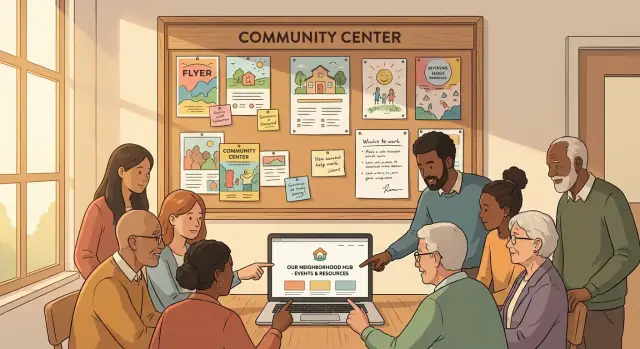
Start With Goals and Success Metrics
A community organization website shouldn’t try to do everything for everyone. It should do a few things extremely well—so volunteers can keep it updated and residents can quickly find what they need.
Define the website’s main job
Start by agreeing on the primary purpose (or two). Most websites for local groups end up serving four common jobs:
- Inform: Who you are, what you do, where to find you, and what’s happening next.
- Recruit: Bring in volunteers, members, partners, or attendees.
- Fundraise: Make donating straightforward and trustworthy.
- Organize: Help people register, sign up, or coordinate activities.
Pick your “top two” and treat everything else as supporting content. This decision will shape the homepage, navigation, and which membership website features (like logins or member directories) are truly necessary.
Choose 3–5 success metrics you can actually track
Success metrics keep the team aligned and prevent endless debates about design preferences. Choose a small set that matches your goals and can be measured with basic analytics.
Examples:
- Newsletter signups per month (recruit/inform)
- Volunteer form submissions for your volunteer signup page (recruit)
- Event registrations from an event calendar website (organize)
- Donations completed and donation conversion rate (fundraise)
- Clicks to “Contact” or “Get Help” (organize/inform)
Write these down in a shared doc and review them after launch. If you can’t track a metric without a lot of setup, it’s probably not the right one for a small team.
Decide who maintains the content—and how often
A community website content plan is only realistic if it names owners. Assign roles in plain language:
- Who posts events?
- Who updates key pages (About, Donate, Join, Contact)?
- Who responds to form messages?
Then set an update cadence you can keep: weekly for events, monthly for news, and quarterly for evergreen pages. A simpler plan that happens is better than an ambitious one that doesn’t.
Set a realistic timeline and budget (including ongoing costs)
Even “simple” nonprofit website basics have ongoing expenses. Plan for both launch and maintenance:
- Domain and hosting
- Email/newsletter tool
- Form tools and spam protection
- Optional: paid templates, accessibility checks, or copyediting
A practical approach is to set a launch date for a minimum viable site (core pages, event calendar, volunteer signup, donation page best practices) and schedule improvements for later—once you’ve learned what people actually use.
Know Your Audience and Their Top Tasks
A community organization website works best when it answers real people’s questions in seconds—not minutes. Before you write pages or pick features, get clear on who the site is for and what they’re trying to do when they arrive.
Map your key audiences
Most local groups serve several audiences at once. Common ones include:
- Members (current and prospective)
- Volunteers (new and returning)
- Donors (individuals and small local businesses)
- Partners (schools, councils, sponsors, other nonprofits)
- Local residents (people who aren’t involved yet, but could be)
You don’t need a separate section for each audience, but you do need to know their priorities.
Write the questions they need answered fast
For each audience, list the top questions they’re likely to ask on their first visit:
- “What do you do, and who is it for?”
- “How do I join or get involved?”
- “When is the next event, and how do I RSVP?”
- “Where do I donate, and what does it support?”
- “How can I contact someone (without hunting for an email)?”
If you can’t answer these clearly from the homepage and main navigation, the site will feel confusing—even if it looks nice.
Decide the primary actions (your CTAs)
Pick 2–4 primary actions you want visitors to take. For many groups, that’s:
- Join / Become a member
- Donate
- RSVP / Attend an event
- Contact / Request help
- Subscribe (newsletter or updates)
These calls to action should appear consistently (homepage, header, and relevant pages) with simple labels like “Join” or “Donate,” not insider terms.
Design for low-tech users
Community sites often serve people who are busy, on older phones, or not confident online. Make tasks easy with:
- Plain language and short sentences
- One clear button per section (not five competing links)
- Key details that are easy to copy (time, address, cost)
- Printable pages for schedules, meeting info, or flyers
When you prioritize audiences and their top tasks, every other decision—content, navigation, and features—gets simpler.
Plan the Site Map and Core Content
A good community organization website feels simple because the structure is doing the hard work. Before you pick themes or colors, sketch a site map (the list of pages and how they connect). This helps visitors find what they need in one or two clicks—and helps your team avoid a pile of half-finished pages later.
Start with must-have pages
Most websites for local groups need a small set of core pages that answer the big questions fast:
- Home: A quick summary of what you do, upcoming event(s), and clear calls to action (Join, Volunteer, Donate).
- About: Your mission, who you serve, leadership/contact points, and a short history.
- Events: An up-to-date calendar with details and how to attend.
- Get Involved: Volunteer roles, membership info, meeting times, and a volunteer signup page.
- Donate: Donation page best practices like clear impact statements, suggested amounts, and receipts.
- Contact: A simple form plus other safe ways to reach you.
These pages cover the “top tasks” people come to do, and they align with common nonprofit website basics.
Add optional pages only if you can maintain them
Optional pages can make your community organization website richer—if someone owns them:
- Programs (what you run, who it’s for, how to enroll)
- News (updates, announcements, press)
- Resources (downloads, partner links, guides)
- Sponsors (supporters, how to sponsor)
- FAQ (parking, accessibility, membership, safety policies)
If no one can realistically update a page, don’t launch it yet. An empty “News” section can hurt trust more than it helps.
Create a quick content inventory
Before writing new copy, list what you already have: flyers, PDFs, email newsletters, social posts, sign-up sheets, event descriptions, photos, and logos. Then decide what should be converted into web pages (easy to read on phones) versus what should remain a download.
Assign content ownership (and a schedule)
A community website content plan works best when updates are assigned:
- Events owner: Adds and removes events weekly
- News owner: Posts short updates monthly (or remove News entirely)
- Contact details owner: Checks addresses, emails, and meeting times quarterly
This keeps your site map from turning into a one-time project and supports long-term maintenance with a small volunteer team.
Pick a Platform That a Volunteer Can Maintain
A community group website succeeds when it’s easy to update on a Tuesday night by whoever has time. Before you compare features, be honest about your team’s skills, availability, and how often the site will change.
Website builders vs. WordPress vs. custom
Website builders (Wix, Squarespace, etc.) are a good fit when you want an all-in-one setup with minimal technical work. Editing is usually point-and-click, hosting is included, and updates are handled for you.
WordPress is a strong choice if you want flexibility and the ability to grow over time. Many volunteers already know it, and you can add features through plugins. The trade-off is you’ll need to keep themes/plugins updated and choose reliable hosting.
Custom builds (a developer-built site) can be great for unique needs, but they’re often harder for new volunteers to maintain. If you go custom, insist on a simple editing interface and clear documentation.
If you like the flexibility of custom without rebuilding everything from scratch, a vibe-coding platform like Koder.ai can be a practical middle ground: you describe the site (pages, forms, event calendar website behavior, and membership website features) in chat, iterate quickly, and still keep a clear path to exporting and owning the source code.
What to prioritize for volunteer-friendly maintenance
Focus on:
- Simple editing: Can someone update an event, add a news post, and change homepage text without fear?
- Reliable hosting: Look for strong uptime, backups, and support you can actually reach.
- Secure updates: Automatic updates where possible, plus a clear plan for who checks them.
Check integrations before you commit
Most groups quickly need the same basics: email newsletter signup, contact/volunteer forms, donations or payments, and an event calendar. Confirm these work smoothly on your platform (and don’t require expensive add-ons).
Don’t forget ongoing costs
Budget for the full picture: domain name, hosting or builder plan, paid plugins/apps, email marketing, and payment processing fees for donations or tickets. A platform that’s “cheap to start” can become expensive if every essential feature is an add-on.
Design for Clarity: Navigation and Homepage Layout
A community organization website should answer three questions in seconds: who you are, what you’re doing next, and how someone can get involved. Clarity beats creativity here—especially for visitors on phones or in a hurry.
Keep navigation simple (5–7 items)
Use a straightforward header menu with only the pages most people need. Too many choices makes it harder to find anything.
A typical set might be: Home, About, Events, Get Involved, News, Donate, Contact. If you don’t take donations, swap “Donate” for something like “Resources” or “Membership.”
If you have more content, group it under one item (for example, “About” can include history, leadership, and partners) rather than adding extra top-level links.
Build a homepage around the next action
Your homepage isn’t a brochure—it’s a guide.
Include these elements near the top:
- Next event preview: Title, date/time, location, and a clear “See details” link to /events
- One-sentence mission: What you do and who it’s for
- Key actions: 2–3 buttons such as “Join,” “Volunteer,” and “Donate” (only if relevant)
Make buttons specific: “Sign up to volunteer” is clearer than “Learn more.”
Add a “Start here” area for newcomers
Create a dedicated block on the homepage (and consider a page it links to) that quickly explains:
- What you do (in plain language)
- Where you meet (include neighborhood/city)
- How to join or participate (what’s required, if anything)
This reduces repeat questions and helps new people feel welcome.
Put contact details on every page
Add a footer that appears site-wide with email, phone (if used), meeting address/area, and social links. Many visitors scroll straight to the bottom looking for this.
If you have a primary contact method, label it clearly (for example, “Email the coordinators”).
Accessibility and Inclusive Content
An accessible website helps more people participate—older neighbors, people using screen readers, anyone on a slow phone, and visitors who don’t speak your organization’s “inside” terminology. It also reduces support emails like “I can’t find the meeting time” or “the form won’t work on my phone.”
Accessibility basics you can check today
Start with a few high-impact items that don’t require a redesign.
- Color contrast: Make sure text stands out from the background. Light gray text on white often fails.
- Readable typography: Use a clear font, comfortable sizes, and enough spacing between lines.
- Alt text: Add short descriptions for meaningful images (and leave decorative images blank if your tool allows it).
- Keyboard navigation: You should be able to reach menus, buttons, and form fields using Tab/Shift+Tab.
Write so everyone can understand
Inclusive content is mostly about clarity. Use plain language, define abbreviations, and keep paragraphs short (one idea per paragraph). If you must use a term like “AGM” or “bylaws,” add a quick explanation the first time it appears.
Also, use descriptive links so people know what they’ll get before clicking. For example: “/volunteer-signup” labeled as Volunteer signup form is better than “Click here.”
Mobile-first reality check
Many community members will only visit from a phone. Test key tasks on mobile: finding the next event, calling or emailing you, and completing forms.
Make sure buttons are easy to tap, form fields are not tiny, and event details (date, time, location, accessibility notes) are visible without hunting. If anything feels fiddly on your phone, it will feel impossible for someone else.
Must-Have Features for Community Groups
A community organization website works best when it answers the same questions every visitor has: “What’s happening?”, “How do I join or help?”, and “Where does my money go?” The features below cover those needs without adding complexity your team can’t maintain.
Events that are easy to scan (and easy to share)
Your events section should work for both regulars and first-time visitors.
Include:
- Calendar view for people planning ahead
- List view for quick browsing on mobile
- Event detail pages with the basics: date/time, location (with a clear address), cost (including “free”), and a short description of what to expect
On each event page, add practical details that reduce back-and-forth: accessibility information (step-free access, hearing loop, accessible restroom), parking/transit tips, and a contact method for questions.
Membership: a simple join/renew path
If you have memberships, don’t bury them in a PDF. Create a clear join/renew flow with:
- A plain-language benefits list (what members actually get)
- Pricing and renewal timing
- A confirmation message that explains what happens next
If you truly need member-only updates, keep it lightweight: a password-protected page for minutes or announcements is often enough.
Volunteer signups that set expectations
A volunteer page should help people self-select. List roles with time commitment, typical tasks, and any requirements (training, background checks, age limits). Then connect each role to a short signup form.
After signup, show basic onboarding steps: when they’ll hear back, who to contact, and how to get started.
Donations that feel purposeful
A good donation page makes the impact clear. Explain the purpose (“supports venue rental for monthly meetups”) and offer suggested amounts plus a recurring option.
Always include a clear thank-you confirmation (and email receipt if possible) so donors know their gift went through.
Forms, Privacy, and Safe Communication
Forms are often the busiest parts of a community organization website: volunteer signups, event questions, “contact us,” and membership enquiries. They’re also where trust can be won—or lost. The goal is to make it easy for people to reach you while protecting their personal information and your team’s time.
Keep forms minimal (and explain what happens next)
Only collect what you truly need to respond. For a volunteer signup page, that might be name, email/phone, and availability—nothing more.
If you ask for something sensitive (like an address, age, or accessibility needs), add a short note right next to the field explaining why you’re asking and how it will be used. A single sentence can prevent drop-offs and reduce follow-up questions.
Also clarify expectations after submission:
- “We reply within 3–5 days.”
- “You’ll receive an automatic confirmation email.”
- “This form goes to our volunteer coordinator.”
Reduce spam without blocking real people
Spam can overwhelm a website for local groups, especially if your contact form email is posted publicly. Add protection that doesn’t frustrate genuine visitors:
- Use CAPTCHA where needed (choose accessible options)
- Consider “honeypot” hidden fields (bots fill them; humans don’t)
- Send an email confirmation so people know their message went through
If your form tool supports it, limit repeat submissions from the same address in a short period.
Add a simple privacy notice (and cookies if required)
You don’t need a legal novel. A clear, plain-language privacy note near your forms builds confidence and supports nonprofit website basics.
Include:
- What data you collect (e.g., name, email)
- Why you collect it (e.g., to respond, manage membership)
- How long you keep it (even a general statement)
- Who can access it (e.g., “our volunteer coordinators”)
- How to request deletion
If you use analytics, embedded maps, or ad pixels, check whether your region requires a cookie banner/consent tool and implement the simplest compliant option.
Make sure messages don’t get lost
Many community teams are volunteer-run, which means inbox chaos is common. Instead of sending every form to one person’s personal email, set up a shared inbox (e.g., [email protected]) or a lightweight ticketing approach.
Create a basic routing plan:
- Volunteer enquiries → volunteer@ or a tagged queue
- Event questions → events@ or a shared label
- Safeguarding concerns → a private address with limited access
This improves response times, protects continuity when roles change, and helps your community organization website feel dependable.
Build Trust With Transparent Information
Trust is the difference between “nice website” and “people actually show up.” For community groups, the easiest way to build confidence is to make the basics visible and verifiable.
Make leadership and decision-making clear
List the people responsible for the group, with names and roles (as appropriate for your context). Keep it simple: who handles events, finances, membership, and general enquiries.
Add a short note on how decisions are made—monthly meetings, an elected committee, a vote at the AGM, or another process. People are more likely to join (or donate) when they understand how the group is run.
Use real photos and real contact details
Stock photos can feel anonymous. A few genuine photos from activities—clean-up days, workshops, meetups—show that the group is active. Always get permission from attendees, especially when children are present, and consider posting a brief photo policy on /privacy.
For contact details, avoid making visitors hunt. Put an email address and a simple contact form on /contact, plus any official social accounts you actually monitor.
Publish key documents (when relevant)
If your group has formal documents, make them easy to find and download:
- Bylaws or constitution
- Annual report or year-in-review summary
- Meeting minutes (even brief highlights)
A “Documents & Policies” page (e.g., /documents) signals accountability without overwhelming people.
Add proof carefully: testimonials and partners
Testimonials and partner logos can help, but only if you can verify them and keep them current. Outdated partner lists can reduce credibility. If you include them, add context: what the partnership involves, and when it was last active.
Local SEO and Findability
People usually search for help and activities by place, not by your organization’s exact name. Local SEO is simply making it easy for search engines (and humans) to understand what you do and where you do it.
Use location in titles and headings
Optimize key page titles and headings with a clear “who + what + where” pattern:
- Homepage title: “Riverside Neighbors Association — Springfield”
- Programs page H2: “Food Pantry in East Springfield”
- Events page title: “Community Events in Springfield (Riverside)”
Don’t stuff keywords—just be specific and consistent with your city/area names.
Create focused pages (not one giant page)
Create one page per recurring program or service so people can land on the exact thing they searched for. For example:
- /programs/after-school-club
- /programs/community-garden
- /programs/tenant-support
Each page should include: who it’s for, schedule, location, cost (if any), and a clear “How to join” section.
Make event details scannable and consistent
For your event calendar, use a repeatable structure so visitors can instantly find time, place, and next date. On every event listing include:
- Start/end time (with time zone if relevant)
- Full address or clear meeting point
- Accessibility notes (parking, step-free access)
- Contact method for questions
Post small, steady updates
A simple blog/news section helps with freshness and visibility. Monthly is enough: short recaps, upcoming dates, calls for volunteers, or meeting notes. Link from each post to the relevant program or signup page so search visitors have a “next step.”
Content Workflow for a Small Team
A community organization website stays useful when it stays current. The challenge is that updates often depend on a few busy people (or one person). A simple, repeatable workflow prevents “we’ll fix it later” from turning into outdated events and broken contact pages.
Keep a lightweight editing checklist
Use a short checklist every time you publish—or once a month if you post rarely:
- Confirm event dates, times, locations, and any fees are correct
- Test links (especially “Register,” “Donate,” “Join,” and partner links)
- Verify contact info (email, phone, meeting address) and who monitors it
- Check that the page still reflects reality (e.g., “next meeting” text)
Put this checklist in the same place you edit the site (a pinned note, a shared doc, or a page in your workspace).
Create templates for repeat posts
Templates reduce editing time and keep your site consistent. Make 3–4 standard post types you can duplicate:
- Event announcement: What, when, where, cost, accessibility notes, RSVP link
- Event recap: Highlights, photos (with captions), thank-yous, next steps
- Volunteer call: Role, time commitment, skills, training provided, signup link
When a volunteer steps in mid-year, templates mean they can publish without guessing your format.
Define roles—even if one person wears all hats
Write down a basic flow: editor → reviewer → publisher. If it’s just one person, still pause and review with “reviewer eyes” (typos, clarity, missing links). If you have two people, the reviewer can focus on accuracy and tone.
Organize shared assets so anyone can find them
Keep a shared folder with clear naming for logos, photos, and brand colors. Use conventions like:
Logo_Primary.png,Logo_Icon.svg2025-04_EarthDay_Photos/BrandColors.txt
This prevents last-minute scrambling and keeps pages looking consistent across updates.
Launch, Measure, and Maintain
A community organization website isn’t “done” when it goes live. A good launch makes it easy for people to take action right away (attend, join, volunteer, donate), and a simple maintenance rhythm keeps the site trustworthy without burning out your team.
Pre-launch checklist (15–30 minutes that saves headaches)
Before you announce anything, run a quick practical check on the pages people will actually use:
- Mobile test: Open the homepage, Events, Join/Volunteer, and Donate pages on a phone. Make sure buttons are easy to tap and key info isn’t buried.
- Form tests: Submit every form (newsletter, volunteer signup page, contact). Confirm you receive the email, the confirmation message is clear, and any auto-replies work.
- Donation test: If you accept donations, make a small test donation end-to-end and verify the receipt/confirmation. (Refund it if needed.)
- Spelling and dates: Scan for outdated meeting times, last year’s dates, and incorrect addresses.
- Redirects: If you replaced an old site, ensure old URLs forward to the right new pages (especially events, membership, and donation links).
Set up analytics (keep it basic and useful)
You don’t need complicated dashboards. Set up analytics and track a few actions that match your goals:
- Newsletter signups
- Event RSVPs (or clicks to RSVP)
- Donation clicks and completed donations
This gives you early feedback on what’s working—and what people can’t find.
Announce the launch with clear “next steps”
When you share the new website for local groups, don’t just post the homepage link. Point people to the pages that matter most:
- /events (what’s happening next)
- /join or /volunteer (how to get involved)
- /donate (how to support)
Use the same links across email, social accounts, flyers, and partner organizations so your community learns where to go.
Create a maintenance schedule your team can actually keep
Consistency beats perfection. A simple plan:
- Weekly (10 minutes): Post upcoming events, remove expired notices, check the homepage for anything outdated.
- Quarterly (30–60 minutes): Review top pages, test key forms again, confirm leadership/contact info, and update your community website content plan based on what analytics shows.
Over time, this routine keeps your nonprofit website basics strong: accurate information, working calls-to-action, and a site people trust.
FAQ
How do we decide what our community website should focus on?
Start by picking your top 1–2 goals (for example: recruit volunteers and inform residents). Then choose 3–5 metrics that match those goals and are easy to track, such as:
- Newsletter signups per month
- Volunteer form submissions
- Event registrations (or clicks to RSVP)
- Completed donations and conversion rate
- Clicks to Contact/Get Help
Write them down and review them a few weeks after launch so decisions aren’t based on preferences alone.
What pages are must-haves for a community organization website?
A solid “minimum viable” set is:
- Home (mission + next action)
- About (who you are, who you serve)
- Events (calendar + event details)
- Get Involved (volunteer roles/membership info)
- Donate (impact + suggested amounts)
- Contact (simple form + monitored method)
Add optional pages (News, Resources, Programs) only if someone will maintain them.
Should we use a website builder, WordPress, or a custom site?
Choose the platform that a volunteer can update quickly and safely.
- Builders (Wix/Squarespace): easiest editing, hosting/updates included.
- WordPress: flexible and common, but needs updates and decent hosting.
- Custom build: great for unique needs, but can be hard for new volunteers unless editing is truly simple.
Before committing, confirm you can handle newsletters, forms, donations, and events without expensive add-ons.
How do we keep navigation simple without hiding important info?
Keep top navigation to about 5–7 items and label them with plain words people expect:
- Home
- About
- Events
- Get Involved
- Donate
- Contact
If you have extra content, group it under a parent item (e.g., “About” → leadership, partners) instead of adding more top-level links.
What does “design for low-tech users” actually mean?
Design for older phones and busy visitors:
- Short sentences and plain language (define terms like “AGM” the first time)
- One clear button per section instead of many competing links
- Tap-friendly buttons and form fields
- Key details that are easy to copy (date/time/address/cost)
- Keyboard-accessible menus and forms
Test your core tasks on a phone before launch: finding the next event, contacting you, and submitting a form.
What should we include on event pages to reduce back-and-forth questions?
Each event should have an easy-to-scan listing and a detail page that includes:
- Date/time (and time zone if relevant)
- Location with a clear address or meeting point
- Cost (including “Free”)
- What to expect (brief)
- Accessibility notes (step-free access, accessible restroom, hearing support)
- Parking/transit tips
- A contact method for questions
Provide both list and calendar views if you can, but prioritize clarity over fancy layouts.
What are donation page best practices for small community groups?
Make donating feel simple and trustworthy:
- One clear purpose statement (what the money supports)
- Suggested amounts and a recurring option
- Minimal distractions on the donation page
- Immediate on-screen confirmation and an emailed receipt (if possible)
If you can, add a short “what happens next” note so donors know their gift was received and how it will be used.
How do we handle forms, spam, and privacy without making things complicated?
Collect only what you need to respond (name + email/phone is often enough). Next to the form, add a short privacy note that explains:
- What data you collect
- Why you collect it
- Who can access it
- How to request deletion
To reduce spam without blocking real people, use an accessible CAPTCHA only where needed and consider a honeypot field. Route messages to a shared inbox (e.g., info@) so they don’t disappear when volunteers change.
How can people find our site on Google if they don’t know our organization name?
Local SEO is mostly about being specific about what you do and where you do it.
- Use “who + what + where” in key page titles
- Create focused pages for recurring programs (e.g., /programs/community-garden)
- Keep event details consistent and scannable
- Post small, steady updates (monthly is enough)
Avoid keyword stuffing; consistency with your neighborhood/city name usually helps more than clever wording.
What’s a realistic maintenance plan for a volunteer-run website?
Assign owners and set a cadence you can keep:
- Weekly: add/remove events, check homepage for outdated info
- Monthly: post a short update (or skip News entirely)
- Quarterly: verify contact details, leadership info, and test key forms
Use templates for repeat content (event announcement, recap, volunteer call) and keep a simple checklist for dates, links, and contact info so publishing doesn’t depend on one expert editor.