

How to Build a Website for Events, Conferences, or Meetups
Learn how to build an event website that drives registrations: pages to include, design tips, ticketing, SEO, email flows, and launch checklist.
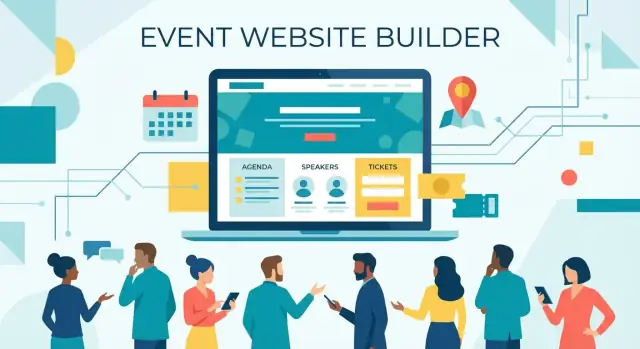
Start With Goals, Audience, and Success Metrics
Before you choose a template or write a headline, decide what “success” looks like for this event website. A conference website, a meetup website, and a paid workshop page all need different content—and different calls to action.
Clarify the event type and the main goal
Start by naming the format: conference, meetup, workshop, webinar, or hybrid. Then pick the primary goal:
- Registrations/ticket sales (paid events)
- RSVPs (free or capacity-limited meetups)
- Sponsor leads (events funded by partners)
- Email signups (pre-launch interest)
Your goal dictates whether you need a full site (multiple pages for speakers, venue, policies) or a single high-focus event landing page that answers the essentials and pushes one action.
Define the primary audience—and what they must learn fast
Write down who the site is for (first-time attendees, returning community members, executives, students, local developers, etc.). Ask: what do they need to decide in 30 seconds?
Most visitors scan for:
- Value: what they’ll learn, who they’ll meet, what makes it worth it
- Date and location: including time zone for online/hybrid
- Cost: ticket price, what’s included, refund rules
If any of these are hard to find, your conversion rate will suffer—even with great design.
Set measurable success metrics
Choose 2–4 numbers you’ll track from day one:
- Registration count and conversion rate (visits → registrations)
- Email signups (especially for early-bird announcements)
- Check-ins / attendance rate (registrations → arrivals)
- Sponsor inquiry submissions
Inventory what content you already have
List what’s ready now (speaker bios, session titles, venue details, partners) and what’s missing. This prevents last-minute gaps that stall event registration—and reduces rework when you expand the site later.
Pick the Right Site Structure and Page Map
Before you write a single line of copy, decide whether you’re building a single-page event landing page or a multi-page event website. This choice affects everything: navigation, SEO, how easy it is to update, and how quickly attendees can find what they need.
Single-page landing vs. multi-page site
A single-page landing works well for smaller meetups, simple ticketing, or events with limited program detail. It’s faster to build and easier to keep consistent.
A multi-page conference website is better when you have multiple tracks, many speakers, sponsorship tiers, venue logistics, and content people want to share (like individual speaker pages).
A practical middle ground is a landing page plus a few supporting pages (Agenda, Speakers, Venue, FAQ).
Simple navigation that covers 95% of needs
Keep your main navigation predictable and short:
- About
- Agenda
- Speakers
- Tickets
- Venue
- FAQ
- Sponsors
- Contact
If you’re using a single page, these can be anchored sections (e.g., /#agenda). If you’re multi-page, make them separate URLs.
What must be visible quickly (without scrolling too far)
Your top section should answer “Should I attend?” immediately:
- Event name + one-line value statement
- Date and city/venue (or “Online”)
- Primary CTA (Register / Get tickets)
- A quick trust cue (speaker highlight, sponsor logo, or past attendee count)
URL structure for SEO and sharing
Use short, readable slugs people can paste into chat:
- /tickets
- /agenda
- /speakers
- /venue
- /code-of-conduct
Avoid long parameters and unclear pages like /page?id=12.
Plan the full article length (and your site copy) up front
Aim for a final guide around 3,000 words. A simple distribution across the 12 sections is ~200–300 words each (for example: 10 sections at ~240 words = 2,400, plus two deeper sections at ~300 words = ~3,000). This keeps the content complete without overwhelming readers—and it mirrors how your event website should feel.
Create a High-Converting Event Landing Page
Your landing page has one job: help a visitor decide quickly whether this event is for them—and make registering feel effortless.
Start with a hero that answers the big questions
Above the fold, include the essentials in plain language:
- Event name
- Date and time (include timezone for online/hybrid)
- Location (venue + city, or “Online”)
- A short promise: what people will learn, who they’ll meet, or the outcome they can expect
- One primary call to action (CTA)
A simple structure works well: headline + one-sentence value + key details + CTA button.
Use one CTA—and keep it consistent
Pick a single, clear label and repeat it everywhere: “Register”, “Get Tickets”, or “RSVP.” Don’t mix multiple options like “Join,” “Sign up,” and “Buy now” on the same page—visitors hesitate when the action feels unclear.
If you have multiple ticket types, the main button can still say “Get Tickets” and scroll to the pricing section (or link to /register). Secondary actions (like “View Agenda”) should look less prominent.
Add urgency only when it’s true
Urgency can help people act, but only if it’s accurate:
- “Early-bird pricing ends May 10”
- “Only 30 seats left”
Avoid vague pressure like “Hurry!” without a reason. If numbers change, make sure your page stays updated.
Build trust fast
Most visitors are asking, “Is this legit?” Add trust signals near the CTA:
- Organizer name and a short credential line
- A short recap statement (or photos from past events, if you have them)
- 1–2 testimonials from attendees or partners
- Sponsor/partner logos (only if you have permission)
Help returning visitors move quicker
Many people will come back just to confirm details. Add quick-access links near the top (and in the sticky navigation if you use one):
- Agenda (/agenda)
- Speakers (/speakers)
Done well, your landing page feels like a confident invitation: clear details, a single next step, and enough proof to click without second-guessing.
Speed up building and iteration (without locking yourself in)
If you’re moving fast—launching a meetup series, spinning up a conference microsite, or iterating week-to-week—tools that shorten the build loop matter. For example, Koder.ai lets you create event sites by describing what you want in a chat (pages, CTAs, agenda layout, forms), then iterate quickly as speakers and schedules change. If you later need full control, you can export the source code and deploy under a custom domain, with snapshots and rollback for safer edits.
Design an Agenda That’s Easy to Scan
Your agenda is often the most visited page on an event website. People aren’t “reading” it—they’re skimming to answer a few fast questions: What’s happening when, and what should I attend?
Choose a layout that matches how people decide
Pick one primary view and make it obvious:
- By day: best for multi-day conferences where most attendees follow the same flow.
- By track: best when attendees commit to a theme (e.g., Product, Engineering, Leadership).
- By audience level: useful for training-style events (Beginner/Intermediate/Advanced) where confidence matters.
If your event is small, keep it simple: one page with clear time blocks usually beats fancy navigation.
Use consistent session cards
Each session should look like a quick “card” with the same fields every time:
- Title
- Time (start–end)
- Format (talk, workshop, panel, networking)
- Room or track
- One-sentence description (what attendees will get)
That consistency helps attendees compare sessions at a glance.
Make time zones impossible to miss
For online or hybrid events, show the time zone next to every time (not just once at the top). If you offer multiple time zones, provide a clear selector and remember the choice.
Add filters only when they earn their keep
Filters (track, level) help only when the schedule is large. Limit to a few meaningful options and avoid filter overload that hides sessions by accident.
Plan for updates and communicate changes
Schedules change. Add a “Last updated” timestamp on the agenda, and define how you’ll notify attendees (email update, banner on the agenda page, and a short note on what changed). That way, people trust the schedule—even when it moves.
Build Speaker and Session Pages People Trust
Speaker and session pages are where many people decide whether your event is “for them.” Clear, consistent profiles reduce uncertainty, make the agenda feel real, and give attendees confidence that the content will be worth their time.
Use a consistent speaker profile template
Keep every speaker page structured the same way so people can scan quickly. A simple template usually works best:
- Photo (recent, high-quality, consistent style)
- Name + role + company/affiliation
- Short bio (3–6 sentences; avoid long CVs)
- Talk title (and a 2–4 sentence description)
- Social links (optional—only what the speaker wants to share)
Add small trust signals: links to past talks, publications, or a personal website—only if the speaker provides them.
Make sessions easy to understand at a glance
On each session page, include the essentials upfront: time, duration, format (keynote, panel, workshop), level (beginner/intermediate), and what attendees will walk away with.
If you have keynotes or featured sessions, highlight them with a “Keynote” badge or a featured slot on the agenda—without hiding the rest of the program.
Accessibility notes that respect the speaker
Small fields can make a big difference. Consider adding:
- Name pronunciation (a text field, or an optional audio link)
- Pronouns (optional)
- Any relevant accessibility notes (e.g., “Live captions available,” “Q&A via Slido”)
Cross-link everything (and invite new speakers)
Link speakers → their sessions, and sessions → speaker pages so visitors never hit a dead end. If your event accepts proposals, add a simple call-to-action like “Apply to speak” that points to /call-for-speakers or your submission form.
Set Up Registration, Tickets, and Payments
Your registration setup is where interest turns into attendance. The goal is simple: help people pick the right ticket quickly, pay confidently, and know what happens next.
Keep ticket choices minimal (but meaningful)
Most events do best with a small set of ticket types rather than a long menu. Common options include General, Student, VIP, and Early-bird.
If you offer an early-bird, make the deadline obvious and avoid “mystery pricing.” If you offer Student tickets, state what proof is required (and when you’ll ask for it) so there are no surprises.
Explain what each ticket includes
Write inclusions in plain language so people don’t have to email you to understand value. A ticket description should answer questions like:
- Access: “All main-stage talks” vs. “Talks + workshops”
- Food: meals, coffee breaks, receptions
- Extras: recordings, slides, swag, after-party
- VIP specifics: speaker dinner, reserved seating, fast-track check-in
If something is not included (for example, workshops or recordings), say so clearly.
Make the payment flow feel safe and predictable
Registration should take only a few steps, with no unexpected add-ons at the end. If there are processing fees, show them early.
Link to your refund policy right next to the purchase button (for example, /refunds or /policies) and confirm what happens if the event date changes.
After payment, send a confirmation email immediately that includes: ticket details, receipt, how to edit attendee info, and what to do if they didn’t receive the email.
Add an obvious billing help path
Payment issues happen. Put a visible “Billing help” contact (email or short form) near the checkout area, and mention typical response time. This alone can reduce abandoned purchases.
Track what’s working with UTMs
If you promote tickets via newsletters, partners, or ads, add UTM parameters to your ticket links so you can measure which campaigns drive registrations (for example, ?utm_source=newsletter&utm_campaign=earlybird).
Add Venue, Travel, and Accessibility Information
People decide whether they can attend based on logistics. If the “where” and “how” are unclear, they hesitate—or they email you. A good venue + travel section answers practical questions in one place and sets expectations early.
Venue details people look for
Include the essentials, written as copy-and-paste friendly details:
- Full address (include venue name, street, city, postal code)
- An embedded map plus a plain-text address for ride shares and GPS
- Entry instructions (which door, which floor, badge pick-up location, check-in hours)
- Parking and drop-off (cost, nearest lots, accessible parking)
- Public transit (closest stops, walking time, last-train considerations)
If the venue is hard to find, add a short “what you’ll see” description (e.g., “enter through the glass atrium next to Building B”).
Accessibility information (be specific)
Accessibility details build trust—especially when they’re concrete.
Mention what’s available and what isn’t:
- Step-free access (ramps/elevators), door widths if relevant
- Reserved or flexible seating options
- Captions, interpreters, assistive listening, or how to request them
- Quiet room / lactation room / prayer space (if offered)
- Dietary options and how attendees should share restrictions
If accommodations require advance notice, say so and point to a contact method (e.g., “Email us by May 10”).
Travel, hotels, and keeping info current
Hotel and travel tips are helpful only if you can maintain them. If you list hotels, include “last updated” dates and avoid time-sensitive pricing claims. A small “Getting here” list often beats a long directory.
Hybrid/online attendance
For streaming, set clear rules: where links will appear, whether they’re personalized, and what tech is needed (browser, bandwidth, time zone notes). If access requires registration, say so.
Safety and conduct
Add a brief safety note and link to your full policy: /code-of-conduct. Include who to contact onsite for help.
Cover FAQ, Contact, Sponsors, and Policies
These “support” pages often decide whether someone registers, sponsors, or bounces. Keep them easy to find from the header or footer, and write them like you’re answering a real email—clear, specific, and current.
FAQ: answer the questions people actually ask
Don’t guess. Pull questions from inbox messages, DMs, and last year’s comments. At minimum, include:
- Refunds: deadlines, fees (if any), and how refunds are issued
- Ticket transfers: whether name changes are allowed and the cutoff date
- Schedule changes: what might change, how you’ll notify attendees, and where the latest agenda lives
- Age limits: minimum age, ID requirements, and whether minors need a guardian
Link to deeper pages when needed (for example, /terms or /code-of-conduct), but keep the FAQ readable on its own.
Contact: one clear route, with response time
Offer a single primary contact method (a form or email) and set expectations: “We reply within 2 business days.” Add a separate option for urgent day-of issues if relevant (for example, a phone number displayed only during event week).
Sponsors: make it easy to say yes
Create a sponsor section that includes:
- Packages (what’s included, deliverables, and pricing or “starting at” ranges)
- Audience stats you can verify (previous attendee counts, role breakdown, newsletter subscribers—only numbers you can back up)
- A simple sponsorship inquiry form (name, company, budget range, goals, deadline)
If you need it, add a compact media kit with downloadable logo files, a short event description, and a small set of approved photos at /media-kit.
Policies: accurate, consistent, and realistic
Policies build trust only when they’re true. Keep statements precise, avoid guarantees you can’t control (like “no schedule changes”), and ensure your refund, privacy, and conduct policies match what your team will actually enforce.
Design for Mobile, Speed, and Accessibility
Most attendees will find your event site from a phone—often while commuting, between meetings, or mid-conversation. If the page is slow, cramped, or hard to read, they won’t hunt for details; they’ll leave.
Mobile-first: make the next step obvious
Design for thumbs first. Use large, tap-friendly buttons for primary actions like Register, View agenda, and Get directions. Keep paragraphs short, use comfortable type sizes, and leave enough spacing so the page doesn’t feel crowded.
A simple rule: on a small screen, each section should answer one question quickly (What is it? When/where? How do I join?).
Accessibility: readable for everyone
Good accessibility also improves conversions. Choose fonts that are easy to read, avoid tiny text, and ensure strong color contrast—especially for links, buttons, and key details like date and venue.
Be careful with background images behind text. When you can, use real photos (venue, previous events, speakers), but keep text areas clean. If you place text over an image, add a solid overlay so the copy stays readable.
Speed: keep pages lightweight
Speed is a feature. Compress images, limit heavy scripts, and avoid loading five different widgets on every page. If you embed maps, videos, or social feeds, consider loading them only when someone taps “Show.”
Quick checkpoints:
- Use compressed JPG/WEBP for photos and resized images (don’t upload giant originals).
- Limit third-party trackers and chat widgets—each adds load time.
Forms: fewer fields, fewer drop-offs
Registration and contact forms should feel effortless on mobile. Ask only what you truly need, use autofill-friendly inputs (name, email, phone), and show clear error messages right next to the field. If you can, offer a “copy attendee info” option for ticket purchases to reduce re-typing.
Optimize for SEO and Social Sharing
Search and social are often how new attendees find you. A few focused tweaks can make your event site easier to discover—and more appealing to click—without turning it into a technical project.
On-page SEO basics (the quick wins)
Start with the essentials on your key pages (especially your main landing page):
- Title tag: put the event name first, then city + year/date (e.g., “DesignOps Summit — Austin — May 2026”).
- Meta description: 1–2 sentences that explain who it’s for and what they’ll get. Mention tickets if relevant.
- Headings: one clear H1 (event name), then use H2/H3 for agenda, speakers, venue, FAQs.
- Internal links: link between important pages so both visitors and search engines can navigate (e.g., from the landing page to /agenda, /speakers, /tickets, /venue).
Choose keywords real people type
Include phrases you expect attendees to search, naturally in copy:
- “[Event name] + [city] + [date/year]”
- “conference tickets”, “meetup registration”, “workshop schedule”
- “things to do in [city] [weekend/date]” (if it fits)
Add simple schema markup
Ask your developer (or platform) to add structured data so Google can better understand your pages:
- Event schema for date, location, ticket URL, pricing
- Organization schema for the host
- FAQ schema for your FAQs page/section
You don’t need to memorize the format—just ensure the details match what’s on the page.
Make sharing effortless
Set up Open Graph and Twitter/X metadata so shared links look good:
- A clean social image (include event name, date, city)
- A short Open Graph title/description that matches your positioning
Earn backlinks the honest way
Backlinks help SEO and referral traffic. Aim for mentions from:
- Sponsors/partners linking to your event page
- Speakers linking from their sites and newsletters
- Community calendars and relevant organizations
Provide a ready-to-copy blurb and link to the canonical page (e.g., /tickets or the main event landing page) to keep links consistent.
Plan Email, Updates, and Attendee Communication
A good event website doesn’t end at “Thanks for registering.” Clear, timely communication reduces support requests, lowers no-shows, and helps attendees feel prepared.
Build a simple email flow (and write it early)
Create a basic sequence you can reuse for every event:
- Registration confirmation: recap the ticket, date/time, location (or livestream link), and a “Manage registration” link.
- Pre-event updates (1–2 emails): highlight what’s new (speakers, sessions, venue info) and what attendees should do next.
- Last-chance reminder (24–48 hours): parking/transit, check-in time, what to bring, and any schedule changes.
- Post-event follow-up: slides/recordings, a short feedback survey, and a link to your next event.
Write the templates before launch so you’re not scrambling later. Keep each email to one main goal and one clear call-to-action.
Make calendar invites effortless
Many attendees decide whether they’ll actually show up when the event hits their calendar.
- Provide an .ics download on the confirmation page and in the confirmation email.
- Add “Add to calendar” buttons (Google, Apple, Outlook) near the date/time on your event landing page.
If you change the schedule, call it out explicitly and resend an updated calendar file.
Use a lightweight announcement schedule
You don’t need daily posts—just predictable milestones. A simple content schedule might be:
- Speaker reveal (weekly)
- Agenda updates (as soon as sessions are confirmed)
- Sponsor highlights (periodic, not spammy)
Each update should link back to the most relevant page, not the homepage. For example, a speaker announcement should point to the speaker page, and an agenda update should point to the schedule section.
Plan for sell-outs: waitlist workflow
If tickets can sell out, add a waitlist with clear expectations:
- Confirm the attendee is on the waitlist
- Notify when a spot opens with a time-limited link to purchase
- Close the loop if the event is fully booked
This prevents inbox chaos and keeps demand organized.
For a practical promotion plan, see /blog/event-marketing-checklist. If you’re choosing tools for email + ticketing, compare options on /pricing.
Launch Checklist and Post-Event Improvements
A smooth launch is less about “finishing the website” and more about removing surprises. Treat launch day like a rehearsal: click every path a real attendee will take, from the first visit to the confirmation email.
Pre-launch checklist (the 30–60 minute sweep)
Before you share the link widely, run through a quick set of tests:
- Links and navigation: no dead links, menu works, buttons go to the right pages.
- Forms: registration, newsletter, contact forms submit correctly and show a clear success message.
- Payments and tickets: complete a test purchase (and a refund flow if you offer refunds). Confirm receipts and ticket emails arrive.
- Mobile checks: open key pages on a phone (landing page, schedule, registration) and verify tap targets and readability.
- Analytics setup: verify page views and conversion events are recording.
Analytics basics: measure what matters
At minimum, track:
- Registrations completed (your primary conversion)
- Clicks on key buttons (Register, Buy Ticket, Add to Calendar, Sponsor inquiry)
- Traffic sources (email, social, partners, organic search)
This helps you see what’s working while you still have time to adjust copy, pricing, or calls to action.
Privacy basics: be clear and respectful
If you use tracking or marketing pixels, add a cookie notice where required and be transparent about what you collect and why. Keep your privacy policy easy to find (often in the footer) and written in plain language.
Day-of details to reduce support requests
Add a short “On the day” block (or a dedicated page) with:
- Check-in instructions and start time
- QR code / ticket scanning guidance
- Badge pickup location and hours
- Help desk contact (phone/email) and where to find it onsite
Post-event: turn the page into an asset
Publish photos, slides, and recordings (with permissions), then email a short survey while the event is fresh. Finally, reuse the same URL for next year: update dates, keep the SEO value, and add a “Last year’s highlights” section to build trust for the next edition.
Keep future edits low-risk
Event sites change constantly—new speakers, room swaps, sponsor updates, pricing changes. Whatever stack you use, aim for a workflow that supports quick publishing and easy rollback. Platforms like Koder.ai include snapshots and rollback, which can be a practical safety net when you’re shipping frequent updates close to the event date.
FAQ
What’s the first thing I should decide before building an event website?
Start by defining the event type (conference, meetup, workshop, webinar, hybrid) and choosing one primary goal:
- Registrations/ticket sales
- RSVPs
- Sponsor leads
- Email signups
That goal determines your CTA, what content must be prominent, and whether you need a single landing page or multiple pages.
Should I build a single-page event landing page or a multi-page website?
Use a single-page landing page when the event is small, the agenda is simple, and you want one focused action (RSVP or tickets).
Use a multi-page site when you have multiple tracks, many speakers, detailed logistics, or sponsorship packages.
A common middle ground is a landing page plus a few supporting pages like /agenda, /speakers, /venue, and /faq.
What information must be visible quickly (above the fold)?
Make these details easy to spot near the top:
- Event name + one-line value statement
- Date and time (include time zone for online/hybrid)
- Location (venue + city, or “Online”)
- One primary CTA (Register / Get Tickets / RSVP)
- A trust cue (speaker highlight, sponsor logo, past attendee count)
If visitors can’t find value, date/location, and cost quickly, conversions drop.
How do I choose the right call to action (CTA) for the site?
Pick one clear CTA label and repeat it everywhere (button, nav, sticky header, footer). Good options are Register, Get Tickets, or RSVP.
If you need a secondary action (like viewing the agenda), keep it visually less prominent so it doesn’t compete with the main conversion goal.
How can I add urgency without sounding pushy or misleading?
Use urgency only when it’s specific and verifiable, such as:
- “Early-bird pricing ends May 10”
- “Only 30 seats left”
Avoid vague pressure (“Hurry!”) if you can’t keep it accurate—nothing hurts trust faster than outdated numbers or fake scarcity.
What’s the best way to design an agenda that people can scan fast?
Treat the agenda like a scan-first document. Use consistent session “cards” with:
- Title
- Time (start–end)
- Format (talk, workshop, panel)
- Room/track
- One-sentence outcome
For online/hybrid events, show the time zone next to every time, not just once at the top.
What should every speaker page include to build trust?
Use a consistent speaker template:
- Photo
- Name + role + company/affiliation
- Short bio (3–6 sentences)
- Talk title + brief description
- Optional links the speaker approves
Cross-link speakers → sessions and sessions → speakers so visitors never hit a dead end.
How do I reduce drop-offs during registration and payment?
Keep ticket options minimal (e.g., General, Student, VIP, Early-bird) and explain inclusions in plain language (food, workshops, recordings, swag).
Make checkout predictable:
- Show fees early
- Link refunds/policies near the purchase button (e.g.,
/refunds) - Send an immediate confirmation email with receipt and next steps
Also add a visible “Billing help” contact near checkout to reduce abandoned purchases.
What venue and accessibility details should an event website include?
Include copy-and-paste-friendly logistics:
- Full address and entry instructions
- Parking/drop-off and public transit notes
- Check-in location and hours
- Accessibility specifics (step-free access, captions/interpreters, quiet room, dietary accommodations)
If accommodations require advance notice, say exactly how and by when (with a clear contact method).
What are the highest-impact SEO and analytics basics for an event site?
Focus on practical basics:
- Title tag and meta description that include event name + city + year/date
- Clear headings (one H1, then H2/H3 sections)
- Short, readable URLs like
/tickets,/agenda,/speakers - Open Graph metadata so shares look good
- Simple schema markup (Event, Organization, FAQ)
For measurable impact, track conversions (visits → registrations), key button clicks, and traffic sources.