

How to Build a Website for a Founder Q&A Knowledge Base
Step-by-step guide to plan, build, and launch a founder Q&A knowledge base website—from structure and search to SEO, analytics, and upkeep.
Define the Purpose and Audience
A founder Q&A knowledge base works best when it’s built for a specific set of readers—not “everyone.” Start by naming the primary audience you want to help first, because that decision will shape tone, depth, and which questions deserve their own pages.
Choose your primary reader (and the secondary ones)
Pick one main group and 1–2 secondary groups:
- Prospects: “How does this work, what’s different, what’s the ROI?”
- Customers: “How do we implement, what are best practices, how do we avoid mistakes?”
- Investors: “Market, moats, metrics philosophy, long-term strategy.”
- Press: “Company story, positioning, proof points, quotable founder POV.”
- Partners: “Integration patterns, co-marketing, who it fits.”
If you try to serve all of them equally at the start, you’ll end up with vague answers. It’s okay to say: “This site is primarily for prospects and new customers.”
Clarify the outcomes you want
Define what success looks like in plain terms. Common outcomes include:
- Reduce repetitive questions in email, calls, and DMs
- Speed up sales by answering objections before a meeting
- Improve onboarding by giving customers a single, trustworthy source
Write down 3–5 questions you’re tired of answering. Those are often your first high-impact pages.
Decide what “founder answers” means
A founder Q&A isn’t just an FAQ. It should capture:
- Personal voice and point of view (what you believe and why)
- Decision rationale (trade-offs, constraints, lessons learned)
- Clear boundaries (what you won’t do, who the product isn’t for)
This makes the content more credible—and more useful—than generic help articles.
Set an initial publishing target
Aim for enough material to launch with confidence: a cornerstone guide of roughly 3,000 words that orients new readers, plus an initial batch of Q&As (often 10–20). The goal isn’t completeness—it’s momentum and clarity from day one.
Collect and Prioritize Founder Questions
A founder Q&A knowledge base only works if it answers what people actually ask (and what your team keeps repeating). Before you write anything, spend a week collecting raw questions exactly as they show up—messy wording included.
Where to pull questions from
Start with the channels that contain real intent and real friction:
- Sales calls and discovery notes: objections, comparisons, “why you vs. X?”
- Onboarding sessions: setup steps, integrations, “what should I do first?”
- Support tickets and live chat: recurring errors, confusing features, edge cases
- Product demos: clarifications, proof points, follow-up questions
- Social and communities: LinkedIn comments, Reddit, Slack groups, Discords
- Email threads: investor intros, partner questions, customer follow-ups
Tip: copy questions into a single spreadsheet with columns for source, date, customer type, and link to context (ticket URL, call snippet, etc.). Keep the original phrasing—you’ll reuse it for titles and search.
Group by intent (not by internal org chart)
Once you have 50–150 raw questions, sort them into a few intent buckets. A simple set that fits most founder Q&A sites:
- Evaluate: positioning, comparisons, ROI, case studies
- Implement: setup, integrations, migration, timelines
- Troubleshoot: errors, unexpected behavior, “why isn’t this working?”
- Pricing: plans, limits, billing, renewals
- Security: data handling, compliance questions, permissions
- Roadmap: feature requests, timelines, “is X planned?”
This keeps the site aligned with how visitors think, even if your product team is organized differently.
Prioritize with a quick scoring method
Use a simple score to decide what gets written first:
Priority score = Frequency × Impact × Urgency
Rate each from 1–5:
- Frequency: how often it appears across sources
- Impact: whether it blocks purchase, onboarding, or success
- Urgency: whether it needs an answer now (e.g., security reviews)
Sort by score, then sanity-check: do the top questions reflect what’s costing you time or slowing revenue?
Pick 30–60 starter questions for the first 90 days
Aim for 30–60 high-value questions to publish in your first 90 days. That’s enough to feel complete, but small enough to maintain. Include a balanced mix: a few “evaluate” and “pricing” questions for prospects, plus “implement” and “troubleshoot” questions that reduce support load immediately.
Plan the Information Architecture
A founder Q&A knowledge base succeeds or fails on findability. Before you write more answers, decide how information will be grouped, named, and navigated so a visitor can get to the right page in a few clicks—without needing to know your internal jargon.
Choose a clear structure
Start with a simple hierarchy that scales:
- Categories → subcategories → Q&A pages
For example:
- Getting Started
- Pricing & Billing
- Setup & Onboarding
- Product & Features
- Integrations
- Security
- Company
- Fundraising
- Hiring
Keep categories limited (often 5–8 is plenty) and use subcategories only when they genuinely reduce clutter. If a subcategory would have fewer than ~5 questions, consider folding it back into the parent category.
Standardize how questions are titled
Question titles are your “labels” in navigation, search results, and SEO snippets. Pick a naming pattern and stick to it:
- Use plain-language, searchable titles (avoid internal project names)
- Start with How / What / Why / When where possible
- Make the title match the user’s intent, not your answer format
Examples:
- “How do I choose between monthly and annual billing?”
- “What happens if I cancel mid-cycle?”
- “Why did we choose to focus on SMBs first?”
If two questions feel similar, rename them to clarify the difference (“…for new customers” vs “…for existing customers”).
Add supporting page types
A Q&A library still needs a few “non-Q&A” pages to build trust and reduce repeat questions:
- About (who the founders are, what the knowledge base covers)
- Contact (where to send unanswered questions)
- Updates / Changelog (what changed and when)
- Policies (privacy, terms, refunds, community rules if relevant)
These pages also act as destinations when visitors aren’t looking for a single answer.
Map navigation paths people actually use
Plan navigation in layers:
- Top menu: 4–6 primary destinations (key categories + Updates + Contact)
- Sidebar: category and subcategory browsing within the knowledge base
- Breadcrumbs: “Home → Pricing & Billing → …” to prevent dead ends
- Related questions: 3–6 links at the end of each page (same category, or common next-step questions)
If you can sketch the whole site on one page and explain it to a teammate in 60 seconds, the structure is likely simple enough to work.
Design a Content Model for Q&A Pages
A founder Q&A knowledge base works best when every page follows a predictable pattern. Readers should be able to skim for the answer, then dive deeper only if they need context, steps, or proof.
A page format that scales
Use a consistent “short answer + deeper explanation” structure:
- Short answer (2–4 sentences): the direct takeaway, written so it can stand alone in search results.
- Deeper explanation: why the answer is true, what assumptions it depends on, and when it doesn’t apply.
- Examples: a real scenario, a simple template, or a mini case study.
- Links to related Q&A: connect next questions so people can keep moving without returning to the homepage.
This format keeps pages useful for both quick lookups and decision-making.
Reusable content blocks (your “lego pieces”)
Define blocks editors can add in any order, depending on the question:
- TL;DR: one sentence or three bullets for skimmers.
- Steps: numbered actions for “how do I…” questions.
- Screenshots / visuals: show what to click, what a dashboard looks like, or a before/after.
- Videos (optional): short clips for walkthrough-heavy topics.
- Common pitfalls: the top 3 mistakes and how to avoid them.
By standardizing these blocks, you make content easier to write, review, and update later.
Metadata that keeps content trustworthy
Add metadata fields that support sorting, filtering, and freshness:
- Author (or owner) and reviewer
- Last updated date (and optionally “next review” date)
- Category and tags (from your taxonomy)
- Difficulty level (e.g., Beginner / Intermediate / Advanced)
- Applies to (stage, business model, geography, tool stack) if relevant
This metadata also helps search and “related articles” feel accurate.
A lightweight editorial style guide
Create a short guide editors can follow without debate:
- Tone: clear, direct, founder-friendly; avoid jargon unless defined.
- Length rules: short answer first; details below; keep headings scannable.
- Formatting: when to use bullets vs. numbered steps; how to write examples.
- Citations: when to link sources, internal notes, or policy pages (use relative links like /blog or /guides).
A consistent content model is the difference between a few good pages and a knowledge base that stays useful as it grows.
Pick the Platform and Hosting Approach
Your platform choice determines how quickly founders can publish answers, how easy it is to keep content consistent, and whether your knowledge base grows into a tidy library or a messy folder of pages.
Platform options (and when they fit)
General-purpose CMS (WordPress, Webflow, etc.) is a strong fit if you want flexible page layouts, a familiar editor, and broad plugin ecosystems. Choose this when design matters and you expect non-technical editors.
Docs/help-center tools (purpose-built documentation platforms) work well when you want opinionated structure, built-in versioning, and decent search out of the box. They can be less flexible visually, but faster to standardize.
Static site generators (e.g., Markdown-to-site) are great for speed, security, and low hosting cost. They’re best when the team is comfortable with Git-based workflows and can tolerate a more technical publishing process.
Custom build is worth it only if you have unique requirements (complex permissions, deep product integrations, custom search/ranking, multi-tenant portals). Otherwise, you’ll pay more and ship later than you expect.
If you want a middle path—fast shipping without a long traditional dev cycle—Koder.ai can be a practical option for building a knowledge base web app via chat, while still keeping an engineering-friendly stack (React on the front end, Go + PostgreSQL on the back end). This approach can be especially useful when you want custom UX (search, taxonomy, related questions) but don’t want to start from scratch.
Decide what matters most
Before picking tools, rank your non-negotiables:
- Editing speed: Can an editor publish or update an answer in minutes?
- Permissions: Who can draft, review, approve, and publish?
- Search quality: Do you need typo tolerance, synonyms, filters, or “best answer” ranking?
- SEO control: Can you manage URLs, metadata, canonicals, and structured data without hacks?
A simple rule: if your Q&A will be a major acquisition channel, prioritize SEO control and information architecture support. If it’s mainly self-serve support, prioritize editing speed and search quality.
Hosting, backups, and versioning
Hosting should be boring and reliable. Make sure you have:
- Automatic backups (and a tested restore process)
- Staging vs. production so changes can be reviewed safely
- Versioning for drafts, reviews, and rollbacks (especially for “evergreen” answers)
Even if you don’t use Git, aim for a workflow where you can see what changed, who changed it, and when.
If you’re building a custom knowledge base, prioritize a workflow with safe releases and rollbacks. For example, Koder.ai supports snapshots and rollback, which can help teams update navigation or search behavior without fearing that a bad release will break your support surface.
Cost and timeline reality check
Estimate total cost beyond the initial build: platform subscription, plugins/search service, analytics, and editor time for ongoing updates. A CMS setup can launch quickly, but ongoing governance is the real cost. A static approach can be cheaper to run, but may cost more in developer time every time content needs to change.
Create a Simple UX and Page Layout
A founder Q&A knowledge base should feel effortless: people arrive with a question, scan a page, and leave with an answer. The layout is your silent product manager—making sure nothing distracts from “find, read, do.”
Start with a scannable homepage
Treat the homepage as a search and navigation surface, not a marketing page.
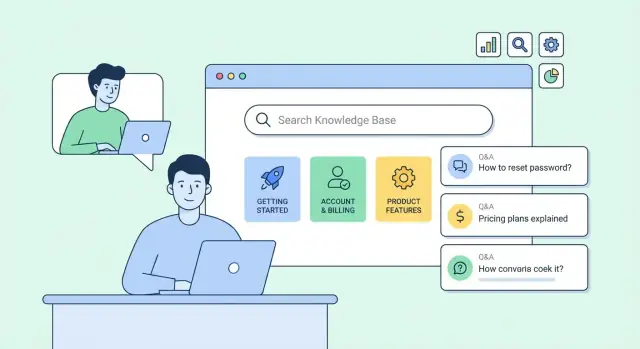
Put search first (above the fold), with a clear prompt like “Search founder questions…” and a single input that’s easy to tap. Under it, show your top categories as big, simple cards (e.g., Fundraising, Hiring, Legal, Product). Keep each category label short and recognizable.
If you add “popular questions,” limit it to a handful and make titles specific (avoid vague items like “General advice”).
Keep Q&A pages readable
Use generous line spacing, a comfortable font size, and short paragraphs. Break long answers into sections with clear subheadings so readers can skim.
A simple pattern works well:
- Question as the H1
- A one-paragraph direct answer (the “summary”)
- Details with subheadings
- Optional “Next steps” or “Related questions” at the end
Avoid walls of text and unnecessary sidebars. If you use callouts, keep them rare and purposeful (e.g., “Common mistake” or “Quick example”).
Add trust signals without clutter
For advice content, readers want to know it’s current and grounded. Include lightweight trust elements:
- Author note (who answered, and why they’re credible)
- “Last updated” date
- References or links to source materials when relevant
Design for mobile first
Most quick questions are asked on a phone. Make mobile navigation frictionless:
- Sticky search on key pages (or at least on category pages)
- Collapsible navigation for categories
- Large tap targets for cards, filters, and search results
- Fast-loading pages with minimal layout shifts
The goal is simple: search, scan, answer—without needing to “learn” your site.
Build Great On-Site Search and Discovery
A founder Q&A knowledge base only works if people can reliably find the right answer in seconds. Navigation helps, but search is what saves readers when they don’t know your categories, your product names, or your internal jargon.
Choose a search approach that fits your scale
Start with the simplest option that still feels “instant”:
- Built-in search (common in many CMS/help-center tools): fastest to ship, usually good enough for early-stage content.
- Hosted search (e.g., a dedicated search provider): great relevance, typo handling, analytics, and minimal maintenance.
- On-site indexing (you generate an index during build and search it on your site): excellent for static documentation websites and predictable performance.
If your content is mostly static and you value speed and cost control, on-site indexing is often a sweet spot. If you expect lots of growth and want smarter relevance tuning, hosted search pays off.
Add small features that feel “magic” to readers
A few details dramatically improve success rates:
- Autocomplete that suggests questions as users type (based on titles and common queries)
- Typo tolerance so “cap table” still finds “cap table” when someone types “cap tble”
- Highlighted matches in results so readers can judge relevance without clicking five pages
Also consider boosting results where the query matches:
- Exact question titles
- Tagged synonyms (e.g., “pricing” ≈ “cost”)
- Recently updated answers (when freshness matters)
Design “no results” pages that still help
A dead-end search is where users give up. Instead, treat “no results” as a guided fork:
- Show suggested queries (spelling fixes, close matches, broader terms)
- Link to top categories (e.g., Fundraising, Hiring, Product, Legal basics)
- Offer a contact option or “Ask a question” path (even a simple form)
If you have a request flow, connect it to your workflow section (for example, /blog/editorial-workflow) so unanswered questions reliably turn into new articles.
Track search analytics to find gaps
Search logs are a free roadmap. Track:
- Top queries (what people care about)
- Queries with low click-through (results are confusing or poorly titled)
- Queries with no results (content gaps)
Then fix the underlying issue: add a missing Q&A, rewrite titles to match real phrasing, or add synonyms/tags so the wording people use maps to your content taxonomy.
Set Up SEO for Evergreen Q&A Content
Evergreen Q&A pages win when they’re easy to understand for people and unambiguous for search engines. The goal isn’t to “game” rankings—it’s to make sure the best answer is the one that gets found.
Map keywords to categories (and prevent duplicates)
Start by mapping your core terms (e.g., “pricing,” “fundraising,” “cofounder,” “runway”) to the categories in your knowledge base. Each key question should have one canonical page.
If two questions are close (“How do I calculate runway?” vs “What is runway?”), either:
- merge them into one page with clear sub-sections, or
- keep both, but make one the canonical “definition” and the other a narrower “how-to,” linking prominently between them.
This avoids splitting authority across near-identical pages and reduces confusion for readers.
Titles, meta descriptions, and clean URLs
Write titles that match how founders actually search. Keep them specific and benefit-led.
- Good title: “Runway: How to calculate months of cash left (with example)”
- Weak title: “Runway (Finance)”
Meta descriptions should summarize the answer in one tight sentence and set expectations (“Includes formula and common mistakes”).
Keep URLs short, consistent, and readable:
/qa/calculate-runway/qa/how-to-price-saas
Avoid changing slugs once published. If you must, add a 301 redirect.
Internal links and a “next questions” trail
Every page should point to 2–5 closely related answers. This helps readers keep learning and helps search engines understand topical clusters.
Add a small “Next questions” section at the end, like:
- “What’s the difference between runway and burn?”
- “How do I reduce burn without slowing growth?”
You can also link to deeper guides (e.g., /blog/runway-template) without overdoing it.
Use schema markup (selectively)
Schema can improve how your Q&A appears in search results when it genuinely matches your content. Use FAQPage for a single page with multiple questions/answers, and QAPage for a primary question with answers.
{
  "@context": "https://schema.org",
  "@type": "FAQPage",
  "mainEntity": [
    {
      "@type": "Question",
      "name": "How do I calculate runway?",
      "acceptedAnswer": {
        "@type": "Answer",
        "text": "Runway is cash on hand divided by monthly net burn..."
      }
    }
  ]
}
Keep markup aligned with what’s visibly on the page, and avoid stuffing every variation of a question into schema.
Add Editorial Workflow, Moderation, and Feedback
A founder Q&A knowledge base stays useful only if people trust it. That trust comes from consistent editing, clear ownership, and a visible way for readers to flag gaps or outdated answers.
Define roles and handoffs
Even a small team benefits from a lightweight workflow with named owners.
- Founder (subject owner): supplies the opinion, context, and final intent (especially for positioning, messaging, and “why” questions).
- Editor (clarity owner): turns founder input into readable, scannable answers; enforces style, tone, and structure.
- Legal/Compliance reviewer (optional): checks claims that could create risk (customer promises, regulatory statements, trademark usage, financial claims).
- Publisher (release owner): pushes updates live, adds change notes, and ensures tags/categories are correct.
Keep the process simple: draft → review → approve → publish. If you’re using a CMS, map these to statuses so nothing goes live by accident.
Set rules for sensitive topics
Create a short “red lines” guide the whole team can follow. Sensitive topics often include:
- Pricing: avoid quoting “starting at” numbers that change frequently without an update plan.
- Security and privacy: describe what you actually do today; avoid vague assurances.
- Competitors: focus on your approach and differentiation without making unprovable claims.
- Roadmap promises: use careful language (“we’re exploring”) and avoid commitments unless you truly mean them.
A practical rule: if an answer could be screenshotted and used as a promise, treat it as high-risk and route it through review.
Make freshness visible
Set expectations for updates. Add a “Last updated” date to each Q&A page, and decide on a review cycle (for example, quarterly for core pages and monthly for pricing/security pages). When something changes, add a brief change note so readers see what’s different without rereading everything.
Build a tight feedback loop
Add a small “Was this helpful?” control at the end of each answer, plus a link to suggest new questions. A short form should ask:
- What were you trying to accomplish?
- What was missing or unclear?
- (Optional) Email for follow-up
Route feedback to a shared inbox or tracker, and turn repeated requests into a prioritized backlog for new Q&As.
Handle Performance, Accessibility, and Basic Compliance
A founder Q&A knowledge base only works if it’s fast, readable, and trustworthy. Small technical choices here make a big difference: people abandon slow pages, and many visitors rely on assistive tech.
Performance: keep pages lightweight
Most Q&A pages are text-heavy—great news for speed. The biggest risks are oversized media, bloated scripts, and unplanned plugins.
- Optimize images: compress uploads, serve modern formats when possible, and avoid full-width hero images on every page. If you use diagrams, keep them readable at small sizes.
- Use caching: enable page caching/CDN caching for public articles so repeat visitors (and search engines) load instantly.
- Minimize scripts: don’t ship large analytics bundles or multiple chat widgets. Add only what you truly use.
- Choose fast hosting: predictable performance matters more than fancy features. Measure with Lighthouse or WebPageTest and set a target (for example, “loads in under 2 seconds on mobile”).
Accessibility: the basics that cover most issues
Accessibility isn’t a “nice-to-have” for help content—it’s part of being clear.
- Headings hierarchy: one H1 per page, then H2/H3 in order. This helps screen reader navigation and improves scanability.
- Color contrast: ensure text and links meet contrast guidelines; avoid light gray body text.
- Alt text: if an image conveys meaning (charts, screenshots), describe it. If it’s decorative, leave alt empty.
- Keyboard navigation: menus, search, and “copy link” buttons should work without a mouse, with visible focus states.
Basic compliance: don’t skip the essentials
At minimum, publish a privacy policy, add a cookie banner only if required by your setup/region, and make it easy to contact you (footer email or a /contact page). If you collect submissions or emails, clearly explain how they’re used.
Launch checklist (staging review)
Before you publish:
- Test top pages on mobile and slow connections.
- Verify search works and returns “no results” gracefully.
- Check headings, link contrast, and keyboard tab order.
- Confirm privacy/cookies/contact links are present in the footer.
- Run a final staging pass, then deploy and re-test production.
Measure Results and Maintain the Knowledge Base
A founder Q&A knowledge base only pays off if people can find answers and then take the next step. Measurement turns “we think it helps” into clear signals about what to write, fix, or retire.
Set up analytics goals that match real outcomes
Start with a small set of goals you can review weekly:
- Top pages: which Q&A pages are doing the heavy lifting.
- Search terms: what people type into your on-site search (and whether you have answers).
- Helpfulness signals: upvotes/downvotes, “Was this helpful?” clicks, or quick feedback forms.
- Conversions: actions that matter—trial starts, demo requests, contact submissions, or pricing page visits.
If you’re tracking pathways, keep it concrete: measure clicks from Q&A pages to product actions using relative links such as /pricing, /contact, or /signup. This shows which answers reduce friction and which ones stall users.
Create a lightweight monthly report template
Keep the report consistent so trends are obvious. A simple template:
- New questions published: count + the themes they cover
- Updated answers: what changed and why (policy update, product change, clearer example)
- Top searches with no good result: your best content opportunities
- Wins: pages that drove more helpful votes or more clicks to /pricing
- Next priorities (3–5): specific tasks, owners, and due dates
This doesn’t need to be fancy—one shared doc or spreadsheet is enough.
Plan maintenance so the site stays trustworthy
Knowledge bases rot quietly. Add maintenance to your calendar:
- Prune outdated answers: archive or mark content as deprecated when features change.
- Merge duplicates: if two questions have the same intent, consolidate and keep one canonical answer.
- Refresh examples: update screenshots, numbers, and step-by-step instructions.
A practical rule: any page with high traffic and low helpful votes is a candidate for a rewrite first.
If you’re building on a platform that supports frequent iteration, lean into it: ship small improvements weekly (better titles, clearer examples, tighter internal links), and keep a reliable rollback option for structural changes. That’s one reason teams like building internal knowledge surfaces with tools such as Koder.ai—fast iteration, predictable deployment, and the ability to export source code if the knowledge base evolves into a larger product surface over time.
FAQ
Who should a founder Q&A knowledge base be written for?
Start by choosing one primary reader (e.g., prospects) and 1–2 secondary readers (e.g., customers, investors). Then define 2–3 concrete outcomes, like:
- Reducing repetitive questions in sales/support
- Speeding up evaluation by pre-answering objections
- Improving onboarding with a single source of truth
This focus determines what you write first, how detailed you get, and what tone feels credible.
What makes a “founder answer” different from a normal FAQ or help article?
A founder Q&A captures the founder’s point of view and the why behind decisions—not just feature instructions. Aim to include:
- The trade-offs you made (and what you didn’t choose)
- Clear boundaries (who it’s not for, what you won’t do)
- Lessons learned and constraints (time, budget, market reality)
That’s what makes it more useful than generic FAQs or help articles.
Where do I find the best questions to include in the knowledge base?
Collect questions for 7–10 days from places where intent is real:
- Sales calls/discovery notes (objections, comparisons)
- Onboarding sessions (setup and “what next?”)
- Support tickets/live chat (recurring errors)
- Demos and follow-up emails
- Communities/social (posts and comment threads)
Copy them into a single spreadsheet and keep the original phrasing—it often becomes your best page title.
How should I organize questions so visitors can actually find answers?
Group questions by intent, not by your internal org chart. A practical set of buckets is:
- Evaluate
- Implement
- Troubleshoot
- Pricing
- Security
- Roadmap
Visitors don’t think in “Product vs. Support vs. Sales”—they think “Can this solve my problem, and how do I make it work?”
How do I prioritize which Q&A pages to write first?
Use a lightweight scoring system:
Priority score = Frequency × Impact × Urgency (each 1–5)
Write first:
- Questions that show up often across multiple channels
- Questions that block purchase, onboarding, or security reviews
- Questions that need an answer now (pricing/security are common)
After sorting, sanity-check: do the top items match what’s costing your team time or slowing revenue?
How many pages do I need before I launch?
A realistic initial target is:
- One cornerstone guide (~3,000 words) to orient new readers
- An initial batch of 10–20 Q&A pages
- A backlog of 30–60 starter questions for the first 90 days
The goal isn’t completeness—it’s shipping enough high-value answers that the site immediately reduces friction and earns trust.
What’s a good structure for an individual Q&A page?
Use a predictable template so each page works for skimmers and deep readers:
- Short answer (2–4 sentences) that stands alone in search
- Deeper context: why it’s true, assumptions, when it doesn’t apply
- Steps or examples if the question is actionable
- 2–5 related questions at the end (your “next steps” trail)
Consistency makes the knowledge base easier to write, review, and keep updated.
Which platform is best for hosting a founder Q&A knowledge base?
Pick the simplest tool that fits your workflow and goals:
- CMS (WordPress/Webflow): flexible layouts, good for non-technical editors
- Docs/help-center tools: opinionated structure, fast standardization, solid built-in search
- Static site generators: fast, secure, low-cost hosting; best with Git comfort
- Custom build: only if you need advanced permissions, deep integrations, or custom search/ranking
If the Q&A is a major acquisition channel, prioritize SEO control. If it’s primarily support, prioritize editing speed and search quality.
How do I make on-site search actually work for real users?
Do a few small things that dramatically improve success rates:
- Autocomplete suggestions based on question titles
- Typo tolerance and synonym mapping (e.g., “cost” ↔ “pricing”)
- Highlighted matches in results snippets
- A helpful “no results” state with suggested queries and links to top categories
Also track search logs (top queries, no-result queries, low click-through) so you can continuously fill gaps and retitle confusing pages.
How do I keep the knowledge base trustworthy and up to date over time?
Add an editorial workflow and make freshness visible:
- Roles: founder (intent), editor (clarity), optional legal/compliance, publisher
- Simple statuses: draft → review → approve → publish
- Page metadata: owner, reviewer, last updated, category/tags
- Review cadence: monthly for pricing/security; quarterly for core evergreen pages
Add a “Was this helpful?” control and a suggestion form so readers can flag gaps and outdated answers—then turn repeats into a prioritized backlog.