

Build a Website for Hyper-Localt Service Businesses: Neighborhood SEO
Learn how to build a website for a hyper-local service business: pages to create, local SEO setup, schema, content, and tracking to rank by neighborhood.
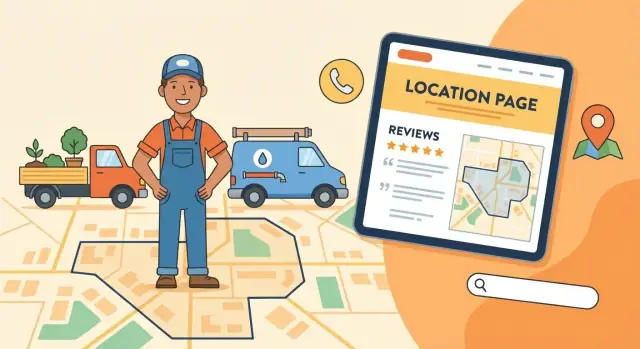
Start With a Clear Neighborhood Targeting Plan
Before you design pages or write copy, get specific about where you want to show up and who you want to serve. “We serve the whole city” is too broad for neighborhood SEO. A clear targeting plan keeps your site focused, prevents thin “me too” pages, and makes your marketing measurable.
Define your neighborhoods like a map, not a wish
Start by listing the exact areas you want to target—neighborhood names, ZIP codes, and recognizable landmarks that residents actually use.
For example, “Near Riverside Park,” “by the University,” or “along the Elm Street corridor” can be more meaningful than vague city-wide claims. Don’t guess: look at your past jobs, your best customers, and where you can realistically arrive fast.
Clarify what you offer—and why it’s better there
Write down your primary services and what makes you different locally. This becomes the foundation for service pages and neighborhood landing pages.
Think in terms customers care about:
- Hours and weekend availability
- Typical response time by area (e.g., “same-day in Midtown”)
- Specialties (historic homes, high-rise buildings, pet-safe products)
- Licensing, insurance, or local certifications
The goal isn’t to invent a “local angle.” It’s to be honest and specific enough that a neighbor can tell you’re a real option.
Decide: do you serve at your location, at their address, or both?
Neighborhood SEO gets messy when your website isn’t clear about how service works.
- If customers come to you (clinic, studio, shop), your address and directions matter most.
- If you go to them (plumber, cleaner, mobile groomer), your service area and dispatch rules matter most.
- If you do both, be explicit—different pages and calls-to-action may be needed.
This decision affects your contact page, your header/footer information, and how you connect the site to your Google Business Profile.
Set conversion goals you can track
List the actions you want visitors to take and how you’ll measure them:
- Calls (tap-to-call clicks, call tracking if you use it)
- Booking form submissions
- Quote requests
- Direction requests (for location-based businesses)
Write these down now so every future page has a purpose. When you review performance month by month, you’ll know whether neighborhood traffic is turning into real jobs—not just visits.
Pick a Site Structure Built for Local Search
A clear site structure helps Google (and real people) understand what you do and where you do it. For hyper-local businesses, the goal is simple: make it obvious which services you offer and which neighborhoods you serve—without forcing visitors to hunt.
A simple, search-friendly navigation
Start with a small set of top-level pages that match how customers think:
- Home (what you do + your primary service area)
- Services (overview that links to each service page)
- Service Areas (a hub that links to neighborhood pages)
- About (credibility and local story)
- Reviews (social proof in one place)
- Contact (phone, form, hours, service area summary)
Keeping the main navigation short prevents important local pages from getting buried.
Create dedicated pages for each core service
Don’t cram every service into one long “everything we do” page. Instead, create one page per core service (for example: /plumbing/ and /water-heater-repair/). This gives each service a clear topic, clearer headings, and a stronger chance to rank when someone searches for that specific job.
Your Services page should act like a directory, linking out to these pages with short descriptions.
Use a “Service Areas” hub + neighborhood pages
Build a Service Areas hub (e.g., /service-areas/) that explains where you work and links to individual neighborhood pages (e.g., /service-areas/greenwood/). This structure helps visitors confirm you serve their area, and it helps search engines connect neighborhoods to your services.
Keep URLs short, readable, and consistent
Clean URLs are easier to share, remember, and scan in search results. Good examples:
/plumbing//service-areas//service-areas/greenwood/
Avoid long strings, dates, or random IDs. A tidy structure now saves you from painful URL changes later.
Speed up build-outs without sacrificing consistency
If you’re creating multiple service pages and neighborhood pages, consistency matters: the same layout patterns, CTAs, internal links, and trust sections should appear everywhere—even if the copy is customized.
This is also where a vibe-coding workflow can help. With Koder.ai, teams can generate a React-based marketing site and iterate on page templates through chat, then export source code or deploy/host directly. That makes it easier to roll out a clean “Services → Service Areas → Neighborhood” structure quickly, while still leaving room for real neighborhood-specific details (photos, FAQs, testimonials) so pages don’t feel templated.
Design for Mobile Calls and Fast Conversions
Most “near me” searches happen on a phone, and local service customers usually want one thing: a quick way to contact you and confirm you’re legitimate. Your design should remove friction, not add steps.
Build for real thumbs (not just screen sizes)
Use a mobile-friendly theme, but don’t stop at a responsive preview. Test your key pages on a real phone—tap the buttons, fill out the form, and try calling your number. If anything feels annoying (tiny text, hard-to-tap buttons, popups covering the screen), it will cost you leads.
Keep the header simple and action-focused
Your header is prime space on mobile. Keep it clean and consistent:
- A click-to-call phone number (tap calls immediately)
- A short service area line (e.g., “Serving Brookside + nearby neighborhoods”)
- One primary call-to-action button (e.g., “Get a Quote” or “Book Service”)
Avoid stuffing the header with multiple menus, social icons, and extra buttons. On mobile, that often pushes your CTA below the fold.
Short forms win (and they should feel safe)
Make your form fast to complete: name, phone, address/area, and problem description. That’s usually enough to start the conversation. If you need more details, collect them after you’ve made contact.
Place trust cues near your CTA and form: star-rating summaries, “Licensed & insured” (only if true), and guarantees (only if you actually offer them). These small signals reduce hesitation right at the moment someone is deciding to call or submit.
Do Keyword Research for Neighborhood-Level Intent
Neighborhood SEO starts with the way real people talk when they’re stressed and searching. They don’t type “plumber city name” unless they’re browsing. They type what they need, where they need it—often with a neighborhood name, landmark, or cross street.
Start with neighborhood-specific “service + place” phrases
Prioritize terms that include both the job and the neighborhood, like:
- “water heater repair in [Neighborhood]”
- “emergency electrician near [Neighborhood]”
- “drain cleaning [Neighborhood]”
These usually signal higher intent than broad city terms, and they help you build pages that feel relevant without trying to rank one page for an entire metro area.
Mine ideas from Google and local competitors
You can get a strong list without fancy tools:
- Google Autocomplete: type your service + neighborhood and note suggestions.
- People also ask: capture question-style searches (price, timing, “is it worth it,” “who fixes…”).
- Local competitor headings: scan nearby competitors’ service pages and neighborhood pages for the phrases they emphasize in H1/H2 headings.
Don’t copy their wording. Use it to understand how residents describe the problem.
Map keywords to pages (one main topic per page)
To avoid overlap, give each page a clear “job.” Pick:
- One primary keyword (the main service + neighborhood)
- A small set of close variants (same intent, slightly different phrasing)
For example, keep “water heater repair [Neighborhood]” separate from “water heater replacement [Neighborhood].” Those are different intents and deserve different pages.
Add local modifiers that sound natural
Neighborhood searches often include cues beyond the neighborhood name. Sprinkle these in your research and writing:
- Nearby schools, parks, and landmarks
- Intersections and common “near me” reference points
- Alternate neighborhood nicknames locals actually use
Use these modifiers to shape subheadings and FAQ sections—not to stuff into every sentence.
Create Neighborhood Landing Pages That Feel Local
Neighborhood landing pages work best when they’re genuinely useful to someone who lives there—not when they’re a copy-paste template with a different place name.
Start with a unique page “identity”
Give every neighborhood page its own H1, title tag, and meta description that includes the neighborhood name naturally. Think of it as answering: “Is this service really available where I live?”
A simple pattern that reads well:
- H1: “Water Heater Repair in Capitol Hill”
- Title tag: “Capitol Hill Water Heater Repair | Same-Week Appointments”
- Meta description: “Serving Capitol Hill apartments and townhomes. Fast diagnostics, transparent estimates, and tidy on-site work. Call for availability.”
Write an intro that proves you understand the area
Open with a short, helpful paragraph that clearly states:
- Who you help (homeowners, landlords, renters)
- Where you serve (the neighborhood and nearby boundaries)
- Common issues you solve (older buildings, tight access, certain system types)
This is where “local” should feel real: building styles, typical pain points, and what a visit usually looks like.
Talk pricing the right way
Use clear estimate language without locking yourself into exact numbers unless you truly can. Phrases like “free on-site estimate,” “flat-rate diagnostics,” or “pricing based on access and parts” set expectations while staying honest.
Add neighborhood-specific FAQs
A short FAQ block makes the page practical and reduces friction before someone calls.
Include questions like:
- “Is parking difficult for service vans in this area?”
- “Do I need a permit for this type of work here?”
- “Do you work in older buildings / high-rises / row homes common to this neighborhood?”
- “Are there seasonal issues here (frozen lines, heavy rain backups, HVAC peak weeks)?”
Done well, these pages convert because they feel like they were written for the person reading them—not for a search engine.
Get Local On-Page SEO Basics Right (NAP, Contact, Links)
Local SEO doesn’t always fail because of “big” problems. More often, it slips because of small on-page details that confuse Google—or frustrate visitors who are ready to call.
Make your NAP easy to find (and identical everywhere)
Your NAP (name, address, phone) should appear in two predictable places: the site footer and your contact page.
Keep it exactly the same as your Google Business Profile and any directory listings: same spelling, same punctuation, same suite/unit format, same phone number. If you use “St.” in one place and “Street” in another, you’re creating unnecessary inconsistency.
If you operate a service-area business and don’t want an address shown publicly, use the settings available in your Google Business Profile and match that approach on your site (for example, showing your city/service area instead of a street address).
Build a contact page that answers real customer questions
A dedicated contact page is more than a form. It’s a conversion page and a trust page.
Include your business hours, expected response time (“We usually respond within 30 minutes”), and a short note about your service area (which neighborhoods you cover, and any boundaries). Add multiple contact options: a tap-to-call phone number, a simple form, and email if you use it.
Embed a map only if you have a real location customers can verify. If you work from home or don’t serve customers at your address, a map embed can create confusion and lead to bad reviews.
Use internal links to guide both people and Google
Think of internal links as signposts:
- Service pages should link to relevant neighborhood pages (and vice versa).
- Neighborhood pages should clearly link to the contact page.
A simple pattern works well: Services → Neighborhood pages → Contact. It helps visitors take the next step, and it helps search engines understand which pages matter most for neighborhood SEO.
If you’re building out local landing pages, make sure each one includes a clear call to action that points to /contact (not just “learn more”).
Add Local Schema Markup Without Overdoing It
Schema markup is a small layer of code that helps search engines understand what your business is and what a page is about. For hyper-local service businesses, it can improve eligibility for rich results (like enhanced snippets) and reduce confusion about your address, service area, and contact details.
Start with the right “LocalBusiness” type
Add LocalBusiness schema on your site (often on the homepage and/or contact page). If there’s a more specific subtype (like Plumber, Electrician, Locksmith, etc.), use that—it’s clearer than a generic label.
Keep the details boring and accurate:
- Business name, phone, website URL
- Address (only if you truly serve customers at that location)
- Opening hours
- Same social profile links you actually use
If you’re a service-area business without customer visits, don’t force an address into schema just because you think you “need one.” Align it with what you show publicly.
Mark up services and reviews carefully
On core service pages, consider Service schema where it genuinely matches the page content (one page = one primary service is usually easiest). Don’t create dozens of near-identical Service entries that all point to the same vague description.
For reviews: only add Review markup if the reviews are visible on that page and you’re following the relevant platform rules. Marking up hidden reviews (or importing reviews you’re not allowed to reuse) can lead to rich result eligibility issues.
Validate and fix what matters
After adding schema, run the page through schema validation tools and focus on errors and warnings that affect eligibility. Not every warning is urgent, but broken required fields and mismatched business info are.
A practical goal: clean, consistent markup that matches your page—no extra “SEO glitter.”
Connect the Website to Google Business Profile
Your Google Business Profile (GBP) is often the first thing a neighbor sees before they ever reach your site. Connecting it properly makes your website and your listing reinforce each other—so Google (and customers) get one clear, consistent story.
Match your basics (NAP) everywhere
Start by making sure your Name, Address, and Phone (NAP) match your website exactly—character for character. If your website says “Suite 200” but GBP says “Ste 200,” pick one format and use it everywhere (including your footer, contact page, and any location pages).
If you have multiple technicians or service vans, avoid adding extra phone numbers in random places. Use one primary number on the site and in GBP unless you’re tracking calls with a dedicated setup.
Choose categories that reflect what you actually sell
Categories affect what searches you show up for.
- Pick the most accurate primary category (the core service you want to be found for)
- Add a few secondary categories only if you truly provide those services (don’t “category-stuff”)
Fill out the profile like a customer would
Complete the fields people rely on when choosing:
- Service areas that reflect where you work (don’t add distant cities you can’t serve)
- A clear business description that matches your website’s messaging
- A well-structured service list that mirrors your main service pages
- Fresh photos (team, trucks, storefront, before/after) and keep adding over time
Link GBP to the right page
Your GBP website link should go to the page that best matches the searcher’s intent:
- Use your homepage if you serve one tight area and it clearly states what you do and where
- Use a relevant neighborhood/location page when you have a dedicated page for that service area
If you’re building those pages, see /blog/create-neighborhood-landing-pages-that-feel-local.
Use Reviews to Improve Rankings and Trust
Reviews aren’t just social proof—they’re also a local ranking signal and one of the fastest ways to make a first-time visitor feel safe calling you. For hyper-local SEO, the goal is simple: consistently earn fresh, specific feedback from the neighborhoods you want to win.
Build a review request process you can run every day
The best time to ask is right after the job, when the customer is relieved and satisfied. Set up a short, repeatable flow: a text or email that goes out automatically once an invoice is paid or a job is marked complete.
Make it frictionless by using a direct review link (to your Google Business Profile, or whichever platform you prioritize). One tap should take them to the review box—not a search page.
Place testimonials where they help people decide
Don’t hide reviews on a single Testimonials page. Add them to the pages where visitors are making a decision:
- A “Water Heater Repair in [Neighborhood]” page should show quotes from customers in that area.
- A core service page should feature a few short, specific testimonials that mention the service outcome.
If you’re using names, photos, or addresses, get permission. When in doubt, use first name + last initial and the neighborhood (e.g., “Sam R., Astoria”).
Respond like a real business (especially to negative reviews)
Replying shows you’re active and accountable. For positive reviews, keep it brief and personal. For negative reviews, stay calm: acknowledge the issue, state what you’ll do, and move the details offline. A professional response can win back trust from readers even if the review itself is harsh.
Add a “Reviews & Service Promise” page
Create a simple reviews page that explains what customers can expect: your process, your guarantees (if any), and how you handle problems. This page helps conversions and can reduce anxiety for people comparing multiple local service business websites.
Link to it from your footer and contact page, and keep it focused on expectations—not marketing hype.
Build Local Content That Supports Your Service Pages
Service pages tell visitors what you do. Local content explains why you’re the right choice for their street, building type, and seasonal issues—and it gives Google more context about the areas you serve.
Start with real local questions
Publish posts that answer neighborhood-level concerns your customers actually search for:
- Seasonal problems (frozen pipes, summer pests, storm cleanup, AC overload)
- Local regulations or building requirements (permits, HOA rules, parking restrictions)
- Common property types in the area (pre-war apartments, townhomes, older basements, split-levels)
Keep each piece practical: a quick problem description, what a homeowner can check safely, and when to call you.
Turn jobs into “before/after” stories
Create simple case studies with neighborhood context—without sharing private details. Mention the type of home, typical constraints, and the outcome:
- “Clogged main line in a 1950s ranch near [Neighborhood]: what we found and how we fixed it”
- “Drafty windows in a top-floor walkup: sealing options that kept the look”
These posts build trust and naturally support conversions.
Use a consistent internal linking habit
Every post should link:
- to the most relevant service page (so readers can take action)
- to a related neighborhood page (so visitors—and search engines—connect the topic to the location)
Example: a “winter pipe burst” post links to /services/emergency-plumbing and /areas/greenwood.
Avoid thin content (quality beats volume)
Don’t publish lots of short, repetitive posts. Prioritize fewer, higher-quality pieces that include specific local details, clear next steps, and one strong call-to-action back to your service pages.
Earn Local Links and Citations the Safe Way
Local links and citations are basically “proof” that your business exists where you say it does. Done well, they strengthen neighborhood SEO and help your local service business website look trustworthy—without risking penalties from spammy tactics.
Focus on a small set of credible directories
You don’t need hundreds of listings. Start with a short, high-quality set that real people (and search engines) actually use. Prioritize well-known platforms and local/community directories that are relevant to your area.
Keep it simple: pick a handful, fill them out completely, and make sure each listing points back to the right page on your site (usually your homepage or a relevant service area page).
Seek links from real local relationships
The safest local links come from things you’re already doing in the community. A few strong links beat dozens of questionable ones.
Good options include:
- Neighborhood associations and HOA resource pages
- Sponsorship pages for community events, sports teams, school fundraisers
- Local partners (e.g., property managers, realtors, cleaning services, landscapers) that can list “recommended vendors”
When you ask, make it easy: give them the exact page you want linked (often a specific local landing page), and one sentence describing your service.
Create a simple media kit page to earn mentions
A media kit page removes friction for anyone who wants to feature your business. Add a page like /media-kit with:
- Your logo (downloadable)
- A short 1–2 sentence business description
- Service area (neighborhoods you serve)
- A press/contact email and phone number
This helps community blogs, event organizers, and partners link to you accurately—without back-and-forth.
Keep citations consistent over time
Citations only help if they stay consistent. Keep your business name, address, and phone (NAP consistency) identical everywhere—same formatting, same suite/unit details.
If your phone or address changes, update your top listings first and keep a simple tracking sheet so nothing gets missed months later. Consistency over time is what builds trust, not a one-time “set and forget” push.
Measure What Works and Improve Month by Month
A hyper-local website isn’t “done” after launch. Neighborhood SEO rewards steady, small improvements—especially when you can see which pages, calls, and form fills are actually turning into jobs.
Set up tracking that connects leads to pages
Start with analytics so you can tie real leads back to the neighborhood pages that generated them.
If you rely on phone calls, consider call tracking—but keep it simple. Use one tracking number per major source (website vs. Google Business Profile) instead of per neighborhood page, unless you have the volume to manage it. Make sure your tracking setup doesn’t break NAP consistency on your core contact details.
Also track the basics:
- Form submissions (thank-you page or event tracking)
- Click-to-call taps on mobile
- “Get directions” and “Website” clicks from your Google Business Profile
Track neighborhood visibility (not just “city” rankings)
Neighborhood SEO is about intent like “water heater repair Oak Lawn” or “dog groomer Capitol Hill.” Use a rank tracker (or manual checks in an incognito browser) for a short list of neighborhood keywords tied to your services.
Pair that with Google Business Profile insights. GBP won’t always break down by neighborhood perfectly, but trends in calls, messages, and direction requests help confirm whether your local landing pages and service area pages are pulling their weight.
Use a simple monthly checklist
Consistency beats big, random website projects. Create a recurring checklist you can actually finish:
- Update a few recent photos (jobs, team, work vehicles)
- Add one short post or FAQ update that supports a key service page
- Request reviews from recent customers (and reply to every review)
- Test forms and click-to-call buttons on mobile
If you publish local content, keep it connected to conversions. A small improvement to a money page often beats a brand-new blog post.
Iterate: expand only when existing neighborhoods convert
It’s tempting to create local landing pages for every nearby area. Instead, expand step-by-step: improve the neighborhoods that already bring traffic until they reliably convert, then replicate what worked.
When you do add new areas, reuse your proven page structure, but customize the proof (photos, projects, testimonials, FAQs) so each page feels genuinely local—without duplicating the same copy across every neighborhood.
If you’re moving fast and making frequent edits, consider using a workflow that supports quick experimentation and safe rollbacks. For example, Koder.ai supports snapshots and rollback so you can update templates, CTAs, or internal linking patterns across the site without worrying that one bad change will break your lead flow.
FAQ
What’s the first step before building neighborhood SEO pages?
Start by choosing a small set of neighborhoods you can actually serve well (based on past jobs, response times, and logistics). Then document:
- Core services you want to rank for
- Whether customers come to you, you go to them, or both
- The conversions you’ll track (calls, forms, bookings, directions)
This prevents thin “we serve everywhere” content and gives every page a clear purpose.
How do I define which neighborhoods to target (without guessing)?
Use the same language residents use:
- Official neighborhood names
- ZIP codes (if commonly used)
- Landmarks and corridors (parks, universities, major streets)
Don’t guess—pull from your invoices/job history and where you can reliably meet your promised response time.
What site structure works best for hyper-local service businesses?
A simple structure that works for most hyper-local service sites is:
- Home (service + primary area)
- Services hub → one page per core service
- Service Areas hub (/service-areas/) → one page per neighborhood
- About, Reviews, Contact
This makes it easy for visitors (and Google) to connect “what you do” with “where you do it.”
Should I create one page per service or keep everything on one services page?
Create separate pages when the search intent is different. For example:
- “Water heater repair” vs “water heater replacement”
- “Emergency plumbing” vs “drain cleaning”
Each page should have one main topic, clear headings, and a strong call-to-action to /contact.
What URL structure is best for neighborhood and service pages?
Use a consistent, readable pattern such as:
- /plumbing/
- /service-areas/
- /service-areas/greenwood/
Avoid dates, random IDs, and overly long strings. Changing URLs later often creates ranking and tracking headaches.
What should a mobile-friendly local service website include to get more calls?
Make mobile conversion the priority:
- Click-to-call phone number in the header
- One primary CTA button ("Get a Quote" / "Book Service")
- Short forms (name, phone, area/address, problem)
- Trust cues near the form (licensed/insured only if true, review summary)
Then test on a real phone—tap, scroll, submit, and call—before you publish.
How do I do keyword research for neighborhood-level intent?
Start with high-intent patterns:
- “{service} in {neighborhood}”
- “{service} near {landmark}”
- “emergency {service} {neighborhood}”
Then expand using Google Autocomplete, “People also ask,” and competitor page headings. Map each keyword set to a specific page so you don’t create overlapping pages that compete with each other.
What makes a neighborhood landing page feel local (not copy-paste)?
Make each page feel like it was written for someone who lives there:
- Unique title tag, meta description, and H1 with the neighborhood
- A short intro mentioning boundaries/nearby landmarks and common local issues (building types, access, parking)
- Honest pricing language (flat-rate diagnostics, estimate ranges, factors that change cost)
- A small neighborhood-specific FAQ block
Avoid copy-paste templates where only the place name changes.
How important is NAP consistency, and where should it appear on my site?
Keep your NAP (Name, Address, Phone) consistent everywhere—footer, contact page, Google Business Profile, and directories.
- If customers visit you: show your address and directions clearly.
- If you’re a service-area business: don’t force an address onto the site/schema if you don’t serve customers there.
Also, build internal links so users naturally flow: service page → neighborhood page → /contact.
Which page should I link to from my Google Business Profile?
Link your Google Business Profile to the page that best matches the searcher:
- Use the homepage if you serve one tight area and the homepage clearly states services + area.
- Use a relevant neighborhood/service-area page when you’ve built a dedicated page for that location.
Then make sure categories, service areas, description, and your NAP match your website exactly to avoid conflicting signals.