

How to Build a Website for a Knowledge-First Product Launch
Learn how to plan and build a launch website that leads with knowledge: positioning, docs, FAQs, SEO, onboarding, and feedback loops for trust.
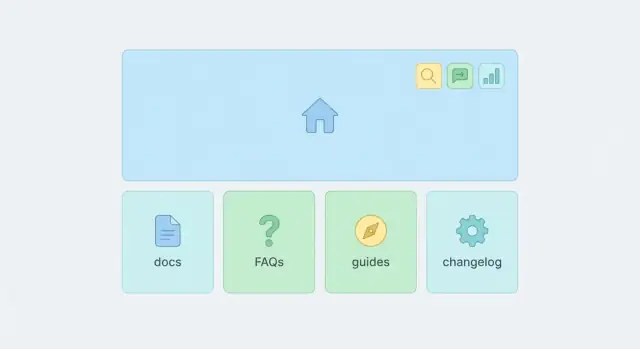
What a Knowledge-First Launch Website Needs to Do
A knowledge-first product launch website is built to answer real customer questions before they have to talk to you. It prioritizes clarity over hype and turns your product knowledge (docs, FAQs, guides, examples) into the shortest path to trust and conversion.
What “knowledge-first” means in practice
It’s not “more content.” It’s the right content, organized so visitors can self-serve:
- Clarity: People quickly understand what the product is, who it’s for, and what happens next.
- Trust: Claims are backed by specifics—how it works, limitations, security details, pricing logic, and real examples.
- Self-serve: Someone can evaluate, start, and succeed without waiting for a call or a support reply.
The outcomes to aim for
Set outcomes that change day-to-day workload, not vanity metrics.
A knowledge-first site should help you:
- Reduce low-intent sales calls by pre-qualifying visitors.
- Speed up activation by making first steps obvious.
- Cut support tickets by answering recurring questions up front.
Pick one primary audience (and one secondary)
Choose a primary audience you want to serve best (for example: “operators at small teams who want to set this up in an afternoon”). Then choose one secondary audience (for example: “security reviewers”).
If you try to serve everyone on day one, you usually end up serving no one well.
Set scope: MVP website vs. post-launch expansion
Define what must exist at launch (MVP) versus what can expand after you have real usage data. MVP typically includes a routing homepage, a few high-intent landing pages, core docs, and an FAQ.
Decide how you’ll measure success
Tie the website to measurable actions:
- Traffic to high-intent pages.
- Signups or demo requests.
- Activation milestones (first project created, first integration connected).
Pick 2–3 metrics you’ll review weekly so “knowledge-first” stays a strategy, not a slogan.
Start with Positioning and Customer Questions
Before you design pages, decide what you’re promising—and to whom.
A knowledge-first launch works when your site answers the same questions your best prospects ask on calls, in DMs, or right before they hit “Sign up.”
Write a one-sentence positioning statement
Keep it specific and testable. Use this simple format:
For [who], [product] helps you [do what] by [how it’s different].
Example: “For small support teams, AcmeHelp turns recurring questions into a searchable help center in a day, using AI-assisted drafts you can approve.”
If you can’t write this sentence, your homepage can’t route people to the right answers.
Identify the top 3 problems (in plain language)
Avoid feature talk. Write them the way a customer would describe the pain:
- “Our inbox is full of the same questions.”
- “New users get stuck and churn in the first week.”
- “We can’t keep docs up to date across tools.”
These become your primary “question buckets” that all launch content will feed.
Map each problem to proof
Every claim needs one clear piece of evidence. Mix formats so people can scan:
- A screenshot with a one-line caption (“From 18 tags to 6 categories”).
- A 45-second demo clip showing the outcome, not every setting.
- A mini case study: Problem → What changed → Result.
Proof doesn’t need to be polished, but it must be concrete.
Clarify “what it is / what it isn’t”
Wrong-fit signups create noise in onboarding and support. Add a short clarification you can reuse across pages:
What it is: Built for teams who want self-serve answers and faster onboarding.
What it isn’t: A full customer support ticketing system (or a replacement for your CRM).
Prepare messages for each stage
Write one short message per stage so your site stays consistent:
- Discover: The problem you solve and who it’s for.
- Evaluate: Proof, comparisons, and key limitations.
- Start: “First 10 minutes” setup expectations.
- Succeed: What “good” looks like after 30 days (metrics, habits, outcomes).
Once these are written, every page can answer real questions instead of repeating slogans.
Design the Information Architecture and Site Map
Information architecture is your launch website’s “decision design.” It determines whether visitors quickly find the answer that makes them confident—or bounce because every click feels like a guess.
Pick 1–2 primary actions (and protect them)
Choose one or two primary actions that match your launch goal, such as Start free, Request a demo, or Join the waitlist. Then structure your pages so those actions are always available, but never competing with five other CTAs.
A helpful test: If someone only reads the top navigation and the homepage hero, can they tell what to do next?
Define the key pages for the funnel and support journey
A knowledge-first launch isn’t only about acquisition—it should also reduce friction after sign-up. Your initial site map should cover both:
- Funnel pages: Home, Product/How it works, Pricing, Use cases (or Industries), Integrations (if relevant), Demo/Trial.
- Knowledge pages: Docs/Help Center, Getting Started, Tutorials/Guides, FAQs, Status (optional), Changelog.
- Trust pages: Security, Privacy, Terms, Contact.
If you’re unsure whether a page is needed, ask: Does it answer a question that blocks purchase, setup, or trust?
Keep the site map simple to reduce choices
Aim for a structure where each page offers a small set of obvious next steps. A common pattern:
- Home → routes to Use case (or Feature) pages and Getting Started.
- Use case page → routes to a relevant guide + CTA.
- Pricing → routes to plan comparison + FAQ + CTA.
Plan consistent navigation and footer
Don’t hide critical pages in odd places. Put the essentials in the top navigation (3–6 items), and use the footer for “proof and policy” (Security, Privacy, Terms, Contact, Changelog).
Add search early if content exceeds ~15 items
Once you have more than a handful of guides, browsing alone breaks down. Plan for site search up front so documentation and FAQs remain discoverable—especially from the header or help center index (e.g., /docs).
Build a Homepage that Routes People to Answers
Your homepage isn’t a brochure—it’s a decision page.
For a knowledge-first product launch, the goal is to explain the value quickly, then help people self-select the next best step based on what they’re trying to do.
Start with clarity, not cleverness
Open with a simple statement of what the product is and the outcome it creates. Then add a short “who it’s for” line so visitors can immediately recognize themselves.
A helpful pattern:
- What it is: One sentence.
- What you can do with it: 2–3 concrete examples (not feature lists).
- Primary next step: A button that matches intent (e.g., “Start free” or “View docs”).
Route people by intent
Different visitors arrive with different questions. Make the options visible and specific:
- New to the problem → See how it works
- Evaluating alternatives → Read a quick guide
- Ready to implement → Go to docs
- Checking edge cases → FAQ
Use clear, descriptive links such as /docs, /guides, and /faq rather than vague “Learn more” buttons.
Add one strong proof section
Pick a single proof block and make it credible: a short testimonial with context, a measurable result, or recognizable logos—only if they’re real and permissioned. One strong proof section beats five weak ones.
Explain “how it works” in onboarding order
Write the “how it works” section to mirror the steps users will actually take after signing up. If onboarding starts with “Connect your data → Configure → Share,” reflect that sequence here so the homepage sets expectations and reduces drop-off.
Finally, link to launch-critical knowledge pages like /changelog so returning visitors can quickly see what’s new.
Create Focused Landing Pages for High-Intent Visitors
High-intent visitors don’t want a tour—they want confirmation that your product solves their exact problem, and they want a clear next step.
That’s why a knowledge-first launch site should include a small set of focused landing pages (typically 3–6) tied to specific roles or use cases.
Pick 3–6 pages, each with one intent
Create one page per job to be done, not per feature.
Examples: “For Customer Support Teams,” “For Product Managers,” “Integrate with Slack,” or “Replace Spreadsheets for Onboarding.”
If you feel tempted to cover multiple audiences, split the page. Clarity beats completeness.
Use a repeatable page template
Consistency makes pages faster to ship and easier to scan. A simple structure that works well:
- Problem: The real-world pain and what it costs (time, errors, missed follow-ups).
- Solution: What changes with your product (in plain language).
- Steps: A short “how it works” flow (3–6 steps).
- Examples: Realistic scenarios, sample outputs, or workflows.
- FAQs: Objections and edge cases (pricing, security, integrations, limits).
- CTA: One primary action (Start, Book a demo, See docs).
Reduce confusion with real product visuals
Use real screenshots and annotate them (labels, arrows, short captions). The goal is to answer “Where do I click?” and “What will I see?” without forcing readers to imagine your UI.
Include “time to first value” steps
Add a “First 10 minutes” block: the minimum setup and action a new user should take to get a visible win. This lowers bounce rates and increases trial activation.
Link directly to the next best answers
End each landing page with internal links to the most relevant resources, such as /docs/getting-started, /guides/use-case-name, and /faq—so motivated visitors can self-serve immediately.
Publish Documentation and Guides as Core Launch Assets
Documentation is not “nice to have” at launch—it’s the product’s public instruction manual.
When it’s clear, searchable, and connected to next steps, it shortens time-to-value and reduces pre-sales hesitation.
(If you’re launching a developer tool or a build platform like Koder.ai, this matters even more: the docs are effectively the “UI” for how teams evaluate capabilities such as exporting source code, deploying/hosting, or rolling back changes.)
Separate reference from learning
Make the difference obvious in your navigation:
- /docs: Reference material people consult while doing a task (settings, API, field definitions, limits).
- /guides: Learning paths that teach a workflow end-to-end (first project, best practices, “how teams use it”).
- /faq: Quick answers and policy-level clarifications (pricing, security, billing, “can it do X?”).
This separation keeps /docs scannable and prevents long tutorials from burying the exact detail someone needs.
Start with the first 10 documents
Before you publish everything, prioritize the minimum set that unblocks real usage:
- setup/installation
- first-time configuration
- core workflow (the main job-to-be-done)
- permissions/roles (if applicable)
- integrations (top 2–3)
- importing data
- exporting/sharing
- troubleshooting basics
- common errors and fixes
- account/billing basics (if self-serve)
Use a consistent structure that builds confidence
Keep each doc page predictable:
Goal → Prerequisites → Steps → Expected result → Next steps
Add short “Common mistakes” callouts based on what typically goes wrong (missing permissions, wrong token, skipped step). These are often the difference between “worked instantly” and “gave up.”
Finally, every doc page should point to (1) a related guide for deeper context and (2) a clear next action such as “Try this workflow” or “Set up your integration.” If you want to formalize this, link to your /docs overview and a relevant /guides starting point.
Build a FAQ that Reduces Friction (and Support Load)
A launch FAQ isn’t a “nice-to-have” page—it’s a conversion tool and a support filter.
The goal is simple: answer the questions people are already asking, in the order they tend to ask them, using plain language.
Start with real questions (not guesses)
Before you write anything, collect 20–40 questions from sources that reflect real buying intent:
- Sales calls and demos (objections, “what about…?” moments)
- Support tickets from beta users
- Customer interviews and onboarding calls
- Competitor reviews and forum threads (look for repeated complaints)
If a question shows up more than once, it belongs in your FAQ.
Group by theme so readers can scan
Avoid one long wall of Q&A. Instead, group FAQs into predictable themes such as:
- Pricing and billing
- Security and compliance
- Setup and integrations
- Limitations and edge cases
- Comparisons and alternatives
Use short category headings so visitors can jump to what they care about without scrolling aimlessly.
Write answers that lead with the truth
Your first sentence should be a direct answer, not a marketing intro. Then add details, examples, and any conditions.
Bad: “We offer flexible plans for teams of any size…”
Better: “Yes—there’s a free plan for up to 3 users. Paid plans start at $29/month.” Then link to /pricing for the full breakdown.
Also include a few “Is it right for me?” questions. These reduce churn and refunds by setting expectations early—who the product is not for, what it doesn’t support yet, or what minimum setup is required.
Turn each FAQ into a routing hub
Each answer should point to the next best page:
- Deeper how-tos → /docs or /guides/getting-started
- Setup steps → /onboarding
- Security details → /security
- Complex edge cases → /contact or /support
When FAQs route people to the right depth of information, you’ll see fewer repetitive tickets—and more confident sign-ups.
Plan Onboarding Content for Self-Serve Success
Your onboarding content is where “interest” becomes “I did it.”
For a knowledge-first launch, treat onboarding pages as product features: they should remove uncertainty, prevent mistakes, and get users to an early win without needing a call.
Map onboarding to the real workflow
Start with 5–8 onboarding steps that match how people actually use your product (not how you built it). Each step should answer three things: what to do, what “done” looks like, and what to do if it doesn’t work.
A simple step sequence might look like: create account → connect X → configure Y → import/seed data → run first action → verify results → invite teammate → set ongoing routine.
Create a “Getting Started” hub
Build a single Getting Started page that routes new users to:
- Setup guides (by use case or role)
- A “first success” milestone (e.g., “Send your first…”, “Publish your first…”, “See your first result”)
- Links to troubleshooting and FAQs for common blockers
Keep it scannable, and make the milestone unmistakable—users should know within minutes if they’re on track.
Write checklists people can follow alone
Include lightweight checklists inside each guide (and optionally a downloadable version). Checklists reduce back-and-forth because they tell users exactly what to gather and verify.
Use short videos or GIFs only when text isn’t enough—like showing where a setting lives, what a successful screen looks like, or how to interpret a chart. Don’t make them required to understand the steps.
Make troubleshooting easy
Add a dedicated troubleshooting section with:
- Known issues (especially during launch)
- Error message meanings (copy the exact text)
- Quick fixes and “if this, try that” paths
Link each guide to the relevant troubleshooting entries so users don’t have to search to unblock themselves.
Use SEO as a Knowledge Distribution Channel
SEO works best for a knowledge-first launch when you treat search as a distribution channel for answers—not as a last-minute traffic tactic.
Start with intent, not keywords
Build your keyword list from the questions and decisions people are already making. Mix early-stage learning with late-stage evaluation:
- “How to” queries: how to invite teammates, how to export data
- “Best way to” queries: best way to track approvals, best way to share dashboards
- Comparisons: [Your Product] vs [Alternative], best [category] for small teams
If a query signals high intent, it deserves a dedicated page. If it’s broad, it might belong in a guide or glossary entry.
Write for real searches (and skim reading)
Use titles and headings that mirror how people phrase questions.
A page titled “Roles and Permissions” may underperform compared to “How roles and permissions work (and how to set them up).”
Keep paragraphs short, add clear subheads, and summarize the answer early—people often scan before they commit.
Build topic clusters with internal links
Search engines (and readers) understand your site faster when pages connect.
Link related pages in both directions:
- From a high-level guide to supporting docs and FAQs
- From docs back to the relevant landing page or onboarding steps
For example, a “Getting started” guide can link to /docs/importing-data and /faq/billing, while those pages link back to /guides/getting-started.
One page, one primary job
Avoid overlapping pages that compete for the same query. Choose one “main” page per topic and let supporting pages handle specific sub-questions.
Nail the basics (before you publish more)
Use clean, readable URLs, and write meta titles/descriptions that match the query. Add descriptive image alt text (especially for UI screenshots) so your help content is accessible and discoverable.
Add Trust, Support, and Policy Pages People Look For
A knowledge-first launch site isn’t only about explaining the product—it’s also about proving you’re a safe bet.
Visitors who are ready to try or buy often go looking for the “boring pages” to confirm you’re real, reachable, and responsible.
Minimum trust pages to ship
At launch, make sure these pages exist and are easy to find in the header or footer: /pricing, /about, /contact, /privacy, and /terms.
Keep them short and specific. For example, your /about page should answer “who’s behind this?” and “why now?” without turning into a brand essay. Your /pricing should state exactly what’s included, what’s not, and how billing works.
Support routes you can actually honor
Give people a clear path to help: an email address, a simple form on /contact, and chat only if you can respond reliably.
If you offer multiple channels, set expectations in plain language (“We reply within 1 business day”). A fast, honest response beats a fancy widget that feels abandoned.
Data handling (plain English, with official links)
Many buyers scan for how you handle their data. Summarize the basics in human terms (what you store, why, and how long), then link to your official /privacy and /terms for the full details.
If you work with third parties (analytics, payment, email), mention categories rather than burying it.
Security and uptime signals (when relevant)
If security matters for your audience, include a security overview page that states only what you can verify (authentication, encryption, backups, access controls). Avoid vague promises.
If uptime is critical, add a public /status page or publish incident notes in a consistent place so customers know where to look when something breaks.
Plan Launch Updates with a Changelog and Content Calendar
A knowledge-first launch isn’t a single “big day”—it’s a sequence of small, understandable updates.
Plan how you’ll publish those updates so visitors can see momentum, find what changed, and decide when to check back.
Create a public /changelog
Publish a simple /changelog page that answers three questions: What changed? Who is it for? What should I do next? Keep entries short, link to relevant docs, and avoid marketing language.
A lightweight template works well:
- Added/Improved (one sentence)
- Why it matters (one sentence)
- Learn more (link to /docs…, /faq…, or /guides…)
Link to /changelog from your header or footer so returning visitors can reliably find it.
Map updates on a content calendar
Create a calendar for launch week and the following month. Include:
- A launch blog post that explains the why, common use cases, and the next steps (e.g., “Start here” links to /docs/getting-started or /pricing).
- A “What’s new” section on your homepage during launch week, pointing to the top 3–5 updates and the latest changelog entry.
Treat each update like a knowledge asset: it should route users to answers, not just announce features.
Keep interested visitors warm (without noise)
Add a simple newsletter/update signup (e.g., “Get product updates”) on the homepage and at the end of your launch post. Set expectations on frequency (“Weekly during launch, then monthly”).
If you’re running a launch for a tool with tiered plans (like Koder.ai’s free/pro/business/enterprise model), your update cadence is also a good place to clarify what changes affect pricing, limits, or availability.
Decide up front how you’ll handle announcements: one primary channel (blog + changelog), one optional channel (email), and a clear rule for what qualifies as “news” so users aren’t overwhelmed.
Install Feedback Loops and Measure What Helps Users
A knowledge-first launch site isn’t “done” when it ships. The real win is learning which pages answer questions, which ones create confusion, and what information is missing.
Build lightweight feedback loops that turn user behavior and support signals into a steady stream of improvements.
Capture page-level signals
Start on the pages that matter most—docs, onboarding, pricing, and high-intent landing pages:
- Add page-level feedback: “Was this helpful?” and an open comment option.
Keep the prompt small and optional. The goal is to catch quick “this didn’t answer my question” moments while the context is fresh.
Instrument the actions that indicate progress
Traffic alone won’t tell you whether your content is working. Track actions that represent understanding and forward motion:
- Set up analytics events for key actions (signup, docs search, CTA clicks).
Also consider events like “copied code snippet,” “expanded FAQ,” or “visited onboarding after pricing.” These help you see which content paths reduce hesitation.
Find missing content faster
Two reports are consistently useful during launch:
- Track top searched terms and top exit pages to find missing content.
High search volume with low click-through often means titles are unclear. High exits from key pages often mean a question wasn’t answered—or the next step wasn’t obvious.
Turn support into a content engine
Support tickets and sales calls are a goldmine for language and edge cases:
- Create a weekly routine to update docs based on support tickets.
- Keep a backlog of content gaps and assign owners.
Treat the backlog like product work: include the user question, the ideal page to answer it, and a deadline. Over time, this process can lower support load and increase conversion without adding more pages—just better ones.
FAQ
What is a “knowledge-first” product launch website?
A knowledge-first launch website is designed to answer the most common buying, setup, and trust questions upfront—so visitors can evaluate and succeed without waiting for a call.
In practice, it emphasizes:
- Clear positioning (what it is, who it’s for, what happens next)
- Concrete proof (examples, screenshots, limits)
- Self-serve paths into /docs, /guides, and /faq
What outcomes should a knowledge-first launch site improve?
Aim for outcomes that reduce friction and workload, not vanity metrics. Common success signals include:
- Fewer low-intent demo requests (better pre-qualification)
- Faster activation (users reach a first milestone sooner)
- Fewer repetitive support tickets (common blockers handled by docs/FAQ)
Pick 2–3 metrics you’ll review weekly so the site keeps improving.
How do I choose the right audience for the launch website?
Choose one primary audience you want to serve exceptionally well, plus one secondary audience you must satisfy (often security reviewers or technical evaluators).
If you try to speak to everyone on day one, your copy and navigation usually become vague—making it harder for any visitor to decide what to do next.
How do I write positioning that actually helps the website convert?
Start with a one-sentence positioning statement you can test:
For [who], [product] helps you [do what] by [how it’s different].
Then use it to write:
- The homepage “what it is” line
- 3 plain-language problems you solve
- A short “what it is / what it isn’t” clarification
If you can’t write the sentence, your homepage can’t route people effectively.
What pages should be included in the MVP (launch) version of the website?
Ship the pages that answer questions blocking purchase, setup, or trust:
- Funnel: Home, How it works/Product, Pricing, 3–6 use-case pages
- Knowledge: /docs, Getting Started, /guides, /faq, /changelog
- Trust: /security (if relevant), /privacy, /terms, /contact
Everything else can expand post-launch based on real usage and search data.
What should go in the top navigation vs. the footer?
Keep top navigation to 3–6 items that match intent (not internal org charts). A common, effective set:
- Product/How it works
- Use cases
- Pricing
- Docs (or Resources)
- FAQ (optional if it’s prominent elsewhere)
Use the footer for policy and proof pages like /security, /privacy, /terms, /contact, and /changelog.
What should a knowledge-first homepage do differently?
Treat the homepage as a decision page:
- Start with clarity: what it is + who it’s for
- Add 2–3 concrete outcomes (not feature lists)
- Route by intent with clear links (e.g., /docs, /guides, /faq)
- Include one strong proof block (a measurable result, contextual testimonial, or real example)
The goal is to help visitors self-select the next best step quickly.
How many landing pages should I launch with, and what should they include?
Build 3–6 landing pages, each tied to one high-intent job-to-be-done (role, use case, or integration).
A repeatable template helps:
- Problem → Solution
- 3–6 “how it works” steps
- Real examples and annotated screenshots
- FAQs for objections (security, limits, integrations)
- One primary CTA (no competing actions)
Each page should end with links to the next best resources (e.g., /docs/getting-started).
How should I structure docs, guides, and FAQs so people can self-serve?
Separate content by how people use it:
- /docs: reference (settings, API, limits, definitions)
- /guides: end-to-end workflows (learning paths)
- /faq: quick policy and edge-case answers (billing, security, “can it do X?”)
Start with the first 10 documents that unblock real use (setup, core workflow, top integrations, troubleshooting, billing basics).
When should I add site search, and where should it live?
Add search once content exceeds roughly 15 items (docs, guides, and FAQ entries combined). At that point, browsing alone becomes guessy.
Place search where intent is high:
- In the docs/help center header (e.g., /docs)
- Optionally in the global header if knowledge content is central
Also review top search terms regularly to find missing or unclear pages.