

How to Build a Website for a Niche Technical Community
Learn how to plan, build, and grow a website for a niche technical community—features, content structure, onboarding, moderation, SEO, and metrics.
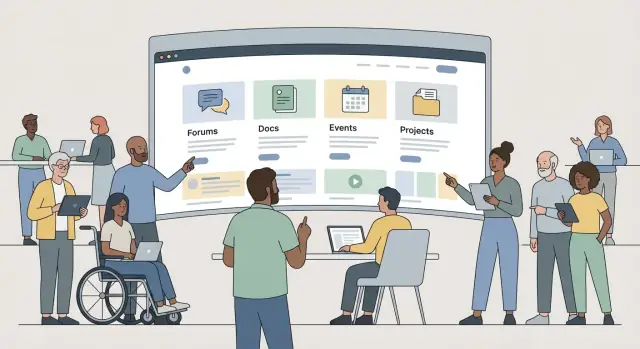
Clarify the Community Purpose and Success Metrics
A niche technical community site succeeds when it’s clear who it serves and what “better” looks like. Before picking features or tools, define your community like a product: audience, problem, and measurable outcomes.
Define who it’s for (and who it’s not)
Start with a simple audience statement that includes roles, skill levels, and context.
For example:
- Roles: maintainers, contributors, app developers, DevOps/SRE, data engineers, educators
- Skill levels: beginner (needs safe starting points), intermediate (needs patterns), advanced (needs deep troubleshooting)
- Industries/use cases: fintech compliance, IoT deployments, academic research, internal tooling
This clarity prevents a common trap: building a site that tries to serve everyone and ends up feeling generic.
Write the top 3 problems you will solve
Keep these problem statements concrete and member-centered. Good examples:
- “I’m stuck and need an accurate answer faster than searching scattered threads.”
- “I want to learn the ‘right way’ to use this tool without reading everything.”
- “I need peers who understand my constraints (scale, security, legacy systems).”
If you can’t name the problems in plain language, the website will struggle to attract the right participation.
Decide the primary action
Pick one primary action you want most visitors to take on their first session:
- Join (email/SSO sign-up)
- Post (ask a question or share a solution)
- Attend (register for an event or office hours)
Make this choice explicit because it drives copy, homepage layout, and what you measure.
Choose metrics you’ll track from day one
Use a small scorecard you can review weekly:
- Sign-ups and sign-up conversion rate
- First contribution rate (new members who post/comment within 7 days)
- Posts/replies per week (activity health)
- Returning users (7-day and 30-day retention)
These metrics keep decisions grounded in reality as you build and grow.
Understand Your Members and Their Journeys
Once your purpose and metrics are clear, design the site around how real people arrive, learn, and participate. Member journeys—not feature checklists—should drive your structure.
Create a few practical personas
Aim for 2–4 lightweight personas you can keep in mind during every decision:
- Newcomer: curious, easily overwhelmed, needs safe entry points and quick wins.
- Practitioner: wants reliable answers, searchable how-tos, and peers at a similar level.
- Maintainer/Expert: cares about signal-to-noise, good question quality, and reducing repeat work.
- Recruiter/Employer (optional): looking for credible talent signals and community health.
Keep each persona anchored in motivations (“I need to fix this bug today”), constraints (time, confidence), and preferred formats (threads, docs, code snippets).
Map the member journey end to end
Sketch the path from first visit → first contribution → regular engagement:
- First visit: What’s the promise? What proof builds confidence (recent activity, clear topics, examples of great posts)?
- First contribution: What’s the smallest meaningful action—asking a question, posting a snippet, improving a doc, reacting to a post?
- Regular engagement: What brings them back—digest emails, “unanswered questions,” monthly challenges, recognition for helpfulness?
Design each step so it feels obvious what to do next.
Identify trust barriers early
Common blockers include fear of asking “dumb” questions, concern about being judged, and privacy worries (work email, real name, public post history). Reduce friction with clear norms, beginner-friendly tags, anonymous/limited profiles if appropriate, and transparent moderation.
Decide what’s public vs members-only
Make the decision intentionally. Public content boosts discovery and helps newcomers self-serve; members-only areas can protect sensitive discussions and encourage participation. A common split: read-mostly public, post/reply after sign-up, and private spaces for small groups or sensitive topics.
Design the Information Architecture and Navigation
Information architecture is the difference between a community that “feels obvious” and one where members constantly ask where things are. Your goal is to make the first click easy, and the second click predictable.
Start with core content types
Pick 3–5 primary content types that match how your members actually learn and contribute. Common building blocks for a technical community include:
- Q&A for fast problem solving
- Forums for open-ended discussion
- Docs and tutorials for repeatable guidance
- Projects/showcases for “look what I built” posts
- Events (live or async) for momentum
Once you choose, design each type with a clear purpose. For example, Q&A should optimize for “best answer,” while projects should highlight outcomes, screenshots, repos, and learnings.
Keep top-level navigation small
Aim for 5–7 top-level items, max. Too many choices slows people down and hides what you want them to do.
A practical approach is to name navigation items after user intents:
- Ask (Q&A)
- Discuss (Forum)
- Learn (Docs/Tutorials)
- Build (Projects)
- Events
- Getting Started
Use a simple, consistent taxonomy
Create a lightweight taxonomy that works across content types:
- Categories for big buckets (e.g., “Hardware,” “Tooling,” “Beginner Help”)
- Tags for specifics (libraries, error codes, platforms)
- “Getting started” paths as curated sequences (Start here → First steps → Common pitfalls)
Keep naming consistent and avoid near-duplicates. If two tags mean the same thing, merge them early.
Design search as a first-class feature
Decide what must be searchable (posts, answers, docs, projects, events) and what the results page should show. Good results include:
- A clear label for content type (Q&A vs doc)
- A short snippet highlighting the match
- Helpful filters (type, category, recency)
This makes your community feel organized even as it grows.
Choose the Core Pages and Feature Set
Before you pick tools or start designing screens, decide what pages your community actually needs on day one. A niche technical community succeeds when people can (1) ask and answer questions, (2) find reliable reference material later, and (3) trust the space.
Community pages (conversation)
Start with the basics of participation:
- Topics and threads: clear categories, readable thread pages, and simple posting.
- Profiles: show a member’s bio, expertise tags, and recent contributions.
- Member directory (optional): useful for smaller, professional communities, but skip it if privacy concerns or low early activity would make it feel empty.
Feature-wise, prioritize search, tagging, and notifications (at least email). Fancy elements like badges and complex reputation systems can wait until you know what behavior you want to encourage.
Knowledge pages (answers that last)
Technical communities quickly accumulate repeat questions. Give that knowledge a home:
- Guides for common workflows
- FAQ for recurring “how do I…?”
- Glossary for acronyms and domain terms
- Curated resources (tools, libraries, reading lists)
A small but high-quality knowledge section reduces repetitive threads and makes the site more useful to newcomers.
Trust pages (why people feel safe contributing)
Even early on, include:
- About (purpose, who it’s for)
- Code of conduct and moderation policy
- Contact (how to reach admins/mods)
These pages set expectations and prevent confusion when issues arise.
Growth pages (turn visitors into members)
Add lightweight conversion points:
- A “Start here” hub that explains where to post and what to read first
- Newsletter signup for people not ready to register
- Events calendar if meetups, office hours, or release demos matter in your niche
If you’re unsure about a feature, ask: will it help a first-time visitor find value within five minutes? If not, keep it for later.
Plan the MVP and Build/Buy Decisions
A niche technical community succeeds when members can quickly find value and contribute. The fastest way to get there is to define a Minimum Viable Product (MVP) that proves engagement, then expand only after you’ve validated what people actually use.
MVP vs. “Phase 2” (to prevent scope creep)
Start by separating what you must have to support the first real conversations from what would be “nice.” A simple rule: if a feature doesn’t help a new member find an answer, ask a question, or share a solution, it’s probably not MVP.
MVP features (typical):
- Clear home page with the community’s purpose and how to participate
- Discussion area (forum, Q&A, or threads) with search
- Member profiles (basic) and simple posting/replying
- Rules, reporting, and basic moderation tools
- Lightweight content pages (FAQs, “Start here,” a few key resources)
Phase 2 features (typical):
- Reputation points, badges, leaderboards
- Advanced tagging/taxonomy, custom feeds
- Events, job board, mentorship matching
- Deep analytics dashboards, A/B tests
- Mobile app, real-time chat, complex notifications
Build vs. buy: pick speed or differentiation
Hosted community tools get you to a working site quickly, with less maintenance. Custom development makes sense if your community needs a unique workflow (for example, integrating discussions tightly into product documentation or a specialized knowledge base).
Ask: will custom features meaningfully change participation, or just feel “cool”?
If you do decide to build something custom, consider using a vibe-coding platform like Koder.ai to prototype the MVP quickly: you can describe the community flows in chat (e.g., “Q&A with accepted answers + docs + events”), iterate in a planning mode, and then export source code when you’re ready to own the stack.
Non-negotiables to decide early
Even for an MVP, confirm requirements that are painful to change later:
- SSO (single sign-on) if you already have member accounts elsewhere
- API access for future integrations and automation
- Integrations with tools you rely on (email, chat, ticketing, docs)
- Export/backup so you can retain community knowledge and migrate if needed
Timeline and budget checkpoints
Set a realistic plan with clear checkpoints:
- Week 1–2: MVP scope, tool selection, basic design
- Week 3–6: build/configure, seed initial content, moderation setup
- Launch: invite a small pilot group first
- 30 days post-launch: review engagement and decide the next phase
Budget for ongoing costs (moderation time, hosting/software, content upkeep), not just the initial build.
Select a Practical Tech Stack Without Overengineering
A niche technical community site succeeds when it’s easy to run week after week—not when it uses the newest tools. Your best stack is the one your team can patch, back up, and extend without heroics.
Three common paths (in plain terms)
1) CMS (like a documentation + blog hub).
Great when your community is content-led: guides, announcements, event pages, and a lightweight “start here.” You’ll rely on plugins for search, forms, and sometimes member features. Choose this if most value is reading and sharing.
2) Forum software (discussion-first).
Best for Q&A, threads, tagging, moderation tooling, and notifications. Many options give you user profiles, trust levels, spam protection, and decent search out of the box. Choose this if most value is conversation.
3) Custom app (build it yourself).
Only worth it when you have a very specific workflow (e.g., code reviews, challenge submissions, reputation systems tied to your product) and someone who can maintain it long-term. Otherwise, you’ll spend months recreating basics like auth, moderation, and search.
If you go down the custom path, be honest about your delivery constraints. Teams often use Koder.ai here to accelerate the “boring but necessary” surfaces (React front end, Go back end, PostgreSQL), then focus human time on the community-specific differentiators.
Maintainability beats cleverness
Plan for:
- Updates and security patches: pick software with a steady release cadence and clear upgrade notes.
- Backups: automate database + file backups; practice restoring (not just creating) backups.
- Dependencies: fewer plugins and integrations means fewer surprises during updates.
Hosting basics that prevent headaches
Aim for boring reliability: uptime monitoring, HTTPS, automated backups, and a staging environment so updates can be tested before they hit members. Also decide early how you’ll handle growth: can your database and search scale, and do you have a plan for media storage and email deliverability?
If data residency matters, confirm where your infrastructure runs and whether you can deploy in the regions your members require. (For example, Koder.ai runs on AWS globally and can deploy applications in different countries to support privacy and cross-border data requirements.)
Assign ownership so work doesn’t vanish
Document who owns what:
- Developer: upgrades, integrations, performance fixes
- Admin: content publishing, user support, site settings
- Moderators: reports queue, rule enforcement, escalation path
When responsibilities are explicit, the platform stays healthy even when volunteers rotate.
Build Onboarding That Leads to First Contribution
Onboarding isn’t just “getting someone registered.” For a niche technical community, it’s the moment where a curious visitor turns into a participant who posts, replies, or shares something useful. Your goal is to remove uncertainty and make the next step obvious.
Pick sign-up options that match your trust level
Start with the lightest friction that still protects the community.
- Email sign-up works for most communities and is easy to understand.
- OAuth (GitHub/Google) reduces friction and can help with credibility for developer-focused spaces.
- Invite-only is good for early-stage communities where you want tight feedback and lower moderation load.
- Hybrid (open read + gated write, or invite to post) often balances growth and quality.
Design a first-run path with a clear “first win”
After sign-up, don’t drop members onto a busy homepage. Show a short welcome message that sets expectations, then offer 1–3 starter tasks that take under two minutes.
Examples: “Introduce yourself in one sentence,” “Reply to a pinned question,” or “Post your current setup.” Use prompts that reduce fear of “posting wrong,” especially for newcomers.
Make posting easier with templates
Posting templates turn blank-page anxiety into a guided form. Provide a few high-signal formats such as:
- Question template: what you tried, expected result, actual result, environment
- Bug report: steps to reproduce, logs, version numbers
- Project showcase: goal, stack, demo summary, what feedback you want
Set profile fields that actually help connections
Ask only for fields that improve recommendations and conversations: skills level, tools used, interests, time zone. Avoid clutter like long bios or too many badges early on. A clean profile makes it more likely members will follow up, collaborate, and contribute again.
Establish Moderation, Safety, and Governance
A niche technical community grows faster when members feel safe, discussions stay on-topic, and decisions are predictable. That doesn’t happen by accident—you need lightweight governance from day one.
Define roles and response expectations
Start with a small set of moderation roles and make ownership explicit. Even if it’s just two people at first, write down who handles what and when.
- Moderator: removes spam, de-escalates conflict, enforces rules
- Admin/Owner: handles bans, legal/security issues, and policy changes
- Subject-matter stewards (optional): keeps tags/categories clean, curates best answers
Set escalation paths (what gets escalated, to whom) and response times (e.g., spam within hours, harassment reports within 24 hours). Consistency builds trust.
Write rules people can actually follow
Rules should be short, concrete, and easy to reference during disagreements. Cover:
- What’s encouraged (good questions, reproducible bug reports, constructive reviews)
- What’s not allowed (harassment, doxxing, hate speech, illegal content, self-promo without value)
- How to report issues (a clear “Report” action plus an email for sensitive cases)
Also decide how you’ll treat common gray areas: AI-generated posts, recruiting posts, and vendor announcements.
Prevent spam without punishing newcomers
Use layered defenses rather than one harsh gate:
- Rate limits for new accounts
- First-post approval or “limited privileges until trusted”
- CAPTCHA only when behavior looks automated
- Keyword and link throttling for brand-new users
Make governance transparent
Publish how decisions are made, how warnings work, and how appeals are handled. A simple appeal process (with timelines and a second reviewer when possible) reduces accusations of bias and helps moderators stay calm and consistent under pressure.
Create a Sustainable Content and Documentation System
A technical community grows fastest when answers and docs stay easy to find, consistent in quality, and regularly maintained. If content creation depends on one heroic maintainer, it will stall. Treat content like a product: define standards, build a lightweight workflow, and make updates part of normal operations.
Set clear content standards
Write down a short style guide that contributors can actually follow. Keep it practical and visible.
Cover at least:
- Tone: friendly, direct, minimal jargon; define acronyms once.
- Code snippets: runnable when possible; include expected output; note versions and assumptions.
- Citations and references: when stating limits, benchmarks, or security guidance, explain the source (internal testing, official docs, real-world incident) in plain language.
- Examples: prefer “small but real” examples over abstract theory; include common mistakes and how to fix them.
Build an editorial workflow that doesn’t slow people down
Use a simple path that matches the community’s capacity:
Draft → Review → Publish → Maintain
Define who can do each step, and what “review” means (accuracy, clarity, safety). Add an update cadence based on content type:
- High-change topics: quick review every 30–60 days.
- Core guides and onboarding: quarterly.
- Evergreen concepts: review when tooling or best practices change.
Create “canonical answers” to reduce repeated questions
Repeated questions are a sign of demand, not failure—until they drown out deeper discussion. Build a “canonical answers” library:
- Pick the best answer, polish it, and mark it as the recommended reference.
- Route new duplicates to the canonical page, and lock or merge threads when appropriate.
- Keep a short “What changed?” section so returning members trust it.
Recognize contributors in ways that matter
Recognition helps retention, especially for documentation work.
Consider:
- Badges for reviewers, maintainers, and “canonical answer” authors.
- Featured posts that highlight clarity and helpfulness, not just popularity.
- A simple changelog for major docs updates that credits contributors by name or handle.
Make It Discoverable: SEO and Shareability
A niche technical community grows faster when the right people can find the right answers quickly—and when members can share pages without losing context. Treat discoverability as part of your community experience, not a marketing afterthought.
Set solid SEO foundations
Start with simple, consistent basics that make every page easier for search engines (and humans) to understand.
- Clean, stable URLs: prefer readable paths like
/guides/testing-webhooksover long query strings. Once a URL is public, avoid changing it. - Metadata that matches the page: unique titles and descriptions per page, written in plain language.
- Internal linking: connect forum threads to relevant docs, and docs back to “how-to” discussions. This helps newcomers discover context and helps search engines map your site.
- Sitemap + index controls: generate a sitemap, and mark low-value pages (e.g., duplicate filters, empty tag pages) as not for indexing.
Build landing pages for real search intents
Don’t rely on your homepage to do all the work. Create a few focused landing pages that match what people actually search:
- “Getting started with X” (setup, prerequisites, first steps)
- “Common errors” (copy-pastable messages and fixes)
- “Best practices” (short, opinionated checklists)
Each landing page should point to the best threads, docs, and examples—so visitors can self-serve and then join the discussion.
Make sharing look good everywhere
When someone shares a link in chat or social platforms, the preview should communicate value instantly.
Use Open Graph and Twitter-style metadata for titles, summaries, and preview images. Add canonical URLs so duplicates (e.g., the same post reachable via multiple paths) don’t compete with each other.
If your community supports a product, keep paths predictable and relative (for example: /pricing or /docs) so navigation stays clear across environments.
Improve Usability, Accessibility, and Performance
A niche technical community succeeds when it’s comfortable to read, easy to post, and fast enough that people don’t think twice about using it. Small design choices here often beat big feature launches.
Usability: make the “next step” obvious
Reduce friction in the places members repeat: browsing categories, searching, reading long threads, and replying.
Keep navigation predictable (a clear home, categories, search, and profile), and make primary actions visible on every page: “Start a topic,” “Reply,” and “Ask a question.” When threads get long, add helpful affordances like a table of contents, “jump to newest,” and clear visual separation between posts.
Accessibility: design for everyone by default
Accessibility isn’t a separate mode; it’s good usability.
Use readable font sizes, comfortable line spacing, and strong contrast between text and background. Ensure the site works with keyboard navigation: users should be able to tab through menus, buttons, and forms in a logical order, with clear focus states.
If you host audio/video (meetups, demos, tutorials), provide captions or transcripts. For images in posts, encourage short, meaningful alt text—especially for screenshots of code or diagrams.
Performance: faster pages, fewer distractions
Community pages often include embeds, badges, analytics, and third-party scripts. Each one can slow down reading and posting.
Optimize images (right dimensions, modern formats where possible), cache assets, and remove scripts that don’t clearly earn their keep. Keep page templates lightweight—especially topic pages, search results, and category listings.
Mobile: reading and contributing on a small screen
Many members will discover you on mobile, even if they contribute from desktop later.
Test mobile navigation, search, and posting flows end-to-end. Make sure composing a reply is comfortable, code blocks are scrollable, and long threads don’t feel endless (sticky navigation, “back to top,” and sensible pagination help).
Trust signals: make the community feel safe and real
Show clear ownership, a contact option, and transparent policies (moderation rules, privacy, and what happens to content). Even a simple footer with these details can increase confidence and reduce hesitation to join or contribute.
Measure, Learn, and Iterate After Launch
Launch is when you finally get real data—what people actually do, not what you hoped they’d do. Treat your first version as a baseline, then improve it with a steady cadence.
What to measure (and why)
Track a small set of community essentials so you don’t drown in dashboards:
- Sign-ups: are people willing to start?
- Activation: did they reach a “first win” (post, reply, star a resource, join an event)?
- Retention: do they return next week or next month?
- Top content: what pages, threads, or docs create the most value?
- Search terms: what members type into your search bar (and whether results satisfy them)
Pair numbers with a simple narrative: “People join, but don’t post” is more actionable than “sessions are up 12%.”
Instrument events thoughtfully
Add event tracking only when it answers a question you’ll act on. Common events: account created, onboarding completed, first post, first reply, search performed, doc page viewed, “helpful” vote clicked.
Avoid collecting unnecessary personal data. Prefer aggregated metrics, minimize identifiers, and document what you track so the team stays disciplined.
Build feedback loops that don’t rely on guesswork
Quantitative data tells you what is happening; feedback helps explain why:
- Short surveys after key moments (after onboarding, after a solved question)
- A suggestion board with lightweight voting
- Monthly office hours to hear pain points live
Iterate monthly, not constantly
Set a monthly review cycle: prune dead pages, update docs that show high exits, refine onboarding steps with low completion, and fix the top 3 usability issues. Small, consistent improvements compound—and your community will feel the momentum.
If you’re building custom functionality, snapshots and rollback are also worth budgeting for from day one. Platforms like Koder.ai include these workflow conveniences (along with hosting, deployment, and custom domains) so you can iterate safely without turning every change into a risky release.
FAQ
What should I define first before building a niche technical community website?
Define (1) the audience, (2) the top problems you solve, and (3) one primary first-session action (Join, Post, or Attend). Then track a small weekly scorecard:
- Sign-ups + conversion rate
- First contribution rate (within 7 days)
- Posts/replies per week
- 7-day and 30-day returning users
How many personas do I need, and what should they include?
Create 2–4 lightweight personas you’ll actually use in decisions:
- Newcomer (needs safe entry points)
- Practitioner (needs reliable, searchable how-tos)
- Maintainer/Expert (needs high signal and fewer repeats)
- Optional: Recruiter/Employer (needs credible signals)
Anchor each persona in motivations, constraints (time/confidence), and preferred formats (threads, docs, snippets).
How do I design the member journey from first visit to regular participation?
Map first visit → first contribution → regular engagement and design each step to make “what to do next” obvious.
Practical tactics:
- First visit: clear promise + examples of great posts
- First contribution: smallest meaningful action (reply, react, ask a question)
- Regular engagement: digest emails, “unanswered questions,” recurring challenges, lightweight recognition
What content should be public vs members-only in a technical community?
A common, effective split is:
- Public: read-mostly content for discovery (threads, guides, FAQs)
- Members-only: posting/replying to reduce spam and raise accountability
- Private spaces: small groups or sensitive topics (work constraints, security)
Decide intentionally based on trust barriers (privacy, fear of judgment) and moderation capacity.
How should I structure navigation and categories so the site feels easy to use?
Keep top-level navigation to 5–7 items and name them by user intent. A simple structure:
- Ask (Q&A)
- Discuss (Forum)
- Learn (Docs/Tutorials)
- Build (Projects)
- Events
- Getting Started
Back it with a consistent taxonomy: categories for big buckets, tags for specifics, and curated “getting started” paths.
Which core content types should a niche technical community site include?
Pick 3–5 core content types that match how members learn and contribute, such as:
- Q&A for fast problem solving
- Forums for open discussion
- Docs/tutorials for repeatable guidance
- Projects/showcases for outcomes and learnings
- Events for momentum
Design each type around its purpose (e.g., Q&A optimizes for “best answer,” not long debate).
What belongs in the MVP versus Phase 2 features?
MVP is whatever helps a new member quickly get value and contribute:
- Clear homepage purpose + participation guidance
- A discussion area with search
- Basic profiles + posting/replying
- Rules/reporting + basic moderation
- A few key knowledge pages (FAQ, “Start here,” essential guides)
Delay reputation systems, complex gamification, deep analytics dashboards, and custom feeds until you’ve validated engagement.
Should I build a custom platform or use existing community software?
Buy/hosted tools are usually best when you want speed and lower maintenance. Build custom only if you need a workflow you can’t get otherwise (e.g., discussions tightly integrated into product docs).
Non-negotiables to decide early:
- SSO requirements
- API access
- Integrations (email, chat, ticketing, docs)
- Export/backup + a tested restore process
How do I design onboarding that leads to a first contribution?
Give new members a short first-run path and 1–3 starter tasks that take under two minutes.
To reduce “blank page” anxiety, add templates:
- Question: what you tried, expected vs actual, environment
- Bug report: steps, logs, versions
- Project showcase: goal, stack, what feedback you want
Keep profiles minimal: skill level, tools used, interests, time zone.
What moderation and anti-spam basics should I set up from day one?
Start with clear roles and predictable response expectations:
- Moderator: spam, de-escalation, rule enforcement
- Admin/Owner: bans, legal/security, policy changes
- Optional stewards: tag cleanup, curation
Prevent spam with layered defenses (rate limits, first-post approval, link throttling) rather than harsh gates that punish legitimate newcomers. Publish a simple appeal process to keep governance transparent.