

How to Build a Website for a Vertical-Specific Software Guide
Learn how to plan, design, and launch a vertical-specific software guide website—taxonomy, listings, SEO, reviews, and monetization steps.
Define the Vertical, Audience, and Success Metrics
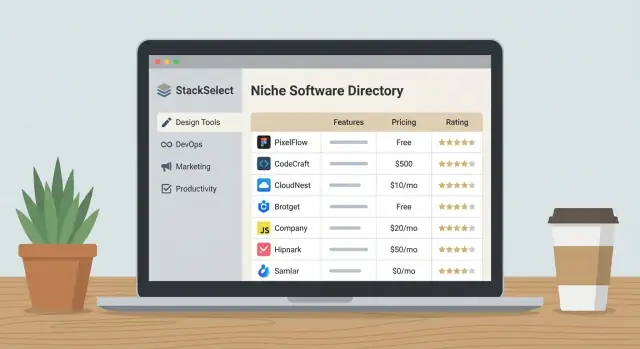
A vertical-specific software guide only works when it’s truly “about one thing.” Before you think about a niche software directory layout, decide the exact industry slice (and the boundaries) you will cover. “Healthcare software” is too broad; “software for private physical therapy clinics in the US” is a usable starting point. A tight definition makes your software listings more comparable and your categories more consistent.
Define the vertical and who the guide serves
Write a one-sentence positioning statement that includes the vertical and the main audience role:
- Buyers (owners, procurement, CFO): care about price, ROI, contracts, switching costs
- Operators (team leads, frontline managers): care about workflows, features, adoption, support
- Admins (IT, security, compliance): care about integrations, SSO, permissions, data handling
A B2B buyer guide should pick a primary role to speak to, then support the others with specific page sections (for example, “Security & Admin” blocks on each listing).
Clarify the primary job-to-be-done
Most successful software comparison website experiences focus on one main intent. Choose the dominant action your visitors want to complete:
- Compare options side-by-side to understand differences
- Shortlist 3–5 tools that fit their requirements
- Request a demo or talk to vendors (high-intent conversion)
- Learn basics (what the category is, common features, typical pricing)
This decision influences everything: page types, filters, review prompts, and what “good” content looks like.
Pick 1–3 outcomes to optimize
Avoid measuring ten things at once. Select a small set of core outcomes and define how you’ll track them.
- Organic traffic: growth in category and comparison page visits (ties to SEO for software directory)
- Email signups: newsletter or “buyer checklist” subscriptions (builds an owned audience)
- Leads: demo-request clicks, quote requests, or lead forms (lead generation for SaaS)
Write down the metric, the target, and the time window (e.g., “500 organic visits/day within 6 months”).
List your constraints early
Constraints are not negatives—they decide what’s realistic.
- Budget (tools, content, data sources, design)
- Team size (who can write, edit, and manage review collection)
- Timeline (launch date and milestones)
- Content capacity (how many software listings and categories you can maintain)
A clear scope prevents a vertical software guide from becoming a sprawling “everything directory” that’s hard to keep accurate.
Research Buyer Intent and Key Questions
Before you create pages or write reviews, get clear on what buyers are trying to accomplish—and what they type (or ask) while doing it. A vertical-specific software guide wins by matching real intent: not “software exists,” but “I need the right tool for my situation, constraints, and timeline.”
Map personas to buying stages
Start by listing 2–4 common personas in your vertical (for example: an operator, a finance approver, an IT/security reviewer, and an executive sponsor). For each persona, capture what they care about at each stage:
- Research: What problem are they trying to solve? What outcomes matter?
- Compare: What features, integrations, and tradeoffs do they weigh?
- Decide: What proof, pricing clarity, and risk reduction do they need?
This prevents you from writing content for the wrong reader (or the wrong moment).
Collect questions from real conversations
Don’t guess. Pull questions from:
- Industry forums and communities
- LinkedIn posts and comment threads
- Vendor support groups and webinars
- Your own sales calls, demos, and email inquiries
Capture the exact wording people use. You’ll often find high-intent queries like “Does it support X compliance?” or “How long does implementation take?”—these translate directly into page sections, filters, and comparison points.
Outline top buyer tasks
Turn raw questions into tasks your site must support, such as:
- Feature-by-feature comparison across shortlisted tools
- Clear pricing expectations (ranges, per-seat vs. usage, add-ons)
- Compliance, security, and data residency requirements
- Implementation effort, onboarding, and migration needs
Convert insights into a prioritized page list
Finally, create a simple backlog: the top comparisons, top category pages, must-have filters, and FAQ-style pages that answer decision-critical questions. Prioritize what helps someone move from “shortlist” to “confident choice,” and you’ll have a content plan that’s grounded in buyer intent—not assumptions.
Create a Clear Taxonomy: Categories, Tags, and Filters
A vertical software guide lives or dies by how quickly a buyer can narrow from “I need a tool” to “these 5 options fit me.” That speed depends on your taxonomy: categories for structure, tags for nuance, and filters for decision-making.
Start with categories that don’t overlap
Pick a small set of top-level categories that describe the primary job the software does in your vertical. Then add subcategories only when they represent clearly different use cases.
A simple test: if a product could reasonably belong to two categories, your categories are too fuzzy. Keep categories mutually clear, and use tags to capture secondary themes.
Use tags for “also useful for…”
Tags should be optional descriptors that cut across categories—things like “AI-assisted,” “HIPAA-ready,” or “field teams.” Avoid turning tags into a second category tree.
Keep a short, controlled list. If you allow unlimited tags, you’ll end up with near-duplicates (“HIPAA,” “HIPAA compliant,” “HIPAA-compliance”).
Standardize attributes for comparisons
Define a consistent attribute set across all listings so comparisons feel fair:
- Features (use a fixed checklist where possible)
- Integrations (select from a canonical integration library)
- Pricing model (per user, usage-based, flat fee, quote-only)
- Deployment (cloud, on-prem, hybrid)
- Support options (email, chat, phone, dedicated CSM)
Plan filters people actually use
Filters should match real buying constraints, such as company size, region, deployment, and industry segment within the vertical. Limit early filters to the most common 6–10; too many makes the page feel complicated.
Set naming rules to prevent duplicates
Decide up front how you’ll format vendor names, acronyms, and product lines (e.g., “Acme CRM” vs “Acme Sales Suite”). Maintain a single “preferred label” and store aliases so search still finds the right page.
Plan the Site Architecture and Page Types
A vertical-specific software guide works best when every page has a clear job: help a buyer answer one question and take one reasonable next step. Start by deciding a small set of page types you can repeat consistently, then design navigation and internal links so people never hit a dead end.
Core page types to include
Category pages are the primary entry points (for example: “Scheduling Software for Dental Clinics”). They should explain who the category is for, highlight key evaluation criteria, and surface a curated set of listings.
Vendor profile pages (software listings) are decision-support pages: overview, use cases, pricing approach, integrations, pros/cons, and trust signals.
Comparison pages (A vs B) are high-intent: focus on differences that matter in this vertical—workflow fit, compliance needs, onboarding time, and total cost.
Alternatives pages (“Alternatives to X”) capture switchers. Keep the tone fair and map alternatives to specific reasons someone might leave.
Guides and explainers answer broader questions (buying checklists, implementation timelines, “how to choose” frameworks).
URL patterns and internal linking
Use predictable URLs so your content scales cleanly:
- /category/{vertical-category}
- /software/{vendor}
- /compare/{vendor-a}-vs-{vendor-b}
- /alternatives/{vendor}
- /guides/{topic}
Link between these page types intentionally: category → vendor profiles; vendor profiles → comparisons and alternatives; guides → relevant categories; comparisons → both vendor pages.
Navigation that supports scanning
Keep the top menu simple (Categories, Comparisons, Guides, About). Add breadcrumbs on category and vendor pages. On-page “related” modules (Similar tools, Common comparisons, Popular in this category) keep users moving without feeling pushed.
“Next step” CTAs that match intent
Match CTAs to readiness: on guides, offer a downloadable checklist; on comparisons and vendor pages, offer “Request a demo,” “Get pricing,” or “Shortlist this tool.” Keep CTAs specific to the vertical and avoid generic buttons that don’t answer what happens next.
Design Your Content Model and Data Collection Workflow
A vertical-specific software guide succeeds when every listing feels comparable, current, and transparent. That starts with a content model: a consistent set of fields you collect for each product, plus rules for how you gather and maintain the data.
Define the listing fields (what every software page must include)
At minimum, standardize these required fields so buyers can scan and compare quickly:
- One-line summary + full description (who it’s for, what it replaces, and the core outcome)
- Primary use cases (specific scenarios in the vertical, not generic “automation” claims)
- Pros / cons written in plain language, tied to evidence you can reference internally
- Key features mapped to your category taxonomy
- Integrations relevant to the vertical (EHR, POS, ERP, payment processors, etc.)
- Pricing notes (model, typical ranges if publicly available, what drives cost, trial availability)
- Deployment + requirements (cloud/on-prem, mobile, compliance notes if applicable)
- Ideal customer profile (team size, maturity level, roles involved)
Choose data sources and verification rules
Use a tiered approach:
- Vendor submissions (structured form that matches your fields)
- Public documentation (pricing pages, release notes, help docs)
- Hands-on testing when feasible (even limited “first-run” setup checks)
Label anything you can’t verify as “vendor-provided” and avoid presenting it as fact.
Create an editorial rubric (to stay consistent)
If you score products or write summaries, define a rubric with fixed criteria (for example: usability, vertical fit, integrations, reporting, support). Require a short justification per criterion and avoid unsupported superlatives (“best,” “fastest”) unless you can substantiate them.
Plan updates and display freshness
Set an update cadence by volatility (pricing and integrations monthly/quarterly; descriptions and positioning quarterly; deep reviews biannually). Display a “Last updated” date and define what qualifies as an update (data change, feature verification, pricing refresh), so readers trust the timestamp.
Wireframe High-Intent Pages That Convert
High-intent pages are where visitors decide whether to keep researching—or take action. Wireframes help you prioritize what matters: clarity, scannability, and a path to the next step.
Category pages: filters, top picks, table, FAQs
Start with a clear page purpose: “Help me find the best software for X.” Place the most-used filters near the top (price range, deployment, company size, key features). Keep filters collapsible so the page doesn’t feel crowded.
Add a short “Top Picks” strip above the full list to satisfy visitors who want a quick answer. Then follow with a sortable table or card list that shows the minimum decision-making info: best-for, standout feature, starting price (or “pricing available on request”), and a primary action such as “Compare” or “See details.”
Close the page with FAQs that match buyer concerns (implementation time, data security, switching costs). This keeps people engaged without forcing them to pogo-stick back to search.
Vendor pages: the details buyers look for
A vendor page should read like a decision brief:
- One-paragraph overview and “best for” statement
- Feature grid (grouped by jobs-to-be-done, not vendor marketing terms)
- Screenshots section (3–6 images with captions that explain what’s shown)
- Integrations and compatibility
- Pricing notes (ranges, tiers, and what typically changes the price)
Comparison tables that work on mobile
Design a consistent comparison pattern: limit the table to 4–6 columns, freeze the first column (criteria), and allow horizontal swipe. Provide a “show differences only” toggle and a stacked “card comparison” fallback for smaller screens.
Trust elements that reduce friction
Include a short methodology box (how you select and rank tools), clear disclosure (affiliate and advertising policies), and easy contact options for corrections or questions. These small blocks often make the difference between “I’m not sure” and “I trust this guide.”
SEO and Technical Foundations
A vertical software guide wins when pages load fast, get indexed cleanly, and make it easy for search engines to understand each listing, category, and comparison.
Core Web Vitals (the practical basics)
Start with performance fundamentals that don’t require advanced engineering:
- Right-size images: serve responsive images, compress aggressively, and avoid uploading 4000px screenshots when 1200px is enough.
- Caching: enable browser caching for static assets (logos, screenshots, CSS/JS). Use a CDN if available.
- Minimal scripts: every widget adds weight. Keep third-party scripts (chat, heatmaps, trackers) to the minimum and load them after the main content.
Structured data (schema) that fits a software directory
Add schema to increase clarity and eligibility for rich results:
- Organization for your site and brand details.
- SoftwareApplication for each software listing (name, description, operating system, pricing info if available).
- FAQPage for high-intent pages with Q&A blocks (e.g., “How to choose X software”).
Keep the markup consistent with what users can actually see on the page.
Canonicals, pagination, and indexation rules
Directories create many near-duplicate URLs, especially from filters.
- Canonical tags: set a canonical URL for each primary page (category page, listing page, comparison page) to prevent duplicates.
- Pagination: use clean paginated URLs and ensure each page has a self-referencing canonical. Avoid indexing endless “page=99” variants if they add no value.
- Filters: decide which filter combinations are indexable (high-demand, stable intent) and set the rest to noindex to avoid thin pages.
Analytics events that guide decisions
Track intent signals, not just pageviews:
- Filter usage (which facets, how often)
- Outbound clicks to vendor sites
- Lead form starts vs. submits (plus error events)
These events will tell you where buyers hesitate and which categories deserve deeper content.
Content Templates and Editorial Calendar
Consistency is what turns a vertical software guide into a trustworthy niche software directory. When every page follows the same structure, visitors can compare software listings quickly, and your team can publish at a steady pace without reinventing the wheel.
Repeatable templates for each page type
Create a small set of page templates and treat them like product specs: stable, documented, and easy to reuse. Keep the tone factual and buyer-focused—this is a B2B buyer guide, not a press release.
Category hub template (e.g., “Scheduling Software for Clinics”)
- What the category is (1–2 short paragraphs in plain language)
- Who it’s for and when to use it
- Key features checklist (scannable)
- Filters users care about (pricing model, deployment, integrations)
- “Top picks” snapshot (with consistent criteria)
- FAQs based on buyer intent
Vendor listing template
- One-sentence summary + best-fit use cases
- Highlights and limitations (balanced)
- Pricing and packaging (what’s known, what’s “contact sales”)
- Integrations and compatibility
- Implementation notes (time, support, onboarding)
- Ideal company size/role
- Reviews/ratings summary (if available) and “how we evaluate” note
Comparison page template (software comparison website core)
- Who this comparison is for
- Side-by-side table (features, pricing approach, deployment, support)
- Differences that matter for the vertical (workflow, compliance, reporting)
- Recommendation by scenario (not “winner takes all”)
Build the editorial calendar in the right order
To support programmatic SEO without publishing thin pages, prioritize by conversion intent:
-
Category hubs first (they define your category taxonomy and internal pathways)
-
Top vendors next (the listings people search for by name)
-
High-demand comparisons (“X vs Y” and “Best for [use case]”)
Add a simple rule: every new listing should roll up to at least one category hub, and every category hub should link to a short list of the most helpful comparisons.
Glossary pages for vertical terms
A glossary is an easy way to capture informational searches while educating buyers. Keep entries short, practical, and tied back to buying decisions (e.g., what the term means, why it matters, and which features to look for in a vertical software guide).
Editorial QA that protects trust
Use a lightweight checklist before publishing:
- Accuracy check: pricing, key features, integrations, and dates
- Bias check: balanced pros/cons; avoid vendor-supplied hype
- Formatting check: template sections complete; tables consistent; claims sourced internally
This QA discipline is what makes your software listings scalable—and credible—over time.
Reviews, Ratings, and Trust Signals
Reviews are where your directory either earns trust or loses it. For a vertical-specific guide, buyers want to know: “Will this work for a company like mine, with my constraints?” Your review system should make that easy to answer—without turning into a free-for-all.
Choose the review types you’ll support
Different sources serve different needs, but they shouldn’t be mixed without clear labels.
- Verified user reviews: Best for credibility; prioritize these in display and sorting.
- Expert reviews: Useful for explaining nuances, trade-offs, and who a tool is (and isn’t) for.
- Vendor-provided testimonials: Allow them, but label them clearly and don’t include them in the star rating.
- Anonymized reviews: Acceptable when privacy matters (common in regulated industries), but add context and verification signals.
Set moderation rules (and publish them)
Define what you won’t publish upfront: spam, undisclosed incentives, personal data, hate/harassment, competitor takedowns, or anything that can’t be tied to real product usage. Keep moderation consistent, and document edge cases so your team makes the same call every time.
Use structured prompts to collect useful feedback
Star ratings alone are vague. Add guided fields such as role, company size, industry segment, use case, time using the product, plus pros/cons and “best for / not for.” This creates comparable reviews that help buyers self-qualify.
Prevent gaming and keep ratings honest
Add rate limits, detect duplicates, and require basic verification signals (work email, LinkedIn match, invoice screenshot optional). Show transparency notes like “Verified user” and disclose how ratings are calculated. Finally, display a mix of positive and critical feedback—nothing builds trust faster than balanced detail.
Lead Generation and Monetization Options
A vertical-specific software guide can stay useful to buyers and still generate revenue—if you separate “helpful” from “paid,” and label everything clearly. Start by deciding what a conversion means for your site: an email signup, a demo request, or a qualified lead handed to a vendor.
Lead capture that feels natural
Offer multiple, low-friction ways to capture intent at different stages:
- Newsletter: “weekly shortlist” emails by category or role (e.g., clinic manager vs. IT).
- Comparison PDF / checklist: a gated download after users compare tools (keep the form short).
- Demo request routing: a structured form that sends buyers to the right vendor (and records the buyer’s requirements).
Place these CTAs where they match the user’s mindset: after a comparison table, on “best for X” pages, and near pricing or implementation details.
Vendor onboarding and “claim listing” flow
Make it easy for vendors to keep information accurate. A simple path:
- Claim listing (verify via email/domain).
- Update details (pricing, integrations, security, onboarding time).
- Add assets (screenshots, one-pager, case study).
- Optional upgrades (featured spot, extra CTAs).
Even if you review edits before publishing, keep the workflow fast and predictable.
Monetization models (and how to keep trust)
Common options include sponsorships, featured placements, and affiliate/referral fees. The rule: buyers should always know what’s paid.
Create disclosure pages and use consistent labels such as “Sponsored,” “Featured,” or “Partner.” Keep paid placements visually distinct but not deceptive, and never let payment override your inclusion criteria or rating methodology.
Choose the Right Tech Stack and CMS Setup
Your tech choices should make it easy to publish, update, and compare listings—without turning every change into a developer ticket. Start with your team: if you have strong WordPress experience, a well-structured setup can work; if you have developers who prefer modern frameworks, a headless CMS plus a frontend app may fit better. The “best” stack is the one you can operate weekly.
If you want to ship faster without building every piece from scratch, a vibe-coding platform like Koder.ai can help you prototype (and iterate on) a vertical software guide via chat—especially for structured directory features like listing pages, filters, vendor submission forms, and admin workflows. Because Koder.ai supports full source code export and deployment/hosting, teams can start on a lightweight version, then harden it as the directory grows.
CMS: editorial speed vs. structured data
A vertical software guide needs structured fields (pricing model, deployment type, integrations, target company size) more than fancy page layouts. Choose a CMS that supports custom content types and validation so editors can’t accidentally break comparability.
Good signs you’ve picked well: editors can add a listing in minutes, required fields are enforced, and you can export/import data cleanly.
Database, search, and filtering that feel instant
Comparison sites live or die by findability. Plan filtering early: categories, tags, and “facets” like industry sub-niche, compliance, budget range, and feature checkboxes.
For search and filtering, you generally have two paths:
- Dedicated search engine (e.g., Algolia or Meilisearch) for fast, relevant results and typo tolerance
- Database-based facets for simpler needs and lower operational overhead
Whichever you choose, ensure filters are consistent across listing pages, category pages, and comparison views.
If you’re building a custom app, a common, scalable pattern is a React frontend with a Go backend and PostgreSQL (plus a search layer when needed). That same approach is also a natural fit when generating or scaffolding the app through Koder.ai, then iterating with snapshots/rollback and planning mode as requirements change.
Roles, permissions, and vendor collaboration
Define who can publish, who can edit, and who can approve. Many guides also let vendors suggest updates; set this up as a restricted role or a submission workflow so claims don’t overwrite editorial content.
Lightweight admin for bulk work
You’ll regularly import software listings, update pricing fields, and normalize tags. Plan a lightweight admin experience for bulk edits (CSV import/export, mass tag updates, field-level validation) so scaling the directory doesn’t mean scaling headcount.
Launch Plan, Promotion, and Ongoing Maintenance
A vertical-specific software guide feels “real” to buyers when it’s curated, current, and easy to navigate. Your launch should prioritize usefulness over size: a tight set of categories, a consistent listing format, and a handful of best-in-class tools per category.
Launch with a Minimum Viable Directory
Start with a minimum viable set of categories and top tools (quality over volume). Aim for coverage that matches how buyers search: a few core categories, plus 10–30 high-confidence listings with clear positioning, pricing notes, and who the tool is (and isn’t) for.
Before you announce anything, sanity-check:
- Category pages: do they answer “Which option is best for my situation?”
- Listing pages: do they include key features, constraints, and updated pricing caveats?
- Comparison pages (if you have them): do they explain tradeoffs, not just specs?
Promotion Plan That Fits How Buyers Discover Tools
Create a simple promotion plan across a few dependable channels:
- Communities where your niche hangs out (founders, operators, practitioners)
- Partners (agencies, consultants, integrations, associations) who benefit from better buyer education
- Email: a small newsletter that highlights new categories, comparisons, and notable updates
- Internal promotion: ensure your /blog and /pricing (or equivalent) reinforce your directory pages with strong internal navigation
If you build in public, consider creating a “how we built this directory” post and inviting feedback. Some platforms (including Koder.ai) run programs where creators can earn credits for publishing content or referring other users—useful if you’re keeping early-stage costs low while you validate demand.
Track KPIs Weekly and Iterate
Track KPIs weekly and iterate on templates based on behavior. Watch which pages attract qualified traffic, where people scroll, and which CTAs get clicks. If visitors bounce, improve intros, add “best for” guidance, and tighten your category filters.
Maintenance Checklist
A software guide goes stale fast. Set a recurring checklist:
- Check broken links and missing screenshots
- Update outdated pricing notes and plan names
- Add new entrants and remove discontinued products
- Refresh “top picks” based on evidence (reviews, demos, buyer feedback)
Treat maintenance as product work: small, frequent improvements keep trust high and rankings stable.
FAQ
How do I choose a vertical that’s narrow enough for a software guide?
Start with a one-sentence positioning statement that names:
- the exact vertical slice (with boundaries)
- the primary audience role (buyer, operator, or admin)
- the main job-to-be-done (compare, shortlist, request a demo, or learn basics)
If a product could “fit” almost any industry, your vertical is still too broad.
Should my guide target buyers, operators, or IT/admins?
Pick one primary role and write for their decision lens:
- Buyers: ROI, contracts, switching costs, pricing clarity
- Operators: workflows, adoption, support quality
- Admins: integrations, SSO, permissions, compliance, data handling
Then add dedicated sections (e.g., “Security & Admin”) to still serve secondary roles without diluting the page.
What success metrics should I track for a vertical software directory?
Choose 1–3 outcomes and define them precisely, for example:
- Organic traffic: category/comparison visits per day
- Email signups: checklist/newsletter conversion rate
- Leads: demo-request clicks or form submits
Document the target and time window (e.g., “500 organic visits/day in 6 months”), then track events that indicate intent (filters used, outbound clicks, form starts vs. submits).
How do I research real buyer intent before building pages?
Start by collecting the exact phrasing from:
- industry forums/communities
- LinkedIn posts and comment threads
- vendor webinars and support groups
- your own sales calls, demos, and emails
Convert repeated questions into site requirements: page sections, filters, comparison criteria, and an initial backlog of category + comparison pages.
What’s the difference between categories, tags, and filters—and how do I avoid overlap?
Use categories for the primary job the product does in your vertical, and keep them mutually exclusive.
Then use tags for cross-cutting descriptors like compliance readiness, team type, or “AI-assisted.” If a product could reasonably belong to two categories, tighten category definitions and push nuance into tags.
What fields should every software listing include so comparisons are fair?
Standardize a fixed attribute set for every listing, such as:
- features (checklist-based when possible)
- integrations (from a canonical library)
- pricing model (per-seat, usage, flat, quote-only)
- deployment (cloud/on-prem/hybrid)
- support options
This consistency is what makes side-by-side comparisons feel fair and trustworthy.
Which page types should I build first for a vertical-specific guide?
Start with repeatable page types and predictable URLs:
- Category hubs:
/category/{vertical-category} - Listings:
/software/{vendor} - Comparisons:
/compare/{a}-vs-{b} - Alternatives:
/alternatives/{vendor} - Guides:
/guides/{topic}
Then design internal links intentionally (category → listings → comparisons/alternatives; guides → relevant categories) so users always have a clear next step.
How do I design category pages that actually convert (without feeling spammy)?
Prioritize scannability and “next step” clarity:
- Put the most-used filters near the top (price, deployment, company size, key features)
- Add a “Top picks” strip for quick answers
- Show a sortable table/cards with best-for, standout feature, and pricing approach
- End with FAQs that address risk (implementation time, security, switching costs)
Match CTAs to intent (checklist on guides; “Compare,” “Get pricing,” or “Request a demo” on high-intent pages).
What are the most important SEO/technical basics for a software directory?
Focus on fundamentals that prevent thin/duplicate pages:
- Performance: right-size/compress images, reduce third-party scripts, cache static assets
- Schema:
SoftwareApplicationon listings,FAQPagewhere Q&A is visible,Organizationsite-wide - Indexation: canonicals on primary pages, control pagination, and set most filter combinations to noindex unless they have stable, high-demand intent
Ensure markup matches what users can see on the page.
How should I handle reviews and ratings without losing trust?
Separate sources and label them clearly:
- Verified user reviews: most credible; prioritize in sorting
- Expert reviews: best for nuance and trade-offs
- Vendor testimonials: allowed, but don’t mix into star ratings
Use structured prompts (role, company size, use case, time using product), moderate consistently, and add anti-gaming checks (rate limits, duplicate detection, basic verification signals).