

Butler Lampson & Xerox PARC: Systems-at-Scale Lessons
A practical guide to Butler Lampson’s Xerox PARC ideas—networking, OS structure, naming, caching, and RPC—and why they still shape systems at scale.
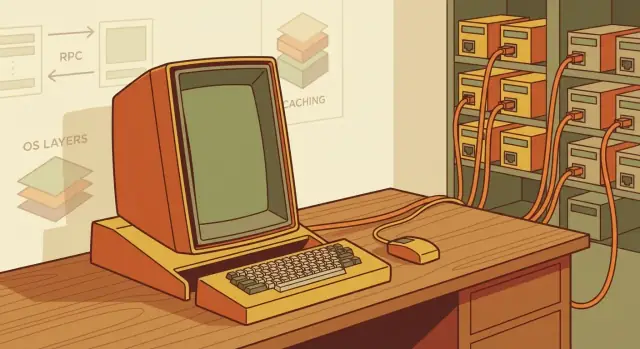
Why Butler Lampson Still Matters for Systems at Scale
Butler Lampson was one of the most influential computer systems designers of the last half-century. At Xerox PARC in the 1970s and 80s, he helped shape how networked computers should behave—not as isolated machines, but as parts of a shared environment where programs, files, printers, and people could interact reliably.
What makes Lampson’s work unusually durable is that it focused on fundamentals: interfaces that scale, mechanisms that compose, and systems that assume real-world failure rather than treating it as an exception.
What “systems at scale” actually means
“Scale” isn’t only about having a huge data center. It’s what happens when your system has many users, many machines, and real-world messiness. Think: an office where hundreds of laptops and services share logins and files; a product used by thousands of customers at once; or a company app that must keep working even when a server is down, a network link is slow, or an update rolls out imperfectly.
At that point, the hard problems change. You stop asking “Does it work on my computer?” and start asking:
- What happens when one piece fails mid-request?
- How do you find the right service or resource when names and locations change?
- How do you keep performance high without serving stale or incorrect data?
What you’ll take from this article
This is not a tour of trivia or nostalgia. Lampson’s work is useful because it produced design ideas that held up: clean interfaces, simple building blocks, and systems built with failure in mind.
We’ll focus on the concepts that carried forward into modern operating systems and distributed computing—networking, RPC, naming, caching, and practical security—so you can recognize these patterns in today’s architectures and apply the lessons to your own services.
Xerox PARC in One Picture: A Networked Workplace
Picture an office where each person has a powerful personal computer on their desk, connected to shared services that make the whole workplace feel like one coherent system. That was Xerox PARC’s bet: not just “a computer,” but a networked environment where computing, documents, and communication flowed easily between people and machines.
What PARC was trying to build
PARC aimed to make personal computing practical for everyday work—writing, designing, sharing files, printing drafts, and collaborating—without needing a mainframe operator or special rituals. The goal wasn’t a single breakthrough device; it was a working setup you could live in all day.
The key ingredients (and why they mattered)
The Alto was the “personal” part: a computer designed for interactive work. Ethernet was the “workplace” part: a fast local network that let Altos talk to each other and to shared resources.
Those shared resources were essential, not optional extras:
- Shared printers made high-quality output a normal step in the workflow.
- File servers turned storage and sharing into a service, not a pile of disks under someone’s desk.
This combination nudged a new mental model: your computer is powerful on its own, but it becomes dramatically more useful when it can reliably use network services.
A core theme: build the whole thing, then watch real use
PARC didn’t stop at prototypes or isolated demos. They assembled complete systems—hardware, operating systems, networking, and applications—and then learned from how people actually worked.
That feedback loop revealed the hard problems that only show up in practice: naming things, handling overload, coping with failures, keeping performance predictable, and making shared resources feel “nearby” rather than remote.
The “PARC style”
Many PARC systems reflect a recognizable approach: simple primitives paired with strong engineering discipline. Keep interfaces small and comprehensible, build services that compose cleanly, and test ideas in real deployments. That style is a big reason the lessons still transfer to modern teams building systems at scale.
The Alto and the Client/Server Mindset
The Xerox Alto wasn’t just “a computer on a desk.” It was a turning point because it bundled three ideas into one everyday experience: a personal machine, a high-quality graphical interface, and a fast local network that connected you to shared resources.
That combination quietly rewired expectations. Your computer felt like it belonged to you—responsive, interactive, and always available—yet it also felt like a doorway into a larger system: shared file servers, printers, and collaborative tools. This is the seed of the client/server mindset.
A personal computer that assumed a network
Before Alto-style systems, computing often meant going to the machine (or a terminal). The Alto flipped that: the “client” lived with the user, and the network made powerful shared capabilities feel close.
In practice, “client/server” wasn’t a diagram—it was a workflow. Some work happened locally because it needed instant feedback: editing text, drawing, interacting with windows. Other work happened remotely because it was naturally shared or too expensive to duplicate on every desk: storing authoritative documents, managing printers, coordinating access, and later, running shared services.
The same split we live with today
If you replace “Alto” with “laptop” and “file/print server” with “cloud services,” the mental model is familiar. Your device is still the client: it renders the UI, caches data, and handles short-latency interactions. The cloud is still the server side: it provides shared state, collaboration, centralized policy, and elastic compute.
The lesson is that good systems embrace this division instead of fighting it. Users want local responsiveness and offline tolerance, while organizations want shared truth and coordinated access.
OS design pressure: fast local, coherent global
This split creates constant tension for operating system and system designers:
- Responsiveness locally: the UI can’t wait on the network.
- Consistency over the network: shared files, identities, and permissions must behave predictably even when multiple clients act at once.
PARC-era work made that tension visible early. Once you assume the network is part of the computer, you’re forced to design interfaces, caching, and failure behavior so that “local” and “remote” feel like one system—without pretending they’re the same thing.
Ethernet: The Hidden Enabler of Distributed Computing
Ethernet is easy to overlook because it feels like “just networking.” At Xerox PARC, it was the practical breakthrough that made a room full of personal machines behave like a shared system.
Why Ethernet mattered at PARC
Before Ethernet, connecting computers often meant expensive, specialized links. Ethernet changed the economics: a comparatively cheap, shared medium that many machines could attach to at once.
That shifted the default assumption from “one big computer” to “many smaller computers cooperating,” because collaboration no longer required heroic infrastructure.
Just as important, Ethernet’s shared nature encouraged a new kind of system design: services could live on different machines, printers and file servers could be network-attached, and teams could iterate quickly because connectivity wasn’t rare.
The modern translation: the network is a core dependency
Today we treat the network the way an operating system treats memory or storage: it’s not an add-on, it’s part of the platform. Your app’s “local” behavior often depends on remote calls, remote data, remote identity, and remote configuration.
Once you accept that, you stop designing as if the network will politely stay out of the way.
First-order consequence: congestion and failures are normal
A shared network means contention. Packets get delayed, dropped, or reordered. Peers reboot. Switches get overloaded. Even when nothing is “broken,” the system can feel broken.
So the right posture is to build for normal operation under imperfect conditions:
- Instrument early: logs, basic metrics, and request tracing so you can see where time goes.
- Use timeouts by default, not as a last-minute patch.
- Design retries carefully (with backoff and limits) so recovery doesn’t amplify congestion.
Ethernet made distributed computing feasible; it also forced the discipline that distributed computing demands.
Services, Not Monoliths: Early Distributed System Building Blocks
At Xerox PARC, a “service” was simply a computer program that did one job for others on the network.
A file service stored and returned documents. A print service accepted a document and produced paper output. A directory (or naming) service helped you locate the right file server, printer, or person without memorizing machine details. Each service had a clear purpose, a defined interface, and users (people or other programs) that depended on it.
Why splitting into services helped
Breaking a big system into smaller services made change safer and faster. If the printing system needed new features, it could evolve without redesigning file storage. Boundaries also clarified responsibilities: “this is where files live” versus “this is where printing happens.”
Just as important, services encouraged a habit of designing interfaces first. When your program must talk to another machine, you’re forced to specify inputs, outputs, and errors—details that often stay vague inside a monolith.
The tradeoff: more calls, more things that can go wrong
More services means more network requests. That can add latency, increase load, and create new failure modes: the file service might be up while the print service is down, or the directory service might be slow.
A monolith fails “all at once”; distributed services fail in partial, confusing ways. The fix isn’t to avoid services—it’s to design explicitly for partial failure.
A modern parallel (without the hype)
Many cloud apps now run as internal services: user accounts, billing, search, notifications. The PARC lesson still applies: split for clarity and independent evolution—but plan for network delays and partial outages from day one.
For practical guidance, teams often pair service boundaries with basic timeouts, retries, and clear error messages (see /blog/failure-is-normal).
Remote Procedure Call (RPC): Making the Network Feel Local
Remote Procedure Call (RPC) is a simple idea with a big payoff: calling a function on another machine as if it were a local function call. Instead of manually packaging a request, sending it over the network, and unpacking a response, RPC lets a program say “run getUser(42)” and have the system handle the message passing behind the scenes.
That “feel local” goal was central to Xerox PARC’s distributed computing work—and it’s still what teams want today: clear interfaces, predictable behavior, and fewer moving parts exposed to application code.
What good RPC needs (so it doesn’t lie to you)
The danger is that RPC can look too much like a normal function call. A local call either runs or it crashes your process; a network call can be slow, disappear, partially complete, or succeed without you hearing back. Good RPC designs bake in the missing realities:
- Naming / service discovery: the caller must reliably find which machine or service instance should handle the call. Without naming, RPC is just “send a packet and hope.”
- Versioning: clients and servers evolve. An RPC interface needs a way to add fields or methods without breaking older clients (and a policy for deprecations).
- Timeouts: waiting forever is rarely correct. A timeout turns “unknown” into an actionable outcome.
- Error handling: RPC needs a clear error model (transport errors, server errors, authorization failures) so callers can decide what to retry, what to show the user, and what to alert on.
Idempotency: safe retries without accidental side effects
Timeouts and dropped responses make retries unavoidable. That’s why idempotency matters: an operation is idempotent if doing it once or multiple times has the same effect.
A simple example: chargeCreditCard(orderId, amount) is not idempotent by default—retrying after a timeout might charge twice. A safer design is chargeCreditCard(orderId) where orderId uniquely identifies the charge, and the server treats repeats as “already done.” In other words, the retry becomes safe because the server can deduplicate.
How this connects to today’s APIs (gRPC/REST and friends)
Modern APIs are direct descendants of the RPC mindset. gRPC makes the “call a remote method” model explicit with defined interfaces and typed messages. REST often looks resource-oriented rather than method-oriented, but the goal is similar: standardize how services talk, define contracts, and manage failure.
Whatever the style, the PARC lesson holds: the network is a tool, not a detail to ignore. Good RPC makes distribution convenient—without pretending it’s free.
Naming and Directories: Finding Things Reliably
A distributed system only feels “distributed” when it breaks. Many days, it feels broken because something can’t be found.
Naming is hard because the real world won’t hold still: machines get replaced, services move to new hosts, networks get renumbered, and people still expect stable, memorable paths like “the file server” or “print to LaserWriter.” If the name you type is also the location, every change becomes a user-visible outage.
Names vs. locations
A key idea from the PARC era is separating what you want from where it currently lives. A name should be stable and meaningful; a location is an implementation detail that can change.
When those two are fused, you get fragile systems: shortcuts, hard-coded IPs, and configuration drift.
Directories as the glue
Directory services answer the question “where is X right now?” by mapping names to locations (and often to metadata like type, owner, or access rules). The best directories don’t just store lookups—they encode how an organization works.
Good naming and directory designs tend to share a few practical properties:
- Stability: names survive hardware refreshes and migrations.
- Delegation: teams can manage their own subtrees without central bottlenecks.
- Caching: clients keep answers to avoid constant round-trips.
- Updates and freshness: changes propagate safely, with clear rules for how long caches can trust old answers.
The modern echo: DNS and service discovery
DNS is the classic example: a human-friendly name maps to a moving set of IPs, with caching controlled by TTLs.
Inside companies, service discovery systems (like those backing “service-a.prod”) repeat the same pattern: stable service names, changing instances, and constant tension between cache performance and update speed.
The lesson is simple: if you want systems that scale—and stay understandable—treat naming as a first-class design problem, not an afterthought.
Caching: Performance Gains and Consistency Tradeoffs
Caching is a simple idea: keep a nearby copy of something you already fetched so the next request is faster. Instead of crossing the network (or hitting a slow disk or busy server) every time, you reuse the local copy.
At Xerox PARC, this mattered because networked workstations and shared services made “go ask the server again” an expensive habit. Caching turned remote resources into something that felt quick—most of the time.
The core tension: speed vs. freshness
The catch is freshness. A cache can become wrong.
Imagine a shared document stored on a server. Your workstation caches the file to open it instantly. A colleague edits the same document and saves a new version. If your cache doesn’t notice, you might keep seeing the old content—or worse, edit an outdated copy and overwrite newer work.
So every caching design is a tradeoff between:
- Performance: fewer network trips, faster responses
- Consistency: avoiding stale data and surprising behavior
Common techniques (high level)
Teams typically manage this tradeoff with a few broad tools:
- TTLs (time-to-live): cached data expires after a set time, forcing a refresh.
- Invalidations: when data changes, the system tries to notify caches to drop or update their copies.
- Leases: a cache is allowed to hold data as “valid” for a short granted period; after that, it must renew.
How this shows up today
Modern systems use the same patterns everywhere: CDNs cache web content near users, browsers and mobile apps cache assets and API responses, and database caching layers (like Redis or Memcached) reduce load on primary stores.
The lesson that still holds: caching is often the cheapest performance win—but only if you’re explicit about what “fresh enough” means for your product.
Security and Capabilities: Practical Access Control
Security at scale isn’t just about “who are you?”—it’s also about “what are you allowed to do, right now, with this specific resource?” Lampson and the Xerox PARC tradition pushed a very practical idea for that: capabilities.
Capabilities, in plain language
A capability is an unforgeable token that grants access to something—like a file, printer, mailbox, or service operation. If you hold the token, you can perform the allowed action; if you don’t, you can’t.
The key is unforgeable: the system makes it computationally or structurally impossible to mint a valid token by guessing.
Think of it like a hotel key card that opens only your room (and only during your stay), not a handwritten note saying “I’m allowed in.”
How that differs from identity + ACL checks
Many systems rely on identity-based security: you authenticate as a user, and then every access is checked against an ACL (Access Control List)—a list on the resource that says which users/groups may do what.
ACLs are intuitive, but they can become cumbersome in distributed systems:
- Every service must reliably know your identity.
- Every resource must store and maintain permission lists.
- Delegating access (“let this job read one file for 10 minutes”) often turns into special-case logic.
Capabilities flip the default. Instead of repeatedly asking a central authority, you present a token that already encodes the right.
Why distributed systems care
Distributed systems constantly pass work across machines: a frontend calls a backend; a scheduler hands a task to a worker; a service triggers another service. Each hop needs a safe way to carry just enough permission.
Capabilities make that natural: you can pass a token along with a request, and the receiving machine can validate it without reinventing trust every time.
Done well, this reduces accidental over-permission and limits blast radius when something goes wrong.
Modern analogs you’ve probably used
Capabilities show up today as:
- Signed tokens (e.g., JWTs) that prove a request has specific claims.
- Scoped credentials (OAuth access tokens, cloud “session tokens”) that expire and limit actions.
- Least-privilege service identities (workload identity, service accounts) where credentials are narrowly scoped.
The lesson is simple: design access around delegation, scope, and expiry, not just around long-lived identities. That’s capability thinking, updated for modern infrastructure.
Failure Is Normal: Designing for Partial Outages
Distributed systems don’t “break” in one clean way. They fail in messy, partial ways: a machine crashes mid-task, a switch reboots, a network link drops packets, or a power event takes out one rack but not the rest.
From the user’s perspective, the service is “up,” yet a slice of it is unreachable.
Start with an explicit failure model
A practical failure model is blunt:
- Processes can crash and lose in-memory state.
- Machines can reboot without warning.
- Networks can split (two groups can’t talk), slow down, or reorder/delay messages.
- Time is uncertain: a request might be slow, not lost.
Once you accept this, you stop treating errors as “edge cases” and start treating them as normal control flow.
The classic responses: timeouts, retries, backoff, failover
Most systems rely on a small set of moves.
Timeouts keep callers from waiting forever. The key is choosing timeouts based on real latency data, not guesses.
Retries can recover from transient faults, but they can also multiply load during an outage. That’s why exponential backoff (wait a bit longer each retry) and jitter (randomness) matter: they prevent synchronized retry storms.
Failover (switching to a standby instance or replica) helps when a component is truly down, but it only works if the rest of the system can detect failure safely and quickly.
“At-least-once” vs “exactly-once,” in plain terms
If you retry a request, you may run it more than once. That’s at-least-once delivery: the system tries hard not to drop work, but duplicates can happen.
Exactly-once means the action happens one time, no duplicates. It’s a nice promise, but it’s hard across a network split.
Many teams instead design operations to be idempotent (safe to repeat), so at-least-once becomes acceptable.
Measure and test failure—don’t assume it away
The most reliable teams actively inject failures in staging (and sometimes production) and watch what happens: kill instances, block network paths, slow dependencies, and verify alarms, retries, and user impact.
Treat outages as experiments that improve your design, not surprises that “shouldn’t happen.”
Modern OS Design Lessons: Interfaces, Isolation, and Simplicity
Operating systems age in dog years: every new feature multiplies the number of ways things can interact, and that’s where bugs hide.
Lampson’s school of thought—shaped at Xerox PARC—treats OS structure as a scaling strategy. If the core is messy, everything built on top inherits that mess.
Small primitives, big systems
A recurring PARC-era lesson is to keep the kernel (or the “trusted core”) narrow and made of simple, composable primitives. Instead of baking in dozens of special cases, define a few mechanisms that are easy to explain and hard to misuse.
Clear interfaces matter as much as the mechanisms themselves. When boundaries are explicit—what a component promises, what it can assume—you can swap implementations, test parts in isolation, and avoid accidental coupling.
Isolation is a feature, not an add-on
Isolation limits blast radius. Whether it’s memory protection, process separation, or least-privilege access to resources, isolation turns “a bug anywhere breaks everything” into “a bug is contained.”
This thinking also nudges you toward capability-like designs: give code only the authority it needs, and make access explicit rather than implied.
Performance: optimize the common case
Pragmatism shows up in performance, too: build fast paths for the common operations, and avoid overhead that doesn’t buy you safety or clarity.
The goal isn’t micro-optimizing everything—it’s making the usual case feel immediate while preserving correctness.
How this maps to modern platforms
You can see the same ideas in today’s kernels, language runtimes, and containerized platforms: a small trusted base, well-defined APIs, and isolation boundaries (processes, sandboxes, namespaces) that let teams ship quickly without sharing failure modes.
The details changed; the design habits still pay off.
What to Apply Today: A Practical Checklist for Teams
PARC’s big win wasn’t a single invention—it was a coherent way to build networked systems that people could actually use. The names changed, but the core problems (latency, failures, trust, ownership) didn’t.
Translate the classics into modern building blocks
A quick “mental dictionary” helps when reviewing designs:
- RPC → APIs (REST/gRPC/GraphQL): hide the wire, but keep timeouts, retries, and idempotency explicit.
- Naming & directories → DNS + service discovery: “Where is it?” is a first-class concern, not an afterthought.
- Caching → CDNs + local caches + edge storage: speed is easy; correctness is the hard part.
- Capabilities → tokens/keys/scopes (OAuth scopes, macaroons, signed URLs): grant specific rights, not blanket access.
- Services, not monoliths → modular systems with clear contracts: separation is useful only when ownership and interfaces are crisp.
A practical architecture checklist
Use this when evaluating a system at scale:
- What are the service boundaries and owners? If a component has no accountable team, it will rot.
- How do clients find the service? Define discovery, versioning, and rollout strategy early.
- What’s the failure plan? Decide: timeouts, retries, circuit breakers, and what “degraded mode” looks like.
- Where is state, and how is it protected? Identify authoritative sources, replication rules, and backup/restore.
- Where do we cache, and what can be stale? Write down consistency expectations in plain language.
- What is the permission model? Prefer least-privilege tokens and short-lived credentials.
- How will we observe it? Logs, metrics, traces, and clear SLOs tied to user experience.
A quick note on building faster without skipping the fundamentals
One modern twist is how quickly teams can prototype distributed architectures. Tools like Koder.ai (a vibe-coding platform that builds web, backend, and mobile apps from chat) can accelerate the “first working system” phase—React on the frontend, Go + PostgreSQL on the backend, and Flutter for mobile—while still letting you export source code and evolve it like any serious production codebase.
The Lampson-era lesson still applies, though: speed is only a win if you keep interfaces crisp, make failure behavior explicit (timeouts, retries, idempotency), and treat naming, caching, and permissions as first-class design decisions.
What to copy, adapt, and avoid
Copy the discipline: simple interfaces, explicit contracts, and designing for partial outages. Adapt the mechanisms: today you’ll use managed discovery, API gateways, and cloud IAM—not custom directories and hand-rolled auth.
Avoid over-centralization (one “god service” everyone depends on) and unclear ownership (shared components with nobody responsible).
The tooling will keep changing—new runtimes, new clouds, new protocols—but the constraints remain: networks fail, latency exists, and systems only scale when humans can operate them.
FAQ
What does “systems at scale” mean in this article?
In this context, “scale” means operating in the presence of many users, many machines, and constant real-world messiness. The hard parts show up when requests span multiple services and failures are partial: some things work, others time out, and the system must still behave predictably.
Why is Xerox PARC a useful case study for modern distributed systems?
PARC built a complete networked workplace: personal computers (Alto) connected via Ethernet to shared services like file and print servers. The key lesson is that you learn the real systems problems only when people use an end-to-end system daily—naming, overload, caching, failures, and security become unavoidable.
What is the “client/server mindset” and why does it matter today?
It pushed a practical split that still holds: do latency-sensitive interaction locally (UI, editing, rendering), and put shared or authoritative state in services (files, identities, collaboration, policy). The design goal becomes fast local responsiveness with coherent global behavior when the network is slow or unreliable.
Why does Ethernet change how you have to design systems?
Because the network becomes a first-class dependency, not a background detail. Once many machines share a medium and services talk frequently, you must assume:
- Contention (congestion) and variable latency
- Packet loss and reordering
- Peers that reboot or disappear
Practical defaults follow: instrument early, use timeouts, and retry carefully with backoff to avoid making outages worse.
Why build systems as services instead of a monolith?
Splitting into services improves clarity and independent evolution: each service has a focused purpose and a defined interface. The cost is that you add network hops and partial failure modes, so you need discipline around contracts and reliability (timeouts, retries, and user-visible error behavior).
What makes an RPC design “good” rather than misleading?
RPC lets you call a remote operation as if it were local, but good RPC makes network realities explicit. In practice, you need:
- Service discovery (naming)
- Versioning and backward compatibility
- Timeouts and a clear error model
- Idempotency strategy for safe retries
Without those, RPC encourages fragile “it looks local, so I forgot it’s remote” designs.
What is idempotency, and how do you design for it?
Because timeouts and lost responses make retries inevitable, and retries can duplicate work. You can make operations safe by:
- Designing requests around a stable identifier (e.g.,
orderId) - Making the server deduplicate repeats (“already done”)
- Avoiding non-idempotent side effects without a unique operation key
This is crucial for actions like payments, provisioning, or sending notifications.
Why is naming (and service discovery) considered a first-class problem?
If a name is also a location (hard-coded host/IP/path), migrations and failures turn into user-visible outages. Separate stable names from changing locations using a directory or discovery system so clients can ask “where is X now?” and cache answers with clear freshness rules (e.g., TTLs).
How should teams think about caching and consistency tradeoffs?
Caching is often the cheapest performance win, but it introduces staleness risk. Common controls include:
- TTLs to bound how long data can be reused
- Invalidations to drop cached entries on change
- Leases to grant temporary “valid until” permissions
The key is writing down what “fresh enough” means for each piece of data so correctness isn’t accidental.
What are capabilities, and how do they relate to modern security tokens?
A capability is an unforgeable token that grants specific rights to a resource or operation. Compared to identity+ACL checks everywhere, capabilities make delegation and least privilege easier in multi-hop systems:
- Scope permissions narrowly (only what’s needed)
- Expire credentials quickly
- Pass only the authority required between services
Modern analogs include OAuth access tokens, scoped cloud credentials, and signed URLs/JWT-like tokens (used carefully).