

Create a Web App for a Centralized Risk Register: Practical Guide
Learn how to plan, design, and build a web app that centralizes your risk register: data fields, scoring, workflows, permissions, reporting, and rollout steps.
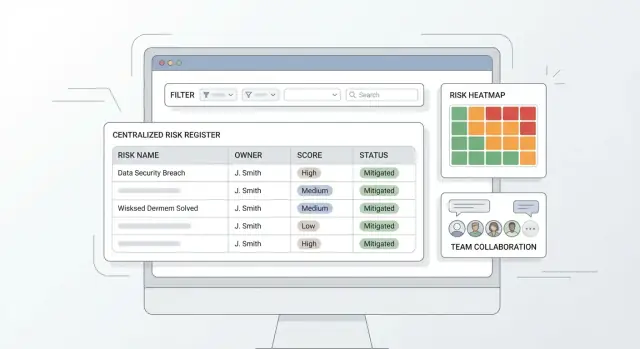
What a Centralized Risk Register App Should Solve
A risk register usually starts life as a spreadsheet—and that works right up until multiple teams need to update it.
Why spreadsheets break down
Spreadsheets struggle with the basics of shared operational ownership:
- Versioning chaos: “Final_v7_reallyfinal.xlsx” becomes the norm, and no one knows which file is current.
- Unclear ownership: a row doesn’t enforce who must review, approve, or update a risk, so accountability drifts.
- Reporting pain: rolling up risks by department, project, or category often means manual filters, pivot tables, and copy‑paste.
- Audit needs: when leadership or auditors ask “who changed the score and why?”, spreadsheets rarely provide trustworthy change history.
A centralized app solves these issues by making updates visible, traceable, and consistent—without turning every change into a coordination meeting.
Outcomes to aim for
A good risk register web app should deliver:
- Single source of truth: one record per risk, with a clear current status.
- Consistency: standard fields, a shared taxonomy, and a uniform scoring method.
- Visibility: everyone sees the same picture—filtered to their scope.
- Accountability: named owners, due dates, and required reviews that don’t rely on reminders in someone’s inbox.
What “centralized” actually means
“Centralized” doesn’t have to mean “controlled by one person.” It means:
- One system (not many files)
- Shared taxonomy (common categories, causes, impacts, controls)
- Standard scoring (so a “High” risk means the same across teams)
This unlocks roll‑up reporting and apples‑to‑apples prioritization.
Set the boundary: risk register vs full GRC
A centralized risk register focuses on capturing, scoring, tracking, and reporting risks end‑to‑end.
A full GRC suite adds broader capabilities like policy management, compliance mapping, vendor risk programs, evidence collection, and continuous controls monitoring. Defining this boundary early keeps your first release focused on the workflows people will actually use.
Define Users, Roles, and Governance
Before you design screens or database tables, define who will use the risk register web app and what “good” looks like operationally. Most risk register projects fail not because the software can’t store risks, but because nobody agrees who is allowed to change what—or who is accountable when something is overdue.
Key personas (keep it small)
Start with a handful of clear roles that match real behavior:
- Risk owner: accountable for the risk, updates status, and drives remediation.
- Reviewer/approver: validates quality (wording, scoring, controls) and approves key changes.
- Admin: manages templates, fields, users, and configuration; resolves access issues.
- Auditor: read-only plus evidence access; needs traceability and consistency.
- Executive viewer: wants summaries and trends, not edit rights.
If you add too many roles early, you’ll spend your MVP debating edge cases.
Role permissions (create, edit, approve, close)
Define permissions at the action level. A practical baseline:
- Create: risk owners (and sometimes admins).
- Edit: risk owner while the risk is in Draft; limited edits after approval.
- Approve: reviewer/approver (never the same person as the risk owner for high-severity items).
- Close: risk owner requests closure; reviewer/approver confirms closure criteria are met.
Also decide who can change sensitive fields (e.g., risk score, category, due date). For many teams, those are reviewer-only to prevent “score deflation.”
Governance rules that the app can enforce
Write governance as simple, testable rules your UI can support:
- Required fields: minimum info to be actionable (owner, impact, likelihood, affected area, due date).
- Review cadence: e.g., quarterly review for medium risks, monthly for high risks.
- Escalation triggers: overdue actions, high score, repeated incidents, or failed controls.
Ownership: risks and controls
Document ownership separately for each object:
- Every risk has exactly one accountable owner.
- Every control (or mitigation action) has an owner and a target date.
This clarity prevents “everyone owns it” situations and makes reporting meaningful later.
Core Data Model: Risk Fields and Relationships
A risk register app succeeds or fails on its data model. If the fields are too sparse, reporting is weak. If they’re too complex, people stop using it. Start with a “minimum usable” risk record, then add context and relationships that make the register actionable.
Minimum risk fields (the non-negotiables)
At a minimum, every risk should store:
- Title: short, searchable summary
- Description: what could happen and why it matters
- Category: e.g., operational, compliance, security, financial
- Owner: one accountable person (not a group)
- Status: Draft → Review → Approved → Monitored → Closed
- Dates: created date, next review date, target date, closure date (as relevant)
These fields support triage, accountability, and a clear “what’s happening” view.
Context fields (what makes filters and reports useful)
Add a small set of context fields that match how your organization talks about work:
- Business unit (department/division)
- Process/System (the thing at risk)
- Location (site/region)
- Project (initiative/program)
- Vendor (third party involved)
Make most of these optional so teams can start logging risks without getting blocked.
Related objects (turn risks into work)
Model these as separate objects linked to a risk, rather than stuffing everything into one long form:
- Controls (what reduces likelihood/impact)
- Incidents (events that materialized or near-misses)
- Actions/Mitigations (tasks with assignees and due dates)
- Evidence (proof a control or action exists/was performed)
- Attachments (files, screenshots, documents)
This structure enables clean history, better reuse, and clearer reporting.
Metadata (for governance without friction)
Include lightweight metadata to support stewardship:
- Tags (flexible, user-defined)
- Source (audit, self-identification, incident review)
- Created by and last updated
- Review date (next scheduled check-in)
If you want a template to validate these fields with stakeholders, add a short “data dictionary” page in your internal docs (or link it from /blog/risk-register-field-guide).
Risk Scoring and Prioritization
A risk register becomes useful when people can quickly answer two questions: “What should we deal with first?” and “Is our treatment working?” That’s the job of risk scoring.
Keep the math simple: likelihood × impact
For most teams, a straightforward formula is enough:
Risk score = Likelihood × Impact
This is easy to explain, easy to audit, and easy to visualize in a heat map.
Define clear scales in plain language
Pick a scale that matches your organization’s maturity—commonly 1–3 (simpler) or 1–5 (more nuance). The key is to define what each level means without jargon.
Example (1–5):
- Likelihood 1 (Rare): Unlikely to happen in the next year
- Likelihood 3 (Possible): Could happen a few times a year
- Likelihood 5 (Almost certain): Expected to happen frequently
Do the same for Impact, using examples people recognize (e.g., “minor customer inconvenience” vs “regulatory breach”). If you operate across teams, allow impact guidance per category (financial, legal, operational) while still producing one overall number.
Inherent vs. residual risk (and how mitigations change the score)
Support two scores:
- Inherent risk: before any controls or mitigations
- Residual risk: after current controls/mitigations
In the app, make the connection visible: when a mitigation is marked implemented (or its effectiveness is updated), prompt users to review the residual likelihood/impact. This keeps scoring tied to reality rather than a one-time estimate.
Plan for exceptions without breaking the system
Not every risk fits the formula. Your scoring design should handle:
- Qualitative-only risks: allow a “Not scored” option plus a required rationale
- Unknown impact/likelihood: support “TBD” with reminders to reassess by a date
- Custom metrics: for specific teams, allow an additional field (e.g., “customer trust”) without changing the shared core score
Prioritization can then combine the score with simple rules like “High residual score” or “Overdue review,” so the most urgent items rise to the top.
Workflow From Identification to Closure
A centralized risk register app is only as useful as the workflow it enforces. The goal is to make the “right next step” obvious, while still allowing exceptions when reality is messy.
Map a clear lifecycle
Start with a small set of statuses that everyone can remember:
- Draft: a risk is captured but not yet validated.
- Review: subject-matter owners confirm the description, scope, and initial scoring.
- Approved: the risk is accepted into the register as an active item.
- Monitored: controls and actions are in place; the risk is tracked over time.
- Closed: the risk is no longer relevant, has been mitigated, or the underlying activity was retired.
Keep status definitions visible in the UI (tooltips or a side panel), so non-technical teams don’t guess.
Enforce required steps at each stage
Add lightweight “gates” so approvals mean something. Examples:
- Before moving Draft → Review, require: title, category, owner, impacted area, and initial likelihood/impact.
- Before moving Review → Approved, require: at least one control (existing or planned) and a clear rationale for the chosen score.
- Before moving Approved → Monitored, require: at least one action/task with an owner and due date.
- Before moving Monitored → Closed, require: closure reason and evidence (file upload or link).
These checks prevent empty records without turning the app into a form-filling contest.
Track actions like a mini project plan
Treat mitigation work as first-class data:
- Tasks with owner, due date, status, and completion notes
- Evidence (documents, screenshots, ticket links)
- Reminders and escalation when due dates slip
A risk should show “what’s being done about it” at a glance, not buried in comments.
Support reassessment and reopening
Risks change. Build in periodic reviews (e.g., quarterly) and log every reassessment:
- review date, reviewer, updated likelihood/impact, and notes
- automatic prompts when the next review is due
- ability to reopen closed risks with a required reason and a new review cycle
This creates continuity: stakeholders can see how the risk score evolved and why decisions were made.
UX and Navigation for Non-Technical Teams
A risk register web app succeeds or fails on how quickly someone can add a risk, find it later, and understand what to do next. For non-technical teams, aim for “obvious” navigation, minimal clicks, and screens that read like a checklist—not a database.
Key pages to design first
Start with a small set of predictable destinations that cover the day-to-day workflow:
- Risk list: the home base for browsing, filtering, and bulk updates.
- Risk detail: one scannable page that answers “what is it, how bad is it, who owns it, what’s being done?”
- Control library: reusable controls/mitigations so teams don’t reinvent the same text every time.
- Action tracker: tasks with owners and due dates, separated from the risk narrative.
- Dashboard: a quick overview with a heat map, overdue actions, and top changes.
Keep navigation consistent (left sidebar or top tabs), and make the primary action visible everywhere (e.g., “New risk”).
Fast data entry: defaults, templates, and less typing
Data entry should feel like filling out a short form, not writing a report.
Use sensible defaults (e.g., status = Draft for new items; likelihood/impact prefilled to a midpoint) and templates for common categories (vendor risk, project risk, compliance risk). Templates can prefill fields like category, typical controls, and suggested action types.
Also help users avoid repetitive typing:
- dropdowns for category, status, treatment
- typeahead for owner and linked controls
- “Save and add another” for rapid capture during workshops
Filtering and search that behaves the same everywhere
Teams will trust the tool when they can reliably answer “show me everything that matters to me.” Build one filter pattern and reuse it on the risk list, action tracker, and dashboard drill-downs.
Prioritize filters people actually ask for: category, owner, score, status, and due dates. Add a simple keyword search that checks title, description, and tags. Make it easy to clear filters and save common views (e.g., “My risks,” “Overdue actions”).
Make the risk detail view scannable
The risk detail page should read top-to-bottom without hunting:
- Summary (title, plain-language description, category, owner)
- Scoring (current likelihood/impact, overall score, trend)
- Controls (linked controls with effectiveness)
- Actions (open actions with due dates and owners)
- History (key changes for traceability)
- Files (evidence, screenshots, policies)
Use clear section headers, concise field labels, and highlight what’s urgent (e.g., overdue actions). This keeps centralized risk management understandable even for first-time users.
Permissions, Audit Trail, and Security Basics
A risk register often contains sensitive details (financial exposure, vendor issues, employee concerns). Clear permissions and a reliable audit trail protect people, improve trust, and make reviews easier.
Access levels that match how teams work
Start with a simple model, then expand only if needed. Common access scopes:
- Org-wide risks: visible to most employees, editable by risk owners and admins.
- Business-unit risks: visible within a department (e.g., Finance, Operations).
- Project-based risks: limited to a project team and stakeholders.
- Confidential risks: restricted to a small group (e.g., Legal, HR), with tighter export/sharing controls.
Combine scope with roles (Viewer, Contributor, Approver, Admin). Keep “who can approve/close a risk” separate from “who can edit fields” so accountability is consistent.
Audit trail: who changed what, when, and why
Every meaningful change should be recorded automatically:
- Actor (user/service account)
- Timestamp (with timezone)
- Field-level diff (old → new)
- Change notes (required for status changes, score changes, and closures)
This supports internal reviews and reduces back-and-forth during audits. Make the audit history readable in the UI and exportable for governance teams.
Security basics to plan from day one
Treat security as product features, not infrastructure details:
- SSO option (SAML/OIDC) for larger organizations; keep local login for small teams.
- Password policies (length, reuse limits) and MFA where possible.
- Encryption in transit (TLS) and at rest (database/storage).
- Session timeouts and device logout for shared machines.
Retention and deletion rules (avoid accidental loss)
Define how long closed risks and evidence are kept, who can delete records, and what “delete” means. Many teams prefer soft delete (archived + recoverable) and time-based retention, with exceptions for legal holds.
If you later add exports or integrations, ensure confidential risks stay protected by the same rules.
Collaboration and Notifications
A risk register only stays current when the right people can discuss changes quickly—and when the app nudges them at the right moments. Collaboration features should be lightweight, structured, and tied to the risk record so decisions don’t disappear into email threads.
Collaboration that’s attached to the risk
Start with a comment thread on each risk. Keep it simple, but make it useful:
- @mentions to pull in owners, control leads, Finance, Legal, or anyone needed to validate a change.
- Review requests as a first-class action (e.g., “Request review from Security” or “Request approval from Risk Committee”). This is clearer than “please take a look” in a comment.
- Inline context: show what changed (score, due date, mitigation status) next to the discussion so reviewers don’t have to compare versions manually.
If you already plan an audit trail elsewhere, don’t duplicate it here—comments are for collaboration, not compliance logging.
Notifications that match real risk work
Notifications should trigger on events that affect priorities and accountability:
- Due dates for mitigation actions (upcoming, due today, and overdue).
- Score changes (likelihood/impact updated, residual risk recalculated) because these often change what gets escalated.
- Approvals (requested, approved, rejected) so workflows don’t stall.
- Overdue actions with a clear call to action (open the task, reassign, extend due date with a reason).
Deliver notifications where people actually work: in-app inbox plus email and, optionally, Slack/Teams via integrations later.
Recurring review reminders without nagging
Many risks need periodic review even when nothing is “on fire.” Support recurring reminders (monthly/quarterly) at the risk category level (e.g., Vendor, InfoSec, Operational) so teams can align with governance cadences.
Reduce noise with user controls
Over-notification kills adoption. Let users choose:
- Digest vs real-time (daily/weekly summary)
- Which events they care about (score changes, mentions, approvals)
- Quiet hours and timezone
Good defaults matter: notify the risk owner and action owner by default; everyone else opts in.
Dashboards, Reports, and Exports
Dashboards are where a risk register web app proves its value: they turn a long list of risks into a short set of decisions. Aim for a few “always useful” tiles, then let people drill into the underlying records.
Core dashboards to ship early
Start with four views that answer common questions:
- Top risks: highest priority items (by score), with the current status and next review date.
- Risks by owner: a simple breakdown showing who is accountable for what.
- Overdue actions: mitigation tasks past their due date, grouped by team or owner.
- Trend over time: count of open risks and average score by month/quarter to show whether exposure is improving.
Risk heat map (and how it’s calculated)
A heat map is a grid of Likelihood × Impact. Each risk lands in a cell based on its current ratings (e.g., 1–5). To calculate what you display:
- Cell placement:
row = impact,column = likelihood. - Risk score (common approach):
score = likelihood * impact. - Cell intensity: color bands based on thresholds (e.g., 1–6 green, 7–14 amber, 15–25 red).
- Counts and drill-down: show how many risks are in each cell; clicking a cell filters the register to that subset.
If you support residual risk, let users toggle Inherent vs Residual to prevent mixing pre- and post-control exposure.
Reports, board packs, and audit-friendly exports
Executives often need a snapshot, while auditors need evidence. Provide one-click exports to CSV/XLSX/PDF that include filters applied, generated date/time, and key fields (score, owner, controls, actions, last updated).
Saved views for common audiences
Add “saved views” with pre-set filters and columns, such as Executive Summary, Risk Owners, and Audit Detail. Make them shareable via relative links (e.g., /risks?view=executive) so teams can return to the same agreed picture.
Data Import and Integrations
Most risk registers don’t start empty—they start as “a few spreadsheets,” plus bits of information scattered across business tools. Treat import and integrations as a first-class feature, because it determines whether your app becomes the single source of truth or just another place people forget to update.
Common data sources to plan for
You’ll typically import or reference data from:
- Existing spreadsheets (risk logs, audit findings, project RAID logs)
- Ticketing tools (e.g., Jira/ServiceNow) for incidents, problems, or control remediation tasks
- CMDB/asset inventory for systems, applications, owners, criticality
- HR or org directory for departments, managers, role assignments
- Vendor lists for third-party risks and contract owners
A practical import flow (that non-technical teams can use)
A good import wizard has three stages:
- Column mapping: upload CSV/XLSX, then map columns to your fields (Risk title → Title, “Owner email” → Owner). Save mappings as templates for repeat imports.
- Validation: show row-level issues before writing anything—missing required fields, invalid enums (e.g., “Highh”), bad dates, unknown owners.
- Error reporting: import what’s valid, and generate a downloadable “errors file” with clear messages and the original row.
Keep a preview step that displays how the first 10–20 records will look after import. It prevents surprises and builds confidence.
Integrations: start simple, then scale
Aim for three integration modes:
- API for on-demand read/write (e.g., create a risk from an incident).
- Webhooks to notify other systems when a risk changes status or priority.
- Scheduled sync for reference data (assets, users, vendors) so dropdowns stay current.
If you’re documenting this for admins, link to a concise setup page like /docs/integrations.
Preventing duplicates (without blocking progress)
Use multiple layers:
- Unique IDs: internal risk ID plus optional external ID (ticket key, vendor ID).
- Matching rules: flag potential duplicates by normalized title + asset/vendor + similar dates.
- Merge process: allow an admin to merge two risks while preserving history and keeping links to related controls/tasks.
Tech Stack and Architecture Options
You have three practical ways to build a risk register web app, and the “right” one depends on how quickly you need value and how much change you expect.
Option 1: Internal app (spreadsheets + shared forms)
This is a good short-term bridge if you mainly need a single place to log risks and produce basic exports. It’s inexpensive and fast, but it tends to break down when you need granular permissions, audit trail, and reliable workflows.
Option 2: Low-code (Power Apps, Retool, Airtable-style tools)
Low-code is ideal when you want an MVP in weeks and your team already has platform licenses. You can model risks, create simple approvals, and build dashboards quickly. The trade-off is long-term flexibility: complex scoring logic, custom heat maps, and deep integrations can become awkward or expensive.
Option 3: Custom development
Custom builds take longer up front, but they fit your governance model and can grow into a full GRC application. This is usually the best path when you need strict permissions, a detailed audit trail, or multiple business units with different workflows.
A simple, dependable architecture
Keep it boring and clear:
- Frontend: a web UI where users log, review, and approve risks.
- API: handles business rules (scoring, workflow states, notifications).
- Database: stores risks, controls, owners, and history.
- File storage: evidence and attachments (policies, screenshots, reports).
- Email service: assignments, reminders, and escalations.
A sensible starting stack (plain-English rationale)
A common, maintainable choice is React (frontend) + a well-structured API layer + PostgreSQL (database). It’s popular, easy to hire for, and strong for data-heavy apps like a risk register database design. If your organization is already standardized on Microsoft, .NET + SQL Server can be equally practical.
If you want to get to a working prototype faster—without committing to a heavy low-code platform—teams often use Koder.ai as a “vibe-coding” path to an MVP. You can describe the risk workflow, roles, fields, and scoring in chat, iterate on screens quickly, and still export source code when you’re ready to take full ownership. Under the hood, Koder.ai aligns well with this kind of app: React on the frontend and a Go + PostgreSQL backend, with deployment/hosting, custom domains, and snapshots/rollback for safer iteration.
Environments and deployment basics
Plan for dev / staging / prod from day one. Staging should mirror production so you can test permissions and workflow automation safely. Set up automated deployments, daily backups (with restore tests), and lightweight monitoring (uptime + error alerts). If you need a checklist for release readiness, reference /blog/mvp-testing-rollout.
MVP, Testing, and Rollout Plan
Shipping a centralized risk register app is less about building every feature and more about proving the workflow works for real people. A tight MVP, a realistic test plan, and a staged rollout will get you out of spreadsheet chaos without creating new headaches.
Define an MVP scope (what to build first)
Start with the smallest set of features that lets a team log risks, assess them consistently, move them through a simple lifecycle, and see a basic overview.
MVP essentials:
- Minimum risk fields: title, description, owner, department/team, category, status, dates (created/next review), controls, actions, and residual risk notes.
- Scoring: one scoring method (e.g., likelihood 1–5 and impact 1–5) with an automatic score and a simple heat-map classification (low/medium/high).
- Basic workflow: Draft → Review → Approved → Monitored → Closed (keep it configurable later, but implement one clear path first).
- One dashboard: “Open high residual risks by team” plus a filterable list view.
Keep requests like advanced analytics, custom workflow builders, or deep integrations for later—after you’ve validated that the fundamentals match how teams actually work.
Create a practical test plan
Your tests should focus on correctness and trust: people need to believe the register is accurate and access is controlled.
Cover these areas:
- Role-based access: verify who can view, create, edit, approve, and close risks across teams.
- Workflow rules: ensure required fields are enforced at key transitions (e.g., owner and due date required before “Approved”).
- Imports/exports: test importing a messy spreadsheet template and exporting to CSV/XLSX with the same columns stakeholders expect.
- Auditability: confirm changes (score, status, owner) are recorded and visible to authorized users.
Run a pilot, then refine
Pilot with one team (ideally motivated but not “power users”). Keep the pilot short (2–4 weeks) and track:
- time to log a risk
- number of incomplete submissions
- how often scoring is disputed
- which fields are ignored or misunderstood
Use the feedback to refine templates (categories, required fields) and adjust scales (e.g., what “Impact = 4” means) before wider rollout.
Training, documentation, and migration timeline
Plan lightweight enablement that respects busy teams:
- A one-page “How we score risks” guide and a two-minute walkthrough video
- Short in-app tips (what’s required, how approvals work)
- A clear migration timeline: freeze spreadsheet edits, import baseline data, verify owners, then switch to the app
If you already have a standard spreadsheet format, publish it as the official import template and link it from an internal page like /help/importing-risks.
FAQ
Why move a risk register from spreadsheets to a centralized web app?
A spreadsheet works until multiple teams need to edit simultaneously. A centralized app fixes common failure points:
- one current record per risk (no conflicting files)
- enforced owners, due dates, and review cadence
- roll-up reporting by team/project/category without manual pivots
- an audit trail showing who changed what and why
What does “centralized” mean for a risk register app (and what doesn’t it mean)?
It means one system of record with shared rules, not “one person controls everything.” In practice:
- one database of risks (not many files)
- a shared taxonomy (categories/impacts/controls)
- standardized scoring so “High” is comparable across teams
This enables consistent prioritization and reliable roll-up reporting.
Which user roles should a risk register app support first?
Start with a few roles that match real behavior:
- Risk owner: maintains the risk and drives remediation
- Reviewer/approver: validates wording/scoring and approves key changes
- Admin: manages fields, templates, and access
- Auditor: read-only plus evidence access
- Executive viewer: summaries and trends only
Keep roles minimal in an MVP; add nuance later if a real governance need appears.
How should permissions and approvals work to preserve accountability?
Use action-based permissions and separate “edit” from “approve.” A practical baseline:
- creators: owners (and optionally admins)
- editors: owners in Draft, limited edits after approval
- approvers: reviewers (avoid owner self-approval for high severity)
- closers: owner requests closure; reviewer confirms criteria/evidence
Also restrict sensitive fields (score, category, due dates) to reviewers if you want to prevent score deflation.
What are the minimum fields every risk record should include?
Keep the “minimum usable” record small:
- title, description, category
- one accountable owner
- status (draft → open/approved → monitored → closed)
- created/target/closure (as applicable)
Then add optional context fields for reporting (business unit, project, system, vendor) so teams can start logging risks without getting blocked.
How do you design risk scoring that’s consistent but still practical?
A simple approach works for most teams:
- score = Likelihood × Impact (1–3 or 1–5)
- define each level in plain language (with examples)
- store inherent (before controls) and residual (after controls) scores
Handle exceptions with options like “Not scored” (with rationale) or “TBD” (with a reassess-by date) so edge cases don’t break the system.
Should controls, actions, incidents, and evidence be separate objects or fields on the risk?
Model related items as linked objects so a risk turns into trackable work:
- controls (reusable library)
- actions/tasks (assignee, due date, status)
- incidents (materialized events/near misses)
- evidence and attachments
This avoids one giant form, supports reuse, and makes reporting on “what’s being done” much clearer.
What workflow steps should the app enforce from identification to closure?
Use a small set of statuses with lightweight gates at transitions. Example gates:
- Draft → Review: require owner, category, impacted area, initial score
- Review → Approved: require at least one control and score rationale
- Approved → Monitored: require at least one action with owner + due date
- Monitored → Closed: require closure reason + evidence
Also support periodic reassessment and reopening with a required reason so history stays coherent.
What should an audit trail include, and what security basics matter most?
Capture field-level changes automatically and make key changes explainable:
- actor, timestamp (with timezone)
- old → new values for important fields
- required change notes for status/score/closure
Pair that with clear access scopes (org, business unit, project, confidential) and basics like SSO/MFA options, encryption, and sensible retention (often soft delete).
How should you handle importing existing spreadsheets and rolling the MVP out?
Make import and reporting easy so the app becomes the single source of truth:
- import wizard: column mapping → validation → error report
- exports: CSV/XLSX/PDF including applied filters and generated timestamp
- dashboards: top risks, risks by owner, overdue actions, trends, and a heat map
For rollout, pilot one team for 2–4 weeks, refine templates/scales, then freeze spreadsheet edits, import baseline data, verify owners, and switch over.