

Choose Databases by Access Patterns, Not Industry Trends
A practical guide to choosing a database by read/write paths, latency, consistency, and growth needs—so trends don’t create avoidable tech debt.
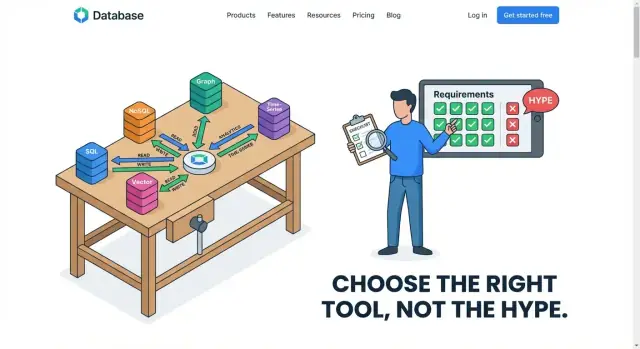
Start With the Workload, Not the Hype
Choosing a database because it’s “popular” is like buying a vehicle because everyone talks about it—without checking whether you need a scooter, a pickup, or a bus. Trends reflect what worked for someone else’s product, team size, budget, and risk tolerance. Your database has to fit your workload: what your application actually does all day.
What we mean by “workload”
A workload is the real behavior of your system in production:
- How data is written: frequent small updates, large batch inserts, append-only events, or occasional edits.
- How data is read: single record lookups, “latest N” feeds, full-text search, or large scans.
- How it’s queried: simple key-based reads, multi-field filters, joins, aggregations, time-window reporting, or geospatial queries.
- How it changes over time: peak traffic, seasonal spikes, backfills, and growth in data volume.
These behaviors are your access patterns—the repeatable ways your app touches data. If you can describe access patterns clearly, database selection becomes far less mysterious.
Set the right expectation early
One size rarely fits all. Many successful systems use a hybrid approach: one database optimized for transactions, another for analytics, and sometimes a dedicated search engine or cache. That’s not “extra complexity for its own sake”—it’s acknowledging that different access patterns benefit from different storage and query engines.
Before comparing “SQL vs NoSQL” or chasing whatever is hot, write down your top 5–10 reads and writes. Start there; everything else is details.
What “Access Pattern” Really Means
An access pattern is the practical description of how your application touches data day to day: what it reads, what it writes, how often, how quickly, and in what shapes. It’s less about what your data is (“orders” or “users”) and more about what you do with it (“fetch one order by ID 10,000 times per minute” or “scan all orders from last month to build a report”).
Reads: three common shapes
Most read traffic falls into a few recognizable buckets:
- Point lookups: “Show me order #12345” or “Load this user profile.” These are typically fast if your database can use an index or key.
- Complex queries: “Find customers who bought X, in region Y, with returns > 2.” These depend on joins, filtering, sorting, and good query planning.
- Scans / range reads: “Get all logs from the last 24 hours” or “List the last 50 transactions.” This can mean reading lots of rows/documents, even if you only display a small slice.
A social feed is a good example of mixed read shapes: you might do point lookups for profiles, range reads for “latest posts,” and aggregations for counts.
Writes: inserts, ingestion, and updates
Write patterns matter just as much:
- Single-row inserts: creating an order, adding a comment, signing up a user.
- High-volume ingestion: collecting click events or application logs continuously.
- Updates: changing inventory counts, updating order status, editing a post.
Logs are often “write-heavy and append-only” (lots of inserts, few updates). Orders are usually “write-then-update” (create, then status changes).
Mixed workloads (and why they’re tricky)
Many products want everything at once: fast point lookups for the app, complex queries for customer support, and big scans for analytics. One database can handle some mixes well, but certain combinations fight each other—for example, heavy analytical scans can slow down the small, latency-sensitive reads that power checkout or a feed.
When you can clearly name your access patterns, you can evaluate databases on real behavior instead of popularity.
Common Workload Types to Identify Early
Before you compare brands of databases, name the workload you’re actually serving. Most products aren’t “one workload”—they’re a few distinct workloads sitting side by side (and sometimes competing). Getting this classification right early prevents you from forcing a database into a job it was never optimized for.
OLTP (Online Transaction Processing)
OLTP is the day-to-day heartbeat of most apps: many small reads and writes, lots of concurrent users, and requests that need to finish fast.
Think: “update a cart,” “create an order,” “change an address,” “check inventory.” These operations are short, targeted, and correctness-sensitive. If a payment is captured, it must not disappear; if a seat is reserved, two people shouldn’t get the same seat.
OLTP typically pushes you toward systems that handle high concurrency well and give you clear guarantees around transactions and data integrity.
Analytics / OLAP (Reporting and Aggregations)
Analytics flips the shape of the work: fewer queries, but each one touches a lot more data.
Think: “revenue by region last quarter,” “conversion by channel,” “top products per category,” “daily active users trend.” These queries often scan many rows, group, aggregate, and sort. Latency expectations can be looser (seconds may be fine), but the cost of heavy scans matters—especially if dashboards run all day.
If you try to run OLAP-style scans on the same system that powers checkout, you’ll often end up with one of them suffering.
Time-Series and Logging
Time-series and logs are usually append-heavy: new events arrive constantly, and you mostly query by time ranges.
Think: metrics, clickstreams, device telemetry, audit logs. Common needs include retention policies (delete/expire old data), rollups (store raw events for 7 days, aggregates for 12 months), and fast writes during spikes.
This workload is less about complex joins and more about efficiently ingesting lots of timestamped records and keeping storage predictable over time.
Search Workloads
Search is not just “find rows.” It’s text matching, relevance ranking, partial matches, and user-friendly filtering.
Think: searching products by keywords, finding tickets by phrases, filtering by facets (brand, price range, color), and sorting by “best match.” These features often require specialized indexing and query capabilities that general-purpose databases can approximate—but rarely excel at.
If search is a core product feature, treat it as its own workload from the start, not a “we’ll add it later” detail.
Performance Needs: Latency, Throughput, and Spikes
Performance isn’t one number. Two databases can both be “fast,” yet feel completely different to users and operators. To choose well, separate what humans experience (latency) from what your system must sustain (throughput), then stress-test your assumptions with spikes.
Latency vs. throughput: what users notice vs. what systems handle
Latency is how long a single request takes—“tap button, get result.” Users feel latency directly.
Throughput is how many requests you can process per second—how much traffic the system can handle in total.
A database might deliver high throughput by batching work efficiently, but still have noticeable per-request delay. Another might optimize for quick point reads, but struggle when many writes arrive at once.
Why the slowest 1% matters (P99)
Average latency hides pain. If 99 requests finish in 50 ms and 1 request takes 2 seconds, the average looks fine—but that 1% becomes the “this app is slow” moment.
That’s what P99 latency means: the time it takes for the slowest 1% of requests. For user-facing features (checkout, login, search results), P99 is often the metric that decides whether your database design feels reliable.
Peak vs. average load: designing for spikes
Most systems don’t fail at average traffic; they fail during peaks: a marketing email, a breaking-news moment, payroll day, end-of-month reporting.
Spikes change the database conversation:
- Indexes that are fine at 200 writes/sec can become a bottleneck at 2,000 writes/sec.
- Background work (compaction, vacuuming, replication) competes with user queries exactly when you can least afford it.
How caching changes the shape of reads
Caching can make read-heavy workloads look smaller than they are—until there’s a cache miss or a cache purge.
If most reads hit a cache, your database may primarily serve writes and occasional expensive reads. That favors different choices than a system where every read hits the database. Plan for “cold cache” events and the tail latency of misses, not just the happy path.
Correctness, Availability, and Location Constraints
Choosing a database isn’t only about speed. It’s also about what is allowed to be wrong, how much downtime you can tolerate, and where your users are.
Correctness: what must never be wrong
Start by naming the data that has to be correct every time. Payments, account balances, and inventory counts are classic examples. If a customer is charged twice, or you oversell stock, the “cost” isn’t just a slower app—it’s refunds, support tickets, and lost trust.
For these parts of the system, you usually want strong guarantees: writes should be confirmed before they’re considered done, and readers should not see half-finished updates. The tradeoff is that stronger correctness often reduces flexibility: some scaling strategies get harder, and cross-region writes may become slower.
Availability: what downtime costs you
Next, decide what happens if the database is unavailable for 5 minutes.
If downtime means “orders stop and revenue stops,” you need higher availability: automatic failover, good backups, and a plan for maintenance without taking the app offline. If downtime means “internal dashboards are delayed,” you can accept simpler setups.
Higher availability typically increases cost and operational complexity (more replicas, more monitoring, more careful upgrades). The key is matching that investment to the business impact.
Location: single region vs multi-region users
If your users are mostly in one region, keeping data in one place can be cheaper and faster. If you have users across continents—or regulatory requirements about where data lives—you may need multi-region replication.
Multi-region designs improve user experience and resilience, but they force tough choices: do you allow slightly stale reads, or do you accept slower writes to keep everything perfectly in sync? The right answer depends on what your workload can tolerate.
Data Model and Query Shape: The Hidden Deciders
Most “database debates” are really arguments about query shape. If you know what questions your app must ask—joins, aggregations, filters, time windows—you can usually narrow the database options quickly.
Query shape drives the data model
A relational model shines when you need flexible filtering and joining across multiple entities (customers → orders → items), especially when requirements evolve. If your product needs ad-hoc reporting (“show me all customers who bought X and also returned Y”), SQL and joins tend to stay simpler over time.
If your queries are predictable and mostly read by primary key (“get profile by user_id”), a document or key-value model can work well—often by storing data already grouped the way you read it. The trade-off is that you may duplicate data to avoid joins, which pushes complexity into writes and updates.
Indexes: the real performance contract
Indexes are how you tell a database, “these are my access patterns.” A query that looks fine in a mockup can become slow if it filters or sorts on non-indexed fields.
A helpful rule: every frequent filter, sort, or join key should have an index plan. But indexes aren’t free: they consume storage and make writes heavier.
Write amplification: when “fast writes” become slow
“Fast writes” claims often ignore write amplification—extra work created by secondary indexes, compaction, replication, or updating multiple copies of denormalized data. A design that optimizes reads by adding indexes or duplicating documents can quietly turn a high-write workload into a bottleneck.
Schema flexibility vs maintainability
Schema-less doesn’t mean structure-less. Flexible schemas speed up early iteration, but without conventions they create inconsistent fields, hard-to-debug queries, and expensive migrations later. When you expect many teams, many features, or long retention periods, a tighter schema and clear constraints often reduce total cost—even if it feels slower at the start.
Operations and Cost: The Parts Trends Ignore
Picking a database because it’s popular often backfires in the unglamorous parts of ownership: keeping it running, keeping it safe, and paying the bill month after month. Two databases can meet the same functional requirements, yet differ wildly in operational effort and total cost.
Operational effort is a feature
Ask early who will run this system at 2 a.m. Backups, point-in-time recovery, upgrades, patching, failover drills, and monitoring aren’t “later” tasks—they shape your risk and staffing.
Managed services can reduce toil, but they don’t eliminate it. Some systems demand regular compaction, careful tuning, or deep expertise to avoid slowdowns. Others make schema changes painful, or require special migration playbooks. If your team is small, a database that’s easier to operate can beat a “perfect” fit on paper.
Know what actually drives cost
Database costs usually come from:
- Storage (especially if you keep multiple replicas, indexes, or long retention)
- Compute (steady baseline plus headroom for spikes)
- I/O (random reads/writes, log volume, compactions)
- Network egress (cross-region replication, analytics exports, backups)
An access pattern heavy on writes and secondary indexes can multiply I/O and storage even when the dataset is small.
Lock-in, portability, and risk
Proprietary query languages, unique consistency features, or serverless “magic” can speed delivery—but may limit future moves. Consider whether you can export data, run locally for testing, or switch providers without rewriting your app.
Security and compliance basics
At minimum, confirm encryption in transit/at rest, key management options, auditing, access controls, and retention policies. Compliance needs often decide between “works” and “acceptable,” regardless of trendiness.
Matching Patterns to Database Families
Once you’ve described your access patterns (what you read, what you write, how often, and under what spikes), the “right” database family usually becomes clearer. The goal isn’t to pick the most popular tool—it’s to pick the simplest system that stays correct under your workload.
Relational (SQL) databases: the simplest correct choice
Choose a relational database when you need strong consistency, clear relationships, and reliable transactions—orders, payments, inventory, permissions, scheduling. If you frequently query across entities (“customers with open invoices in the last 30 days”) or must enforce constraints (unique emails, foreign keys), SQL tends to reduce application complexity.
A common heuristic: if your team is about to re-implement joins, constraints, and transactions in code, you probably want a relational database.
Document stores: flexible shapes, fewer joins
A document database fits best when you mostly read and write whole objects that can vary in structure, such as user profiles, content pages, product catalogs with optional fields, or settings. If your typical query is “fetch the profile by user_id” and update parts of it, documents can keep the data you use together.
Be cautious when your queries become highly relational (many cross-document queries) or when you need multi-entity transactional guarantees.
Key-value stores: ultra-fast lookups for ephemeral data
Key-value systems shine for caching, sessions, rate limits, feature flags, and short-lived state where the access pattern is “get/set by key” and latency matters. They are often a complement, not a primary system of record.
If you’re storing durable business data, ask what happens during eviction, restarts, or replication delays.
Columnar warehouses: heavy aggregation and BI
For analytics—dashboards, cohort retention, revenue rollups, “group by” queries over large history—columnar/warehouse systems win because they’re optimized for scanning and aggregating lots of rows efficiently.
A practical split: keep OLTP writes in your primary database, and feed a warehouse for reporting. This avoids slowing down customer-facing queries with BI workloads.
Real-World Examples: One Product, Multiple Databases
Many successful products don’t “pick a database.” They map each major access pattern to the simplest storage that serves it well, even if that means using two or three databases side by side.
Example 1: E-commerce — orders, catalog search, and analytics
An online store often has three very different workloads:
- Orders and payments (OLTP): lots of small reads/writes, strict correctness, transactional updates (stock, order status). A relational database is a common fit here.
- Catalog search and filtering: users expect fast text search, facets, typo tolerance, and relevance ranking. This is usually better handled by a search engine than forcing SQL to behave like one.
- Business analytics: “How did conversion change after the campaign?” needs large scans and aggregations across time. A columnar warehouse or analytics database can serve this without slowing down checkout.
The product feels unified, but the storage is specialized per access pattern.
Example 2: SaaS app — tenancy, reporting, and audit logs
A B2B SaaS tool might store core entities (projects, invoices, tickets) in a transactional database, but still need:
- Tenant-aware querying: per-tenant indexes and predictable query shapes to keep performance consistent.
- Reporting: long-running, aggregation-heavy queries that shouldn’t compete with interactive requests; often offloaded to a replica, warehouse, or separate reporting store.
- Audit logs: append-only, high-volume events with retention rules. A log-optimized store (or even object storage + query layer) can be cheaper and easier than bloating the primary OLTP database.
Example 3: IoT/logging — ingestion, retention, dashboards
IoT platforms ingest bursts of telemetry, then read it back as time-window dashboards.
A common split is: a fast ingestion store for recent data, cheaper long-term storage for retention, and an analytics engine for aggregates.
The key takeaway: different components can—and often should—use different databases when their access patterns diverge.
Red Flags That You Picked the Wrong Database
A database mismatch usually shows up as a growing pile of “small” fixes. If your team spends more time fighting the database than building product features, pay attention—these are often access-pattern problems, not tuning problems.
Symptoms you’re compensating for a bad fit
A few warning signs appear again and again:
- Too many workarounds in application code (caching everything, writing multiple versions of the same query, denormalizing “just to make it fast”).
- Constant re-indexing or index churn because new queries keep arriving and the old ones fall over.
- Slow queries that are hard to explain: they look simple, but performance swings wildly with data size or time of day.
- Outages tied to routine events—deploys, batch jobs, backfills, or month-end spikes.
If the database requires heroic effort to support normal business operations, the workload and the database family likely don’t match.
Trend-driven choices are expensive (later)
Picking a database because it’s popular can lock you into long-term costs:
- You end up building missing features yourself (joins, constraints, migrations, auditability, reporting), and that custom code becomes hard to unwind.
- Migration gets postponed because it’s risky—so the “temporary” workaround becomes permanent.
- Data shape drifts to fit the tool, not the product, making future analytics, compliance, and integrations harder.
The bill arrives when scale increases or requirements change, and the only realistic fix is a painful re-platform.
Early warning metrics to watch
You don’t need perfect observability, but you do need a few signals:
- Query latency percentiles (p95/p99), not just averages.
- Lock contention / deadlocks (or equivalent concurrency conflicts).
- Connection pool saturation and timeouts.
- Replication lag and read-after-write surprises.
- Storage growth rate and index-to-data ratio.
What to document so you don’t repeat the mistake
Write down the top access patterns (reads/writes, key queries, peak rates), the data volume assumptions, and the “non-negotiables” (consistency, availability, region constraints). Add links to dashboards and examples of the worst queries. That short record makes future decisions faster—and makes it clear when a database no longer matches reality.
A Practical Decision Checklist You Can Reuse
Picking a database is easier when you treat it like requirements gathering, not a popularity contest. Use this checklist to turn fuzzy “we need something scalable” into concrete inputs you can compare.
1) Clarify the workload with a few high-leverage questions
Answer these in plain language first, then add numbers where you can:
- Primary queries: What are the top 3–5 things the app must do (e.g., “get user by email,” “list last 50 orders,” “search by keyword,” “aggregate daily revenue”)?
- Write rate: How many writes per second now, and at peak? Are writes small and frequent, or large batches?
- Data size & growth: Current dataset size, monthly growth, retention rules (keep forever, 90 days, archive?).
- SLAs: Target p95/p99 latency, uptime, recovery expectations (RTO/RPO), and how bad it is if data is slightly stale.
2) Use a simple scoring matrix
Make a one-page table with criteria down the left and candidates across the top. Mark each criterion as must-have or nice-to-have, then score each database (for example 0–2).
Include at least: query fit, scaling approach, consistency needs, operational effort, ecosystem/tooling, and cost predictability.
3) Run a small proof of concept (PoC)
Test with representative data and real queries, not toy examples. Recreate the “top queries” and a realistic write pattern (including spikes).
If you’re iterating quickly on product ideas, a vibe-coding environment like Koder.ai can help you spin up a working app and validate access patterns early: generate a React frontend with a Go + PostgreSQL backend, model a few real endpoints, and measure how your “top 5 queries” behave before you commit to a long-term architecture. The ability to export source code and keep control of schema and migrations also helps you avoid painting yourself into a corner.
4) Define success criteria before testing
Write down what “passes” means ahead of time: latency targets, acceptable error rates, operational steps required (backups, schema changes), and an estimated monthly cost at expected usage. If a candidate can’t meet a must-have in the PoC, eliminate it early and move on.
How to Future-Proof Without Over-Engineering
Future-proofing isn’t about picking the “most scalable” database on day one. It’s about making deliberate choices that keep you nimble when your access patterns change.
Start with the simplest system that meets today’s needs
If your workload is mostly transactional reads/writes with straightforward queries, a relational database is often the fastest path to a reliable product. The goal is to ship with confidence: predictable performance, clear correctness guarantees, and tooling your team already understands.
“Future-proof” here means avoiding irreversible commitments early—like adopting a specialized store before you’ve proven you need its trade-offs.
Design for change: boundaries, modular access, and migrations
Build an explicit data access layer (or service boundary) so the rest of the app doesn’t depend on database-specific quirks. Keep query logic centralized, define contracts (inputs/outputs), and treat schema changes as part of normal development.
A few practical habits help later migrations:
- Prefer additive schema changes (new columns/tables) over risky rewrites.
- Backfill in batches and make changes compatible with old and new code during deploys.
- Log and measure query patterns so you spot drift early.
Split workloads when the access patterns diverge
Many products eventually need two paths: OLTP for day-to-day transactions and analytics for reporting, experimentation, or heavy aggregates. Split when analytical queries start harming production latency, or when you need different retention/partitioning.
To keep them aligned, standardize event/data definitions, automate pipelines, and reconcile totals (e.g., daily sales) between systems so “truth” doesn’t fragment.
If you want a concrete next step, build a lightweight migration plan template your team can reuse: /blog/database-migration-checklist.
FAQ
What is an “access pattern” in practical terms?
An access pattern is the repeatable way your app touches data in production: what it reads/writes, how often, how quickly, and in what query shapes (point lookups, range scans, joins, aggregations, time windows, etc.). It’s more actionable than “we have users and orders,” because it maps directly to indexes, schema choices, and database fit.
Why shouldn’t I pick a database based on trends or popularity?
Because “popular” reflects other teams’ constraints, not yours. The same database can be great for one workload (e.g., OLTP) and painful for another (e.g., heavy analytics scans). Start by listing your top 5–10 reads and writes, then evaluate databases against those behaviors instead of brand momentum.
What should I document first to define my workload?
Write down:
- Your top queries (e.g., “get user by email,” “list last 50 orders,” “aggregate revenue by day”)
- Write shapes (single-row updates vs append-only events vs batch loads)
- Peak vs average rates (reads/writes per second)
- Data growth and retention (how long you keep data, archiving)
- Latency/uptime goals (including p95/p99) and correctness needs
This becomes your requirements doc for comparing options.
How do OLTP and analytics (OLAP) workloads differ?
OLTP is many small, concurrent, correctness-sensitive operations (checkout, inventory updates, account changes) where transactions and constraints matter.
OLAP/analytics is fewer queries that touch lots of data (scans, group-bys, dashboards) where seconds-level latency may be acceptable but heavy reads can be expensive.
Mixing them on one system often causes analytics scans to hurt user-facing latency.
Why does P99 latency matter more than average latency?
Look at p95/p99 latency, not averages. If the slowest 1% of requests take seconds, users will still perceive the app as unreliable even if the average looks fine.
Practical tip: track p95/p99 separately for critical endpoints (login, checkout, search) and correlate spikes with database metrics (locks, replication lag, I/O saturation).
When is a “hybrid” database approach the right choice?
They often have competing needs:
- OLTP needs low-latency point reads/writes and predictable concurrency.
- Analytics needs wide scans, aggregations, and sorting.
- Search needs text indexing, relevance ranking, facets, and fuzzy matching.
Using specialized stores can be simpler overall than forcing one database to do everything with workarounds.
How does caching change database selection and design?
Caching can make the database see mostly writes plus occasional expensive cache-miss reads. That changes what matters:
- Design for cold cache events (restarts, purges, deploys)
- Measure and optimize the miss path (often your true worst-case latency)
- Ensure cache invalidation/update strategy matches your correctness needs
A cache can hide problems temporarily, but it can also create cliff-edge failures if misses overwhelm the database.
How should I think about correctness and consistency requirements?
Strong correctness means you need guarantees around transactions and visibility of updates (no “half-written” states). It’s especially important for payments, balances, inventory, and reservations.
The tradeoffs can include:
- Harder/ slower multi-region writes
- More coordination overhead
- More careful schema and transaction design
Define which data is “must never be wrong” versus what can tolerate staleness.
What role do indexes play in matching a database to access patterns?
Indexing is the performance contract between your workload and the database. Plan indexes for frequent:
- Filters (WHERE clauses)
- Sorts (ORDER BY)
- Join keys
- Time-range queries
But indexes increase storage and can slow writes (write amplification). The goal is to index what you actually do often, not everything.
What makes a good proof of concept (PoC) for choosing a database?
Treat a PoC like a mini production rehearsal:
- Use representative data volume (or a scaled simulation)
- Run your real top queries and write patterns (including spikes and backfills)
- Define pass/fail criteria upfront (p95/p99, error rates, operational steps, estimated monthly cost)
- Include operations in the test: backups, restore, schema change, failover behavior
If it can’t meet a must-have in the PoC, eliminate it early.