

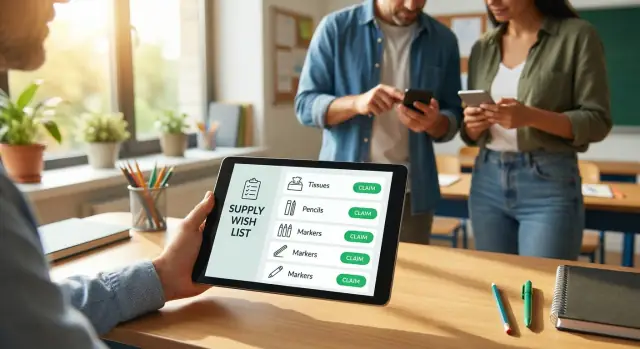
Classroom supplies wish list with claim buttons for families
Set up a classroom supplies wish list with claim buttons so parents can reserve items, avoid duplicates, and track what is still needed.
Why teachers and parents need a better supply list
A paper handout and a busy group chat can work, until they don't. The first week of school is already packed with messages, reminders, and last-minute errands. When the supply list lives in five places, it's easy for families to buy the same thing without realizing it.
Duplicates usually happen for simple reasons: someone sees the list late, a message gets buried, or the list is reposted with old info. By the time you notice, you have six packs of dry erase markers and still no tissues.
For parents, that creates an awkward loop. You're trying to help, but you don't want to waste money on something that's already covered. After a couple of "Oh, we already have that" moments, some families stop volunteering. Others keep buying anyway just to avoid the back-and-forth.
For teachers, the work turns into manual tracking. You answer the same questions, update a list late at night, and keep a running tally of what's missing. Even a well-meaning setup becomes a second job.
A classroom supplies wish list with claim buttons fixes the core issue: once a parent claims an item, everyone can see it's taken. That single change prevents:
- two people buying the same item because they checked at different times
- parents guessing what's still needed because updates are scattered
- teachers juggling screenshots, comments, and partial promises
- last-minute gaps when "someone said they'd get it" but it never arrives
Claiming also feels more polite. Families can quietly pick something that fits their budget and timing, without calling out who bought what in a group chat. If you ever decide to turn this into a small app for your class, a vibe-coding tool like Koder.ai (koder.ai) can help you build a simple claim-and-hide flow through chat, without going through a traditional development process.
What to include on a classroom wish list
A good wish list is specific enough that families can act fast, but simple enough that it doesn't feel like homework. The goal is to make "what to buy" and "how many" obvious at a glance, especially on a phone.
Each item should answer three questions:
- What is it?
- How many are needed?
- Which version works (size, color, pack count, or "any is fine")?
One short note can remove most confusion. That tiny detail prevents the most common follow-up messages.
A practical format looks like this: an item name that matches store labels ("Dry erase markers, low-odor"), a clear quantity ("Need 12 packs"), and an optional note ("fine tip" or "any color"). If priorities matter, add a simple label like "Needed week 1" vs "Nice to have," and clarify whether it's for the classroom or individual students.
Even with claim buttons, families need to trust the numbers. Show a remaining count (for example, "3 of 10 still needed") so parents can tell what's actually open.
It also helps to separate what parents see from what you see. The family view should stay short: item, quantity to claim, and notes. Your view can include details you don't need to broadcast, like where the item will be stored or whether you already have backups.
Keep privacy strict and simple. Parents shouldn't have to share addresses, student details, or payment info to participate. If you collect names, collect only what you need to avoid duplicates, and make it clear who can see it. For example, instead of "Sarah Johnson will buy 3 glue sticks for Liam," show "S.J. claimed 3 glue sticks." That's enough to coordinate without oversharing.
How claim buttons work (simple flow)
A classroom supplies list with claim buttons is just a normal list with one key action: when a parent claims an item, it becomes reserved. The list updates for everyone right away, so people aren't guessing what is still needed.
A basic flow:
- The teacher adds items with quantities (for example: 24 glue sticks, 10 boxes of tissues).
- A parent opens the list and taps Claim on an item.
- The remaining quantity drops immediately (or the item disappears when it hits zero).
- The parent optionally adds a name, depending on what the teacher prefers.
- The teacher sees what's claimed and what's still open, without chasing families one by one.
The quantity update is what stops duplicates. If you need 24 glue sticks and one parent claims 6, the list should show 18 left right away.
Optional confirmation: named or anonymous
Some teachers want a name so they can say thank you and follow up if needed. Others prefer anonymous claiming to reduce pressure.
A good middle ground: the teacher can see the name, but other parents can't. For example, a parent claims "1 pack of dry erase markers" and types "Sam's family." Other parents only see that the markers are already covered.
What the teacher sees
On the teacher side, it should feel like a simple dashboard: what's claimed, what's unclaimed, and what quantities are left. That makes gaps obvious ("still need 8 folders") and makes reminders easier to write without calling anyone out.
Step by step: set up your list in 20 minutes
Start by making the list itself before you worry about the tech. If you taught this grade last year, copy last year's supply list and adjust it. That keeps the requests realistic and saves time.
1) Draft the items and quantities
Write every item with a clear quantity. Be specific enough that families can shop without guessing ("24-count crayons" instead of "crayons"). If an item needs multiples, include the number in the line so it's obvious at a glance.
To make the list easier to scan, group items into a few buckets: whole-class items (tissues, wipes), per-student items (notebooks, folders), and optional extras (prize box items, seasonal decor). Add short notes only where confusion is likely ("no scented," "any color is fine").
2) Decide what details you will collect
Keep this minimal. You only need enough to coordinate and say thanks. For many classes, a name plus a delivery plan is enough. If you do collect contact info, explain who will see it and why.
3) Set up claim buttons and sharing
Once claim buttons are in place, the remaining quantities should update automatically. Before you send anything, do a quick test: claim one item yourself, confirm it updates, then unclaim it.
When you share the list, use a gentle deadline ("by next Friday") and make it clear that late claims are still welcome if items remain. After the deadline, one short reminder works better than repeated nudges.
If you want a more app-like experience later, Koder.ai can help you turn the list into a small mini-app with claim buttons, a clear view of what's left, and an exportable summary for your records.
Managing changes, delivery, and unclaimed items
A wish list only works when it stays accurate. Plans change, shipping gets delayed, and you may realize you forgot something on day two. The goal is to handle updates without awkward messages or duplicate purchases.
Simple rules that prevent confusion
A short note at the top of the list can prevent most problems. For example:
- If you can't get the item anymore, unclaim it as soon as you know.
- Claims mean "reserved"; only delivered items count as "received."
- If an item isn't delivered by the deadline, it may be released for someone else.
- Mark items delivered when they are handed in (not when they're purchased).
Give families an easy exit. People claim an item and then realize it won't arrive in time, costs more than expected, or simply slips their mind. A "no questions asked" unclaim option avoids guilt and saves you from chasing people.
Claimed vs delivered (they are not the same)
Treating "claimed" as "done" is a common snag. Two clear statuses keep things honest:
- Claimed: someone intends to provide it.
- Delivered: it's in the classroom (or has arrived and been confirmed).
If deadlines are needed, keep them predictable. For many classes, a release deadline 5 to 7 days after sharing works well, with a single reminder the day before.
When you add new items, avoid reshuffling the whole list. Add a small "New this week" label with a date so earlier claims don't feel like they're moving around.
Keeping it comfortable and fair for families
A classroom wish list works best when it feels optional, not like a bill. Families have different budgets, schedules, and comfort levels about being seen. The goal is to make it easy to help without adding pressure.
Offer a mix of price points. Include plenty of small everyday items, a few mid-range picks, and only a couple higher-cost items, clearly marked as optional. Some teachers use friendly labels instead of numbers, such as "Quick wins," "Classroom boosters," and "If you're able."
Also consider non-shopping ways to help. Many families can give time instead of money, especially if the task is concrete and short. A few good options:
- Cut and prep materials for one project
- Sort and label supply bins
- Bring in recycled boxes or clean jars for a craft
To reduce social pressure, allow anonymous claiming. If you still need a delivery plan, let parents leave a private note like "sending with my child on Tuesday" without showing their name to everyone.
A single line at the top sets the tone: "Any help is appreciated, and it's always okay to claim nothing." That permission increases participation more than repeated reminders.
Real example: a simple week of supply claiming
Ms. Rivera teaches 3rd grade and shares a classroom supplies wish list with claim buttons. Her list has 25 items. Some are small (tissues, glue sticks), and a few are bigger (a set of dry erase markers, a pack of headphones). Each item shows how many are needed. Once a family claims something, it no longer looks available to everyone else.
On Monday evening, a few families jump in. Two parents claim common items like tissues and hand sanitizer. Another parent grabs the headphones because they found a sale. By Tuesday, about half the list is claimed.
Midweek is where claim buttons shine. On Wednesday, a parent named Jordan means to claim "1 pack of colored pencils" but taps "1 pack of markers" by mistake. Jordan notices right away, unclaims the markers, and claims the colored pencils instead. The markers instantly return to the list.
By Friday afternoon, Ms. Rivera checks her teacher view before sending a gentle reminder. She can see what's covered, what's in progress, and what's still missing:
- 19 of 25 items claimed
- 4 items partially claimed (still need: 2 tissue boxes, 1 glue stick pack, 1 notebook set, 1 zip bag variety pack)
- 2 items still unclaimed (extra pencils, one prize bin item)
Instead of guessing or tracking messages, she shares one short update: what's still needed and when she'd like items to arrive.
Common mistakes and how to avoid them
The point of a claim-based list is simple: families can help, and nobody wastes money buying the same thing twice. Problems usually show up when the list is unclear or when people keep coordinating "on the side."
The fixes that actually work
Make items shop-ready. Vague lines like "supplies" sound friendly, but parents can't buy them. Write items like a receipt: size, color, pack count, and any must-have notes.
Always show quantities. Duplicates creep back in when people can't see what's needed vs what's already claimed. Each line should show the total needed and update as claims come in.
Keep the list as the source of truth. If someone offers in a group chat, reply with one sentence: "Thank you, please claim it on the list so it disappears for others."
Plan for changes. Needs shift. Set expectations that the list may update, and mark items as "no longer needed" when appropriate.
Avoid too many choices. Ten variations of the same item slows people down. If brand doesn't matter, say so.
Late arrivals and mid-year transfers can still create confusion. A simple plan helps: keep a small buffer section (2 to 3 common items like pencils, glue sticks, tissues) and reopen only that section if a new student joins.
Quick checklist before you share it
Before you send the list to families, take five minutes to make it easy to read and hard to mess up:
- Make every item specific (name, size, color, pack count).
- Set realistic quantities and show how much one family should claim.
- Add short notes like "Any brand is fine" or "No scented items" where needed.
- State the basic rules: claim it, deliver by a date, or release it.
- Test it once like a parent: claim, confirm it shows as taken, then release it.
When you share the list, include a single short message with the delivery window, where items should go, and what to do if plans change.
Last check: remove "maybe" items. If you're not sure you need it, move it to an optional section or leave it off. Families feel more comfortable when the list looks confident and complete.
Next steps: turning the list into a simple app
A spreadsheet is a solid start because it's familiar and fast. But once you have more than one class, multiple delivery options, or lots of "is this still needed?" messages, a small web app can save time and reduce confusion.
Keep what already works. Your spreadsheet columns usually map cleanly into an app: item name, quantity needed, quantity claimed, notes, and delivery preference. Then the claim button becomes the only action parents need, and totals update instantly.
Features worth adding next
You don't need everything on day one. A few upgrades usually deliver most of the value:
- Categories (cleaning, shared supplies, individual supplies)
- A print view for families who prefer paper
- Export for your records
- A simple "mark delivered" toggle
Prototyping it quickly with chat
If you want to build it without turning it into a big tech project, a chat-built approach can work well. With Koder.ai, you can describe the screens and rules in plain language (for example, "hide the claim button when the last unit is taken" or "show what's left by category") and iterate based on how families actually use it.
A realistic next step is to build a one-class version first, let a handful of families use it for a week, then expand once the flow feels natural.
FAQ
Why use claim buttons instead of a shared document or group chat?
Claim buttons prevent duplicates because they make the list update for everyone immediately. Once an item (or a quantity of it) is claimed, other families can see it’s no longer available and won’t buy the same thing by accident.
What should I put on a classroom wish list so parents can act fast?
Start with your “week 1” needs and anything that runs out quickly, like tissues, wipes, and glue sticks. Keep each line item shop-ready by adding quantity and a short note about size, pack count, or whether any brand is fine.
Should we track "claimed" and "delivered" as separate statuses?
A clear setup is “claimed” means someone intends to bring it, and “delivered” means it’s actually in the classroom. This avoids the common problem where an item looks covered but never arrives.
What if a parent claims something and then can’t buy it or forgets?
Keep it simple: allow unclaiming anytime, and add a gentle release rule if you need it, such as releasing claims after a certain date if the item hasn’t been delivered. That way the list stays accurate without awkward follow-ups.
Can parents claim items anonymously?
Yes, and it usually helps participation. A good middle ground is letting the teacher see who claimed an item for follow-up, while other families only see that the item is taken.
What information should we collect from parents (and what should we avoid)?
Collect the minimum needed to avoid confusion, often just a name or short label plus an optional delivery note. If you show names, make it clear who can see them, and consider masking them for other families to reduce social pressure.
How do I test a claim-based list before sending it to families?
A quick test is to claim a few units of an item and confirm the remaining count changes instantly, then unclaim and verify it returns. Also test the “zero” state to ensure the item hides or clearly shows it’s fully covered.
How specific should each item be so parents don’t have to ask questions?
Use plain wording that matches store labels, and include one clarifying detail only when it prevents a common mistake. For example, “Dry erase markers, low-odor, fine tip” is usually enough without turning the line into a long description.
How do I handle deadlines and reminders without spamming families?
Set a single, friendly delivery window and stick to one reminder that summarizes what’s still needed. The list should be the source of truth, so families don’t have to hunt through older messages for updates.
When does it make sense to turn the wish list into a small app, and how could Koder.ai help?
If you’re managing more than one class, multiple delivery options, or constant “is this still needed?” questions, an app can save time. With Koder.ai, you can describe the claim-and-hide rules and views in chat and iterate into a simple mini-app without building everything from scratch.