

Claude Code for commit messages and changelogs that read well
Claude Code for commit messages: turn diffs into clear commits and release notes that explain user impact, risk, and any migration steps.
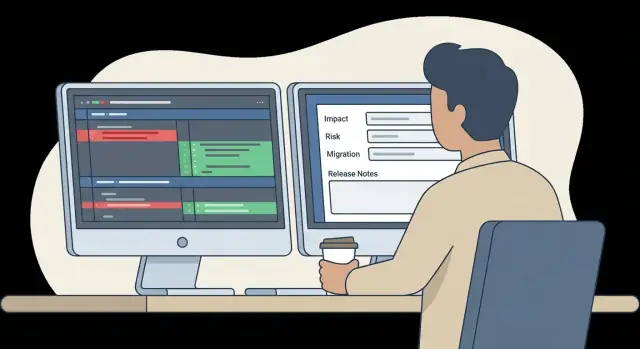
Why diffs are not enough
A diff shows what changed, not why it changed. It can tell you that a function was renamed, a flag was added, or a query was rewritten. It rarely tells you the intent, the user impact, or the tradeoffs behind the change.
Diffs also break the story across files. A small tweak in one place can cause a big behavior shift somewhere else, and reviewers are left guessing: is this a bug fix or a behavior change? Is it safe to backport? Do we need a migration or a feature flag?
That’s why commit messages and changelogs exist. They turn raw edits into decisions someone else can trust later, whether that’s a teammate in code review, a developer debugging an incident months later, or you trying to understand why a release introduced a regression.
A diff usually can’t answer these on its own:
- What problem was solved (and what the symptom looked like)
- Who is affected (users, admins, API clients, internal tooling)
- Risk and rollback plan (what could break, how to revert)
- Migration steps (data changes, config updates, version bumps)
- How it was tested (or what still needs testing)
Tools like Claude Code can read the diff and draft clear wording, but they still need your context. A diff that “removes a field” might be safe cleanup, or it might break a widely used integration. The right message depends on information that lives outside the code.
The goal is to turn diffs into messages that capture impact, risk, and migration steps, with prompt templates you can reuse for everyday commits and for release notes.
What “good” looks like for commits and release notes
A good commit message should let someone understand the change without re-reading the diff. It should say what changed, why it changed, and what it means in practice.
Most strong commit messages cover three things:
- What changed (one clear sentence that matches the diff)
- Why it changed (the problem, bug, or goal)
- What the impact is (user-facing behavior, performance, data, or API)
Implementation detail is fine, but only when it helps review or debugging. “Switch to parameterized query to prevent SQL injection” is useful. “Refactor services” isn’t.
Release notes are different. They’re for people who use the product, not people who wrote the code. The point is to help someone decide: should I upgrade, what will feel different, and what do I need to do?
Good release notes group changes by outcomes (fixes, improvements, breaking changes). They avoid internal terms like “refactored,” “renamed files,” or “moved handlers,” unless it directly affects users.
Risk and migrations fit in both, but only when they matter. In a commit message, a short risk note helps reviewers pay attention. In release notes, the same risk should be explained in plain language with a clear action.
Migration detail is most helpful when it stays practical:
- Who is affected
- What they must change
- When it takes effect
- How to roll back or recover (if there’s a safe path)
Claude Code can draft this quickly when it sees evidence in the diff. You still decide what users will notice and what could break.
Where Claude Code helps, and where you still need judgment
Claude Code is good at turning raw diffs into readable text. With a focused change set and a bit of context, it can summarize what changed, flag likely user impact, and draft commit messages or release notes that read naturally.
It tends to be strong at:
- Grouping scattered edits into one story
- Translating code terms into user-facing language
- Suggesting risk notes (config changes, data changes, behavior changes)
- Drafting migration steps when it sees renamed endpoints, removed flags, or schema changes
What it can’t know is what isn’t in the diff: product intent, rollout plan (flags, staged releases, canary), or hidden constraints (support commitments, legal requirements, customer-specific behavior). If a change is “safe” only because of something outside the code, it won’t see that.
Before shipping, a human still needs to verify:
- Correctness: does the summary match what the code actually does?
- Scope: are there side effects outside the files touched (caches, background jobs, permissions)?
- Security and privacy: did anything change around auth, logging, or data exposure?
- Phrasing: does the wording match the audience (users vs. developers) and avoid overpromising?
A simple example: a diff removes a database column and adds a new enum value. Claude Code can draft “Remove legacy column; add status value,” but only you can say whether it’s a breaking change, how to backfill existing rows, and whether the rollout needs a two-step deploy.
Prepare your diffs and context before prompting
A raw diff shows what changed, but it rarely explains why it changed, what users will notice, or what could break. Spend two minutes gathering context first and your commit messages and release notes get clearer.
Collect the few pieces of information that answer: what was the problem, what is the new behavior, and how did you verify it. Treat your prompt like a mini handoff to a teammate who didn’t work on the change.
These inputs usually matter most:
- The diff (or the specific files/hunks that matter)
- PR description or intent summary (even rough)
- Ticket notes: acceptance criteria, edge cases, screenshots, error logs
- Expected behavior before vs. after (one or two sentences)
- Risk notes: flags, migrations, config changes, rollout plan
Then decide what you want back. A single commit message is great for a small, focused change. Multiple commits make sense if the diff mixes refactors, behavior changes, and tests. Release notes are different again: they should focus on user impact, admin impact, and anything someone must do after upgrading.
Set boundaries before you paste anything. Remove secrets and anything you wouldn’t want in a public repository: API keys, private tokens, customer names, personal data, internal hostnames, and incident details that aren’t meant to travel. If you can’t share full context, summarize it in safe terms.
Example: a diff adds a new required field to a PostgreSQL table and updates a Go API handler. Include the migration file, the handler change, and one sentence like: “Old clients that omit the field will get a 400. We will roll out clients first, then run the migration.” That single sentence is often the difference between a safe message and a misleading one.
Prompt patterns that produce clearer commit messages
The quality you get depends on what you ask for. A good prompt makes the model treat the diff as evidence, and it keeps the message tied to impact and risk.
A practical prompt template
Paste the diff (or a short excerpt), then add a small block of context the diff doesn’t show. Keep it short, but specific:
- Scope: component or area (auth, billing, mobile, API)
- Intent: what problem this solves or behavior it changes
- Constraints: compatibility, deadlines, or “no schema changes”
- Audience: who reads it (future you, reviewers, on-call)
- Output rules: length, tone, and commit format (for example, Conventional Commits)
Ask for a structured answer so you can scan it quickly and catch mistakes before you paste it into Git.
Ask for options, not “the” message
One diff can support different commit messages depending on what you want to emphasize. Request 2-3 versions so you can pick what fits your repo.
For example:
- Conservative: minimal, exact, no extra claims
- User-facing: highlights visible behavior changes
- Engineering-focused: calls out refactors, perf, and follow-ups
The best signal is whether the summary matches what the diff actually does. If any version mentions features or fixes you can’t point to in the code, remove it.
Require explicit sections (and allow “Unknown”)
A reliable pattern is to require headings and allow “Unknown” when the diff can’t prove something.
Try: “Return the final commit message with sections: Summary, Motivation, Impact, Risk, Tests. If tests are not visible, say ‘Tests: not shown’ and suggest what to run.”
It keeps the message honest and makes review faster, especially when a change needs migration steps or a careful rollout.
Prompt patterns for changelogs and release notes
Release notes fail when they read like a git log. If you want useful notes from multiple commits or one big diff, ask for the reader first, then add technical detail only where it changes what people do.
Pattern: “Release notes from a batch of changes”
Give short product context (who uses it, what area of the app), then paste diffs or summaries. Ask for a structured output that separates what users feel from what engineers changed.
You are writing release notes for [product/app]. Audience: [end users/admins/developers].
Input: the following diffs/commit summaries.

Write release notes with these sections:
1) User-visible changes (what’s new or different)
2) Fixes (symptoms users had, now resolved)
3) Breaking changes (if none, say “None”)
4) Migration steps (numbered, short, actionable)
5) Deprecations (what, when it will be removed, replacement)
6) Risk and rollout notes (what could go wrong, how to verify)

Rules: do not list internal refactors unless they affect behavior. Use plain language.
This creates a clean split between user impact and internal cleanup, so a rename doesn’t drown out a real behavior change.
Pattern: “Call out migrations and breaking changes explicitly”
Even careful models miss migrations unless you ask. Add explicit questions:
- Are any API responses, config keys, env vars, or database schemas changed?
- What would break for an existing user after upgrade, and how would they notice?
- What exact steps fix it, in order?
- What should QA verify to confirm the release is safe?
The habit is the same: always request “why it matters” and “what to do next,” not just “what changed.”
Step-by-step: turn a diff into a final message
Read the diff like a reviewer, not like the person who wrote it. Your job is to turn code changes into something someone can trust later: what changed, why it changed, and what it means.
- Write a one-line summary first. Use a clear verb and name the surface area. “Fix crash when saving draft on iOS” beats “Update save logic.”
- Sort the change into a stable structure. A simple order that works for most commits is: What, Why, Impact, Risk, Migration. If a section is none, say “None” so readers don’t wonder what you forgot.
- Add verification steps. Include a short “How to verify” someone else can follow. Tie it to observable behavior, not internal plumbing.
- Write rollout notes when it’s risky. Call out feature flags, phased rollout, monitoring, and rollback triggers. If there’s a known edge case, name it.
- Polish for the audience. Commit messages can include a bit of internal context. Release notes should be plain language.
If you use Claude Code, paste the diff plus a few sentences of context (who is affected, what broke, what you tested) and ask for the output in that structure. Then edit it like you would edit a human-written message.
A quick wording pass keeps it readable:
- Prefer “Users can…” or “Admins must…” over “We refactored…”
- Replace vague words like “improve” with the concrete result
- If there’s migration, say exactly what to do and when (before or after deploy)
A solid message answers: What changed? Why now? What could go wrong? How do we know it works? What must someone do to adopt it safely?
A realistic example: from diff to commit and release note
Imagine a small diff that looks harmless, but can break clients.
- type UserResponse struct {
-   FullName string `json:"fullName"`
- }
+ type UserResponse struct {
+   Name string `json:"name"`
+ }

+ if req.Name == "" {
+   return errors.New("name is required")
+ }
Two things happened: a response field was renamed (fullName to name), and validation was added (name is required). It works best when you ask for impact, risk, and next steps.
Here’s a draft commit message with the key context a diff doesn’t include:
Rename user response field to `name` and require `name` on create

Why:
- Align API with updated domain naming

Impact:
- Breaking change: clients reading `fullName` must switch to `name`
- Requests without `name` now fail validation

Tests:
- Updated API tests for response payload
- Added validation test for missing name
And a release note entry written for users, not code:
Breaking: User API field rename and stricter validation

- Response field `fullName` is now `name`
- Create/update requests now require `name`

Migration:
- Update JSON parsing to read `name`
- If you send `fullName`, map it to `name` before calling the API
Tighten wording by removing guesses. “Align API with updated domain naming” is vague. If you don’t know the reason, say what you do know, like “Standardize naming across endpoints.” Also avoid claiming tests you didn’t run. Replace “Updated API tests” with the suite name, or with an honest note like “Manual check: created user via API and verified response payload.”
Common mistakes and traps
The fastest way to lose trust in AI-written commits is to let the message promise more than the diff delivers. Claude Code can turn raw changes into clear text, but it will also infer “user-visible improvements” from an internal refactor unless you keep it grounded.
A common mistake is overstating impact. A rename, a new helper, or moving logic between files can read like a feature when it’s really plumbing. If release notes claim “improved performance” with no measurement or user symptom, people notice.
Another mistake is missing breaking changes and migrations. Diffs hide them in small places: a config default changed, an env var renamed, a database column made NOT NULL, or a response field removed. If the commit message and changelog don’t say what someone must do after updating, your “clean” release turns into a support ticket.
Vague wording is risky too. “Minor improvements” and “various fixes” hide risk instead of communicating it.
Traps to watch for when you paste diffs into a prompt:
- Turning internal refactors into user-facing claims
- Skipping breaking-change notes and migration steps
- Masking risk with generic language
- Inventing reasons that aren’t in the diff or context
- Ignoring your project’s commit and changelog format
A good correction is to force a “proof” mindset. If the diff changes an API field name, the release note must say what clients should rename, and whether old clients will break.
Before you accept the output, ask for a second pass that:
- Separates user impact from internal changes
- Lists breaking changes with a concrete migration action
- Calls out risk (and uncertainty) in plain language
- Matches your exact commit style rules
Quick checklist before you hit merge or ship
Before you merge, read your commit message as if you didn’t write the code. If it doesn’t explain the change in plain words, it won’t help you during a hotfix. If you used Claude Code, do a quick pass to confirm it matches what actually changed.
Commit message quick check
- What changed and where: name the feature/area, not just “refactor”.
- Why it changed: the reason should fit in one sentence.
- Impact: who or what is affected.
- Evidence: mention tests you ran (or state “not tested” and why).
- Scope: does the message match the diff size and the behavior change?
If the message includes details that aren’t in the diff or ticket, remove them. A clean “why” beats a long story.
Release notes quick check
Release notes are for readers who didn’t see the PR.
- User-facing only: describe the outcome, not the implementation.
- Risks are explicit: what could break, and how to spot it.
- Migrations included: config changes, new env vars, data backfills, or one-time steps.
- Rollback notes: what happens if you revert, and any cleanup needed.
No-go list
Before shipping, delete or rewrite:
- Secrets or private data (tokens, keys, customer info).
- Speculation (“should improve performance”) without measurement.
- Blaming language (“ops broke”, “frontend messed up”).
If you can’t explain the change without guessing, pause and add the missing context first.
Next steps: make it a habit in your workflow
Consistency beats perfection. Pick a small format your whole team can follow on every change, even on busy days. When everyone writes in the same shape, reviews get faster and release notes stop feeling like detective work.
A lightweight format that holds up:
- What changed (user impact): one sentence in plain language
- Why: the reason or bug being fixed
- Risk: what could break, and how you reduced it
- Migration: steps needed (if any)
Use Claude Code to draft, then do a quick human pass for truth and context. It’s strongest when you give it the diff plus 2-3 sentences of intent: who the change is for, what you’re trying to improve, and what you’re intentionally not changing.
To scale this without extra meetings, build it into places you already touch: a short commit or PR template with those fields, a checkbox for migration and risk, and review comments that focus on missing impact rather than writing style.
If you build in Koder.ai (koder.ai), the same structure fits naturally in planning mode. Write the intent first (impact, risk, migration), then implement against that plan so the “why” doesn’t get lost once the code starts moving.
FAQ
What should a “good” commit message include?
Write a message that covers three things:
- What changed (one sentence)
- Why (the problem or goal)
- Impact (who notices and what behavior changes)
Add Risk, Migration, and Tests only when they matter or when you’re unsure.
Why aren’t diffs enough when reviewing changes?
Because a diff shows edits, not intent. It usually won’t tell you:
- the user symptom you were fixing
- who is affected (users, admins, API clients)
- whether it’s safe to backport
- what could break and how to roll back
- what migration steps are required
A good message turns the diff into a decision someone can trust later.
What context should I add when I ask Claude Code to draft a commit message?
Give it the diff plus a small context block the diff can’t show:
- intent (bug/goal)
- expected behavior before vs after
- who is affected
- rollout plan (flags, staged release)
- migrations/config changes
- what you tested
If you only paste the diff, you’ll often get a polished summary that misses the real risk or overstates impact.
What prompt structure produces the most reliable results?
Ask for a structured output so you can quickly verify it:
- Summary
- Motivation
- Impact
- Risk
- Migration
- Tests
Also allow honest gaps like “Tests: not shown” so the draft doesn’t invent confidence you don’t have.
Should I ask for one commit message or multiple options?
Request 2–3 variants, for example:
- Conservative (minimal, strictly provable from diff)
- User-facing (calls out visible behavior changes)
- Engineering-focused (notes refactors/perf/security)
Then pick the one that matches your repo style and doesn’t claim anything you can’t back up.
How are release notes different from commit messages?
They’re for different readers:
- Commit messages help reviewers, future maintainers, and on-call engineers. Include a bit of technical detail, tests run, and risk notes.
- Release notes help users/admins decide whether to upgrade and what to do next. Focus on outcomes, breaking changes, and migration steps.
If a line wouldn’t matter to a user, it probably doesn’t belong in release notes.
How do I handle breaking changes so they don’t get missed?
Call it out explicitly and make it actionable:
- What breaks (API field removed/renamed, config key changed, schema constraint tightened)
- Who breaks (which clients/users)
- What to change (exact rename/step)
- When it takes effect
- Rollback notes if reverting has consequences
Avoid vague phrasing like “minor changes” when an upgrade can actually fail.
What’s the best way to write migration steps in messages or release notes?
Include only the steps someone must actually perform, in order:
- what to change (config, env vars, API client code)
- when to do it (before/after deploy)
- how to verify it worked
- what to do if it goes wrong (rollback/recover)
If there’s no migration, say “Migration: None” so readers don’t wonder.
How do I prevent AI-written messages from being misleading?
Treat it as a claim-check:
- Remove reasons that aren’t in the diff or ticket.
- Don’t promise performance/security improvements unless you can point to the change.
- Don’t list tests you didn’t run—say what you ran, or say not tested.
- Separate user impact from internal cleanup.
If anything sounds like a guess, rewrite it as uncertainty or delete it.
What should I redact or avoid pasting into prompts?
Don’t paste anything you wouldn’t want copied elsewhere. Remove or summarize:
- API keys, tokens, credentials
- customer names and personal data
- internal hostnames, incident details, private logs
If full context is sensitive, provide a safe summary like “validation tightened; old clients may get 400 until updated.”