

Claude Code for dependency upgrades: plan version bumps fast
Claude Code for dependency upgrades helps you plan version bumps, spot breaking changes, generate codemods, and verify updates without turning it into a multi-week project.
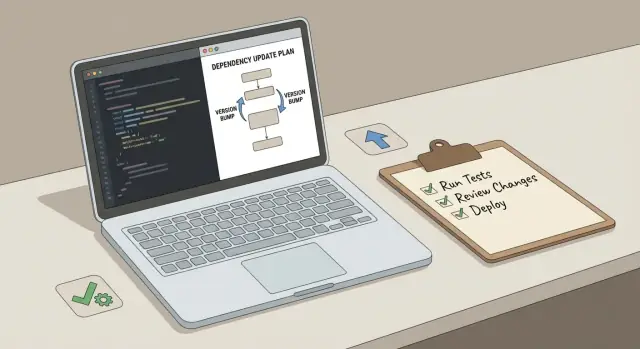
Why dependency upgrades keep dragging on
Dependency upgrades drag on because teams rarely agree on scope. A "quick version bump" turns into cleanup, refactors, formatting tweaks, and unrelated fixes. Once that happens, every review comment feels reasonable, and the work keeps expanding.
Hidden breakages are the next culprit. Release notes almost never tell you how your specific app will fail. The first error you see is often just the first domino. You fix it, uncover another, repeat. That’s how a one-hour upgrade becomes a week of whack-a-mole.
Testing gaps make it worse. If checks are slow, flaky, or missing coverage, nobody can tell whether the bump is safe. People fall back to manual testing, which is inconsistent and hard to repeat.
You’ll recognize the pattern:
- A small bump triggers edits across dozens of files
- You start changing app logic "while you’re here"
- The PR grows until nobody wants to review it
- You can’t explain how you’ll roll back
"Done" should be boring and measurable: versions updated, build and tests passing, and a clear path back if production acts up. That rollback might be as simple as reverting the PR, or restoring a snapshot in your deployment system, but decide it before you merge.
Upgrade now when security fixes are involved, when you’re blocked by a feature, or when your current version is near end-of-life. Schedule it later when the upgrade is optional and you’re already in the middle of a risky release.
Example: you bump a frontend library by one major version and TypeScript errors show up everywhere. The goal is not "fix all types." It’s "apply the documented API changes, run checks, and verify key user flows." Claude Code for dependency upgrades can help here by forcing you to define scope, list likely breakpoints, and plan verification before you touch a single file.
Set scope and targets before touching code
Most upgrades go sideways because they start with edits instead of a clear scope. Before you run any install commands, write down what you are upgrading, what "done" means, and what you will not change.
List the packages you want to update and the reason for each one. "Because it’s old" doesn’t help you make risk decisions. A security patch, an end-of-support date, a crash bug, or a required feature should change how cautious you are and how much testing you plan.
Set constraints you can defend when the work gets messy: a timebox, a risk level, and which behavior changes are allowed. "No UI changes" is a useful constraint. "No refactors" is often unrealistic if a major version removes an API.
Decide targets and the upgrade unit
Pick target versions on purpose (patch, minor, major) and write down why. Pin exact versions so everyone upgrades to the same thing. If you use Claude Code for dependency upgrades, this is a good moment to turn release notes plus your constraints into a short, shareable target list.
Also decide the unit of work. Upgrading one package at a time is slower but safer. Upgrading one ecosystem (for example, React plus router and testing tools) can reduce mismatch errors. A big batch is only worth it if rollback is easy.
During the upgrade window, keep unrelated work out of the branch. Mixing feature changes with version bumps hides the real cause of failures and makes rollbacks painful.
Find breaking changes early (without reading everything)
Upgrades run long when you discover the real breakages late: after the bump, when compile fails and tests fail, and you start reading docs under pressure. A faster approach is to collect evidence first, then predict where the code will crack.
Gather release notes and changelogs for every version you’re jumping over. If you’re moving from 2.3 to 4.1, you need notes for 2.4, 3.x, and 4.0. Claude Code for dependency upgrades can summarize each set into a short list, but keep the original text nearby so you can verify anything risky.
Sort changes by how they break you
Not all breaking changes fail the same way. Separate them so you can plan work and testing correctly:
- Compile and type issues (renamed imports, removed methods, stricter types)
- Behavior changes (same code runs, but results differ)
- Runtime and environment changes (new peer deps, removed polyfills, Node version bumps)
- Config and defaults (new required fields, changed formats, different default settings)
- Public API changes (anything your app calls directly)
Flag items that touch public APIs, config files, or defaults. Those often pass review and still bite you later.
Build a small breaking-changes map
Write a short map that ties each breaking change to the likely impacted areas: routing, auth, forms, build config, CI scripts, or specific folders. Keep it brief but specific.
Then write a few upgrade assumptions you must confirm in testing, like "caching still works the same" or "errors still have the same shape." Those assumptions become the start of your verification plan.
Use Claude Code to turn notes into a concrete plan
Release notes are written for people, not your repo. You move faster when you convert them into a short set of tasks you can execute and verify.
Paste the notes you trust (changelog highlights, migration guide snippets, deprecation lists), then ask for an action-only summary: what changed, what you must edit, and what might break.
A useful format is a compact table you can drop into a ticket:
| Change | Impact area | Required edits | Verification idea |
|---|---|---|---|
| Deprecated config key removed | Build config | Rename key, update default | Build succeeds in CI |
| API method signature changed | App code | Update calls, adjust arguments | Run unit tests touching that method |
| Default behavior changed | Runtime behavior | Add explicit setting | Smoke test core flows |
| Peer dependency range updated | Package manager | Bump related packages | Install clean on fresh machine |
Also have it propose repo searches so you’re not guessing: function names mentioned in notes, old config keys, import paths, CLI flags, environment variables, or error strings. Ask for searches as exact tokens plus a few common variations.
Keep the resulting migration doc short:
- Target versions and what’s in scope
- Expected edits grouped by area
- Known risks and "stop signs" (what failures mean)
- Verification steps and owners
Generate targeted codemods (small and safe)
Codemods save time during version bumps, but only when they’re small and specific. The goal isn’t "rewrite the codebase." It’s "fix one repeated pattern everywhere, with low risk."
Start with a tiny spec that uses examples from your own code. If it’s a rename, show the old and new import. If it’s a signature change, show a real call site before and after.
A good codemod brief includes the matching pattern, the desired output, where it may run (folders and file types), what it must not touch (generated files, vendor code), and how you’ll spot mistakes (a quick grep or a test).
Keep each codemod focused on one transformation: one rename, one argument re-order, one new wrapper. Mixing multiple transformations makes diffs noisy and review harder.
Add safety rails before scaling up: restrict paths, keep formatting stable, and if your tooling allows it, fail fast on unknown pattern variants. Run on a small subset first, review diffs by hand, then expand.
Track what you can’t automate. Keep a short "manual edits" list (edge-case call sites, custom wrappers, unclear types) so the remaining work stays visible.
Step-by-step workflow for version bumps
Treat upgrades like a series of small steps, not one leap. You want progress you can see and changes you can undo.
A workflow that stays reviewable:
- Prep a clean baseline: lockfile committed, main branch green, and current versions noted.
- Toolchain first: Node/runtime, TypeScript, linters, formatters, build tooling.
- Shared dependencies: upgrade core shared pieces (React, router, date libs) before the long tail.
- Feature libraries: one library at a time, minimal fixes, no "while we’re here" refactors.
- App code last: update your imports, wrappers, and usage once the libraries settle.
After each layer, run the same three checks: build, key tests, and a quick note of what broke and what you changed. Keep one intent per PR. If a PR title needs the word "and," it’s usually too big.
In a monorepo or shared UI kit, upgrade the shared package first, then update dependents. Otherwise you end up fixing the same break multiple times.
Stop and regroup when fixes become guesswork. If you’re commenting out code "just to see if it passes," pause, re-check the breaking-changes map, write a tiny reproduction, or create a targeted codemod for the exact pattern you keep touching.
Create a verification plan that matches the risk
A dependency bump fails in two ways: loudly (build errors) or quietly (subtle behavior changes). Verification should catch both, and it should match the risk.
Before changing anything, capture a baseline: current versions, lockfile state, a clean install result, and one run of your test suite. If something looks off later, you’ll know whether it came from the upgrade or from an already flaky setup.
A simple, reusable risk-based plan:
- Pre-checks: confirm package versions, ensure the lockfile is committed, do a clean install, capture baseline test results.
- Build checks: compile, run type checks, lint, confirm formatting stays stable.
- Runtime checks: start the app and smoke test the top 3 to 5 user flows that matter most.
- Data checks: review migrations and serialization changes; test backward compatibility with a sample record.
- Non-functional checks: watch for performance regressions and compare bundle size for web apps.
Decide rollback up front. Write down what "revert" means for your setup: revert the bump commit, restore the lockfile, and redeploy the previous build. If you have deployment snapshots or rollbacks, note when you’ll use them.
Example: upgrading a frontend router major version. Include one deep-link test (open a saved URL), one back/forward navigation test, and one form submission flow.
Common mistakes that make upgrades painful
Upgrade projects get stuck when the team loses the ability to explain what changed and why.
The fastest way to create chaos is bumping a pile of packages together. When the build breaks, you don’t know which bump caused it. Ignoring peer dependency warnings is close behind. "It still installs" often turns into hard conflicts later, right when you’re trying to ship.
Other time-wasters:
- Treating "tests pass" as proof even when key flows aren’t covered
- Accepting broad auto-fixes that rewrite large parts of the codebase without a clear need
- Skipping a clean install, then chasing issues caused by stale modules
- Forgetting surrounding work like CI images, cached tooling, and config files
With codemods and auto-fixers, the trap is running them repo-wide. That can touch hundreds of files and hide the handful of edits that matter. Prefer targeted codemods tied to the APIs you’re moving away from.
Quick checklist before you merge
Before you hit merge, force the upgrade to be explainable and testable. If you can’t say why each bump exists, you’re bundling unrelated changes and making review harder.
Write a one-line reason next to every version change: security fix, required by another library, bug fix you need, or a feature you will use. If a bump has no clear benefit, drop it or postpone it.
Merge checklist:
- For every bumped package, you can describe the intent in one sentence and point to where it affects the app.
- You have a breaking-changes map: what changed, where it might break, and the top 2-3 risk areas.
- Any codemods are small, readable, and rerunnable (re-running produces the same diff).
- You have a short smoke test list for critical paths, written like a user would do it.
- You can roll back safely and compare before vs after using the same test data.
Run one realistic "panic test" in your head: the upgrade breaks production. Who reverts, how long it takes, and what signal proves the revert worked. If that story is fuzzy, tighten rollback steps now.
Example: upgrading a frontend library without chaos
A small product team upgrades a UI component library from v4 to v5. The catch: it also nudges related tooling (icons, theming helpers, and a couple of build-time plugins). Last time, that kind of change turned into a week of random fixes.
This time they start with one page of notes built from Claude Code for dependency upgrades: what will change, where it will change, and how they’ll prove it works.
They scan release notes and focus on the few breaking changes that hit most screens: a renamed Button prop, a new default spacing scale, and a changed import path for icons. Instead of reading every item, they search the repo for the old prop and import path. That gives them a concrete count of affected files and shows which areas (checkout and settings) are most exposed.
Next, they generate a codemod that only handles the safe, repetitive edits. For example: rename primary to variant="primary", update icon imports, and add a required wrapper component where it’s clearly missing. Everything else stays untouched, so the diff stays reviewable.
They reserve manual time for edge cases: custom wrappers, one-off styling workarounds, and places where the renamed prop passes through multiple layers.
They finish with a verification plan that matches risk:
- Smoke test login and sign-up (including validation errors)
- Complete checkout end-to-end
- Update profile and settings (toggles, modals, forms)
- Check empty states and error states
- Compare key pages on mobile widths
Outcome: the timeline becomes predictable because scope, edits, and checks are written down before anyone starts fixing things at random.
Next steps to keep future upgrades short
Treat each upgrade like a repeatable mini-project. Capture what worked so the next bump is mostly reuse.
Convert your plan into small tasks someone else could pick up without re-reading a long thread: one dependency bump, one codemod, one verification slice.
A simple task template:
- Scope: exact packages, target versions, and what’s out of scope
- Automation: codemods to run and where they may run
- Manual edits: known hot spots (config files, build scripts, edge APIs)
- Verification: checks to run, flows to test, rollback steps
- Notes: breaking changes that surprised you and how you fixed them
Timebox the work and set a stop rule before you start, like "if we hit more than two unknown breaking changes, we pause and re-scope." That keeps a routine bump from turning into a rewrite.
If you want a guided workflow, draft the dependency upgrade plan in Koder.ai Planning Mode, then iterate on codemods and verification steps in the same chat. Keeping scope, changes, and checks in one place reduces context switching and makes future upgrades easier to repeat.
FAQ
Why do dependency upgrades that should take an hour turn into a week?
Dependency upgrades drag out when the scope quietly expands. Keep it tight:
- Write a one-sentence goal (for example, “upgrade X to vY and keep behavior the same”).
- Define what’s out of scope (no refactors, no UI changes, no formatting sweeps).
- Split work into small PRs so each one stays reviewable and reversible.
When should I upgrade now vs schedule it later?
Default to upgrading now when:
- It includes a security fix.
- You’re blocked by a feature/bug fix in the newer version.
- Your current version is near end-of-life.
Defer when the bump is optional and you’re already shipping a risky release. Put it on the calendar instead of letting it sit in “someday.”
What does “done” look like for a dependency upgrade PR?
Set “done” as something boring and measurable:
- Target versions are installed (pin exact versions).
- Build, type check, and tests pass.
- A short smoke test list is completed.
- Rollback is clear (usually revert the PR and redeploy the previous build).
How do I find breaking changes without reading every release note?
Don’t read everything. Collect only what you need:
- Release notes/changelogs for every major/minor you’re skipping.
- Migration guide snippets and deprecation notes.
Then convert them into a short “breaking-changes map”: what changed, where in your repo it likely hits, and how you’ll verify it.
What kinds of breaking changes should I watch for during upgrades?
Sort changes by how they fail so you can plan fixes and checks:
- Compile/type errors (renames, removed methods).
- Behavior changes (same code runs, different results).
- Runtime/environment changes (peer deps, Node version, polyfills).
- Config/default changes (new required fields, new defaults).
This helps you avoid treating everything like a simple “fix the compiler” task.
How do I use codemods without creating a huge, messy diff?
Default to small, targeted codemods. A good codemod:
- Fixes one repeated pattern (one rename or one signature change).
- Uses examples from your codebase (real before/after snippets).
- Is restricted to specific folders/file types.
- Has a quick safety check (grep for leftovers, run a focused test).
Avoid repo-wide “auto-fix everything” runs—they create noisy diffs that hide the real changes.
What’s a safe step-by-step workflow for version bumps?
A practical sequence is:
- Prep baseline (lockfile committed, main is green).
- Upgrade toolchain first (runtime, TypeScript, build tools).
- Upgrade core/shared libraries next.
- Upgrade feature libraries one at a time.
- Update app code last (imports, wrappers, call sites).
After each step, run the same checks (build + key tests) so failures stay attributable.
How do I verify an upgrade when our tests are slow or incomplete?
Passing tests isn’t enough when coverage is missing. Add a simple, repeatable plan:
- Pre-checks: clean install, capture baseline test results.
- Build checks: compile/type check/lint.
- Runtime checks: smoke test the top 3–5 user flows.
- Data checks: any serialization/migration impacts.
Write the smoke steps down so anyone can repeat them during review or after a hotfix.
What’s the simplest rollback plan for a dependency upgrade?
Decide rollback before merging. A minimal rollback plan is:
- Revert the upgrade PR.
- Restore the previous lockfile/build artifacts if needed.
- Redeploy the last known good release.
If your deployment platform supports snapshots/rollbacks, note exactly when you would use them and what signal confirms the rollback worked.
How can Claude Code (or an assistant) help plan upgrades without guessing?
Use it to force clarity before you touch code:
- Paste the release notes you trust.
- Ask for an action-only plan: required edits, likely breakpoints, and repo search tokens.
- Turn that into a short checklist: scope, target versions, verification steps, and stop rules.
If you’re using Koder.ai, you can draft this in Planning Mode so the scope, tasks, and verification steps stay in one place as you implement.