

Claude Code feature specs from code: a simple workflow
Learn how to create Claude Code feature specs from code by extracting real app behavior from routes and components, then producing a living spec and gaps list.
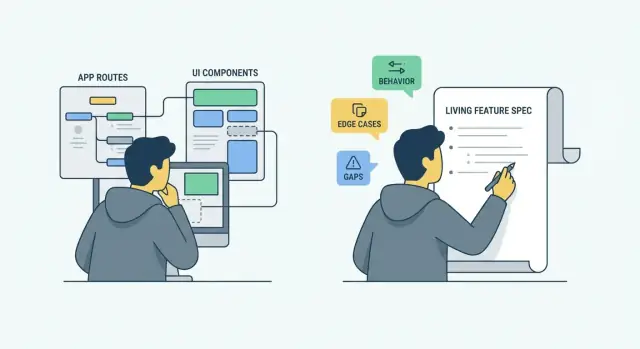
Why you need specs that match the code
People disagree about what an app does because they remember different versions of it. Support remembers the last angry ticket. Sales remembers the demo path. Engineers remember what the feature was meant to do. Ask three people and you get three confident answers, and none of them match the current build.
Over time, the code becomes the only source that stays current. Docs drift, tickets get closed, and quick fixes pile up. A route gets a new validation rule. A UI toggle changes a default. A handler starts returning different errors. Nobody updates the spec because it feels optional, and each change feels too small to document.
That creates predictable problems. Teams ship changes that break edge cases they didn't know existed. QA tests the happy path and misses rules buried in handlers. New teammates copy behavior from the UI without understanding real constraints. Stakeholders debate opinions instead of pointing to agreed behavior.
A good outcome isn't a perfect document. It's shared clarity. Everyone should be able to answer: "What happens if I do X?" and "What does the system guarantee?" without guessing. You get fewer surprises, smaller review cycles, and fewer "Wait, it already does that" moments because the team is looking at the same truth.
When a spec matches the code, it becomes safe to plan changes. You can spot what's stable, what's accidental, and what's missing before you ship.
What a living spec and gaps list are
A living spec is a short, editable description of what the app actually does today. It's not a one-time document. It changes whenever behavior changes, so the team can trust it.
When people talk about feature specs written from code (for example, using Claude Code), the goal is simple: read real behavior from routes, handlers, and screens, then write it down in plain language.
A useful living spec focuses on what users can see and what the system promises. It should cover:
- User-visible behavior (what happens when someone clicks, submits, signs in)
- Rules and constraints (required fields, limits, calculations)
- Edge cases (empty states, errors, retries, timeouts)
- Permissions (who can view, create, edit, delete)
- Important outputs (emails sent, records created, status changes)
What it should not cover is how the code is organized. If you start naming files and refactor plans, you're drifting into implementation detail. Avoid:
- Function and class names, component trees
- Architecture debates and rewrite plans
A gaps list is separate. It's a small list of mismatches and unknowns you find while writing the spec.
- A bug is: the code violates the current behavior or an agreed rule.
- A feature request is: you want new behavior.
- A gap is: you can't tell what the correct behavior should be, or behavior is inconsistent across screens/roles.
Example: one route rejects files over 10MB, but the UI says 25MB. That's a gap until the team decides which rule is real and updates either the code or the spec.
Choose a scope and a simple spec format
Start small. If you try to document the whole app, you'll end up with a pile of notes nobody trusts. Pick one slice users can describe in a sentence, like "invite a teammate," "checkout," or "reset password." Good scopes are a single feature area, one module, or one user journey from entry point to outcome.
Choose your entry point based on where truth lives:
- If you need the real rules, start from routes and handlers.
- If you need the real experience, start from the UI entry points.
- If the feature is tangled, start with the highest-level page/controller and work outward.
Before you read code, collect a few inputs so mismatches stand out quickly: any existing API docs, old product notes, support tickets, and the "known pain points" people complain about. These don't override the code, but they help you notice missing states like errors, edge cases, and permissions.
Keep the spec format boring and consistent. Teams align faster when every spec reads the same way.
Spec template (repeat for each user-facing flow)
- Purpose: what the user is trying to accomplish
- Entry points: where the flow starts (URL, menu, button)
- Preconditions: auth, roles, required data
- Main flow: 5-10 steps in plain language
- Data and side effects: created/updated records, emails, logs
- Errors and edge cases: what happens when things go wrong
- Open questions: unclear behavior you need to confirm
Use this structure repeatedly and your feature specs will stay readable, comparable, and easy to update.
Extract behavior from routes and handlers
Start with server entry points. Routes and handlers show "what the app does" in concrete terms: who can call it, what they must send, what they get back, and what changes in the system.
List the routes in scope and map each one to a user intent. Don't write "POST /api/orders." Write "Place an order" or "Save a draft." If you can't name the intent in plain words, that's already a spec gap.
As you read each handler, capture inputs and validation rules as user-facing requirements. Include required fields, allowed formats, and the rules that cause real errors. For example: "Email must be valid," "Quantity must be at least 1," "Start date can't be in the past."
Write auth and role checks the same way. Instead of "middleware: requireAdmin," document: "Only admins can cancel any order. Regular users can only cancel their own order within 10 minutes." If the code checks ownership, feature flags, or tenant boundaries, include those too.
Then note outputs and outcomes. What does success return (a created ID, an updated object)? What do common failures look like (401 not signed in, 403 not allowed, 404 not found, 409 conflict, 422 validation error)?
Finally, record side effects because they're part of behavior: records created or updated, emails or notifications sent, events published, background jobs queued, and anything that triggers other flows. These details prevent surprises when teams rely on the spec later.
Extract behavior from components and UI flows
Routes tell you what the app can do. Components tell you what users actually experience. Treat the UI as part of the contract: what shows up, what gets blocked, and what happens when things go wrong.
Start by finding the entry screens for the feature. Look for the page component, layout wrapper, and a few "decision" components that control fetching, permissions, and navigation. That's usually where real behavior lives.
As you read components, capture rules users can feel: when actions are disabled, required steps, conditional fields, loading states, and how errors appear (inline field errors vs toast, auto-retry, "try again" buttons). Also note state and caching behavior such as stale data showing first, optimistic updates, or "last saved" timestamps.
Watch for hidden flows that silently change what users see. Search for feature flags, experiment buckets, and admin-only gates. Note silent redirects too, like sending logged-out users to sign-in or sending users without access to an upgrade screen.
A concrete example: on a "Change Email" screen, document that Save stays disabled until the email is valid, a spinner shows during the request, success triggers a confirmation banner, and backend validation errors render under the input. If the code shows a flag like newEmailFlow, note both variants and what differs.
Write each UI flow as short steps (what the user does, what the UI does back) and keep conditions and errors next to the step they affect. That keeps the spec readable and makes gaps easier to spot.
Turn findings into readable feature specs
Raw notes from routes and components are useful, but hard to discuss. Rewrite what you observed into a spec a PM, designer, QA, and engineer can all read and agree on.
A practical pattern is one user story per route or screen. Keep it small and specific. For example: "As a signed-in user, I can reset my password so I can regain access." If the code shows different behavior by role (admin vs user), split it into separate stories instead of hiding it in footnotes.
Then write acceptance criteria that mirror real code paths, not the ideal product. If the handler returns 401 when the token is missing, that's a criterion. If the UI disables submit until a field is valid, that's a criterion.
Include data rules in plain language, especially the ones that cause surprises: limits, ordering, uniqueness, required fields. "Usernames must be unique (checked on save)" is clearer than "unique index."
Edge cases are often the difference between a nice doc and a useful one. Call out empty states, null values, retries, timeouts, and what users see when an API call fails.
When you hit unknowns, mark them instead of guessing:
- Unknown: what message should appear when the email isn't found?
- Unknown: should we allow 0 items, or force at least 1?
- Unknown: is this error meant to be user-facing or only logged?
Those markers turn into quick team questions instead of silent assumptions.
Create a gaps list without turning it into a backlog
A gaps list is not a second Jira. It's a short, evidence-based record of where code and intended behavior don't match, or where nobody can clearly explain what "correct" is. Done well, it becomes a tool for agreement, not a planning fight.
Be strict about what counts as a gap:
- Unclear behavior: the app does something but the rule isn't written anywhere.
- Inconsistency: two places behave differently for the same case.
- Missing rule: an edge case exists but no decision is visible in code or docs.
When you log a gap, include three parts so it stays grounded:
- Type: bug (code seems wrong) or missing decision (intent unclear)
- Impact: user confusion, security risk, data loss, or minor
- Evidence: where you saw it and what you observed (route/handler/component)
Evidence is what keeps the list from becoming opinions. For example: "POST /checkout/apply-coupon accepts expired coupons, but CouponBanner.tsx blocks them in the UI. Impact: revenue and user confusion. Type: bug or missing decision (confirm intended rule)."
Keep it short. Set a hard cap, like 10 items for the first pass. If you find 40 issues, group them into patterns (validation inconsistencies, permission checks, empty states) and keep only the top examples.
Avoid dates and scheduling inside the gaps list. If you need ownership, keep it lightweight: note who should make the decision (product) or who can verify the behavior (engineering), then move the real planning to your backlog.
Example: documenting a real feature from code
Pick a small, high-traffic scope: checkout with promo codes and shipping options. The goal isn't to rewrite the whole product, just to capture what the app does today.
Start with backend routes. This is often where rules show up first. You might find routes like POST /checkout/apply-promo, GET /checkout/shipping-options, and POST /checkout/confirm.
From those handlers, write behavior in plain words:
- Promo codes are validated server-side (expired, usage limit, customer eligibility).
- Totals are recalculated after promo apply, but only after inventory is re-checked.
- Shipping options depend on destination, weight, and whether any item is marked "restricted."
- Confirm fails if line item stock changed since the cart was loaded.
- Tax is computed after shipping is chosen (not when promo is applied).
Then check UI components. A PromoCodeInput might show totals only refresh after a successful response and errors render inline under the input. A ShippingOptions component might auto-select the cheapest option on first load and trigger a full price breakdown refresh when the user changes it.
Now you have a readable spec and a small gaps list. For example: error messages differ between the promo route and the UI ("Invalid code" vs "Not eligible"), and nobody can point to a clear tax rounding rule (per line vs order total).
In planning, the team agrees on reality first, then decides what to change. Instead of debating opinions, you review documented behaviors, pick one inconsistency to fix, and leave the rest as "known current behavior" until it's worth revisiting.
Validate the spec with the team and keep it current
A spec only helps if the team agrees it matches reality. Do a short read-through with one engineer and one product person. Keep it tight: 20-30 minutes focused on what users can do and what the system does in response.
During the read-through, turn statements into yes/no questions. "When a user hits this route, do we always return 403 without a session?" "Is this empty state intentional?" This separates intended behavior from accidental behavior that slipped in over time.
Agree on vocabulary before you edit anything. Use the words users see in the UI (button labels, page titles, error messages). Add internal names only when they help engineers find the code (route names, component names). This prevents mismatches like product saying "Workspace" while the spec says "Org."
To keep it current, make ownership and cadence explicit:
- Spec owner: one person who merges spec changes (often the feature owner or tech lead)
- Update trigger: on PR merge for behavior changes, or on every release
- Quick check: add a "spec updated?" checkbox to your PR template
- Storage: keep it close to the code so it changes with the code
If you're using a tool like Koder.ai, snapshots and rollback can help you compare "before" and "after" behavior when you update a spec, especially after a big refactor.
Common mistakes and traps
The fastest way to lose trust in a spec is to describe the product you want, not the product you have. Keep a hard rule: every statement should be backed by something you can point to in code or a real screen.
Another common trap is copying the code's shape into the document. A spec that reads like "Controller -> Service -> Repository" isn't a spec, it's a folder map. Write in user-facing terms: what triggers the action, what the user sees, what gets saved, and what errors look like.
Permissions and roles are often ignored until the end, then everything breaks. Add access rules early, even if they're messy. Call out which roles can view, create, edit, delete, export, or approve, and where the rule is enforced (UI only, API only, or both).
Don't skip non-happy paths. Real behavior hides in retries, partial failures, and time-based rules like expirations, cooldowns, scheduled jobs, or "only once per day" limits. Treat these as first-class behaviors.
A quick way to surface gaps is to check for:
- Validation failures and the exact error messages users see
- Duplicate submission handling (idempotency)
- Background work (queues, cron jobs) and what happens if it fails
- Concurrency issues (two users changing the same record)
- Time-based behavior (timeouts, expirations, rate limits)
Finally, keep your gaps list moving. Each gap should be labeled as one of: "unknown, needs decision," "bug, fix," or "missing feature, plan." If nothing gets labeled, the list stalls and the spec stops being "living."
Quick checklist before you share a spec
Do a fast pass for clarity, coverage, and actionability. Someone who didn't write it should understand what the feature does today, and what's still unclear.
Clarity and shared understanding
Read the spec like a new teammate on day one. If they can summarize the feature in a minute, you're close. If they keep asking "where does this start?" or "what's the happy path?" tighten the opening.
Check:
- One-page test: the opening states the user goal, where the flow starts, and where it ends.
- Roles and access: key roles and what each can and can't do.
- Outcomes: what success looks like and what users see when it fails (messages, redirects, retries).
- Edges and limits: size limits, rate limits, timeouts, validation rules, and what happens when data is missing.
- Language: use user-facing terms first; define unavoidable jargon once.
Gaps that help, not noise
Each gap should be specific and testable. Instead of "Error handling unclear," write: "If payment provider returns 402, UI shows a generic toast; confirm desired message and retry behavior." Add a single next action (ask product, add a test, inspect logs) and note who should answer it.
Next steps to start this week
Pick one feature area and timebox it to 60 minutes. Choose something small but real (login, checkout, search, an admin screen). Write one sentence of scope: what's included and what's out.
Run the workflow once end-to-end: skim key routes/handlers, trace the main UI flow, and write down observable behaviors (inputs, outputs, validation, error states). If you get stuck, log the question as a gap and move on.
When you're done, share the spec where the team can comment, and set one rule: any shipped behavior change must update the spec in the same delivery window, even if it's five lines.
Keep gaps separate from the backlog. Group them into "unknown behavior," "inconsistent behavior," and "missing tests," then review them briefly each week to decide what matters now.
If drafting and iteration feel slow, a chat-based builder like Koder.ai can help you get a first version down quickly. Describe the feature, paste key snippets or route names, refine the wording in conversation, and export source when you need it. The point is speed and shared clarity, not a bigger process.
FAQ
Where do I start if I want to write a feature spec from existing code?
Start with one small, user-visible slice (for example, “reset password” or “invite a teammate”). Read the routes/handlers to capture rules and outcomes, then read the UI flow to capture what users actually see (disabled states, errors, redirects). Write it up using a consistent template and log unknowns as a separate gaps list.
Should the spec describe what the product should do, or what the code does today?
Default: treat current code behavior as the source of truth and document it.
If the behavior looks accidental or inconsistent, don’t “fix it” in the spec—mark it as a gap with evidence (where you saw it and what it does), then get a decision to update either the code or the spec.
What’s a simple spec format that stays readable as the app grows?
Keep it boring and repeatable. A practical template is:
- Purpose
- Entry points
- Preconditions (auth/role/data)
- Main flow (5–10 steps)
- Data and side effects
- Errors and edge cases
- Open questions
This keeps specs readable and makes mismatches easier to spot.
How do I turn handler validation and auth checks into plain-language requirements?
Write rules as user-facing requirements, not as code notes.
Examples:
- “Email must be valid”
- “Quantity must be at least 1”
- “Only admins can cancel any order; regular users can cancel their own within 10 minutes”
Capture what triggers an error and what the user experiences when it happens.
What outputs and side effects should a spec include?
Focus on what’s observable:
- Success result (what changes, what the user sees)
- Common failure types (not signed in, not allowed, not found, validation error)
- Side effects (records updated, emails/notifications sent, background jobs queued)
Side effects matter because they affect other features and support/ops expectations.
What if the UI and backend disagree (like different file size limits)?
If the UI blocks something the API allows (or vice versa), log it as a gap until a decision is made.
Record:
- What the UI says/does
- What the backend enforces
- The impact (confusion, security, data issues)
Then agree on one rule and update both code and spec to match.
How do I write a gaps list without turning it into a planning fight?
Keep the gaps list small and evidence-based. Each item should have:
- Type: bug vs missing decision
- Impact: minor vs serious (confusion, security, data loss)
- Evidence: where you observed it (route/handler/component) and the exact behavior
Avoid scheduling or turning it into a second backlog.
Which edge cases are most important to capture in a living spec?
Document them explicitly instead of hiding them.
Include:
- Empty states (no results, no permissions)
- Retries/timeouts and what users can do next
- Duplicate submissions (double-click, refresh)
- Concurrency (two people editing the same record)
- Time-based rules (expirations, cooldowns)
These are usually where surprises and bugs come from.
How do I validate the spec with the team so people trust it?
Keep it short: a 20–30 minute read-through with one engineer and one product person.
Turn statements into yes/no checks (for example, “Do we always return 403 when not allowed?”). Align on vocabulary using the UI’s words (labels and messages) so everyone means the same thing.
How do I keep the spec “living” instead of letting it drift again?
Put the spec close to the code and make updates part of shipping.
Practical defaults:
- One clear owner who merges spec changes
- Update trigger: any behavior change merged or each release
- Add a PR checklist item: “Spec updated?”
- Keep gaps separate and review them briefly on a cadence
The goal is small, frequent edits—not a big rewrite.