

Minimizing sensitive context in Claude Code for safer coding help
Learn minimizing sensitive context in Claude Code with practical prompt templates, file-sharing workflows, and redaction steps that still get useful coding help.
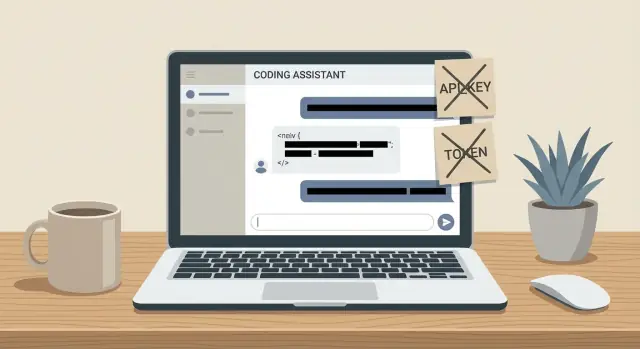
Why minimizing context matters when asking for coding help
“Context” is everything you give a model to work with: code snippets, stack traces, config files, environment variables, database samples, screenshots, and even earlier messages in the same chat. More context can speed up debugging, but it also increases the odds that you paste something you didn’t intend to share.
Oversharing usually happens under pressure. A bug blocks a release, auth breaks right before a demo, or a flaky test only fails in CI. In that moment it’s easy to paste the whole file, then the whole log, then the entire config “just in case.” Team habits can push the same way: in code review and debugging, full visibility is normal, even when only a small slice is needed.
The risks aren’t hypothetical. One paste can leak secrets, customer data, or internal system details. Common examples include:
- API keys, tokens, private keys, session cookies
- Internal URLs, IPs, hostnames, and service names
- Customer data in logs (emails, names, IDs, payments)
- Business logic you don’t publish (pricing rules, fraud checks)
- Security details (admin endpoints, feature flags, access patterns)
The goal isn’t to be secretive. It’s to share the smallest slice that still reproduces the issue or explains the decision, so you get the same quality of help with less exposure.
A simple mental model: treat the assistant like a helpful external teammate who doesn’t need your entire repo. Start with one precise question (“Why does this request return 401?”). Then share only what supports that question: the failing input, expected output, actual output, and the narrow code path involved.
If a login call fails, you usually don’t need the whole auth module. A sanitized request/response pair, the function that builds headers, and the relevant config keys (with values replaced) is often enough.
What counts as sensitive context (and what people forget)
When you ask for coding help, “context” isn’t just source code. It’s anything that could help someone log in, identify a person, or map your systems. Start by knowing what’s toxic to paste.
The obvious: secrets and credentials
Credentials turn a helpful snippet into an incident. This includes API keys and tokens, private keys, session cookies, signed URLs, OAuth client secrets, database passwords, and “temporary” tokens printed in logs.
A common surprise is indirect leaks. An error message might include full request headers with an Authorization bearer token, or a debug dump of environment variables.
Personal and regulated data
Any data tied to a person can be sensitive, even if it looks harmless on its own. Watch for emails, names, phone numbers, addresses, customer IDs, employee IDs, support tickets with conversations, and payment details.
If you need data to reproduce a bug, swap real records for realistic fake ones. Keep the shape (fields and types), not the identity.
Internal details that map your org
“Boring” internal facts are valuable to attackers and competitors: hostnames, IPs, repo names, ticket IDs, vendor names, contract terms, and internal service URLs.
Even a single stack trace can reveal folder paths with usernames or client names, service naming conventions, and cloud account hints (bucket names, region strings).
Proprietary logic and “secret sauce”
Not all code is equally sensitive. The riskiest pieces are the ones that encode how your business works: pricing and discount rules, fraud checks, recommendation logic, prompt templates for LLM features, and strategic docs.
If you need help with a bug, share the smallest function that reproduces it, not the whole module.
Metadata leaks people forget
Sensitive details often ride along in places you don’t notice: comments with names, commit messages, TODOs referencing customers, and stack traces pasted “as is.” Config files are especially risky because they mix harmless settings with secrets.
A practical rule: if the text would help someone understand your system faster than a clean-room example would, treat it as sensitive and redact or replace it.
Pick the minimum you need to share (before you paste anything)
The best time to reduce exposure is before you open your editor. A 30-second pause to define the outcome often cuts what you share by most of it.
Start by naming the result you want in one sentence. Are you trying to find the cause of a bug, get a safe refactor plan, or design tests? Each goal needs different inputs. Bug hunts usually need one stack trace and a small function. Refactor questions often need only public interfaces and a short example of current usage.
Then choose one “minimal artifact” that proves the problem. Pick the smallest thing that still fails: a single failing test, the smallest snippet that triggers the error, a short log excerpt around the failure, or a simplified config sample with placeholders.
When you describe data, prefer shapes over values. “User object has id (UUID), email (string), role (enum), createdAt (timestamp)” is almost always enough. If you need examples, use fake ones that match the format, not real records.
Be strict about files. Share only the module you’re changing plus the interfaces it touches. If a function calls into another module, you often only need the signature and a short description of what it returns. If a bug involves a request to another service, you may only need the request shape, a list of header names (not values), and the expected response shape.
Set hard boundaries that never leave your machine: API keys, private certificates, access tokens, customer data, internal URLs, full repository dumps, and raw production logs. If you’re debugging a 401, share the auth flow and the error message, but replace the token with TOKEN_REDACTED and the email with [email protected].
Redaction patterns that keep code and logs useful
Good redaction isn’t just hiding secrets. It keeps the structure of the problem intact so the assistant can still reason about it. Remove too much and you get generic advice. Remove too little and you risk leaking data.
Pattern 1: Use consistent placeholders
Pick a placeholder style and stick to it across code, config, and logs. Consistency makes it easier to follow the flow.
If the same token appears in three places, don’t replace it three different ways. Use placeholders like API_KEY_1, TOKEN_1, USER_ID_1, CUSTOMER_ID_1, EMAIL_1, and increment as needed (TOKEN_2, TOKEN_3).
A short legend helps without revealing real values:
TOKEN_1: bearer token used in Authorization headerCUSTOMER_ID_1: internal customer identifier used in database lookupAPI_KEY_1: key used to call the payment provider
Pattern 2: Preserve format when format matters
Some bugs depend on length and structure (parsing, validation, signature checks, regex). In those cases, replace unique strings with dummy values that look the same.
For example:
- JWT-like tokens: keep three dot-separated parts, similar lengths
- UUID-like strings: keep the 8-4-4-4-12 pattern
- Base64-like blobs: keep similar character set and rough length
This lets you say “the token fails validation” without exposing the real token.
Pattern 3: Redact values but keep structure
When sharing JSON, keep keys and replace values. Keys show what the system expects; values are often the sensitive part.
Instead of:
{"email":"[email protected]","password":"SuperSecret!","mfa_code":"123456","customer_id":"c8b1..."}
Share:
{"email":"EMAIL_1","password":"PASSWORD_1","mfa_code":"MFA_CODE_1","customer_id":"CUSTOMER_ID_1"}
Same idea for SQL: keep table names, joins, and conditions, but remove literals.
- Keep:
WHERE user_id = USER_ID_1 AND created_at > DATE_1 - Remove: real IDs, timestamps, emails, addresses
Pattern 4: Summarize sensitive blocks instead of pasting them
If a function contains business rules or proprietary logic, describe it. Keep what affects the bug: inputs, outputs, side effects, and error handling.
Example summary that still helps:
“signRequest(payload) takes a JSON payload, adds timestamp and nonce, then creates an HMAC SHA-256 signature from method + path + body. It returns {headers, body}. The error happens when payload includes non-ASCII characters.”
That’s usually enough to diagnose encoding, canonicalization, and signature mismatches without exposing the full implementation.
Pattern 5: Add a short redaction note
At the end of your prompt, state what you removed and what you kept. It prevents back-and-forth and reduces the chance you’ll be asked to paste more.
Example:
“Redacted: tokens, emails, customer data, full request bodies. Kept: endpoint paths, status codes, header names, stack trace frames, and the exact error text.”
Prompt patterns that avoid oversharing but still get answers
Treat the assistant like a coworker who only needs the part you’re actively working on. Share interfaces and contracts instead of whole files: function signatures, types, request/response shapes, and the exact error text.
A minimal repro in plain language is often enough: the input you used, what you expected, what happened instead, and a few environment notes (runtime version, OS, framework version). You don’t need your full project history.
Templates that tend to work well:
- “Given this function signature and caller, what are the most likely causes of this error, and what should I check first?” (include only the relevant function and where it’s called)
- “I send this request (sanitized) and receive this response (sanitized). Why might the server return this status code?” (include header names, remove auth values)
- “Here are the repro steps, expected vs actual output, and the environment. Suggest 3 focused experiments to isolate the bug.”
- “This log excerpt shows the failure plus 10 lines before and after. What is the simplest explanation, and what one extra log line should I add?”
- “Here is my sanitized config showing which keys exist. Which ones are likely mis-set for this issue?” (keys, not values)
A sanitized config block is a useful middle ground. It shows what knobs exist without exposing secrets:
# sanitized
DB_HOST: "<set>"
DB_PORT: "5432"
DB_USER: "<set>"
DB_PASSWORD: "<redacted>"
JWT_SECRET: "<redacted>"
OAUTH_CLIENT_ID: "<set>"
OAUTH_CLIENT_SECRET: "<redacted>"
Example safe prompt:
“Login fails with 401. Expected 200. Actual response body: ‘invalid token’. Environment: Node 20, local dev, time sync enabled. Request contract: Authorization: Bearer <redacted>. Verify steps: token is issued by /auth/login and used on /me. What are the top causes (clock skew, audience mismatch, signing secret mismatch), and what single check confirms each?”
A safe file-sharing workflow for coding assistance
A reliable habit is to treat sharing like packaging a tiny reproduction. Share enough to diagnose the issue, and nothing more.
One practical approach is a temporary “share folder” that’s separate from your real repo. Copy files into it manually rather than sharing your whole project. That forces intentional choices.
Keep the workflow simple:
- Copy only what reproduces the issue (often 1-3 files, plus a config template).
- Add a short README-style note: expected behavior, actual behavior, how to run, what’s intentionally missing.
- Stub secrets and endpoints: replace real tokens, keys, and hostnames with placeholders and example domains or localhost ports.
- If data is required, include a small synthetic fixture (for example, 10-20 rows with fake emails and fake IDs), not a database dump.
- Remove anything “just in case”: old logs, unrelated modules, duplicate versions.
After you build the folder, read it like an outsider. If a file doesn’t help debug the specific problem, it doesn’t belong.
When you redact, avoid breaking the code or logs. Replace values with obvious placeholders that keep type and structure. For example, swap:
DATABASE_URL=postgres://user:[email protected]:5432/app
with:
DATABASE_URL=postgres://user:REDACTED@localhost:5432/app
If the bug depends on a third-party response, write down the response shape in your README and include a synthetic JSON file that matches it. You can get meaningful debugging without sharing real traffic.
Step-by-step: a privacy-first workflow for asking for help
Use a repeatable loop so you don’t improvise under pressure.
-
Write two sentences first.
- Problem statement: what’s broken, in plain words.
- Constraint: what you won’t share (for example, “No API keys, no customer data, no internal hostnames”).
-
Collect the minimum inputs. Bring only what helps reproduce or reason about the issue: a small snippet around the failing line, the exact error text, relevant versions, and 3 to 5 repro steps.
-
Redact without flattening the structure. Replace secrets with placeholders and keep the shape intact. Remove identifiers that don’t affect behavior (project names, tenant IDs, emails). Keep placeholders consistent.
API_KEY=sk_live_... becomes API_KEY=<API_KEY> customer-1234-prod-db becomes <DB_HOST_PROD> -
Ask targeted questions. Pair “What’s the most likely cause?” with “What should I change?” If you want a patch, ask for a change limited to the snippet you provided, and require assumptions to be labeled.
-
Verify locally, then add one new detail. Test the suggestion. If it fails, add only one new piece of information (the next stack trace line, one config flag, a narrowed repro). Don’t jump straight to pasting a whole file.
This incremental disclosure usually gets you a real answer while keeping secrets and unrelated code out of the prompt.
Example: debug an auth failure without exposing secrets
A common situation: login works on your laptop and staging, but fails in production. You need help fast, but you can’t paste real tokens, user emails, internal hostnames, or your full auth middleware.
Start with what you can observe: request and response shape, status code, and a short stack trace. If it’s JWT-related, you can also share non-sensitive header details (like the expected algorithm) and timing details (like server time drift). Keep everything else as placeholders.
A safe bundle often includes:
- Request: method, path, generic headers (Authorization: "Bearer <JWT_REDACTED>"), and body field names (no real values)
- Response: status (401/403), generic error code/message, and one correlation id if it isn’t tied to a user
- Logs: 5 to 10 lines around the failure, with tokens/emails/hosts replaced
- Stack trace: only the top frames that show where validation fails
Then ask a focused question. Production-only auth failures often come from clock skew, wrong issuer/audience, different signing keys, missing key rotation, or proxy/header differences.
Prompt pattern:
I have a production-only login/auth failure. Locally it passes.

Observed behavior:
- Endpoint: POST /api/login
- Production response: 401 with message "invalid token" (generic)
- Staging/local: 200

Sanitized request/response:
- Authorization: Bearer <JWT_REDACTED>
- Expected claims: iss=<ISSUER_PLACEHOLDER>, aud=<AUDIENCE_PLACEHOLDER>
- Token validation library: <LIB_NAME_AND_VERSION>

Sanitized log snippet:
<PASTE 5-10 LINES WITH TOKENS/EMAILS/HOSTS REDACTED>

Question:
Given this, what are the top causes of JWT validation failing only in production, especially clock skew or claim mismatch? What specific checks and log lines should I add to confirm which one it is?
After you get hypotheses, validate safely with changes you can keep. Add temporary logging that prints only non-sensitive facts (exp, iat, now, and the reason code for failure). Write a small test that feeds a known-safe token fixture (or a locally generated token) and asserts validator behavior for edge cases.
A simple plan:
- Log server time and token exp/iat (never the raw token)
- Confirm issuer/audience/env config values in production (as hashes or redacted strings)
- Add a test for clock skew tolerance (for example, 60 to 120 seconds)
- Reproduce with a synthetic token generated in a safe environment
- Remove the temporary logging once confirmed
Common mistakes and traps to avoid
The fastest way to lose the privacy benefits is to share “one small thing” that quietly contains everything. Pasting a full .env or config file is the classic example. Even if you delete obvious secrets, those files often include internal hostnames, service names, feature flags, and environment clues that map your system.
Full stack traces are another frequent leak. They can include usernames, machine names, repo names, and absolute paths like /Users/alex/company-payments/.... Sometimes they include query strings, HTTP headers, or error objects with tokens. If you need the trace, copy only the relevant frames and replace paths with consistent placeholders.
Real customer payloads are risky even when they’re “small.” A single JSON body can include emails, addresses, order IDs, or free-text notes. The safer move is to generate a fake payload with the same shape and edge cases (missing fields, long strings, odd characters), without real values.
Inconsistent placeholders also cause trouble. If USER_ID means “customer id” in one place and “internal account id” in another, you’ll get the wrong diagnosis. Pick a scheme and stick with it.
If your message would help a stranger log in, locate your servers, or identify a customer, it needs another pass.
Quick checklist and next steps
When you’re trying to be careful, speed is your enemy. A short routine helps you get useful answers while keeping sensitive data out of your prompt.
Do one pass for secrets, then a second pass for identifiers that still expose your system:
- Remove anything that grants access: API keys, OAuth client secrets, private keys, session cookies, refresh tokens, auth headers.
- Strip “hidden” access paths: signed URLs, pre-signed upload links, webhook secrets, password reset links, invite links.
- Replace internal identifiers: internal domains, hostnames, IPs, account IDs, user IDs, org IDs, order IDs, ticket numbers.
- Sanitize logs: request bodies, query strings, stack traces with file paths, usernames, or environment variables.
- Confirm scope is minimal: only the failing path, the caller, and the input/output contract.
After you redact, keep the shape. Leave types, schemas, field names, status codes, and example payload structure intact, but swap real values for placeholders.
To keep things consistent (especially under pressure), write down a small set of redaction rules and reuse them. For teams, turn it into a shared template with two blocks: “what I’m sharing” (files, functions, endpoints) and “what I’m not sharing” (secrets, production data, internal domains).
If you want an extra layer of safety, do your experiments in an isolated environment and keep changes reversible. In Koder.ai (koder.ai), planning mode can help you outline the smallest change needed to test a hypothesis, and snapshots plus rollback make it easier to try a fix without dragging extra sensitive context into your prompts.
FAQ
How do I know what “minimum context” to share for coding help?
Start with the smallest slice that can answer your question: the failing input, expected vs actual output, and the narrow code path involved.
A good default bundle is:
- Exact error text
- 5–10 relevant log lines around the failure
- The smallest function(s) involved (not the whole file)
- Runtime/framework versions
- Sanitized request/response shapes (keys and header names, not secret values)
What should I never paste into a chat when debugging?
Don’t paste:
- Secrets: API keys, tokens, private keys, session cookies, signed URLs
- Personal/regulatory data: real emails, names, addresses, payment details, support messages
- Internal system mapping: internal domains, hostnames, IPs, repo names, ticket IDs, folder paths
- Full
.env/config files or raw production logs - Proprietary business logic (pricing rules, fraud checks, prompt templates)
If it would help a stranger log in, identify a person, or map your systems, redact or summarize it.
What’s the safest way to redact tokens, IDs, and emails without breaking the example?
Use consistent placeholders so the flow stays readable.
Example scheme:
TOKEN_1,TOKEN_2API_KEY_1USER_ID_1,CUSTOMER_ID_1EMAIL_1
Add a short legend when needed:
TOKEN_1: Authorization bearer token used on/meCUSTOMER_ID_1: identifier used in database lookup
When should I keep the original format of a secret (like a JWT) while redacting it?
Preserve the format when the bug depends on parsing or validation.
Common cases:
- JWTs: keep three dot-separated segments with similar lengths
- UUIDs: keep the
8-4-4-4-12pattern - Base64 blobs: keep similar character set and rough length
This keeps the behavior realistic without exposing the real value.
How do I share JSON or SQL that’s useful without leaking real data?
Share keys and structure, replace values.
For JSON:
- Keep: field names, nesting, array lengths, types
- Replace: emails, IDs, tokens, addresses, free-text notes
For SQL:
- Keep: table names, joins, conditions
- Replace: literals (IDs, timestamps, emails)
Example:
WHERE user_id = USER_ID_1 AND created_at > DATE_1
If my code includes proprietary logic, how can I ask for help without sharing it?
Summarize it in terms of inputs, outputs, and the specific rule that affects the bug.
A practical summary includes:
- Function signature
- What it adds/changes (headers, fields, normalization)
- How it signs/validates (high-level)
- The exact failure condition (e.g., “fails on non-ASCII payload”)
This often gets you the same debugging value without revealing your implementation details.
What’s a good prompt template for getting help while sharing less?
A simple safe prompt looks like:
- One-sentence problem
- Expected vs actual behavior
- Repro steps (3–5 steps)
- Sanitized artifacts (request/response, minimal logs, minimal code)
- Clear question (“top causes” + “one check to confirm each”)
Also include a redaction note like:
“Redacted: tokens, emails, customer data, internal hostnames. Kept: endpoint paths, status codes, header names, exact error text.”
Why are `.env` files and full config dumps so risky, even if I remove passwords?
Because they often contain everything at once:
- Secrets mixed with normal settings
- Internal domains, service names, feature flags
- Environment details that reveal architecture
A safer alternative is a config template:
- Keep the keys
- Replace sensitive values with
<set>or<redacted> - Only include keys related to the issue
What should I do if the assistant asks for more context?
Use incremental disclosure:
- Test the suggestion locally.
- If it fails, add one new detail (one extra log line, one more stack frame, one config flag).
- Avoid jumping to pasting whole modules.
This keeps the scope small and prevents accidental leaks under pressure.
How can I debug a production-only 401/JWT auth issue without sharing real tokens or internal URLs?
A practical bundle is:
- Endpoint, method, status code
- Sanitized request/response (header names, redacted auth values)
- Expected claims (issuer/audience placeholders)
- Token library name/version
- 5–10 log lines around the failure (redacted)
- Top stack frames where validation fails
Then ask:
- “What are the top production-only causes (clock skew, issuer/audience mismatch, signing key mismatch), and what single check confirms each?”