

Claude Code in monorepos: limiting context and staying accurate
Claude Code in monorepos can drift when the repo is huge. Learn boundaries, local summaries, and repeatable workflows to keep answers precise.
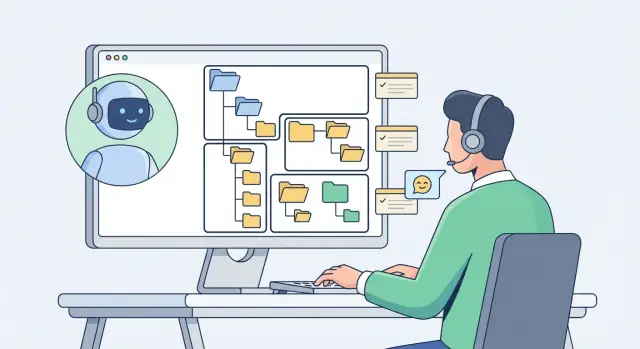
Why large monorepos make Claude less accurate
Claude Code in monorepos can feel unpredictable for a simple reason: the repo is bigger than what the model can hold in working memory at once.
“Context” is the set of files, snippets, notes, and instructions Claude has been shown for this task, plus what it can infer from them. When key details are missing, Claude fills gaps with guesses. In a large repo, that happens more often.
Three failure modes show up again and again:
First, missed files. A change that looks safe in one folder actually depends on a shared type, a config rule, or a build step defined somewhere else. If that dependency isn’t in context, Claude may confidently edit the wrong thing or stop early because it can’t see the real source of truth.
Second, false similarity. Monorepos often contain multiple packages that look alike: two auth modules, three API clients, or several React apps with similar folder structures. Claude can mix patterns between them, update a helper in the wrong package, or import from the “almost right” module name.
Third, time drift. Big codebases usually have old and new ways of doing the same job. If Claude only sees older files, it may copy outdated patterns (deprecated config options, legacy APIs) even though the team has moved on.
A common real-world example: you ask for a small change to a billing UI, and Claude edits a shared payments component used by other apps because it never saw the app-specific wrapper that should’ve been changed.
The goal isn’t to show Claude the whole monorepo. The goal is to provide smaller, deliberate inputs that still answer the question: the package you’re changing, its direct dependencies, and the one or two “sources of truth” for types and config. Also call out “do not touch” areas (other apps, infra, generated code) and confirm which package owns the behavior.
Start by defining the task, not the repo
Accuracy depends less on how much code you paste and more on how clearly you describe the job.
Start with the outcome you want: a specific fix, refactor, or answer. A “question about the code” can stay high level. A “make a change” request needs boundaries, inputs, and success checks.
Before sharing anything, write one sentence that finishes this phrase: “After you’re done, I should be able to…”. For example: “run the unit tests for package X without failures” or “see the new field on the API response for endpoint Y.” That sentence becomes the north star when the repo is huge.
For changes, share the smallest set of artifacts that can prove the change is correct: the entry point(s), the relevant types/interfaces or schema, one failing test or a repro step with the expected result, and any config that affects this path (routing, feature flags, build, or lint rules). If it helps, add a short folder map of the package so Claude understands what each directory is for.
Be explicit about what not to look at. Say: “Ignore generated files, vendor folders, build outputs, snapshots, and lockfiles unless I ask.” That prevents wasted time and edits in places you won’t review.
Also set expectations for uncertainty. Ask Claude to flag assumptions and unknowns instead of guessing. For example: “If you can’t see where this function is called, say so and propose 2 ways to locate it.”
Draw clear boundaries Claude should not cross
In a big monorepo, accuracy drops when the model starts “helpfully” pulling in nearby code that isn’t part of the task. The fix is straightforward: define what’s in-scope and what’s out-of-scope before you ask for changes.
Start with a boundary that matches how your repo is organized: a package, a service, an app, or a shared library. If the change is “update checkout UI,” the boundary is probably one app package, not every place the word “checkout” appears.
Signals that help Claude stay put include folder conventions (apps/, services/, packages/, libs/), package manifests (exports and dependencies), public entry points (index files, exported components, handlers), and tests (they often reveal the intended surface area). A README inside the folder can be the quickest boundary marker.
Boundaries work best when you name the bridges between them. Call out the specific interfaces Claude may touch and treat everything else as off limits. Typical bridges are HTTP API contracts, event topics and payloads, shared types, or a small set of exported functions.
Also name “do not touch” zones whenever the change is not supposed to affect them. Common ones are infrastructure and deployment configs, security and auth logic, billing and payments, data migrations and production schemas, and shared libraries used by many teams.
A concrete prompt detail that helps:
“Make changes only inside packages/cart/ and its tests. You may read shared types in packages/types/ but do not modify them. Do not edit infra, auth, or billing.”
How to write useful local summaries
Accuracy improves when you provide a small, stable map of the area you want changed. A “local summary” is that map: short enough to read fast, specific enough to prevent guessing.
Keep each summary around 10 to 20 lines. Write it like you’re handing the code to a new teammate who only needs to touch this boundary, not the whole repo. Use plain language and real names from the code: folders, packages, exported functions.
A useful local summary answers five questions:
- What this package/service is for, and what it is not for (scope boundaries)
- Where work starts (main entry points like key files, routes, commands, or components)
- What is safe to call from outside (public APIs, exported modules, events, endpoints)
- What it depends on (databases, queues, caches, config, external services)
- What rules matter here (naming patterns, error style, logging, and how tests are written)
Add one “gotchas” line. This is where you prevent expensive mistakes: hidden caching, feature flags, migration steps, and anything that breaks silently.
Here’s a compact template you can copy:
Local summary: <package/service name>
Purpose: <1 sentence>
Scope: <what to touch> | Not: <what not to change>
Entry points: <files/routes/commands>
Public surface: <exports/endpoints/events>
Data sources: <tables/collections/queues/caches>
Conventions: errors=<how>, logging=<how>, tests=<where/how>
Gotchas: <flags/caching/migrations/edge cases>
Example: if you’re editing a billing package, note the exact function that creates invoices, the table names it writes to, and the rule for retryable errors. Then Claude can focus on that boundary instead of wandering into shared auth, config, or unrelated packages.
Where summaries live and how to keep them current
The best summary is the one Claude sees when it needs it. Put it next to the code it describes so it’s hard to ignore and easy to update. For example, keep a short SUMMARY.md (or a README.md section) inside each package, service, or app directory instead of one giant document at the repo root.
A simple, repeatable structure helps. Keep it short enough that people maintain it:
- What this folder is (purpose in 1-2 sentences)
- Public surface (main entry points, exported modules, or APIs)
- Key dependencies (internal and external)
- Boundaries (what it must not import or modify)
- How to test (the fastest local check)
- Last updated:
YYYY-MM-DD - <what changed in one sentence>
Summaries go stale for predictable reasons. Treat updates like you would treat updating a type definition: part of finishing the work, not a separate task.
Update the summary when a refactor changes structure or names, a new module becomes the main way to do something, an API/event/schema changes (even if tests still pass), boundaries shift between packages, or a dependency is removed or replaced.
A practical habit: when you merge a change, add one “Last updated” line stating what changed. Tools like Koder.ai can help you move faster on the code change, but the summary is what keeps future changes accurate.
A step-by-step workflow for staying inside the right context
Accuracy often depends on how you pace the conversation. Make Claude earn context in small pieces instead of guessing from a huge snapshot.
Step 1: Ask for a quick map first
Before any edits, ask Claude to describe what it sees and what it needs. A good map is short: key packages involved, the entry point for the flow, and where tests or types live.
Prompt:
“Create a map of this change: packages involved, main flow, and likely touch points. Do not propose code yet.”
Step 2: Start with one slice and one boundary
Pick a narrow slice: one feature, one package, one user flow. State the boundary clearly (for example: “Only change packages/billing-api. Do not touch shared-ui or infra.”).
A workflow that keeps you in control:
- Define the goal and the boundary in one sentence.
- Require assumptions and unknowns (Claude must list them).
- Ask for the exact files it needs next (limit to 3 to 6).
- Provide only those files, then repeat.
- Require a short plan before any patch.
Step 3: Force explicit assumptions and file requests
If Claude is missing something, it should say so. Ask it to write: (1) assumptions it is making, (2) what would falsify them, and (3) the next files required to confirm.
Example: you need to add a field to an Invoice response in one package. Claude requests the handler, the DTO/type definition, and one test. You share only those. If you’re using a chat-based builder like Koder.ai, the same rule applies: provide the smallest set of source files, then expand only when more is truly needed.
Use constraints and contracts in your prompts
Your best defense against wrong edits is a tiny “contract” written into the prompt: what Claude can touch, how you’ll judge success, and what rules it must follow.
Start with a boundary that’s easy to obey and verify. Be explicit about where edits are allowed, and name “do not touch” areas so there’s no temptation to wander.
Contract template:
- Only modify files under
packages/payments/. - Do not edit
packages/auth/,infra/, or any shared configs. - If you need changes outside scope, stop and ask first.
- Keep changes minimal: fix the bug, avoid refactors.
Then define acceptance checks. Without them, Claude may produce code that looks right but breaks the repo’s real rules.
- Run unit tests for the package (name the command you use).
- Run lint/format (name the tool, or say “use existing config”).
- Run typecheck/build for the package.
- Confirm the app still starts (a simple run command is enough).
Style constraints matter too. Tell Claude which patterns to follow and which to avoid, based on what your codebase already does. For example: “Use existing error helpers in this package; do not add new dependencies; keep function names consistent with camelCase; don’t introduce a new architecture layer.”
Finally, require a short change plan before any edits:
“Before editing, list the 3-5 files you expect to touch and the exact behavior change. Wait for approval.”
Example:
“Fix rounding in invoice totals. Only edit packages/billing/src/ and tests under packages/billing/test/. Acceptance: pnpm -C packages/billing test and typecheck. Follow existing money utils; do not rewrite API types. Provide a 4-step plan first.”
Common traps that cause drift and wrong edits
The fastest way to get wrong edits in a monorepo is to give Claude too much at once. When you paste a big pile of code, it often falls back to generic patterns instead of the specific design your repo already uses.
Another trap is letting it guess the architecture. If you don’t show real entry points, it may pick the first file that looks plausible and wire logic there. In practice, accuracy comes from a small set of “source of truth” files (entry modules, routers, service registries, package boundary docs). If those aren’t in context, the model fills gaps.
Names can also trick it. Monorepos often have packages like ui, ui-kit, shared-ui, or duplicated helpers like date.ts in two places. If you mix snippets from both, Claude may patch one file while reasoning about the other. Example: you ask to change a button style, it edits packages/ui/Button.tsx, but the app imports packages/ui-kit/Button.tsx. The diff looks fine, but nothing changes in production.
Config is another source of silent drift. Behavior may depend on env vars, feature flags, build settings, or workspace tooling. If you don’t mention these, Claude may remove a “weird” check that only matters when a flag is on, or add code that breaks a build step.
Red flags you’re drifting:
- The answer talks about “typical patterns” without naming your real files
- It introduces a new shared utility instead of using an existing one
- It changes imports across package boundaries
- It ignores feature flags or env-specific branches
- It suggests adding a dependency to a core shared package
Treat cross-package imports as a decision, not a default. Keep edits local unless you intentionally expand scope.
Quick checklist before you ask Claude anything
The fastest way to get correct edits is to start with limits, not volume. A good prompt feels a little strict: it tells Claude where to look, what to ignore, and what “done” means.
Before you paste code, write a short preface that pins the work to one place in the repo. Name the package, the exact folder, and the specific goal. Then include a local summary (purpose, key dependencies, important conventions) and the entry file that anchors the change.
Checklist:
- Boundary: Work only in
<package>/<path>. Goal:<one sentence>. Ignore everything else unless asked. - Context starter: Local summary:
<5-10 lines>. Entry file:<path/to/file>. - Constraints: Allowed folders:
<...>. Must not change:<folders/files or APIs>. Keep behavior:<what must stay true>. - File requests first: “Before proposing changes, list the minimum files you need to see (max 5) and why.”
- Output format: “Reply with a short plan first. After I confirm, give patch-style suggestions by file.”
If Claude proposes changes outside your boundary, treat it as a signal: either tighten the prompt, or expand the boundary on purpose and restate it clearly.
Example: making a change in one package without waking the whole monorepo
Say your monorepo has apps/web-store (a React app) and packages/ui-kit (shared buttons, inputs, and styles). You want one small feature: add a “Save for later” button in the cart page, using a new SaveIcon from ui-kit. Nothing else should change.
Before you ask for edits, create two local summaries that act like boundaries. Keep them short, specific, and opinionated about what matters.
# apps/web-store/LOCAL_SUMMARY.md
Purpose: Customer shopping UI.
Entry points: src/routes.tsx, src/pages/cart/CartPage.tsx
Cart rules: cart state lives in src/cart/useCart.ts
Do not touch: checkout flow (src/pages/checkout), payments, auth.
Tests: npm test -w apps/web-store

# packages/ui-kit/LOCAL_SUMMARY.md
Purpose: shared UI components.
Exports: src/index.ts
Icons: src/icons/*, add new icons by exporting from index.
Do not touch: theming tokens, build config.
Tests: npm test -w packages/ui-kit
Then keep the loop tight:
- Map: “This change is limited to
CartPageand ui-kit icons. No checkout/auth edits.” - Assumptions: require a list of assumptions and wait for confirmation.
- File requests: approve only the few files it truly needs (
CartPage,useCart, ui-kit icons, ui-kit index). - Plan: confirm it matches boundaries.
- Edits: make the smallest diff, then request updated tests.
After the change, document it so future context stays small:
- Update both local summaries with the new export and the exact files touched.
- Add a short note in the cart page comment header: what the button does and where state is handled.
- Record the test commands that passed (and any snapshots updated).
Next steps: make this repeatable for your team
If it works well for one person but not the rest of the team, the missing piece is usually repeatability. Make “good context hygiene” the default, not a personal habit.
Turn your best prompts into a team template
Save one prompt skeleton everyone can copy and fill in. Keep it short, but strict. Include the goal (what “done” looks like), allowed scope, hard boundaries (and why), a local summary, and an output contract (plan first, then diff-style edits and tests).
Keep summaries current with a lightweight cadence
Skip big monthly reviews that nobody does. Attach summary updates to normal work: when a change alters behavior, dependencies, or APIs, update the local summary in the same PR.
A simple rule: if a teammate would ask “where does this live?” or “what depends on this?”, the summary is now outdated.
If you prefer a chat-first workflow, Koder.ai can help make this style of iteration safer. Planning mode helps you agree on scope and boundaries before edits happen, and snapshots with rollback let you try changes without getting stuck when a guess turns out wrong.
FAQ
Why does Claude get less accurate in large monorepos?
Claude gets less accurate when it can’t “see” the real source of truth.
In a large monorepo, the model often misses a dependency file, confuses two similar packages, or copies an older pattern because that’s what was in context.
How much code should I show Claude for a change request?
Don’t try to include the whole repo. Start with the smallest set that proves the change is correct.
A good default is:
- The entry point(s) for the behavior
- The key type/interface/schema involved
- One failing test or a clear repro + expected result
- Any config that affects the path (routing, flags, build/lint rules)
Which files are the best “sources of truth” to include first?
Share what anchors the behavior, not everything related by name.
A practical set is:
- The file where the behavior starts (route/handler/component)
- The file where the “contract” is defined (DTO/type/schema)
- The test that should pass (or a minimal repro)
- The one or two config files that can change runtime behavior
How do I define a clear boundary Claude shouldn’t cross?
Pick one boundary that matches how your repo is organized: a package, app, or service.
Then state it explicitly, including what’s out of scope. Example constraints:
- “Only modify files under
packages/cart/and its tests.” - “You may read shared types, but do not edit them.”
- “Do not touch infra/auth/billing unless I ask.”
Why does Claude sometimes edit the wrong package even when the change seems obvious?
Because monorepos often contain look-alike modules (ui, ui-kit, shared-ui) and duplicated helpers (date.ts in multiple places).
Claude may apply the right idea to the wrong package, or import from an “almost right” module name. Prevent this by naming the exact package and entry points you mean.
What is a “local summary,” and what should it contain?
A local summary is a short map of the exact area you want changed, usually 10–20 lines.
Include:
- Purpose and scope (what it is / is not)
- Entry points
- Public surface (exports/endpoints)
- Key dependencies
- Conventions (errors/logging/tests)
- One “gotcha” that prevents common mistakes
Where should these summaries live, and how do I keep them from going stale?
Put it next to the code it describes so it’s easy to find and update.
A simple default:
- A
SUMMARY.mdor a small section in the packageREADME.md - One summary per package/service/app (not one giant repo doc)
- A “Last updated” line you change when structure, APIs, or boundaries change
How do I stop Claude from guessing when it’s missing context?
Tell Claude up front to flag assumptions and unknowns instead of guessing.
A useful rule:
- If it can’t see where something is called or configured, it should say so.
- It should propose 2 ways to locate the missing truth (e.g., “show me the router file” vs “show me the package exports”).
What’s a good step-by-step workflow for working in a monorepo?
Use a tight loop that forces context to be earned in small pieces:
- Ask for a short map of likely touch points (no code yet).
- Choose one slice + one boundary.
- Require a list of assumptions and the next 3–6 files needed.
- Approve those files only.
- Ask for a plan, then request patch-style edits by file plus test commands.
How can I make prompts safer so changes don’t drift across the repo?
Write a mini “contract” in your prompt and make it enforceable:
- Allowed paths and “do not touch” zones
- “Stop and ask first” if changes are needed outside scope
- Minimal change policy (fix the bug, avoid refactors)
- Acceptance checks (tests, lint/format, typecheck/build)
This makes it easier to review and reduces accidental cross-package edits.