

Claude Code for codebase onboarding: prompts that map your app
Claude Code for codebase onboarding: use Q&A prompts to map modules, key flows, and risks, then turn the notes into a short onboarding doc.
What you are trying to learn (and what can wait)
Reading files at random feels slow because most codebases aren't organized like a story. You open a folder, see ten names that look important, click one, and end up in helpers, configs, and edge cases. After an hour, you have lots of details but still can't explain how the app works.
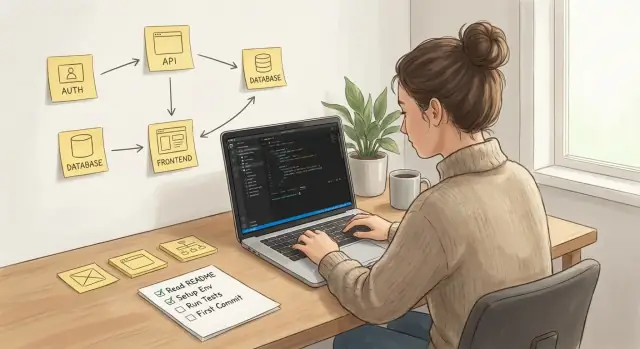
A better goal for Claude Code during onboarding is to build a simple mental map. That map should answer three questions:
- What are the main modules?
- What are the key flows users trigger?
- Where are the risky areas that can break production or cause bugs?
Good enough onboarding in 1-2 days isn't "I can explain every class." It's closer to this:
- You can name the 5-8 modules that matter and what each owns.
- You can trace 2-3 real user flows end-to-end (from UI or API entry to database and back).
- You know the top risks (payments, auth, data writes, background jobs) and where they live.
- You can make a small change safely because you know what to test and who to ask.
Some things can wait. Deep refactors, perfect understanding of every abstraction, and reading old code no one touches rarely get you useful fastest.
Think of onboarding as building a map, not memorizing streets. Your prompts should keep pulling you back to: "Where am I in the system, what happens next, and what could go wrong here?" Once you have that, details get easier to learn on demand.
Prep work: get context without boiling the ocean
Before you start asking questions, collect the basics you normally need on day one. Claude Code works best when it can react to real files, real config, and real behavior you can reproduce.
Start with access and a working run. Make sure you can clone the repo, install dependencies, and run the app (or at least a small slice) locally. If local setup is hard, get access to a staging environment and to wherever logs live, so you can verify what the code actually does.
Next, find the "source of truth" docs. You're looking for whatever the team actually updates when things change: a README, a short architecture note, an ADR folder, a runbook, or a deployment note. Even if they're messy, they give names to modules and flows, which makes Q&A far more precise.
Decide scope early. Many repos contain multiple apps, services, and shared packages. Pick boundaries like "only the API and the billing worker" or "only the web app and its auth flow." Clear scope prevents endless detours.
Write down assumptions you don't want the assistant to guess. This sounds small, but it prevents wrong mental models that waste hours later.
Here is a simple prep checklist:
- Confirm repo access, required permissions, and how to run tests.
- Collect environment setup notes (env vars, seeds, feature flags) and where logs and metrics are viewed.
- Identify the current truth files (README, architecture notes, ADRs, runbooks).
- Define what is in scope and explicitly out of scope for this onboarding pass.
- Set safety rules: never paste secrets, API keys, tokens, private customer data, or production logs with sensitive details.
If something is missing, capture it as a question for a teammate. Don't "work around" missing context with guesses.
The mental map: what to capture as you explore
A mental map is a small set of notes that answers: what are the main parts of this app, how do they talk to each other, and where can things go wrong. Done well, onboarding becomes less about browsing files and more about building a picture you can reuse.
Start by defining your outputs. You want a module list that is practical, not perfect. For each module, capture what it does, who owns it (team or person if you know), and its key dependencies (other modules, services, databases, external APIs). Also note main entry points: UI routes, API endpoints, background jobs, and scheduled tasks.
Next, pick a few user journeys that matter. Three to five is enough. Choose flows that touch money, permissions, or data changes. Examples: signup and email verification, creating a paid plan or purchase, an admin action that changes user access, and a critical daily-use flow that most users rely on.
Decide how you'll label risk before you start collecting notes. Keep categories simple so you can scan later. A useful set is security, data integrity, uptime, and cost. When you mark something as risky, add one sentence explaining why, plus what would prove it's safe (a test, a log, a permission check).
Use a consistent format so you can turn notes into an onboarding doc without rewriting everything:
- Modules: purpose, entry points, dependencies, owner
- Key flows: trigger, steps, data written, failure points
- Data: tables or collections touched, important fields, constraints
- Risks: category, worst-case impact, how to monitor, how to roll back
- Open questions: what you still don't know, who to ask
Example: if Checkout calls Billing which writes to payments and invoices, tag it as data integrity and cost. Then note where retries happen and what prevents double-charging.
Step-by-step Q&A prompts to explore a codebase
When you join a new repo, you want fast orientation, not perfect understanding. These prompts help you build a mental map in small, safe steps.
Start by giving the assistant the repo tree (or a pasted subset) and ask for a tour. Keep each round focused, then finish with one question that tells you what to read next.
1) Repo tour
"Here is the top-level folder list: <paste>. Explain what each folder likely contains and which ones matter for core product behavior."

2) Entry points
"Find the app entry points and boot process. What files start the app, set up routing, configure DI/env, and start background jobs? Name the exact files and what they do."

3) Module index
"Create a module index: module name, purpose, key files, and important external dependencies. Keep it to the modules that affect user-facing behavior."

4) Data model hints
"Based on migrations/models, list the key tables/entities, critical fields, and relationships. Call out fields that look security-sensitive or used for billing/permissions."

5) Flow trace
"Trace this flow end-to-end: <flow>. Where does the request/event start, where does it end, and what does it call in between? List the main functions/files in order."

6) Next inspection
"What should I inspect next and why? Give me 3 options: fastest clarity, riskiest area, and best long-term payoff."
A concrete example: if you're mapping "user signs up and creates their first project," ask for the API route handler, validation, DB write, and any async job that sends emails or provisions resources. Then rerun the flow trace for "user deletes project" to spot cleanup gaps.
To keep answers actionable, ask for specific artifacts, not just summaries:
- File paths and function names
- Assumptions and unknowns called out clearly
- Dependencies phrased as "If I change X, what breaks?"
- One small reading task you can do next in 10 minutes
How to capture answers so they stay useful
The biggest onboarding win is turning scattered Q&A into notes another developer can reuse. If the notes only make sense to you, you'll redo the same digging later.
A simple structure beats long pages. After each exploration session, save the answers into five small artifacts (one file or doc is fine): a module table, a glossary, key flows, unknowns, and a risk register.
Here is a compact template you can paste into your notes and fill as you go:
Module table
- Module:
  Owns:
  Touches:
  Entry points:

Glossary
- Term:
  Meaning:
  Code name(s):

Key flow (name)
1.
2.
3.

Unknowns
- Question:
  Best person to ask:
  Where to look next:

Risk register
- Risk:
  Location:
  Why it matters:
  How to verify:
Keep key flows short on purpose. Example: 1) user signs in, 2) backend creates a session, 3) client loads the dashboard, 4) API fetches data, 5) UI renders and handles errors. If you can't fit a flow into five steps, split it (login vs dashboard load).
When using Claude Code, add one line to every answer: "How would I test this?" That single line turns passive notes into a checklist you can run later, especially when unknowns and risks start overlapping.
If you're building in a vibe-coding platform like Koder.ai, this kind of note-taking also helps you spot where generated changes might have side effects. Modules with lots of touchpoints tend to be change magnets.
Finding risky areas fast (without reading every file)
Risk in a codebase is rarely random. It clusters where the app decides who you are, changes data, talks to other systems, or runs work in the background. You can find most of it with targeted questions and a few focused searches.
Start with identity. Ask where authentication happens (login, session, tokens) and where authorization decisions live (role checks, feature flags, ownership rules). A common trap is checks scattered across UI, API handlers, and database queries with no single source of truth.
Next, map the write paths. Find endpoints or functions that create, update, or delete records, plus the migrations that reshape data over time. Include background jobs too. Many mystery bugs come from async workers writing unexpected values long after a request finished.
Prompts that surface risk quickly:
- "List every place that enforces permissions for [resource X]. Which one is the final gate?"
- "Show the full path for writing [table/entity X]: API handler -> service -> DB call. Where are validations?"
- "What external integrations exist (payments, email, webhooks, third-party APIs)? Where are retries and timeouts set?"
- "Where can work run twice (queues, goroutines, cron)? What makes it idempotent?"
- "What can break silently, and how would we notice (logs, metrics, alerts, dashboards)?"
Then check configuration and secrets handling. Look for environment variables, runtime config files, and default fallbacks. Defaults are useful, but risky when they hide misconfigurations (for example, using a dev key in production because a value was missing).
A quick example: in a Go backend with PostgreSQL, you might find a "send email" job that retries on failure. If it retries without an idempotency key, users can get duplicate emails. If failures only log a warning and no alert exists, it breaks silently. That's a high-risk area worth documenting and testing early.
Example walkthrough: mapping one real user flow
Use one real flow to build your first end-to-end thread through the system. Login is a good starter because it touches routing, validation, sessions or tokens, and database reads.
Scenario: a React web app calls a Go API, and the API reads and writes PostgreSQL. Your goal isn't to understand every file. It's to answer: "When a user clicks Login, what code runs next, what data moves, and what can break?" This is how onboarding stays concrete.
Map the flow from the browser to the database
Start at the UI and walk forward, one hop at a time. Ask for specific file names, functions, and request and response shapes.
- "Find the React route or page for the login screen. What component renders it, and what action fires on submit?"
- "Where is the API client call made (fetch/axios/etc.)? What exact URL path, method, headers, and body does it send?"
- "On the Go side, where is the handler for that path registered? Show the router setup and the handler function."
- "Inside the handler, where does input validation happen (frontend, backend, both)? What rules exist, and where do errors get formatted?"
- "What database query runs for login? Point to the repository/SQL file, list touched tables/columns, and note any transactions or locks."
After each answer, write one short line in your mental map: "UI component -> API endpoint -> handler -> service -> DB query -> response." Include the names, not just "some function."
Confirm with a quick run
Once you have the path, verify it with a small test run. You're checking that the code path you mapped is the code path the app actually uses.
Watch network requests in the browser dev tools (path, status code, response body). Add or enable server logs around the handler and the DB call (request ID if available). Query PostgreSQL for expected changes (for login, maybe last_login_at, sessions, or audit rows). Force one failure (wrong password, missing field) and note where the error message is created and where it's shown. Record expected responses for success and failure (status codes and key fields), so the next developer can sanity-check quickly.
This single flow often exposes ownership boundaries: what the UI trusts, what the API enforces, and where errors disappear or get double-handled.
Turn the mental map into a short onboarding doc
Once you have a decent mental map, freeze it into a 1-2 page note. The goal isn't to be complete. It's to help the next developer answer: what is this app, where do I look first, and what's most likely to break?
If you're using Claude Code, treat the doc as the output of your Q&A: clear, concrete, and easy to skim.
A simple 1-2 page structure
Keep the doc predictable so people can find things fast. A good structure is:
- Purpose: what the app does, who uses it, and what "done" means
- Architecture summary: major services, data stores, and how requests move through the system
- How to run: prerequisites, the one command to start, and the one command to run tests
- Where things live: the folders that matter, plus the 5-10 files that act as entry points
- Key flows and risks: short traces of important journeys, plus what to validate after changes
Make it actionable, not academic
For "Where things live," include pointers like "Auth starts in X, session logic in Y, UI routes in Z." Avoid dumping a full tree. Pick only what people will touch.
For "Key flows," write 4-7 steps per flow: trigger, controller or handler, core module, database call, and the outward effect (email sent, state updated, job queued). Add file names at each step.
For "Risky areas," name the failure mode and the fastest safety check (a specific test, a smoke run, or a log to watch).
End with a small first-tasks list so someone can contribute safely:
- Update a copy tweak or validation rule in one well-contained screen
- Add a small unit test around a tricky helper you identified
- Fix a low-risk bug with a clear repro and expected result
- Add a guardrail: better error message, input check, or timeout
- Ask who owns production deploys and who to ping for domain questions
Common mistakes and how to avoid them
The fastest way to waste an assistant is to ask for "a full explanation of the whole repo." You get a long summary that sounds confident but stays vague. Instead, pick a small slice that matters (one module plus one user flow), then expand outward.
A close second mistake is not naming which journeys matter. If you don't say "checkout," "login," or "admin edit," answers drift into generic architecture talk. Start each session with one concrete goal: "Help me understand the signup flow end to end, including validation, error states, and where data is stored."
Another common trap is letting the assistant guess. When something is unclear, force it to label uncertainty. Ask it to separate what it can prove from code vs what it is inferring.
Keep unknowns visible (so you can resolve them)
Use a simple rule in your notes: every claim must be tagged as one of these.
- Confirmed in code
- Confirmed by running the app
- Assumption (needs check)
- Unknown (missing context)
Notes also fall apart when they're collected with no structure. A pile of chat snippets is hard to turn into a mental map. Keep a consistent template: modules involved, entry point, key functions and files, data touched, side effects, error paths, and tests to run.
Do not treat outputs as facts
Even with Claude Code, treat the output as a draft. Verify key flows in the running app, especially the parts that can break production: auth, payments, permissions, background jobs, and migrations.
A practical example: if the assistant says "password reset sends an email via X," confirm it by triggering a reset in a dev environment and checking logs or the email sandbox. That reality check prevents you from onboarding into a story that isn't true.
Quick checklist before you say "I am onboarded"
You don't need to memorize the repo. You need enough confidence to make a safe change, debug a real issue, and explain the system to the next person.
Before you call yourself onboarded, make sure you can answer these without guessing:
- Can you explain the five most important areas of the code and what each owns (for example: UI, API layer, background jobs, data access, integrations)?
- Can you walk through two high-value user journeys end to end, and point to the first file or function that starts each journey?
- Can you point to where authentication is enforced, and where roles or permissions are defined and checked?
- Can you name the riskiest database writes (money, permissions, deletion, state transitions), and describe how you would test each change safely?
- Can you hand a new developer a short onboarding note they can read in under 10 minutes and then know where to start?
If you're missing one item, do a small focused pass instead of a broad search. Pick one flow, follow it until the database boundary, then stop and write down what you learned. When something is unclear, capture it as a question, not a paragraph. "Where is role X created?" is more useful than "auth is confusing."
A good final test: imagine you're asked to add a small feature behind a flag. If you can name the files you'd touch, the tests you'd run, and the failure modes you'd watch for, you're onboarded enough to contribute responsibly.
Next steps: keep the map current and make handoffs easier
A mental map is only useful while it matches reality. Treat it like a living artifact, not a one-time task. The easiest way to keep it honest is to update it right after changes that affect behavior.
A lightweight routine beats big rewrites. Tie updates to work you're already doing:
- After each feature: update the module list and the main user flows it touched
- After each incident: add the trigger, impact, and the exact fix location
- After each risky refactor: note what changed and what stayed compatible
- Before a release: re-check the top 3 risky areas and test paths
- Once a month: delete stale notes and confirm owners for key modules
Keep the onboarding doc close to the code and version it with the same discipline as the codebase. Small diffs get read. Big doc rewrites usually get skipped.
When deployments are risky, write down what would help the next person recover fast: what changed, what to watch, and how to roll back. If your platform supports snapshots and rollback, add the snapshot name, reason, and what "good" looks like after the fix.
If you build with Koder.ai (koder.ai), planning mode can help you draft a consistent module map and onboarding note from your Q&A, and source code export gives reviewers a clean way to validate the result.
Finally, define a handoff checklist the next developer can follow without guessing:
- What to read first (2-3 files or docs) and why
- What to run locally (commands, env vars, seed data)
- What to verify (one happy path and one failure case)
- Where the sharp edges are (risky modules, flaky tests, tricky configs)
- Who to ask for what (owners for key flows)
Done well, Claude Code for codebase onboarding becomes a habit: each change leaves behind a clearer map for the next person.
FAQ
What does “good enough onboarding” look like in the first 1–2 days?
Aim for a usable mental map, not total understanding.
A solid 1–2 day outcome is:
- You can name the main modules and what they own.
- You can trace 2–3 important user flows end-to-end.
- You know where the risky parts live (auth, data writes, payments, background jobs).
- You can make a small change and know what to test.
What should I share with Claude Code first to get useful onboarding help?
Give it concrete artifacts so it can point to real code instead of guessing:
- A top-level repo tree (or the relevant sub-tree).
- The specific flow you want to trace (for example, “login” or “create project”).
- Key config pointers (env vars list, where migrations live, where jobs are defined).
- Any “source of truth” docs your team actually maintains (README, runbook notes, ADRs).
How do I choose scope so the assistant doesn’t take me on detours?
Pick a narrow slice with clear boundaries.
A good default scope is:
- One entry surface (web UI or API).
- One critical flow (signup, login, create/delete core resource).
- The data model touched by that flow.
Write down what’s explicitly out of scope (other services, legacy modules, rarely used features) so the assistant doesn’t wander.
What’s the simplest way to trace a user flow end-to-end without reading everything?
Start from known triggers, then walk forward:
- UI route/page that starts the flow.
- API endpoint (method + path) it calls.
- Backend handler → service/business logic → data access.
- Database tables/records touched.
- Side effects (emails, webhooks, queued jobs).
Ask for file paths and function names in order, and end with: “How would I test this quickly?”
Where are the “risky areas” I should identify early?
Look where the system makes decisions or changes state:
- Authn/authz: login/session/token handling; permission checks.
- Writes: create/update/delete endpoints, migrations, transactions.
- Integrations: payments, email, webhooks; retries/timeouts.
- Async work: queues, cron, workers; idempotency and dedup.
- Config/secrets: env var defaults, fallbacks, feature flags.
Then ask: “What breaks silently, and how would we notice?”
How should I capture risks so they stay actionable later?
Use a simple label system and attach one proof step.
Example format:
- Risk: Duplicate charge on retry
- Category: Data integrity / cost
- Location: billing worker + invoice write
- Why: retries without idempotency key
- Verify: run a double-delivery test; confirm unique constraint or idempotency table
Keep it short so you actually update it as you learn.
How do I prevent Claude Code from confidently inventing details?
Force the assistant to separate evidence from inference.
Ask it to tag each claim as one of:
- Confirmed in code
- Confirmed by running the app
- Assumption (needs check)
- Unknown (missing context)
When something is unknown, turn it into a teammate question (“Where is role X defined?”) instead of filling the gap with a guess.
What’s the best way to turn Q&A into an onboarding doc others can reuse?
Keep one lightweight note file with five sections:
- Module table: purpose, entry points, dependencies, owner (if known)
- Glossary: terms and their code names
- Key flows: 4–7 steps each, with file names
- Unknowns: what you need to ask/verify
- Risk register: risk → location → verify step
Add one line to each flow: “How would I test this?” so it becomes a checklist.
How do I verify the flow I mapped is the one running in production-like behavior?
Default to a quick, real check:
- Trigger the flow in a dev/staging environment.
- Watch the network request (path, status, response shape).
- Add temporary logs around the handler/service/DB call.
- Confirm DB state (rows created/updated, timestamps, audit records).
- Force one failure case (bad input, permission denied) and see where the error is produced.
This validates you mapped the path the app actually uses.
How can Koder.ai help me apply this onboarding approach when I’m generating changes?
Use platform features to reduce blast radius and keep changes reviewable.
Practical defaults:
- Use planning mode to outline modules/flows and proposed edits before generating code.
- Take a snapshot before touching risky areas, so rollback is straightforward.
- Keep changes small and tied to one flow; then re-run the flow checks.
- Export source code when you need deeper review or standard tooling checks.
This works especially well for onboarding tasks like “add a guardrail,” “tighten validation,” or “improve an error path.”