

Claude Code PostgreSQL migrations: prompts for safe changes
Learn Claude Code PostgreSQL migrations prompts for safe expand-contract changes, backfills, and rollback plans, plus what to verify in staging before release.
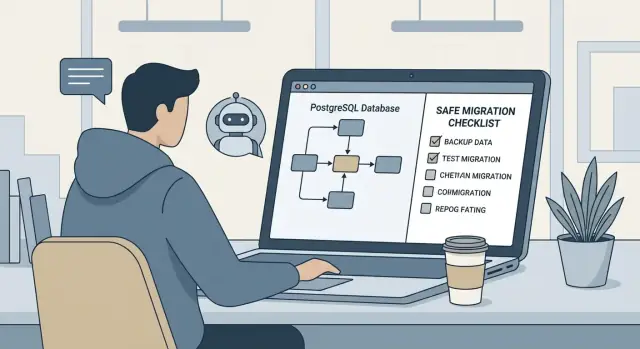
What makes a PostgreSQL schema change risky
A PostgreSQL schema change looks simple until it meets real traffic and real data. The risky part usually isn't the SQL itself. It's when your app code, database state, and deployment timing stop matching.
Most failures are practical and painful: a deploy breaks because old code touches a new column, a migration locks a hot table and timeouts spike, or a "quick" change quietly drops or rewrites data. Even when nothing crashes, you can ship subtle bugs like wrong defaults, broken constraints, or indexes that never finished building.
AI-generated migrations add another layer of risk. Tools can produce valid SQL that is still unsafe for your workload, your data volume, or your release process. They can also guess table names, miss long-running locks, or hand-wave rollback because down migrations are hard. If you're using Claude Code for migrations, you need guardrails and concrete context.
When this post says a change is "safe," it means three things:
- Backward compatible: old and new app versions can run during rollout.
- Observable: you can measure progress and spot trouble quickly.
- Reversible: you have a rollback plan you can execute under pressure.
The goal is for migrations to become routine work: predictable, testable, and boring.
Safety rules to follow before you write any prompt
Start with a few non-negotiable rules. They keep the model focused and keep you from shipping a change that only works on your laptop.
Split work into small steps. A schema change, a data backfill, an app change, and a cleanup step are different risks. Bundling them makes it harder to see what broke and harder to roll back.
Prefer additive changes before destructive ones. Adding a column, index, or table is usually low risk. Renaming or dropping objects is where outages happen. Do the safe part first, move the app, then remove the old thing only when you're sure it's unused.
Make the app tolerate both shapes for a while. Code should be able to read either the old column or the new one during rollout. This avoids the common race where some servers run new code while the database is still old (or the reverse).
Treat migrations like production code, not a quick script. Even if you're building with a platform like Koder.ai (Go backend with PostgreSQL, plus React or Flutter clients), the database is shared by everything. Mistakes are expensive.
If you want a compact set of rules to put at the top of every request for SQL, use something like:
- One change per migration: expand, then backfill, then switch code, then cleanup.
- Avoid long locks: use concurrent index builds and small batches for updates.
- Require a rollback plan for every step, including how to stop mid-backfill.
- Require verification queries and success metrics (row counts, null rates, timing).
- Require a runbook: how to run it, what to watch, and who to page.
A practical example: instead of renaming a column your app depends on, add the new column, backfill it slowly, deploy code that reads new then old, and only later remove the old column.
What to include in your prompt so Claude Code stays grounded
Claude can write decent SQL from a vague request, but safe migrations need context. Treat your prompt like a mini design brief: show what exists, explain what must not break, and define what "safe" means for your rollout.
Start by pasting only the database facts that matter. Include the table definition plus relevant indexes and constraints (primary keys, unique constraints, foreign keys, check constraints, triggers). If related tables are involved, include those snippets too. A small, accurate excerpt prevents the model from guessing names or missing an important constraint.
Add real-world scale. Row counts, table size, write rate, and peak traffic should change the plan. "200M rows and 1k writes/sec" is a different migration from "20k rows and mostly reads." Also include your Postgres version and how migrations run in your system (single transaction vs multiple steps).
Describe how the application uses the data: the important reads, writes, and background jobs. Examples: "API reads by email," "workers update status," or "reports scan by created_at." This is what drives whether you need expand/contract, feature flags, and how safe a backfill will be.
Finally, be explicit about constraints and deliverables. A simple structure works well:
- Current schema snippets and the goal
- Scale assumptions (rows, writes/sec, maintenance window if any)
- App dependencies (queries/endpoints/jobs)
- Hard constraints (no downtime, avoid long locks, avoid full-table rewrites)
- Deliverables: SQL plus a plain-language run plan, verification, and rollback
Asking for both SQL and a run plan forces the model to think about ordering, risk, and what to check before you ship.
Expand/contract in plain English (and when to use it)
The expand/contract migration pattern changes a PostgreSQL database without breaking the app while the change is in progress. Instead of a single risky switch, you make the database support both the old and new shapes for a period of time.
Think of it as: add new things safely (expand), move traffic and data gradually, and only then remove the old pieces (contract). This is especially useful for AI-assisted work because it forces you to plan for the messy middle.
The four phases
A practical flow looks like this:
- Expand: add a new nullable column or table, add an index if needed, and add constraints in a way that avoids blocking (for example, adding constraints as NOT VALID when appropriate).
- Compatibility: update the app to handle both old and new fields. This can mean dual-write (write to both places) or read-fallback (read new, fall back to old).
- Backfill: copy old data to new in small batches, with checkpoints and a way to resume.
- Contract: once you're sure everything uses the new path, tighten rules (make a column NOT NULL, validate constraints), then drop the old column or table.
Use this pattern any time users might still be on old app code while the database is changing. That includes multi-instance deployments, mobile apps that update slowly, or any release where a migration could take minutes or hours.
A helpful tactic is to plan for two releases. Release 1 does expand plus compatibility so nothing breaks if the backfill is incomplete. Release 2 does the contract only after you confirm the new code and new data are in place.
A safe prompt template for expand/contract migrations
Copy this template and fill in the brackets. It pushes Claude Code to produce SQL you can run, checks to prove it worked, and a rollback plan you can actually follow.
You are helping me plan a PostgreSQL expand-contract migration.

Context
- App: [what the feature does, who uses it]
- Database: PostgreSQL [version if known]
- Table sizes: [rough row counts], write rate: [low/medium/high]
- Zero/near-zero downtime required: [yes/no]

Goal
- Change: [describe the schema change]
- Current schema (relevant parts):
  [paste CREATE TABLE or \d output]
- How the app will change (expand phase and contract phase):
  - Expand: [new columns/indexes/triggers, dual-write, read preference]
  - Contract: [when/how we stop writing old fields and remove them]

Hard safety requirements
- Prefer lock-safe operations. Avoid full table rewrites on large tables when possible.
- If any step can block writes, call it out explicitly and suggest alternatives.
- Use small, reversible steps. No “big bang” changes.

Deliverables
1) UP migration SQL (expand)
   - Use clear comments.
   - If you propose indexes, tell me if they should be created CONCURRENTLY.
   - If you propose constraints, tell me whether to add them NOT VALID then VALIDATE.

2) Verification queries
   - Queries to confirm the new schema exists.
   - Queries to confirm data is being written to both old and new structures (if dual-write).
   - Queries to estimate whether the change caused bloat/slow queries/locks.

3) Rollback plan (realistic)
   - DOWN migration SQL (only if it is truly safe).
   - If down is not safe, write a rollback runbook:
     - how to stop the app change
     - how to switch reads back
     - what data might be lost or need re-backfill

4) Runbook notes
   - Exact order of operations (including app deploy steps).
   - What to monitor during the run (errors, latency, deadlocks, lock waits).
   - “Stop/continue” checkpoints.

Output format
- Separate sections titled: UP.sql, VERIFY.sql, DOWN.sql (or ROLLBACK.md), RUNBOOK.md
Two extra lines that help in practice:
- Ask it to label any write-blocking step as
RISK: blocks writes, plus when to run it (off-peak vs anytime). - Force honesty about locks: "If you're not sure whether a statement takes an ACCESS EXCLUSIVE lock, say so and offer a safer option."
Common schema operations and how to prompt for safer SQL
Small schema changes can still hurt if they take long locks, rewrite large tables, or fail halfway through. When you use Claude Code for migrations, ask for SQL that avoids rewrites and keeps your app working while the database catches up.
Add columns and defaults (without long locks)
Adding a nullable column is usually safe. Adding a column with a non-null default can be risky on older Postgres versions because it may rewrite the whole table.
A safer approach is a two-step change: add the column as NULL with no default, backfill in batches, then set the default for new rows and add NOT NULL once the data is clean.
If you must enforce a default immediately, require an explanation of lock behavior for your Postgres version and a fallback plan if runtime is longer than expected.
Indexes, FKs, constraints, drops
For indexes on large tables, request CREATE INDEX CONCURRENTLY so reads and writes keep flowing. Also require a note that it can't run inside a transaction block, which means your migration tool needs a non-transactional step.
For foreign keys, the safer path is usually adding the constraint as NOT VALID first, then validating later. This keeps the initial change faster while still enforcing the FK for new writes.
When making constraints stricter (NOT NULL, UNIQUE, CHECK), ask for "clean first, enforce second." The migration should detect bad rows, fix them, and only then enable the stricter rule.
If you want a short checklist to paste into prompts, keep it tight:
- Include notes on locks and expected runtime.
- Use CONCURRENTLY for large indexes and call out transaction limits.
- Prefer NOT VALID then VALIDATE for new foreign keys.
- Separate backfill from enforcing NOT NULL/UNIQUE.
- Only drop objects after a full release cycle and after confirming nothing reads them.
Prompting for data backfills that are slow, steady, and recoverable
Backfills are where most migration pain shows up, not the ALTER TABLE. The safest prompts treat backfills like controlled jobs: measurable, restartable, and gentle on production.
Start with acceptance checks that are easy to run and hard to argue with: expected row counts, a target null rate, and a few spot checks (for example, compare old vs new values for 20 random IDs).
Then ask for a batching plan. Batches keep locks short and reduce surprises. A good request specifies:
- How to batch (primary key ranges or time windows like created_at)
- A target batch size (for example, 5,000 to 50,000 rows)
- Whether to sleep between batches on hot tables
- That each batch is a single clear transaction (not one huge transaction)
Require idempotency because backfills fail halfway. The SQL should be safe to re-run without duplicating or corrupting data. Typical patterns are "update only where the new column is NULL" or a deterministic rule where the same input always produces the same output.
Also spell out how the app stays correct while the backfill runs. If new writes keep coming in, you need a bridge: dual-write in app code, or a temporary trigger, or read-fallback logic (read new when present, otherwise old). Say which approach you can safely deploy.
Finally, build pause and resume into the design. Ask for progress tracking and checkpoints, like a small table that stores the last processed ID and a query that reports progress (rows updated, last ID, time started).
Example: you add users.full_name derived from first_name and last_name. A safe backfill updates only rows where full_name IS NULL, runs in ID ranges, records the last updated ID, and keeps new signups correct via dual-write until switch-over is complete.
How to prompt for rollback plans that work in real life
A rollback plan isn't just "write a down migration." It's two problems: undoing the schema change and handling any data that changed while the new version was live. Schema rollback is often possible. Data rollback is often not, unless you planned for it.
Be explicit about what rollback means for your change. If you're dropping a column or rewriting values in place, require a realistic answer like: "Rollback restores app compatibility, but original data can't be recovered without a snapshot." That honesty is what keeps you safe.
Ask for clear rollback triggers so nobody argues during an incident. Examples:
- Error rate or latency crosses a defined threshold for 10 minutes
- A critical query plan regresses (for example, a seq scan on a hot table)
- Backfill job falls behind by more than N hours
- Data checks fail (nulls where not allowed, duplicates, missing rows)
- A migration step blocks writes longer than X seconds
Require the whole rollback package, not just SQL: down migration SQL (only if safe), app steps to stay compatible, and how to stop background jobs.
This prompt pattern is usually enough:
Produce a rollback plan for this migration.
Include: down migration SQL, app config/code switches needed for compatibility, and the exact order of steps.
State what can be rolled back (schema) vs what cannot (data) and what evidence we need before deciding.
Include rollback triggers with thresholds.
Before you ship, capture a lightweight "safety snapshot" so you can compare before and after:
- Row counts for affected tables (and key subsets)
- A small set of sample queries with expected results
- Simple aggregates (sum, min/max) for touched columns
- A short list of IDs to spot-check before and after
Also be clear about when not to roll back. If you only added a nullable column and the app is dual-writing, a forward fix (hotfix code, pause the backfill, then resume) is often safer than reverting and creating more drift.
Common mistakes to watch for with AI-assisted migrations
AI can write SQL quickly, but it can't see your production database. Most failures happen when the prompt is vague and the model fills in gaps.
A common trap is skipping the current schema. If you don't paste the table definition, indexes, and constraints, the SQL may target columns that don't exist or miss a uniqueness rule that turns a backfill into a slow, lock-heavy operation.
Another mistake is shipping expand, backfill, and contract in one deploy. That removes your escape hatch. If the backfill runs long or errors halfway, you're stuck with an app expecting the final state.
The issues that show up most often:
- Backfills that aren't idempotent and have no progress tracking
- Adding NOT NULL, UNIQUE, or foreign keys before cleaning and validating data
- Long-running transactions without lock timeouts or statement timeouts
- No verification queries, so problems hide until users hit them
A concrete example: "rename a column and update the app." If the generated plan renames and backfills in a single transaction, a slow backfill can hold locks and break live traffic. A safer prompt forces small batches, explicit timeouts, and verification queries before removing the old path.
What to verify in staging before shipping
Staging is where you find problems that never show up on a tiny dev database: long locks, surprise nulls, missing indexes, and forgotten code paths.
First, check that the schema matches the plan after migration: columns, types, defaults, constraints, and indexes. A quick glance isn't enough. One missing index can turn a safe backfill into a slow mess.
Then run the migration against a realistic dataset. Ideally that's a recent copy of production data with sensitive fields masked. If you can't do that, at least match production volume and hotspots (big tables, wide rows, heavily indexed tables). Record timings for each step so you know what to expect in production.
A short staging checklist:
- Schema matches plan (columns, types, constraints, indexes)
- Timings recorded on realistic data volume
- Compatibility tested: old app with new schema and new app with old schema (when the plan says it should work)
- Verification queries run: null rates, row counts, orphan checks for new FKs, sample reads
- Operational signals watched during the run: locks, deadlocks, timeouts, slow queries
Finally, test real user flows, not just SQL. Create, update, and read records touched by the change. If expand/contract is the plan, confirm both schemas work until final cleanup.
A realistic example: changing a column without breaking users
Imagine you have a users.name column that stores full names like "Ada Lovelace." You want first_name and last_name, but you can't break signups, profiles, or admin screens while the change rolls out.
Start with an expand step that's safe even if no code changes ship yet: add nullable columns, keep the old column, and avoid long locks.
ALTER TABLE users ADD COLUMN first_name text;
ALTER TABLE users ADD COLUMN last_name text;
Then update app behavior to support both schemas. In Release 1, the app should read from the new columns when present, fall back to name when they're null, and write to both so new data stays consistent.
Next comes the backfill. Run a batch job that updates a small chunk of rows per run, records progress, and can be paused safely. For example: update users where first_name is null in ascending ID order, 1,000 at a time, and log how many rows changed.
Before tightening rules, validate in staging:
- New signups fill
first_nameandlast_nameand still setname - Existing users display correctly even if only
nameis present - Backfill can stop and restart without duplicating work
- No unexpected nulls remain after backfill completes
- Basic queries on
usersaren't noticeably slower
Release 2 flips reads to the new columns only. Only after that should you add constraints (like SET NOT NULL) and drop name, ideally in a later, separate deploy.
For rollback, keep it boring. The app keeps reading name during the transition, and the backfill is stoppable. If you need to roll back Release 2, switch reads back to name and leave the new columns in place until you're stable again.
Next steps: turn your prompts into a repeatable migration routine
Treat each change like a small runbook. The goal isn't a perfect prompt. It's a routine that forces the right details: schema, constraints, run plan, and rollback.
Standardize what every migration request must include:
- Current schema and the exact change (tables, columns, indexes)
- Constraints and traffic facts (table size, write rate, downtime allowed)
- Release sequence (expand, deploy app, backfill, contract)
- How you'll observe progress (queries/metrics, expected runtime)
- Rollback steps (what to revert first, what data may be left behind)
Decide who owns each step before anyone runs SQL. A simple split prevents "everyone thought someone else did it": developers own the prompt and migration code, ops owns production timing and monitoring, QA verifies staging behavior and edge cases, and one person is the final go/no-go.
If you're building apps via chat, it can help to outline the sequence before generating any SQL. For teams using Koder.ai, Planning Mode is a natural place to write that sequence down, and snapshots plus rollback can reduce the blast radius if something unexpected happens during rollout.
After you ship, schedule the contract cleanup immediately while the context is fresh, so old columns and temporary compatibility code don't linger for months.
FAQ
Why do PostgreSQL schema changes break production even when the SQL looks simple?
A schema change is risky when app code, database state, and deployment timing stop matching.
Common failure modes:
- Old app code hits a new column/constraint and crashes
- A migration takes a strong lock on a busy table and requests time out
- A “small” change rewrites or drops data quietly
- Index/constraint work runs longer than expected and causes slow queries
What’s the safest default way to change a schema without downtime?
Use an expand/contract approach:
- Expand: add new nullable columns/tables/indexes in a compatible way
- Compatibility: deploy app code that can read/write both shapes
- Backfill: copy data in small batches with checkpoints
- Contract: tighten constraints and drop old fields only after a full release cycle
This keeps both old and new app versions working during rollout.
What extra risks do AI-generated migrations introduce?
Because the model can generate SQL that is valid but unsafe for your workload.
Typical AI-specific risks:
- Guessing table/column names or missing an important constraint
- Proposing a single “big bang” migration that removes your rollback options
- Ignoring lock behavior, transaction limits, and long-running index builds
- Hand-waving rollback (especially when data is transformed or removed)
Treat AI output as a draft and require a run plan, checks, and rollback steps.
What should I paste into my prompt so Claude Code doesn’t guess?
Include only the facts the migration depends on:
- Relevant
CREATE TABLEsnippets (plus indexes, FKs, UNIQUE/CHECK constraints, triggers) - Postgres version and how migrations run (single transaction vs multi-step)
- Scale: row counts, table size, write rate, peak traffic
- How the app uses the data (critical reads/writes/jobs)
- Hard constraints (no downtime, avoid table rewrites, lock limits)
- Deliverables: UP SQL + verification queries + rollback plan + runbook
This prevents guessing and forces the right ordering.
Should I combine schema changes and backfills in one migration?
Default rule: separate them.
A practical split:
- Migration 1: schema expand (new columns/tables, maybe NOT VALID constraints)
- App deploy: compatibility code (read-fallback or dual-write)
- Backfill job: batched updates with progress tracking
- Migration 2: contract (validate constraints, set NOT NULL, drop old columns)
Bundling everything makes failures harder to diagnose and roll back.
How do I add a new column with a default without causing long locks?
Prefer this pattern:
ADD COLUMN ... NULLwith no default (fast)- Backfill in batches
- Set a default for new rows
- Add
NOT NULLonly after verification
Adding a non-null default can be risky on some versions because it may rewrite the whole table. If you need an immediate default, ask for lock/runtime notes and a safer fallback.
When should I use CREATE INDEX CONCURRENTLY, and what’s the catch?
Ask for:
CREATE INDEX CONCURRENTLYfor large/hot tables- A note that it can’t run inside a transaction block (your tooling must support that)
- Expected runtime and what to monitor (lock waits, query latency)
For verification, include a quick check that the index exists and is used (for example, compare an EXPLAIN plan before/after in staging).
What’s the safest way to add a foreign key on a large table?
Use NOT VALID first, then validate later:
- Add the FK as
NOT VALIDso the initial step is less disruptive - Run
VALIDATE CONSTRAINTin a separate step when you can watch it
This still enforces the FK for new writes, while letting you control when the expensive validation happens.
How do I prompt for a backfill that won’t melt production and can resume?
A good backfill is batched, idempotent, and restartable.
Practical requirements:
- Batch by primary key ranges or time windows
- Update only rows that still need work (e.g.,
WHERE new_col IS NULL) - Keep batches in short transactions; optionally sleep between batches
- Track progress (last processed ID, rows updated, start time)
- Ensure the app stays correct while backfill runs (dual-write, trigger, or read-fallback)
This makes backfills survivable under real traffic.
What does a realistic rollback plan look like for schema changes?
Default rollback goal: restore app compatibility fast, even if data isn’t perfectly undone.
A workable rollback plan should include:
- Whether DOWN SQL is truly safe; if not, a runbook instead
- The exact order: stop/pause backfill jobs, deploy app code change, then schema steps
- Clear rollback triggers (error rate, latency, lock waits, failed data checks)
- A statement of what can be rolled back (schema) vs what can’t (data)
Often the safest rollback is switching reads back to the old field while leaving new columns in place.