

Clean Code Lessons from Robert C. Martin for Faster Teams
Explore Robert C. Martin’s Clean Code ideas: better naming, clear boundaries, and daily discipline that boost maintainability and team speed.
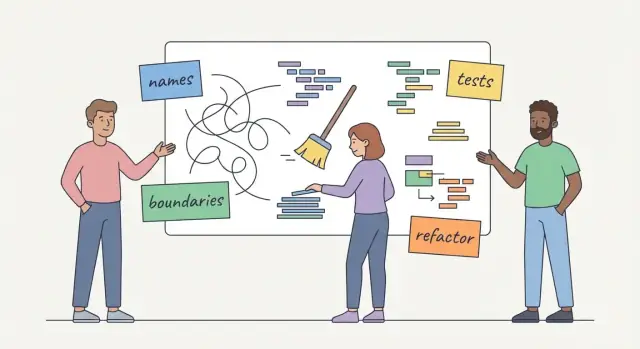
Why Clean Code still matters to modern teams
Robert C. Martin—better known as “Uncle Bob”—popularized the Clean Code movement with a simple premise: code should be written for the next person who has to change it (often, that next person is you in three weeks).
Maintainability and team velocity (in plain language)
Maintainability is how easily your team can understand the code, change it safely, and ship those changes without breaking unrelated parts. If every small edit feels risky, maintainability is low.
Team velocity is the team’s steady ability to deliver useful improvements over time. It’s not “typing faster”—it’s how quickly you can go from idea to working software, repeatedly, without accumulating damage that slows you down later.
Why code quality is a team issue
Clean Code isn’t about one developer’s style preferences. It’s a shared working environment. A messy module doesn’t just frustrate the person who wrote it; it increases review time, makes onboarding harder, creates bugs that take longer to diagnose, and forces everyone to move cautiously.
When multiple people contribute to the same codebase, clarity becomes a coordination tool. The goal is not “beautiful code,” but predictable change: anyone on the team can make an update, understand what it affects, and feel confident merging it.
Practical habits, not perfection
Clean Code can be taken too far if treated like a purity test. Modern teams need guidelines that pay off under real deadlines. Think of this as a set of habits that reduce friction—small choices that compound into faster delivery.
Over the rest of this article, we’ll focus on three areas that most directly improve maintainability and velocity:
- Naming: making meaning obvious so people spend less time decoding intent.
- Boundaries: separating responsibilities so changes don’t create ripple effects.
- Discipline: consistent practices (reviews, tests, refactoring) that keep the codebase from sliding back into chaos.
The core idea behind Clean Code: optimize for change
Clean Code isn’t primarily about aesthetics or personal preference. Its core goal is practical: make code easy to read, easy to reason about, and therefore easy to change.
Teams rarely struggle because they can’t write new code. They struggle because existing code is hard to modify safely. Requirements shift, edge cases appear, and deadlines don’t pause while engineers “re-learn” what the system is doing.
Clear beats clever
“Clever” code often optimizes for the author’s momentary satisfaction: tightly packed logic, unexpected shortcuts, or tricky abstractions that feel elegant—until someone else has to edit them.
“Clear” code optimizes for the next change. It favors straightforward control flow, explicit intent, and names that explain why something exists. The goal isn’t to remove all complexity (software can’t), but to put complexity where it belongs and keep it visible.
The cost of confusion is measurable
When code is hard to understand, teams pay for it repeatedly:
- Slower delivery: more time is spent reading, tracing, and double-checking.
- More bugs: misunderstandings lead to incorrect fixes or partial changes.
- More rework: engineers implement workarounds because “touching that area feels risky,” which adds technical debt.
This is why Clean Code connects directly to team velocity: reducing confusion reduces hesitation.
Principles, not commandments
Clean Code is a set of trade-offs, not rigid rules. Sometimes a slightly longer function is clearer than splitting it. Sometimes performance constraints justify a less “pretty” approach. The principle remains the same: prefer choices that keep future changes safe, local, and understandable—because change is the default state of real software.
Naming: the fastest path to readable, maintainable code
If you want code that’s easy to change, start with names. A good name reduces the amount of “mental translation” a reader has to do—so they can focus on the behavior, not deciphering what things mean.
What a good name should communicate
A useful name carries information:
- Intent: what the thing represents or does (not how it’s implemented).
- Scope: is this a single value, a collection, a cache, a request, a draft?
- Units and format:
CentsvsDollars,Utcvs local time,BytesvsKb, string vs parsed object. - Constraints: does it include tax, is it discounted, is it validated, is it a maximum?
When those details are missing, the reader has to ask questions—or worse, guess.
Ambiguous vs. clear names (examples)
Vague names hide decisions:
data,info,tmp,value,resultlist,items,map(without context)
Clear names carry context and reduce follow-up:
invoiceTotalCents(unit + domain)discountPercent(format + meaning)validatedEmailAddress(constraint)customerIdsToDeactivate(scope + intent)expiresAtUtc(time zone)
Even small renames can prevent bugs: timeout is unclear; timeoutMs is not.
Consistency: match the product language
Teams move faster when code uses the same words people use in tickets, UI copy, and customer support conversations. If the product says “subscription,” avoid calling it plan in one module and membership in another unless those are truly different concepts.
Consistency also means picking one term and sticking with it: customer vs client, invoice vs bill, cancel vs deactivate. If the words drift, meaning drifts.
Naming is coordination, not style
Good names act like tiny pieces of documentation. They cut down on Slack questions (“What does tmp hold again?”), reduce review churn, and prevent misunderstandings between engineers, QA, and product.
Quick naming checklist
Before you commit a name, ask:
- Would a new teammate guess what this is without opening other files?
- Does it state units/time zone/format where it matters?
- Is it aligned with product terminology?
- Does it avoid “container words” like
dataunless the domain is explicit? - If it’s a boolean, does it read clearly:
isActive,hasAccess,shouldRetry?
Keeping names honest: preventing “name drift” over time
A good name is a promise: it tells the next reader what the code does. The problem is that code changes faster than names do. Over months of quick edits and “just ship it” moments, a function called validateUser() starts doing validation and provisioning and analytics. The name still looks tidy, but it’s now misleading—and misleading names cost time.
Why names must reflect what the code does today
Clean Code isn’t about picking perfect names once. It’s about keeping names aligned with reality. If a name describes what the code used to do, every future reader has to reverse-engineer the truth from the implementation. That increases cognitive load, slows reviews, and makes small changes riskier.
How name drift happens in real teams
Name drift is rarely intentional. It usually comes from:
- Quick fixes: patching behavior under time pressure without revisiting intent.
- Feature creep: “one more responsibility” added to an existing function because it’s convenient.
- Copy-paste: cloning code and tweaking logic but keeping the original names.
Lightweight ways to keep names accurate
You don’t need a naming committee. A few simple habits work:
- When a function gains a new responsibility, either rename it to match the new scope or split it so the old name stays true.
- Add a review checklist item: “Do names still describe behavior?” (It’s quick to check and catches a lot.)
- If you find yourself writing a comment like “This actually…” that’s often a rename signal.
The “rename as you touch” rule
During any small edit—bug fix, refactor, or feature tweak—take 30 seconds to adjust the nearest misleading name. This “rename as you touch” habit prevents drift from accumulating and keeps readability improving with everyday work.
Boundaries: separating responsibilities to reduce ripple effects
Clean Code isn’t just about tidy methods—it’s about drawing clear boundaries so change stays local. Boundaries show up everywhere: modules, layers, services, APIs, and even “who owns what responsibility” inside a single class.
Separation of concerns (with a kitchen analogy)
Think of a kitchen with stations: prep, grill, plating, and dishwashing. Each station has a clear job, tools, and inputs/outputs. If the grill station starts washing dishes “just this once,” everything slows down: tools go missing, queues form, and it becomes unclear who’s responsible when something breaks.
Software works the same way. When boundaries are clear, you can change the “grill station” (business logic) without reorganizing the “dishwashing” (data access) or “plating” (UI/API formatting).
How unclear boundaries slow teams down
Unclear boundaries create ripple effects: a small change forces edits across multiple areas, extra testing, more code review back-and-forth, and higher risk of unintended bugs. The team starts hesitating—every change feels like it might break something unrelated.
Common boundary smells include:
- Mixed responsibilities: one module both calculates pricing and writes to the database.
- Cross-layer shortcuts: UI code directly queries the database “for performance.”
- Leaky abstractions: a service exposes internal tables or ORM objects as its public API.
- “Helper” utilities that quietly accumulate unrelated behaviors over time.
What good boundaries feel like day to day
With good boundaries, tickets become predictable. A pricing rule change mostly touches the pricing component, and tests tell you quickly if you crossed a line. Code reviews get simpler (“this belongs in the domain layer, not the controller”), and debugging becomes faster because each piece has one place to look and one reason to change.
Small functions and clear intent: making change safer
Small, focused functions make code easier to change because they shrink the amount of context you need to hold in your head. When a function has one clear job, you can test it with a few inputs, reuse it in other places, and understand failures without stepping through a maze of unrelated steps.
“Do one thing” (with a concrete example)
Consider a function named processOrder() that: validates an address, calculates tax, applies discounts, charges a card, sends an email, and writes audit logs. That’s not “processing an order”—it’s five decisions and three side effects bundled together.
A cleaner approach is to separate intent:
function processOrder(order) {
  validate(order)
  const priced = price(order)
  const receipt = charge(priced)
  sendConfirmation(receipt)
  return receipt
}
Each helper can be tested and reused independently, and the top-level function reads like a short story.
Why long functions are risky
Long functions hide decision points and edge cases because they bury “what if?” logic in the middle of unrelated work. A single if for “international address” can silently affect tax, shipping, and email wording—yet the connection is hard to see when it’s 80 lines away.
Practical refactor steps
Start small:
- Extract function: highlight a coherent block and move it into
calculateTax()orformatEmail(). - Rename: update names so they describe outcomes (
applyDiscountsvsdoDiscountStuff). - Remove duplication: if two branches repeat the same steps, pull them into a shared helper.
Guardrails (avoid over-fragmentation)
Small doesn’t mean “tiny at all costs.” If you create many one-line wrappers or force readers to jump through five files to understand a single action, you’ve traded clarity for indirection. Aim for functions that are short, meaningful, and locally understandable.
Managing side effects: fewer surprises, easier debugging
A side effect is any change a function makes beyond producing its return value. In plain terms: you call a helper expecting an answer, and it quietly changes something else—writes a file, updates a database row, mutates a shared object, or flips a global flag.
Side effects aren’t automatically “bad.” The problem is hidden side effects. They surprise callers, and surprises are what turn simple changes into long debugging sessions.
Why side effects slow teams down
Hidden changes make behavior unpredictable. A bug might appear in one part of the app but be caused by a “convenient” helper elsewhere. That uncertainty kills velocity: engineers spend time reproducing issues, adding temporary logging, and arguing about where the responsibility should live.
They also make code harder to test. A function that silently writes to a database or touches global state needs setup/cleanup, and tests start failing for reasons unrelated to the feature under development.
Patterns that reduce surprises
Prefer functions with clear inputs and outputs. If something must change the world outside the function, make it explicit:
- Pass dependencies in (logger, repository, clock) instead of reaching for globals.
- Separate “compute” from “do”: one function calculates; another performs the write.
- Name side effects honestly (e.g.,
saveUser()vsgetUser()).
Common “gotchas” include logging inside low-level helpers, mutating shared configuration objects, and doing database writes during what looks like a formatting or validation step.
Quick review checklist
When reviewing code, ask one simple question: “What changes besides the return value?”
Follow-ups: Does it mutate arguments? Touch global state? Write to disk/network? Trigger background jobs? If yes, can we make that effect explicit—or move it to a better boundary?
Discipline: the compounding effect on delivery speed
Clean Code isn’t just a style preference—it’s discipline: repeatable habits that keep the codebase predictable. Think of it less as “writing pretty code” and more as routines that reduce variance: tests before risky changes, small refactors when you touch code, lightweight documentation where it prevents confusion, and reviews that catch problems early.
Speed now vs. speed over the next month
Teams can often “go fast” today by skipping these habits. But that speed is usually borrowed from the future. The bill arrives as flaky releases, surprise regressions, and late-cycle thrash when a simple change triggers a chain reaction.
Discipline trades a small, consistent cost for reliability: fewer emergencies, fewer last-minute fixes, and fewer situations where the team has to stop everything to stabilize a release. Over a month, that reliability becomes real throughput.
Daily practices that compound
A few simple behaviors add up quickly:
- Add or update a test when fixing a bug (so it stays fixed).
- Refactor “the area you touched” while it’s already in your head (rename, extract a function, remove duplication).
- Keep changes small and easy to review (short-lived branches, clear pull request descriptions).
- Treat code review as shared ownership: ask “will the next person understand this?” not “does it work?”
“We don’t have time for cleanliness”
That objection is usually true in the moment—and expensive over time. The practical compromise is scope: don’t schedule a massive cleanup; apply discipline at the edges of everyday work. Over weeks, those small deposits reduce technical debt and increase delivery speed without a big rewrite.
Testing as a boundary enforcer and refactoring safety net
Tests aren’t just about “catching bugs.” In Clean Code terms, they protect boundaries: the public behavior your code promises to other parts of the system. When you change internals—split a module, rename methods, move logic—good tests confirm you didn’t silently break the contract.
Fast feedback beats late fixes
A failing test seconds after a change is cheap to diagnose: you still remember what you touched. Compare that with a bug found days later in QA or production, when the trail is cold, the fix is riskier, and multiple changes are entangled. Fast feedback turns refactoring from a gamble into a routine.
What to test first (when time is limited)
Start with coverage that buys you freedom:
- Critical behavior: the flows that make money, protect data, or block users.
- Tricky logic: edge cases, parsing, time zones, rounding, permissions.
- Common failures: inputs you know are messy, flaky integrations, retry rules.
A practical heuristic: if a bug would be expensive or embarrassing, write a test that would have caught it.
Keep tests readable—like documentation
Clean tests accelerate change. Treat them as executable examples:
- Name tests with intent:
rejects_expired_token()reads like a requirement. - Prefer clear setup over clever helpers. If a helper hides meaning, it’s not helping.
- Assert outcomes, not internal steps. You want freedom to rewrite the implementation.
Avoid brittle tests that slow change
Tests become a tax when they lock you into today’s structure—over-mocking, asserting private details, or depending on exact UI text/HTML when you only care about behavior. Brittle tests fail for “noise,” training the team to ignore red builds. Aim for tests that fail only when something meaningful breaks.
Refactoring habits: small steps that keep debt under control
Refactoring is one of the most practical Clean Code lessons: it’s a behavior-preserving improvement to the structure of code. You’re not changing what the software does; you’re changing how clearly and safely it can be changed next time.
A simple mindset is the Boy Scout Rule: leave the code a little cleaner than you found it. That doesn’t mean polishing everything. It means making small improvements that remove friction for the next person (often future you).
Safe, small refactors that pay off quickly
The best refactors are low-risk and easy to review. A few that consistently reduce technical debt:
- Rename variables, functions, and classes to match what they really do (especially after requirements evolve).
- Extract method when a block of code has a single purpose but is buried in a long function.
- Simplify conditionals by removing negations, collapsing duplicated branches, or introducing well-named helper functions.
These changes are small, but they make intent obvious—and that shortens debugging and speeds up future edits.
When to refactor (without stalling delivery)
Refactoring works best when it’s attached to real work:
- Before adding a feature: clear a path so the new code fits naturally, instead of forcing hacks.
- After fixing a bug: once you’ve found the weak spot, make it harder for the same class of bug to return.
When to pause
Refactoring isn’t a license for endless “cleanup.” Pause when the effort turns into a rewrite without a clear, testable goal. If the change can’t be expressed as a series of small, reviewable steps (each safe to merge), split it into smaller milestones—or don’t do it yet.
Code reviews and standards: turning principles into team habits
Clean Code only improves velocity when it becomes a team reflex—not a personal preference. Code reviews are where principles like naming, boundaries, and small functions turn into shared expectations.
What a review is for
A good review optimizes for:
- Shared understanding: more than “LGTM”—the team should understand what changed and why.
- Consistency: naming, structure, and conventions that make code feel familiar across the codebase.
- Boundary checks: are responsibilities separated, or did we sneak logic across layers?
- Risk management: identify side effects, edge cases, and rollout concerns early.
A lightweight review template
Use a repeatable checklist to speed approvals and reduce back-and-forth:
- Intent: What problem does this change solve? Is the design simple?
- Readability: Are names specific and honest? Any “clever” code that could be clearer?
- Boundaries: Did we keep responsibilities in the right place (UI/service/domain/data)?
- Tests: What proves it works? What would fail if this breaks later?
- Risks: Performance, security, migrations, backwards compatibility.
- Follow-ups: What debt did we intentionally postpone (with a ticket/link)?
Standards that reduce debate
Written standards (naming conventions, folder structure, error handling patterns) remove subjective arguments. Instead of “I prefer…”, reviewers can point to “We do it this way,” which makes reviews faster and less personal.
Kindness and clarity
Critique the code, not the coder. Prefer questions and observations over judgments:
- “Could we rename
process()tocalculateInvoiceTotals()to match what it returns?” - “This function crosses the persistence boundary—should the repository own that query?”
Comments: helpful vs. noisy
Good comment:
// Why: rounding must match the payment provider’s rules (see PAY-142).
Noisy comment:
// increment i
Aim for comments that explain why, not what the code already says.
How to apply Clean Code to improve velocity (without dogma)
Clean Code only helps if it makes change easier. The practical way to adopt it is to treat it like an experiment: agree on a few behaviors, track outcomes, and keep what measurably reduces friction.
This matters even more when teams increasingly rely on AI-assisted development. Whether you’re generating scaffolding with an LLM or iterating inside a vibe-coding workflow like Koder.ai, the same principles apply: clear names, explicit boundaries, and disciplined refactoring are what keep fast iteration from turning into hard-to-change spaghetti. Tools can accelerate output, but Clean Code habits preserve control.
Measure velocity by measuring friction
Instead of debating style, watch signals that correlate with slowdowns:
- PR cycle time: time from opening a PR to merge (and time spent in “waiting for review”).
- Defect rate: bugs found in QA/production per release.
- Onboarding time: how long until a new teammate ships a safe change.
- Rework: percentage of work that gets undone (rollback, re-opened tickets, “fix the fix”).
Track the pain with a lightweight “friction log”
Once a week, spend 10 minutes capturing repeated issues in a shared note:
- “Hard to find where X is implemented.”
- “Tests break for unrelated changes.”
- “This module has too many reasons to change.”
Over time, patterns emerge. Those patterns tell you which Clean Code habit will pay off next.
Create a small team agreement
Keep it simple and enforceable:
- Naming rules: prefer intention-revealing names; ban vague words like
data,manager,processunless scoped. - Boundary rules: one module = one clear responsibility; avoid mixing persistence, business rules, and formatting in the same unit.
- Testing minimums: every bug fix adds a test; new behavior ships with a test at the appropriate level.
A 30-day rollout plan (one habit per week)
- Week 1 — Naming: rename the worst offenders you touch; require “does this name still match?” in PRs.
- Week 2 — Boundaries: extract one dependency seam (e.g., wrap an external API behind an interface).
- Week 3 — Side effects: make one flow more predictable (return values over hidden mutation; log at the edge).
- Week 4 — Refactor with tests: pick one hotspot file and improve it in small PRs.
Review the metrics at the end of each week and decide what to keep.
Quick checklist
- Can a newcomer find the change location in under 2 minutes?
- Do names still match behavior after the last edit?
- Is there a clear boundary between business logic and IO?
- Can you change one part without touching five others?
- Did this PR reduce future work (or add to it)?
FAQ
Why does Clean Code still matter for modern software teams?
Clean Code matters because it makes future changes safer and faster. When code is clear, teammates spend less time decoding intent, reviews move quicker, bugs are easier to diagnose, and edits are less likely to cause “ripple effect” breakages.
In practice, Clean Code is a way to protect maintainability, which directly supports steady team velocity over weeks and months.
What is maintainability in plain language?
Maintainability is how easily your team can understand, change, and ship code without breaking unrelated parts.
A quick gut-check: if small edits feel risky, require lots of manual checking, or only one person “dares” to touch an area, maintainability is low.
What does “team velocity” mean (and what doesn’t it mean)?
Team velocity is the team’s reliable ability to deliver useful improvements over time.
It’s not about typing speed—it’s about reducing hesitation and rework. Clear code, stable tests, and good boundaries mean you can go from idea → PR → release repeatedly without accumulating drag.
How do I choose better variable and function names quickly?
Start by making names carry the information a reader would otherwise have to guess:
- Intent: what it does/represents (not how)
- Scope: single value vs collection vs cache vs request
- Units/format:
timeoutMs,totalCents,expiresAtUtc - Constraints:
validatedEmailAddress,discountPercent
If a name forces someone to open three files to understand it, it’s probably too vague.
What is “name drift,” and how do we prevent it?
Name drift happens when behavior changes but the name doesn’t (e.g., validateUser() starts provisioning and logging too).
Practical fixes:
- Rename or split when a function gains a new responsibility
- Add a review check: “Do names still match behavior?”
- Use “rename as you touch”: when you edit nearby code, spend 30 seconds fixing the most misleading name
What does it mean to have “good boundaries” in a codebase?
Boundaries are lines that keep responsibilities separate (modules/layers/services). They matter because they keep change local.
Common boundary smells:
- One unit does business logic and database writes
- UI/controllers reaching directly into persistence “for convenience”
- Services exposing internal ORM/table shapes as public APIs
A good boundary makes it obvious where a change belongs and reduces cross-file side effects.
Should we always break code into small functions?
Prefer small, focused functions when it reduces the amount of context a reader must hold.
A practical pattern:
- Keep top-level functions as a readable “story”
- Extract helpers for coherent chunks (
calculateTax(),applyDiscounts()) - Avoid over-fragmentation (too many one-line wrappers that force file-hopping)
If splitting makes intent clearer and tests simpler, it’s usually worth it.
How can we manage side effects so debugging is easier?
A side effect is any change beyond returning a value (mutating inputs, writing to DB, touching globals, triggering jobs).
To reduce surprises:
- Make side effects explicit in naming (
saveUser()vsgetUser()) - Pass dependencies in (logger/repo/clock) instead of using globals
- Separate “compute” from “do” (calculate first, write/emit later)
During review, ask: “What changes besides the return value?”
What should we test first to support Clean Code and safe refactoring?
Tests act as a safety net for refactoring and a boundary enforcer for promised behavior.
When time is limited, prioritize tests for:
- Critical flows (money, access, data integrity)
- Tricky logic (time zones, rounding, parsing, permissions)
- Known failure modes (flaky integrations, retries)
Write tests that assert outcomes, not internal steps, so you can change implementation safely.
How do code reviews and standards actually improve velocity?
Use reviews to turn principles into shared habits, not personal preferences.
A lightweight checklist:
- Intent: what problem is solved?
- Readability: specific, honest names; avoid cleverness
- Boundaries: responsibilities in the right layer
- Tests: what proves it works?
- Risks: performance/security/migrations/compat
- Follow-ups: what debt was intentionally deferred (link a ticket)
Written standards reduce debate and speed up approvals.