

Common Website Creation Mistakes and How to Avoid Them
Avoid the biggest website-building mistakes—from unclear goals to slow pages and weak SEO—with a practical checklist to launch with confidence.
Why Website Mistakes Happen (and Why They Matter)
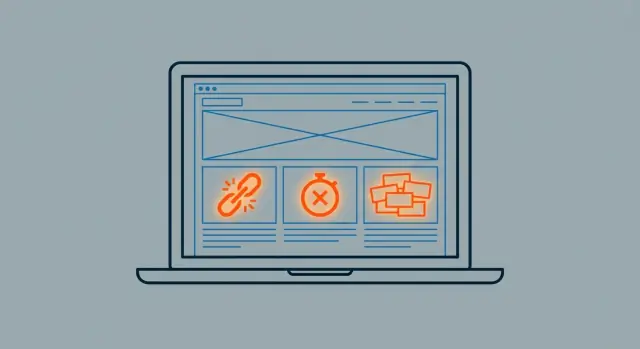
Most website creation mistakes don’t come from “bad design.” They happen when a site is treated like a one-time project instead of a working business tool. Deadlines, budget pressure, too many opinions, and unclear ownership often lead to quick decisions that feel fine at launch—but quietly hurt results afterward.
If you’re building fast—whether with a traditional agency/dev team or a modern vibe-coding platform like Koder.ai (where you can generate and iterate on web apps through chat)—these fundamentals matter even more. Speed is a competitive advantage only when you’re shipping the right thing.
The common “mistake patterns”
These issues tend to cluster into a few repeatable web design errors:
- Design: Pages look nice but don’t guide attention, key actions are buried, and layouts don’t match how people actually scan.
- Content: Generic copy, unclear offers, and outdated pages that make visitors doubt whether you’re active.
- Tech: Bloated templates, heavy media, and too many plugins that cause slow load times and inconsistent behavior.
- SEO: Skipping basics like titles, headings, internal linking, and indexability—so search traffic never arrives.
- Analytics: No tracking plan, so you can’t tell what’s working or what’s broken.
Who this guide is for—and what you’ll get
This guide is for small businesses, startups, creators, and marketers who need a mobile-friendly website that’s easy to navigate, fast, and built to convert.
You’ll get practical fixes you can apply to a new build or a rebuild, plus a website launch checklist at the end to sanity-check your site before you promote it.
What “matters” looks like
Website usability, site speed optimization, website SEO basics, and conversion rate optimization aren’t trends—they affect real outcomes: calls booked, purchases completed, and leads captured. The goal here is simple: reduce avoidable errors and build a site that supports your work long after launch.
Mistake #1: Starting Without Clear Goals and Audience
Many websites don’t fail because the design is “bad”—they fail because nobody agreed what the site is supposed to achieve. Without clear goals and a defined audience, you end up with pages that try to do everything at once: explain, sell, recruit, educate, and entertain… and therefore do none of it well.
Start by choosing the primary goal
Pick the main job of the website before you write a single headline. Is it meant to sell products, generate leads, take bookings, reduce support requests, or build awareness? Your primary goal will shape everything: what goes in the navigation, what gets featured on the homepage, and what you measure after launch.
A quick check: if you can’t explain the site’s goal in one sentence, visitors won’t understand it in five seconds.
Define the audience (and their top questions)
“Audience” isn’t “everyone.” Be specific about who you’re trying to help and what they need to know to trust you. List the top questions they ask before buying or contacting you (pricing, timelines, who it’s for, examples, guarantees, process). Those questions should directly influence your page content and section order.
Limit each page to 1–2 key actions
A common web design error is cramming multiple competing calls-to-action (CTAs) onto the same page: “Buy now,” “Book a demo,” “Subscribe,” “Download,” “Contact,” “Follow,” and so on. Choose one primary action and (optionally) one secondary action per page. Everything else is distraction.
Decide success metrics before you build
If you wait until after launch to define “success,” you’ll be guessing what to improve. Choose simple metrics tied to your goal—leads submitted, bookings completed, purchases, email signups—and agree on targets. This sets you up for smarter decisions later in the process, especially when you get to conversion rate optimization and your website launch checklist.
Mistake #2: Confusing Site Structure and Navigation
A visitor shouldn’t have to “figure out” your website. If your structure is unclear, people bounce—not because they dislike what you offer, but because they can’t quickly find it.
The most common navigation problems
Confusing navigation usually looks like one (or more) of these:
- Too many menu items (10–15+ choices creates decision fatigue)
- Unclear labels (e.g., “Solutions” or “Resources” that hide key pages)
- Multiple paths to the same thing (or worse: different pages that say the same thing)
A simple hierarchy that works
For most small business and professional sites, start with a clean core:
Home → Product/Service → Pricing → About → Contact
Then add only what supports real questions and reduces friction. Trust/help pages are often worth including, such as FAQ and Support—especially if you sell higher-priced services, subscriptions, or anything that needs onboarding.
If you’re unsure what to cut, try this test: if a page isn’t helping someone decide, understand, or take action, it probably doesn’t belong in the top menu.
Rule of thumb: keep key actions close
Make your primary action (e.g., “Book a call,” “Get a quote,” “Start trial”) reachable in 1–2 clicks from any page. If it takes 3+ clicks to reach pricing, contact, or your main offering, your structure is likely doing extra work the visitor shouldn’t have to do.
Tip: use your header for the main paths, and your footer for secondary links (FAQ, Support, policies, careers).
Mistake #3: Weak Messaging and Unclear Value Proposition
If visitors can’t quickly answer “What is this?” and “Is it for me?” they’ll leave—no matter how pretty the site is. Weak messaging usually shows up as generic hero sections (“Welcome to our website”), vague headlines (“Solutions for your business”), and copy that talks about the company instead of the customer.
What weak messaging looks like
A common pattern is a hero area with a stock photo, a broad slogan, and a button that says “Learn more.” That forces people to do extra work to understand the offer. Another sign: pages filled with features, but no clear benefits or outcomes.
Fix it with benefit-first, specific copy
Start with a concrete value proposition that connects your audience, the problem, and the result:
- Who it’s for: “For independent clinics and private practices”
- What you help with: “Reduce no-shows and fill appointment gaps”
- How/why you’re different: “Automated reminders + simple online booking”
Replace vague claims (“best quality,” “trusted partner”) with specifics. If you say “Save time,” quantify it. If you say “Fast setup,” define “fast.”
Make it easy to scan
Most people skim. Use short paragraphs, descriptive headings, and occasional bullet lists to highlight key points. Put the most important message above the fold, and keep each section focused on one idea.
Add proof near your claims
Every big promise should be supported close by:
- A testimonial that mentions the outcome you claim
- A short case study snippet with numbers
- Certifications, awards, or recognizable customer logos
Clear messaging turns your website from “nice to browse” into “easy to choose.”
Mistake #4: Ignoring Mobile Users
More than half of most sites’ traffic arrives on a phone. If the mobile experience feels cramped, slow, or fiddly, people won’t “wait until they’re at a computer”—they’ll leave.
What “mobile-unfriendly” looks like
Mobile issues often hide in plain sight on a desktop monitor. Common problems include:
- Text that’s too small, forcing users to pinch-zoom
- Buttons and links that are hard to tap (tiny tap targets, too close together)
- Layouts that overflow the screen, creating sideways scrolling
- Popups or cookie banners that block content and are difficult to dismiss
A quick gut-check: can someone complete your top task (book a call, buy, request a quote) using just one thumb?
Mobile-first layout checks that actually help
Start with your most important pages (home, pricing, service/product pages, contact) and confirm:
- Thumb-friendly buttons (especially primary CTAs) with comfortable spacing
- Readable font sizes and line spacing (no squinting)
- Navigation that’s obvious and easy to use—no “mystery” icons
- Key information visible without endless scrolling
Test on real devices (not just a resized browser)
Responsive previews are useful, but they don’t show everything. Test on at least:
- One iPhone and one Android device
- Safari and Chrome
Check both Wi‑Fi and cellular if possible. You’ll catch performance hiccups, sticky headers covering content, and tap issues much faster this way.
Forms: where mobile conversions often die
If your form is painful on a phone, your leads disappear. Keep fields minimal, enable autofill, and use the right input types (email, phone, number). Add clear error messages and make the “Submit” button easy to tap without zooming.
Mistake #5: Slow Load Times and Heavy Pages
A slow website doesn’t just feel annoying—it quietly costs you attention, trust, and sign-ups. Many visitors won’t wait for a page that takes “just a few seconds,” especially on mobile data.
What usually makes pages slow
Most speed problems are self-inflicted. Common culprits include:
- Oversized images (uploaded straight from a phone or designer file)
- Heavy scripts (chat widgets, trackers, multiple fonts, sliders)
- Too many plugins or page-builder add-ons doing similar jobs
The tricky part: each item may seem small, but together they create a heavy page that loads late and feels laggy.
Fix the biggest win first: images
Images are often the largest files on a page. A few basics go a long way:
- Resize to the maximum size you actually display (don’t serve a 4000px image in a 800px slot)
- Use modern formats like WebP or AVIF when possible
- Compress before uploading (aim for “looks great” rather than “perfect at 400% zoom”)
Load what matters first
Prioritize above-the-fold content (what people see immediately). Then lazy-load everything below the fold—especially images, videos, and embedded maps—so the page becomes usable sooner.
If you have a big hero video, consider a static preview image with a click-to-play option.
Measure with simple tools
Use Google Lighthouse (in Chrome DevTools) and Core Web Vitals to spot obvious issues. Re-test after each change so you know what actually improved speed rather than guessing.
Mistake #6: Poor Accessibility and Readability
A site can look “clean” and still be hard to use. Small accessibility and readability issues silently push people away—especially on mobile, for older visitors, or for anyone using assistive tech.
Accessibility basics to get right
Start with fundamentals that improve the experience for everyone:
- Text contrast: Body text should clearly stand out from the background. Light gray on white might look modern, but it’s tiring to read.
- Headings that make sense: Use a logical order (one H1 per page, then H2s, H3s). Headings aren’t just styling—they help visitors scan and help screen readers understand structure.
- Alt text for images: Describe what matters (“Team installing solar panels”), not “image1.” Decorative images can be empty alt.
- Keyboard navigation: Users should be able to reach menus, buttons, and form fields with Tab—without getting “stuck.”
Don’t rely on color alone
If “required fields” are only marked in red, or errors are only shown with a red outline, some users won’t notice. Pair color with text labels, icons, or patterns (e.g., “Required” + an asterisk).
Make forms accessible (and easier to complete)
Forms are where many sites lose conversions. Ensure:
- Every input has a visible label (not placeholder-only text).
- Errors are specific (“Email must include @”), appear near the field, and are communicated clearly.
- Strong focus states (a visible outline) so users know where they are.
Accessibility also boosts SEO and conversions
Clear headings, descriptive alt text, and readable copy help search engines interpret your pages. Better form clarity and navigation reduce friction—meaning more sign-ups, more enquiries, and fewer abandoned sessions.
Mistake #7: Skipping SEO Foundations
SEO isn’t a “later” task. If you wait until after launch, you often end up rewriting pages, changing URLs, and fixing avoidable issues that limit how easily people can find you.
The most common SEO oversights
A few small misses can have a big impact:
- Missing or generic page titles and meta descriptions (every important page needs its own, written for humans)
- Duplicate pages (two URLs competing for the same topic, confusing search engines and visitors)
- Thin content (pages that say little more than what your menu already says)
One page, one main topic
A practical rule: map one primary keyword/topic per page. If multiple pages target the same query, you risk keyword cannibalization, where your own pages compete and none perform well.
For example, instead of having three “Services” pages that all try to rank for the same term, give each a clear focus and purpose.
Get the basics right: URLs, headings, and internal links
Keep your structure clean and consistent:
- Use short, readable URLs (e.g., /services/web-design)
- Use one clear H1 per page, then break sections with H2/H3 headings
- Add internal links where they help users continue their journey (e.g., from a service page to a relevant guide in /blog)
Plan content hubs (not random posts)
Instead of publishing unrelated articles, create a hub page for a core topic and add supporting posts that answer related questions. Link them together so readers (and search engines) understand what you specialize in.
SEO foundations are about clarity: clear pages, clear topics, and clear paths through your site.
Mistake #8: Low-Quality or Outdated Content
Your design can be clean and your pages can load quickly, but if the content feels thin, generic, or old, visitors won’t trust the site—or take the next step. Content is often the “proof” behind your claims, so it needs to be clear, useful, and current.
Choose content types that match how people decide
Most sites need more than a Home and Contact page. Pick a few formats that help visitors evaluate you:
- Core pages: Home, Services/Products, About, Contact
- FAQs: answer common “before I buy” questions (pricing, timelines, support, guarantees)
- Guides/resources: show expertise and help with research
- Case studies/testimonials: demonstrate real outcomes and reduce risk
A small set of strong pages beats a large set of vague ones.
Avoid filler by answering real questions and objections
Replace broad claims (“high quality,” “best service”) with specifics: who it’s for, what you deliver, what it costs (or how pricing works), what happens next, and what makes you different. If customers regularly ask something on calls or email, it belongs on the site.
Keep content current (and visibly cared for)
Outdated details quietly hurt credibility. Review:
- Dates and “last updated” references
- Pricing notes, packages, availability, and policies
- Screenshots and product photos (especially after redesigns)
Set a simple maintenance routine
Make it easy to stay consistent: a quarterly 30-minute review of top pages, and a monthly check of the homepage, pricing/offer details, and key screenshots. Add reminders to your calendar so content doesn’t drift out of sync with reality.
Mistake #9: Not Designing for Conversions
A website can look polished, load quickly, and even rank well—yet still fail at the one job most business sites need to do: turn visitors into leads, signups, or purchases. This usually happens when pages are designed like brochures, not like guided paths with clear next steps.
What “conversion design” actually means
Conversion-focused design removes guesswork. Every key page answers three questions quickly: What is this? Is it for me? What should I do next?
If the next step isn’t obvious (or feels like a hassle), people leave—even if they’re interested.
How to fix it
Start with your calls to action. Vague buttons like “Submit” or “Learn more” make visitors stop and think. Make CTAs specific and outcome-oriented: “Book a demo,” “Get a quote,” “Start free trial.” Place them where they’re naturally needed (top of page for high-intent visitors, and again after explaining benefits).
Next, reduce friction. Long forms, confusing required fields, and harsh error messages quietly kill conversions. Keep forms short, ask only what you truly need, and show clear, human error messages. Add small reassurance near the action—like a brief privacy note (“No spam. Unsubscribe anytime”)—so users feel safe completing the step.
Add trust signals close to the moment of decision. Testimonials, review snippets, client logos, guarantees (when applicable), and secure payment indicators work best near forms, pricing, and checkout, not hidden on a separate page.
Finally, design for readability and focus. Use whitespace to separate sections, keep button styles consistent, and limit competing actions on high-intent pages. If everything is highlighted, nothing is.
A quick self-check: can a first-time visitor complete your main goal in under a minute, without searching? If not, your site may be “nice” but not conversion-ready.
Mistake #10: Launching Without Analytics and Tracking
A website can look great and still fail quietly if you can’t see what people are doing. When analytics is added “later,” you often lose the most valuable baseline: how users behaved from day one, before campaigns, redesigns, or content updates.
What to track from day one
Start with a simple measurement plan tied to outcomes, not vanity metrics.
- Add analytics early: events for forms, purchases, key clicks (phone/email taps, “Get a quote,” newsletter sign-ups, downloads)
- Set up conversion goals and dashboards so you can answer basic questions fast: What traffic converts? Which pages assist conversions? Where do users drop off?
If you run ads or email marketing, make sure UTM tagging is consistent, otherwise your reports will be misleading.
Use heatmaps and recordings responsibly
Heatmaps and session recordings can reveal friction you’ll never spot in pageviews alone (rage clicks, dead ends, confusing CTAs). Use them carefully and ethically: mask form fields, avoid capturing sensitive data, respect consent requirements, and limit access internally.
Document your metrics (and keep them stable)
Analytics only helps when everyone interprets it the same way.
- Document what you’ll measure and why (definitions for “lead,” “conversion,” and key events)
Finally, test tracking before launch: submit a form, complete a purchase (if applicable), and verify events fire correctly. A small pre-launch check can save months of decision-making based on broken data.
Mistake #11: Skipping QA, Security, and Basic Compliance
A site can look “done” and still be unready. Skipping quality assurance (QA), basic security, and simple legal checks is one of the fastest ways to ship a website that frustrates visitors—or creates avoidable risk.
QA: the small breaks people actually notice
Most launch-day issues are unglamorous: broken links, missing pages, forms that don’t send, or inconsistent branding (fonts, button styles, tone of voice). Do a real click-through on desktop and mobile, including your header, footer, and any “Book a demo” or “Contact” paths.
Make sure you have a helpful 404 page (with a search box or key links), and confirm redirects for any changed URLs. Also verify your sitemap is generated and reachable (often /sitemap.xml), and that your robots settings (robots.txt and any “noindex” tags) match your intent—many sites accidentally block Google after staging.
Security basics: boring, essential, non-negotiable
At minimum: HTTPS everywhere, software/plugins/themes updated, and strong passwords for every admin account. Add 2FA where possible, limit who has admin access, and set up backups you can actually restore. If you accept payments or store customer data, tighten this further.
Compliance: confirm the essentials
Check that you have a privacy policy, appropriate cookie settings/consent (as applicable), and terms (if you sell online, offer subscriptions, or collect leads). These aren’t “nice to have”—they build trust and reduce headaches later.
If you want a step-by-step run-through, use the checklist in /blog/website-launch-checklist before you hit publish.
A Practical Website Launch Checklist and Next Steps
A website launch is less a finish line and more a handoff: from “building” to “measuring, improving, and maintaining.” A simple checklist and clear ownership prevents last‑minute surprises and helps you keep momentum after go‑live.
If your process involves rapid iteration (for example, generating a React front end and a Go/PostgreSQL back end in Koder.ai and deploying quickly), treat this checklist as your guardrails: move fast, but don’t skip the basics.
Pre‑launch checklist (the day before)
- Content: confirm every page is complete, proofread, and current (dates, prices, team bios). Remove placeholder text and broken internal links.
- Design & UX: test navigation, buttons, forms, and error states (what happens when a required field is missing?).
- Development: run a final speed check, verify images are compressed, and ensure pages load correctly on mobile.
- SEO foundations: set page titles and meta descriptions, confirm one H1 per page, generate a sitemap, and verify your robots settings aren’t blocking important pages.
- Analytics: add tracking, test that key events fire (form submit, phone clicks, checkout), and document what “success” means for each goal.
- QA & compliance: test on multiple browsers, confirm SSL/HTTPS, check cookie/consent needs, and ensure forms handle data safely.
Post‑launch checklist (first week)
- Submit your sitemap and monitor indexing.
- Watch for 404s and fix or redirect broken URLs.
- Review contact forms and emails end‑to‑end (deliverability, spam filters, confirmation messages).
- Compare real traffic and conversions against your expectations.
Assign owners (so tasks actually get done)
A practical split:
- Content owner (updates, proofing, new pages)
- Design owner (consistency, usability issues)
- Dev owner (bugs, performance, integrations)
- SEO owner (indexing, on‑page, technical checks)
- Analytics owner (dashboards, events, reporting)
If you’re using a platform with deployment and rollback features (like Koder.ai’s snapshots/rollback), define who is allowed to ship changes—and who approves a rollback if something breaks.
A simple 30‑day improvement cycle
Week 1: fix launch issues (forms, 404s, tracking gaps).
Week 2: improve top pages (clarify headlines, tighten CTAs, reduce friction).
Week 3: publish or refresh priority content.
Week 4: review data, choose 3–5 changes for next month, repeat.
If you want help setting this up or getting an expert review, see /pricing or reach out via /contact.
FAQ
How do I set clear goals for my website before design or copy starts?
Start by writing one sentence that describes the site’s primary job (e.g., “Generate qualified demo requests for our software”). Then define:
- Primary audience and their top 5 pre-buy questions
- 1 primary conversion per key page (plus 1 optional secondary)
- Success metrics (leads, bookings, purchases, signups) and target numbers
If you can’t state the goal simply, the homepage and navigation will almost always become cluttered.
What’s a simple site structure that avoids confusing navigation?
Use a small, predictable core menu and push everything else to the footer. For many small businesses, a solid default is:
- Home
- Services/Products
- Pricing
- About
- Contact
Keep your primary CTA (e.g., “Book a call”) reachable in 1–2 clicks from any page. If visitors need 3+ clicks to reach pricing or contact, simplify labels and reduce menu items.
How can I improve weak messaging and an unclear value proposition?
Replace vague hero copy with a specific value proposition that answers:
- Who it’s for
- What problem you solve
- What result they get
- Why your approach is different
Then support big claims with proof near the claim (testimonial snippet, numbers, recognizable logos). This reduces “scroll skepticism” where users keep reading because they don’t trust what they’ve seen so far.
What are the quickest ways to spot mobile-unfriendly pages?
Do three fast checks on your most important pages (home, pricing, product/service, contact):
- Can the main task be completed with one thumb?
- Are buttons large enough and spaced apart?
- Does anything block content (popups, cookie banners, sticky headers)?
Also test on real devices (at least one iPhone + one Android, Safari + Chrome). Resized desktop previews won’t catch many tap and layout issues.
What usually causes slow load times, and what should I fix first?
Start with the largest, most common culprit: images.
- Resize images to the max display size (don’t upload 4000px for an 800px slot)
- Use WebP/AVIF when possible
- Compress before upload
Then reduce heavy extras (multiple fonts, sliders, chat widgets) and lazy-load below-the-fold media. Re-test after each change with Lighthouse so you know what actually improved.
Which accessibility fixes have the biggest impact with the least effort?
Prioritize basics that improve usability for everyone:
- High contrast body text (avoid light gray on white)
- Clear heading order (one H1, then H2/H3)
- Visible labels on form fields (don’t rely on placeholders)
- Keyboard navigation that reaches all interactive elements
Also don’t rely on color alone for errors/required fields—pair it with text like “Required” or specific inline error messages.
What SEO basics are most commonly missed during a website build?
Cover the foundations on every important page:
- Unique page titles and meta descriptions
- One main topic/keyword intent per page (avoid multiple pages competing for the same query)
- Short, readable URLs (e.g.,
/services/web-design) - Helpful internal links to related pages (e.g., service page → relevant guide in
/blog)
If you publish content, build topic hubs (one hub + supporting posts) instead of random, unconnected articles.
How do I prevent my site from feeling generic or outdated?
Treat content like “proof,” not filler. Ensure your site includes:
- Clear service/product pages that answer pricing/process/timelines
- FAQs that address common objections
- Testimonials or short case studies with outcomes
To keep things current, schedule a lightweight routine: monthly check of homepage + pricing/offer details, and a quarterly review of top pages for outdated dates, screenshots, and policies.
What does “designing for conversions” actually mean on a business website?
Make the next step obvious and low-friction.
- Use specific CTAs (“Get a quote,” “Book a demo,” “Start free trial”) instead of “Learn more”
- Keep high-intent pages focused (limit competing CTAs)
- Shorten forms to what you truly need
- Add reassurance near the action (brief privacy note, guarantee, reviews)
A practical test: can a first-time visitor complete your main goal in under a minute without hunting for what to do next?
What should I do before launch to avoid tracking, QA, and security mistakes?
At minimum, do these before you promote the site:
- Set up analytics and conversion events (forms, key clicks, purchases)
- Test tracking end-to-end (submit a real form and verify the event)
- Run QA (broken links, 404 page, mobile/desktop click-through)
- Confirm SEO launch settings (no accidental
noindex, sitemap available at/sitemap.xml) - Cover essentials: HTTPS, updates, strong passwords/2FA, backups, privacy policy and cookie needs
If you want a structured run-through, use a launch checklist like /blog/website-launch-checklist.