

Complaint to fix log: a simple way to capture and close issues
Use a complaint to fix log to capture issues, assign owners, track fixes, and confirm the problem stays solved with simple steps and clear fields.
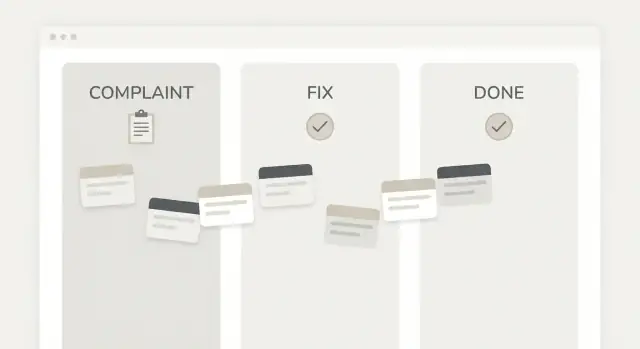
Why complaints keep repeating
Most complaints repeat for a simple reason: nobody can tell whether the last one was truly fixed.
A customer reports a problem, someone replies, a quick patch is made, and the team moves on. Weeks later the same issue shows up again because the root cause was never checked, the change was never confirmed, or the details of the first report were lost.
Another common pattern is inbox drift. Complaints live in emails, chat threads, screenshots, or a support tool, but the actual work happens somewhere else. When the report and the fix are separated, it’s easy to forget what was promised, who owned it, and what “done” means.
A complaint to fix log is a simple record that keeps the complaint and the follow-through in one place. It captures what happened, what was decided, who will fix it, and how you’ll verify the fix. Think of it as a small memory system for your team, so problems don’t disappear just because the message thread ends.
This helps more people than you might think: support teams who need clear updates, ops and maintenance folks who handle recurring issues, small product teams juggling a lot of work, and solo founders doing support and development at the same time. If you build software with a chat-based builder like Koder.ai, it also gives you a clean way to track what changed between versions, not just what someone complained about.
Repeats usually come from predictable gaps. The complaint is recorded but never assigned to a specific owner. A fix is made but the original complaint is never re-tested. The fix is vague (“updated settings”), so nobody can repeat it later. The same issue is reported under different names, so patterns are missed. Or “done” quietly turns into “we stopped talking about it,” not “it stopped happening.”
The goal is simple: fewer repeats, faster response, and clear follow-through. When every complaint has a visible owner and a verified outcome, you close the loop and stop paying for the same problem twice.
What a complaint to fix log actually contains
A complaint to fix log is a record that helps you go from “something went wrong” to “we fixed it and proved it stays fixed.” If you keep only one document for recurring problems, make it this one.
At minimum, it needs enough detail to answer five questions:
- What happened?
- Who owns it?
- What will change?
- How will we check it?
- When is it truly finished?
The minimum fields that make it work
You can keep this in a spreadsheet, a shared doc, a whiteboard photo, or a basic app. The tool matters less than consistency.
Don’t skip these fields:
- Complaint: what the person saw, plus date and source (customer, teammate, monitoring, etc.).
- Owner: one name, not a team. This is who drives it to closure.
- Fix: the concrete change you’ll make (not a vague intention).
- Verification: how you’ll confirm it worked (test, screenshot, call-back, measurement).
- Done date: the day you verified it and closed it.
Optional fields can help later without adding much work: priority, category, and a simple “repeat?” (yes/no).
Complaint vs. task (they’re not the same)
A complaint is the reported problem in plain language: “Invoices show the wrong total” or “The app crashes when I tap Save.” It can be messy, emotional, and incomplete.
A task is your internal action: “Recalculate tax after discount in checkout” or “Fix null value in Save handler.” One complaint may create several tasks, and some tasks exist for prevention work, not because of a complaint.
If you mix these up, the log becomes hard to read. Keep the complaint as the headline. Put tasks in the “Fix” notes (or keep them in a separate task tool).
What “done” must mean
“Done” is not “someone looked at it” or “we shipped a change.” Done means fixed and verified.
Example: a customer reports duplicate charges. The fix might be “prevent double-submit on the payment button.” Verification could be “run three test payments, confirm only one charge each time, and review payment logs for 48 hours.” Only after that check is complete does the item get a done date.
The simplest log template (fields to include)
A complaint to fix log only works if it’s quick to fill out and easy to scan later. The goal isn’t to capture everything. It’s to capture enough to make a clear decision, assign work, and prove the problem is gone.
Capture fields (the minimum)
Start with fields that make each entry unambiguous and searchable:
- ID + date: a simple number (like 2026-014) and the date it was reported.
- Source: where it came from (email, support chat, in-person, app review, internal).
- Customer impact: who is affected and how bad (one user blocked, many users slowed down, annoyance only).
- Category: billing, bug, delivery, quality, communication, safety, other.
- Priority: low, medium, high, urgent (pick one scale and stick to it).
Next, add ownership so the complaint doesn’t stall: the assignee, a due date, a simple status (new, in progress, waiting, done), and the next action (one sentence starting with a verb). If you can add only one more field, make it next action. It tells anyone what happens next without a meeting.
Fix and proof fields (so it doesn’t repeat)
Once work starts, you need a short record of what changed and how you know it worked:
- Root cause note + fix summary: one sentence each, written in plain language.
- Fix date + version/change note: when it was fixed, plus what changed (release number, config update, process change).
- How it was checked: the test, call, walkthrough, or report you used.
- Who confirmed: name or role (support lead, customer, manager).
- Follow-up date: when you’ll re-check (especially for recurring issues).
Example: “ID 2026-014, source: support chat, impact: checkout fails for some users, category: bug, priority: high. Assignee: Maya, due Friday, status: in progress, next action: reproduce on iPhone. Root cause: payment token expired too early. Fix: extend token lifetime and add retry. Checked: 10 successful test checkouts. Confirmed by: support lead. Follow-up: next Monday.”
Optional fields can help, but add them only when you truly use them: screenshots, cost/time spent, tags, related complaint IDs, or a “customer notified” checkbox. If people skip fields because the form feels heavy, the log will die quietly.
How to classify complaints so you can act on them
A log only helps if the next step is obvious. Classification turns a messy inbox of complaints into a small set of actions you can assign and finish.
Start with a few stable categories
Pick 3-4 categories and keep them the same for months. If you change them every week, trends disappear.
Billing covers wrong charges, refund requests, and invoice mismatches. Product covers features not working, confusing behavior, and bug reports. Delivery covers late shipment, missing items, wrong addresses, or delayed access for digital products. Service covers rude interaction, slow response, or unclear answers.
If a complaint fits two categories, choose the one that will own the fix. For example, “I was charged twice because the checkout broke” is usually Product (the billing error is a symptom).
Use a simple 3-level priority
Priority isn’t “how angry the customer is.” It’s how fast you must act to avoid harm.
- Low: small annoyance, workaround exists, limited impact. Example: a typo on an email template.
- Medium: blocks a task for some people, no easy workaround. Example: password reset email arrives late for many users.
- High: stops core use, causes data loss, or creates serious business risk. Example: customers can’t place orders, or a login bug locks people out.
Add one note next to priority: impact. Keep it short and numeric when you can: “12 users today,” “happens every checkout on mobile,” “one customer, once.” This helps you avoid overreacting to a loud one-off, and it prevents underreacting to a quiet issue that hits many people.
Know when to escalate immediately
Some complaints should skip the normal queue and go to a senior owner the same day. Escalate when you see:
- Safety risk (physical harm, unsafe instructions, dangerous product behavior)
- Legal or privacy risk (personal data exposure, threats, compliance issues)
- Major outage (core service unavailable for many users)
- Financial risk (widespread overcharging, fraudulent activity)
With stable categories, clear priority, and a quick impact note, your complaint to fix log becomes a decision tool, not just a record.
Step-by-step: capture, assign, fix, verify, close
A complaint stops repeating when you treat it like a small project with a clear owner, a clear result, and a clear finish line. A complaint to fix log makes that routine.
Start by capturing the complaint word-for-word. Don’t “clean it up” or translate it into internal terms yet. Add just enough context to make it usable later: date, channel (email, call, in-app), customer name or account, and where the problem happened (product area, location, order number).
Next, confirm the outcome the customer wanted. This is often different from the symptom. “Your checkout is broken” might really mean “I need to pay with a corporate card and get an invoice.” Write the desired outcome in one plain sentence.
Within 24 hours, assign an owner and a due date. One person must be responsible, even if several people help. If the owner can’t act yet, that’s fine, but the log should show who is driving the next step.
Now define the fix task in one sentence, plus the expected result. Keep it testable. “Improve login” is vague. “Fix password reset email not sending for Gmail addresses” is specific, and the expected result can be verified.
Use a small set of status changes so everyone reads the log the same way:
- New
- In progress
- Blocked
- Ready to verify
- Done
Before closing, verify the fix and record proof. Proof can be simple, but it must exist. If a customer said “the PDF invoice is blank,” the proof could be a saved sample invoice generated after the fix, or a screenshot showing the correct output.
Mini-example: a customer writes, “Your app crashes when I tap Export.” You copy that text, confirm they wanted “a CSV file emailed to me,” assign it to Sam due tomorrow, define the task as “Fix crash on Export button in Orders screen,” move it through statuses, then verify by exporting a test order and saving the file as proof. Only then do you mark it Done.
Ownership and workflow rules that keep it moving
A log only works if every item has a single accountable owner. That person is responsible for moving it forward, even when other people do the work. Without one name on it, the complaint will bounce around, go quiet, then show up again next month.
Keep the rules simple enough that people actually follow them. A good complaint to fix log is mostly a few habits that repeat every week.
The core rules
Write these rules at the top of the log and stick to them:
- One owner per item (helpers can be listed separately).
- A short weekly review (15-30 minutes) with only new, stuck, or high-impact items.
- “Blocked” must include why it’s blocked and the next action (who needs to do what, by when).
- Two basic timings: time-to-first-response and time-to-done.
- Closing requires verification, and only specific roles can close.
Weekly review isn’t a debate session. It’s a decision session: assign owners, remove blockers, and confirm what “done” looks like. If you can’t finish the review quickly, your log is too big or your items are too vague.
“Blocked” deserves special care because it’s where issues go to die. Treat “blocked” as a temporary status, not a parking lot. A blocked item must always have a next action, even if the action is “request access from IT” or “ask the customer for a screenshot.”
For metrics, you don’t need fancy dashboards. Track two dates: when the complaint was captured (or acknowledged) and when it was closed. Time-to-first-response shows whether people feel heard. Time-to-done shows whether the team can actually finish.
Verification and closing should be explicit. One clean pattern is: the person who fixed it marks it “ready to verify,” and a supervisor or someone outside the work (support, QA, ops) confirms the problem is gone.
Common mistakes that make the log useless
A complaint log only helps if it leads to real change. Many teams start one, then quietly stop trusting it because entries don’t match reality, or nobody can spot patterns.
One common failure is closing items too early. If you mark something “done” without checking the result, you’re really just moving it out of sight. Verification can be simple: reproduce the problem, apply the fix, test again, and when it matters, confirm with the person who reported it.
Another problem is vague notes. “Looked into it” or “updated settings” doesn’t tell the next person what happened, what changed, or how to avoid repeating it. A complaint to fix log should read like a short story with a clear ending.
These mistakes show up again and again:
- Closing without verification (or without confirming the customer impact when needed)
- Writing unclear fixes, with no details on what was changed
- Making one person the owner of every item, creating a bottleneck
- Renaming categories constantly, so trends disappear from month to month
- Tracking the complaint, but skipping the root cause and prevention step
Root cause is where repeat issues are born. If the log only captures “what hurt,” not “why it happened,” you’ll keep paying the same cost. Even a simple label helps, like “training gap,” “missing check,” “supplier issue,” or “software bug.”
Also record what changed, not just that something changed. Write down the exact setting, part, script, or instruction that was updated, and what the previous state was. If you build software, note the behavior before and after. Tools like Koder.ai can speed up implementing the fix, but the log still needs clear notes so future you can understand it.
Example: a customer says “reports are sometimes wrong.” If the entry ends with “fixed,” nobody knows what to test next time. A useful close would say: “Cause: timezone conversion used local browser time. Fix: store UTC in database, convert on display. Verified: same report matches finance export for three dates. Confirmed with customer on Monday.”
Quick checklist: is your process working?
A complaint process only helps if it changes what happens next week. Use this quick check once a week (10 minutes is enough) to see whether your complaint to fix log is actually preventing repeats.
Five fast checks
If any of these are a “no,” you have a clear place to tighten the process:
- New complaints all land in one place, not split across email, chat, and sticky notes.
- Every open item has one named owner (not a team) and a due date.
- Anything not done has a clear next action written in plain words.
- Fixes are verified (someone checks the result) and the proof is recorded.
- When the same complaint shows up again, it’s linked to the earlier entry so you can see the pattern.
If you do only one thing this week, make sure every open line has an owner, a due date, and a next action. That alone stops items from quietly going stale.
A weekly review that actually closes loops
A short weekly review is what turns a log into progress. Keep it simple: look at new items, items due this week, and anything that’s been open too long.
A practical way to run it is to pick one person to host (often the ops lead, office manager, or product owner). They don’t need to solve everything. Their job is to ask two questions: “Who owns this?” and “What happens next, and by when?”
Example: a customer reports “invoice PDF is blank” on Tuesday. If it’s logged but not assigned, it will likely repeat. If it’s assigned to Alex with a due date Friday, the next action could be “reproduce using account type B.” When fixed, someone else verifies by downloading the PDF again and notes the version or date of the check. If the same complaint returns next month, you can immediately see whether it’s a new cause or the original fix failed.
If you use a tool like Koder.ai to build internal apps, this checklist still applies. The format matters less than the habit of assigning, verifying, and writing down what you learned.
Example: from one complaint to a confirmed fix
A real example makes the complaint to fix log feel less like paperwork and more like a safety net.
On Tuesday morning, Maya (a customer on the Pro plan) emails support: “I was charged twice for January. Two identical charges hit my card within 2 minutes.” Support checks and sees two successful payment records with the same invoice number.
Here’s what the team writes in the log that day (kept short, but complete):
ID: 2026-01-21-014
Date received: 2026-01-21 09:12
Channel: Email
Customer: Maya R. (Pro)
Complaint: Charged twice for the same invoice (INV-10482)
Impact: Customer overcharged $29; trust risk; support time
Priority: P1 (money issue)
Owner: Sam (Billing)
Due date: 2026-01-22
Status: In progress
Notes: Two successful charges within 2 minutes after “retry” button used
Sam finds the cause: when a payment times out on the customer’s screen, the “Retry payment” action can be clicked again, creating a second charge before the first one finishes. The payment provider accepts both because the request doesn’t include an idempotency key.
The fix is simple: the app now sends a unique idempotency key per invoice payment attempt, and the UI disables the retry button for 30 seconds after the first click.
Verification is written down too. Sam tests in a sandbox and confirms that two quick clicks result in one charge and one “already processed” response. A second person (Rita) repeats the test after the change is deployed.
Then the follow-up closes the loop. Support replies: “You’re right - we charged you twice. We refunded the duplicate charge ($29) and added a safeguard so repeat clicks can’t create a second charge. You’ll see the refund in 3-5 business days.” Maya confirms the next day.
Finally, the team prevents repeats by adding an alert: if the system ever sees two successful charges for the same invoice within 10 minutes, it opens a P1 log entry automatically and pings billing. The status is set to Done only after the refund is confirmed and the alert is live.
Next steps: start simple, then automate when it hurts
Start with the smallest version of your complaint to fix log that still lets you take action. Pick a simple template, run it for two weeks, and only then decide what to add. Most teams add extra fields too early, then stop filling them in.
Choose one place to keep the log (a shared doc or spreadsheet is fine) and stick to it. The moment you allow “it’s also in email” or “it’s in someone’s notes,” you lose trust in the log.
Set one weekly review time and protect it. Keep it short: look for items that are stuck, items that are “fixed” but not verified, and patterns that keep repeating.
A practical starter goal for next month:
- Reduce repeat complaints on the same issue
- Shorten the time from complaint to closure
- Close more items with a verified result (not just “we think it’s done”)
Automation should be a response to pain, not a side project. Move from a document to a small internal app when the document starts creating friction, for example when you can’t reliably assign owners, you need notifications, or you keep losing history.
Signs it’s time to upgrade:
- You have more than 30-50 open items and weekly review takes too long
- People miss assignments because there’s no reminder or status change
- You need basic reporting (repeat issues by category, time to close)
- You need an audit trail (who changed what, and when)
If you want to build a lightweight complaint-to-fix tracker quickly, Koder.ai (koder.ai) can help you generate a simple web app from chat and adjust it as your process evolves. Start with the same fields as your document, then add only what you’ve proven you need.
Keep the bar low. The best system is the one people actually use every day: capture, assign, verify, and write down the proof.
FAQ
When do I actually need a complaint-to-fix log instead of just replying in email?
Start when the same issue shows up more than once, or when you can’t clearly answer who owns the fix and how you’ll verify it. If you’re already losing details in email or chat threads, you’re late enough to benefit from a simple log.
What’s the best way to write the complaint so it’s useful later?
Write the complaint in the reporter’s words and add just enough context to reproduce it, such as date, channel, account, and where it happened. Avoid rewriting it as an internal task too early, because you can lose what the customer actually experienced.
What’s the difference between a complaint and a task in the log?
A complaint is the problem as reported, like “Export crashes when I tap Save.” A task is the internal action you take, like “Fix null value in Save handler.” Keep the complaint as the headline and put the internal work in the fix notes, so you can still see what you’re closing.
What are the minimum fields I should include so the log doesn’t become busywork?
Use the smallest set that prevents ambiguity: complaint, owner, fix, verification, and done date. If you can add one more, add “next action,” because it makes stalled items obvious without a meeting.
How should I set priority without overreacting to the loudest complaint?
Pick priority based on risk and impact, not on how upset someone sounds. A good default is to note how many users are affected and whether a core action is blocked, then set priority from that.
What should “done” mean so problems don’t repeat?
“Done” should mean fixed and verified, not just shipped. The safest habit is to require a specific check, like a reproducible test, a screenshot of the corrected output, or a short confirmation from support or the reporter.
How do I prevent complaints from getting stuck with “everyone” as the owner?
Assign one accountable owner per item, even if several people help. The owner’s job is to move it forward, keep the next action current, and drive it to verification, so it doesn’t bounce around and quietly expire.
How do I handle “Blocked” items so they don’t become a graveyard?
Treat “Blocked” as a temporary state that must include a reason and a next action. If an entry can’t name what’s needed and who will do it next, it’s not really blocked; it’s just unowned.
How often should we review the log, and what should that meeting cover?
Do a short weekly review focused only on new items, overdue items, and high-impact items. If the review takes too long, it usually means entries are too vague or you’re trying to debate solutions instead of deciding owners, next actions, and verification.
Can Koder.ai help me build a complaint-to-fix tracker, and what should I build first?
If you’re building a tracker app, start by implementing the same fields and workflow you already use in a document, then add automation only where it saves time. With Koder.ai, you can create a simple web app by chat, iterate quickly, export the source code when needed, and use snapshots and rollback to keep changes safe.