

Conference Website Essentials: Agenda, Speakers, and Ticketing
Learn how to build agenda pages, speaker profiles, and ticketing flows that help attendees plan faster, trust the event, and buy tickets with fewer steps.
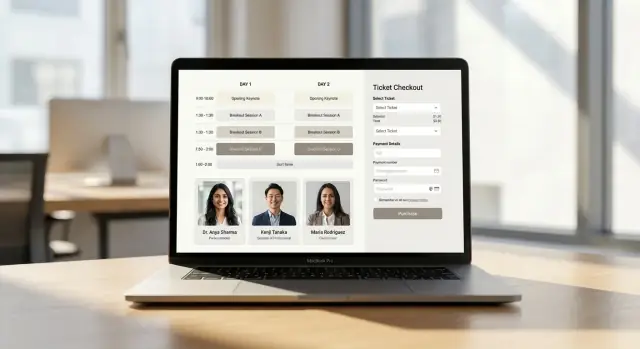
What Makes Conference Pages Convert Visitors to Attendees
Visitors don’t arrive on a conference site to “browse.” They’re trying to make a decision quickly. The pages that convert best remove uncertainty and help people take the next step with confidence.
What attendees want to accomplish—fast
Most visitors are trying to do three things in a short session:
- Plan: Understand what’s happening, when, and whether it fits their schedule.
- Evaluate: Decide if the content and people are worth their time and budget.
- Purchase: See pricing and what’s included, then check out without second-guessing.
Conversion happens when your agenda, speaker, and ticketing pages make those actions feel effortless.
One journey, three connected pages
Think of your conference website as a single decision flow:
- The agenda answers “What will I learn, and what does the day look like?”
- Session and speaker details answer “Is this high quality and relevant to me?”
- The ticketing and checkout answer “What do I pay, what do I get, and how fast can I complete this?”
The best sites link these together intentionally: each session points to its speakers, each speaker lists their sessions, and every page includes a clear path to pricing (for example, a consistent “View tickets” CTA linking to /tickets).
Common conversion-killers
A few predictable issues cause drop-offs:
- Hidden or missing details: “TBA” speakers, vague session descriptions, or unclear formats (workshop vs. talk) force visitors to leave and ask questions.
- Confusing times: No time zone, inconsistent date formats, or hard-to-scan scheduling makes planning feel risky—especially for travelers.
- Checkout friction: Surprise fees, account creation gates, too many required fields, or unclear refund/transfer policies create hesitation right at the finish line.
When people can’t confirm the basics in seconds, they delay the purchase—or abandon it.
Metrics that signal real progress
Track the actions that show intent, not just traffic:
- Agenda views and scroll depth (are people actually reading the schedule?)
- Speaker clicks from sessions (are visitors validating trust and expertise?)
- Checkout starts from ticketing pages (are visitors ready to buy?)
Pair these with drop-off points (for example, ticket page → checkout, checkout step 1 → payment) to pinpoint what’s blocking conversions.
Agenda Page Layout: Structure, Scannability, and CTAs
Your agenda page is where curious visitors decide whether the event is worth their time and money. The best layouts make that decision easy by answering the “what, when, and for whom” questions in seconds.
Pick a structure that matches how people browse
There’s no single perfect format—choose the one that aligns with your schedule:
- List view works well for most conferences: easy to scan, great on mobile.
- Grid view (time vs. track) helps attendees compare parallel sessions quickly, but needs careful responsive design.
- Timeline view is ideal for single-track or experience-led events where flow matters more than category.
If your event has multiple days, prioritize a clear day switcher at the top so people don’t feel lost in the schedule.
Put essentials above the fold (and keep them visible)
Before session titles, show context. Include the date, location, and timezone (especially for hybrid/virtual). If you have tracks, show them as short, consistent labels so people can self-select fast.
A simple “At a glance” strip near the top can work well:
- Dates + timezone
- Venue / online platform
- Track legend (colors or tags)
Use session labels that reduce mental effort
Session types should be instantly recognizable. Use plain labels like Keynote, Workshop, Breakout, and Networking, and keep them consistent across the agenda and session detail pages. Avoid creative naming that forces interpretation.
Also consider adding quick metadata in one line (for example, “45 min • Intermediate • Room B”) so attendees can judge fit without clicking.
Make the CTA persistent, not pushy
A “Buy tickets” or “Register” button should be visible while scrolling—especially on mobile. Keep it in a sticky header or a bottom bar, and pair it with urgency only when it’s real (for example, “Early-bird ends in 3 days”).
If you need a destination, link directly to /tickets rather than a generic homepage path.
Agenda Filters, Search, and Planning Tools
A great agenda isn’t just readable—it’s usable. Once your schedule grows beyond a handful of sessions, people need fast ways to find what matters to them, sanity-check conflicts, and plan their day without feeling lost.
Filters people can trust
Filters should be helpful first and “fancy” second. Prioritize the common decisions attendees make:
- Track and topic filters (for example, Product, Leadership, AI, Design) that are clearly labeled and don’t require guesswork.
- Easy reset: a prominent “Clear all” link and visible selected filters so people understand why the list changed.
Avoid burying filters behind multiple taps. On mobile, a single “Filter” button that opens a panel works well—just make sure the applied filters are visible after closing the panel.
Search that matches how attendees think
Agenda search should support the three main ways people look for sessions:
- By session title (“Roadmap for 2026”)
- By speaker (“Ayesha Khan”)
- By keywords (“pricing,” “security,” “hiring”)
Include partial matches and tolerate small typos. If there are no results, don’t dead-end—suggest removing filters or show related sessions.
Planning tools: conflicts and calendars
Once attendees start saving sessions, planning features do the heavy lifting:
- Conflict indicators when saved sessions overlap (“Conflicts with: Design Systems 101”). Make it actionable with a quick link to compare.
- “Add to calendar” options for Google Calendar and iCal/Outlook, ideally both per-session and as “My schedule.”
If you offer a personal schedule, keep it available across devices (an email link or simple account-free magic link is often enough).
Accessibility and keyboard navigation
Filters and search are only useful if everyone can operate them. Ensure:
- Filter controls are reachable by keyboard (Tab/Shift+Tab) and usable with Enter/Space.
- Visible focus states, proper labels for screen readers, and clear hit targets for touch.
- No essential interaction depends on drag-and-drop.
These details reduce frustration—and keep attendees moving toward a full, confident agenda.
Session Detail Pages: Information That Reduces Questions
When someone clicks a session title, they’re usually trying to answer a simple question: “Is this worth my time?” A good session detail page removes doubt quickly, so attendees can plan with confidence (and stop emailing your team).
The “always-present” facts
Start with the essentials at the top, in a consistent order:
- Date + start/end time with the timezone clearly labeled (for example, “10:30–11:15 AM PT”). If your audience is global, add a short note like “Times shown in PT.”
- Format: specify onsite vs virtual (or hybrid). If it’s virtual, say whether it’s live, pre-recorded, or includes Q&A.
- Location details: room name, venue area, or streaming link access rules (“Link appears in your attendee portal”).
A repeatable content pattern that answers “What will I learn?”
Use a predictable structure so every page feels easy to scan:
- Abstract: 3–6 lines that describe the problem and outcome.
- Key takeaways: 3 bullets phrased as outcomes (“You’ll be able to…”).
- Level: beginner / intermediate / advanced.
- Prerequisites: tools, knowledge, or “None.”
If you have workshops or limited seating, add capacity notes (“Limited to 30 seats; first come, first served”) and any requirements (laptop, account setup, waiver).
Make navigation do the work
Include speakers prominently with links to their profiles, and show all co-speakers consistently.
Add contextual links so people can keep browsing without backtracking:
- Related sessions (“More in this topic”)
- Track page link (for example, /tracks/data or /tracks/leadership)
A well-structured session detail page turns planning into momentum—one more “Add to schedule” click at a time.
Speaker Profiles: Trust Signals and Helpful Consistency
Speaker pages often decide whether someone trusts your event enough to buy a ticket. The goal isn’t to write a novel—it’s to make each profile instantly scannable, consistent, and reassuring, so attendees can quickly answer: “Who is this person, and why should I listen?”
Use a consistent card template
Start with a predictable structure that repeats across every speaker. Consistency makes comparison easy and reduces cognitive load.
A practical template:
- Name
- Role + company (for example, “Head of Data, Acme Corp”)
- Talk title (or “Speaking on:” if it’s a panel)
- One-line credibility hook (optional, but helpful: “Author of…”, “Led…”, “10+ years in…”)
Use the same order, punctuation, and capitalization everywhere. If you show pronouns, show them for everyone (and make it optional).
Bio length: give the short version first
Most visitors skim. Aim for a 60–120 word bio that explains what they do and why it matters to the topic. If you need more detail, use a clear “Read more” pattern so the page stays tidy:
- Show a short bio by default.
- Expand inline with Read more (and collapse with Read less).
This keeps the /speakers page clean while still supporting speakers with longer credentials.
Headshots: set requirements early
Headshots are trust signals, but inconsistent photos make the event look unpolished. Provide requirements in your speaker kit and enforce them during upload:
- Square crop (1:1), at least 800×800 px
- Neutral or simple background
- Good lighting, face centered, no heavy filters
- Confirm permission to use the image on web, email, and social
If a speaker can’t provide a compliant photo, use a professional fallback (for example, a branded placeholder), but avoid mixing random styles.
Social links and contact: avoid spam exposure
Include links that help attendees validate credibility without turning profiles into spam magnets:
- Prefer LinkedIn, X, personal site, GitHub as clickable icons
- Avoid publishing raw email addresses; use a contact form or “Contact via organizer” flow
- If you list handles, keep formatting consistent (all with @, or none)
Done well, speaker profiles don’t just look nice—they reduce pre-event questions and improve attendee confidence across the entire agenda.
Connecting Speakers to Sessions Without Confusion
When people click a speaker, they’re usually trying to answer one question fast: “Where can I see them?” Your site should make that path obvious and consistent, whether a session has one speaker, multiple speakers, or a full panel.
Single-speaker vs. multi-speaker sessions
For single-speaker sessions, treat the speaker as the primary identity: show their name prominently on the agenda card and on the session page.
For multi-speaker sessions and panels, avoid cramming. Show up to 2–3 names on the agenda card, then add a clear “+X more” label that opens the session detail page.
On the session page, separate roles so attendees aren’t guessing:
- Moderator (if applicable)
- Panelists
- Speakers / Co-presenters
Keep ordering consistent everywhere (agenda card → session page → speaker page). If you sort by speaking order on the session page, use the same order on the agenda snippet.
Linking strategy that prevents dead ends
Use a simple loop:
- Agenda items link to the session detail page
- Each speaker name links to the speaker profile page
- Each speaker profile includes a section like “Sessions with this speaker” that lists all their appearances
This makes browsing predictable and reduces back-and-forth searching. If you have internal pages, keep links consistent (for example: /agenda/session-name, /speakers/speaker-name).
Handling speaker changes gracefully
Speaker lineups shift. Don’t hide changes—label them.
If a speaker is added, replaced, or a role changes, add a small visible tag such as “Updated” on the session page (and optionally on the agenda item). If you show a timestamp, keep it human-readable (“Updated Nov 12”). Avoid deleting names without a trace; it can confuse returning attendees comparing versions.
Pronouns: include only what’s provided
If a speaker has provided pronouns, display them in a consistent spot (for example, next to the name on the speaker profile, and optionally on the session page). If they weren’t provided, don’t add pronouns or infer them from photos, names, or bios.
Ticketing Page: Pricing, Packages, and Clarity
Your ticketing page should answer “Which ticket is right for me?” in under a minute. If visitors have to open a PDF, email a question, or calculate the real cost in their heads, many will postpone—and never return.
Make ticket types easy to compare
Use a simple comparison layout (cards or a short table) with consistent fields for every option. Keep the differences meaningful and scannable:
- Who it’s for (students, professionals, teams)
- What’s included (talks, workshops, meals, recordings, afterparty)
- Access level (in-person, virtual, hybrid)
Avoid vague labels like “Standard” vs. “Plus” without clear benefits. If there are add-ons (workshops, trainings), clarify whether they’re included or purchased separately.
Show the real price upfront
Display the total cost structure clearly on the ticket page—not just at checkout. Include fees, estimated taxes/VAT where applicable, and key deadlines (early-bird end date, price increases, refund cutoff). If fees vary by payment method, state that plainly.
A helpful pattern: show “$299 + fees” on the card, then a short note below the pricing grid explaining what “fees” typically mean and when taxes apply.
Fewer options, clearer decisions
Limit the number of ticket choices. Three to five options is usually enough. Highlight a “Best for most attendees” option with a short reason (“Includes workshops + recordings”) rather than marketing language.
Groups, codes, and accessibility considerations
If you offer group tickets, show how the discount scales and what qualifies as a group. Provide a visible field for discount codes with a brief link to rules (for example, /discounts).
Include accessibility tickets or accommodations guidance directly on the page: what support is available, how to request it, and whether companion tickets are offered. This reduces back-and-forth and signals that attendees are welcome and considered.
Checkout UX: Reduce Steps and Increase Completion
A great ticketing page can still lose sales if checkout feels slow, confusing, or intrusive. Your goal is simple: make paying feel safe, quick, and predictable.
Keep forms short (and explain every field)
Only ask for what you truly need to deliver the ticket and run the event. Each extra field increases drop-off—especially on mobile.
A practical rule: if you can’t explain why a field is required, remove it or make it optional.
- Email (required): send the ticket, receipt, and updates.
- Name (required): personalize badges and the confirmation.
- Company / role (optional): useful for networking, but don’t block purchase.
- Dietary needs / accessibility requests (optional): collect if you’ll act on it.
If you need attendee details for multiple tickets, consider collecting only the buyer info during payment, then gathering attendee names later via a link in the confirmation email.
Guest checkout beats forced accounts
Let people buy without creating an account. Forced signup adds friction and raises privacy concerns.
If you want accounts, offer them after purchase (“Create a password to manage your tickets”), or allow “magic link” sign-in from the receipt email.
Add trust where people hesitate
Checkout is a trust test. Place reassurance near the payment step, not hidden in the footer.
Include:
- A clear refund policy link (for example, /refund-policy) and a brief summary (“Refunds available until May 1”).
- Secure payment indicators (known payment methods, SSL lock in the browser, and your payment provider name).
- Transparent totals: fees, taxes, and what’s included in the ticket.
Nail the post-purchase flow
Right after payment, answer: “Did it work, and what now?”
Your confirmation should include the order summary, event date/time/location, and obvious next steps: download receipt, add to calendar, and “Add to Wallet” if available. Then mirror that in a confirmation email with the ticket/QR code and a link to manage the order.
Mobile, Speed, and Accessibility Requirements
Most attendees will check your agenda, speakers, and tickets on a phone—often while commuting, between meetings, or on venue Wi‑Fi. If mobile UX is cramped, slow, or hard to use with assistive tech, people won’t try harder; they’ll leave.
Mobile-first agenda interactions
Design the agenda for thumbs first, then enhance for desktop:
- Sticky day selector: keep the current day (or track) selector visible as people scroll, so switching doesn’t require jumping back to the top.
- Large tap targets: make session cards, filters, and “Add to schedule” buttons easy to hit without zooming.
- Scannable cards: show the essentials (time, title, room, primary speaker) and let the rest live on the session detail page.
If you use filters, ensure the “Apply” and “Clear” actions are always visible on small screens, and show the number of matching sessions so users feel oriented.
Speed: fast agenda loading under real conditions
Agenda pages are data-heavy and image-heavy. Treat performance as a conversion feature:
- Lazy-load images (speaker headshots, sponsor logos) so the schedule renders immediately.
- Cache predictable data (agenda JSON, speaker lists) with sensible expiry so returning visitors get instant loads.
- Avoid blocking UI: let users scroll and open sessions while secondary content loads.
A practical rule: if your agenda can’t render the first screen quickly on average cellular connections, it’s too slow.
Accessibility: make it usable for everyone
Accessible design reduces friction for all visitors, not just those using assistive technology.
Focus on:
- Color contrast for text, tags, and “selected” states.
- Visible focus states for keyboard navigation (filters, tabs, session links, checkout fields).
- Alt text for meaningful images (speaker headshots) and empty alt for decorative graphics.
- Readable schedules: avoid tiny type, overly dense grids, and “color-only” indicators (for example, track shown only by color).
International audiences: small details that prevent big mistakes
If you attract global attendees, localize the basics:
- Language options (and consistent translation on agenda + checkout, not just the homepage).
- Date/time formats with clear time zones (and day names), especially for hybrid events.
- Currencies and payment expectations: show totals clearly and early, including fees and taxes where possible.
Handled well, these requirements don’t just “check boxes”—they directly improve attendee confidence and completion rates.
SEO for Agenda and Speaker Pages: Make Them Discoverable
Great agenda and speaker pages shouldn’t only help registered attendees—they should also bring new people to your conference.
On-page SEO basics (the non-negotiables)
Start with clear, specific page titles and headings. “Agenda” is vague; “Agenda: AI Security Summit 2026” tells searchers (and Google) exactly what they’ll get.
For session detail pages, write a short summary that answers: who it’s for, what you’ll learn, and what level it’s aimed at. For speaker profile pages, include a 2–4 sentence bio, key topics, and the company/role. Use descriptive alt text for headshots (for example, “Headshot of Priya Singh, VP of Data at Acme”).
Keep URLs clean and stable:
- /agenda, /agenda/day-1, /sessions/zero-trust-workshop
- /speakers/priya-singh
Schema markup: Event, Schedule, and Person
Structured data helps search engines understand your content and can improve eligibility for rich results.
- Event schema: best for the main conference page (name, dates, location, tickets).
- Schedule/Session markup: for individual sessions (name, start time, speaker).
- Person schema: for speaker pages (name, title, affiliation, sameAs links).
If your CMS allows it, add JSON-LD in the page template. Example (simplified):
{
  "@context": "https://schema.org",
  "@type": "Person",
  "name": "Priya Singh",
  "jobTitle": "VP of Data",
  "worksFor": {"@type": "Organization", "name": "Acme"}
}
Indexing strategy: avoid thin pages
Filters can accidentally create thousands of near-duplicate URLs (for example, /agenda?track=data&level=beginner). Let users filter, but consider preventing those filtered URLs from being indexed.
Also watch out for “thin” speaker pages (one-line bio, no sessions). Either enrich them or consolidate—if multiple URLs show the same content, use canonical URLs so search engines know the preferred version.
Internal linking that helps both users and SEO
Add obvious links between related content:
- Session pages → speaker pages, and speaker pages → their sessions
- Agenda and speakers → ticketing (for example, /pricing)
- High-intent pages → contact for group sales (/contact)
- Educational content → your resources (/blog)
Done well, your agenda becomes a search-friendly library of topics—without sacrificing usability.
Measurement, Iteration, and Day-Of Updates
A great conference site is never “done.” The best teams treat the agenda, speakers, and ticketing pages like a product: measure what people do, improve what slows them down, and keep information accurate when changes happen.
Track the moments that predict attendance
Set up analytics events that map to real attendee intent. At minimum, track:
- Agenda filter use (which tracks, levels, formats, or days get used most)
- Session detail views (which sessions drive deeper reading and which get ignored)
- Checkout drop-off (start checkout → payment step → confirmation)
Pair those events with simple funnels (Agenda → Session → Tickets → Checkout) so you can see where attention turns into action—or where it stalls.
Run small A/B tests that answer clear questions
You don’t need complicated experimentation to get useful wins. Prioritize tests that reduce hesitation:
- CTA wording: “Get Tickets” vs “Register Now” vs “Buy Pass”
- Ticket table layout: cards vs comparison table; highlighting “Most Popular”
- Pricing order: lowest-to-highest vs recommended-first (especially when you have VIP or team options)
Keep one variable per test, and decide in advance what “better” means (more checkout starts, higher completion, higher average order value).
Build-and-iterate faster (without rebuilding the whole site)
Many teams lose momentum because even small changes—like adding an agenda filter, updating ticket packages, or improving the checkout form—turn into a full sprint.
If you want a faster loop, a vibe-coding platform like Koder.ai can help you prototype and ship these event flows from a chat interface, then iterate safely using snapshots and rollback. For conference websites, that’s especially useful when the schedule and speaker roster change frequently and you need updates to go live without breaking navigation or ticketing.
Day-of operations checklist (so updates don’t create confusion)
Have a lightweight routine for live changes:
- Speaker updates: pronouns, titles, company names, headshots, cancellations
- Schedule changes: room swaps, time shifts, “ends early” notes
- Sold-out states: remove ambiguity with clear labels (Sold out / Waitlist / Limited)
- Timestamp updates (“Last updated 10:35 AM”) for high-change pages like the agenda
FAQs: answer the repeat questions, route the rest
A focused FAQ reduces support email and increases confidence. Cover: refunds/transfers, accessibility accommodations, badge pickup, invoicing, dietary needs, venue entry times, and how workshops differ from talks.
Route to /contact when someone needs a personal response (invoice edits, special access needs, group billing, or edge-case ticket changes).
FAQ
What’s the fastest way to improve conference-site conversions?
Treat the site as a single decision flow:
- Agenda helps people plan the day quickly.
- Session + speaker details help them evaluate quality and relevance.
- Tickets + checkout help them purchase with minimal doubt.
Connect these with consistent links (e.g., session → speakers, speaker → sessions, and a persistent CTA to /tickets).
What are most visitors trying to do when they land on a conference website?
Visitors are usually trying to do three things in one short visit:
- Plan: confirm dates, times, location, and timezone.
- Evaluate: check session quality and speaker credibility.
- Purchase: understand price and inclusions, then check out quickly.
If any of those steps feels uncertain, they postpone or leave.
What are the most common conversion-killers on agenda and ticket pages?
Avoid the predictable drop-off triggers:
- Missing specifics (TBA speakers, vague abstracts, unclear formats).
- Confusing scheduling (no timezone, inconsistent date formats).
- Checkout surprises (fees revealed late, forced accounts, too many fields, unclear refund/transfer rules).
Fixing these usually beats “more marketing copy.”
Which agenda layout works best: list, grid, or timeline?
Use the structure that matches your schedule and how people scan:
- List view for most events (best mobile scanning).
- Grid view for multiple tracks (time vs. track), if responsive is solid.
- Timeline view for single-track or flow-based experiences.
If you have multiple days, add a clear day switcher near the top so people don’t get lost.
What should be visible “above the fold” on an agenda page?
Put context first, then sessions. Above the fold, include:
- Dates + timezone (and a note like “Times shown in PT” if needed)
- Location (venue or platform)
- Track legend/tags (short and consistent)
This reduces planning risk before people invest effort reading titles.
How do you design agenda filters that people can trust?
Keep filters simple, visible, and reversible:
- Prioritize track/topic filters people actually use.
- Show selected filters clearly and include a prominent Clear all.
- On mobile, use a single Filter panel, but keep applied filters visible after closing.
The goal is trust: users should always understand why the list changed.
What makes agenda search actually useful (not frustrating)?
Support how attendees search in real life:
- Session titles (exact or partial matches)
- Speaker names
- Keywords (topics like “security,” “pricing,” “hiring”)
Add typo tolerance, and if there are no results, suggest removing filters or show related sessions so users don’t hit a dead end.
What information should every session detail page include?
Use a repeatable template that answers “Is this worth my time?” immediately:
- Date + start/end time with timezone
- Format (onsite/virtual/hybrid; live vs recorded; Q&A or not)
- Location details (room or access rules)
- Abstract (3–6 lines), takeaways (3 bullets), level, prerequisites
For workshops, add capacity and requirements (laptop, setup, waiver) to prevent last-minute questions.
What should a good speaker profile include to build trust?
Make profiles scannable and consistent, not long:
- Name, role + company, talk/panel info
- Short bio first (about 60–120 words), with optional “Read more”
- Headshot requirements (1:1 crop, 800×800+, good lighting, permission to use)
- Credibility links (LinkedIn, personal site, GitHub) without exposing email addresses
Consistency across all speakers increases perceived event quality.
Which metrics best indicate real progress toward ticket sales?
Track actions that signal intent and find the friction points:
- Agenda engagement (views and scroll depth)
- Session → speaker clicks (trust validation)
- Ticket page → checkout starts
- Checkout drop-offs (step 1 → payment → confirmation)
Use simple funnels (Agenda → Session → Tickets → Checkout) so you can see exactly where confidence turns into hesitation.