

Create a Simple Mobile App for Short Personal Updates
Learn how to plan, design, and build a mobile app for quick personal updates—text, voice, or photo—with reminders, search, and privacy basics.
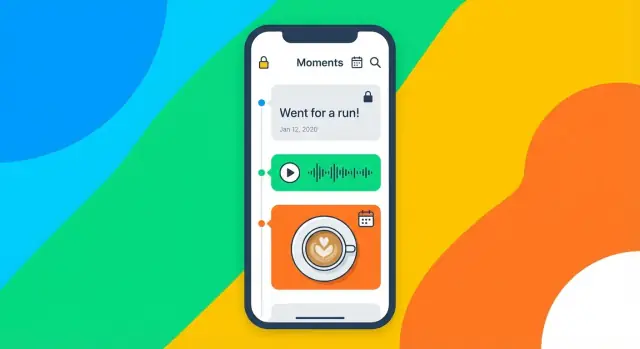
Define the Goal and the MVP
Before you think about features, get painfully clear on what problem your app solves in one sentence. A good goal for a personal update app sounds like: “Help me capture tiny moments without breaking my day.” If you can’t say it simply, the app will likely feel complicated to use.
Pick the main use case
“Short personal updates” can mean several things. Choose one primary use case and treat everything else as optional:
- Quick daily check-ins (What happened? How do I feel?)
- Mood notes (a few words + optional tag)
- Gratitude entries (one thing, no pressure)
- Progress logs (fitness, recovery, learning, habit streak notes)
When you choose the main use case, you also choose what “done” looks like for each entry.
Decide who it’s for
Your audience changes the whole design.
If it’s for one person, you can focus on speed, privacy, and offline reliability.
If it’s for family sharing, you’ll need identities, permissions, and a clear “who can see what” model.
If it’s for a private group, you’re closer to a communication tool, which can expand scope fast.
For an MVP, single-user is the simplest—and often the most useful—starting point.
Define MVP success (measurable)
Set a small number of success criteria you can actually test:
- “Record an update in under 10 seconds.”
- “Find a past entry fast” (for example, within 15 seconds using search, tags, or a calendar).
These become your product guardrails: if a feature slows entry or makes retrieval harder, it doesn’t belong in the first version.
List non-goals to keep scope small
Write down what you are not building yet. Common non-goals:
- No social feed or public posting
- No complicated editing tools
- No heavy analytics or streak gamification
- No cross-device sync in version one (if it threatens speed)
A focused MVP isn’t a “small app.” It’s an app with a clear promise that it keeps every time.
Decide What an “Update” Contains
Before you draw screens or write code, define what a single “update” actually is. This one decision shapes everything else: the UI, the database, search, notifications, and even how people feel using the app.
Pick update types (start small)
A simple personal update app can support several lightweight formats. You don’t need all of them on day one—decide what your MVP treats as “first-class” updates.
Common options:
- Text: a short sentence, thought, or status
- Voice: a quick voice note when typing is inconvenient
- Photo: a snapshot with an optional caption
- Quick tags: pre-set tags like “work”, “family”, “health”
- Mood slider: a fast way to log how you feel without writing much
Define limits that keep it short
Shortness is a feature. Clear limits reduce decision fatigue and encourage frequent use.
Examples:
- Text: 280–500 characters
- Voice: 15–60 seconds max
- Photos: 1 per update (or 3 max if you want a “moment”)
Make the limits visible in the UI (character counter, recording timer) so users don’t feel “cut off” unexpectedly.
Decide the metadata (what you’ll want later)
Even tiny updates benefit from metadata that makes them searchable and meaningful:
- Timestamp (automatic)
- Location (optional and off by default)
- Tags (user-defined or suggested)
- Mood value (e.g., 1–5)
- Favorite/starred flag for resurfacing later
Draft a simple data model
Keep the model flexible, especially if you mix media types.
- Update: id, type, text, mood, createdAt, location?, isFavorite
- Tag: id, name
- Attachment: id, updateId, kind (photo/audio), uri, duration?, thumbnail?
- Settings: reminders on/off, privacy options, default tags, export preferences
If you can describe an update in one sentence, you’re ready to design the rest of the app around it.
Sketch Screens and the User Flow
Your app will feel “simple” or “fiddly” mostly because of its flow. Before you write code, sketch how a person moves through the app when they’re tired, busy, or in a hurry.
Map the core flow
Start with the shortest possible path:
Open app → record → save → view timeline.
If anything interrupts that path (extra menus, slow loading, multiple confirmation steps), the app won’t get used. Sketch this flow as a straight line first, then add optional branches (edit, delete, attach media, tag, share/export).
Identify the must-have screens
Keep the first version to a handful of screens that cover the entire experience:
- Home / Timeline: a scrolling list of updates, newest first. This is where users “land.”
- Record / Add Update: the fast entry screen (text, voice note, or both).
- Update Details: read the full entry, play audio, view attachments, edit metadata.
- Search / Filter: find updates by keyword, date, tag, or mood (if you include it).
- Settings: reminders, privacy options, export, and storage/sync preferences.
As you sketch, label what’s visible by default versus hidden behind a secondary action. Default views should prioritize reading and adding.
Plan the first-run experience
The first minute decides whether someone trusts the app. Sketch a lightweight onboarding that answers two questions: “What can I do here?” and “Is my data safe?”
Include only essential prompts:
- Permission prompts only when needed (e.g., microphone access when the user taps “Record”).
- Reminder opt-in after a user has made at least one update, so the value is clear.
- Passcode/biometric setup (optional) offered as a choice, not a requirement.
Avoid long intro slides. A single screen with a quick explanation and a “Start” button is often enough.
Keep navigation simple
Pick navigation that matches your core flow:
- A single timeline with a floating “Add” button works well when the timeline is the home base.
- Bottom tabs can work if you truly have distinct destinations (Timeline, Search, Settings). Keep it to 3–4 items.
When sketching, draw one “happy path” (add an update in under 10 seconds) and one “recovery path” (undo/delete/edit). If both look clean on paper, you’re set up for a smooth build.
Choose Platforms and a Build Approach
Before you write code, decide where this personal update app will live and how you’ll build it. These choices affect cost, schedule, and how “right” the app feels on a phone.
Pick a platform strategy
You have three practical options:
- iOS first: Good if your audience is mostly iPhone users or you want fewer device variations to support.
- Android first: Good if you expect a wider range of devices, price points, and international users.
- Both at once: Only worth it if you already have a clear MVP and enough time/budget to support two app stores from day one.
A common approach is launch on one platform, learn what people actually use (text updates, voice notes, reminders), then expand.
Native vs cross-platform (plain terms)
-
Native (Swift for iOS, Kotlin for Android)
- UI feel: Most “at home” on each platform
- Speed: Best performance and smoothest animations
- Cost/time: Usually higher if you need two separate codebases
-
Cross-platform (one codebase for both)
- UI feel: Can be very good, but small platform quirks can show up
- Speed: Often great for a short diary app; edge cases (heavy media editing) may need extra work
- Cost/time: Typically faster to reach both platforms with a small team
For a micro journaling app MVP, cross-platform is often enough—especially if the main actions are “record, save, review.”
If you want to move even faster, a vibe-coding platform like Koder.ai can help you prototype the core flow via chat and generate a solid starting codebase (React for web, Go + PostgreSQL for backend, Flutter for mobile), with features like planning mode, snapshots/rollback, deployment, hosting, and source code export when you’re ready to own the repo.
Offline-first vs online-first
- Offline-first means updates save instantly on the device, then sync later. This is ideal for a short diary app because it feels fast and reliable.
- Online-first means saving depends on a connection. It can be simpler at the start, but frustrates users when they’re on the move.
Set a timeline (and shrink scope to fit)
Match your plan to your guide-level scope: define a small MVP you can build in 4–8 weeks, then reserve 2–4 weeks for testing, polish, and store submission. Keep the first release focused: quick entry, simple browsing/search, and basic backups—everything else can wait.
Plan Storage: Notes, Media, and Sync
Storage decisions shape speed, reliability, privacy, and how hard it will be to add features later. For a personal update app, aim for simple, boring, and dependable.
Start with local-first storage
A great MVP can work fully offline. Store each update in a small local database and treat the phone as the source of truth.
Options that stay reliable and straightforward:
- SQLite (widely supported, predictable, good for structured data)
- Realm (developer-friendly, fast, good for offline apps)
- Platform databases (Core Data on iOS, Room on Android)
Keep the “update” record compact: an ID, timestamp, text, optional mood/tags, and references to any media.
Store media as files, not blobs
Photos and audio can bloat a database quickly. A common approach is:
- Save media files to the app’s private storage folder.
- In the database, store safe file references (relative paths or generated filenames) plus metadata (duration, size, MIME type).
For photos, compress before saving (for example, resize to a reasonable max dimension and use JPEG/HEIC compression). For audio, pick a sensible format and bitrate so voice notes remain clear without becoming huge.
Also plan for cleanup: if an update is deleted, delete its media files too.
Decide when to add cloud sync
Cloud sync is valuable, but it adds complexity: conflict resolution, account systems, encryption choices, and support burden.
A practical path is:
- MVP: local-first + export/backup.
- Later: optional cloud sync once the core recording and review experience is working.
If you do add sync, design your data model now to support it later (stable IDs, updated-at timestamps, and a “deleted” marker instead of hard deletes).
Create a basic settings store
Settings are usually best stored separately from the main updates database using simple key-value storage. Keep it to essentials:
- Reminder time/frequency
- App lock (PIN/biometric toggle)
- Export options
- Theme (system/light/dark)
With these choices, the app stays fast and private by default, while leaving room for sync when users actually ask for it.
Build the Fast Recording Experience
Speed is your product here. If adding an update takes more than a few seconds to start, people will skip it. Design the recording screen so it feels “instant,” even if saving and syncing happen later.
One-tap entry that stays out of the way
Make the default action obvious: a large record (or type) button centered on the screen. Keep required input to the minimum—ideally just the content (text, audio, or photo). Everything else should be optional and tucked behind a small “More” drawer.
A good pattern is:
- Big primary control: Record / Type
- Small secondary controls: Stop, Cancel, and a clear Saved state
- Optional extras: title, location, attachments, longer notes
Quick actions that reduce thinking
Micro journaling works when people don’t have to decide much. Add quick actions near the bottom as single taps:
- Preset tags (e.g., Work, Health, Family)
- Mood (a simple 1–5 scale or a few icons)
- “Favorite” toggle for important moments
- A lightweight “Saved” confirmation (toast/snackbar + subtle haptic)
Keep these actions editable after saving, so users can capture first and organize later.
Ask for permissions only when needed
Permissions can break flow if they appear too early. Request access at the moment it becomes relevant:
- Microphone: when the user taps Record
- Photos: when they tap Add photo
- Notifications: after they’ve used the app a bit and opt into reminders
Use friendly, plain language explaining the benefit (“So you can record voice updates”) and provide a clear fallback (“Not now”).
Plan for graceful failure
Recording is vulnerable to real-world interruptions. Handle problems without losing the user’s trust:
- Low storage: warn early and offer to delete old drafts or reduce audio quality
- Interrupted recording (call, lock screen): autosave partial audio as a draft
- App killed mid-save: write to a temporary file first, then commit when complete
The goal: no surprises, no lost entries, and a fast return to “ready to record.”
Make Updates Easy to Review and Find
Recording a quick update is only half the value. The other half is being able to look back and answer questions like “When did I last feel like this?” or “What changed over the last month?” Your review experience should feel effortless, even when the user has hundreds of entries.
Pick a timeline view that fits the habit
Start with one primary view, then add a secondary view only if it genuinely helps.
- Simple infinite list: best default for speed. Newest on top, easy scrolling, minimal UI.
- Day-by-day view: groups entries by date with clear separators; helpful when people log multiple times per day.
- Calendar view: great for seeing gaps, but it can feel “busy.” Consider it as an optional tab rather than the default.
Whichever you choose, make each entry scannable: show the date/time, a short preview line, and small indicators for attachments (photo, voice, location) without overwhelming the screen.
Search the way people expect
Search is not a “power user” feature in journaling—it’s a relief valve when memory fails.
Include:
- Keyword search across the text of entries (and titles, if you have them)
- Tag filters (tap-to-filter chips work well)
- Date range (last 7 days, last 30 days, custom range)
Keep it forgiving: users expect partial matches, typos to be tolerated, and results to update as they type.
Lightweight organization: enough control, not a filing cabinet
Small tools go a long way:
- Pin/Favorite for “keep this close” moments
- Edit and delete with a clear confirmation step for delete
- Batch tag from a multi-select mode (useful after importing or during cleanup)
Avoid forcing structure upfront. Let people add tags when it helps, not as a gate to saving.
Design an “empty state” that teaches one action
Your empty state should feel calm and obvious: a short sentence explaining what the app is for, and one primary button like “Add your first update.” If you include examples, keep them subtle and dismissible. The goal is to get the first entry created in seconds, not to explain every feature.
Add Reminders, Notifications, and Quick Entry
Reminders are where a micro-journaling app either becomes a calm habit or an annoyance. The goal isn’t to “drive engagement”—it’s to help someone remember to capture a thought when it matters, without guilt or pressure.
Pick reminder types that fit real life
Offer a few simple options rather than a complicated scheduler.
- Daily check-in: a consistent time (e.g., evenings) for a quick “How was today?” update.
- Custom schedule: choose specific days and times (weekdays only, weekends, twice a week).
- Gentle nudges (streak-free): occasional reminders that don’t mention missed days or “streaks.” This keeps the app supportive instead of judgmental.
Make the default easy: one toggle for daily reminders, with an optional time picker.
Write notification content rules (private by default)
Notifications can accidentally reveal sensitive information on a lock screen. A good rule is: never show the user’s actual update text in a notification unless they explicitly opt in.
Use neutral copy like:
- “Quick check-in?”
- “Add a short update.”
- “Capture a thought in 10 seconds.”
If you want personalization, keep it non-sensitive (e.g., the app name or a generic prompt), and provide a clear setting: “Show notification previews.” Default it to off.
Add quick entry: reduce taps to nearly zero
If the reminder is a moment of motivation, your app should meet it with speed.
Consider:
- Quick-add from the notification: tapping opens straight into the recording screen (text box focused, or voice recording ready).
- Home screen widget or OS shortcut: a one-tap “New update” entry point for people who don’t want notifications.
Keep quick entry consistent with your MVP: if the app is primarily text, open to text; if it’s a voice note app, open to record.
Snooze and “turn off” should be effortless
People resent reminders they can’t control. Add:
- A Snooze action (15 min, 1 hour, “Later today”).
- An obvious Turn off reminders path (one toggle), plus “Pause for a week” if you want a softer option.
The best reminder system is one users can trust: it nudges, it respects privacy, and it never makes them feel behind.
Design for Privacy, Security, and Data Portability
A personal update app holds intimate details, so privacy can’t be an afterthought. Make clear choices early, write them down as product rules, and reflect them in the UI so people understand what’s happening with their data.
Choose a privacy baseline
Start by deciding what “normal” looks like:
- On-device only (default): updates stay on the phone, no account required, no server needed. This is simplest to explain and often the most trusted.
- Optional account + sync: offer sign-in only if someone wants multi-device access or backup. If you add this later, keep the on-device experience fully usable.
If you support sync, be explicit about what gets uploaded (text, tags, media, mood, location) and give granular toggles. Avoid surprise collection.
Add app lock that matches real life
Many users will open the app in public spaces. Provide an app lock that works even if the phone is unlocked:
- Biometrics (Face ID / fingerprint) for convenience
- Passcode as a fallback
- Both for people who want extra control
Also think through edge cases: what happens after a few failed attempts, after a reboot, or when biometrics aren’t available.
Encrypt what matters (especially backups and sync)
At minimum, protect data at rest. If you store entries in a local database, use OS-level secure storage for keys. For backups and sync, treat encryption as a core feature:
- Encrypt before uploading when possible
- Encrypt backups and clearly label whether they are readable without the app
- Don’t log entry content in analytics or crash reports
Make data portable (export/import)
People should be able to leave without losing their history. Plan exports that are practical, not just “technically possible”:
- JSON for full fidelity (timestamps, tags, metadata)
- CSV for a quick spreadsheet view of text entries
- A clear way to bundle media (e.g., a folder structure plus a manifest file)
Support import of your own formats so users can restore or move between devices. Include a preview and warnings before overwriting existing data.
Finally, present these controls in plain language: “Stored on this device,” “Backed up,” “Synced,” and “Exported.” Clarity builds trust.
Test the App and Improve the UX
Testing a personal update app is mostly about protecting the core loop: capture a thought quickly, trust that it saved, and find it later without friction. Treat every tap or delay as a reason someone will stop using the app.
Build a core-loop checklist
Create a simple checklist you can run on every build, on at least two different devices (and ideally one older phone):
- Record → save → search → delete
- Confirm the saved item appears immediately in the timeline
- Verify search finds it by a keyword in the text/title
- Delete it and confirm it’s gone everywhere it should be (list, search results, counts)
Add a timing note: how long does “record to saved” feel? Even half a second matters for micro journaling.
Test the “annoying” edge cases early
These are the moments that break trust if they fail:
- Airplane mode: can you still record and save? Is the UI honest about what will sync later (if applicable)?
- Low battery / backgrounding: does a recording get lost if the app is interrupted?
- Permission denial: what happens if microphone, notifications, or photos are denied? Provide a graceful fallback and clear explanation.
- Storage full: do you warn the user, prevent corruption, and keep existing entries readable?
Do quick usability tests (3–5 people)
Recruit a few people who didn’t watch you build it. Give them realistic tasks like “record a 10-second voice update” or “find what you noted last Tuesday.” Stay quiet and watch where they hesitate.
Write down:
- Where they mis-tap or get stuck
- Any labels that confuse them
- Steps that feel unnecessary (“Why do I have to name it?”)
Then make one or two changes and test again. Small iterations beat big redesigns.
Monitor crashes and collect feedback in-app
Set up crash/error monitoring so you learn about failures before users complain. Add a simple feedback channel inside the app (e.g., “Send feedback” with a short form) and include basic context like app version and device type. Keep it optional and respectful—your goal is clarity, not surveillance.
Launch, Measure, and Maintain
Launching a personal update app isn’t only about getting approved in the app stores—it’s about setting expectations, learning quickly, and keeping the experience stable as phones and operating systems change.
Prepare a launch package (so people “get it” in 10 seconds)
Your store listing should make the value obvious: record fast, find later.
Prepare store assets that show the core loop clearly:
- Screenshots focused on one-tap capture (text, voice, photo) and a simple “All updates” view
- A screenshot or short preview showing search, tags, or date-based browsing
- A concise tagline (avoid feature lists) that explains the benefit: quick moments, easy recall
Be straightforward about privacy
Write a clear privacy policy and describe data handling honestly. If you store content on-device only, say so. If you sync, explain what’s uploaded, whether it’s encrypted, and what happens if a user deletes an entry or closes their account.
Also decide how you’ll handle support requests related to privacy (export, deletion, lost device). Clear answers reduce churn and increase trust.
Roll out in phases to reduce risk
Plan phased rollout: beta testing, soft launch, then full release.
- Beta: recruit a small group to catch confusing flows and edge cases (permissions, offline mode, notifications)
- Soft launch: release to a limited audience to watch crashes and feedback without overwhelming support
- Full release: expand once key issues stabilize
Measure what matters (without spying)
Track a small set of app health and usefulness signals: crash rate, time-to-first-update, and whether users return to add another update within a few days. Prefer aggregated, minimal analytics—especially for a journal-style product.
Maintain like a product people rely on
Create a maintenance plan: bug fixes, OS updates, and small feature iterations.
Set a cadence (monthly or quarterly) to review:
- Compatibility with new iOS/Android versions
- Notification reliability
- Backup/export success rates
- The top 3 user-reported pain points
If you’re iterating quickly, tools like Koder.ai can also help you ship small improvements safely using planning mode, one-click deployments, and snapshots/rollback—useful when you want to move fast without risking the core loop.
Consistency beats big rewrites—especially for an app that holds personal memories. "}
FAQ
What should the MVP for a short personal updates app include?
Start with a one-sentence promise and an MVP you can test. Good MVP targets include:
- Record an update in under 10 seconds
- Find a past entry in under 15 seconds (search/tags/calendar)
If a feature slows capture or makes retrieval harder, keep it out of v1.
How do I choose the main use case for a personal update app?
Pick one primary use case and treat everything else as optional. Common “main loops” are:
- Daily check-ins (what happened + how you feel)
- Mood notes (few words + tag)
- Gratitude (one thing)
- Progress logs (fitness/learning/habits)
Choosing the main use case defines what “done” looks like for each entry.
Should I build it for one person, a family, or a group in version one?
Single-user is the simplest and often the most useful for an MVP: faster design decisions, fewer permissions/identity problems, and easier privacy.
Family or group sharing adds accounts, roles, permissions, and moderation-like edge cases—great later, risky early.
What should an “update” contain in a simple journaling app?
Make an “update” a small, consistent object. A practical starter definition is:
- Type: text (and optionally voice/photo)
- Content: short by design
- Metadata: createdAt, optional tags, optional mood, optional location (off by default)
This single decision shapes your UI, storage, search, and reminders.
How do I keep updates short without frustrating users?
Limits reduce decision fatigue and encourage frequent use. Typical constraints:
- Text: 280–500 characters
- Voice: 15–60 seconds
- Photos: 1 per update (or 3 max for a “moment”)
Make limits visible (counter/timer) so users don’t feel surprised.
What are the essential screens and user flow for the first version?
Keep the core flow a straight line:
Open app → record/type → save → view timeline.
Aim for 4–5 screens max in v1:
- Timeline (home)
- Add update (fast entry)
- Details (play/edit)
- Search/filter
- Settings (reminders/privacy/export)
When should I request permissions (microphone, photos, notifications)?
Ask only at the moment it’s needed:
- Microphone: when they tap Record
- Photos: when they tap Add photo
- Notifications: after they’ve made at least one entry and can see the value
Always offer a clear “Not now” path and a usable fallback (e.g., text-only if mic is denied).
What’s the best storage approach for an offline-first personal update app?
Local-first keeps the app fast and reliable, especially for micro journaling.
- Store structured data in SQLite/Realm/Core Data/Room
- Store media as files, and keep file references + metadata in the database
- Add export/backup before full sync
If you plan sync later, use stable IDs and updatedAt timestamps now.
How do I add reminders without annoying users or leaking private info?
Keep reminders supportive and private:
- Offer simple schedules (daily, weekdays, custom days)
- Avoid guilt or streak language
- Default to neutral notification text (don’t show entry content)
- Provide Snooze and a one-toggle Turn off
For speed, let tapping a reminder open straight into the add-update screen.
What privacy and portability features should a personal updates app have?
Design privacy as product rules:
- Default to on-device only (no account required)
- Add optional app lock (biometrics/passcode)
- Don’t log entry content in analytics/crash reports
- Provide export formats like JSON (full fidelity) and CSV (quick review), plus a way to bundle media
Use plain labels in settings: “Stored on this device,” “Backed up,” “Synced,” “Exported.”