

How to Build a Construction Company Website That Wins Jobs
Learn how to create a construction company website that showcases projects, builds trust, and generates leads with the right pages, content, and SEO.
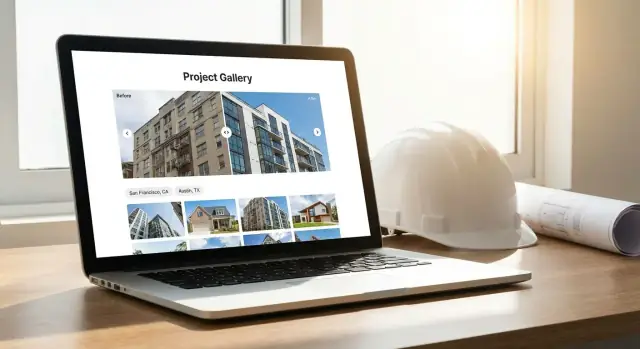
What a Great Construction Website Should Do
A great construction company website has one job: help the right people feel confident enough to contact you. That means it must deliver three things quickly—trust, clarity, and leads.
Trust: prove you can do the work
Visitors want evidence, not promises. Your site should showcase construction projects with real photos, specific details, and outcomes (scope, timeline, constraints, and results). A strong construction portfolio website makes your work feel real and reduces perceived risk.
Clarity: make it obvious who you help and where
Within seconds, a homeowner, developer, or property manager should understand:
- What you build (services and specialties)
- Where you work (service area)
- What type of projects you take on (size, residential/commercial)
Clarity also means simple navigation that gets people to the right page without hunting.
Leads: make the next step effortless
Your website should convert interest into action with visible calls to action (CTAs): call, request a quote, book a site visit, or start a project inquiry. Track success with metrics such as phone calls, quote requests, and project inquiry form submissions—not just page views.
Common mistakes that cost jobs
Many contractor sites lose work because they:
- List services but offer no proof (no construction project case study pages)
- Use outdated or low-quality visuals (missing before and after project photos)
- Hide contact info or bury CTAs
- Don’t support local searches (weak construction website SEO)
What this guide will walk you through
Next, we’ll cover how to define your audience and services, plan the right pages, build story-driven project pages, gather better media, add trust builders, set up lead generation for contractors, and improve visibility with local SEO for construction—all with a workflow you can maintain.
Clarify Your Audience, Services, and Service Area
A high-performing construction company website isn’t “for everyone.” The fastest way to improve results is to get specific about who you serve, what you want to be hired for, and where you actually work.
Identify your primary customer types
Start by choosing one primary audience and one secondary audience. Common options include homeowners (kitchen remodels, additions), commercial clients (tenant improvements), or developers (new builds, multi-family).
Why this matters: visitors scan for signals that you’ve done their kind of work. A construction portfolio website that mixes luxury home renovations with industrial concrete work can feel unfocused—even if you’re great at both.
List your top services and ideal project types
Write down your “money services” (the work you want more of), not just what you can do. For each, add a one-line definition in plain language.
For example:
- Design-build remodels (one team from planning through build)
- Commercial renovations (fast, phased work that keeps the business open)
This clarity guides your construction website content and helps you choose which jobs to feature as a construction project case study (and which to leave out).
Choose a service area you can rank for
Pick a realistic primary service area and 5–10 key locations you want to target (cities, neighborhoods, or counties). Use the same wording customers use. This strengthens construction website SEO and makes future location pages more effective.
Decide the main action you want visitors to take
Pick one “primary conversion” and repeat it consistently:
- Call for an estimate
- Request a quote (form)
- Book a site visit
Keep everything else secondary. Clear intent is what turns contractor website design into reliable lead generation.
Plan the Right Website Structure and Pages
A construction company website wins work when it answers buyer questions fast: What do you do? Where do you do it? Can I trust you? How do I get a price? The simplest way to deliver those answers is a clear, predictable structure—then repeat that structure across pages so visitors never feel lost.
Start with a small, strong set of core pages
Homepage should act like a decision page, not a brochure. Put your value proposition at the top (trade + service area + differentiator), then show a few featured projects, a handful of reviews, and one clear CTA like “Request a Quote.” If someone only reads the homepage, they should still know what you build and how to reach you.
Services pages work best as one page per core service. That helps people self-select and supports SEO by matching specific searches. For example: Kitchen Remodels, Commercial Tenant Improvements, Roof Replacement, Concrete Work—whatever your real revenue drivers are.
Projects/Portfolio hub should be a browsable home for your work, not a single endless gallery. Give visitors categories (e.g., Residential/Commercial), filters (service type, city, project size), and basic search. If it fits your business, consider a map view so prospects can see you’ve built near them.
About and Team is where trust is reinforced. Include years in business, who leads projects, your safety approach, and license/insurance details where applicable. Keep it specific—buyers want signals of reliability.
Contact / Request a Quote should be frictionless: short form, tap-to-call phone number, hours, and a clear service area. Many contractor sites lose leads by asking for too much too soon.
Navigation that keeps people moving
Keep the main menu short: Home, Services, Projects, About, Contact. If you have multiple locations, add a “Service Areas” link or use a dropdown under Services.
A practical rule: every page should lead somewhere. Add a CTA near the top and another near the bottom—especially on service pages and project stories.
Build Project Pages That Tell a Clear Story
Most construction company websites show photos—but the pages that win jobs explain what changed, why it mattered, and how you delivered. Think of each project page as a mini proof packet a buyer can skim in two minutes.
Reuse one project template every time
Consistency makes your construction portfolio website easier to browse and faster to update. Create a simple layout you can copy for every job so nothing important gets missed.
A solid construction project case study template includes:
- Project snapshot: location (city/area) and project type (kitchen remodel, office fit-out, roof replacement, etc.)
- Goal: what the client wanted and what success looked like
- Scope: key tasks and constraints (working hours, occupied space, permits, access)
- Timeline: start-to-finish dates or total duration
- Budget range (optional): use ranges if you prefer (e.g., “$25k–$40k”) to set expectations
- Results: measurable outcomes (added square footage, energy savings) or practical wins (better storage, smoother workflow)
Show who did what (and build confidence)
Briefly note your role (GC, design-build, subcontractor), plus any partners involved (architect, engineer). Mention notable materials/systems when it helps the reader understand quality or longevity.
Close every page with one clear next step for lead generation:
CTA: “Request a similar quote” (link to /contact) with a short line like, “Tell us your address and target timeline.”
Gather Photos and Videos That Sell the Work
Strong visuals do more than look nice—they help a buyer understand quality, scale, and what it’s like to work with you. Treat every project like a story you’re collecting assets for, not a few random snapshots.
Photo essentials (what to capture on every job)
Aim for a simple, repeatable set:
- Wide shots to show the full space, curb appeal, or layout.
- Detail shots that highlight craftsmanship: trim lines, tile spacing, welds, finish quality, clean transitions.
- Progress shots at key milestones (demo, framing, rough-ins, waterproofing, finishes). These build credibility because they show what’s behind the walls.
Before/after that actually proves the change
Before/after photos work best when you can keep the same angle, framing, and lighting. Even a small effort—standing in the same doorway or corner—makes the transformation obvious. If conditions change (weather, time of day), take multiple angles so you still have a clean comparison.
Video options that feel real (and don’t take all day)
Short video can outperform photos when buyers want context:
- 30–60 second walkthroughs: quick narration of scope, challenges, and the result.
- Time-lapse clips: ideal for exterior work, installs, or cleanouts.
- Client testimonial clips: a few sentences about communication, timeline, and the final outcome.
File naming, alt text, and permissions
Name files so they’re useful later (and readable by search engines): kitchen-remodel-denver-co-quartz-countertops-01.jpg. Match image alt text to what’s in the photo (e.g., “Before and after kitchen remodel in Denver with quartz countertops”).
Always get written permission to publish photos and client quotes—add a simple release to your closeout paperwork. If someone requests privacy, you can still share cropped details or “no-address” shots.
Organize the Portfolio for Easy Browsing
A strong portfolio isn’t just a gallery—it’s a decision tool. The goal is to help a homeowner or property manager quickly find “projects like mine,” understand the scope, and feel confident you’ve done this work before.
Start with a simple “Projects” hub
Create one main /projects page that shows project cards with a photo, a short summary (one sentence), and 2–4 tags. Cards should be scannable: visitors should understand the type of work without clicking.
Add filters that match how people search
Filters reduce frustration and keep visitors on your site longer. Add filters by service so someone can narrow down results fast (roofing, remodeling, concrete, etc.). If you serve multiple markets, add a location filter (city/region) as well.
For each project, store consistent “portfolio fields” so filtering works cleanly:
- Project type (service)
- Location (city/area)
- Timeframe (month/season + year)
- Budget range (use broad ranges, not exact numbers)
Use tags and short summaries for faster scanning
Tags should be plain language, not internal jargon: “kitchen remodel,” “ADA ramp,” “standing seam metal roof,” “driveway replacement.” Pair them with a short summary like: “Full tear-off and replacement with upgraded ventilation and ice-and-water shield.”
Highlight your best work with Featured Projects
Add a “Featured Projects” section at the top of /projects (or on the homepage) with 3–6 examples that represent your best outcomes and most profitable services. This helps visitors who don’t want to browse.
Consider a map view (when it makes sense)
If you serve a defined area and have enough local work, a map view can add credibility and help prospects see you’re active nearby. Keep it optional (toggle between grid and map), and avoid pinpointing exact residential addresses—use neighborhood or city-level markers instead.
Add Trust Builders That Reduce Risk for Buyers
People don’t hire a contractor because your website looks nice—they hire you because they believe you’ll show up, do quality work, and stand behind it. Your job is to remove doubt quickly with clear, verifiable trust signals.
Trust signals that actually help buyers decide
Start with the basics and keep everything truthful and specific:
- Reviews and ratings: Pull in Google reviews or quote them with the customer’s first name/initial, city, and project type. If you have a strong rating, show it near the top of key pages.
- Affiliations and certifications: Only list memberships you currently maintain (trade associations, manufacturer programs, BBB, etc.). Link to the credential page when possible.
- Warranties (only if true): State what you warranty, for how long, and what it covers. Avoid vague “lifetime” claims unless you can back them up in writing.
Licensing and insurance: make it easy to verify
In many regions, buyers look for licensing and insurance before they even request an estimate.
Include:
- License number (and the legal business name if it differs)
- Service classifications (e.g., general contractor, roofing, electrical)
- Insurance info at a high level (e.g., “fully insured”) and details only if you’re comfortable
Good places to add this: your footer, /contact, and your About page—plus a short line on estimate pages.
Explain your process in plain steps
A simple step-by-step reduces anxiety and sets expectations:
Consultation → Site visit/measurement → Proposal → Schedule → Build → Walkthrough & handover
Keep it short, use everyday language, and mention what the customer needs to do at each step (approve selections, sign agreement, confirm access, etc.). This also filters out poor-fit leads.
Safety and quality practices (without exaggeration)
Buyers don’t need a long policy document; they need reassurance.
Mention real habits like “daily site cleanup,” “dust control,” “photo updates,” “licensed trades,” “permit handling,” or “final punch list.” Avoid big claims like “zero defects” or “fastest in town.”
Tie testimonials to specific projects
Testimonials hit harder when they’re attached to proof.
On each construction project case study page, add one relevant quote from that client—ideally next to before and after project photos and a short results summary. This connects your construction portfolio website to real outcomes, not just pretty images.
Turn Visitors Into Leads With Simple Calls to Action
A construction company website should make the next step obvious. Visitors often arrive with urgency (“Can you fix this?”) or uncertainty (“How does this work?”). Clear CTAs remove friction and turn interest into a real conversation.
Choose one primary CTA per page
Each page should steer toward a single main action—otherwise people hesitate.
For most contractors, the best primary CTAs are:
- Call now (best for urgent needs)
- Request a quote (best for planned projects)
- Book a consultation (best for higher-ticket work)
Use the same CTA label across the site so it becomes familiar.
Use a short quote form (don’t interrogate people)
If your “Request a quote” form feels like a 20-question survey, many visitors will quit. Keep it simple and start the relationship first.
A strong minimal form includes:
- Name
- Phone or email
- Project type (dropdown)
- Zip code or city (to confirm service area)
- Short description
You can always collect measurements, photos, budget range, and timelines after you respond.
Make it effortless on mobile
Most homeowners search from a phone, often while standing in the space that needs work. Make your contact options tappable:
- Click-to-call phone number
- Click-to-email email address
- A sticky mobile CTA (e.g., “Call” or “Get a Quote”) that stays visible while scrolling
Set expectations to reduce hesitation
People worry they’ll get spammed or ignored. A couple of lines near your CTA builds trust:
- Response time: “We reply within 1 business day.”
- Service area: “Serving Springdale and nearby towns.”
- Next steps: “Share your details → quick call → site visit → written estimate.”
Add a helpful lead magnet (optional)
If visitors aren’t ready to talk, offer something genuinely useful:
- “What to Expect During a Remodel” one-page guide
- A pre-project checklist
- A financing FAQ (if you offer it)
The goal is simple: make contacting you feel easy, safe, and worth it.
Make the Site Easy to Find With Local SEO
Local SEO is what helps your company show up when someone searches “kitchen remodel near me” or “commercial contractor in [city].” The goal is simple: make it obvious to Google (and people) what you do and where you do it.
Start with the fundamentals: Google Business Profile + NAP
Create or claim your Google Business Profile and fill it out completely: service categories, hours, description, photos, and a link to your site.
Make sure your NAP (Name, Address, Phone) is consistent everywhere it appears—your website footer, /contact page, Google profile, and any directories you use. Even small differences (like “St.” vs “Street”) can dilute signals.
If you serve multiple areas, create location pages (one per city/region) that explain what you do there, include real project examples from that area, and a clear call to action to contact you.
On-page SEO for services and project pages
Your pages should match how customers search:
- Use clear headings (H1/H2) like “Basement Finishing in Denver” instead of vague titles.
- Link related pages together (services → projects → contact). For example, a remodeling service page should link to /projects and then to /contact.
- Add short FAQs on key pages (permits, timelines, “do you handle inspections?”, warranties). These help SEO and reduce repetitive calls.
Add schema markup (only if accurate)
Schema helps search engines understand your business details:
- LocalBusiness: address, phone, service area, hours
- Service: what you offer (e.g., roof replacement, tenant improvements)
- Review: only if reviews are real and displayed on the page exactly as marked up
Content ideas that bring in local traffic
Publish practical articles that answer buying questions: permit requirements, typical timelines, cost factors, material comparisons (vinyl vs fiber cement), or “what to expect during a remodel.” Tie these posts to local service pages and relevant project write-ups.
If relevant, link to /pricing, /contact, and /projects from service and blog content to keep visitors moving toward an estimate.
Design for Mobile, Speed, and Accessibility
Most people will first see your construction company website on a phone—often while standing in a driveway or parking lot. If the site feels slow or hard to tap, they’ll bounce before they ever reach your portfolio.
Mobile-first: make it easy to contact you
Design for thumbs and small screens first:
- Use big, tap-friendly buttons for Call, Text, and Get an Estimate (avoid tiny links).
- Keep pages in short sections with clear headings so visitors can scan quickly.
- Put your phone number in the header and repeat a CTA after project highlights.
Speed: let your work load fast
Your photos sell the job—but oversized files can quietly kill conversions:
- Compress images before uploading and use modern formats when possible.
- Lazy-load galleries so the page appears quickly and photos load as people scroll.
- Skip heavy sliders and autoplay video on the homepage; a single strong “before/after” set often performs better and loads faster.
A good rule: if a project page takes more than a few seconds on mobile data, it’s costing you leads.
Accessibility: widen your audience (and reduce friction)
Accessible design helps everyone read and navigate your site:
- Choose readable fonts and sizes, with strong color contrast.
- Add alt text to photos (especially hero images and key portfolio shots).
- Make sure menus, forms, and buttons can be used with a keyboard.
Security and clarity
At a minimum, use HTTPS and add spam protection on forms.
If you offer online estimate requests, include a short note such as: “Estimates are preliminary and subject to site conditions and material availability.” For timeline mentions, add a disclaimer that schedules can change due to permitting, weather, or change orders.
Choose Tools and Set Up a Simple Publishing Workflow
A great construction company website isn’t the one you “finish.” It’s the one your team can keep current—new photos, new projects, new reviews—without waiting on a developer.
Pick a CMS you can actually update
Choose a CMS that lets non-technical staff edit pages, swap photos, and publish new project stories. More important than the brand name is ownership: assign one internal owner (often an office manager, marketing coordinator, or project admin) who’s responsible for keeping content moving.
If you work with an agency, make sure you keep admin access, logins, and hosting details. Your site should be an asset you control.
If you want to speed up building and iterating on pages (especially service pages and case study templates), tools like Koder.ai can help. Koder.ai is a vibe-coding platform where you can create web apps through a chat interface, then export source code, deploy, and host—useful when you want a modern React-based site with a Go/PostgreSQL backend without a long development cycle. Features like snapshots and rollback can also reduce risk when you’re publishing frequent portfolio updates.
Create reusable page templates
Templates make updates fast and consistent. Set up a few reusable layouts and stick to them:
- Service page template: what you do, where you work, process, FAQs, and a clear CTA.
- Project page template: overview, scope, location (city), timeline, key challenges, materials/partners, and results.
- Blog post template: a simple structure for updates, tips, and “how we work” articles.
This keeps your contractor website design polished, even when multiple people publish content.
Set up analytics and conversion tracking
Install basic analytics so you know what’s working:
- Form submissions (estimate request, contact forms)
- Click-to-call taps on mobile
- Email link clicks
Track these as conversions so you can tell whether your construction portfolio website is generating leads—not just traffic.
Define a publishing workflow (and maintenance)
Write a one-page workflow: who collects job photos, who writes the first draft, who approves, and who publishes. Then schedule simple maintenance: plugin/software updates, backups, broken-link checks, and a quarterly review of top pages and forms.
Launch Checklist and Ongoing Improvements
A construction website isn’t “done” when it goes live. The best results come from a clean launch and a simple habit of adding proof and improving what’s already working.
Pre-launch checklist (the things that quietly break)
Before you share the link, do a quick quality pass:
- Links: Click every menu item, button, and footer link (especially “Get a quote”). Fix 404s and wrong phone/email links.
- Forms: Test every form end-to-end (mobile too). Confirm you receive the email, the visitor sees a thank-you message, and spam protection isn’t blocking real leads.
- Tracking: Install analytics (e.g., GA4) and confirm key events are recorded: form submits, click-to-call, email clicks.
- SEO titles + descriptions: Every main page should have a clear title like “Kitchen Remodels in Austin | Company Name,” not “Home.”
- Image alt text: Add short, descriptive alt text to portfolio images (helps accessibility and can support SEO). Example: “Before and after: bathroom remodel in Cedar Park.”
If you want a single place to verify performance, create a private “Launch” note in your CMS with screenshots of successful form tests and analytics confirmation.
Your first 90 days plan (simple publishing rhythm)
Instead of rebuilding pages, publish proof:
- Add X new project pages (aim for 6–12 if you have the photos). Keep each one consistent: problem → plan → process → result.
- Publish 2–4 FAQ pages that answer what prospects ask on calls: timelines, permits, warranties, payment schedule, service area, “Do you handle design?”
Each new page is another entry point from search and another asset your sales team can send.
Promote new project pages (so they actually get seen)
When a project page goes live:
- Share it on social with 2–3 photos and link to the page.
- Add it to proposals as “Similar work we’ve done” (a hyperlink beats a giant PDF).
- Link to it internally from your portfolio and relevant service pages.
Measure and improve (small wins compound)
Once a month, check:
- Top pages: Which projects and services attract traffic?
- Drop-offs: Where do people leave (slow pages, unclear CTAs, thin project write-ups)?
- Lead sources: Organic search vs. referrals vs. social—double down on what converts.
Next steps
Refresh your portfolio quarterly, replace older photos with better ones, and keep your “recent projects” current. A site that shows consistent, recent work feels lower-risk to buyers—and wins more calls.
FAQ
What is the #1 job of a construction company website?
Focus on three outcomes:
- Trust: show real projects with details (scope, constraints, results).
- Clarity: make it instantly obvious what you build, who you serve, and where you work.
- Leads: make contacting you effortless with a clear CTA (call, quote request, or consultation) on every key page.
How do I choose the right audience and services to highlight?
Pick one primary audience (and one secondary) so the site feels tailored. Then align your homepage, services, and featured projects to that audience.
Example: if you want more commercial tenant improvements, lead with that work instead of mixing unrelated project types that confuse visitors.
What pages should a contractor website include at launch?
Start small and strong:
- Home (value proposition + proof + CTA)
- Services (one page per core service)
- Projects (a hub with browsable project cards)
- About/Team (credibility, leadership, licenses/insurance)
- Contact / Request a Quote (short form, tap-to-call)
Keep navigation predictable so visitors never feel lost.
What should I include on each project (case study) page?
Use a repeatable case-study template so buyers can skim fast:
- Project snapshot (city/area + project type)
- Goal (what the client wanted)
- Scope + constraints (permits, occupied space, access)
- Timeline (duration or dates)
- Results (measurable or practical outcomes)
- Your role + partners/materials (when helpful)
End with one clear CTA like “Request a similar quote” linking to /contact.
What photos and videos actually help win construction leads?
Capture a consistent set every time:
- Wide shots (context and scale)
- Detail shots (craftsmanship)
- Progress shots (what’s behind the walls)
- Before/after from the same angle when possible
Name image files descriptively and add accurate alt text (helpful for accessibility and SEO). Get written permission to publish photos and quotes.
How should I structure my portfolio so visitors can find “projects like mine”?
Organize /projects like a decision tool:
- Project cards with a photo, one-sentence summary, and a few tags
- Filters that match how people search (service type, location)
- “Featured Projects” at the top (3–6 best examples)
If you use a map view, avoid exact residential pinpoints—use neighborhood or city-level markers.
What trust builders matter most on a construction website?
Use specific, verifiable proof:
- Reviews with name/initial + city + project type (when possible)
- Licensing and “fully insured” info in the footer, About, and Contact
- A plain-language process (consultation → proposal → schedule → build → handover)
- Clear warranty wording (only what you can back up)
Tie testimonials to the relevant project pages for maximum impact.
How do I improve lead generation with better CTAs and forms?
Choose one primary CTA per page and repeat it consistently (e.g., “Request a Quote”). Make it easy on mobile with click-to-call and a sticky button.
Keep forms short:
- Name
- Phone/email
- Project type
- Zip/city
- Short description
Add a quick expectation line near the CTA (response time, service area, next step).
What are the most important local SEO steps for contractors?
Cover the basics first:
- Claim and complete your Google Business Profile
- Keep NAP consistent across your site and listings
- Create service pages that match search intent (e.g., “Kitchen Remodels in [City]”)
- Add location pages only when you can include real local details and examples
Internally link services → projects → contact (e.g., from a service page to /projects and /contact).
What should I track to know if my construction website is working?
Track actions that indicate real intent:
- Quote/request form submissions
- Click-to-call taps
- Email link clicks
Do a quick monthly check:
- Which service pages and projects bring traffic
- Where visitors drop off (slow pages, unclear CTAs)
- Which channels produce leads (organic vs referrals vs social)
Use the data to improve high-performing pages instead of constantly redesigning the whole site.