

Create a Mobile App to Capture Decisions in the Moment
Learn how to plan and build a mobile app that captures decisions the moment they happen—fast input, reminders, offline support, and privacy.
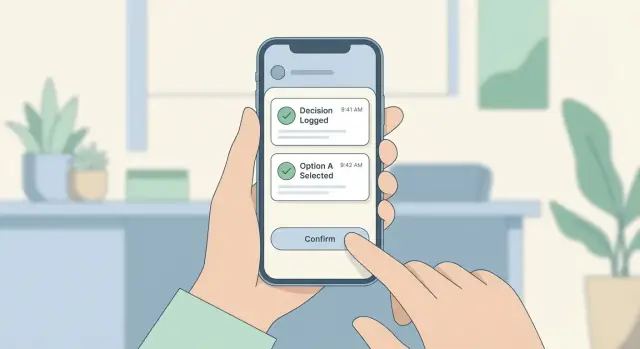
What “Decisions at the Moment” Means (and Why It Matters)
“Capturing decisions in the moment” means recording a choice as close as possible to when it’s made—while details are still fresh. In a decision capture app, that typically looks like a quick entry that’s automatically timestamped and saved with enough context to make sense later: who decided, what was decided, why, and what happens next.
The goal isn’t long-form writing. It’s a lightweight, moment-based logging habit: a few taps, a short phrase, maybe a voice note, and you’re done.
What “good capture” includes
A strong in-the-moment record is:
- Fast: minimal typing, minimal screens
- Timestamped: creation time (and sometimes location) captured automatically
- Context-rich: just enough detail to avoid “What did we mean?” later
- Actionable: a clear next step or owner when relevant
Where this matters most (real examples)
- Field teams: “Replace valve B today; order part X for tomorrow.”
- Managers: “Approve budget increase for project Y; review in two weeks.”
- Clinicians: “Adjust dosage; follow up after lab results.”
- Researchers: “Change protocol step; note conditions and rationale.”
- Shoppers: “Skip brand A due to ingredients; try brand B next time.”
- Personal journaling: “No new commitments this month; protect weekends.”
In each case, the value is the same: the decision is easy to forget, but costly to misremember.
The outcomes you’re aiming for
When people capture decisions right away, you get:
- Fewer forgotten choices (less backtracking and fewer repeated discussions)
- Clearer accountability (who decided what, when, and why)
- Faster follow-up (next actions don’t get lost in chat threads or memory)
This is a practical build plan for designing and shipping an MVP decision capture app—focused on product decisions, UX, data, and reliability. It’s not a full coding tutorial, but it will help you define what to build and why.
User Scenarios and Constraints to Design Around
Before you design screens, get clear about where and how decisions actually happen. A decision capture app isn’t used at a desk with perfect focus—it’s used in the mess of real life.
Primary user scenarios (low attention, high context)
Think in moments, not personas. Common situations include:
- Standing or walking: a manager leaving a meeting, a nurse in a corridor, a field tech moving between sites
- One hand free: carrying a bag, holding a tool, pushing a stroller
- Interrupted flow: a call ends, a meeting breaks, someone asks “So what did we decide?”
- Social pressure: capturing a decision while others are present—users want to be discreet and fast
The pains you’re solving
Users typically struggle with:
- Forgetting fast: the decision is clear now, fuzzy in two hours
- Losing context: what was decided is captured, but why and with whom is missing
- Hard retrieval: decisions buried in chat threads, notes apps, or calendars
- Inconsistent wording: “approve,” “agree,” “go with,” and “greenlight” become difficult to search later
The minimum context worth capturing
You don’t need long form, but you do need enough context to make the entry useful later:
- Decision statement (short, plain language)
- Time (automatic)
- People involved (optional quick pick)
- Reason / rationale (one line, optional)
- Confidence level (simple scale)
- Location (optional and permission-based)
Real constraints you must design for
Expect:
- Poor connectivity (basements, elevators, rural sites)
- Gloves, wet hands, or bright sunlight (field and healthcare settings)
- Noisy environments (voice input may fail)
- Accessibility needs (large tap targets, screen reader support, reduced typing)
Design decisions should flow from these constraints: fewer steps, forgiving inputs, and context captured automatically when possible.
Define Your MVP: The One-Minute Decision Capture Flow
An MVP for a decision capture app isn’t “a smaller version of everything.” It’s a clear promise: when a decision happens, the app helps you record it before the moment passes.
The smallest flow that still feels complete
Design around one primary action path:
Open app → log decision → save.
If you can’t consistently do this in under 10 seconds (one hand, distracted, on the move), the MVP is too heavy. Treat anything beyond that as “nice later.”
Pick a decision format that matches real life
Your capture UI determines whether people actually use the app. Common MVP-friendly formats:
- Free text: fastest to build, flexible, but harder to search and analyze later
- Picklist: fast and consistent, but can feel restrictive unless the list is small
- Templates: great for recurring decisions (e.g., “Meeting decision,” “Purchase choice”), but requires setup
- Hybrid: one primary text line + optional structured fields (often the best MVP)
A practical default is: one sentence (“Decided to…”) plus an optional category.
Required vs. optional fields (protect the 10-second goal)
Make only one field required: the decision itself. Everything else should be optional and quick:
- Optional: category, tags, confidence level, due date, people involved
- Avoid in MVP: long notes, attachments, multi-step forms
If a field doesn’t improve recall or follow-through later, don’t force it now.
Define MVP success metrics up front
Track a few measurable outcomes so you know what to improve:
- Completion time: median time to save (target: under 10 seconds)
- Save rate: % of sessions that end with a saved decision
- Daily active capture: how many users log at least one decision per day
These metrics keep the MVP focused on behavior, not features.
UX Design for Speed: Fewer Taps, Less Typing
When a decision happens, the interface has one job: get out of the way. Speed comes from fewer choices, minimal typing, and a “Save” action that’s obvious and reachable.
Core screens to keep the app fast
Quick Add should open instantly and default to the simplest capture: a short title plus a single tap to save. Everything else is optional.
Decision Details is where users can refine later—add context, tags, people involved, or outcomes—without pressure in the moment.
Timeline/Feed acts like a receipt roll: newest first, easy scanning, quick filters, and one-tap access back into details.
Search should be a single field with recent searches and suggestions, so retrieval doesn’t become work.
Settings is where you hide complexity: notification rules, privacy options, export, and accessibility toggles.
UI patterns that reduce friction
Design for one thumb. Put the primary action (Save) in the easiest-to-reach zone, keep secondary actions away from it, and use big tap targets so users can log while walking, commuting, or holding something.
Keep typing optional:
- Offer presets (e.g., “Approve”, “Decline”, “Wait”) as quick chips
- Use pickers instead of free text where it makes sense
- Remember last-used options (same project, same people)
“Save now, refine later” without losing the moment
Treat the first save as a timestamped snapshot:
-
User enters a few words (or taps a preset)
-
App saves immediately with the current time
-
A subtle prompt offers “Add details” but never blocks completion
This protects moment-based logging even if the user gets interrupted.
Accessibility basics that also help speed
Readable fonts and strong contrast improve glanceability for everyone. Support dynamic text sizing, keep layouts stable as text grows, and use large touch targets.
Voice input can be a strong option for quick capture—especially when typing is inconvenient. Even a simple “tap mic, speak title, save” flow can cut entry time dramatically.
Data Model: What to Store with Each Decision
A “decision” is the core object in your app. If the model is too heavy, capture slows down. If it’s too thin, the record won’t be useful later. Aim for a small required set, plus optional context you can ask for when it adds value.
The minimum viable decision object
Start with fields that make saving and searching reliable:
- id: a unique identifier (generated on device)
- title: a short summary (what was decided)
- body: optional details (what it means in practice)
- timestamp: when the decision was made (not when it synced)
- tags: user-defined keywords for later retrieval
- status: e.g., draft, final, reversed
- attachments: optional references like photos, audio, or files
This supports fast capture while still enabling review, filtering, and follow-ups.
Add context fields carefully
Context makes decisions searchable and defensible, but each extra field risks slowing input. Treat these as optional:
- location (coarse, if enabled): helpful for fieldwork or travel decisions
- related project: a simple project selector or free-text label
- participants: people involved (names, contacts, or roles)
- decision category: e.g., budget, hiring, technical, customer
Keep defaults smart (last used project, suggested categories) so users don’t have to think.
Capture the reasoning without forcing it
Two prompts often matter later, but shouldn’t block saving:
- why: a single sentence rationale
- alternatives considered: quick bullets or short text
Make them optional “add more” fields so the one-tap save flow stays intact.
Plan for edits and versioning
Decisions evolve. You have two approaches:
- Simple overwrite: fastest to build; store updated fields and an updated_at timestamp
- Audit trail (optional): store a lightweight history of edits (who/when/what changed). Useful for teams and accountability, but adds complexity
Choose based on your users’ risk level and whether “what changed later” is a real requirement.
Offline Capture and Reliable Sync
If your app only works when the connection is perfect, it will fail at the exact moments people need it most—hallways, elevators, job sites, airplanes, or low-signal buildings. An offline-first approach means the app treats saving a decision as “done” the instant it’s recorded on the device, then worries about the server later.
Offline-first goals
The core goal is simple: capture must never be blocked by connectivity. Store decisions locally (including tags, timestamps, and optional context) and queue them for upload. The user shouldn’t have to think about Wi‑Fi, logins expiring, or server hiccups when they’re trying to move fast.
Sync behavior and conflict rules
Sync is where the hard choices show up. Decide your rules up front:
- Last write wins: easiest and usually fine if decisions are rarely edited. The most recent edit overwrites older versions
- Manual merge: better when edits matter (e.g., changing who approved what). Show both versions and let the user pick
A practical middle ground: last write wins for simple fields, manual merge only when two edits happen to the same decision before either device has synced.
Clear sync indicators (and user control)
People trust what they can see. Use simple states:
- Pending: saved locally, waiting to upload
- Synced: safely stored on the server
- Failed: needs attention (tap to retry)
Add a “Sync now” action and a lightweight retry option per item. Don’t punish users for network problems.
Battery and storage considerations
Attachments (photos, audio) can drain battery and fill storage quickly. Consider compressing images, limiting audio length, and uploading attachments only on Wi‑Fi (user-configurable). Provide a clear “storage used” view and a safe cleanup option after successful sync.
Reminders, Prompts, and Follow-Ups (Without Being Annoying)
Reminders can multiply the value of a decision capture app: they help people remember to log decisions and revisit the ones that matter. But the fastest way to lose trust is to interrupt users too often, at the wrong time, with messages that feel generic.
Pick a few reminder types (and make them optional)
A good starting set covers three different needs:
- Scheduled nudges: a daily or weekly “Did you make any decisions worth saving?” prompt, aligned to the user’s routine (commute home, end of workday)
- Context-based prompts: lightweight triggers tied to moments users already associate with decisions (after a meeting block, after completing a checklist, arriving at a location—only if the user opts in)
- Follow-up reminders: for decisions that require revisiting (for example, “re-evaluate next Friday”)
Don’t ship all of these at once if it complicates the product. Start with scheduled nudges and follow-ups, then add context prompts only if they clearly improve capture rates.
Make notifications respectful by design
Treat notifications as a user-controlled tool, not a growth lever.
Offer opt-in when the value is obvious (after the first saved decision), include quiet hours, and add frequency caps (for example, “no more than 1 nudge per day” or “pause for a week”). Let users switch off specific reminder types without disabling everything.
Use deep links to remove friction
If a notification doesn’t lead directly to the fastest capture screen, it’s wasted. A tap should open Quick Add with a suggested template already selected (for example, “Decision made in a meeting” with fields prefilled).
This is where moment-based logging shines: the notification can ask a single question (“What did you decide?”), and the app opens ready for a one-line entry.
Add a follow-up date to keep decisions alive
Many decisions aren’t final—they’re commitments to re-check later. Add a simple follow-up date field when saving, and use it to schedule a reminder and surface the decision in a “Needs review” list. Keep the follow-up interaction minimal: confirm, adjust, or mark as resolved.
Privacy, Security, and Trust Basics
People will only log decisions in the moment if they feel safe doing it. Trust is a product feature: it affects whether users capture honestly, how often they use the app, and whether they recommend it.
Minimize sensitive data by design
Start by clarifying what counts as sensitive in your app. A decision note can quietly include health details, legal issues, workplace conflicts, finances, or names.
A simple rule: collect the minimum needed to make the decision useful later.
- Keep “free text” optional, and consider structured fields (topic, confidence, tags) to reduce oversharing
- Avoid collecting location, contacts, or microphone access unless it’s core to the value
- Make attachments (photos, docs) an explicit opt-in, not a default
Authentication that matches the moment
Fast capture shouldn’t mean weak access control.
- Email magic links can be low-friction and reduce password risk
- A local passcode plus biometric unlock (Face ID/Touch ID) works well for private journals
- If you may sell to teams later, plan for SSO as an add-on, not a requirement on day one
Encryption basics (what users expect)
Protect data in two places: on the device and in transit.
On-device: use the platform’s secure storage and enable device-level encryption; consider encrypting the local database if you store decisions offline.
In transit: use HTTPS/TLS for all server communication and avoid sending sensitive data to third-party analytics.
User controls and transparency
Give users clear control over their information:
- Export decisions in a common format
- Delete individual entries and the entire account (with a clear outcome)
- Visibility settings (e.g., “private by default,” optional sharing)
Finally, write a plain-language privacy policy and surface it inside the app where users will actually look for it.
Review and Retrieval: Make Decisions Easy to Find Later
Capturing a decision is only half the job. If people can’t quickly pull it back up—during a meeting, a handoff, or a “why did we do this?” moment—the app becomes a dumping ground. Treat retrieval as a primary feature, not a nice-to-have.
Browsing that matches how people remember
Different users recall decisions in different ways, so offer a few simple entry points:
- Timeline view for “what happened recently?” scrolling and quick context
- Calendar view for “what did we decide last Tuesday?”
- Project (or workspace) view for “show me everything for Project X”
- Tag filters to narrow by theme (e.g., “pricing,” “hiring,” “incident”)
Keep the default view lightweight: show a short title, date/time, and a one-line summary. Let users tap for full details instead of forcing everything upfront.
Search essentials (fast, forgiving, and scoped)
Search should work even when users only remember fragments. Aim for:
- Keyword search across title and notes
- Filters for tags, date range, people involved, and status (e.g., “final,” “tentative,” “reversed”)
A small detail that matters: let users search within a specific project by default, with an easy toggle to search “all.” It prevents noisy results.
Decision summaries and follow-up visibility
Add a dedicated Decision Summary area that turns raw logs into something actionable:
- Weekly recap: highlights the most important decisions and changes
- Open follow-ups: a clean list of decisions that still need an owner, a due date, or confirmation
Exports (only as complex as your product needs)
When retrieval leaves the app, keep options clear:
- CSV for analysis and reporting
- PDF for sharing a snapshot with stakeholders
- A shareable link if collaboration is central to your scope
The goal: decisions should be easy to find, easy to understand, and easy to pass along.
Choose Your Tech Stack Without Overthinking
Tech stack decisions can stall a project that’s supposed to help people make faster decisions. The goal is to choose something “good enough” for an MVP, with a clear path to improve later.
Native vs. cross-platform (plain trade-offs)
Native (Swift for iOS, Kotlin for Android) is best when you need the smoothest performance, deepest device integration, or platform-specific UI polish. The trade-off is building (and maintaining) two codebases.
Cross-platform (React Native or Flutter) lets you share most code across iOS and Android, which often means faster MVP delivery and simpler iteration. The trade-off is occasional edge cases: certain OS features may require custom native work, and you’ll want extra attention on “feel” so the app doesn’t seem generic.
For a decision-capture MVP (quick input, offline notes, reminders), cross-platform is often a practical default—unless you already have a strong native team.
Backend: keep it minimal
Start with a small API + database: authentication, decision records, sync status, and timestamps. This is enough for reliable cross-device sync and later analytics.
You can go serverless (managed functions + managed database) if you want less infrastructure work and predictable scaling. It’s a good fit when your API is simple and you don’t need complex background jobs yet.
Third-party services: only what you need
Pick a short list:
- Push notifications (reminders and follow-ups)
- Crash reporting (to fix real-world issues quickly)
- Basic analytics focused on the capture flow (time-to-save, drop-off)
Avoid adding extras “just in case.” Every SDK adds setup time and ongoing maintenance.
Light future-proofing
Design for growth by keeping your data model stable and your sync strategy explicit—but ship the MVP first. You can upgrade architecture after you’ve proven people actually capture decisions the way you expect.
Prototyping faster with Koder.ai (optional path)
If you want to validate the flow quickly before committing to a full engineering cycle, a vibe-coding platform like Koder.ai can help you stand up an MVP from a chat-driven spec. You can iterate on the capture UX (Quick Add → Save → Timeline), basic auth, and a minimal sync API in days—then refine based on real usage.
Koder.ai is especially relevant if your plan already leans toward React for web tooling, Go + PostgreSQL on the backend, or Flutter for a cross-platform mobile app. When you’re ready, you can export source code, deploy and host with custom domains, and rely on snapshots/rollback to keep rapid iterations safe.
Analytics and Feedback to Improve the Capture Flow
A decision-capture app succeeds or fails on speed and trust. Analytics should help you remove friction without turning the product into a surveillance tool. Measure the flow (how people use the app), not the content (what they wrote).
An instrumentation plan that stays focused
Start with a small set of events that map directly to your core promise: “capture a decision quickly.” Useful metrics include:
- Time-to-save: from opening the capture screen to tapping Save. Track medians and the slowest 10% to find pain points
- Edit rate: how often users edit right after saving (a signal that defaults, templates, or confirmation may be unclear)
- Search and retrieval usage: searches per week, filters used, and whether a search leads to opening a decision
- Notification opt-in and engagement: opt-in rate, prompt open rate, and whether prompts lead to a completed capture
Keep event names consistent (e.g., capture_started, capture_saved, decision_edited, search_performed) and attach only safe properties like device type, app version, and screen name.
Qualitative feedback loops that don’t interrupt
Numbers show where friction happens; people tell you why. Add a lightweight in-app prompt after 5–10 captures:
- “Was saving this decision easy?” (Yes/No)
- Optional one-line follow-up: “What slowed you down?”
Keep surveys short, skippable, and spaced out. If you run a beta, follow up with a 3–5 question survey focused on the capture moment: context, time pressure, and what they wish the app did automatically.
A/B tests to improve speed without guessing
Run small tests that affect the capture screen:
- Templates vs. free text as the default
- Default tags (suggested vs. none)
- Reminder timing (immediate, 30 minutes later, end-of-day)
Define success before you start: lower time-to-save, fewer abandonments, or higher weekly captures—never “more taps.”
Privacy-first analytics
Avoid collecting personal content in analytics. Track events, not sensitive text: no decision text, no contact names, no locations unless absolutely required. If you need examples for UX research, ask users explicitly and let them opt in.
Testing, Launch, and Iteration Plan
A capture-in-the-moment app succeeds or fails on reliability. Your goal in testing and launch is to prove the flow works when life is messy: no signal, one hand, interruptions, and low patience.
Pre-launch testing checklist (focus on real conditions)
Test on a few devices and OS versions, but prioritize scenarios that break quick-capture apps:
- Offline mode: create decisions with no network, then reconnect and verify all items sync once (no duplicates, no missing fields)
- Low battery / power saving: confirm background sync, reminders, and auto-save behavior don’t fail silently
- Interrupted sessions: handle incoming calls, lock screen, app switch, and OS killing the app; any draft should still be there
- Permission prompts: notifications, location (if used), microphone (if used). Ensure the capture flow still works if users deny access
Also track time-to-capture (start app → saved decision) and aim for consistency more than perfection.
Beta rollout: small, then slightly bigger
Start with a small group (10–30 people) who will actually use it in daily life. Ask them to capture real decisions for a week, then interview them about:
- Where the flow felt slow or confusing
- What they expected to happen after tapping “Save”
- Which edge cases appeared (duplicates, missing timestamps, wrong tags)
During beta, prioritize fixes in this order: crashers and data loss, then sync issues, then UX polish.
App store readiness and post-launch iteration
Before release, prepare store screenshots that show the one-tap capture flow, write a clear value proposition (“capture now, review later”), and include a support contact that’s easy to find.
After launch, set a 30-day iteration plan: ship small improvements weekly, and build a roadmap around proven needs—templates, team sharing, and integrations—based on actual usage data, not guesses.
If you’re building on a platform like Koder.ai, treat this iteration cycle as a strength: planning mode can help you map changes before generating them, and snapshots/rollback give you a safer way to ship frequent updates while you validate offline sync, reminders, and retrieval in the real world.
FAQ
What does “capturing decisions in the moment” actually mean?
It means logging a choice as close as possible to when it’s made, so the details don’t decay. In practice, it’s a quick entry that’s automatically timestamped and includes just enough context (what, who, why, what’s next) to be useful later.
Why is in-the-moment decision capture worth building a dedicated app for?
Because decisions are easy to forget and expensive to misremember. A moment-based log reduces:
- repeated discussions and backtracking
- unclear accountability (who decided what and when)
- lost follow-ups buried in chat threads or memory
What real-world situations should the UX be designed around?
Design for low attention, high context situations:
- one hand free, walking/standing
- interruptions right after meetings or calls
- social pressure to be discreet
- unreliable connectivity and noisy environments
These constraints push you toward fewer steps, bigger tap targets, and automatic context capture.
What makes a decision entry “good capture”?
A “good capture” should be:
- Fast (minimal typing and screens)
- Timestamped automatically (and optionally location)
- Context-rich enough to avoid “what did we mean?” later
- Actionable with a clear owner or next step when relevant
What should be required vs. optional in an MVP decision capture flow?
Make only one field required: the decision statement (a short title or one sentence). Keep everything else optional and quick—tags, category, people involved, confidence, follow-up date—so the core flow stays under ~10 seconds.
Should an MVP use free text, picklists, templates, or a hybrid format?
A practical MVP is:
- one primary text line (e.g., “Decided to…”) for speed
- optional structured fields (category/tags/participants) for later retrieval
Pure free text is fastest but harder to search; pure picklists are consistent but can feel restrictive. A hybrid usually balances both.
What are the minimum screens a fast decision capture app needs?
Keep it to the essentials:
- Quick Add (opens instantly; save is obvious)
- Decision Details (refine later without blocking the save)
- Timeline/Feed (receipt roll, newest first)
- Search (one field + suggestions)
- Settings (privacy, export, notifications, accessibility)
Aim for “save now, refine later” as the default behavior.
What data fields should be stored with each decision?
Start with a minimum viable decision object:
id(device-generated)title(what was decided)- optional
body timestamp(when decided, not when synced)tagsstatus(e.g., draft/final/reversed)- optional
attachments
Add context fields (location, project, participants, category) only if they improve recall or retrieval without slowing capture.
How do you make decision capture reliable with poor connectivity and sync conflicts?
Use an offline-first approach: saving locally is “done,” then sync happens in the background. Include clear states like Pending / Synced / Failed, plus retry controls. Decide conflict rules early (e.g., last-write-wins for most fields, manual merge only when simultaneous edits occur).
What privacy and security basics matter most for a decision capture app?
Minimize sensitive collection and keep access fast:
- request permissions (location/mic/contacts) only when truly valuable
- use biometric or local passcode options for quick unlock
- encrypt in transit (HTTPS/TLS) and protect local storage
- provide user controls: export, delete entries/account, and clear sharing defaults
Trust is critical—people won’t log honest decisions if they don’t feel safe.