

How to Create a Mobile App for Client Session Notes
A step-by-step guide to planning, designing, and launching a mobile app for client session notes—key features, privacy basics, tech choices, and rollout tips.
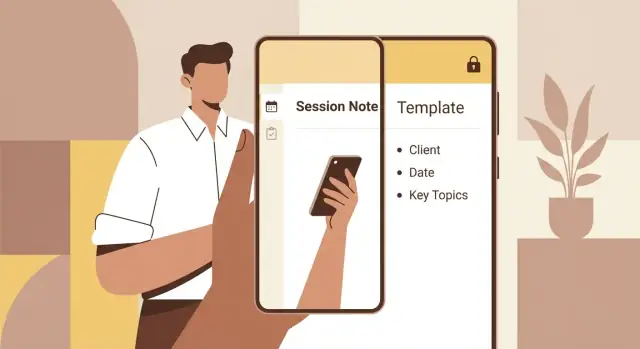
What a session-notes app should solve
A client session notes app is for professionals who meet people, listen carefully, and need to remember details later—therapists, coaches, consultants, and teams in clinics or group practices. While their sessions differ, the job-to-be-done is the same: capture what matters, organize it consistently, and retrieve it instantly when the next session starts.
The core problem isn’t “taking notes.” It’s taking useful notes under real conditions: the session runs long, you’re switching between clients, you’re traveling, your internet drops, and you still need to produce clear follow-ups. A good mobile note-taking app reduces the mental overhead so you can focus on the client, not on your system.
The problems you’re actually solving
A session-notes workflow typically breaks down in a few predictable places:
- Capture is slow or awkward. You’re typing too much, hunting for the right field, or writing in a notebook and re-entering later.
- Organization is inconsistent. Notes live across apps, notebooks, email drafts, and calendars—so nothing is complete.
- Finding past details takes too long. You remember “we talked about goals and a deadline,” but not which session or what date.
- Follow-ups get missed. Action items, homework, recommendations, or next-step tasks don’t make it into reminders.
A therapy notes app or coaching session notes tool should make these friction points rare—not inevitable.
What “good” looks like (simple success signals)
Before you build features, define a few outcomes that let you say, “This is working.” Examples:
- Time saved per session: e.g., notes completed in 2 minutes instead of 8.
- Fewer missed details: fewer “what did we agree last time?” moments.
- Easier follow-ups: next steps and reminders are captured during the session and visible before the next one.
- Confidence and consistency: notes feel uniform across clients, even on busy days.
A quick expectation reset
This guide is a practical planning and build checklist for a secure notes for clients product—how to think through workflows, templates, offline mobile notes, and MVP app planning. It’s not legal advice and won’t replace professional guidance for your specific practice, jurisdiction, or compliance requirements.
If you keep the focus on fast capture, clean organization, and reliable retrieval, you’ll build something people will actually use—not just install.
Define your users and workflow
Before you sketch screens or pick tools, get clear on who is using the app and when they’re writing notes. A client session notes app that works for a solo coach can fail completely for a clinic team—or for anyone who needs to share summaries with clients.
Typical note-taking moments
Most professionals capture information in a few predictable windows:
- During the session: quick keywords, quotes, goals, risks, action items.
- Right after the session: a fuller narrative while details are fresh.
- Between sessions: reviewing past notes, planning the next session, tracking progress, and logging client messages or updates.
Designing around these moments keeps your mobile note-taking app practical: fast capture when time is tight, and deeper editing when the session is over.
Map the workflow end to end
Write down the simplest “happy path” your users repeat every day. A common flow looks like:
Create client → start session → write notes → finalize → follow-up tasks
Then ask what should happen at each step:
- When you create a client, what fields matter (name, pronouns, goals, billing status, tags)?
- When you start a session, do you need a timer, last-session recap, or a prompt-based template?
- When you finalize, do you lock notes, add signatures, export a summary, or mark the session complete?
- For follow-up tasks, do you generate reminders, homework, or next-steps automatically?
Identify pain points you’re fixing
Your feature list should directly address the most common frustrations: scattered notes across apps, hard search, and inconsistent formats that make progress tracking difficult. If your users frequently re-type the same structure, that’s a strong signal to prioritize session note templates.
Decide the app’s “mode”
Be explicit about scope:
- Personal-use: one professional, simple setup, lightweight security.
- Team-based: shared clients, role permissions, auditing, consistent templates.
- Client-facing: carefully controlled sharing, messaging boundaries, and clear privacy expectations.
This decision shapes everything that follows—from templates to sync to app privacy and security requirements.
Pick an MVP and success metrics
An MVP (minimum viable product) for a client session notes app isn’t “a smaller app.” It’s the first version that reliably improves how notes are captured and found—without adding complexity you can’t support.
Create a simple feature shortlist
Start by listing everything you want, then sort it into three buckets:
- Must-have: the app is usable without workarounds
- Nice-to-have: helpful, but not required for day-one
- Later: valuable, but expensive, risky, or needs more validation
For most therapy/coaching-style workflows, must-haves often include: create a note fast, link it to a client, use a template, search past notes, and lock the app.
Choose a clear first-release focus
A strong first release typically optimizes for:
- Speed: start a note in seconds, minimal taps
- Consistency: templates and prompts reduce variation and missed fields
- Retrieval: quick search and filters so notes are actually useful later
If you try to ship scheduling, billing, chat, and document signing in v1, you’ll likely weaken the core: writing and finding notes.
Set constraints before you design
Be explicit about your limits early:
- Budget: design + build + testing + compliance costs
- Timeline: a realistic date, including feedback rounds
- Team size: who builds, who reviews, who supports users
- Maintenance capacity: OS updates, bug fixes, security patches
Constraints aren’t bad news—they help you make confident trade-offs.
Define 3–5 success metrics
Pick measurable signals that show the MVP is working, such as:
- Time to create a note (from opening the app to saving)
- Notes completed within 24 hours of a session
- Template usage rate (are people actually using structured notes?)
- Search success (how often users find what they need)
- Error/abandon rate (notes started but not saved)
Track these from the first pilot so your next iteration is guided by results, not guesswork.
Design the note structure and templates
A session-notes app lives or dies by how quickly someone can capture the right details—without turning every appointment into a typing marathon. Before you design screens, decide what a “note” is made of and which parts should be standardized.
Start with a simple, consistent note record
Most workflows need a predictable set of fields so notes can be searched, filtered, and reviewed later. A practical baseline includes:
- Client profile link (so notes never float unassigned)
- Session date/time (and optionally duration or location)
- Note body (the main narrative)
- Tags (themes, goals, modalities, topics)
- Tasks (follow-ups, homework, next steps)
- Attachments (optional) (photos of worksheets, PDFs, audio—only if your audience truly needs it)
Keep “core fields” truly core: if a field isn’t useful for most sessions, make it optional or template-specific.
Use templates to reduce blank-page effort
Templates help people write faster and more consistently, especially in a therapy notes app or coaching session notes context.
Common starting points:
- SOAP: Subjective, Objective, Assessment, Plan
- DAP: Data, Assessment, Plan
- Narrative notes: a guided free-text structure
- Custom sections: e.g., “Goals reviewed,” “Interventions,” “Client reflections”
For each template, consider adding prompts and checklists (e.g., “Risk assessment completed,” “Consent reviewed”) where appropriate. Prompts should be short and skimmable, so they guide rather than distract.
Add quick-entry helpers (without forcing them)
Speed features are a big part of a good mobile note-taking app:
- Voice dictation for hands-free capture
- Snippets for common phrases (editable per user)
- Favorites (pin a few common tags, goals, or interventions)
- Auto-fill from client profile or last session (careful: make it obvious what was copied)
These features work best when they’re optional accelerators, not required steps.
Decide how notes are finalized
Clarify the lifecycle early, because it affects editing UI and trust.
A useful model is:
- Draft: editable, incomplete
- Signed/locked: finalized (read-only)
- Editable history: if edits are allowed after finalization, keep a clear audit trail (what changed, when)
Even in MVP app planning, choose one approach early so users understand whether a note is “done,” and so your templates don’t encourage sloppy reuse.
Plan the main screens and user experience
Your UX goal is simple: capture accurate notes quickly, without breaking the flow of a session. That usually means fewer screens, predictable navigation, and a writing experience that feels “instant.”
1) Client list (your home screen)
Start with a client list that supports speed and memory. Include search (by name, tag, or last session) plus lightweight filters like “Needs follow-up,” “Seen this week,” or custom labels.
A “Recent activity” area (e.g., last edited notes, upcoming sessions) helps you jump back in without re-finding people every time. Keep each row informative but not crowded: name, next/last session date, and a subtle status indicator.
2) Session timeline + calendar options
Once a client is selected, a session timeline view makes it easy to see continuity over time. Each entry should open the note instantly and show key metadata (date, duration, goals, action items).
For calendar integration, offer options rather than forcing a setup:
- Manual session creation (works for everyone)
- Optional import from device calendar
- Optional two-way link (create a session from an event, attach a note, then jump back)
Make the default experience fully usable without connecting anything.
3) Fast note editor that never loses work
The editor is the product. Prioritize large tap targets, quick insertion for common fields, and autosave that works continuously (including offline). A distraction-free mode (minimal chrome, focus on text) is especially helpful during live sessions.
Keep the top actions consistent: save status, template selector, and a single “Done” to return to the timeline.
4) Accessibility and one-handed use
Use readable typography, strong contrast, and clear hierarchy (headers, bullet points, spacing). Make primary actions reachable with one hand, and avoid tiny icons-only controls. Support Dynamic Type / system font scaling so the app remains comfortable in long sessions.
Privacy, security, and compliance basics
Session notes often contain highly sensitive information: mental health details, relationship issues, medical context, finances, or identifying data. Treat privacy and security as core product requirements, not optional “settings” you add later.
Set privacy expectations up front
Start by deciding (and clearly stating) what your app stores and where it lives.
If notes sync to a server, users should understand that data leaves the device. If notes are device-only, be transparent about what happens when a phone is lost or replaced. A short, plain-language privacy summary inside onboarding and in Settings helps build trust—backed by a full policy (see /privacy).
Also define who the app is for: a solo practitioner writing their own notes, a team with shared access, or clients viewing summaries. Each audience changes your risk level and permission model.
Basic safeguards that users will notice
You don’t need enterprise complexity to prevent common leaks. Prioritize protections that address real-world scenarios like leaving a phone on a desk or sharing devices at home:
- App lock (PIN/passcode) and biometric unlock (Face ID/Touch ID)
- Auto-lock timeout after inactivity
- Strong password rules (if accounts exist) and clear guidance on password managers
- Secure session handling (log out on device change, limit “remember me”)
If you include exports (PDF, email, sharing), add a warning and defaults that prevent accidental sending to the wrong place.
Data protection: encryption in transit and at rest
At minimum, use TLS/HTTPS for all network traffic. For stored data, aim for encryption at rest (on-device and on any servers). Some stacks provide this automatically; others require explicit setup. If you use third-party services (analytics, crash reporting, file storage), confirm what data they receive and whether it can include note content.
Compliance: HIPAA, GDPR, and legal review
“Secure” is not the same as “compliant.” Regulations depend on where you operate and who your users are. For example, GDPR affects personal data for people in the EU/UK, and HIPAA can apply in the U.S. if you handle protected health information under covered entities.
Plan for a legal review early—especially before marketing the app as “HIPAA-compliant” or similar. Build features that support compliance needs (audit trails, access controls, retention/deletion) only after you know which rules apply.
Data storage, sync, and backups
Your session notes are only useful if they’re available when you need them, and safe if a device is lost or an account is closed. Decisions about storage and sync will shape trust in your app as much as the editor itself.
Offline-first vs always-online
For a client session notes app, assume connectivity will fail at the worst moment (basements, clinics, travel).
An offline-first approach stores notes on the device immediately, then syncs in the background. Users can open past sessions, draft new notes, and search without a connection. An always-online approach is simpler to build, but it forces users to wait for the network and increases the risk of “I lost my note because the upload failed.”
A practical compromise: write to local storage first, show a clear “Synced / Syncing / Needs attention” status, and queue uploads when the network returns.
Sync behavior and conflicts
Sync isn’t just “upload and download.” It’s also what happens when the same note is edited on two devices.
- Last-edited wins is easiest, but it can silently overwrite important details.
- Manual merge is safer: flag a conflict, keep both versions, and let the user choose what to keep.
For session notes, consider a middle path: default to last-edited wins for low-risk fields (tags), but require review for core note content. At minimum, keep a recoverable “previous version” for a period of time.
Backups, restore, and retention
Users expect to move phones without losing years of sessions.
Offer user-controlled exports (PDF/CSV/JSON) and an easy restore flow. Support device migration via account sync plus local backup options for people who don’t want cloud storage.
Define retention clearly: how long deleted notes are recoverable, and what happens when a subscription ends.
Audit trails (especially for teams)
If the app supports supervisors or multi-provider teams, add an audit trail: who created/edited a note, what changed, and when. Even a simple “edited by, edited at” history reduces disputes and helps with internal reviews.
Choose your build approach and tech stack
Your build approach affects everything else: timeline, budget, the level of privacy control you can realistically deliver, and how easily you can evolve your client session notes app after launch.
Build vs. buy (and when each makes sense)
If your goal is to validate demand quickly, start by customizing an existing notes platform (or a secure form + database workflow). You’ll ship faster, but you may compromise on note structure, offline behavior, and advanced privacy controls.
A dedicated app is the better choice when you need purpose-built therapy notes app or coaching session notes workflows: templates, session timelines, client profiles, offline-first capture, and stricter access rules.
No-code / low-code for speed
No-code and low-code tools can be great for an MVP: you can create session note templates, basic client records, and simple search without hiring a full engineering team.
Trade-offs to watch:
- Security and compliance features may be limited or hard to verify (data residency, audit logs, custom encryption, detailed access controls).
- Customization limits can block important UX details like fast session flows, offline edits, and granular sharing.
- Vendor lock-in can make later migration costly.
If you go this route, plan an exit path: export formats, data schema ownership, and how you’d rebuild later.
If you want more speed than traditional development, but more control than many no-code tools, a vibe-coding platform like Koder.ai can be a practical middle option. You describe the workflow in chat (clients → sessions → templates → offline behavior → search), iterate in a structured “planning mode,” and generate a real app stack (React for web, Go + PostgreSQL for backend, Flutter for mobile). It’s also helpful in MVP app planning because you can deploy early, take feedback, and use snapshots/rollback as you refine your note structure—while keeping the ability to export source code when you’re ready.
Cross-platform vs. native (cost and capability)
A cross-platform mobile note-taking app (one codebase for iOS and Android) usually lowers initial cost and speeds up iteration—useful for an MVP app planning phase.
Native apps can be worth it when you rely heavily on platform-specific features (advanced offline storage, background sync tuning, secure key storage integrations, polished text input). They typically cost more to build and maintain because you’re supporting two implementations.
Backend building blocks
Most apps need three backend pieces:
- Managed database for clients, sessions, and structured fields (templates, tags).
- Authentication provider for sign-in and access controls (including optional MFA).
- File storage for attachments like PDFs or voice snippets.
Choose managed services when you want reliability without a large ops burden, but confirm you can meet requirements for secure notes for clients (permissions, logging, retention, and data export).
Key features beyond note-taking
A client session notes app earns its place on someone’s home screen when it reduces “everything around the note”: getting into the app quickly, staying organized across clients, and turning notes into next actions—without creating privacy risks.
Authentication that fits real work
Start with a straightforward email/password flow, then design the details that prevent support headaches.
Make sure you include a clear password reset flow (people forget passwords in the hallway between sessions), and consider optional biometric unlock (Face ID/Touch ID) for faster access without weakening security.
If you’re building for clinics or teams, SSO can be a big win—especially when organizations already manage accounts centrally. You don’t need it on day one, but it’s worth leaving room for it in your architecture and UI.
Roles and permissions (even for small teams)
Permissions aren’t only for big enterprises. A two-coach practice might want shared client access but different editing rights.
Common role patterns for a session-notes app include:
- Solo practitioner: one user, simple ownership
- Multi-practitioner: shared workspace with separate client lists or shared clients
- Admin: manage team members, billing, retention settings, exports
- Read-only: supervisors, auditors, or assistants who can view but not edit
A practical approach is to scope roles to the minimum needed for your MVP, then ensure the data model can evolve (for example, notes linked to a “workspace,” then to a “client,” then to a “practitioner”).
Integrations that remove repetitive work
Integrations should save time, not just look impressive on a feature list. The most useful ones usually match the session workflow:
- Calendar integration: pull upcoming appointments and create “draft note” placeholders automatically
- Reminders: prompt users to finish notes, send follow-up tasks, or revisit goals
- Email follow-ups: generate a safe, minimal follow-up message template (careful with sensitive content)
- CRM/EHR (when applicable): for therapy or healthcare-adjacent use cases, plan for compatibility and constraints early
If you add integrations, give users control over what data is synced and whether client names or identifiers appear in third-party tools.
Exports and sharing (privacy-first)
Exports are essential for continuity and compliance, but they’re also a common leak point. Offer formats people actually need—PDF for readable records and CSV for structured reporting or migration.
For sharing, prefer deliberate, friction-added flows (e.g., “Export this note as PDF” with a confirmation screen) over one-tap sharing. Consider options like redacting client identifiers or exporting a “summary view” to reduce risk.
If you want more on protecting these flows, tie them to your rules from the security section and add guardrails like time-limited links or disabled sharing for certain workspaces.
Test with real scenarios before launch
A session-notes app can look “done” in a demo and still fail in the moment a practitioner is juggling a client conversation, a timer, and a phone call interruption. Before launch, test the app the same way it will be used: under time pressure, with incomplete information, and with privacy constraints.
Run usability tests with realistic sessions
Recruit 5–10 people who match your target users (therapists, coaches, case managers—whoever you’re building for). Give them a realistic scenario:
- Create a new client, start a session, take notes while “listening” to a short audio clip or role-play.
- Use a template, edit it, then find the note later by client name and date.
- Do a quick follow-up task: add an action item, tag a theme, or mark the note as finalized.
Watch where they hesitate. Pay special attention to one-handed use, font sizes, and whether the app makes it easy to capture thoughts quickly without losing structure.
Cover security testing basics
You don’t need a full security audit to catch common privacy failures early. Do a basic security pass focused on real device behavior:
- Lock screen behavior: verify sensitive content doesn’t appear in app switcher previews or notifications.
- Session timeout: confirm the app re-locks after inactivity and after device sleep.
- Data leakage checks: test copy/paste, share sheets, screenshots (if restricted), and whether notes appear in system search.
Also test “forgotten” states: what happens when a user hands their phone to someone else right after a session?
Stress-test edge cases that break trust
Session notes are high-stakes—bugs feel personal. Create test cases for:
- Duplicate clients (same name, different phone/email)
- Accidental deletes and how recovery works
- Interrupted saves (incoming call, low battery, app backgrounded)
- Offline edits, then reconnecting and syncing without overwriting
Make a simple QA checklist for every release
Keep a one-page checklist that’s run before every update. Include: create/edit/search notes, template flow, offline mode, backup/sync sanity check, lock/timeout, and delete/recover. Consistency here prevents “small” updates from causing big regressions.
Launch, pricing, and ongoing maintenance
Shipping your first version is less about “finishing everything” and more about getting a stable, trustworthy release into real hands. For a client session notes app, the launch phase is where small details—permissions, onboarding clarity, and support responsiveness—shape long-term retention.
App Store / Google Play essentials
Before you submit, prepare what the stores will ask for:
- Privacy disclosures and labels: clearly describe what data you collect (if any), how it’s used, and whether it’s linked to identity.
- Permissions: request only what you truly need. If you support attachments or exports, explain why you need file access. If you don’t need contacts, location, or microphone—don’t ask.
- Store assets: screenshots should show the real workflow (create client → start session → fill template → save). Include at least one screenshot that highlights security (e.g., passcode/biometric lock) without making medical claims.
If you handle sensitive information, ensure your privacy policy is easy to find in-app and on your listing.
Onboarding that gets users to “first useful note”
Your onboarding should be short and outcome-driven:
- Quick setup: name, role (therapist/coach/consultant), and preferred note style.
- Template selection: recommend 1–3 templates (e.g., SOAP, coaching goals, freeform) and allow changes later.
- A sample client + sample note: preload an example so users can explore editing, saving, and searching without anxiety.
Aim for a first completed note in under two minutes.
Pricing models that fit solo and teams
Common options:
- One-time purchase: simple, but harder to sustain updates and support.
- Subscription: funds ongoing sync, backups, and compliance work.
- Team plans: for practices with shared templates, standardized formats, and admin controls.
If you offer multiple tiers, keep the differences easy to explain. For example, “offline only” vs “sync across devices” vs “team admin features.” See /pricing for a clear tier comparison.
Support and maintenance (your retention engine)
Plan a lightweight system from day one:
- Feedback loop: in-app “Send feedback” and a short optional survey after 5–10 notes.
- Bug triage: categorize by severity (crash, data risk, UI annoyance) and respond quickly to data-related issues.
- Roadmap updates: release small improvements regularly—templates, faster search, export tweaks—so users feel momentum without disruptive redesigns.
FAQ
What problem should a client session notes app solve first?
Start by mapping the “happy path” users repeat daily: create client → start session → write notes → finalize → follow-up tasks. Then design for the three real note-taking moments:
- During the session (quick capture)
- Right after (clean up and complete)
- Between sessions (review, search, plan)
If the app supports those moments with minimal friction, most other UX decisions get easier.
What should the MVP include (and how do I measure success)?
Define 3–5 measurable signals and tie them to a focused v1 scope. Practical MVP metrics include:
- Time from opening the app to saving a note
- % of notes completed within 24 hours
- Template usage rate
- Search success (users find the right past detail)
- Abandon/error rate (notes started but not saved)
Ship the smallest version that improves speed, consistency, and retrieval without adding distracting extras (billing, chat, scheduling) too early.
What’s the best structure for a session note in an app?
Use a small, consistent “note record” so notes can be searched and reviewed later:
- Client link
- Session date/time (optionally duration)
- Note body
- Tags
- Tasks / follow-ups
- Attachments (only if truly needed)
Keep uncommon fields optional or template-specific so the default flow stays fast.
Which note templates work well for therapy or coaching workflows?
Start with a few proven formats and let users customize over time:
- SOAP (Subjective, Objective, Assessment, Plan)
- DAP (Data, Assessment, Plan)
- Guided narrative (free text with prompts)
Add lightweight prompts and checklists where they prevent omissions, but keep them skimmable so templates don’t slow people down during live sessions.
How do I design the note editor for speed during a session?
Design the editor to never lose work:
- Autosave continuously (including offline)
- Large tap targets and a distraction-reduced writing mode
- Quick insert for common sections, tags, and tasks
- A clear save/sync status and a single “Done” action
Treat the editor as the product—everything else should get users into the editor faster or help them find what they wrote later.
Should a session notes app be offline-first?
Assume connectivity fails and write locally first. An offline-first approach should:
- Save to on-device storage immediately
- Queue sync in the background
- Show simple states like “Synced / Syncing / Needs attention”
This avoids the high-trust failure mode of “the upload didn’t finish, so my note disappeared.”
How should sync conflicts be handled when the same note is edited on two devices?
Pick a conflict strategy before launch:
- Last-edited wins: simplest, but can overwrite important text
- Manual merge: safer; keep both versions and ask the user
A practical compromise is to require review for the main note body while allowing low-risk fields (like tags) to resolve automatically. At minimum, keep recoverable previous versions for a period of time.
What are the minimum privacy and security features to include?
Start with protections users notice immediately:
- App lock (PIN) + biometric unlock
- Auto-lock timeout
- Sensible session handling (re-lock after device sleep)
- TLS/HTTPS in transit and encryption at rest (device and server)
Also be explicit about where data lives and summarize it in-app, backed by a full policy (see /privacy). If you plan to market compliance (HIPAA/GDPR, etc.), get legal review and avoid making claims you can’t support.
How do I handle exports and sharing without creating privacy risk?
Treat exporting as a common leak point and add guardrails:
- Offer formats people actually need (PDF for readability, CSV/JSON for portability)
- Use deliberate flows (review screen + confirmation) instead of one-tap sharing
- Consider a “summary export” option that reduces sensitive detail
If your app supports teams, combine exports with role permissions and basic audit history so it’s clear who created/edited notes.
How should I test a session notes app before launch?
Test under real conditions (time pressure, interruptions, offline). A practical pre-launch checklist:
- Create client → start session → capture notes while distracted
- Template use, edit, then find the note later by name/date/tag
- Add a follow-up task and finalize/lock the note
- Simulate interruptions (calls, low battery, app backgrounding)
- Verify sensitive content doesn’t appear in notifications or app switcher previews
You’ll catch trust-breaking issues (lost text, slow search, confusing finalization) faster than by demo-only testing.