

How to Build a Mobile App for Collaborative Checklists
Learn how to plan, design, and build a mobile app for collaborative checklists: core features, syncing, offline mode, permissions, and launch tips.
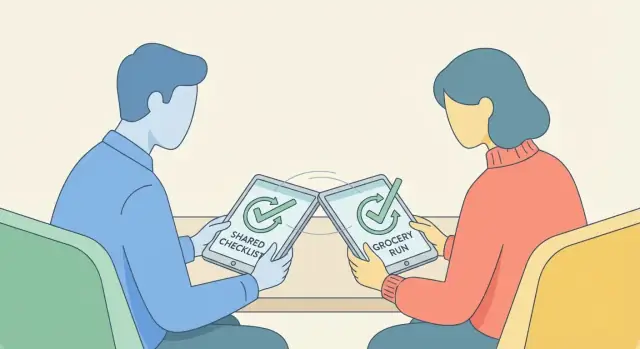
What a Collaborative Checklist App Should Solve
A “collaborative checklist” is more than a list that multiple people can view. It’s a shared workspace where everyone sees the same items, the same progress, and the same recent changes—without needing to ask “Did you do it?” or “Which version is correct?”
What “collaborative” really means
At minimum, collaboration implies two things:
- Shared list: multiple people can access the same checklist from their own phones.
- Shared progress: when one person checks an item off, edits a note, or adds a new task, everyone else sees that update quickly and reliably.
The goal is to replace status-chasing with trust: the checklist becomes the single source of truth.
Common real-world scenarios
Collaborative checklists show up anywhere work is distributed and timing matters:
- Household chores: recurring tasks, shared responsibilities, and quick “done” updates.
- Events: setup and teardown lists, vendor coordination, and last-minute changes.
- Field work: crews completing job steps, safety checks, or site visits with spotty connectivity.
- Retail: opening/closing duties, restocking routines, shift handoffs.
- Inspections: standardized steps, evidence notes, and accountability for completion.
Who your users are—and what breaks for them today
Most teams start with messaging apps, spreadsheets, or personal to-do tools. The friction is consistent:
- People can’t tell what’s current (multiple copies, screenshots, or conflicting edits).
- Updates get buried in chat, so tasks are missed even when someone “sent the info.”
- There’s no clear ownership (who’s doing what, and by when), especially across shifts.
- Mobile use is clunky: spreadsheets are hard to use on a phone; personal to-do apps don’t fit team workflows.
A good app removes ambiguity without adding overhead.
What success looks like (metrics that matter)
Define outcomes early so you can design toward them and measure improvement:
- Time saved: less coordination, fewer follow-up messages, faster handoffs.
- Fewer missed items: higher completion rates, fewer “we forgot” moments.
- Faster updates: reduced time from one person’s change to everyone else seeing it.
If your app consistently helps teams finish checklists with fewer gaps—and with less conversation required to get there—it’s solving the right problem.
Core Features to Include (and What to Save for Later)
A collaborative checklist app succeeds when it makes the “tiny actions” frictionless: create a list, add items, check them off, and let other people do the same without confusion. The fastest way to reach that is to define a strict MVP—and then resist the temptation to ship every idea at once.
The minimum set (your non-negotiables)
Start with the smallest feature set that still feels like a complete shared checklist mobile app:
- Create lists: name a list, optionally add a short description.
- Add, edit, reorder, and delete items: keep it fast, with minimal taps.
- Check/uncheck items: the core interaction should be instant and satisfying.
- Share a list: invite at least one other person and let them collaborate.
If any of these are clunky, no amount of extra features will compensate.
Collaboration essentials (worth doing early)
Once the basics work, add a few features that prevent misunderstandings when multiple people are involved:
- Activity log: “Alex checked ‘Buy milk’ at 6:42 PM.” This builds trust and reduces disputes.
- Comments (per item or per list): light discussion without switching apps. Keep it simple: text-only is enough for MVP.
- Assignments: one person is “responsible,” even if everyone can still complete the task.
- Due dates: helpful for trips, events, or weekly chores—avoid complex scheduling at first.
These features also give you strong foundations for real-time checklist sync and notifications later.
Nice-to-haves to save for later
Many popular additions are valuable, but they slow your first release and create extra edge cases:
- Templates (packing list, grocery staples)
- Attachments (photos, files, receipts)
- Tags/labels and advanced filtering
- Smarter recurring tasks (beyond a simple repeat option)
- Integrations (calendar, email, Slack)
Defer them until you’ve validated your core collaboration loop.
A practical MVP scope
A good MVP checklist app is one you can build, test, and iterate quickly. Aim for:
- List + item CRUD
- Sharing + basic permissions (e.g., editor/viewer)
- Real-time updates for check/uncheck and edits
- Activity log
- Optional: assignments or due dates (pick one if you need to cut scope)
If you can ship that reliably, you’ll have a clear baseline to expand from—without burying early users in complexity.
Designing a Simple UX for Shared Checklists
A shared checklist app lives or dies by how fast people can do the obvious things: open a list, add an item, check it off, and see what changed. Aim for “no instructions needed” and keep the interface predictable across screens.
Key screens to get right
List overview should answer three questions at a glance: what lists exist, which ones are active, and what changed recently. Show a short preview (e.g., “3/12 done”) and a subtle “updated 5m ago” label.
Checklist detail is the main work area: items, progress, and collaborators. Keep the header small so the list items stay front-and-center.
Item editor should be lightweight. Most items only need text; extras (notes, due date, assignee) can live behind an “Add details” expansion.
Sharing must feel safe and quick: invite by link or contact, show current members, and make roles understandable (e.g., Viewer / Editor).
Design for speed
Make checking an item a one-tap action with a large hit area (the whole row, not just a tiny checkbox). Support quick add with the keyboard staying open after you press “Add,” so people can enter multiple items rapidly.
Drag-to-reorder should be discoverable but not intrusive: use a small handle icon and allow long-press anywhere on the row as a shortcut.
Make collaboration visible
People trust shared lists when updates are clear. Add small avatars in the header, show “Last updated” timestamps, and label activity like “Alex checked ‘Batteries’.” For checked items, consider “Checked by Sam” in a muted style.
Accessibility basics
Use large tap targets, readable font sizes, and strong contrast for key actions. Include clear states for offline mode (e.g., “Offline • changes will sync”), plus subtle sync indicators so users know their edits are saved and shared.
Data Model: Lists, Items, Teams, and Activity
A collaborative checklist app feels “simple” only if the data behind it is well-structured. Start with a small set of objects you can trust, then leave room to evolve without breaking existing lists.
Core objects (and why they matter)
At minimum, you’ll want:
- User: identity, display name, avatar, notification preferences.
- Workspace/Team: the shared space where lists live (often tied to billing and membership).
- Checklist: title, optional description, owner/creator, team/workspace ID, ordering, archived flag.
- Item: the actual task row—text, state, assignee (optional), due date (optional), position/order.
- Comment: discussion attached to a checklist or an item; includes author, body, timestamps.
Keep IDs consistent across devices (UUIDs are common) so syncing and offline edits are predictable.
Item states and undo-friendly changes
Define item state transitions upfront. A practical set is:
- open → default
- done → completed
- skipped → intentionally not completed (useful for recurring or conditional steps)
- deleted → removed
Instead of permanently deleting immediately, treat deleted as a soft-delete with a deletedAt timestamp. That makes undo and conflict resolution much easier, and it reduces “Where did it go?” confusion.
Activity stream for clarity
Collaboration needs visibility. Add an ActivityEvent (or audit log) model that records key actions:
- item created/edited/completed
- reassigned
- comment added
- checklist renamed/archived
Store: eventType, actorUserId, targetId (checklist/item/comment), a compact payload (e.g., old/new value), and createdAt. This powers “Alex checked off ‘Buy milk’” without guessing.
Attachments and photos: now or later
If attachments aren’t in your MVP, design a placeholder:
- Add an
attachmentsCountfield on items, or anAttachmenttable that you simply don’t expose yet. - When you do add it, store files in object storage (e.g., S3) and keep only metadata in your database:
url,mimeType,size,uploadedBy,createdAt.
This keeps the data model stable while features grow toward your /blog/mvp-build-plan-and-roadmap.
Sync and Real-Time Collaboration Basics
When a checklist is shared, people expect changes to show up quickly—and reliably. “Sync” is the job of keeping everyone’s device in agreement, even if they’re on slow networks or temporarily offline.
Polling vs. real-time updates (in plain terms)
There are two common ways to get updates from the server:
- Polling: the app asks “anything new?” every few seconds.
- Real-time (WebSockets / realtime channels): the server pushes changes to the app the moment they happen.
Polling is easier to build and debug, and it’s often fine for an MVP if your checklists aren’t changing every second. The downsides are delayed updates, extra battery/data usage, and wasted requests when nothing changes.
Real-time updates feel instant and reduce wasted traffic. The tradeoff is more moving parts: you keep a connection open, handle reconnects, and manage “what did I miss while disconnected?”
A practical approach: start with polling for MVP, then add real-time for the “active checklist” screen where responsiveness matters most.
The hard part: two people editing at once
Sync gets tricky when two users change the same thing before seeing each other’s edits. Examples:
- Both rename the list title differently.
- One checks an item while another deletes it.
- Two people edit the same item text.
If you don’t define rules, you’ll get confusing outcomes (“it changed back!”) or duplicated items.
Simple conflict rules for an MVP
For a first version, pick rules that are predictable and easy to explain:
- Last write wins (LWW): whichever change has the newest timestamp becomes the final value. Good for fields like list name, item notes, due date.
- Item-level merges: treat each item as its own record. If two people edit different items, both changes apply. If they edit the same item, fall back to LWW for that item.
To support this, every change should include an updatedAt timestamp (and ideally an updatedBy user ID) so you can resolve conflicts consistently.
Presence: who’s viewing right now
“Presence” makes collaboration feel real: a small indicator like “Alex is viewing” or “2 people here.”
The simplest presence model:
- When a user opens a checklist, the app sends join.
- It sends a lightweight heartbeat every ~20–30 seconds.
- When they leave (or the heartbeat stops), they’re removed from the viewer list.
You don’t need cursors or live typing for a checklist MVP. Just knowing who’s currently on the list helps teams coordinate without extra messages.
Offline Mode: Make It Work Without a Connection
Offline mode is where a shared checklist app earns trust. People use checklists in elevators, basements, planes, warehouses, and job sites—exactly where connectivity is unreliable.
What “offline-first” means for checklists
Offline-first means the app stays usable even when the network drops:
- View: previously opened lists (and ideally recently used lists) load instantly from the device.
- Edit: users can check/uncheck items, add notes, reorder items, or create new items without waiting.
- Queue changes: every edit is saved locally and recorded as a pending change to sync later.
A good rule: the UI should behave the same online or offline. The difference is only when changes reach other people.
Local storage: cache + a queue of actions
Plan local storage as two parts:
- Cached data: checklists, items, members, and basic metadata (last updated time, last opened time). Keep it small and prune old lists.
- Pending actions (outbox): a simple list of operations like “toggle item,” “edit title,” or “add item,” each with an ID, timestamp, and target item.
This “outbox” approach makes syncing predictable. Instead of trying to diff entire lists, you replay actions when the connection is back.
Showing sync status (without stress)
Users need clarity, not alarms. Add a lightweight status indicator:
- A small label like “Saved on device” when offline.
- “Syncing…” when uploading.
- “Up to date” when done.
If sync fails, keep their work safe and show a clear message: what happened, whether anything is lost (it shouldn’t be), and what they can do next (usually “Try again”).
Safeguards: retries, backoff, and friendly errors
Sync should retry automatically with exponential backoff (e.g., 1s, 2s, 4s, 8s…) and stop after a sensible limit. If the user manually refreshes, retry immediately.
Handle failures by category:
- No connection: keep queueing changes; don’t spam errors.
- Auth expired: prompt to sign in again, then resume syncing.
- Server conflict: preserve the user’s latest action and ask for a choice only when truly necessary.
Done right, offline mode feels boring—which is exactly what users want.
Authentication, Sharing, and Permissions
Collaboration only works when people can get in quickly—and when access is clear. The goal is to make signing in and sharing a checklist feel effortless, while still giving list owners confidence that the right people have the right level of control.
Pick sign-in options that match your audience
For a consumer-style shared checklist mobile app (roommates, trips, groceries), the fastest path is usually email magic links: no password to remember, and fewer support issues.
For teams, email + password is still common (especially if they expect to log in on multiple devices). If you’re targeting workplaces with existing identity systems, consider SSO (Google/Microsoft/Okta) later—valuable, but often too heavy for an MVP.
A practical approach: start with magic link + optional password. Add SSO when you hear “We can’t use this without SSO” often enough.
Define roles people understand
Keep roles simple and visible. Three roles cover most needs:
- Owner: manages sharing, roles, list settings, and can delete the list
- Editor: can add/edit/reorder items and mark items complete
- Viewer: can view the list and item status (optionally comment), but can’t change content
Be explicit about edge cases: can editors invite others? Can viewers see who else is on the list? Don’t hide these rules in a terms page—show them in the share sheet.
Share safely with invites and links
Invites should be reversible. Support two common sharing methods:
Email invites: best for accountability (you know who joined). Let the owner choose a role before sending.
Invite links: best for speed. Make them safer by supporting:
- Expiration (e.g., 7 days)
- Revocation (one tap to disable the link)
- Default role for link joiners (usually Viewer)
If you allow “anyone with link can join,” show a clear warning and a list of current members so owners can audit access.
Privacy basics: least access, clear deletion
Follow “least access needed” as a default: require membership to view a private list, and don’t expose member emails to viewers unless necessary.
Also plan for user expectations:
- Delete account should be easy to find
- Explain what happens to shared lists when someone leaves (typically: they lose access; lists remain with the owner)
- Provide a simple way to request data deletion and understand retention
These choices aren’t just legal checkboxes—they reduce confusion and make collaboration feel safe.
Notifications That Help (Without Annoying People)
Notifications are the difference between a checklist that gets used and one that gets forgotten. The goal isn’t “more alerts”—it’s timely, relevant nudges that match how people actually coordinate.
Start with clear triggers
Pick a small set of events that genuinely require attention:
- Assigned item: “You’ve been assigned ‘Buy batteries’ in Weekend Trip.”
- Due soon: a reminder window (for example, 24 hours and/or 1 hour before).
- Item completed: useful when someone is waiting on a dependency (“Milk is checked off”).
- Mention in a comment: only notify the person mentioned, not the whole list.
Keep triggers consistent and predictable. If users can’t guess why they were notified, they’ll disable them.
Choose channels (MVP: 1–2)
For an MVP, don’t try to support everything at once. A practical starting point is:
- Push notifications for time-sensitive alerts (assignments, due soon).
- In-app inbox for a searchable history (mentions, completions, system messages).
Email can come later once you’ve validated what people care about.
Prevent notification fatigue
Build controls early, even if they’re simple:
- Per-list settings (mute a noisy list without muting the whole app).
- Quiet hours (no pushes overnight; deliver to inbox instead).
- Digests (bundle non-urgent updates into one periodic summary).
Device realities and fallback behavior
Mobile platforms require explicit permission for push. Ask only after users see value (e.g., after joining a list), and explain what they’ll miss. If permission is denied, fall back to in-app inbox badges and optional manual refresh cues so collaboration still works without push.
Choosing a Tech Stack for Mobile + Sync
Picking a tech stack is mostly about tradeoffs: speed to ship, reliability for real-time updates, and how much infrastructure you want to maintain. For a collaborative checklist app, the “sync layer” is often the most important decision.
Mobile: Native vs cross-platform
Native iOS (Swift) + Android (Kotlin) gives the best platform fit and performance, but you’ll build everything twice.
Cross-platform is usually the fastest path for an MVP:
- Flutter checklist app: strong UI consistency, great performance, one codebase.
- React Native checklist app: large ecosystem, easy to hire for, good iteration speed.
If your app is mostly lists, items, comments, and light attachments, cross-platform is typically enough.
Backend: hosted DB + API vs custom server
For most teams, start with a hosted database + managed auth + serverless functions. You get user accounts, data storage, and scaling without running servers 24/7.
A custom server (your own REST/GraphQL API) makes sense when you need strict control over permissions, complex business rules, or advanced analytics—but it increases maintenance.
Real-time sync: three common paths
You generally have three approaches for real-time checklist sync:
- Real-time database (managed): simplest to get “live updates” working.
- WebSocket service: more control, more engineering effort.
- Managed pub/sub: great for event-driven systems, usually paired with an API.
Choose the one that matches your team’s comfort level and how quickly you need to ship.
Attachments: object storage + signed URLs
If you allow photos or files on items, store them in object storage (not in your database). Use signed URLs so users can upload/download securely without exposing your storage bucket.
A faster way to ship an MVP (with Koder.ai)
If your goal is to validate the core loop quickly—create → share → check off → sync—a vibe-coding platform like Koder.ai can help you move faster without committing to months of scaffolding.
With Koder.ai, teams can prototype and generate production-leaning apps through a chat-driven workflow, using a modern stack under the hood (React for web, Go + PostgreSQL for backend, and Flutter for mobile). It’s especially useful when you want to iterate on permissions, activity logs, and sync behavior while keeping the build pipeline lightweight. When you’re ready, you can export the source code, deploy, and host with custom domains—plus use snapshots and rollback to de-risk changes.
MVP Build Plan and Roadmap
An MVP for a collaborative checklist app is less about shipping “everything,” and more about proving the core loop works flawlessly: create → share → check off → see updates on every device.
Milestones: prototype → MVP → beta → v1
Prototype (1–2 weeks)
Focus on flows, not infrastructure. Build clickable screens (or a thin demo build) to validate that creating a list, adding items, and sharing feels effortless. Use this stage to settle navigation, item interactions (tap vs swipe), and the overall visual language.
MVP (4–8 weeks)
Ship the “happy path” end-to-end:
- Create a list and add/edit/reorder items
- Share with one other person
- Check off items and see the change reflected on both phones
- Basic activity history (even if minimal)
Keep edge cases for later (advanced roles, complex settings, rich formatting). MVP success is measured by reliability and clarity, not feature count.
Beta (2–4 weeks)
Invite a small set of real teams (families, roommates, small workplaces). Prioritize bug fixes, performance, and confusing UX moments. Add the lightest “quality of life” improvements that unblock usage (e.g., better empty states, clearer share prompts).
v1 (2–4 weeks)
Polish and scale: onboarding, help content, basic notification defaults, store listing assets, and a minimal support channel.
Plan analytics events early
Define a short list of events that answer, “Are people actually collaborating?” For example:
- list_created
- list_shared (with count of invitees)
- item_completed
- list_completion_rate (percentage of items checked)
- collaboration_active (2+ people editing within 24h)
These help you learn what to improve without guessing.
Timeline and team roles
Even a small team needs clear ownership:
- Design: key screens, interaction states, onboarding
- Mobile: UI implementation, local storage, performance
- Backend: sync API, data storage, sharing/invites
- QA: test plans, device coverage, regression checks
Set weekly milestones tied to user outcomes (“can share and see updates instantly”), not just technical tasks. That keeps the roadmap aligned with what users feel.
Testing a Collaborative Checklist App
Testing a collaborative checklist app is less about pretty screens and more about proving the same list stays correct across people, devices, and spotty connections. Focus on the flows that can silently break trust.
Core flows to test (the “trust builders”)
Start by mapping a few end-to-end scenarios and running them repeatedly:
- Sharing: create a list, invite a teammate, accept/decline, leave the list, re-invite.
- Real-time collaboration: two users edit the same list at once; verify updates appear quickly and consistently.
- Offline edits: User A goes offline, checks items and renames the list; User B continues online; User A reconnects.
- Conflicts: both users edit the same item title or toggle completion in different states, then sync.
Write expected outcomes for each scenario (what wins, what merges, what’s preserved), then test against them. This is where your checklist app either feels reliable or frustrating.
Automate where bugs are expensive
Use automated tests for the parts that tend to regress:
- Data layer: creating lists/items, ordering, soft deletes, and activity history.
- Sync logic: batching, retries, idempotency (same change applied twice), and conflict resolution rules.
- Permissions: ensure roles behave correctly (e.g., viewer can’t edit, editor can’t manage members) and “permission denied” errors don’t leak data.
Even if you’re building a Flutter checklist app or a React Native checklist app, keep most of these tests platform-agnostic by targeting shared business logic/services.
Manual QA checklists (devices + bad networks)
Add a lightweight manual checklist for:
- Multiple OS versions and screen sizes
- Background/foreground transitions during sync
- Airplane mode, captive portals, and slow/unstable networks
- Push notifications for tasks: delivered once, deep links open the right list/item
Security checks (don’t skip these)
Test for invitation abuse (guessable codes, unlimited retries), unauthorized access to list data, and basic rate limits on login/invite endpoints. A great offline checklist app still fails if sharing isn’t safe.
Launch, Learn, and Improve After Release
A collaborative checklist app is only “real” once teams use it during busy weeks, with spotty connectivity, and multiple people editing the same list. Treat launch as the beginning of product discovery—not the finish line.
Prepare the store basics (and reduce friction)
Before you ship, tighten the first impression:
- Positioning: one clear sentence about who it’s for (e.g., “shared checklists for crews, families, and small teams”).
- Screenshots: show the collaboration moments—assigning, checking off, comments/activity, and sharing.
- Privacy disclosures: be explicit about what you collect (email, device tokens for notifications, analytics), and why. Keep it consistent with your in-app privacy copy.
If you offer a paid tier, make the upgrade path easy to understand and link to /pricing from your site and onboarding emails.
Run a small beta with real teams
A short beta with 5–20 teams will reveal issues you won’t see in solo testing: unclear permissions, duplicated lists, and confusion around “who changed what.”
Collect structured feedback so it’s actionable:
- A weekly 5-question survey (time-to-first-list, sharing success, notification usefulness, confusion points, one “wish” feature).
- Session notes from 3–5 live calls where you watch them create and share a checklist.
When you find teams getting stuck, fix the flow before spending money on acquisition.
Measure what matters: retention and collaboration
Downloads are noisy. Track behaviors that signal value:
- Day 1/7 retention (do they come back?).
- Collaboration rate: % of lists shared, # of collaborators per list.
- Task completion loop: items created → assigned → completed.
- Invite funnel: invites sent vs. accepted.
Plan iteration (with a realistic roadmap)
After release, ship improvements in small, visible steps: templates, recurring checklists, integrations (calendar, Slack/Teams), and exports (CSV/PDF) for audits or reporting.
If you want to accelerate iteration without rebuilding your entire pipeline, consider using Koder.ai for rapid experiments: you can spin up new flows in planning mode, ship changes, and roll back quickly if an update breaks collaboration.
If you need help scoping the next milestone or validating what to build next, route interested teams to /contact.
FAQ
What makes a checklist app truly “collaborative”?
A collaborative checklist is a shared workspace where multiple people can view and update the same list, and everyone sees changes quickly and reliably.
The key difference from a “shared note” is shared progress: when someone checks an item, edits text, or adds a task, the list becomes the single source of truth—no screenshots or status-chasing.
What features should be in the MVP for a collaborative checklist app?
A practical MVP includes:
- List + item CRUD (create, edit, reorder, delete)
- One-tap check/uncheck
- Sharing (invite at least one collaborator)
- Basic permissions (e.g., Viewer/Editor)
- Real-time (or near-real-time) updates for the active checklist
- Activity log (who did what, when)
If you need to cut scope, start with assignments or due dates, not both.
Why add activity logs, comments, assignments, and due dates early?
They reduce the most common collaboration failures:
- Activity log prevents “who did this?” disputes.
- Comments keep context attached to the item/list instead of buried in chat.
- Assignments create clear responsibility even when anyone can complete.
- Due dates add urgency without requiring complex scheduling.
Keep them lightweight so the core loop stays fast: create → share → check off → everyone sees it.
What permission roles should a shared checklist app support?
A simple, understandable set is:
- Owner: manages sharing/roles and can delete/archived list
- Editor: can add/edit/reorder items and mark complete
- Viewer: can view status (optionally comment), but can’t change content
Make the rules visible in the share screen (e.g., “Editors can/can’t invite others”) so users don’t have to guess.
How do you handle conflicts when two people edit the same checklist at once?
For an MVP, use predictable rules:
- Item-level records: edits to different items should merge cleanly.
- Last write wins (LWW) for the same field on the same record (e.g., item text), based on
updatedAt.
Also store updatedBy and keep soft-deletes (e.g., deletedAt) so “undo” and reconciliation are less painful.
What does “offline mode” mean for a collaborative checklist app?
Build it as offline-first:
- Cache recently used lists locally so they open instantly.
- Save edits locally (check/uncheck, add items, reorder) without waiting.
- Maintain an outbox of pending actions to replay when online.
In the UI, show calm status states like “Saved on device”, “Syncing…”, and “Up to date” so users trust their work isn’t lost.
Which notifications are most useful without annoying users?
Start with what users actually need:
- Push notifications for time-sensitive events (assignments, due soon).
- In-app inbox for searchable history (mentions, completions).
Add fatigue controls early:
- Per-list mute
- Quiet hours
- Optional digests
If push permission is denied, rely on inbox badges and clear in-app cues instead of spamming prompts.
What tech stack works best for a mobile checklist app with sync?
A common MVP-friendly approach is:
- Cross-platform mobile (Flutter or React Native) to ship faster.
- Hosted DB + managed auth + serverless functions to reduce ops.
- Start with polling for updates, then add real-time (WebSockets/realtime channels) on the active checklist screen.
If you plan attachments later, design for object storage + signed URLs so you don’t store files in your DB.
How should you test real-time and offline collaboration?
Test the flows that build (or break) trust:
- Sharing: invite, accept, role changes, leave/re-invite
- Two-user edits on the same list at the same time
- Offline edits + reconnect
- Conflicts (rename vs rename, toggle vs delete)
Automate the expensive regressions:
- Sync idempotency (same change applied twice)
- Retry/backoff behavior
- Permission enforcement (no data leaks on “denied”)
What metrics and analytics events prove the app is working?
Track outcomes tied to collaboration, not just usage:
list_created,list_shared(invite count),item_completed- Completion rate per list
- “Collaboration active” (2+ people editing within 24h)
- Invite funnel: sent vs accepted
Use these to guide your roadmap (e.g., templates, recurrence, integrations) and to validate what to build next—then route qualified teams to /contact if you offer implementation help.